Vyl Trade Manager

  • Utilità
  • Murat Kaisariyev
    Murat Kaisariyev
    Trading Discipline & Execution Tools
    I build practical software tools designed to help traders master self-control, manage emotional pressure, and eliminate costly execution mistakes like tilt and FOMO.
  • Versione: 3.10
  • Attivazioni: 5

# Vyl Trade Manager — Full Documentation

##
🎯 Short Description (for the Market product card)

Vyl Trade Manager is a professional trading panel for MetaTrader 4 that automates risk-based position-size calculation and gives you instant access to all the trade-management tools you need.

Forget manual calculations and complex formulas — one click to open a trade with the correct lot size, instant move-to-breakeven, partial profit-taking, and Stop Loss/Take Profit management right from the chart.

**Ideal for:**
- Traders who value their time
- Beginners who want to manage risk correctly
- Professionals who need fast execution

##
✨ Key Features

**
📈 Risk Management**
- Automatic lot-size calculation based on % risk of balance
- On-the-fly risk adjustment with +/- buttons (0.1% to 100%)
- Color-coded risk indicator: green (safe), yellow (moderate), red (high)

**
⚡ Fast Trading**
- BUY/SELL buttons with automatic SL and TP placement
- Close all positions in one click
- Partial close (50% of position) to lock in profit

**
🛡️ Position Management**
- Breakeven — moves SL to entry price + a few points
- Adjust SL/TP directly on the panel with +/- buttons (5-point step)
- Real-time P/L monitoring with color indication

**
📊 Account Information**
- Real-time balance and equity
- Current spread
- Number of open orders
- Total profit/loss across positions

##
🔧 Installation

**Step 1: Download**
After purchase on MQL5 Market, you'll receive the file `VylTradeManager_Pro.ex4`.

**Step 2: Install in MetaTrader 4**
1. Open MetaTrader 4
2. Go to File → Open Data Folder (or press Ctrl+Shift+D)
3. Open the MQL4 → Experts folder
4. Copy `VylTradeManager_Pro.ex4` into this folder
5. Restart MetaTrader 4 (or press F5 in the Navigator window)

**Step 3: Add to Chart**
1. Open the chart you want (e.g., EURUSD)
2. In the Navigator window (Ctrl+N), find VylTradeManager_Pro under "Expert Advisors"
3. Drag it onto the chart
4. In the settings window that appears:
   -
✅ Enable "Allow live trading"
   -
✅ Enable "Allow DLL imports" (if required)
   - Click OK

**Step 4: Verify It's Running**
The panel should appear in the top-left corner of the chart. If it's not visible:
- Check that "AutoTrading" is enabled in the top MT4 toolbar
- Make sure the EA is attached to the active chart

##
⚙️ Settings

On first launch you can configure panel settings and risk settings.

💡 **Tip:** You can change these settings at any time through the EA's properties (right-click the EA → "Properties").

##
📖 User Guide

**1. Position Size (Lot) Calculation**

How it works: the panel automatically calculates the optimal lot size based on your balance, the risk percentage you've set, the Stop Loss distance in points, and the pip value for the current instrument.

Example:
- Balance: $10,000
- Risk: 1%
- Stop Loss: 50 points
- Result: Calc. Lot = 0.20

This means that if the Stop Loss is hit, you'll lose exactly 1% of your balance ($100).

Adjusting risk:
- Press "+" — increase risk by 0.1%
- Press "-" — decrease risk by 0.1%
- Press "Reset Risk" — return to the default value

Risk color coding:
- 🟢 Green (0.1%–1.0%) — conservative, safe risk
- 🟡 Yellow (1.1%–3.0%) — moderate risk
-
🔴 Red (3.1%+) — aggressive risk (be careful!)

**2. Opening Positions**

Opening a BUY:
1. Set your desired risk (e.g., 1%)
2. Set the Stop Loss (e.g., 50 points)
3. Set the Take Profit (e.g., 100 points)
4. Press the "BUY" button

The position opens with the calculated lot size, an SL 50 points from entry, and a TP 100 points from entry.

Opening a SELL: Same process, but press "SELL" instead.

**Important:** Make sure "AutoTrading" is enabled in the top MT4 toolbar, or orders won't open.

**3. Managing Stop Loss and Take Profit**

Adjusting SL:
- Press "-5" — decrease Stop Loss by 5 points
- Press "+5" — increase Stop Loss by 5 points

Adjusting TP:
- Press "-5" — decrease Take Profit by 5 points
- Press "+5" — increase Take Profit by 5 points

💡 **Tip:** These changes only affect new positions. To modify SL/TP on existing positions, use the Breakeven function or modify the order manually.

**4. Breakeven Function**

What it does: moves the Stop Loss of all open positions to the entry price plus a few points (default: +5 points).

When to use it: when a position is already in profit and you want to lock in a minimal gain, or when you want to remove risk from the trade while keeping upside potential.

How to use it:
1. Open a position (e.g., BUY)
2. Wait for the price to move in your favor
3. Press "BREAKEVEN"
4. The Stop Loss moves to: entry price + 5 points

Example:
- You opened a BUY at 1.1000 with SL at 1.0950
- Price rose to 1.1050
- You pressed BREAKEVEN
- New SL: 1.1005 (entry + 5 points)
- Now even if price reverses, you stay up 5 points

**5. Partial Close (Close 50%)**

What it does: closes half the volume of all open positions.

When to use it: when a position is in good profit and you want to lock in part of it, or when you want to reduce risk while leaving part of the position to run.

How to use it:
1. Open a position (e.g., 0.20 lots)
2. When the position is in profit, press "CLOSE 50%"
3. Half the position (0.10 lots) closes at the current price
4. The other half (0.10 lots) stays open

💡 **Tip:** After a partial close, you can move the remaining position's Stop Loss to breakeven with the BREAKEVEN button.

**6. Close All Positions**

What it does: closes all open positions with magic number 12345 on the current instrument.

When to use it: on a sharp market reversal, when you need to exit everything quickly, or ahead of major news.

How to use it: simply press "CLOSE ALL".

⚠️ **Important:** Only positions opened through this panel (magic number 12345) are closed. Positions opened manually or by other EAs are not affected.

**7. P/L (Profit/Loss) Monitoring**

What it shows: total profit or loss across all open positions, including profit, swap, and commission.

Color coding:
- 🟢 Green — you're in profit
-
🔴 Red — you're at a loss
-
⚪ White — breakeven

Example:
- P/L: +$150.50 (green) — you've made $150.50
- P/L: -$75.30 (red) — you've lost $75.30

##
📋 Usage Examples

**Example 1: Conservative Trading**
Scenario: You trade EURUSD with a $5,000 balance and want to risk no more than 1% per trade.
1. Set risk to 1.0% (green)
2. Set SL to 30 points (for intraday trading)
3. Set TP to 60 points (1:2 risk/reward)
4. Panel shows: Calc. Lot = 0.17
5. Press BUY or SELL
6. At +20 points, press BREAKEVEN
7. At +40 points, press CLOSE 50%
8. Manage the remaining position to TP or close manually

Result: you've locked in part of the profit and removed risk from the trade.

**Example 2: Aggressive News Trading**
Scenario: A major news release is coming (NFP), and you want to catch the move.
1. Increase risk to 3.0% (yellow)
2. Set SL to 100 points (wide stop for volatility)
3. Set TP to 200 points
4. Panel shows: Calc. Lot = 0.15
5. Wait for the news, then press BUY or SELL
6. If the trade goes your way, quickly press BREAKEVEN
7. If it goes against you, press CLOSE ALL to exit fast

⚠️ **Warning:** News trading is very risky! Only use funds you can afford to lose.

**Example 3: Scalping**
Scenario: fast trades on small timeframes (M1, M5).
1. Set risk to 0.5% (conservative for frequent trades)
2. Set SL to 10 points
3. Set TP to 15 points
4. Panel shows: Calc. Lot = 0.50
5. Open positions on your signal
6. At +5 points, press BREAKEVEN
7. At +10 points, press CLOSE 50%
8. Close the remainder manually or wait for TP

##
❓ Frequently Asked Questions (FAQ)

**Q: Why aren't my trades opening?**
A: Make sure that "AutoTrading" is enabled in the top MT4 toolbar, "Allow live trading" is enabled in the EA's settings, there are sufficient funds in the account, and the market is open (not the weekend).

**Q: How do I change the magic number?**
A: In the current version, the magic number is fixed at 12345. This ensures the panel only manages its own positions. If you need it changed, contact the developer.

**Q: Can I use the panel on multiple charts?**
A: Yes, but each panel operates independently with its own settings. Make sure AutoTrading is enabled on each chart.

**Q: Why is the lot always the minimum (0.01)?**
A: This happens if the risk is too small (e.g., 0.1% with a large balance and a small SL) or the Stop Loss is too large. Check the formula: Risk ($) / (SL in points × point value) = lot.

**Q: How do I remove the panel from the chart?**
A: Right-click the chart → "Object List" → find objects with the "PTM_" prefix → delete them. Or simply remove the EA from the chart (right-click the EA → "Remove").

**Q: Does the panel work on a demo account?**
A: Yes, the panel is fully functional on a demo account. It's a great way to test all the features before trading live.

**Q: Can I change the SL/TP step (currently 5 points)?**
A: In the current version, the step is fixed at 5 points. If you need a different step, contact the developer for customization.

**Q: Why doesn't P/L update instantly?**
A: The panel refreshes data every 500 milliseconds (twice per second). This is the optimal balance between data freshness and load on the terminal.

##
🔒 Safety and Limitations

**
✅ What the panel does:**
- Opens positions with the calculated lot size
- Modifies Stop Loss and Take Profit
- Closes positions fully or partially
- Displays account information

**What the panel does NOT do:**
- Does not trade automatically (only on your click)
- Does not modify positions opened by other EAs or manually
- Does not connect to external servers
- Does not collect or transmit your data

**
⚠️ Important warnings:**
- Forex trading carries a high risk of loss.
- Always test the panel on a demo account before using it live.
- Never risk money you can't afford to lose.
- Past performance does not guarantee future results.

##
📞 Support

If you have questions or run into issues:
1. Check the FAQ section above — the answer may already be there
2. Check the "Experts" tab in the MT4 terminal for error messages
3. Contact the developer through the seller profile on MQL5 Market

## Technical Requirements

- **Platform:** MetaTrader 4 (build 600+)
- **Operating System:** Windows 7/8/10/11
- **Minimum screen resolution:** 1280×720
- **Required:** AutoTrading enabled in the terminal

##
🎓 Tips for Effective Use

1. Start on a demo account — test all features risk-free
2. Use conservative risk (0.5–1%) at the beginning
3. Always set a Stop Loss — never trade without protection
4. Use Breakeven — it's the key to risk-free trading
5. Partial close is a great way to reduce stress and lock in profit
6. Don't change settings during heavy volatility — it can lead to errors
7. Regularly check the logs in the "Experts" tab to monitor the panel's activity

##
📝 Version History

Current version: 3.00 (Pro)

- v1.00 — Basic panel with lot calculation
- v2.00 — Added Buy/Sell/Close All buttons
- v2.10 — Fixed lot calculation for different risk values
- v2.20 — Added risk-adjustment buttons on the panel
- v3.00 — Pro version: Breakeven, Close 50%, SL/TP adjustment, P/L monitoring

© 2026 Vyl Trade Manager. All rights reserved.


Prodotti consigliati
Smart Key Trade Manager
Stephen Sanjeeve Sahayam
La maggior parte dei trader al dettaglio non è in grado di gestire il rischio e fa saltare i conti rischiando eccessivamente o facendo trading eccessivo. Questo strumento automatizza completamente il drawdown e la gestione del rischio, lasciando che un trader si concentri solo sui propri inserimenti. È il primo e unico gestore commerciale che utilizza l'azione dei prezzi con la sua funzione Aggressive Risk Control per chiudere automaticamente le posizioni parziali quando il prezzo va contro il
Equity Master Stop v2
Frank William Jr Colbert
Trading tool combining a sophisticated equity stop-loss, dynamic take-profit management (Breakeven & Trailing), and symbol-group-based closing logic. It is a complete risk management and trade supervision tool. Features: All features of `Equity Master Stop v1` (floating profit/loss limits, exit protection, skip hours). Take-Profit Override: Can force a TP on any order to lock in a `MAX_FLOATING_PROFIT`. Step Breakeven: Locks in increasing amounts of profit as a trade moves favorably (e.g., aft
Expert Advisor for MT4 Useful utility MUST have for all traders.  With 1 click button, you're able to close all your open positions. Its come with a warning pop up notification when you click to close all your trades, to avoid an accident press the button. Just press 'Yes' to confirm or 'No' to cancel it. The expert will close all your open positions no matter what pairs you currently open or directions. Just attach the expert on 1 of your chart, and you're good to go.
Grid Trading
Waseem Raza
5 (3)
Grid Trading EA is a semi-automated one-click trading EA for both Normal Trading and Grid/Martingale Trading . Normal Trading Simply click Buy or Sell directly from the chart. The EA will automatically manage trades by: Setting Stop Loss and Take Profit Managing Trailing Stop Grid / Martingale Trading When Grid Trading mode is enabled, the EA will automatically open additional grid orders at specified distances while increasing the lot size based on your settings. Inputs & Settings Lots — Initia
Trade Manager MT4 DaneTrades
Levi Dane Benjamin
4.09 (11)
Trade Manager per aiutarti a entrare e uscire rapidamente dalle operazioni calcolando automaticamente il tuo rischio. Incluse funzionalità che ti aiutano a prevenire l'eccessivo trading, il vendetta trading e il trading emotivo. Le operazioni possono essere gestite automaticamente e i parametri di performance del conto possono essere visualizzati in un grafico. Queste caratteristiche rendono questo pannello ideale per tutti i trader manuali e aiuta a migliorare la piattaforma MetaTrader 4. Suppo
TradeKeyboard50
Isaac Abrahan Hernandez Lopez
TradeKeyboard50 is a platform in which you can operate your real and training account in a simple way through your pure computer keyboard without the need to interact with the screen. We developed the platform so that you can trade automatically, semi-automatically and manually, you can open, close, change TakeProfit and StopLoss in multiple financial instruments, from currencies, futures, stocks, CFDs, Cryptos, Shares, in any Metatrader 4 of any Broker. With the ability to display with differ
SMC Trade Manager
Gustavo Jose Gonzalez Rubi
5 (2)
Presentiamo Smart Money Concepts Trade Manager - l'ultimo strumento progettato per i trader che cercano un vantaggio professionale nei mercati. Che tu sia un trader ICT/Smart Money Concepts/manuale, il nostro software è stato specificamente costruito per automatizzare facilmente i tuoi scambi e gestire il rischio in tempo reale. Con Smart Money Concepts Trade Manager, puoi eseguire facilmente concetti di smart money o configurazioni di trading istituzionale con fiducia e coerenza. Il nostro pote
FREE
Virtual Exchange Reserve Equity Monitor In an environment where exchanges offer increasingly high leverage ratios, it is all the more important for traders to tightly regulate their level of equity .  This software is designed to be run in the background on any virtual private server that can run Meta Trader 4/5.  It implements basic equity control functions ahead of the broker---allowing users to set their own equity trailing stop, an equity limit to lock-in a certain profit margin, and a unive
FREE
Smart Watermark
Alexander Martinez
Smart Watermark visualizza il simbolo e l'intervallo di tempo mentre viene ridimensionato e centrato automaticamente. Ti consente anche di impostare una firma personalizzata per condividere i tuoi grafici con altri. Parametri: Parametro Descrizione Font Il tipo di carattere utilizzato per visualizzare la filigrana Colore del carattere Il colore del carattere utilizzato per visualizzare la filigrana Stile carattere Lo stile del carattere. Scegli tra Nessuno, Corsivo, Sottolineato o Barrato. L'
Trade panel manual is a multifunctional trading assistant. It allows you to open market and pending orders in one click. Value is set via button menu edit or deleted by specific buttons pending orders and the value of take profit and stop loss in one click. Through the edit menu of the button, a value is set that can be easily changed by simply moving level_tp lines for take profit or stop loss levels and for pending orders. It is possible to select orders and determine for them and set the leve
This product is a multi-functional MT4 indicator and is an indispensable tool for account information statistics, strategy analysis and risk assessment. Functions: 1. Statistical account basic information of profit and loss . 2. Statistics and display the account profit and loss fund curve. 3. Display the order's track on chart ,so that we can analys the strategy and risk of the account. 4 .List account's trade pairs and order totals ,we also can see the profits of each pair. If you have any qu
Easy Trade Executor è uno strumento per il calcolo rapido del lotto, l'esecuzione degli ordini e la gestione dei trade in MT4. Posiziona direttamente sul grafico i livelli di Entrata, Stop Loss e Take Profit, ottieni il calcolo automatico del lotto e apri trade con rischio controllato in pochi clic. Perché scegliere Easy Trade Executor? Easy Trade Executor è stato progettato per i trader che cercano molto più di un semplice calcolatore del rischio. Vogliono gestire i propri trade in modo rapido
This tool will perform Trailing stop loss and Break even management for orders. Helps you limit or reduce the time spend watching orders on the screen, especially when you need to go to sleep. Just add this EA to 1 chart, you can manage all pairs. You can filter orders by comment, magic number, symbol, and order ticket number. When Breakeven it can add shift/offset pips (to cover the commission...). You can try in strategy tester before purchase. The EA will add Buy and Sell alternately, so yo
EasyTradePad
Sergey Batudayev
5 (5)
EasyTradePad – Pannello di trading per MetaTrader 4 EasyTradePad   è uno strumento per il trading manuale e semi-automatico. Il pannello consente una rapida gestione di ordini e posizioni, nonché calcoli di gestione del rischio con un solo clic. Caratteristiche del pannello: Apri e chiudi le negoziazioni con rischio predefinito (% o valuta di deposito) Imposta SL e TP in punti, percentuali o valori monetari Calcola automaticamente il rapporto rischio/rendimento Sposta lo stop loss al pareggio C
Trade Assistant is a trading panel designed for manual trading. The panel allows you to calculate risk, manage positions using Limit orders, And other useful features. Key features of the panel It works with any trading instruments - currency pairs, CFDs, stocks, indices, futures, cryptocurrencies. Set Stop Loss and Take Profit as the distance in points. Setting and displaying the potential loss to profit ratio. The panel supports pending orders. Display on the chart the calculated position vol
Risk Commander
Adisorn Soodkanueng
Product Name: Risk Commander: Trade Assistant & Strategy Simulator Risk Commander is more than just a trade panel—it is a complete Manual Trading Ecosystem . It serves two powerful purposes: Live Assistant: Helps you execute trades with speed, precision, and perfect risk management in real-time markets. Training Simulator: Fully compatible with the Strategy Tester (Visual Mode) , allowing you to practice manual trading on historical data without risking a cent. NEW! Built-in Simulator Mode Stop
This panel closes trading positions at multiple symbols. The panel displays the situation for all open symbols on the account: Balans - account balance Equity - account equity Margin - used margin Freemargin - free margin Summ Position - the summary position on the account, in lots Position buy - the summary buy position, in lots Position sell - the summary sell position, in lots Summ Profit - the total profit (loss) at all positions Profit buy - the total profit of buy positions Profit sell - t
If you found this EA, it's probably because you want to get a funded account with a prop firm, but you see a rule that most of traders fear :   Maximum Daily Drawdown.  I've been through this problem myself as   I'm a prop firm trader   and I've made a bot to solve this rule, and you can get it to solve this problem too. How does it work ? When you first setup this EA, you need to input the   initial deposit   which corresponds to the size of your funded account. For exemple if you get a 10k$ f
Auto Stop Loss
Nabil Oukhouma
Il Gestore del Rischio "Set & Forget" per il Trading Multi-Asset ️   Mai lasciare un trade senza protezione. Auto Stop Loss (MT5 Manager)   è l'utility di background definitiva per i trader che mettono la sicurezza al primo posto. A differenza dei pannelli standard, questo strumento lavora instancabilmente dietro le quinte per proteggere istantaneamente ogni operazione. Che tu apra trade manualmente o tramite un altro EA, questo manager assicura che ogni posizione abbia immediatamente un Stop
Trade Manager G2 MT4
Ida Bagus Putu Mahardika
TRADE MANAGER G2 – PRODUCT DESCRIPTION By Ida Bagus Putu Mahardika Trade Manager G2 – All-in-One Trading Panel for Professional Execution & Risk Management Trade Manager G2 is a next-generation trading panel designed to give you full control over order execution, position management, and profit optimization in real time on MetaTrader 5. With a modern card-based user interface and individual TP actions per level, this panel elevates your trading experience to the next level. KEY ADVANTAGES OF
MT4 Close all automated
Ekanci Christian Eric Loukou
We found the solution for you. It is a script that allows you to automatically close all your positions that you have improved. To close a position, you must type "Close position" from its context menu in the "Trade" tab. In the window that appears, you must also type "Ask". Then the "Close" button appears in the window. When you press this button, the position is fully closed at the asking price. Please note that the Close button will also remain displayed for a few seconds, while the trader n

MultiLimitStop EA
Siti Latifah
5 (1)
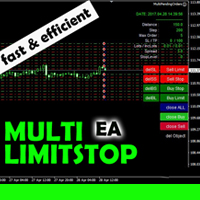
This EA is designed for automatic placing of pending orders (sell limit, buy limit, sell stop, buy stop) including Stop Loss & Take Profit levels (editable) with only one button click. This EA can make order multi pending level / pending orders grid. So, with this EA placing pending orders will be faster, more accurate and more efficient. Main Purposes Automation Pending orders grid style trading. Automation of the process of placing the Pending Orders: fast accurate efficient Automation of cl
Basket Trades Panel
Opengates Success International
Basket trading is very interesting for those who are familiar with it. It is also very profitable if you know your way round BUT can be very destructive to anyone’s account if care is not taken. However, there are Basket traders all around making good incomes with it with ease. What it can do: This utility is created for them to remove the stress of opening trade on each of the currency symbol group. At just a click, it opens the symbol’s entire group of currency pair ORDERS in any of the direct
Trade Assistant Pro 36 in 1
Makarii Gubaydullin
4.76 (21)
Strumento Multifunzionale: Calcolatore di Lotti, Ordini Grid, Rapporto R/R, Gestore Trade, Zone di Domanda e Offerta, Price Action e molto altro Versione Demo   |   Manuale utente L'Assistente di Trading non funziona nel tester di strategie: puoi scaricare la Versione Demo QUI per testare l' utilità . Contattami per qualsiasi domanda / idee di miglioramento / in caso di bug trovato Se hai bisogno di una versione MT5, è disponibile qui Semplifica, accelera e automatizza il tuo processo di tradin
Scarica qui la versione gratuita e completamente funzionale per account demo: [Link del blog] Line Trade Manager è uno strumento visuale avanzato per trader manuali (manual traders) che necessitano di un controllo totale sull'esecuzione (execution) e sulla gestione del rischio (risk management). Invece di scomode finestre d'ordine (order windows) e calcoli manuali, gestisci una logica di trading complessa direttamente sul grafico (chart) tramite linee interattive pulite. Basato sulla filosofia '
The purpose   of this utility is to manage one or more subwindow in the same chart by opening and closing them through a button or the keyboard keys How it works: If you want to handle more than one subwindow you need to reinstall the indicator . In this case some setups has to be customized onlu in the last subwindow installed and others setups in the installed subwindow during the first time installation. They are denoted in the input rispectively as ' LW ' and ' IW '. First of all install
With this software you can test your Forex strategies live. Compatible with Meta Trader 4. Extra features are available. You can trade through the panel. You can put signs with Fish Hook. In addition, your strategy test is saved to the file folder in csv format. You can review these reports with CSV Quick Viewer. One Lot can do with Scalp. Your account also determines the lot based on the amount of money found. It gives you information about the transaction before you open the transaction. You c
Size calculator
Smail El Hassar
Size Calculator allow you to calculate the size you need for your position giving two parametres: the number of pips risked and the money risked, for example if you want to risk 20 USD on 200 pips, then you will need to input 200 in the case reserved for pips and 20 in the case reserved for risk, the size will appear in left top carner of the chart in your metatrader 4 platform,  Size Calculator  support the following symbols : EURUSD GBPUSD AUDUSD NZDUSD  GOLD WTI  EURJPY GBPJPY USDJPY AUDJPY C
L'indicateur montre les heures d'ouverture des bourses mondiales. Vous aide à voir quels marchés sont actuellement les plus actifs Découvrez mon  #1 Pro  Utility : 66+ fonctionnalités, incluant cet outil  |   Contactez-moi  si vous avez des questions Aide à sélectionner les instruments les plus volatils en ce moment; Particulièrement utile pour les traders intraday; 1) Lors de l'utilisation sur des délais 1H et inférieurs: les lignes correspondront à la position réelle des barres sur le graphiq
Verdure Forex Calculators
Olawale Adenagbe
1 (1)
Overview Money management is an all-important aspect of trading that many traders often overlook. It is very possible that even with a winning strategy, bad money management can often result in huge loses. Verdure Forex Calculators aims to help traders minimize risk and exposure in the Forex market. Verdure Forex Calculators implements 4 calculators in one single indicator. It is the first of it's kind on MT4 platform. Calculators implemented are: Lot (Trade or Contract Size) Calculator. Margin
Gli utenti di questo prodotto hanno anche acquistato
Forex Trade Manager MT4
InvestSoft
4.98 (446)
Benvenuto a Trade Manager EA, lo strumento definitivo per la gestione del rischio , progettato per rendere il trading più intuitivo, preciso ed efficiente. Non è solo uno strumento per l'esecuzione degli ordini, ma una soluzione completa per la pianificazione delle operazioni, la gestione delle posizioni e il controllo del rischio. Che tu sia un principiante, un trader avanzato o uno scalper che necessita di esecuzioni rapide, Trade Manager EA si adatta alle tue esigenze, offrendo flessibilità s
Exp COPYLOT CLIENT for MT4
Vladislav Andruschenko
4.69 (65)
Copiatore professionale di operazioni per MetaTrader 4 Un copiatore di operazioni veloce, affidabile e professionale per MetaTrader 4 . COPYLOT consente di copiare operazioni Forex tra i terminali MetaTrader 4 e MetaTrader 5 , offrendo una sincronizzazione flessibile per diversi tipi di conto e modalità operative. La versione COPYLOT MT4 supporta: MetaTrader 4 → MetaTrader 4 MetaTrader 5 Hedge → MetaTrader 4 MetaTrader 5 Netting → MetaTrader 4   Versione MT5 Descrizione completa + DEMO + PDF Com
Local Trade Copier EA MT4
Juvenille Emperor Limited
4.96 (111)
Local Trade Copier EA MT4 è un trade copier rapido e flessibile per copiare e gestire operazioni tra più conti MetaTrader 4 sullo stesso computer Windows o Windows VPS. Combina la sincronizzazione locale delle operazioni con controlli lato Receiver per dimensione del lotto, gestione del rischio, filtraggio delle operazioni, mappatura dei simboli, gestione delle operazioni e protezione del conto. Configura i terminali Transmitter e Receiver in circa 1 minuto e copia operazioni manuali o aperte d
Trade Assistant MT4
Evgeniy Kravchenko
4.43 (197)
It helps to calculate the risk per trade, the easy installation of a new order, order management with partial closing functions, trailing stop of 7 types and other useful functions. Additional materials and instructions Installation instructions   -   Application instructions   -   Trial version of the application for a demo account Line function -   shows on the chart the Opening line, Stop Loss, Take Profit. With this function it is easy to set a new order and see its additional characteris
TradePanel MT4
Alfiya Fazylova
4.84 (95)
Trade Panel è un assistente commerciale multifunzionale. L'applicazione contiene più di 50 funzioni di trading per il trading manuale e permette di automatizzare la maggior parte delle attività commerciali. Istruzioni per l'applicazione : https://www.mql5.com/it/blogs/post/762331 Versione di prova dell'applicazione per un conto demo: https://www.mql5.com/it/blogs/post/762419 Come installare l'applicazione: https://www.mql5.com/it/blogs/post/762362 Come testare l'applicazione in modalità visuale:
Trade Indicator Assistant is a powerful MT4 utility designed to turn indicators into automated trading systems. Its main feature is the ability to automatically detect an indicator’s   BUY and SELL signal buffers , without requiring you to know the buffer numbers, search through indicator settings, or modify the indicator source code. Bonus Indicator: After purchasing Trade Indicator Assistant, contact me to receive Trade Signal Pro completely free as a bonus indicator. [Download Demo Version]
Trade copier MT4
Alfiya Fazylova
4.61 (36)
Trade Copier è un'utilità professionale progettata per copiare e sincronizzare le transazioni tra conti di trading. La copiatura avviene dal conto/terminale del fornitore al conto/terminale del destinatario, che sono installati sullo stesso computer o vps. Prima di acquistare, puoi testare la versione demo su un account demo. Versione demo qui . Istruzioni complete qui . Funzionalità e vantaggi principali: Supporta la copia degli ordini: MT4> MT4, MT4> MT5, MT5> MT4, inclusi i conti di compensaz
Copiatrice->Interazione dell'interfaccia comoda e veloce, gli utenti possono utilizzarla subito       ->>>> Si consiglia di utilizzarlo su computer Windows o VPS Windows Caratteristiche: Impostazioni di copy trading diversificate e personalizzate: 1. È possibile impostare diverse modalità di lotto per diverse fonti di segnale 2. È possibile impostare diverse fonti di segnale per il copy trading forward e reverse 3. I segnali possono essere impostati con commenti 4. Se calibrare il lotto in base
Telegram to MT4 Multi-Channel Copier   copia automaticamente i segnali di trading dai tuoi canali Telegram e Discord direttamente su MetaTrader 4. Niente bot, niente estensioni del browser, niente copia manuale. Il segnale arriva su Telegram o Discord e l'EA apre l'operazione nel tuo terminale in pochi secondi. E prima di copiare un canale, il backtester integrato ti mostra cosa avrebbe fatto quel canale sul tuo conto. Il prodotto include due componenti: un'applicazione Windows che ascolta i tuo
Scarica la versione di prova funzionante Copy Cat More (Gatto Copione) — Copiatore di Trade (Trade Copier) MT4 non è solo un semplice copiatore locale di trade; è un framework completo di gestione del rischio e di esecuzione (risk management and execution framework) progettato per le sfide di trading di oggi. Dalle challenge delle prop firm alla gestione di portafogli personali, si adatta a ogni situazione con la sua combinazione di esecuzione robusta, protezione del capitale, configurazione
FCK CurrencyStrength Pro
Patel Hitendrakumar Mahendrabhai
Hi Friends, " FCK Currency Strength Pro " is a auto & semi auto trading expert with direction of pair. Buy-Sell separate or multi currency in one click. The strategy of  FCK Currency Strength Pro  is a combination of custom indicator, Trendlines, Support & Resistance levels ( Price Action ) and most important secretive trading algorithm mentioned above. Download News Ex4 and csv file You need the following SDSnews.ex4 in MQL4/Libraries and the daylightsavings.csv in MQL4/Files. Only 4 of 5 copi
The product will copy all telegram signal to MT4   ( which you are member  ) , also it can work as remote copier.  Easy to set up, copy order instant, can work with almost signal formats, image signal, s upport to translate other language to English Work with all type of channel or group, even channel have "Restrict Saving Content", work with  multi channel, multi MT5 Work as remote copier: with signal have ticket number, it will copy exactly via ticket number. Support to backtest signal. How to
News Filter EA MT4
Rashed Samir
5 (10)
News Filter EA: Advanced Algo Trading Assistant News Filter EA is an advanced algo trading assistant designed to enhance your trading experience. By using the   News Filter EA , you can integrate a Forex economic news filter into your existing expert advisor, even if you do not have access to its source code. In addition to the news filter, you can also specify   trading days   and   hours   for your expert. The News Filter EA also includes   risk management   and   equity protection   features
RS Trade Copier
Boris Sedov
5 (1)
RS Trade Copier - il local trade copier ultra-veloce con una vera interfaccia grafica. Smetti di inserire i numeri di conto manualmente. Addio alle interminabili liste di oltre 200 parametri nelle impostazioni. Uno strumento affidabile e flessibile per copiare operazioni di trading tra multipli terminali MT4 e MT5. È adatto sia a trader esperti e servizi di segnali, sia a investitori privati. Permette di sincronizzare il trading da uno o più Fornitori a uno o più Clienti con elevata precisione e
Take a Break
Eric Emmrich
5 (31)
Take a Break pauses your Expert Advisors when trading is a bad idea: before news, after a daily loss, outside your trading hours, or when a rule you wrote yourself says so. When the pause is over, your EAs simply continue. Account protection for all your EAs in one tool: news filter, drawdown and equity protection, time filter and custom rules. One EA on one chart protects the whole account, the free indicator gives every chart its own rules on top. Free demo | What is new in 26.09 | Support Ass
Il MT4 to Telegram Signal Provider è uno strumento facile da usare e completamente personalizzabile che consente l'invio di segnali a Telegram, trasformando il tuo account in un fornitore di segnali. Il formato dei messaggi è completamente personalizzabile! Tuttavia, per un uso semplice, puoi anche optare per un modello predefinito e abilitare o disabilitare parti specifiche del messaggio. [ Dimostrativo ]  [ Manuale ] [ Versione MT5 ] [ Versione Discord ] [ Canale Telegram ]  New: [ Telegram To
Telegram to MT4 Coppy
Sergey Batudayev
4.09 (11)
Da Telegram a MT4: la soluzione definitiva per la copia del segnale Semplifica il tuo trading con   Telegram su MT4   , l'utility all'avanguardia progettata per copiare i segnali di trading direttamente dai canali e dalle chat di Telegram sulla tua piattaforma MetaTrader 4, senza bisogno di DLL. Questa soluzione affidabile garantisce un'esecuzione impeccabile dei segnali con una precisione e opzioni di personalizzazione senza pari, risparmiando tempo e aumentando la tua efficienza. [ Instruction
Trade Copier Global
Laszlo Tormasi
5 (15)
Trade Copier Global: The name speaks for itself. This copier allows you to copy orders between MT4 terminals even if they are not installed on the same computer. Features Copying trades between MT4 terminals around the world with a short delay. Automatically recognizes symbol prefixes. Can connect many Slaves to the same Master. Supports pending and market orders. Supports partial order close (with limitations, see below) Can send messages and notifications to the Slaves from the Master Several
Partial Closure EA MT4
Juvenille Emperor Limited
5 (3)
Partial Closure EA MT4 ti consente di chiudere parzialmente qualsiasi operazione sul tuo conto, manualmente tramite una percentuale scelta della dimensione del lotto e/o per numero di ticket, oppure automaticamente a percentuali specifiche dei livelli di TP/SL, chiudendo una percentuale della dimensione iniziale del lotto su un massimo di 10 livelli di take profit e 10 di stop loss. Può gestire tutte o alcune delle operazioni nel tuo conto specificando o escludendo determinati numeri magici, co
VirtualTradePad mt4 Extra
Vladislav Andruschenko
4.85 (61)
Pannello di trading per il trading in 1 clic.   Lavorare con posizioni e ordini!   Trading dal grafico o dalla tastiera. Utilizzando il nostro pannello di trading, puoi fare trading con un clic dal grafico ed eseguire operazioni di trading 30 volte più velocemente rispetto al controllo MetaTrader standard. Calcoli automatici di parametri e funzioni che semplificano la vita di un trader e lo aiutano a condurre le proprie attività di trading in modo molto più rapido e conveniente. Suggerimenti gra
Indicatore di forza delle valute per MetaTrader 4 Questo indicatore di forza delle valute analizza fino a 28 coppie principali e ne ricava un valore per valuta, per le 8 principali: USD, EUR, GBP, JPY, CHF, CAD, AUD e NZD. Invece di aprire un grafico dopo l'altro per capire chi comanda, legge un solo pannello sul suo grafico MetaTrader 4 e sa quale valuta viene comprata e quale venduta. Cosa mostra il pannello Una barra di forza ordinata per ciascuna delle 8 valute, con la sua percentuale Una ma
CloseIfProfitorLoss with Trailing
Vladislav Andruschenko
4.88 (32)
Close If Profit or Loss with Trailing per MetaTrader 4 — chiusura automatica per profitto totale o perdita totale Un’utilità pratica per MetaTrader 4 che chiude automaticamente le posizioni quando il profitto totale o la perdita totale raggiunge il livello impostato. L’Expert Advisor monitora le operazioni aperte, calcola il risultato flottante, può usare Trailing Profit e aiuta a gestire le posizioni più rapidamente rispetto a una reazione manuale. MetaTrader 4 è ancora molto utilizzato da tra
Trade Dashboard MT4
Fatemeh Ameri
4.96 (55)
Trade Dashboard simplifies how you open, manage, and control your trades, with built-in lot size calculation. It allows you to execute trades, manage risk, and control positions directly on the chart, with tools such as partial close, breakeven, and trailing stop. Designed to reduce manual work and help you stay focused on your trading decisions. A demo version is available for testing. Detailed explanations of features are provided within the MQL5 platform. Installation instructions are include
Smart Copy Local MT4
Kyra Nickaline Watson-gordon
5 (7)
Smart Copy is an Easy-to-Use EA that supports Multi Copying Metatrader4 and Metatrader5 and Local/Remote Copying. (Remote Version is coming soon) Free version is available on Smart Copy Local Free MT4 Specifications :     Real Time, Multi Terminal - Multi Account - MT4/MT5 trade copying     Copy from netting to hedge and hedge to netting is supported.     Fast and instant copy     All settings are input visually.     Easy modifying symbol names, prefix, suffix     Enable/Disable copying s

Fibo Heart Expert Advisor
Mohd Khairol Amin Ramli
Want automatically to put the pending order, take profit and stop loss? This EA will do it on your behalf! The Fibo Heart EA strategy will place limit order after the ‘check point’ breakout. The position will be triggered when the price make a successful retest. If not, the pending order will automatically deleted after price hit certain level. You also have option to enable market order (instant execution) and custom take profit in the inputs setting. This EA must be attached with Fibo Heart In
Trailing Stop and Breakeven Manager - Trail Architect MT4 Auto Trailing Stop and Breakeven Manager for MT4. Protect profit with automatic break even, then trail your stop loss using Classic, Step, ATR or Candle trailing - all from one professional panel. Every trader knows the pain: a winning trade turns into a loss because the stop loss was never moved. Watching the chart all day just to move your stop to break even and trail the stop loss by hand is exhausting - and one missed move can wipe o
Unlimited Trade Copier Pro
Vu Trung Kien
4.43 (7)
Unlimited Trade Copier Pro is a tool to copy trade remotely to multiple MT4, MT5 and cTrader accounts at different computers/locations over internet. This is an ideal solution for you if you are a signal provider and want to copy your trades to other receivers globally on your own rules. One provider can copy trades to multiple receivers and one receiver can get trade from multiple providers as well. The provider can even set the subscription expiry for each receiver, so that receiver will not b
Bar Replay MT4
Hoang The Manh
3.43 (7)
Don't purchase before testing the Demo version first. DEMO version:   https://www.mql5.com/en/market/product/76917 __________________________________________________ This EA  - Tool allow you replay bar in Meta Trader 4 for back test. This Tool can back test in multi timeframe in only one chart. This Tool is very useful for Price action trader. It can work with Indicators, some indicators cannot works. So please download Demo to test before purchase.  Demo Version We do not accept refund in any
King Trade Copier MT4
Mohammed Maher Al-sayed Mohammed Ahmed Saleh
5 (1)
King Trade Copier collega i terminali MetaTrader che girano sullo stesso computer o VPS. I trade aperti su un conto compaiono sugli altri. Il file contiene entrambi i ruoli, quindi lo stesso download diventa il mittente o un ricevente a seconda del valore che imposti in Mode. Su ogni grafico il pannello indica se questo terminale sta inviando o ricevendo, nomina il conto sull'altro lato, conta i riceventi che hanno risposto e mostra l'età dell'ultimo segnale. Un ordine che non è stato copiato l
This is a program in the form of an EA that attaches to a chart in MetaTrader 4. Then, by using API from Bittrex, Binance websites, it downloads the history of altcoins. By selecting a pair name, the EA automatically downloads all time frames history (Daily,H12,H4,H2,H1,M30,M15,M5,M3,M1) so there is no need to attach multiple EAs to different charts. You can select one pair from Bittrex and 4 pairs from Binance exchange with one running EA and create up to 15 timeframes for 5 different pairs. Th
Altri dall’autore
VYL Decision Coin is not a signal indicator. It is a psychological discipline tool for traders who struggle with overtrading, FOMO, or impulsive entries. The indicator simulates a "coin flip" that gives you one of three verdicts: BUY SETUP , SELL SETUP , or SKIP / WAIT — based on market conditions (ATR, MA50, spread) and a dose of randomness. Key Features Disciplined decisions — BUY / SELL / SKIP verdicts Smart risk sizing — auto-calculates lot size for 2% risk based on ATR Discipline
FREE
What Is VYL Decision Coin? VYL Decision Coin is a discipline utility for MetaTrader 4 designed to eliminate emotional bias, FOMO, and overthinking before entering trades. It provides a structured choice: TRADE or SKIP / WAIT. Not an auto-trader or signal generator. ️ Smart Engine Logic • Spread Filter: High spread (> max allowed) forces a 90% chance of "SKIP". • Volatility Filter: Low ATR volatility increases "SKIP" recommendation. • Trend Filter: Aligns suggestions with the 50-period EMA.
FREE
Vyl Daily Sessions & Drawdown Tracker — Full Guide   Short Description (for the Market product card) Vyl Daily Sessions & Drawdown Tracker is an all-in-one indicator for MetaTrader 5 that combines professional chart mapping with advanced trading-discipline control. The tool automatically draws the key trading sessions and the previous day's liquidity levels, and adds a unique Discipline Dashboard that tracks your daily stats in real time and instantly warns you when you're approachin
FREE
Vyl Focus Trainer
Murat Kaisariyev
Vyl Focus Trainer — это инструмент для дыхательной разминки, разработанный для MetaTrader 5, который помогает трейдерам войти в спокойное, сосредоточенное состояние перед началом торговой сессии. В отличие от стандартных торговых инструментов, эта утилита не анализирует рынок и не открывает сделки. Ее цель — подготовить вас, трейдера, к дисциплинированной, эмоционально уравновешенной торговле. Благодаря двухминутной управляемой дыхательной сессии с визуальными подсказками, инструмент помогает
FREE
VylFocusTrainer
Murat Kaisariyev
# VylFocusTrainer — User Guide ## Product Description (for MQL5 Market) VylFocusTrainer is a professional pre-session breathing warm-up tool for MetaTrader 4, designed to help traders enter a calm, focused state before starting to trade. Unlike standard trading tools, this utility doesn't analyze the market or open trades. Its job is to prepare you — the trader — for disciplined, emotionally balanced trading. Through a guided 2-minute breathing session with visual cues, it helps reduce str
FREE
VylTradeManager
Murat Kaisariyev
Vyl Trade Manager — Full Guide (MT5) Short Description (Teaser) Stop calculating lot sizes manually! Vyl Trade Manager is a professional trading panel for MetaTrader 5 that automates risk calculation, executes trades instantly, and gives you full control over your positions with one click. Trade like an institutional trader! Ideal for: - Traders who value their time and execution speed - Beginners who want to manage risk correctly and avoid blowing their account - Professionals who n
Filtro:
Nessuna recensione
Rispondi alla recensione