Chart Date Jump
- Utilità
- Versione: 1.0
- Attivazioni: 20

Chart Date Jump
Chart Date Jump is a lightweight MetaTrader 5 utility that helps you open historical chart context in seconds.
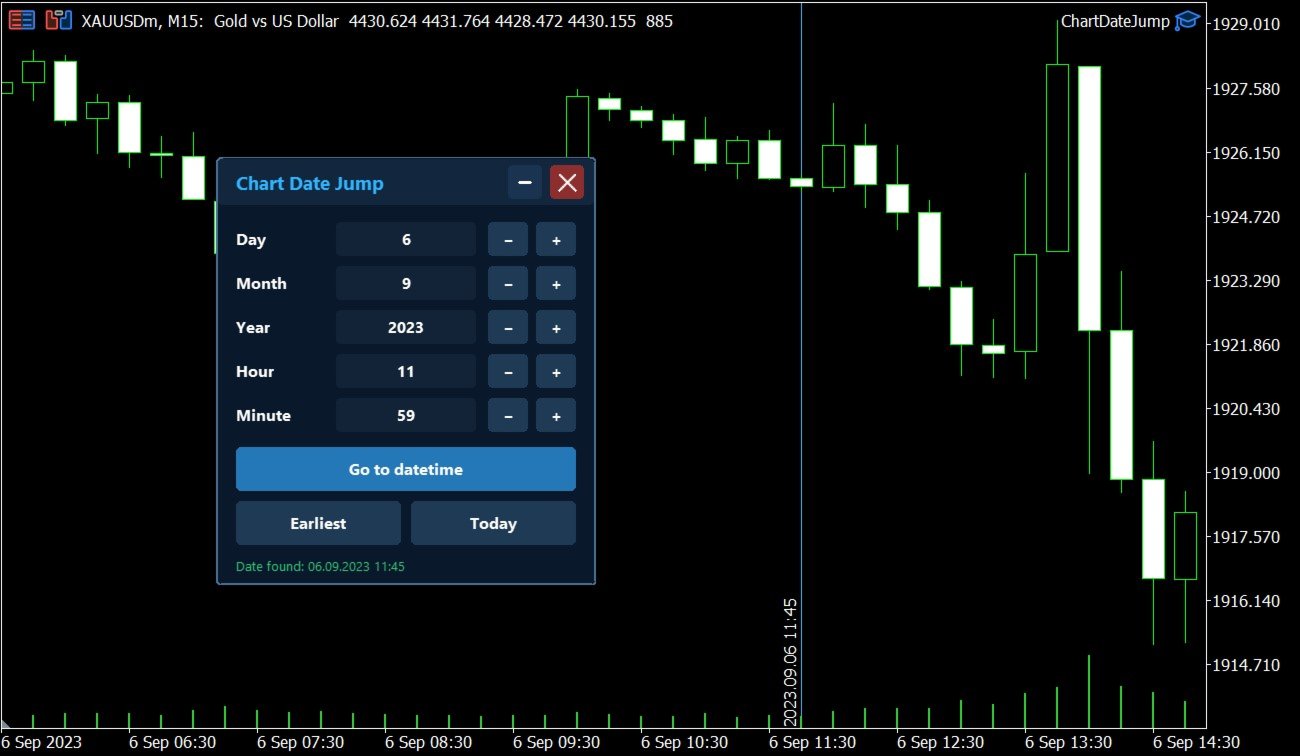
Enter a target Day / Month / Year / Hour / Minute, press Go to datetime, and the chart scrolls to the matching bar and centers it in the window. A vertical marker is drawn on the located candle so you can instantly see the exact time you jumped to.
Key features
- Jump to an exact date and time on the current symbol/period
- Center the found bar in the visible chart area
- Mark the target bar with a vertical line and time label
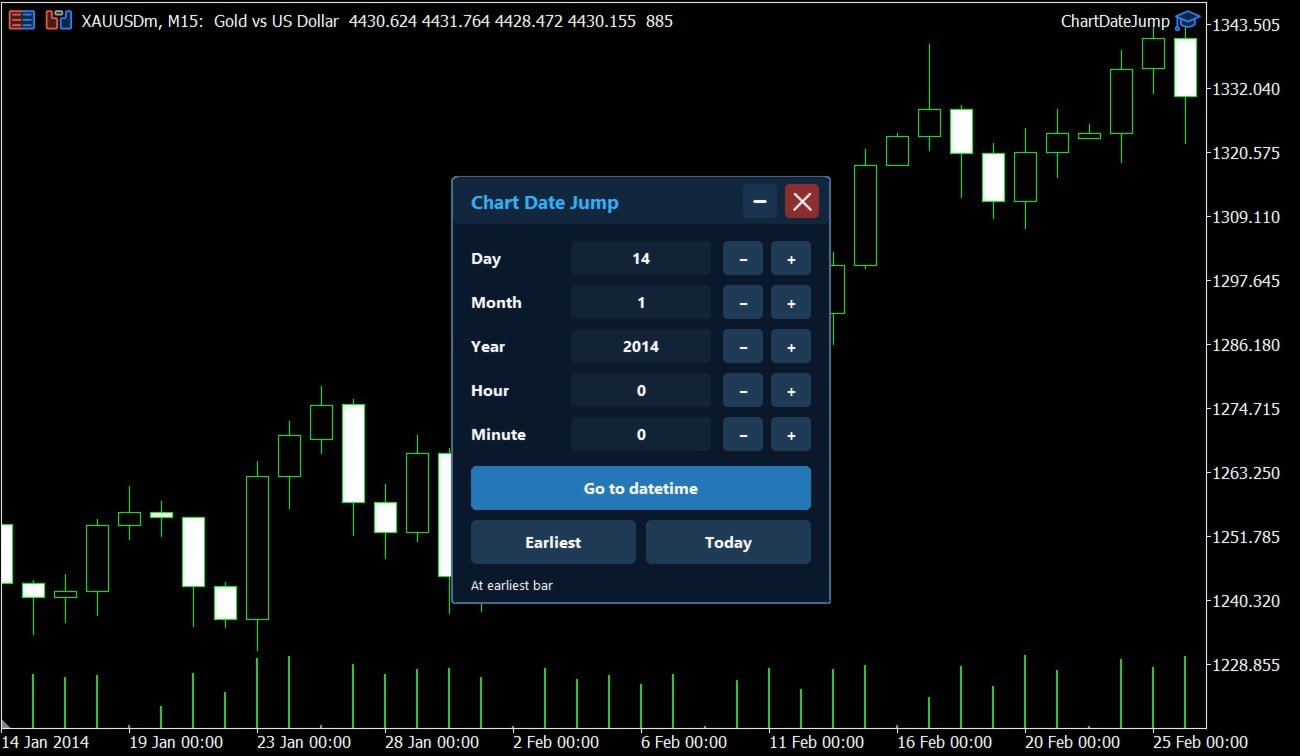
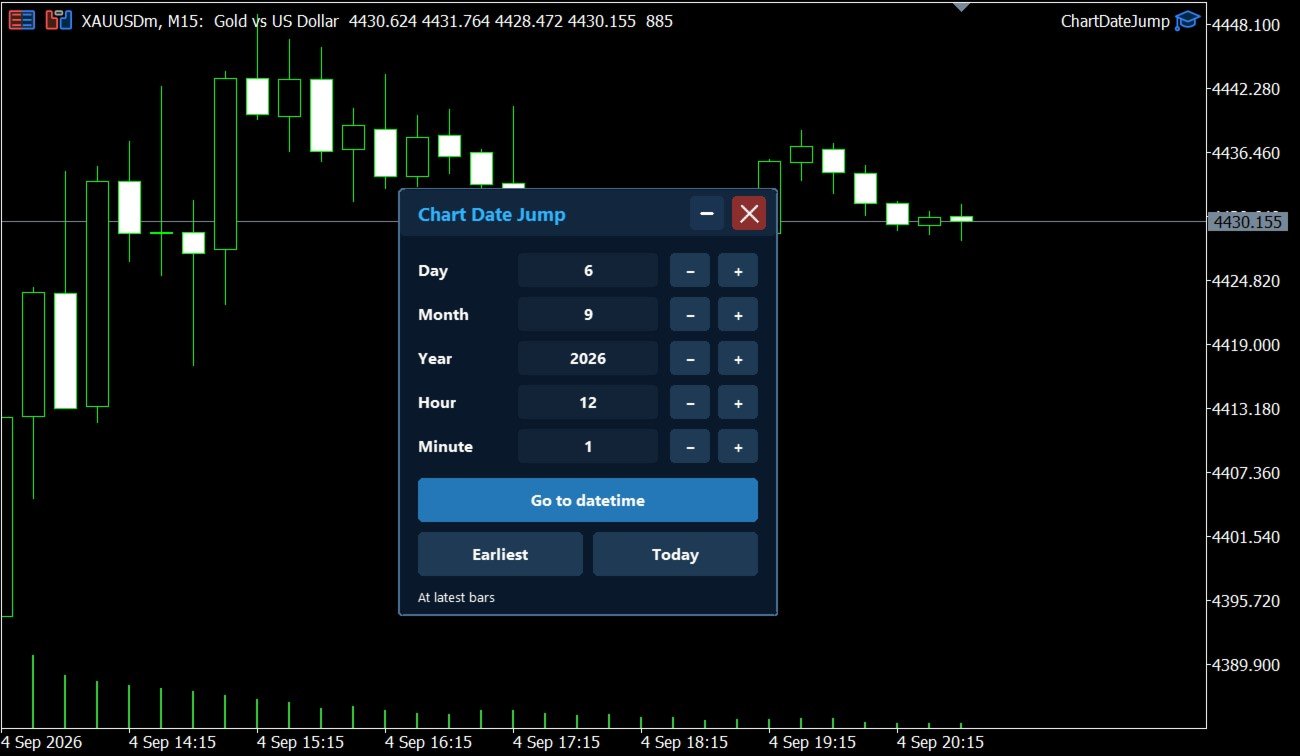
- Quick buttons: Earliest and Today
- Draggable panel; minimize / restore / close
- Remembers panel position and input values when you change the chart timeframe
- Read-only: does not open, modify, or close any orders
How to use
- Attach Chart Date Jump to a chart.
- Set Day, Month, Year, Hour, Minute.
- Click Go to datetime.
- Use Today to return to the latest bars, or Earliest to jump to the first available bar.
Notes
- Works on the chart’s current symbol and timeframe.
- If the requested time is outside available history, the panel reports that the date is outside chart history.
- Designed for research, replay review, and fast historical inspection.