Mobile EA
- Utilità
- Versione: 2.8
- Aggiornato: 3 settembre 2026

Mobile-EA is an Android-first trading companion for MetaTrader 5. This product is the MT5 Expert Advisor that links your MetaTrader 5 terminal to the Mobile-EA Android app, so please note from the start: the mobile app is for Android, not iPhone/iOS.
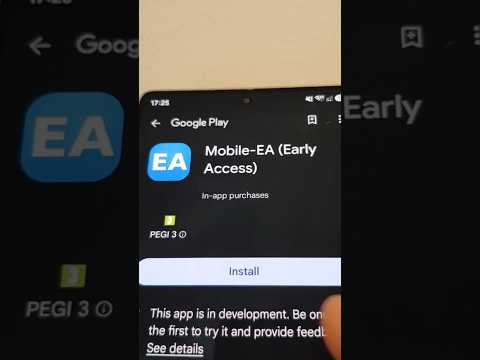
The Android mobile app is currently in testing / early access.
You can see a full intro of the app here: https://youtu.be/jEDAZ68UpWs
FREE access during the testing phase to the Ultimate subscription plan!
You can learn more, check the current tester instructions, and access the official setup pages at https://mobile-ea.com.
Mobile-EA is designed for traders who already run MetaTrader 5 on a PC, VPS, or server and want a clearer mobile dashboard for monitoring accounts, checking market information, receiving alerts, and sending supported trade-management actions back to the terminal. The EA runs inside MetaTrader 5, publishes account and market snapshots to the Mobile-EA service, receives action requests created in the Android app, executes those actions locally in your own terminal, and reports the result back to the app.
This is not a stand-alone trading robot that opens trades by itself according to an automated strategy. It is a companion bridge between your MT5 terminal and the Mobile-EA Android app. Your MT5 terminal must remain open, connected, and allowed to use WebRequest for the app to stay updated.
- Pair a MetaTrader 5 terminal with the Mobile-EA Android app using a short pairing code.
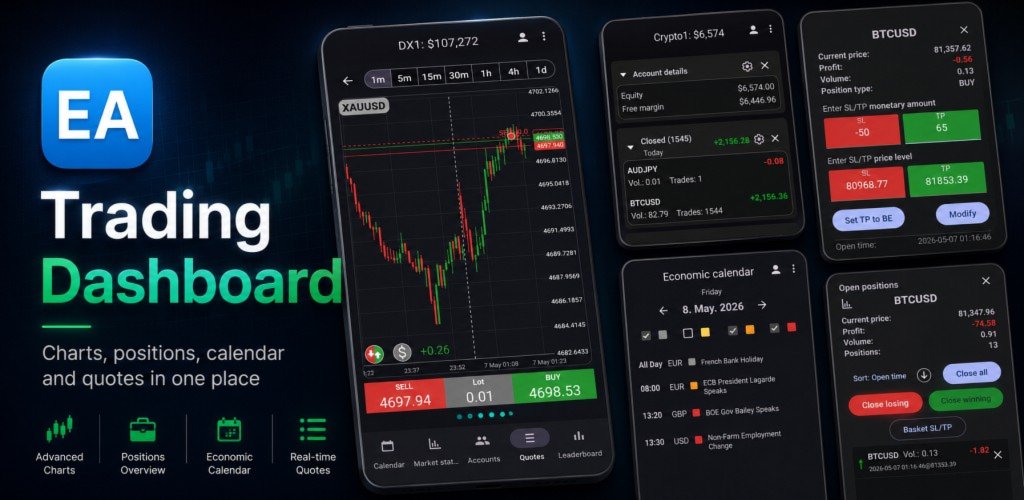
- Monitor MT5 account status from Android, including balance, equity, margin, free margin, open positions, pending orders, and closed-trade history.
- View multiple paired accounts in one mobile dashboard, depending on your plan and account limits.
- Follow open positions and pending orders without constantly switching between desktop terminals.
- Send supported trade-management requests from Android, then let the EA execute them locally in MetaTrader 5.
- Manage position groups and basket-style actions from a mobile-friendly interface.
- View quotes, symbol information, chart data, market status, economic calendar information, reminders, and account-watch style alerts through the companion app.
- Keep account data synchronized through the Mobile-EA server while your terminal and EA are running.
- Install this Expert Advisor in MetaTrader 5.
- Add the Mobile-EA API URL to MetaTrader 5 WebRequest permissions.
- Attach the EA to a chart in the MT5 terminal that you want to link.
- Open the Mobile-EA Android app and enter the pairing code shown by the EA.
- After pairing, the Android app displays your linked account while the terminal remains online.
The EA communicates with the Mobile-EA backend over HTTPS. The Android app communicates with the same service to show your account state and send commands. The EA is the only component that talks to your MetaTrader terminal and performs terminal-side actions.
- Android phone or tablet for the Mobile-EA app.
- MetaTrader 5 desktop terminal running on a PC, VPS, or server.
- This Mobile-EA Expert Advisor attached to a chart.
- Algo Trading enabled in MetaTrader 5.
- WebRequest permission configured for the Mobile-EA API URL.
- Stable internet connection on both the Android device and the MT5 terminal machine.
If the MT5 terminal is closed, offline, disconnected from the broker, or the EA is removed from the chart, live updates and queued trade actions cannot continue until the terminal connection is restored.
The Mobile-EA Android app is still in testing / early access. Features, screens, subscription behavior, and availability may continue to change while the app is being tested. Please visit https://mobile-ea.com for the latest Android testing instructions, setup notes, support information, terms, and privacy policy.
Trading foreign exchange, CFDs, futures, stocks, cryptocurrencies, and other leveraged products involves significant risk. Mobile-EA does not guarantee profits, does not provide financial advice, and does not remove the need to monitor your own trading environment. You are responsible for your broker account, terminal configuration, internet connection, VPS reliability, order settings, lot sizes, stop-loss/take-profit settings, and every action you send from the app.
Always test with a demo account first and make sure you understand how pairing, updates, and trade actions behave before using the EA with a live account.