Mobile EA
- Utilitários
- Versão: 2.9
- Atualizado: 6 outubro 2026

Mobile-EA is an Android-first trading companion for MetaTrader 5, bringing market tools and connected account management together on your phone. This product is the companion MT5 Expert Advisor that links your terminal to the Mobile-EA Android app. The mobile app is available for Android; iPhone/iOS is not currently supported.
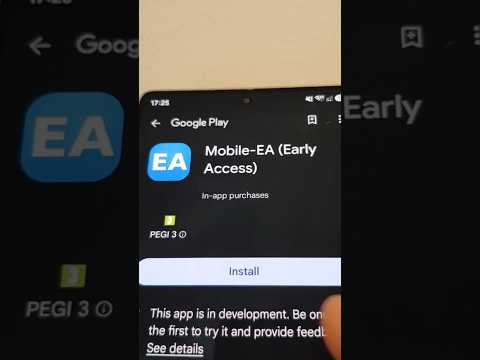
The Android app is now available on Google Play, and new users receive a free 14-day Ultimate trial starting at registration.
Watch the app introduction here: https://youtu.be/jEDAZ68UpWs
Find installation steps, setup videos and support at https://mobile-ea.com/get-app/.
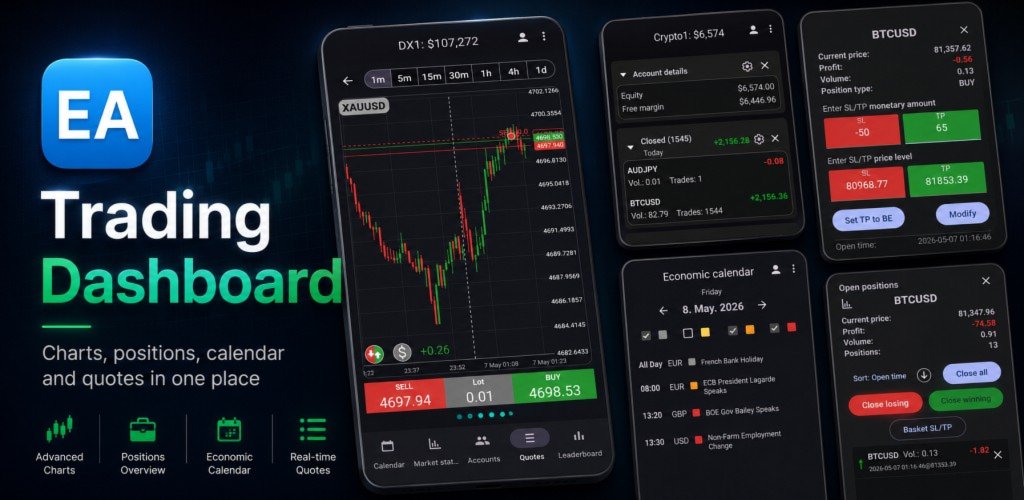
You can use Mobile-EA without an MT5 account. Explore the economic calendar and Market status, with calendar reminders and Market highlights notifications available according to your plan. Connect an MT5 account whenever you are ready to get the most from the app’s live account dashboards, broker quotes, trade management and Account Watch features.
For connected accounts, the companion EA shares account data with Mobile-EA, receives supported trade-management requests from the Android app, executes them locally in your own MT5 terminal and reports the results back to the app.
What Mobile-EA helps you do
- Explore the economic calendar and Market status without pairing an MT5 account.
- Set calendar reminders for upcoming economic events on Standard and Ultimate.
- Receive Market highlights: localized AI market-summary notifications when significant market movements occur, available on Standard and Ultimate without a paired account.
- Pair a MetaTrader 5 terminal using a short pairing code.
- Monitor balance, equity, margin, free margin, open positions, pending orders and closed-trade history from Android.
- View multiple paired accounts in one dashboard, depending on your plan and account limits.
- Follow broker quotes, symbol information and charts for connected accounts.
- Send supported trade-management requests from Android for execution in your own MT5 terminal.
- Manage groups of positions using basket actions and basket SL/TP.
- Create Ultimate Account Watch rules and receive notifications when account values cross your chosen thresholds.
Getting started
- Install Mobile-EA from Google Play.
- Register or sign in and start exploring. Your 14-day Ultimate trial begins at registration.
- When you want to connect an MT5 account, install this companion Expert Advisor in MetaTrader 5.
- Add https://mt5-api.mobile-ea.com under Tools → Options → Expert Advisors → Allow WebRequest for listed URL.
- Attach the EA to a chart and enable Algo Trading.
- Enter the pairing code shown by the EA into the Android app.
For detailed instructions, visit the Mobile-EA setup guide.
Connecting an MT5 account
Account pairing is optional. It adds live account monitoring and trade-management features through this companion EA.
Live account data updates while your MT5 terminal is connected and the EA is attached and running. Trade actions and Account Watch also depend on that connection. If you close MT5, disconnect the terminal or remove the EA, fresh account updates stop until the connection is restored.
You do not have to keep the EA attached continuously to use the app. Calendar and market tools remain available according to your plan. A PC, VPS or server that stays online can be useful if you want live account monitoring and Account Watch available for longer, including while your home computer is off.
The EA communicates with Mobile-EA over HTTPS. Broker-side trade execution takes place locally in your own MetaTrader 5 terminal.
Plans and the Ultimate trial
- Basic: free access to today’s economic calendar and the 1-day Market status view.
- Standard: a paid monthly subscription with full calendar access, reminders, Market status charts and periods, Market highlights, and one paired MT5 account.
- Ultimate: a paid monthly subscription with all Standard features, up to four paired MT5 accounts, the fastest refresh tier and Account Watch.
- Ultimate Trial: all Ultimate features for 14 days from registration.
Google Play shows the subscription price and payment terms for your country before you subscribe.
Risk and responsibility
Trading foreign exchange, CFDs, futures, stocks, cryptocurrencies and other financial instruments involves significant risk. Mobile-EA does not guarantee profits or provide financial advice.
You remain responsible for your trading decisions, broker account, terminal configuration and every action you request through the app. Account data, prices and notifications may be delayed or unavailable, so verify important account information and trade results in your own terminal.
Before managing a live account, explore the connected features with a demo account and make sure you understand how pairing, updates and trade actions behave.
Visit https://mobile-ea.com for the full feature overview, plan comparison, support, terms and privacy policy.