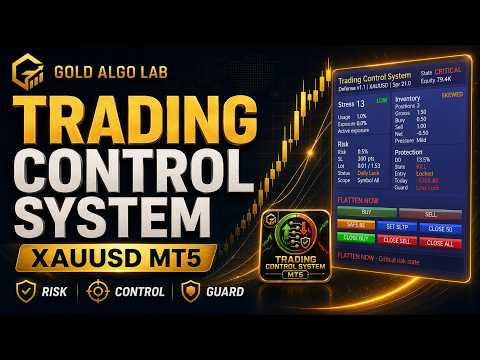
Trading Control System
- Utilità
-
Hoai Nam Trinh
 💎 INIZIA DA QUI - MAPPA DEGLI STRUMENTI GOLD ALGO LAB
Non sai quale strumento MT5 si adatta meglio al tuo processo di trading su XAUUSD? - Versione: 1.30
- Aggiornato: 22 settembre 2026
- Attivazioni: 20
| Current price: $59 - increases by $10 after every 20 purchases until reaching the final price of $119. Next price: $69. Complete Buyer Kit: 40 Professional Resources included at no additional cost. MT5 Presets, PDF Guides, Checklists, Mindmaps, Reference Cards, and Excel Workbooks - built from 8 years of developing structured XAUUSD trading workflows. After purchase, please message me via MQL5 inbox. Your complete Buyer Kit will be delivered within 24 hours. |
The tool was built for the moments when the normal Trade tab is not enough. A trader may see floating profit or loss, but still miss important details such as total buy/sell exposure, net lot pressure, current spread, daily result, or whether open positions already have basic protection applied.
This is especially useful on fast-moving symbols such as XAUUSD, where several manual actions can happen within a short time. Trading Control System does not provide trade signals and does not decide market direction. It is a manual risk-control utility designed to give the trader a clearer command panel on the chart.
Main Features
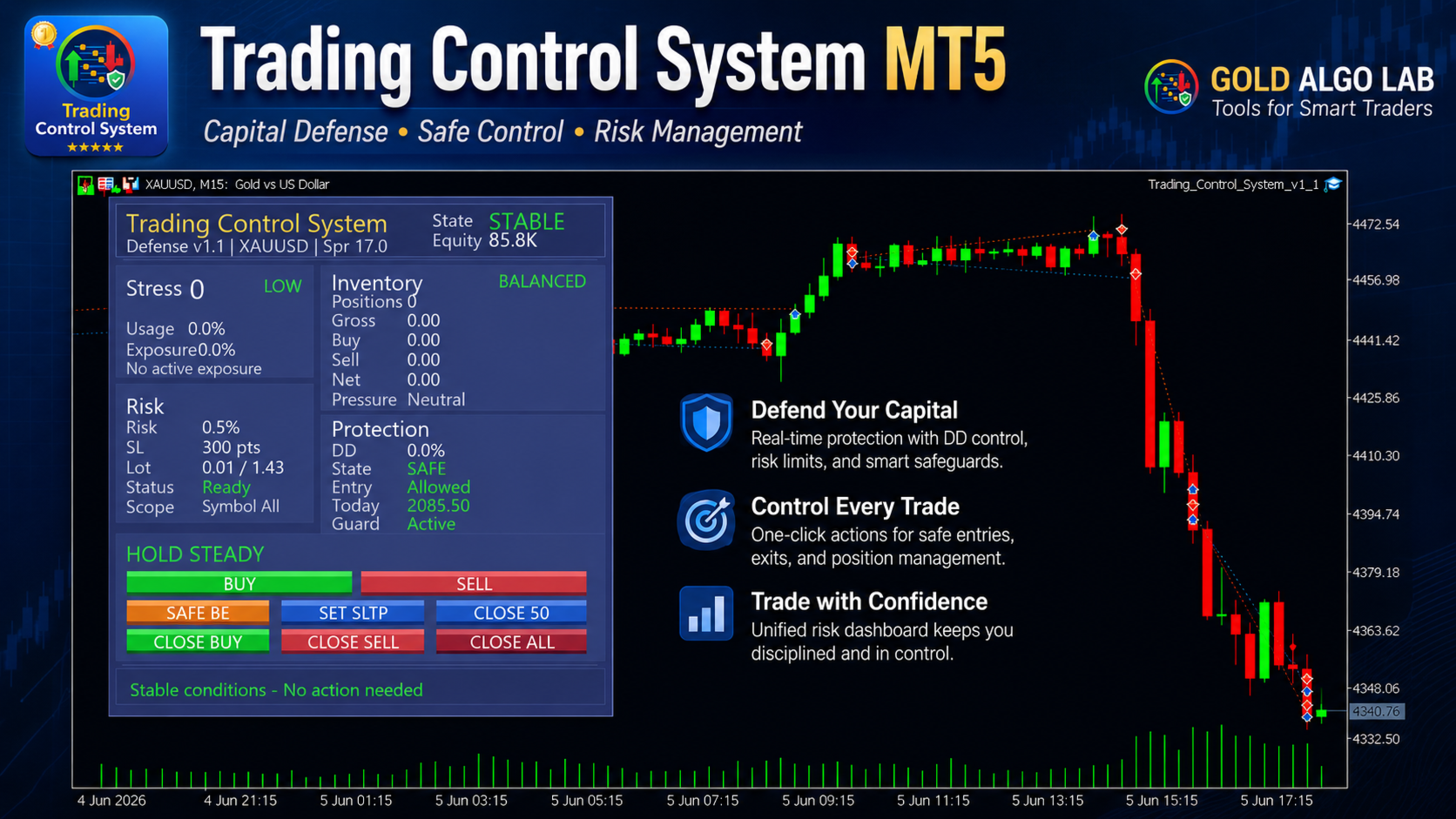
- On-chart dashboard for exposure and position control
- Stress, Inventory, Risk, and Protection sections
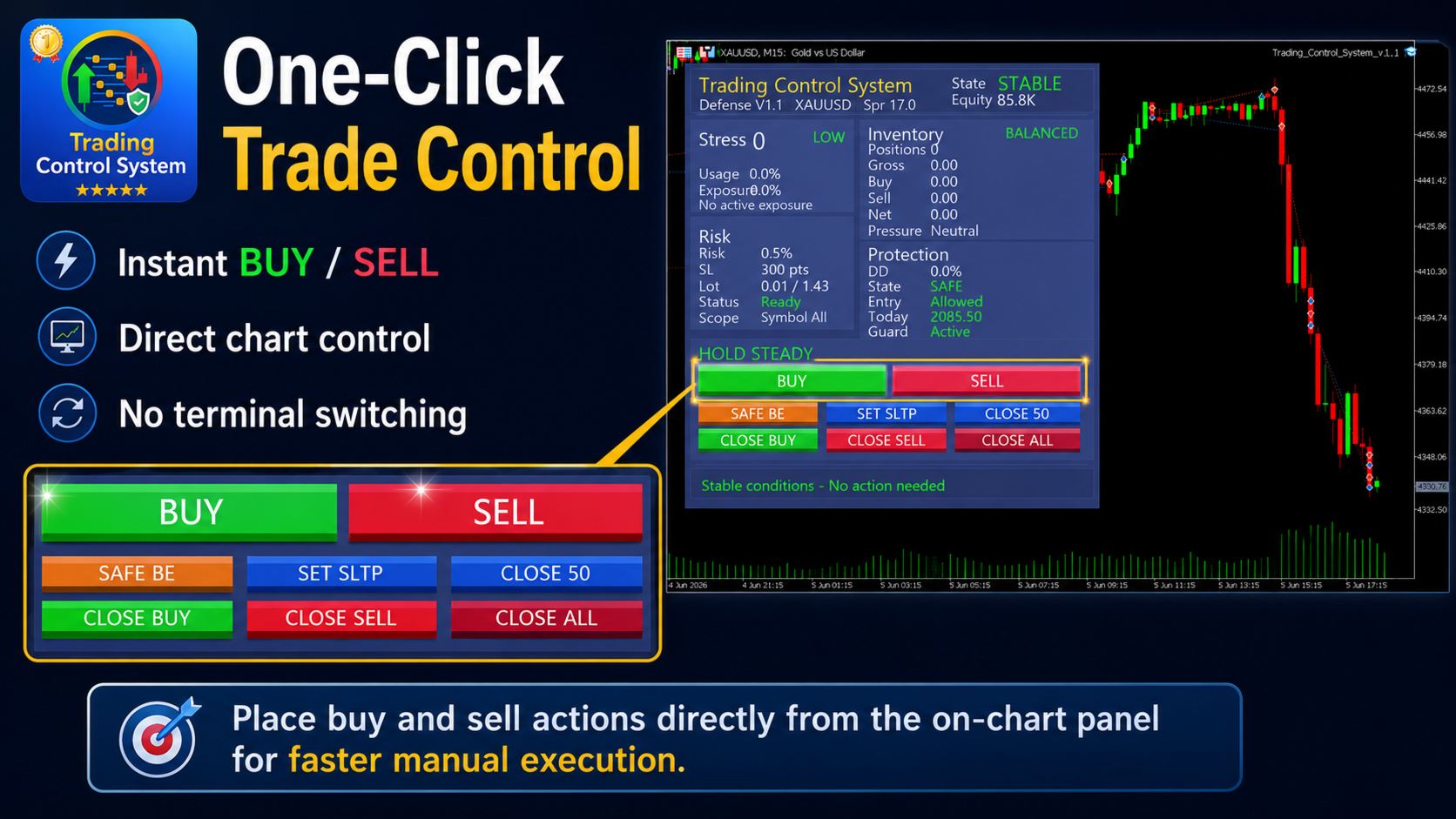
- BUY and SELL buttons with optional predefined SL/TP protection
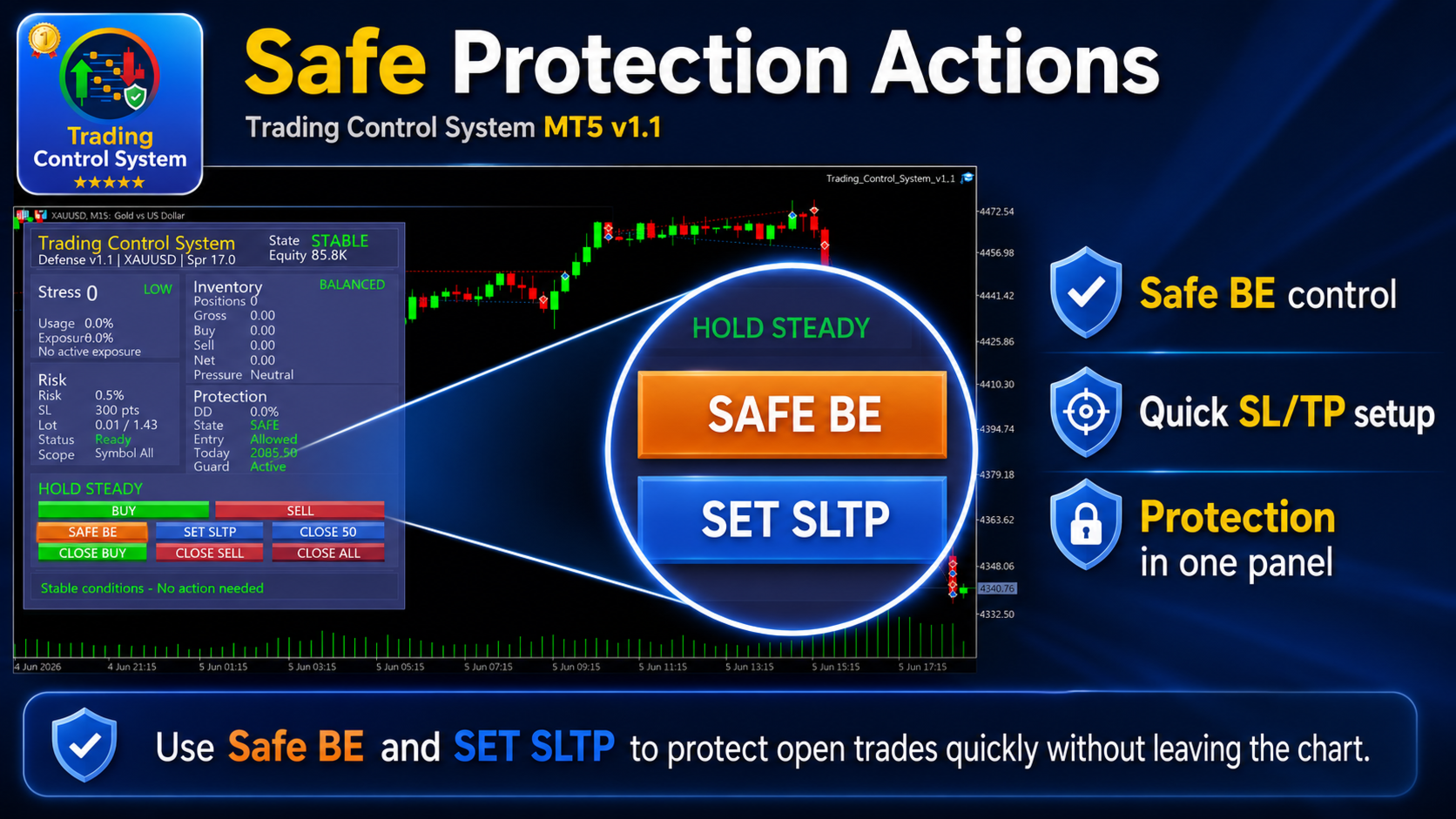
- Safe BE function for moving stop loss with additional checks
- SET SLTP button for applying predefined stop loss and take profit settings
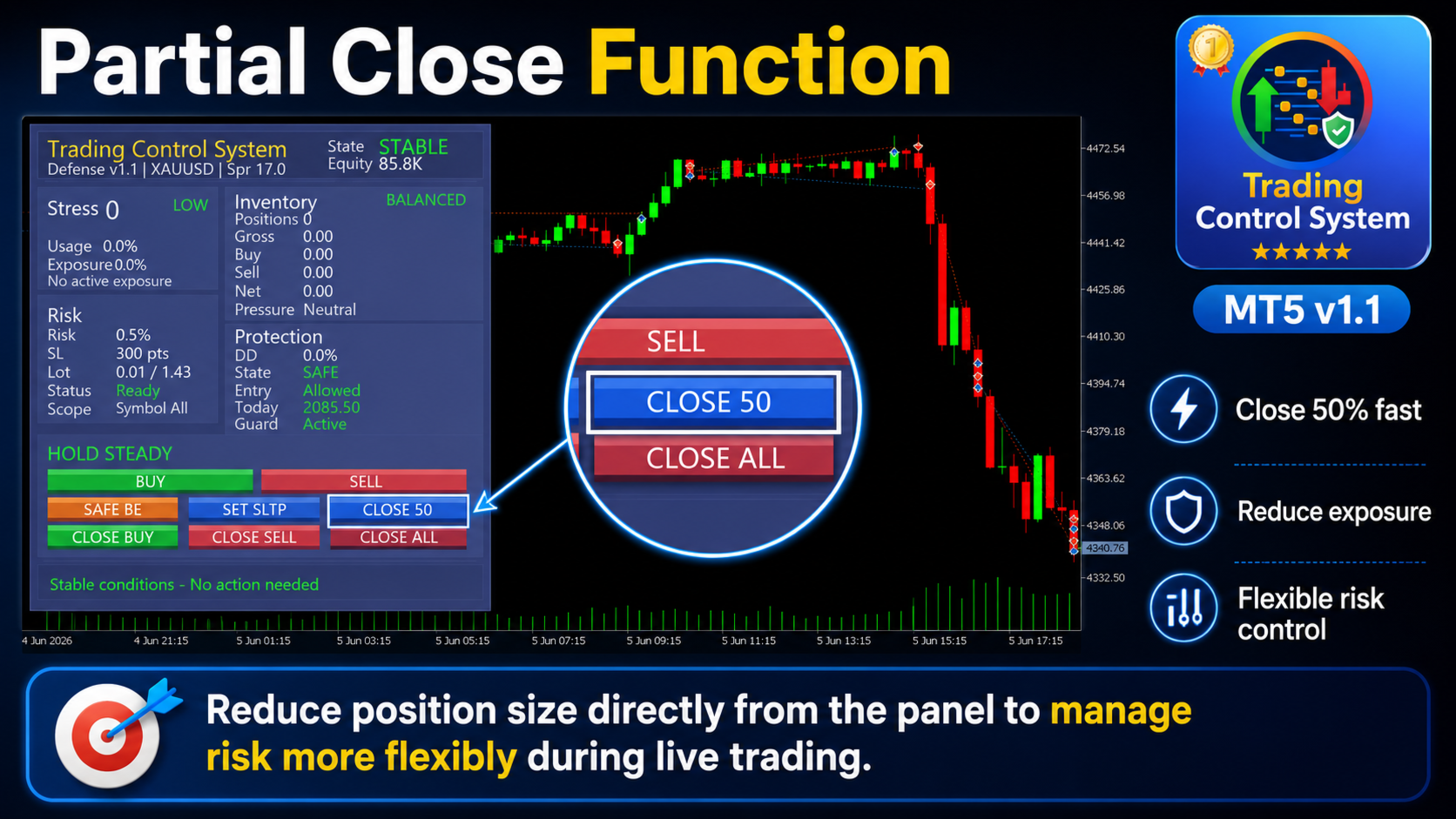
- Close 50 function for reducing position size
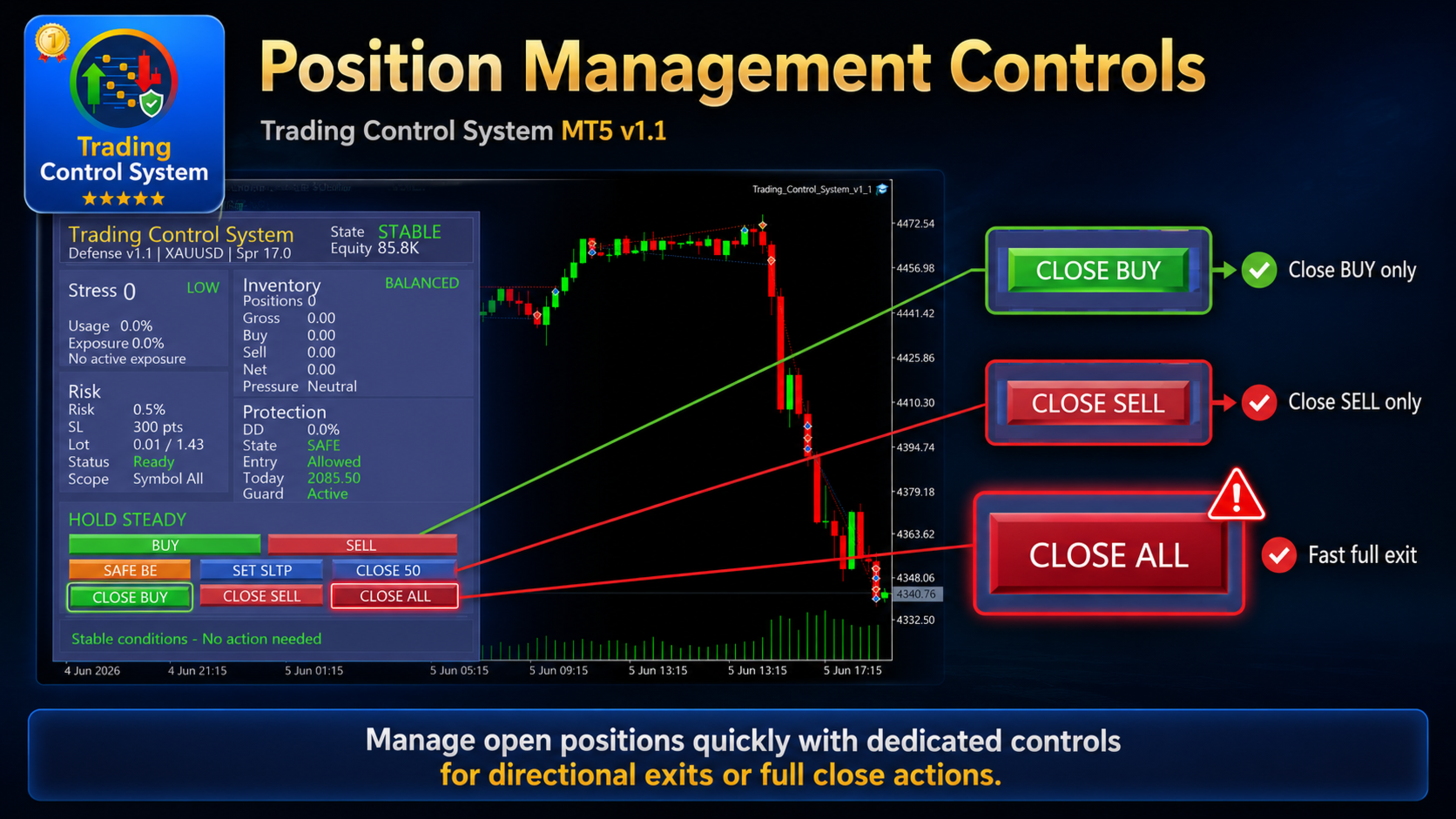
- Close Buy, Close Sell, and Close All controls
- Double-confirm logic for high-impact close actions
- Daily P/L display and Daily Guard status
- Position scope modes: current symbol, magic number, manual trades, or all symbols
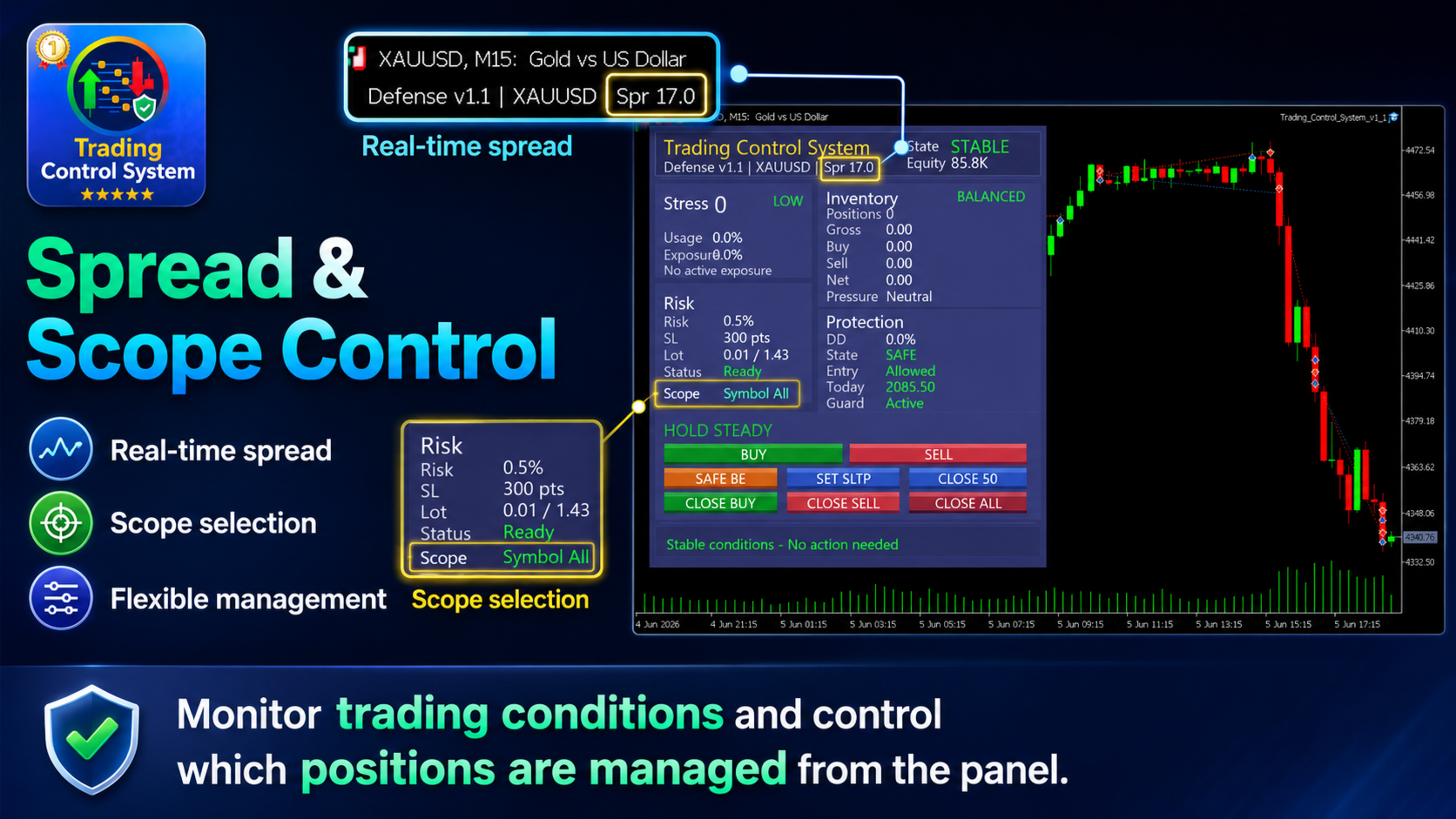
- Spread, equity, drawdown, entry status, and inventory pressure display
Current Version Highlights
Version 1.3 focuses on safer manual control and clearer panel behavior.
Panel BUY and SELL actions can now use predefined SL/TP protection. This helps reduce the chance of opening a position from the panel without a planned stop loss or take profit. The trader still controls the action, but the tool can attach the selected protection values at the time of order sending.
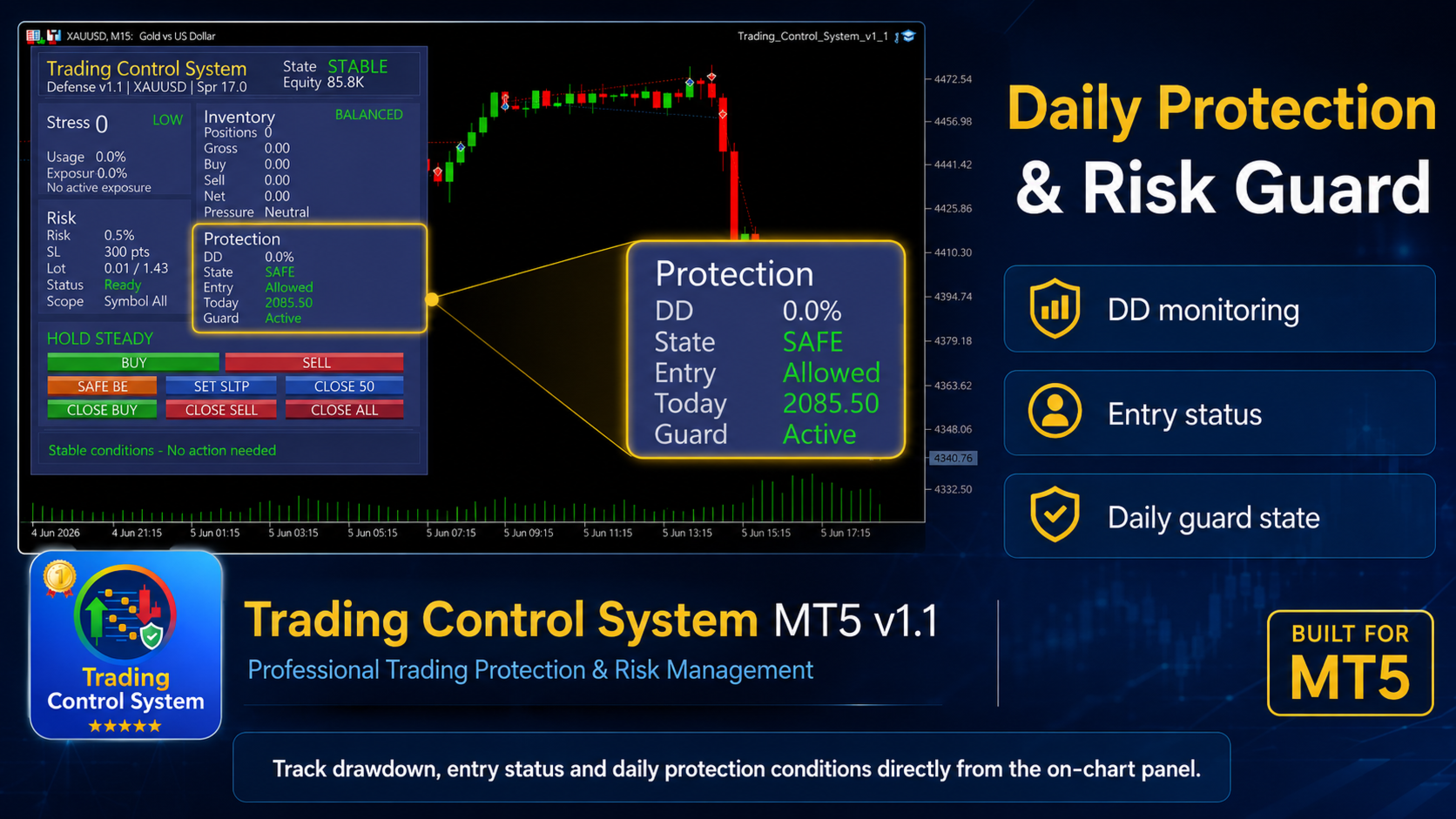
Daily Guard has also been added. It monitors the current day’s result and can lock new panel entries after the configured daily limit is reached. This is useful when a trader wants a visible daily boundary instead of continuing to click new trades after a difficult session.
The position control area was also improved. Safe BE, SET SLTP, Close 50, Close Buy, Close Sell, and Close All are grouped into a clearer control section. Close All uses a separate danger style and confirmation step to reduce accidental use.
Scope control is another important part of v1.3. The trader can decide whether the panel manages positions on the current symbol, manual positions only, a selected magic number, or positions across the account. This is useful when manual trades and Expert Advisors are used on the same account.
Panel Information
The panel is divided into practical blocks.
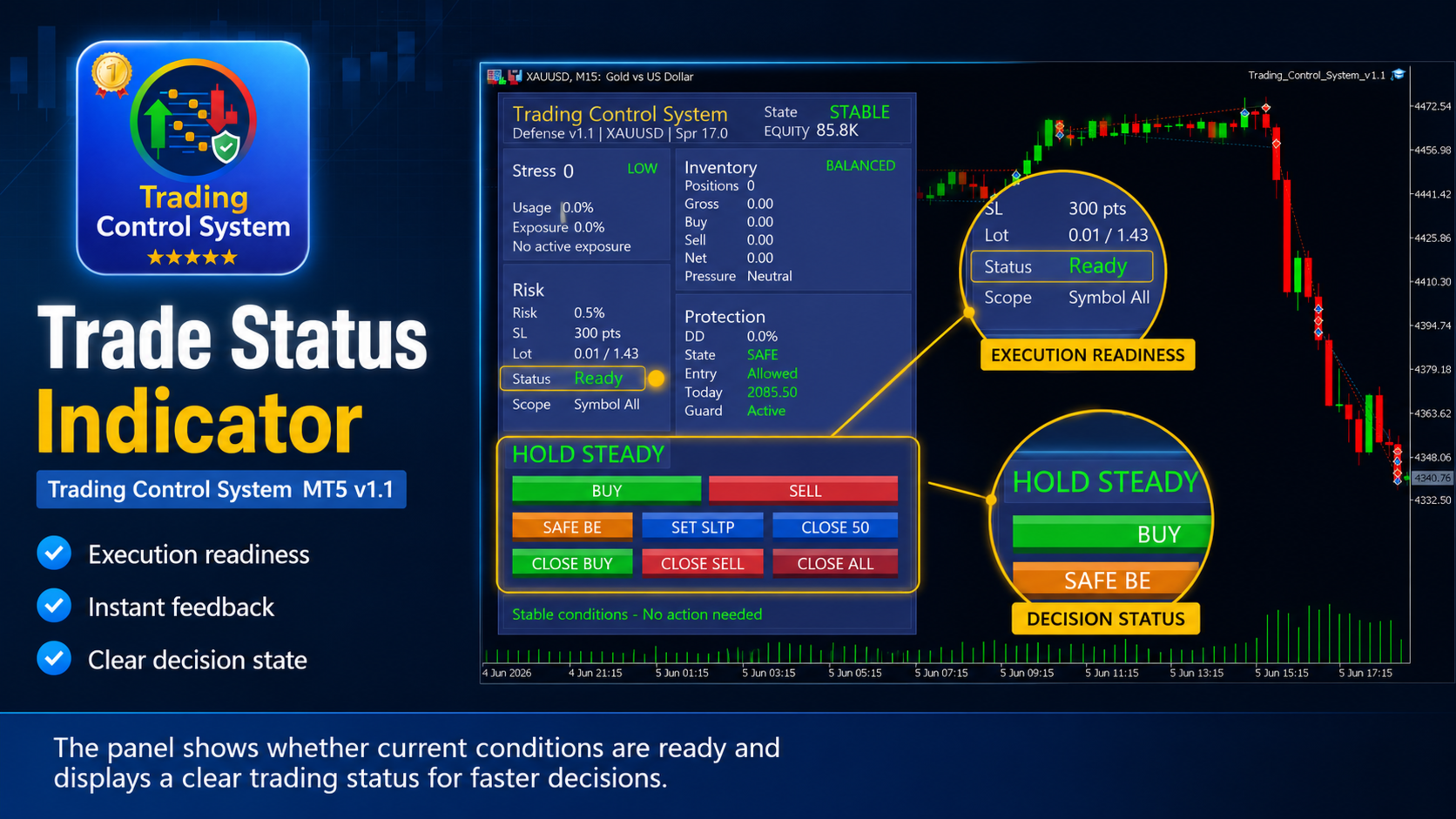
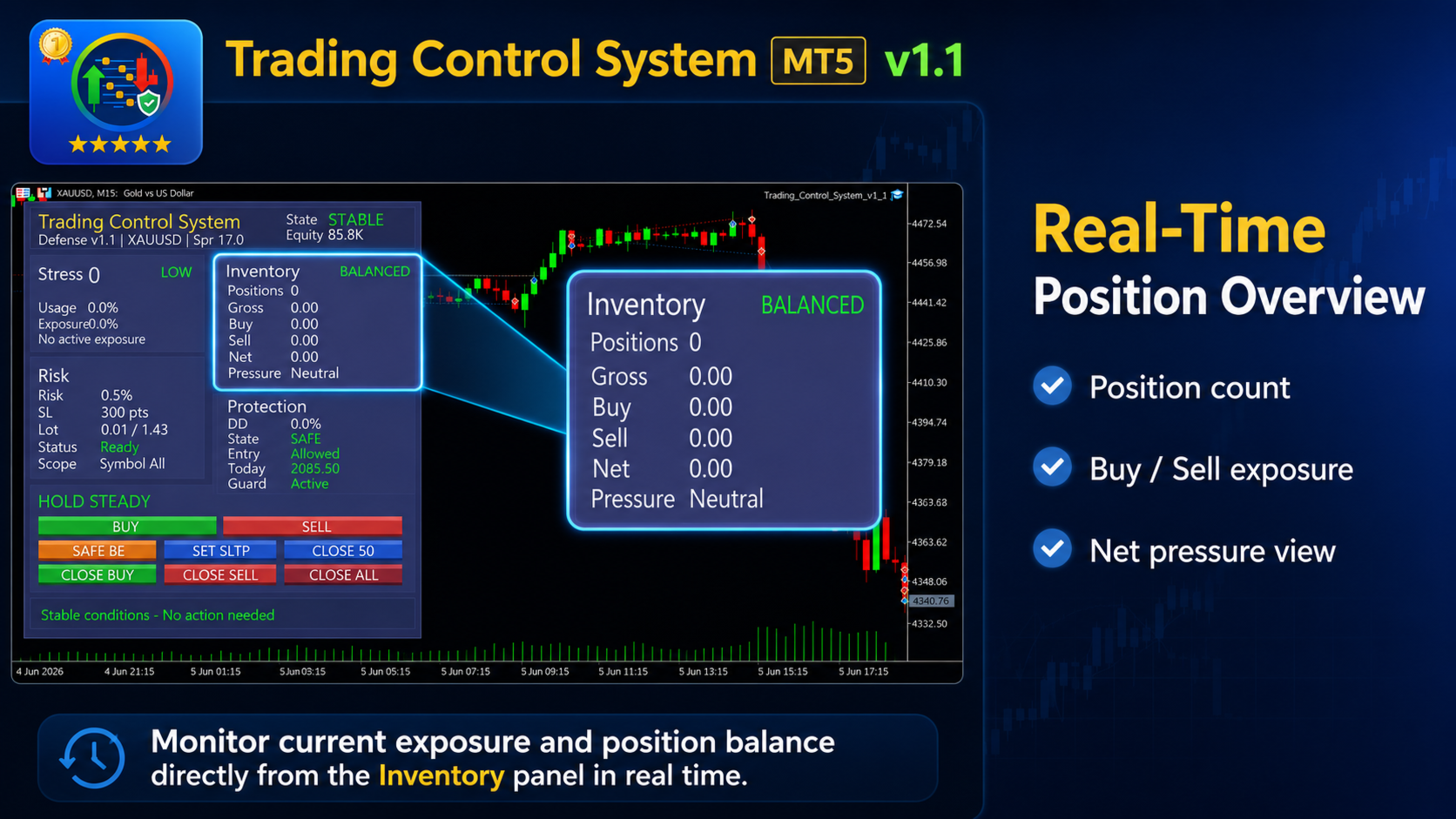
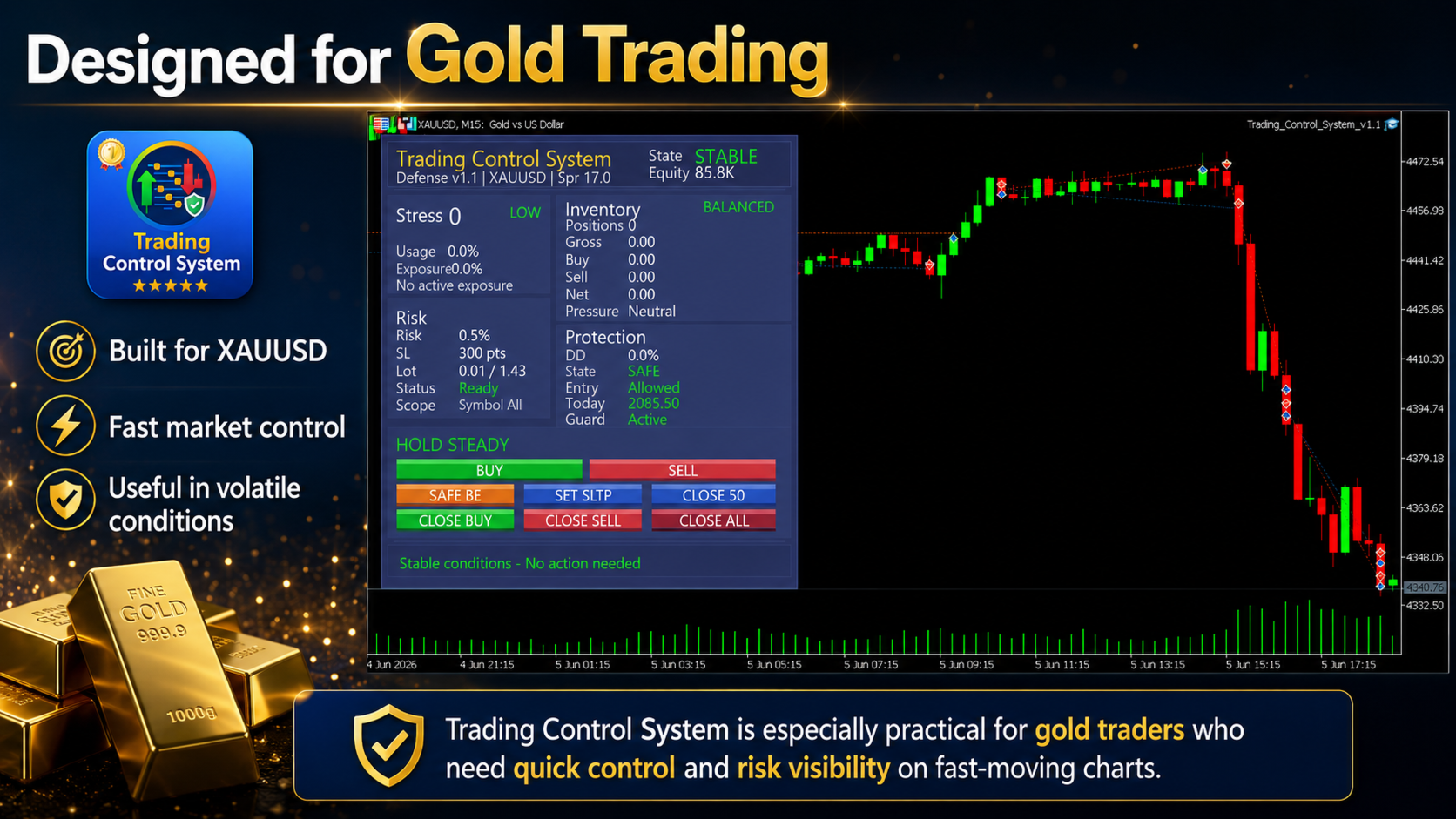
Stress shows whether current account usage and exposure are light or heavy. Inventory shows position count, buy/sell lots, net exposure, and pressure. Risk shows the selected risk settings, default stop loss, lot reference, trading status, and management scope. Protection shows drawdown, account state, entry permission, daily result, and guard status.
The large action area is designed for quick manual control: entry, stop management, partial reduction, and emergency close actions.
Safety Options and Important Notes
Trading Control System includes optional auto-close settings for critical protection states. These options are disabled by default and should only be enabled after testing on a demo account, because they can close positions automatically when the selected protection condition is reached.
Order requests use broker-compatible filling mode handling where possible. However, execution still depends on broker settings, spread, slippage, stop level, freeze level, and market conditions.
If you notice different results across accounts or brokers, this is often related to execution differences rather than settings.
Detailed explanation: https://www.mql5.com/en/blogs/post/769009
The tool does not replace a trading plan. It does not decide market direction for the user. It is intended to help the trader see risk conditions more clearly and act from one chart-based panel.
Recommended Use
Attach the tool to a demo chart first and review the input settings carefully. Check the default lot, stop loss points, daily guard settings, and management scope before using any live account.
For XAUUSD traders, the panel can be useful during active sessions because exposure and spread can change quickly. The tool can also be used on other broker-supported instruments, but all settings should be adjusted according to symbol specifications and broker conditions.
Not sure where this tool fits in your trading process?
Each Gold Algo Lab tool is built to solve one specific part of the trading workflow. The Gold Algo Lab Tool Map shows how our MT5 tools connect across 6 practical stages for XAUUSD traders: market context, setup selection, risk planning, trade execution, position management and account protection.
→ Gold Algo Lab Tool Map: Where to Actually Start With MT5 Tools for XAUUSD
https://www.mql5.com/en/blogs/post/771930
You do not need every tool. Start with the stage where your process breaks down most often, then build your workflow one layer at a time.
Risk Disclaimer
Trading financial markets involves risk. Trading Control System MT5 helps display exposure and provides manual control options inside MetaTrader 5. It cannot guarantee profit, prevent all losses, or replace the trader’s own risk management rules. Test the product on a demo account before live use.
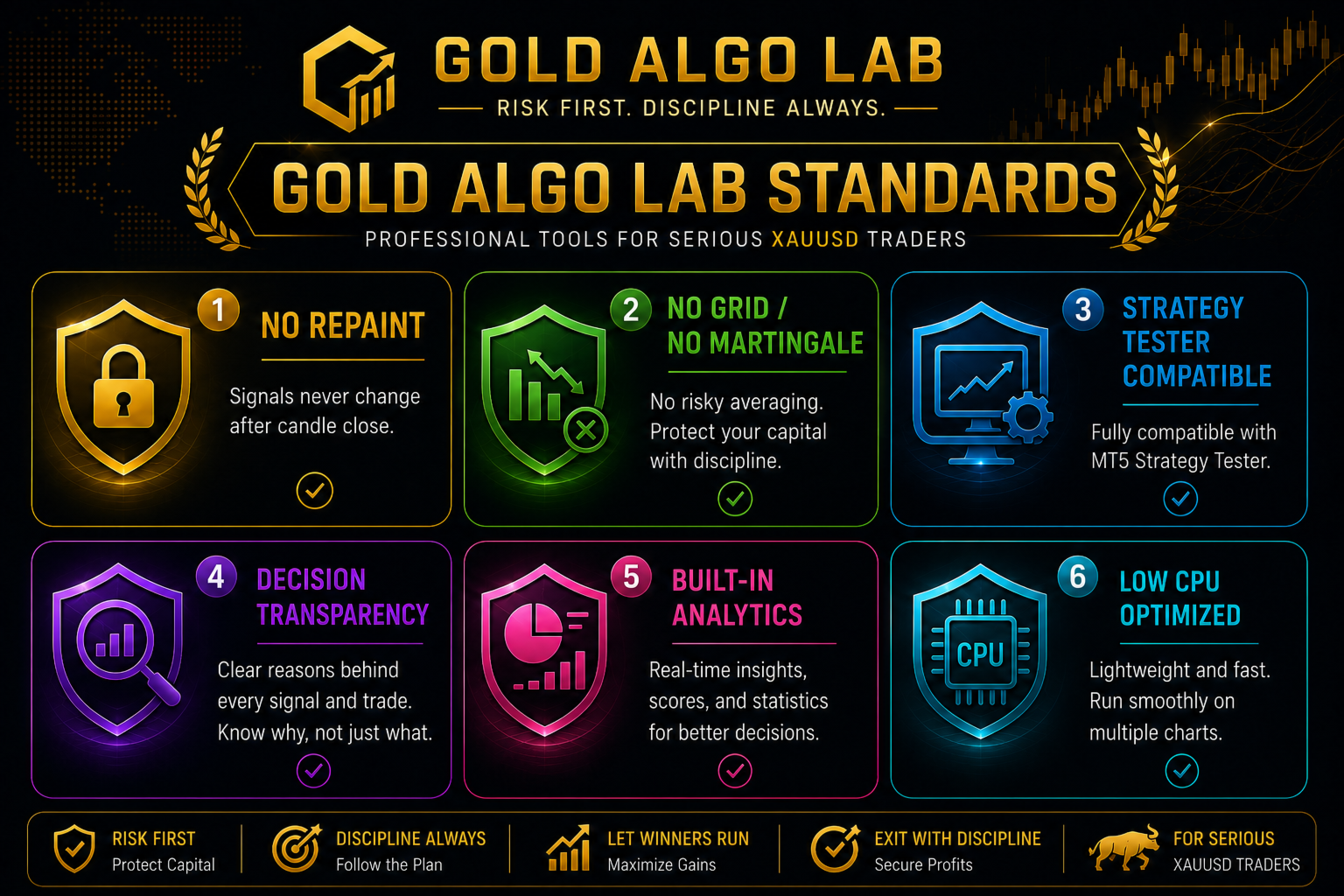
Gold Algo Lab builds practical, risk-first MT5 tools for serious XAUUSD traders, shaped by 8 years of developing and trading real systems to help traders identify clearer setups, manage risk with greater confidence and execute with more discipline.