
Quick Pending Panel
- Utilità
- Versione: 1.0

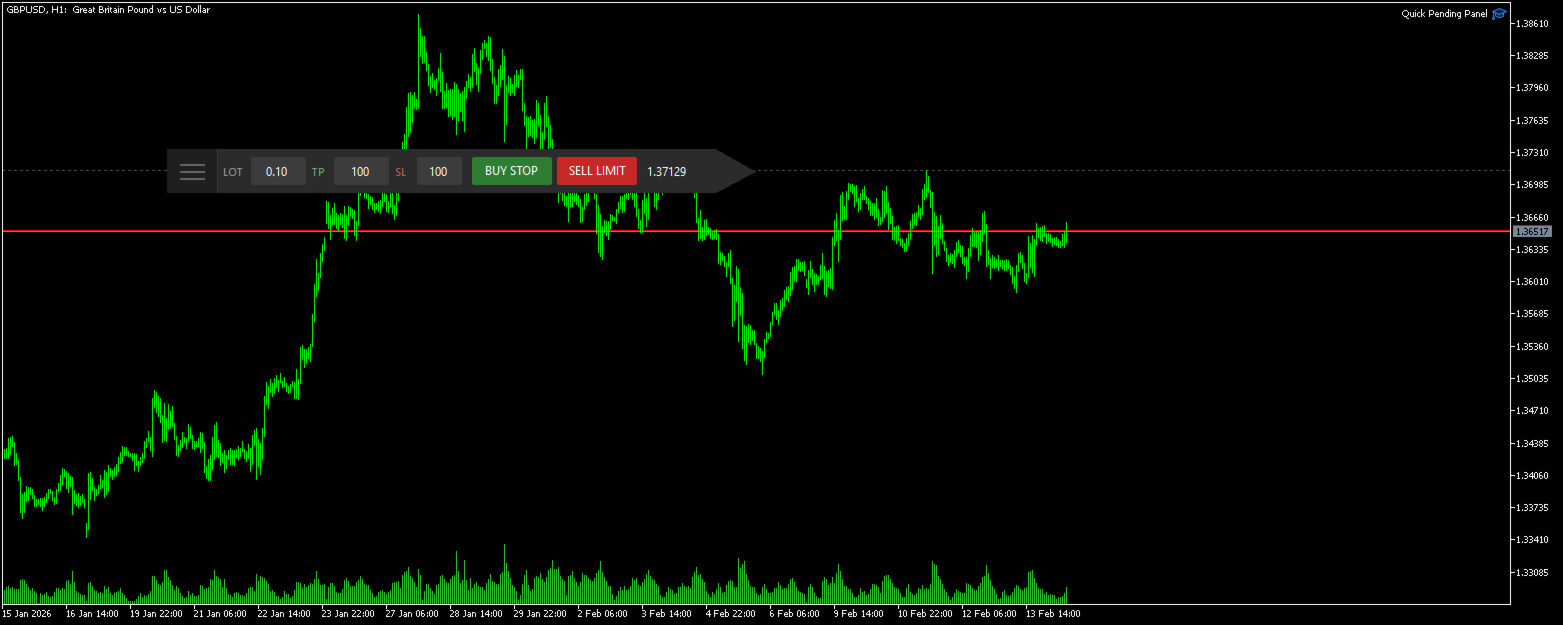
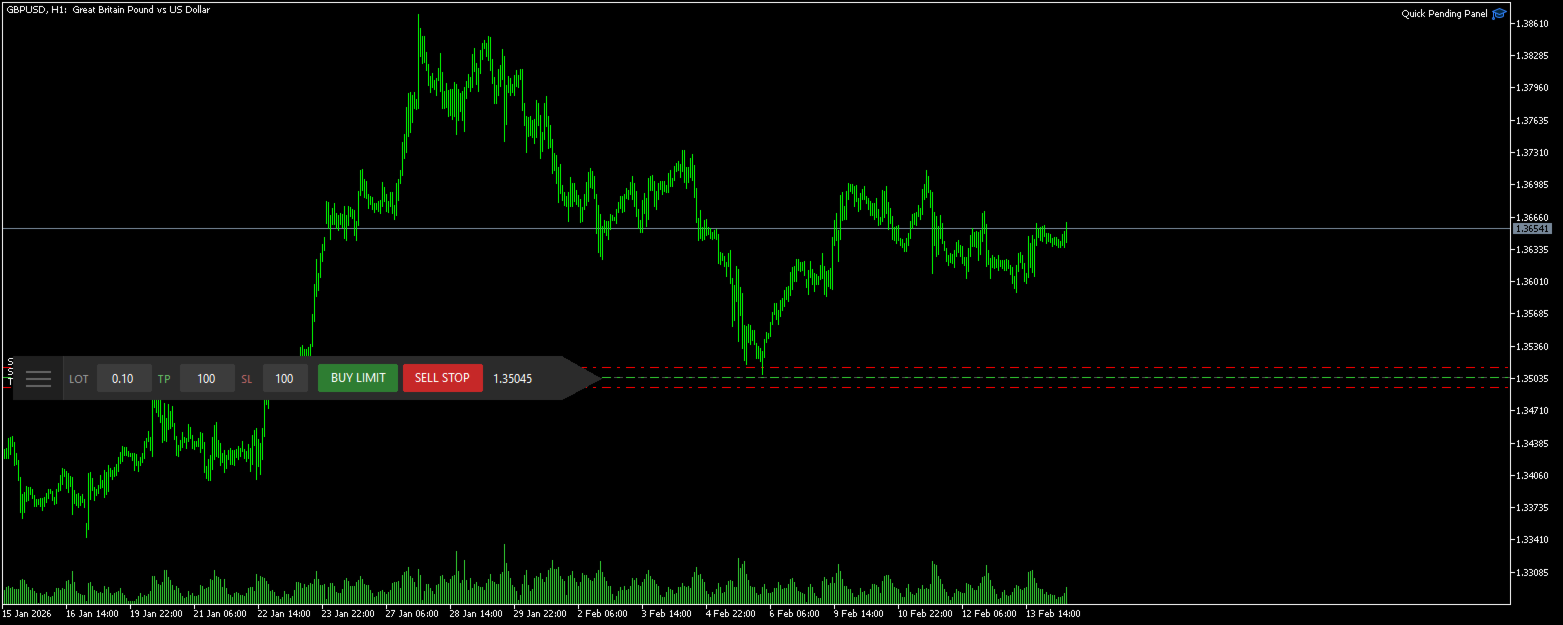
The panel is a compact interface that can be freely moved across the chart. A horizontal line and visual pointer show the exact price level where the pending order will be placed. The order type is determined automatically based on the panel position relative to the current market price.
If the panel is above the Ask price — the Buy button becomes Buy Stop, below — Buy Limit. Similarly for Sell: above Bid — Sell Limit, below — Sell Stop. This eliminates the need to manually select the order type and prevents errors.
Key Features
• Intuitive order placement by dragging the panel to the desired level
• Automatic order type detection (Buy Stop, Buy Limit, Sell Stop, Sell Limit)
• Visual price line displaying the exact level
• Built-in fields for quick lot size, TP and SL configuration
• Parameter validation considering broker's minimum stop level
• Panel position saved between sessions
• Customizable colors and font size to match any interface
• Protection against accidental double-clicks
Key Parameters
Default Lot Size — initial order volume. Can be changed directly on the panel before placement.
Default TP / Default SL — Take Profit and Stop Loss values in points. Set to 0 to disable the corresponding level.
Magic Number — unique order identifier for separation from other EAs.
Remember Position — save panel position on the chart between terminal sessions.
Additional Information
The panel works on any symbol and timeframe. Automated trading permission must be enabled in the terminal for proper operation. All orders are placed with GTC (Good Till Cancelled) execution type.













































Exactly what I was looking for. Congratulations on the idea and for making it available. Thank you.