
ICT Turtle Soup Pro
- Indicatori
-
Rizwan Akram
 I am a professional MQL4/MQL5 developer with strong experience in creating custom trading tools for Forex and Crypto traders. Over the past 9 years, I have developed indicators, Expert Advisors (EAs), scripts, and risk management dashboards for retail traders, prop firm traders, and trading
 - Versione: 3.0
- Aggiornato: 5 gennaio 2026
═══════════════════════════════════════════════════════════════
ICT TURTLE SOUP PRO
Advanced Smart Money Concepts Trading System
═══════════════════════════════════════════════════════════════
ICT Turtle Soup Pro is a comprehensive trading indicator built on ICT (Inner Circle Trader) methodology, designed to identify high-probability trade setups through liquidity sweep detection and multi-timeframe confluence analysis.
━━━━━━━━━━━━━━━━━━━━━━━━━━━━━━━━━━━━━━━━━━━━━━━━━━━━━━━━━━━━━
★ CORE CONCEPT - TURTLE SOUP STRATEGY ★
━━━━━━━━━━━━━━━━━━━━━━━━━━━━━━━━━━━━━━━━━━━━━━━━━━━━━━━━━━━━━
The indicator detects "Turtle Soup" setups - false breakouts of key liquidity levels where price sweeps above/below significant highs/lows, collects stop losses, then reverses. This is a core ICT concept for identifying institutional order flow.
Liquidity Levels Monitored:
✓ Yesterday's High/Low
✓ Daily High/Low (customizable lookback)
✓ 4H High/Low
✓ 1H High/Low
✓ Recent Swing High/Low
━━━━━━━━━━━━━━━━━━━━━━━━━━━━━━━━━━━━━━━━━━━━━━━━━━━━━━━━━━━━━
★ KEY FEATURES ★
━━━━━━━━━━━━━━━━━━━━━━━━━━━━━━━━━━━━━━━━━━━━━━━━━━━━━━━━━━━━━
【1】 MULTI-TIMEFRAME BIAS ANALYSIS
• Automatic HTF bias detection (Bullish/Bearish/Neutral)
• Configurable timeframes for different trading styles
• Break of Structure (BOS) confirmation on LTF
【2】 ICT KILL ZONES (Auto EST Timezone)
• Asian Kill Zone (20:00-00:00 EST)
• London Kill Zone (02:00-05:00 EST)
• New York Kill Zone (07:00-10:00 EST)
• London Close (10:00-12:00 EST)
• Universal timezone conversion - works with ANY broker
【3】 SESSION BOXES
• Visual Asia/London/NY session range boxes
• Live updating during active sessions
• Session High/Low labels with price display
• Customizable colors and history depth
【4】 SESSION SWEEP DETECTION
• Automatic detection when session highs/lows are swept
• Clear visual labels: "ASIA SWEEP ↑", "LONDON SWEEP ↓", etc.
• YH/YL style right-side label display
• Dotted line from sweep point to label
【5】 JUDAS SWING DETECTION
• Identifies false breakouts of session ranges
• "JUDAS ↑" and "JUDAS ↓" labels on chart
• Key ICT concept for reversal entries
【6】 SILVER BULLET & ICT MACROS
• AM Silver Bullet Window (10:00-11:00 EST)
• PM Silver Bullet Window (14:00-15:00 EST)
• 4 ICT Macro time windows
• Adds to confluence scoring
【7】 EQUAL HIGHS / EQUAL LOWS (EQH/EQL)
• Automatic detection of liquidity pools
• Configurable touch threshold
• Sweep detection at EQ levels
• Visual lines with touch count
【8】 FAIR VALUE GAPS (FVG) - Backend
• Bullish and Bearish FVG detection
• Sensitivity settings (Extreme/High/Normal/Low)
• Invalidation tracking
• Adds to confluence scoring
【9】 ORDER BLOCKS (OB) - Backend
• Bullish and Bearish OB detection
• Breaker Block conversion
• Size filtering via ATR multiplier
• Adds to confluence scoring
【10】 PROFESSIONAL DASHBOARD
• Real-time market analysis panel
• HTF Bias display
• Active Kill Zone indicator
• Sweep status tracking
• Structure shift detection
• Buy/Sell confluence scores
• ATR value display
• Daily statistics (Longs/Shorts)
• Signal status with visual alerts
【11】 CONFLUENCE-BASED SIGNALS
• Multi-factor scoring system (up to 9 factors)
• Customizable minimum confluence threshold
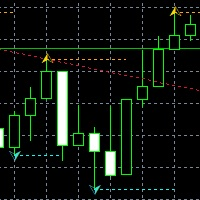
• BUY/SELL arrows with confluence score
• Automatic Entry/SL/TP1/TP2 calculation
• Risk:Reward ratio display
【12】 TRADE VISUALIZATION
• Entry line with price label
• Stop Loss zone (shaded area)
• TP1 and TP2 lines with RR display
• Pips and USD value calculations
• Position sizing based on risk %
【13】 ALERT SYSTEM
• Popup alerts on signals
• Sound notifications
• Push notifications to mobile
• Sweep alerts
• Signal alerts with full trade details
━━━━━━━━━━━━━━━━━━━━━━━━━━━━━━━━━━━━━━━━━━━━━━━━━━━━━━━━━━━━━
★ TRADING MODES ★
━━━━━━━━━━━━━━━━━━━━━━━━━━━━━━━━━━━━━━━━━━━━━━━━━━━━━━━━━━━━━
The indicator automatically adjusts timeframes and targets based on your trading style:
◆ SCALPING MODE
HTF: M15/H1 | LTF: M1/M5 | Targets: 1.5R / 2.5R
◆ DAY TRADING MODE
HTF: H4/D1 | LTF: M5/M15 | Targets: 2.0R / 3.5R
◆ SWING MODE
HTF: D1/W1 | LTF: H1/H4 | Targets: 3.0R / 5.0R
◆ CUSTOM MODE
User-defined timeframes and R:R targets
━━━━━━━━━━━━━━━━━━━━━━━━━━━━━━━━━━━━━━━━━━━━━━━━━━━━━━━━━━━━━
★ SIGNAL QUALITY SETTINGS ★
━━━━━━━━━━━━━━━━━━━━━━━━━━━━━━━━━━━━━━━━━━━━━━━━━━━━━━━━━━━━━
◆ CONSERVATIVE - Fewer signals, higher quality
◆ BALANCED - Optimal signal frequency
◆ AGGRESSIVE - More signals, faster entries
━━━━━━━━━━━━━━━━━━━━━━━━━━━━━━━━━━━━━━━━━━━━━━━━━━━━━━━━━━━━━
★ CONFLUENCE SCORING SYSTEM ★
━━━━━━━━━━━━━━━━━━━━━━━━━━━━━━━━━━━━━━━━━━━━━━━━━━━━━━━━━━━━━
Each factor adds to the confluence score:
✓ Turtle Soup Sweep Signal (+2)
✓ HTF Bias Alignment (+1)
✓ LTF Break of Structure (+1)
✓ Active FVG in Direction (+1)
✓ Active Order Block (+1)
✓ Inside Kill Zone (+1)
✓ Silver Bullet Window (+1)
✓ EQH/EQL Sweep (+1)
✓ Judas Swing Confirmation (+1)
Maximum Confluence: 9 points
Default Minimum for Signal: 3 points (adjustable)
━━━━━━━━━━━━━━━━━━━━━━━━━━━━━━━━━━━━━━━━━━━━━━━━━━━━━━━━━━━━━
★ UNIVERSAL TIMEZONE SYSTEM ★
━━━━━━━━━━━━━━━━━━━━━━━━━━━━━━━━━━━━━━━━━━━━━━━━━━━━━━━━━━━━━
The indicator automatically detects your broker's GMT offset and converts all session times to EST (New York Time). This ensures:
✓ Consistent session boxes across ALL brokers
✓ Accurate Kill Zone detection worldwide
✓ Automatic DST (Daylight Saving Time) handling
✓ No manual timezone configuration needed
Works perfectly with: ICMarkets, Exness, OANDA, Pepperstone, XM, and any other broker!
━━━━━━━━━━━━━━━━━━━━━━━━━━━━━━━━━━━━━━━━━━━━━━━━━━━━━━━━━━━━━
★ RECOMMENDED PAIRS & TIMEFRAMES ★
━━━━━━━━━━━━━━━━━━━━━━━━━━━━━━━━━━━━━━━━━━━━━━━━━━━━━━━━━━━━━
Best Results On:
- XAUUSD (Gold)
- EURUSD, GBPUSD, USDJPY
- US30, NAS100, SPX500
- Any liquid instrument
Recommended Timeframes:
- M5, M15 (Day Trading)
- M1, M5 (Scalping)
- H1, H4 (Swing Trading)
━━━━━━━━━━━━━━━━━━━━━━━━━━━━━━━━━━━━━━━━━━━━━━━━━━━━━━━━━━━━━
★ INSTALLATION & USAGE ★
━━━━━━━━━━━━━━━━━━━━━━━━━━━━━━━━━━━━━━━━━━━━━━━━━━━━━━━━━━━━━
1. Copy indicator file to: MT5/MQL5/Indicators/
2. Restart MetaTrader 5
3. Drag indicator onto chart
4. Select Trading Mode and Signal Quality
5. Adjust settings as needed
6. Wait for confluence-based signals
━━━━━━━━━━━━━━━━━━━━━━━━━━━━━━━━━━━━━━━━━━━━━━━━━━━━━━━━━━━━━
★ IMPORTANT NOTES ★
━━━━━━━━━━━━━━━━━━━━━━━━━━━━━━━━━━━━━━━━━━━━━━━━━━━━━━━━━━━━━
⚠ This indicator is a TOOL, not a trading robot
⚠ Always use proper risk management
⚠ Past performance does not guarantee future results
⚠ Test on demo account before live trading
⚠ Combine with your own analysis for best results
━━━━━━━━━━━━━━━━━━━━━━━━━━━━━━━━━━━━━━━━━━━━━━━━━━━━━━━━━━━━━
★ SUPPORT ★
━━━━━━━━━━━━━━━━━━━━━━━━━━━━━━━━━━━━━━━━━━━━━━━━━━━━━━━━━━━━━
For questions, feature requests, or support:
- Comment on product page
- Send direct message
Happy Trading! 📈











































L'utente non ha lasciato alcun commento sulla valutazione.