Sierra Capital Session Sweep Scanner
- Indicatori
- Versione: 1.20
- Aggiornato: 10 settembre 2026

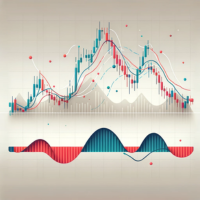
Sierra Capital Session Sweep Scanner maps out the Asian, London, and New York trading sessions directly on your chart, then watches for a specific price-action pattern: a candle that spikes through the Asian session's high or low and closes back inside it — a classic liquidity sweep.
What it shows:
- Colour-coded boxes marking the Asian, London, and NY session ranges, with the Asian high/low projected forward as reference lines
- Arrows marking each qualifying sweep-and-reject candle, with projected stop-loss and take-profit levels drawn automatically (adjustable risk:reward ratio)
- Optional popup and sound alerts the moment a new signal appears
Built for clarity:
- All colours, line styles, and box fills are configurable from the Inputs tab. Note: on some Mac installations of MetaTrader, opening indicator settings can occasionally be slow to respond — this is a known MetaTrader-on-Mac limitation, not specific to this tool.
- By default, the indicator only displays on minute charts (M1–M30) — it stays hidden and inactive on H1 and higher timeframes, since the session boxes are designed to be read at that granularity. This can be turned off in settings if you want it visible on higher timeframes too.
- Adjustable session hours to match your own timezone and broker's server offset
Note: This tool visualizes and flags the sweep pattern described above — it does not represent a proven trading strategy or guarantee any outcome. Use it as a chart-reading aid alongside your own analysis and risk management, not as an automated signal to trade on unconditionally.