QuickTrade Assistant
- Utilità
- Versione: 4.0
- Attivazioni: 10

(Final Description – With Advanced Commission Handling)
⭐ Short Description
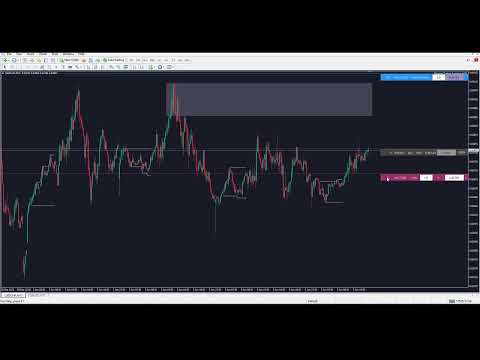
QuickTrade J Assistant Basic is a clean line-based trading assistant for MT4.
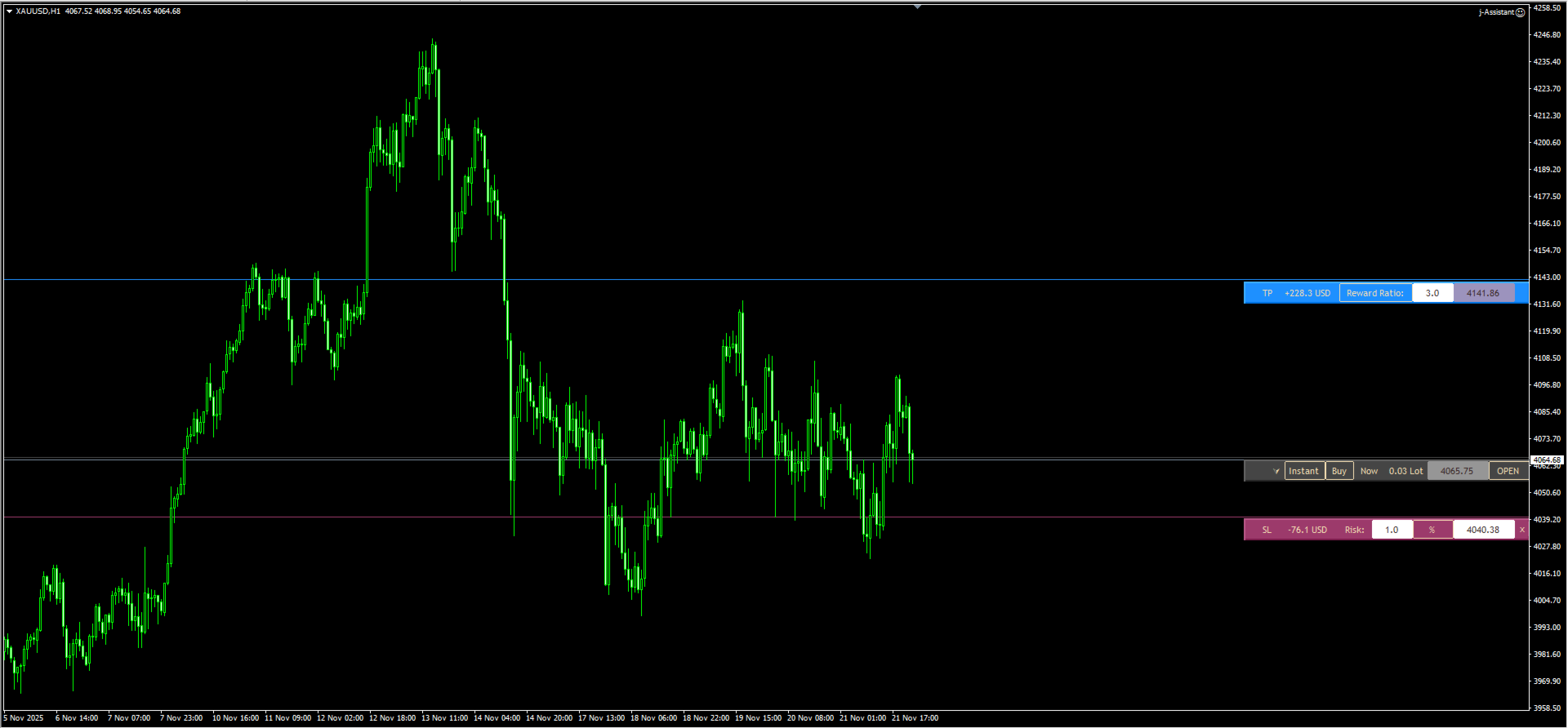
Control Entry, SL, TP, Risk %, Money Risk, Lot Mode, Reward Ratio or Reward Price directly on the chart using smart draggable bars.
Includes keyboard shortcuts, symbol navigation, clean-chart mode, commission-aware calculations, and a multi-mode Close/Delete manager.
QuickTrade J Assistant Basic is a minimalist yet powerful manual trading tool designed for traders who want a fast, clean and visual trading workflow.
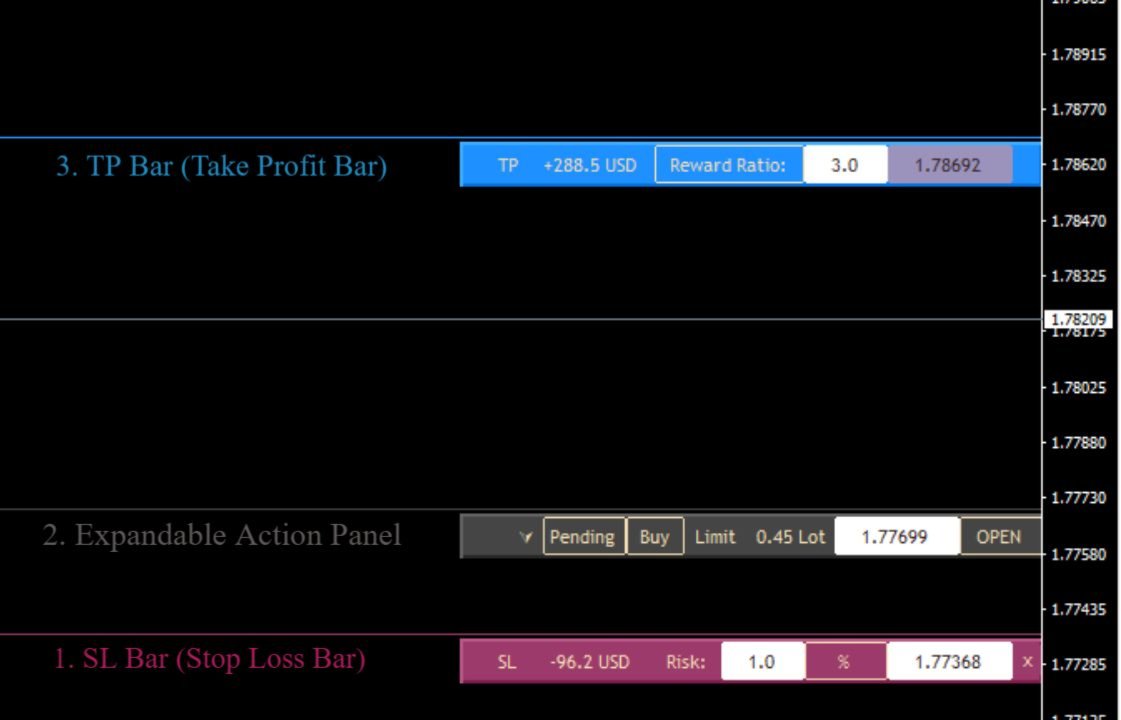
Instead of a bulky trading panel, it uses three intelligent horizontal bars for SL, Entry, and TP — each with editable fields, built-in buttons, and live calculations.
Perfect for scalpers, intraday traders, and price action users who want to trade with precision and speed.
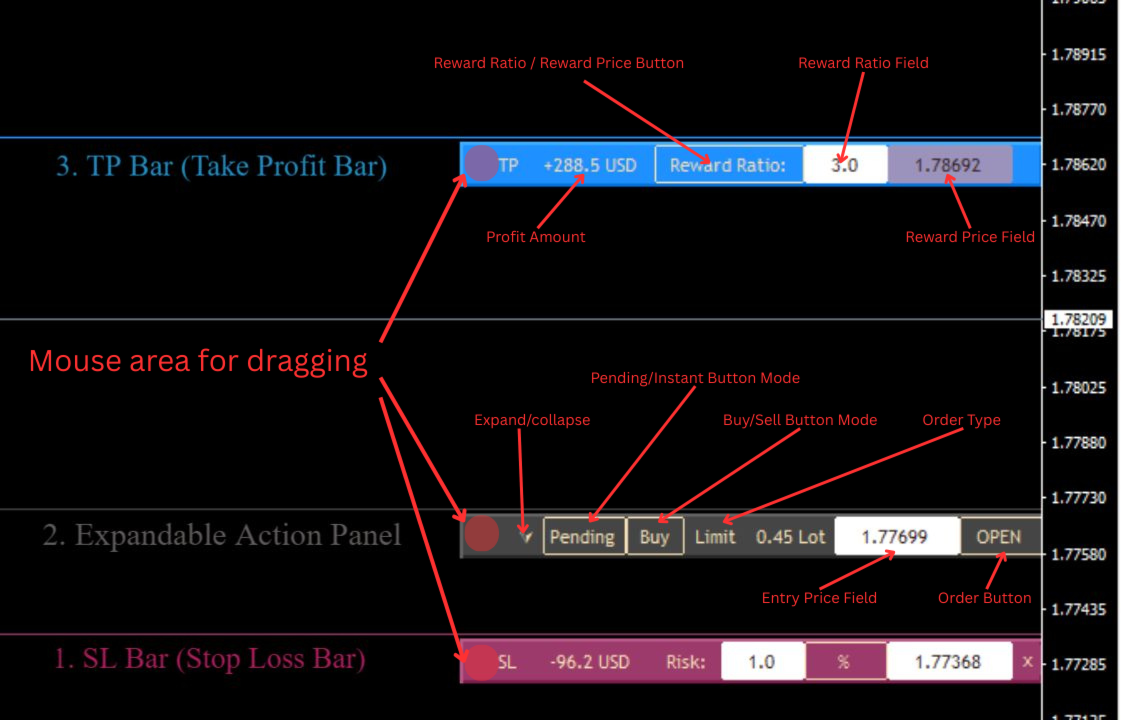
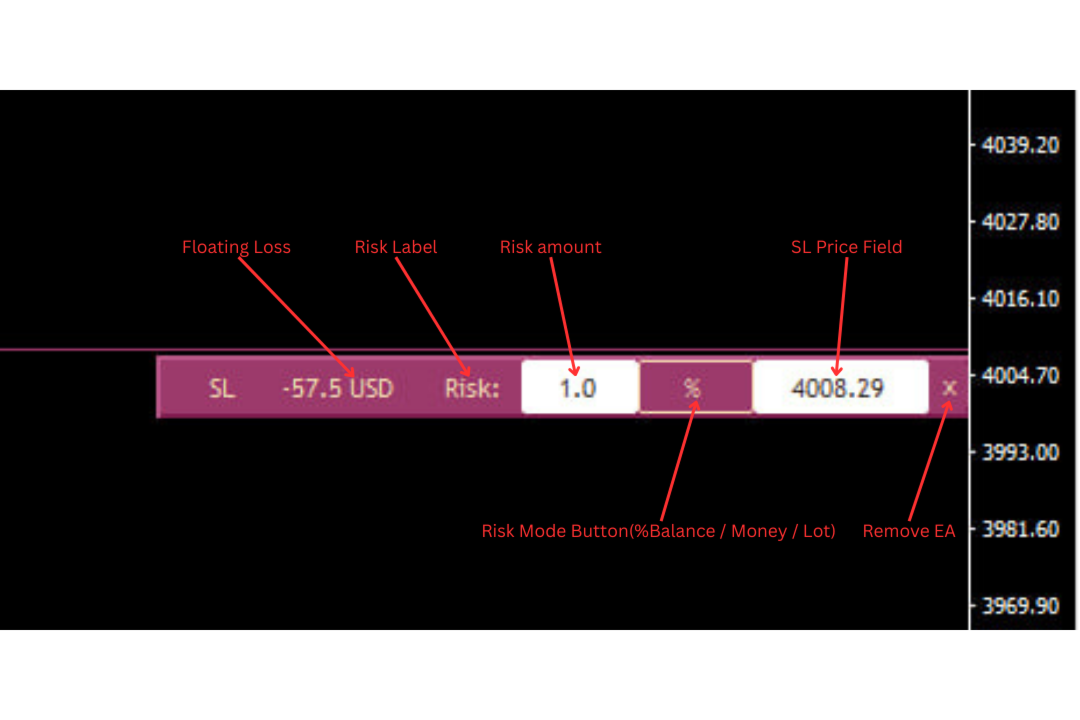
🎨 1. SL Bar (Stop Loss Bar – Red)Your dedicated risk management center.
✔ Live Risk Information
-
Risk in money
-
Risk in percent
-
SL price
✔ Drag & Drop
Move SL visually on your chart.
✔ Risk Mode Buttons (3 modes):
Directly on SL Bar:
-
% Mode – lot calculated by risk %
-
Money Mode – lot calculated by fixed money amount
-
Lot Mode – fixed lot; risk becomes informational
✔ Auto-enable/disable fields
Fields swap between editable/non-editable depending on the selected mode.
✔ “X” Button
X Button: Removes the EA from the chart (fully closes the assistant, not just hides the UI). 💠 2. Entry Bar (Order Control Bar – Middle)Contains three main action buttons:
1️⃣ Instant / Pending
-
Instant: execute market orders
-
Pending: create stop/limit orders (based on price logic)
2️⃣ Buy / Sell
Toggle trade direction.
3️⃣ OPEN
Executes a trade using:
-
mode (instant/pending)
-
direction
-
calculated/fixed lot
-
SL/TP from your bars
Extra Controls:
-
Lot value display
-
Entry price display
-
Expand/collapse arrow ▼ ▲
Provides:
-
Comment input
-
Multi-mode order/position manager
Multi-Mode Close/Delete Button
Cycle through modes using < / > :
-
Close All Positions
-
Delete All Orders
-
Close All Symbol Positions
-
Delete All Symbol Orders
-
Close Profitable Positions
-
Close Losing Positions
-
Delete All Limit Orders
-
Delete All Stop Orders
The label shown = the action executed.
🟩 3. TP Bar (Take Profit Bar – Blue)TP Bar includes a mode switch that changes how TP behaves.
🔵 Mode 1 — Reward Ratio Mode (RR Mode)
-
TP line cannot be dragged
-
TP is auto-calculated based on the RR value
-
Reward Ratio = editable
-
Price = disabled (dark)
-
SL/Entry movement auto-updates TP
-
TP always keeps the selected RR (e.g., 3.0R)
Ideal for:
Traders who always use fixed RR like 2R, 3R, 5R.
🔵 Mode 2 — Reward Price Mode (Manual Mode)
-
TP line can be freely dragged
-
Price = editable
-
Reward Ratio = disabled (dark)
-
TP becomes fully manual and does not follow SL/Entry
Ideal for:
Price action TP at structure, swing highs, FVG, imbalance, etc.
Summary Table
| Mode | Drag TP? | Edit RR? | Edit Price? | TP auto-follows SL/Entry? |
|---|---|---|---|---|
| Reward Ratio | ❌ No | ✔ Yes | ❌ No | ✔ Yes |
| Reward Price | ✔ Yes | ❌ No | ✔ Yes | ❌ No |
QuickTrade J Assistant Basic offers true net-profit accuracy by incorporating commission into all calculations.
When Include Commission = true:
✔ Risk calculation includes commission
Lot becomes more accurate and often smaller to keep risk true.
✔ TP for RR mode adjusts for real net profit
TP must be further to achieve true RR when commission exists:
This is extremely important for scalpers and ECN/Raw accounts.
✔ Works with any commission type
-
Per lot
-
Round-turn
-
Fixed per side
User simply sets:
Commission Cost
Total commission applied to a full trade (buy+sell).
✔ Reward/RR values in TP Bar show real profit
Reward numbers displayed on the TP bar are net of commissions.
⚙ 5. Smart Live CalculationsAssistant keeps SL/TP/lot/risk/reward perfectly in sync:
-
Risk %
-
Money risk
-
Fixed lot
-
Reward in money
-
RR
-
Commission-aware adjustments
Everything updates in real-time as lines move.
🖱 6. On-Chart Controls-
SL Bar → % / Money / Lot
-
TP Bar → Reward Ratio / Reward Price
-
Entry Bar → Instant / Pending + Buy / Sell
No input window needed.
🎮 7. Keyboard Shortcuts (Pro-Level Workflow)CTRL
Enable free vertical scroll (TradingView style) / toggle MT4 fixed scale
UP
Switch to previous symbol in MarketWatch
DOWN
Switch to next symbol in MarketWatch
Z
Toggle Clean Chart Mode (hide/show all bars)
🧪 8. How to Use-
Attach QuickTrade J Assistant Basic
-
Drag SL/TP lines
-
Choose risk mode
-
Set RR or TP price
-
Choose Instant/Pending + Buy/Sell
-
Click OPEN
-
Expand ▼ for Close/Delete
-
Use Z, UP, DOWN, CTRL for better workflow
-
Entry bar color
-
SL bar color
-
TP bar color
-
Font size
-
Default risk mode
-
Default risk %
-
Default risk money
-
Default lot
-
Default reward ratio
-
Include commission
-
Commission cost
-
Not an auto-trading EA
-
All actions require user input
-
Uses standard MT4 synchronous operations
v1.00 – Initial Release
-
Smart SL/Entry/TP bars
-
Risk Mode buttons
-
Reward Ratio / Reward Price system
-
Multi-mode Close/Delete
-
Keyboard shortcuts
-
Commission-aware calculations
-
Customizable UI