Visual Pangolin Trend Indicator
- Indicatori
-
AL MOOSAWI ABDULLAH JAFFER BAQER
 To trade successfully we need to go through the proven path that others had gone and reached!
Here are 17 quotes from such successful investors:
1- Limit your size in any position so that fear does not become the prevailing instinct guiding your judgment.
Joe Vidich - Versione: 1.0
- Attivazioni: 5
Visual Pangolin Trend Indicator
Unlock the True Market Trend with Clarity and Confidence
Are you tired of whipsaws and false signals that erode your trading account? The key to successful trading is not just finding a trend, but knowing when the trend is real and when it's just market noise. The Visual Pangolin Trend Indicator is a professionally designed tool that gives you a decisive edge, filtering out volatility to reveal the underlying market direction with unparalleled clarity.
For a one-time price of just $30, you can equip your charts with a powerful, non-repainting trend analysis system designed for serious traders.
The Logic Behind the Indicator
The Visual Pangolin Trend Indicator is not just another moving average crossover tool. It employs a sophisticated algorithm that combines trend momentum with market volatility to create a highly adaptive and responsive system.
-
Core Trend Analysis: At its heart, the indicator uses a smoothed moving average (you can choose between EMA, SMA, SMMA, or LWMA) to establish the primary trend baseline. This provides a stable, smoothed-out view of the price action.
-
Adaptive Volatility Channels: This is where the magic happens. The indicator calculates the market's current volatility using the Average True Range (ATR). It then creates dynamic upper and lower channels around the moving average. These channels are not fixed; they expand during high volatility to avoid false signals and contract during low volatility to provide earlier entries. A trend is only confirmed when the price momentum is strong enough to break decisively beyond these volatility-adjusted boundaries.
-
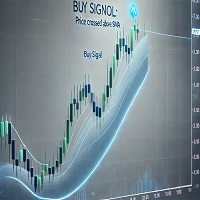
The Pangolin Trend Line: The main, color-coded line on your chart is the core of the system.
-
When the trend is bullish, the line turns lime green and intelligently hugs the price action from below, acting as a dynamic support level.
-
When the trend turns bearish, the line switches to orange-red and trails the price from above, serving as a dynamic resistance level.
-
This visual approach allows you to see the trend, its strength, and key support/resistance areas all in one, clean line.
Key Features
-
Clear, Non-Repainting Signals: The buy and sell arrows appear only when a trend change is confirmed at the close of a bar. They will never repaint or move, giving you full confidence in their validity.
-
Intelligent Signal Filter: To prevent over-trading in choppy markets, the indicator includes an optional "Bars Delay" feature. This ensures that signals are only generated after a user-defined number of bars have passed since the last signal, focusing your attention on more established trend shifts.
-
Fully Customizable: Tailor the indicator to your exact trading style and preferred market. Adjust the volatility period, channel width, smoothing, and moving average type to optimize performance.
-
Universal Compatibility: The Visual Pangolin Trend Indicator works seamlessly on any currency pair, stock, commodity, or index, and across all timeframes. Whether you are a scalper, day trader, or swing trader, this tool will adapt to your needs.
-
Clean and Simple Visuals: The indicator is designed to de-clutter your charts. It provides all the necessary information through a single, color-changing trend line, optional channels, and clear entry arrows, keeping your analysis clean and focused.
Who Is This For?
This indicator is perfect for both new and experienced traders who want a reliable method for identifying and following market trends. If you are looking for a tool to help you stay on the right side of the market and avoid fakeouts, the Visual Pangolin is the perfect addition to your trading arsenal.
Stop guessing the trend and start trading with a clear, data-driven advantage. Add the Visual Pangolin Trend Indicator to your chart today!
Input Parameters
-
Volatility Period: The period for the ATR calculation to measure market volatility.
-
Channel Multiplier: Controls the width of the volatility channels. Higher values result in fewer, more selective signals.
-
Smoothing Period: The lookback period for the core moving average.
-
Applied Price: The price type (Close, Open, Weighted, etc.) used for the calculation.
-
Show Smoothed MA: Toggle the visibility of the baseline moving average on your chart.
-
MA Method: Select the type of moving average (EMA, SMA, SMMA, LWMA).
-
Enable bars between signals: Turn the signal filtering system on or off.
-
Bars to wait between signals: Set the minimum number of bars that must pass before a new signal can be generated.
-
Arrow offset in points: Adjust the vertical distance of the signal arrows from the price bars.