Visual Volume Trend Analyzer Indicator
- Indicatori
-
AL MOOSAWI ABDULLAH JAFFER BAQER
 To trade successfully we need to go through the proven path that others had gone and reached!
Here are 17 quotes from such successful investors:
1- Limit your size in any position so that fear does not become the prevailing instinct guiding your judgment.
Joe Vidich - Versione: 1.0
- Attivazioni: 5
Visual Volume Trend Analyzer: Decode the Market's True Momentum
Unlock the power of volume-price analysis with the Visual Volume Trend Analyzer, a sophisticated yet intuitive indicator designed to give you a clear edge in any market.
While price charts show you what is happening, this tool reveals the force behind the moves. By meticulously analyzing the relationship between price changes and volume, the Visual Volume Trend Analyzer filters out market noise and pinpoints high-probability entry and exit points. It goes beyond conventional oscillators by integrating a unique volume-weighted summation logic, providing a deeper, more accurate measure of buying and selling pressure.
Stop guessing the trend and start trading with confidence.
The Logic Behind the Edge
The core of the Visual Volume Trend Analyzer is its powerful Volume Trend Summation calculation. Here is how it works:
-
Measures Price Change: The indicator first calculates the change in price from the previous bar to the current one.
-
Applies Volume Weighting: This price change is then multiplied by the corresponding volume for that bar. This is the crucial step. A small price move with massive volume is given more significance than a large price move with low volume. You have full control over the type of volume used:
-
Real Volume: The most accurate measure of market activity.
-
Tick Volume: An excellent proxy for activity on any timeframe.
-
Price Range: A unique pseudo-volume calculation based on the bar's volatility.
-
-
Cumulative Summation: The indicator calculates a cumulative sum of these volume-weighted price changes over a user-defined period. This creates a powerful oscillator that clearly visualizes the ebb and flow of buying and selling pressure.
-
Trend Confirmation: To provide smooth and reliable signals, the main summation line is accompanied by two moving averages (Simple and Exponential). A signal is only confirmed when the trend, as defined by the moving averages, aligns with the signal direction, filtering out false moves.
The result is a clean, easy-to-read histogram and set of lines that clearly define the market's underlying strength and direction.
Key Features
-
Advanced Volume-Price Analysis: The core logic provides a superior measure of market momentum compared to standard price-only indicators.
-
Multi-Mode Volume Weighting: Choose between Real Volume, Tick Volume, or Price Range to perfectly tailor the analysis to your instrument and trading style.
-
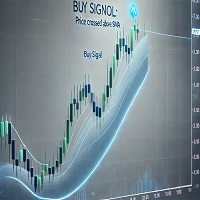
Clear Visual Signals: Buy and sell arrows are plotted directly on your main chart when high-probability conditions are met, eliminating guesswork.
-
Dual Moving Average Confirmation: Signals are cross-validated with a Simple and Exponential Moving Average of the trend line, ensuring you trade in harmony with the momentum.
-
Intelligent Signal Filter: An adjustable "Bars Between Signals" filter prevents over-trading during choppy market conditions, protecting your capital.
-
Fully Customizable: Take complete control over every aspect, including periods, colors, arrow sizes, and signal thresholds to match your trading system.
-
Clean, Uncluttered Interface: The indicator runs in a separate window, keeping your main price chart clean and easy to read.
How to Trade with the Visual Volume Trend Analyzer
This tool is flexible and can be adapted to various trading strategies:
-
Zero Line Crossover: The most straightforward strategy. A buy signal is generated when the Volume Trend Summation crosses above the zero line, and a sell signal is generated when it crosses below.
-
Trend Confirmation: Use the slope of the moving averages to confirm the overall trend. Only take buy signals when the moving averages are rising and sell signals when they are falling.
-
Divergence Trading: Identify powerful reversal opportunities by spotting divergences between price action and the Volume Trend Summation line. For example, if the price is making new highs but the indicator is making lower highs, it signals weakening buying pressure.
Full Control Over Your Analysis: Input Parameters
Volume Trend Settings
-
Summation Period: The lookback period for the main volume-price summation.
-
Averaging Period: The period for the Simple and Exponential Moving Averages.
-
Applied Price: The price point (Close, Open, High, Low, etc.) used in the calculation.
Volume Settings
-
Volume Type: Choose between Tick Volume, Real Volume, Price Range, or None.
Signal Settings
-
Enable Bars Between Signals: True/false to activate the signal filter.
-
Bars to Wait Between Signals: The minimum number of bars before a new signal can appear.
-
Signal Threshold Level: The level the summation line must cross to generate a signal (default is 0.0).
-
Arrow Offset from Price: Controls the distance of the signal arrow from the price bar.
Visual Settings
-
Show Entry Arrows: True/false to display the buy/sell arrows on the chart.
-
Arrow Size: Adjust the size of the signal arrows (1-5).
-
Buy Signal Color: Customize the color of the buy signal arrow.
-
Sell Signal Color: Customize the color of the sell signal arrow.