ChartConnect
- Utilità
- Versione: 1.19
- Attivazioni: 5

This EA does not execute any trading operations.
It is a visual utility tool designed solely for chart synchronization.
The “there are no trading operations” validation error is expected and intentional.
🧩 CHARTCONNECT – Chart Synchronizer (Version 1.19)
Synchronize all your charts to the same symbol with a single click.
📌 What is CHARTCONNECT?
ChartConnect is a lightweight and efficient tool developed to automatically synchronize the symbol (ticker) across all open charts in MetaTrader 5.
Whenever you change the symbol on the main chart, all other charts are instantly updated to the same symbol — while preserving their original timeframes.
Perfect for traders who use multiple indicators or EAs across different charts for a single asset.
⚙️ How it works:
-
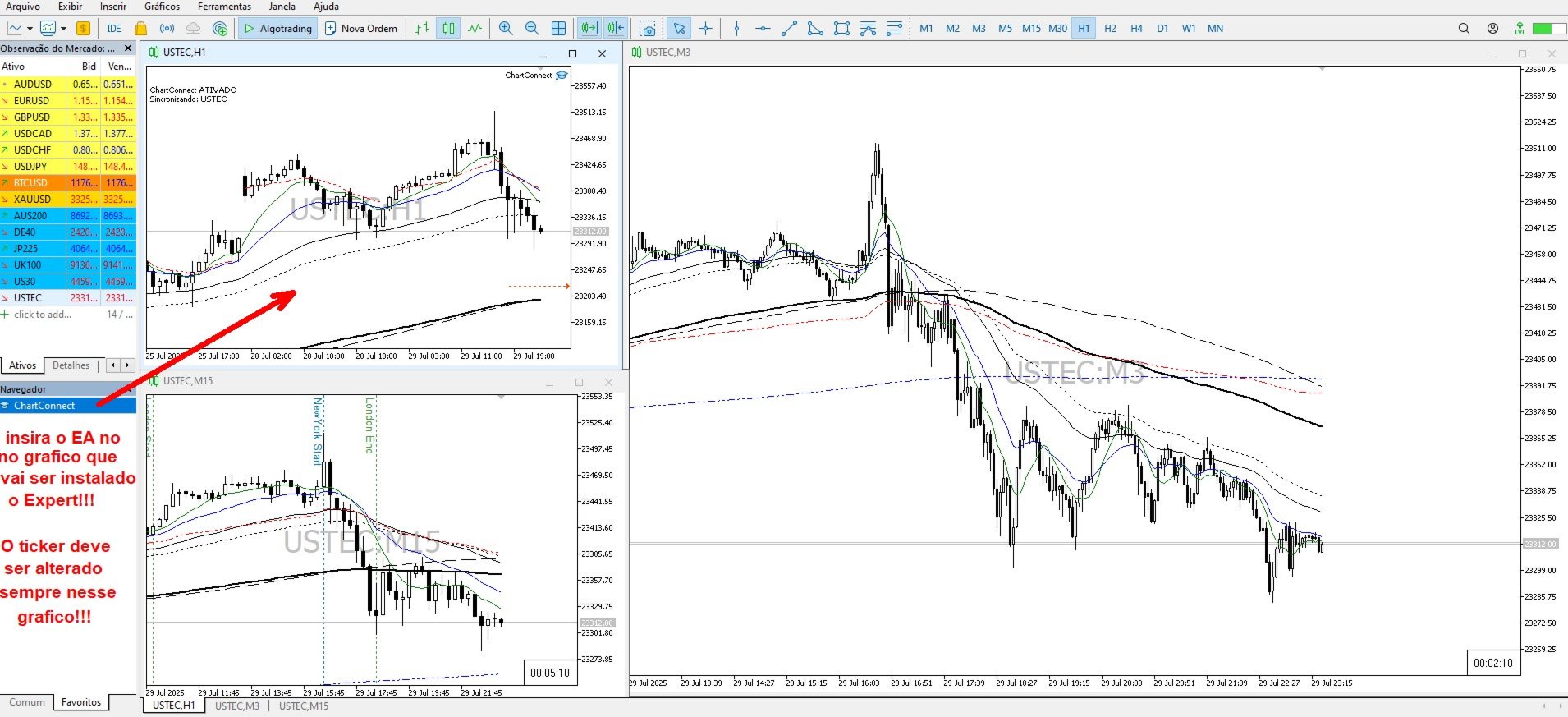
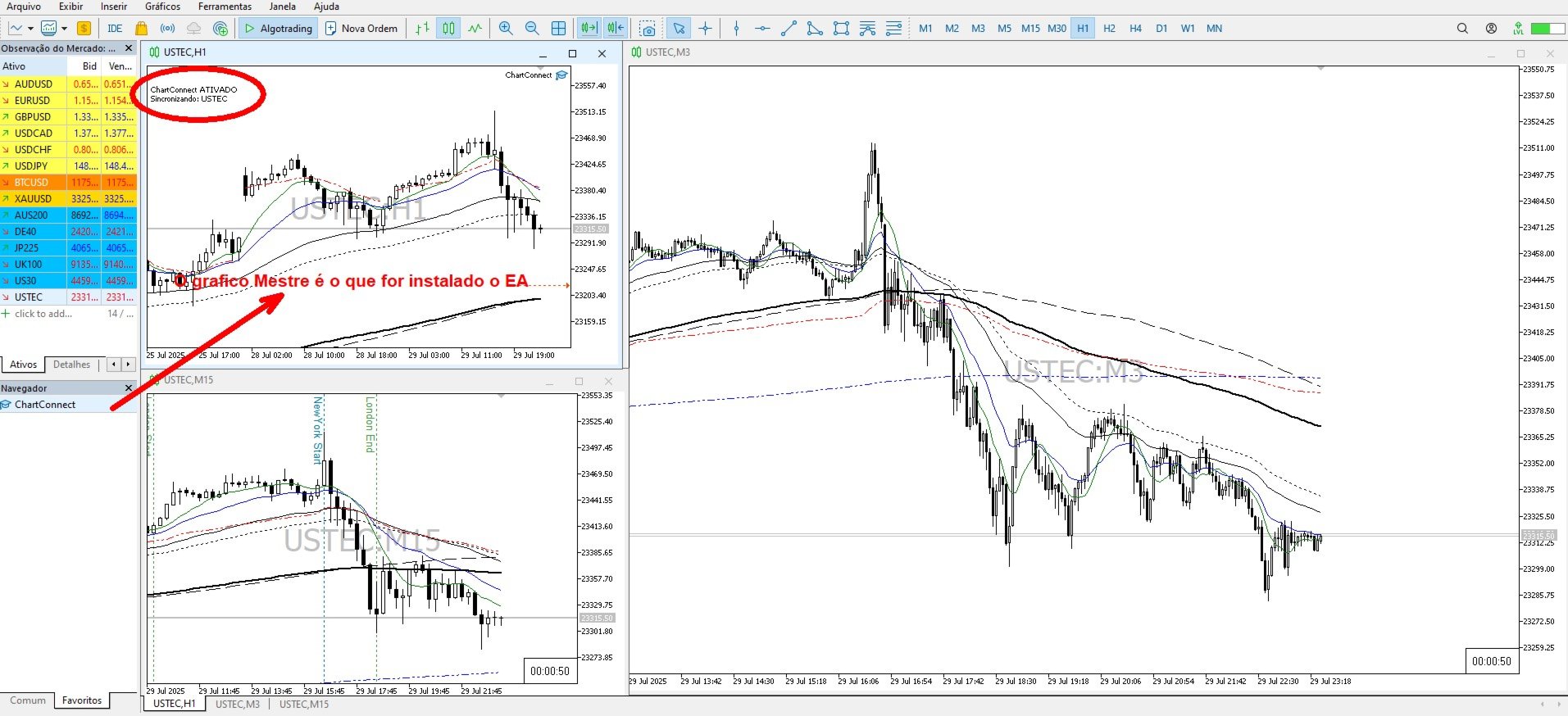
Apply CHARTCONNECT to one chart (any timeframe).
-
That chart becomes the controller.
-
Every second, the EA checks if the symbol has changed.
-
If so, it updates all other open charts to the new symbol — without modifying their timeframes.
✅ Key Benefits:
-
⏱ Time-saving – no more manually switching each chart.
-
🗂 Organized workflow – ideal for multi-strategy setups.
-
📊 Keeps each chart’s original timeframe.
-
💻 Ultra-lightweight – near-zero CPU usage.
-
🧠 Simple to use – just apply and activate.
🔧 Input Parameter:
-
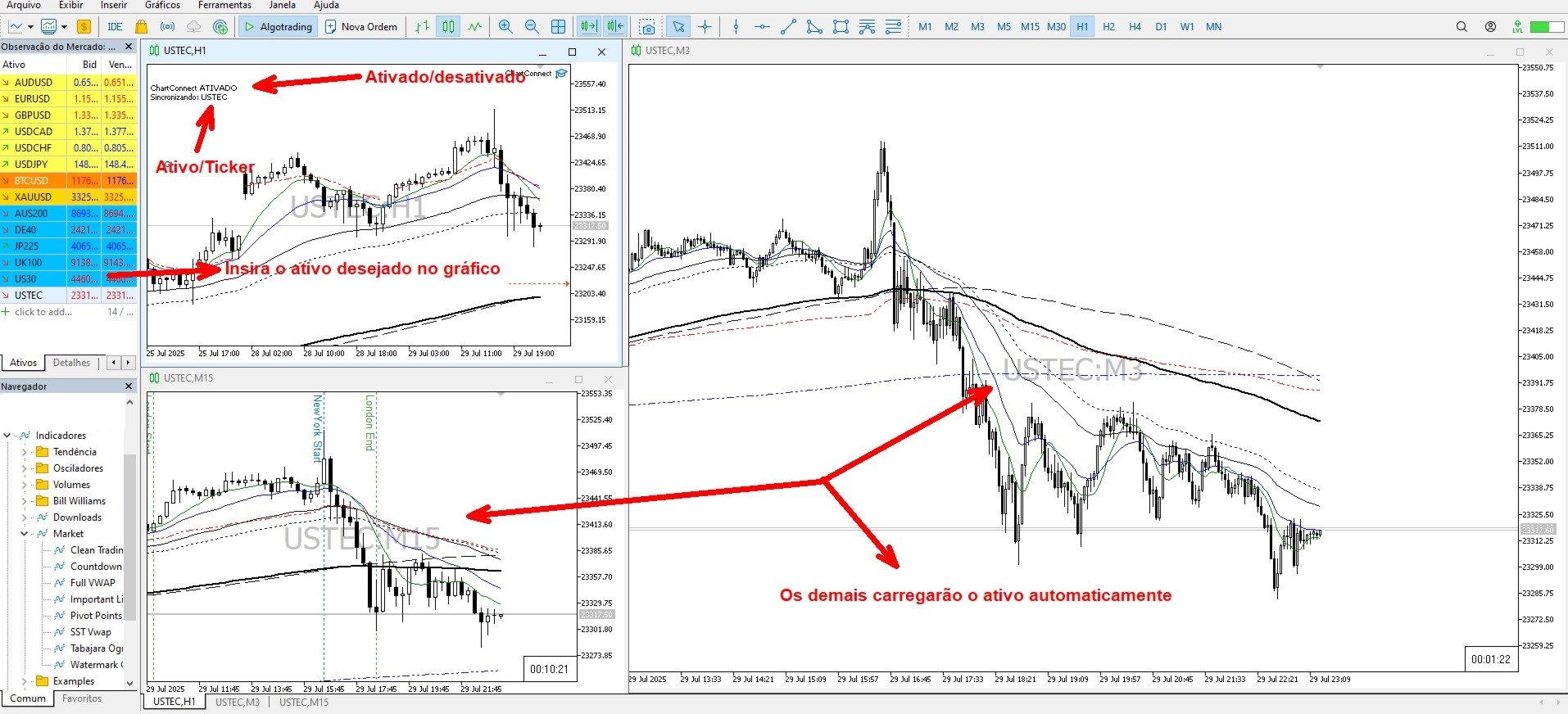
Active (bool)
-
true = enables automatic synchronization
-
false = temporarily disables synchronization
-
🧪 Example Use Case:
You monitor EURUSD using 4 charts with different strategies:
-
Chart 1 (M1) – volume indicators
-
Chart 2 (M5) – scalping EA
-
Chart 3 (M15) – trend analysis
-
Chart 4 (H1) – RSI and momentum
If you want to switch to GBPUSD, you'd normally have to manually change each chart.
With CHARTCONNECT:
-
Apply the EA to one chart (e.g., M5)
-
Set Active = true
-
Change the symbol to GBPUSD
✅ All other charts are instantly synchronized, maintaining their original timeframes.