Risk Pilot MT5
- Utilità
- Versione: 1.8
- Aggiornato: 1 luglio 2026

Risk Pilot MT5 — Fast Trade Execution and Risk Management Panel
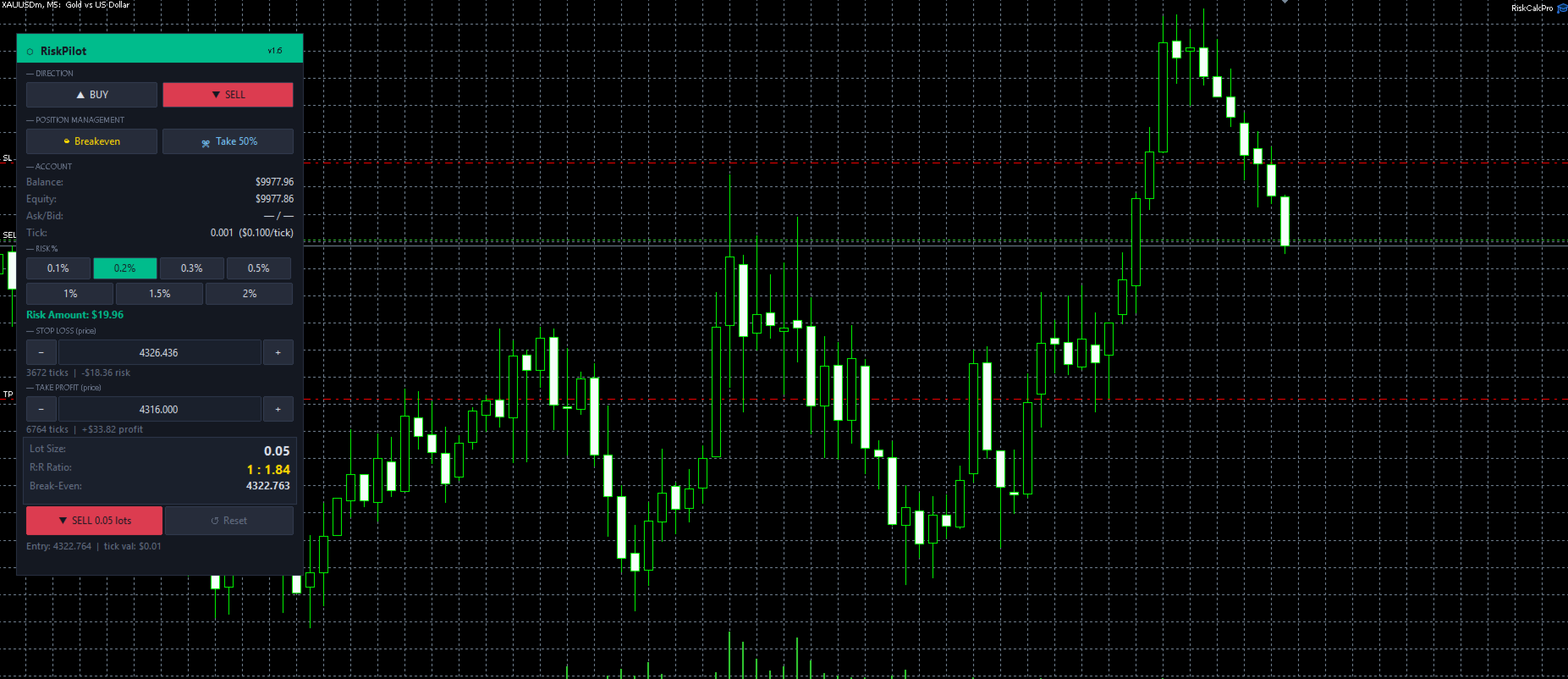
Take absolute control of your trading risk with Risk Pilot , the ultimate interactive assistant for manual traders on MetaTrader 5. Designed for precision and built for speed, Risk Pilot eliminates manual lot calculations so you can enter trades instantly before the market moves.
⚠️ IMPORTANT NOTICE:
- This is a manual trading UTILITY TOOL, not an automated trading robot (EA).
- This tool WILL NOT auto-trade or execute trades based on algorithmic strategies. It is designed strictly to assist manual traders with rapid execution, precise risk calculations, and trade management.
🚀 Key Features:
- Auto Lot Sizing: Real-time lot calculation automatically scales based on your chosen risk percentage and account balance.
- Price-Based SL/TP: Easily set your Stop Loss and Take Profit levels by exact price input or direct chart interaction.
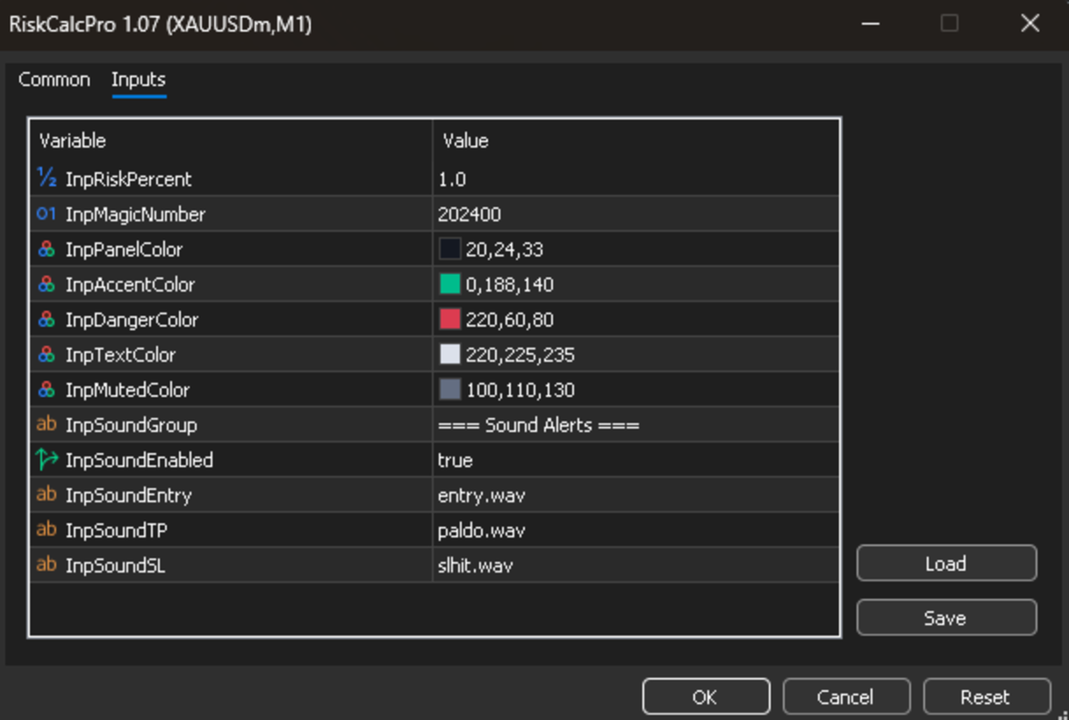
- Custom Sound Alerts: Never miss a critical moment. Distinct audio cues trigger on Entry, TP hit, and SL hit.
- One-Tap Breakeven: Protect your capital instantly by moving your SL to entry price with a single click.
- Partial Close Management: Secure your profits early by taking a 50% partial close while letting the rest of the position run.
- Live Risk/Reward Stats: View your current live R:R ratio alongside your real-time dollar P&L directly on the panel.
- One-Click Buy/Sell Panel: Ultra-fast order routing ensures minimum slippage during high-volatility news events.
- Adaptive UI: Modern, clean interface that auto-scales flawlessly to any monitor resolution or screen size.
🎵 How to Add Custom Sounds:
- Open the Data Folder: In MetaTrader 5, go to the top menu and navigate to File -> Open Data Folder .
- Locate MQL5: Open the MQL5 folder.
- Create the Sounds Folder: Inside the MQL5 folder, create a new folder and name it exactly "Sounds" .
- Add Your Audio Files: Place your custom .wav sound files inside this new Sounds folder.
- Note: MT5 only supports the WAV format. Files must be encoded in standard PCM 8-bit or 16-bit WAV, or the platform will not play them.
- Tip: You can look for free, compatible sounds on https://www.myinstants.com
- Configure the EA: Open the input settings of Risk Pilot inside your chart to assign your custom sound files to the TP, SL, and Entry alert fields. After saving the configuration, you will hear your sound for audio testing purposes.