WONNFX iSTATS
- Indicateurs
-
Sergei Tsirat
 WONNFX ONLINE
Expert Advisor & Trading Systems & CopyTradingFX
[no martingale, grid trading, averaging, or other dangerous methods]
Tools for MetaTrader 5 & 4
[Indicators / Advisors / Utilities] - Version: 4.50
- Mise à jour: 28 octobre 2026
WONNFX iSTATS: Account Statistics on Your Chart
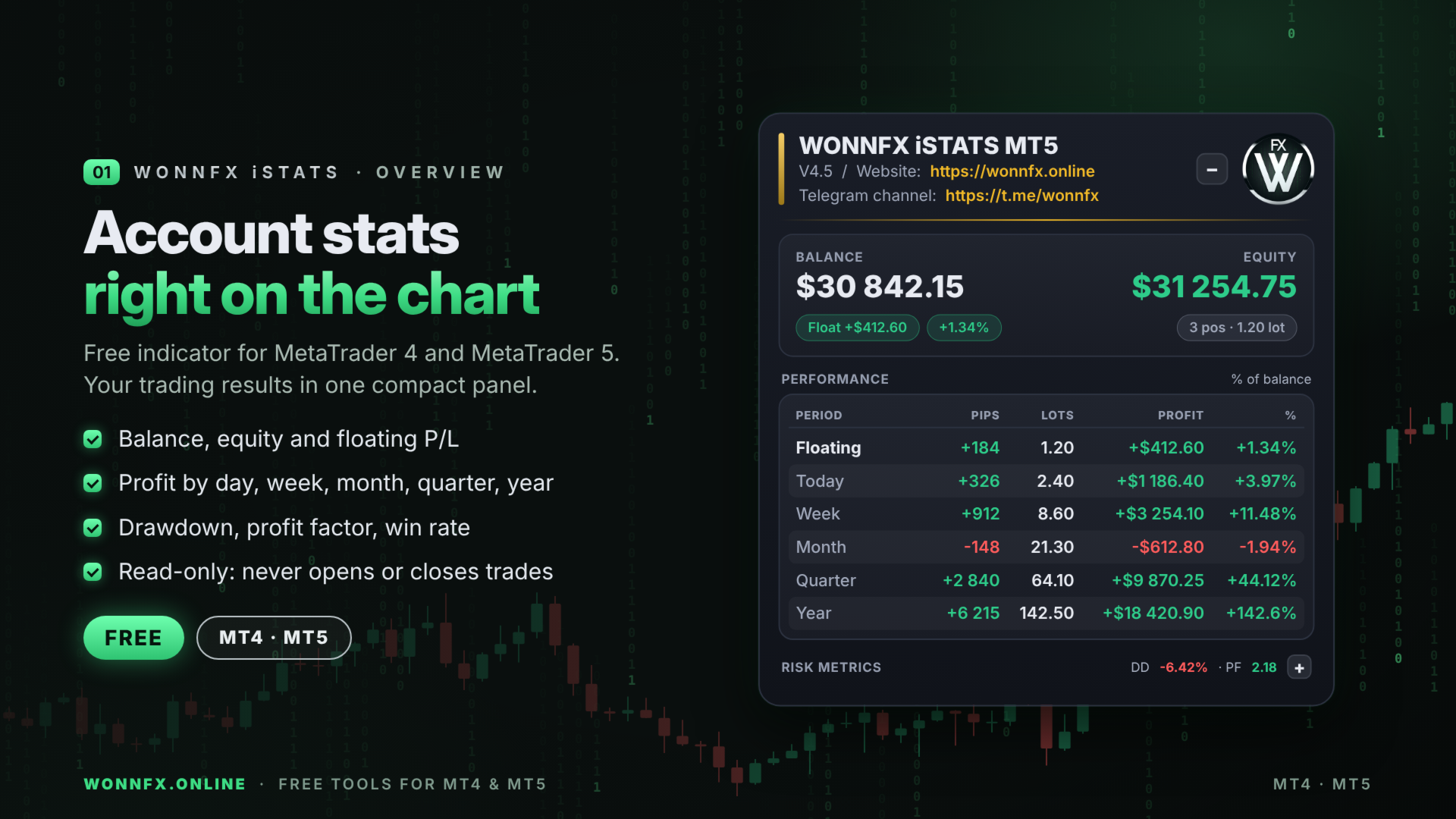
A free indicator for MetaTrader 4. It shows your account’s trading results in a compact panel right on the chart: balance, equity, profit for the day, week, month, quarter and year, plus key risk metrics. No reports, no History tab, no calculators: everything you need at a glance.
The indicator does not trade. It never opens or closes positions; it only reads the account history and open positions.
Features
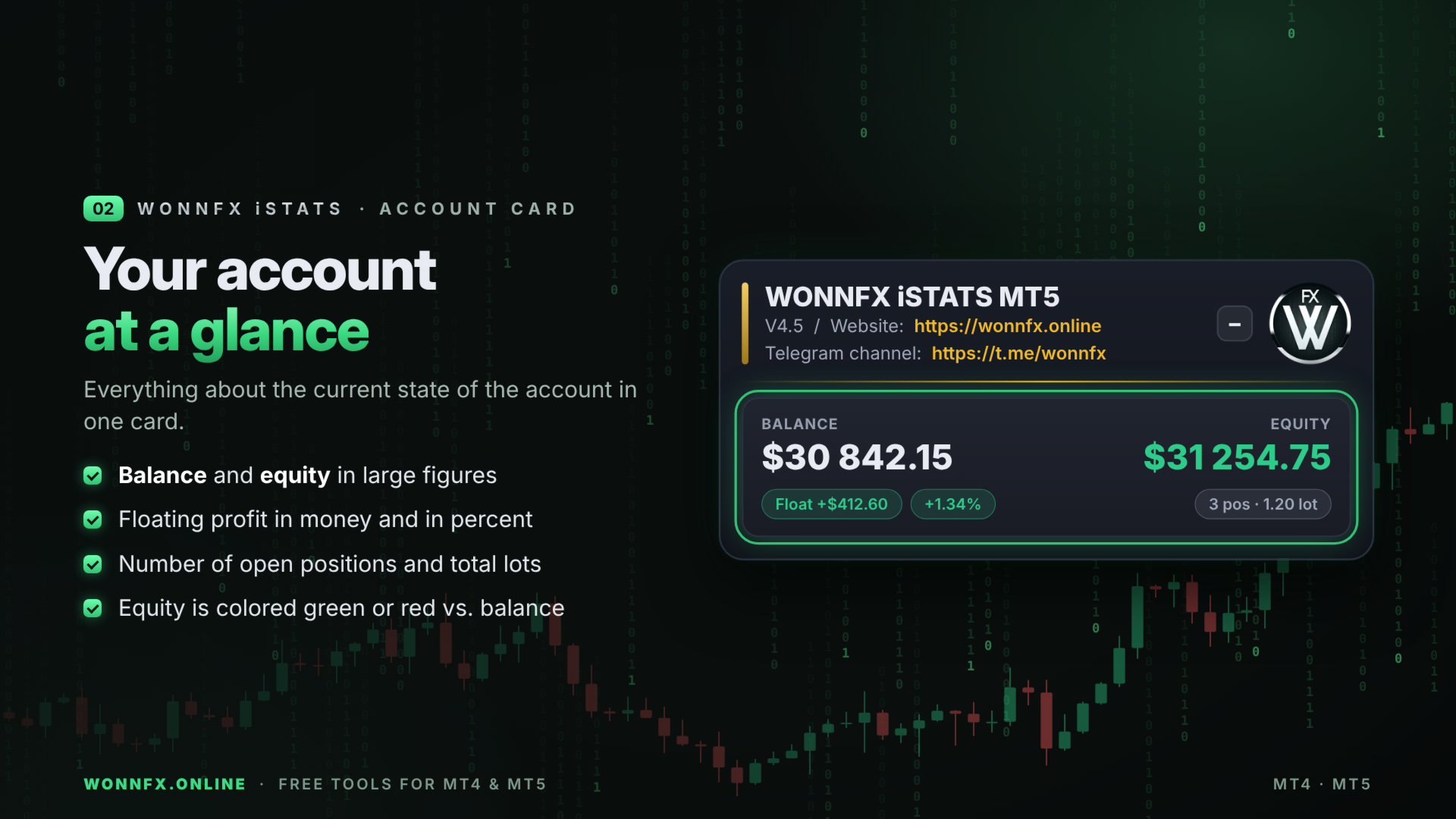
Account card
- Balance and equity in large figures.
- Floating profit or loss in account currency and in percent.
- Number of open positions and their total volume in lots.
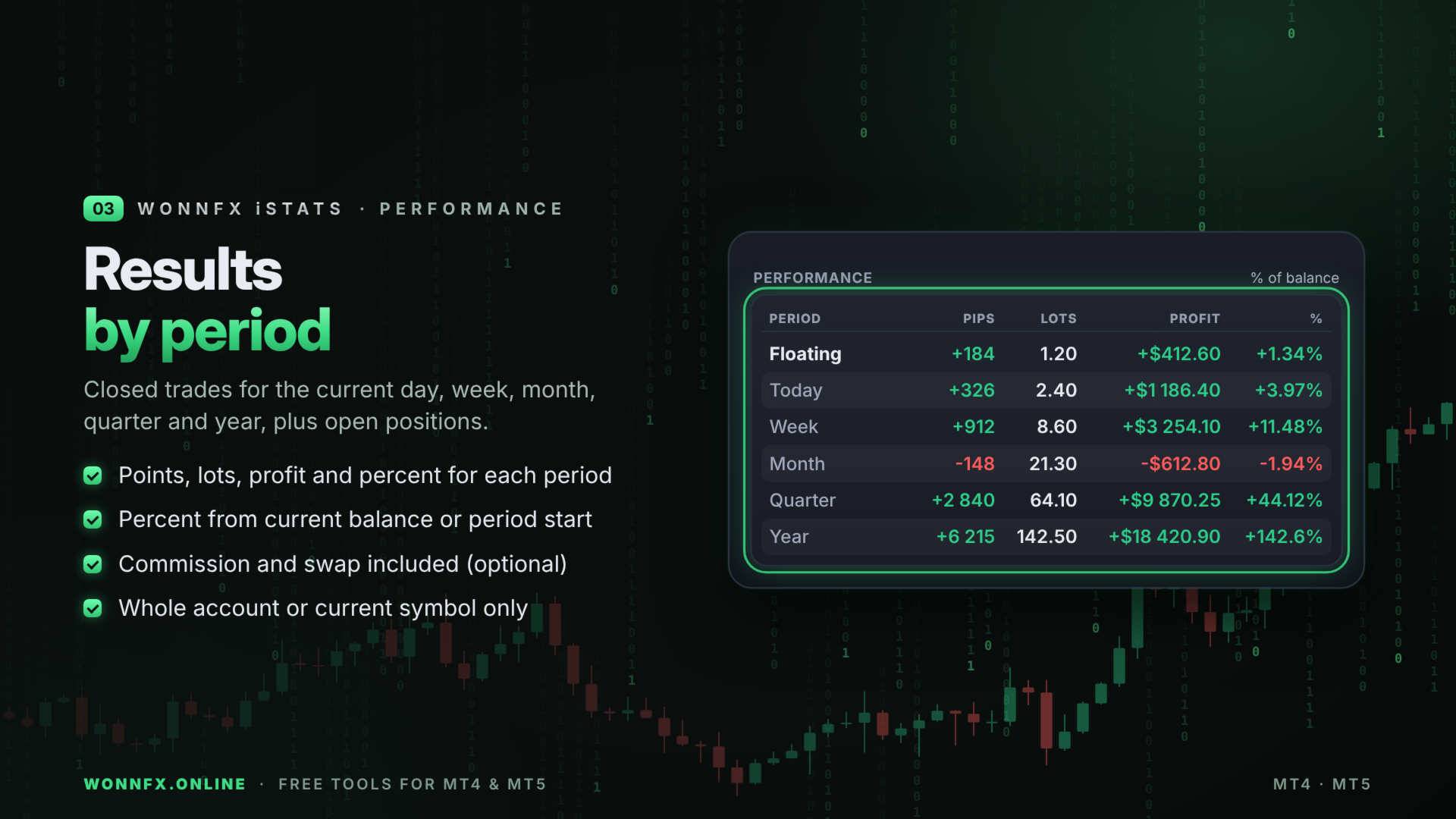
PERFORMANCE table: results by period
- Floating: open positions right now.
- Today, Week, Month, Quarter, Year: closed trades for the current day, week, month, quarter and year (broker server time).
- Each period shows the result in points, volume in lots, profit in currency and in percent.
- Percent can be calculated from the current balance or from the balance at the start of the day, week, month, quarter or year.
RISK METRICS block (full account history)
- Maximum drawdown in currency and percent. Deposits and withdrawals are not counted as drawdown, and the current floating drawdown is included.
- Profit factor: gross profit divided by gross loss.
- Recovery factor: net profit divided by maximum drawdown.
- Win rate: share of profitable trades.
- Net profit.
- The block collapses with the “–/+” button. When collapsed, a single line shows drawdown and profit factor.
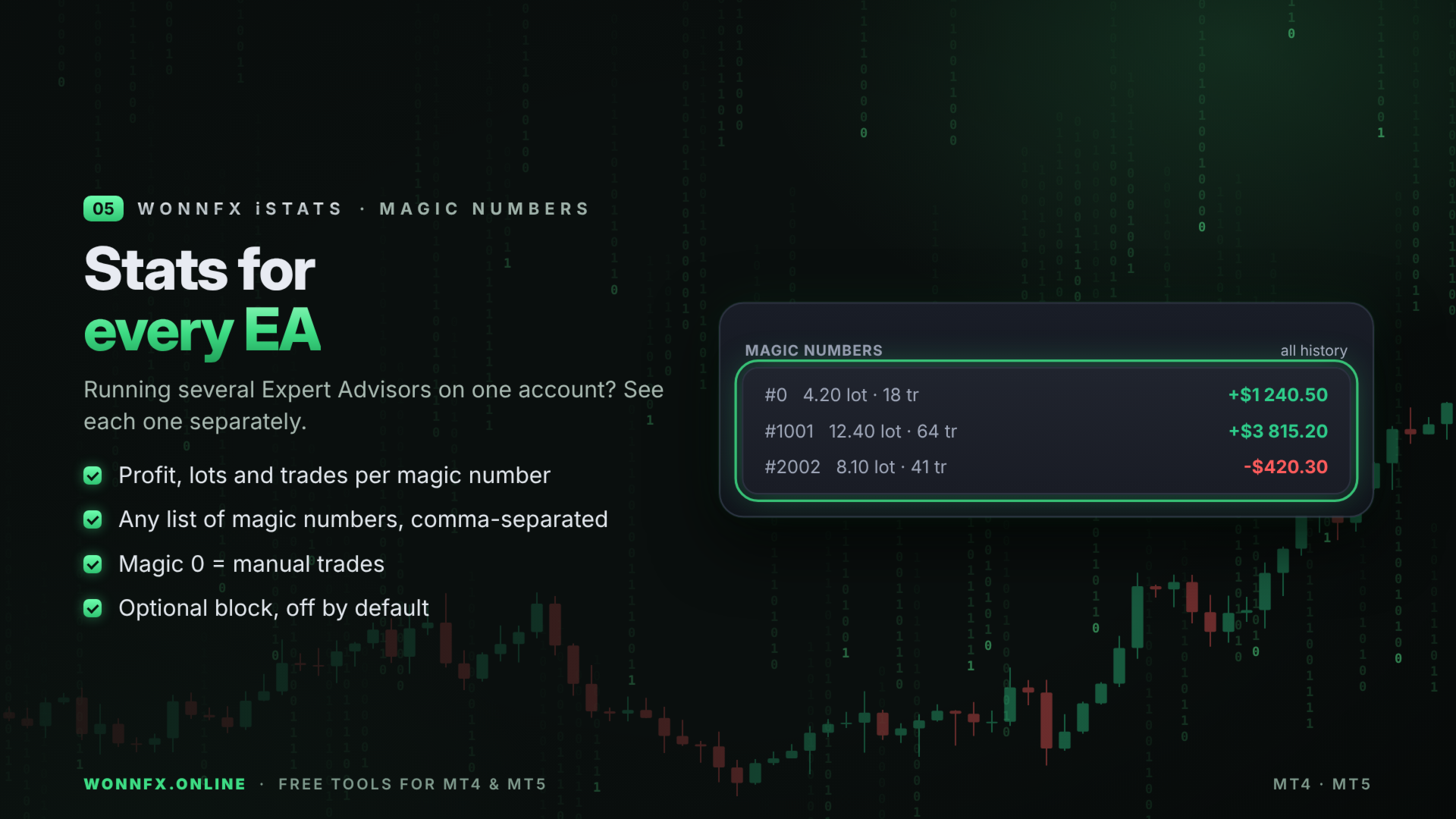
MAGIC NUMBERS block (optional)
- Profit, lots and number of trades for each selected magic number. Useful when several Expert Advisors run on one account.
Convenience
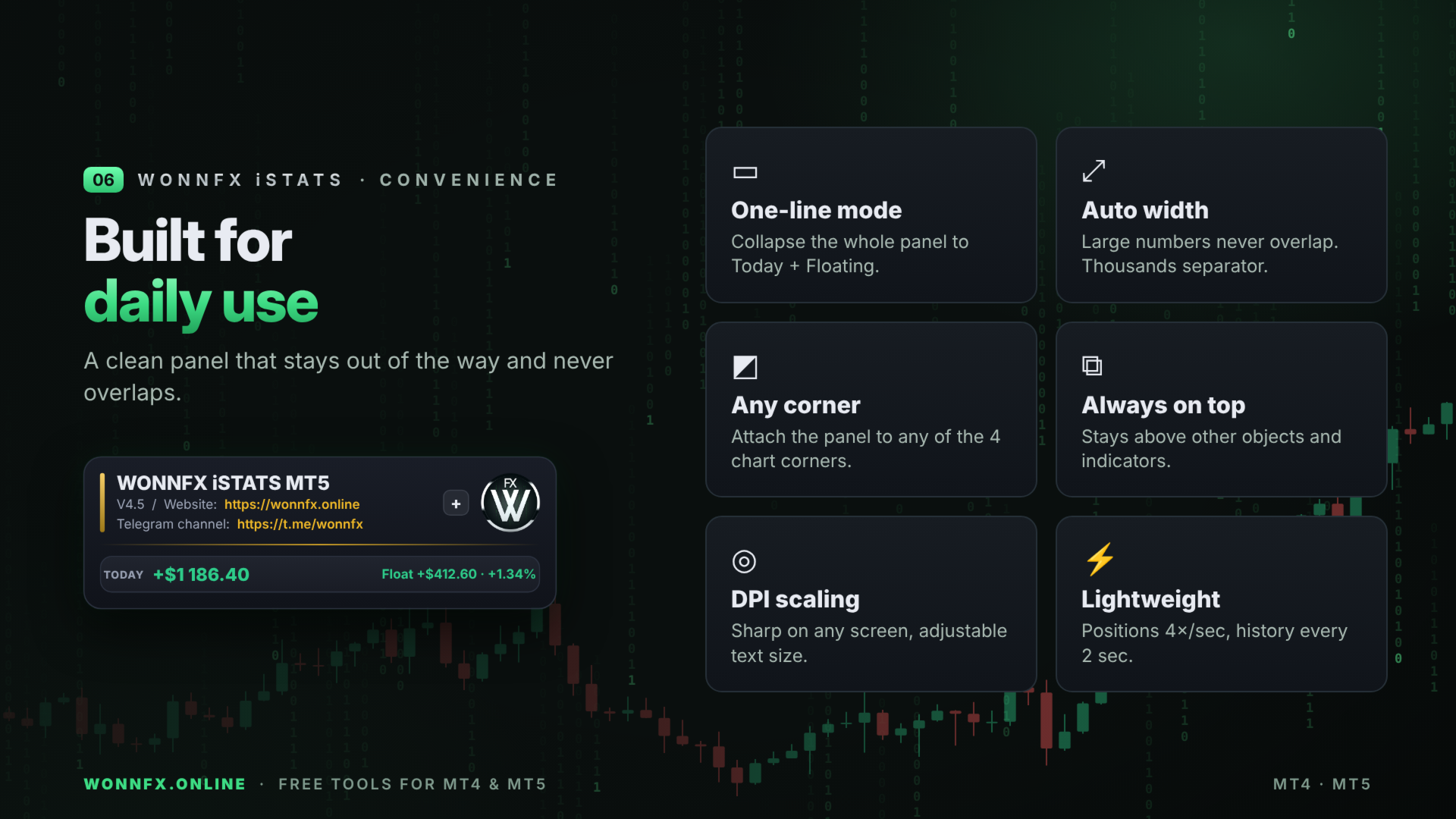
- Modern panel with rounded cards and color-coded profit and loss.
- Width adjusts automatically, so even large amounts never overlap.
- Thousands separator: 12 345.67.
- The whole panel collapses into one line showing today’s profit and the floating result. The state is remembered for each chart.
- The panel always stays on top of other objects and indicators on the chart.
- Attaches to any of the four chart corners.
- Scales automatically to your screen resolution; font size is adjustable separately.
- Statistics for the whole account or only for the current chart symbol.
- Works on any symbol and timeframe. Light on the terminal: open positions update 4 times per second, history is recalculated every 2 seconds.
INPUT PARAMETERS
STATISTICS SETTINGS
- Calculate profit percentage relative to. Base for percentages: current balance, or the balance at the start of the day, week, month, quarter or year.
- Include commission & swap in profit. true: profit includes commission and swap (real result). false: trade profit only.
- Statistics for current chart symbol only. true: statistics for the chart symbol only. false: the whole account.
- Lots decimal places. Decimal places for lots.
- Currency decimal places. Decimal places for money amounts.
- Pips decimal places. Decimal places for points.
- Thousands separator (12 345.67). Separate thousands with a space.
COLUMNS & BLOCKS
- Show account card (balance / equity). Account card with balance, equity, floating result and positions.
- Show pips column. Result in points.
- Show lots column. Volume in lots.
- Show currency column. Profit in account currency.
- Show percent column. Profit in percent.
- Show risk metrics block (DD, PF, RF, win rate). RISK METRICS block.
- Risk metrics block collapsed at start. The RISK METRICS block starts collapsed; open it with the “+” button.
- Show statistics by magic number. MAGIC NUMBERS block.
- Comma-separated magic numbers. List of magic numbers, for example 0,1001,2002. Magic 0 means manual trades.
PANEL POSITION
- Panel corner. Chart corner the panel is attached to.
- Offset from chart edge X / Y, px. Distance from the chart edge in pixels.
- Whole panel collapsed at start. The panel starts collapsed into one line.
PANEL STYLE
- Panel scale. 1.0 means automatic for your screen; above 1.0 is larger, below 1.0 is smaller.
- Text size. 1.0 small, 1.2 standard, 1.5 large.
IMPORTANT FOR MT4
In MetaTrader 4 the indicator only sees the history loaded in the “Account History” tab. For complete statistics, right-click the “Account History” tab and select “All History”.