Vladislav Andruschenko / Profile
- Information
|
14+ years
experience
|
44
products
|
2316
demo versions
|
|
93
jobs
|
0
signals
|
0
subscribers
|
I’m Vladislav, a professional MQL4/MQL5 developer creating MetaTrader tools since 2007.
Expforex develops practical trading solutions for MetaTrader 4 and MetaTrader 5:
Expert Advisors, trading panels, trade copiers, risk-control utilities, account reports, testing tools and automation systems.
✅ MetaTrader development since 2007
✅ Tools for MT4 and MT5
✅ Documentation, video guides and product support
✅ Professional utilities for traders, developers and money managers
━━━━━━━━━━━━━━━━━━━━
🌐 Official Expforex website
https://www.expforex.com/
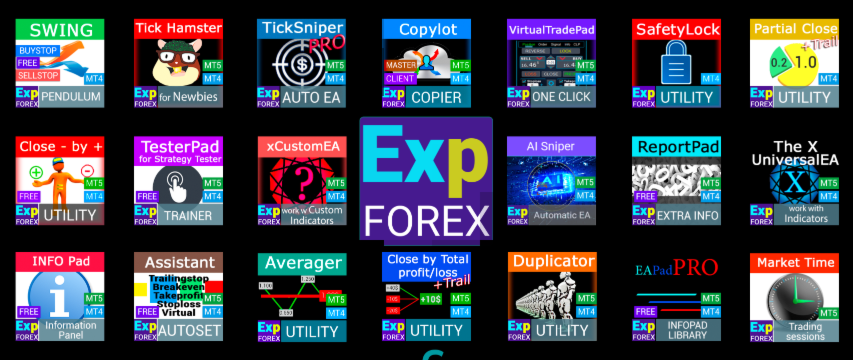
🚀 Complete Expforex product hub
https://www.mql5.com/en/blogs/post/755532
🛒 All products on MQL5 Market
https://www.mql5.com/en/users/vladon/seller#products
📘 All MQL5 guides
https://www.mql5.com/en/users/vladon/blog
━━━━━━━━━━━━━━━━━━━━
💬 Questions, ideas or need help?
I always recommend starting with the full guide and product documentation — most answers, examples and setup details are already explained there.
If you need personal help with a product, please write your question in the Comments section of the exact product page. This makes it easier to check the product version, settings, screenshots and logs, and give a more accurate answer.
Your feedback, ideas and trading scenarios also help improve Expforex products.
━━━━━━━━━━━━━━━━━━━━
🔗 Social links
📢 MQL5 Channel
https://www.mql5.com/en/channels/expforex
▶️ YouTube
https://www.youtube.com/Expforex
https://www.facebook.com/ExpForex/
𝕏 X / Twitter
https://x.com/expforex
🎵 TikTok
https://www.tiktok.com/@expforex
📧 Contact
https://expforex.com/contacts/
В этот нелегкий период жизни на нашей земле, хочу пожелать Вам КРЕПКОГО ЗДОРОВЬЯ!
В феврале у меня была деловая поездка в Европу и , к сожалению, я попал в то время, когда в всем мире начали Закрывать границы, Пандемия вируса, Паника, Проблемы с здоровьем!
Я видел это все своими глазами.
В этот момент я рекомендую Вам сохранять спокойствие и отнестись к этой ситуации с пониманием!
Карантин создан для того, чтобы не разносить вирус и не заражать других.
Пожалуйста: Оставайтесь дома!
Насладитесь домашним уютом с своей семьей, Уделите внимание детям, сделайте домашние дела.
⌨️ VIRTUALTRADEPAD: МТ4: https://www.mql5.com/en/market/product/2892
⌨️ VIRTUALTRADEPAD: МТ5: https://www.mql5.com/en/market/product/167
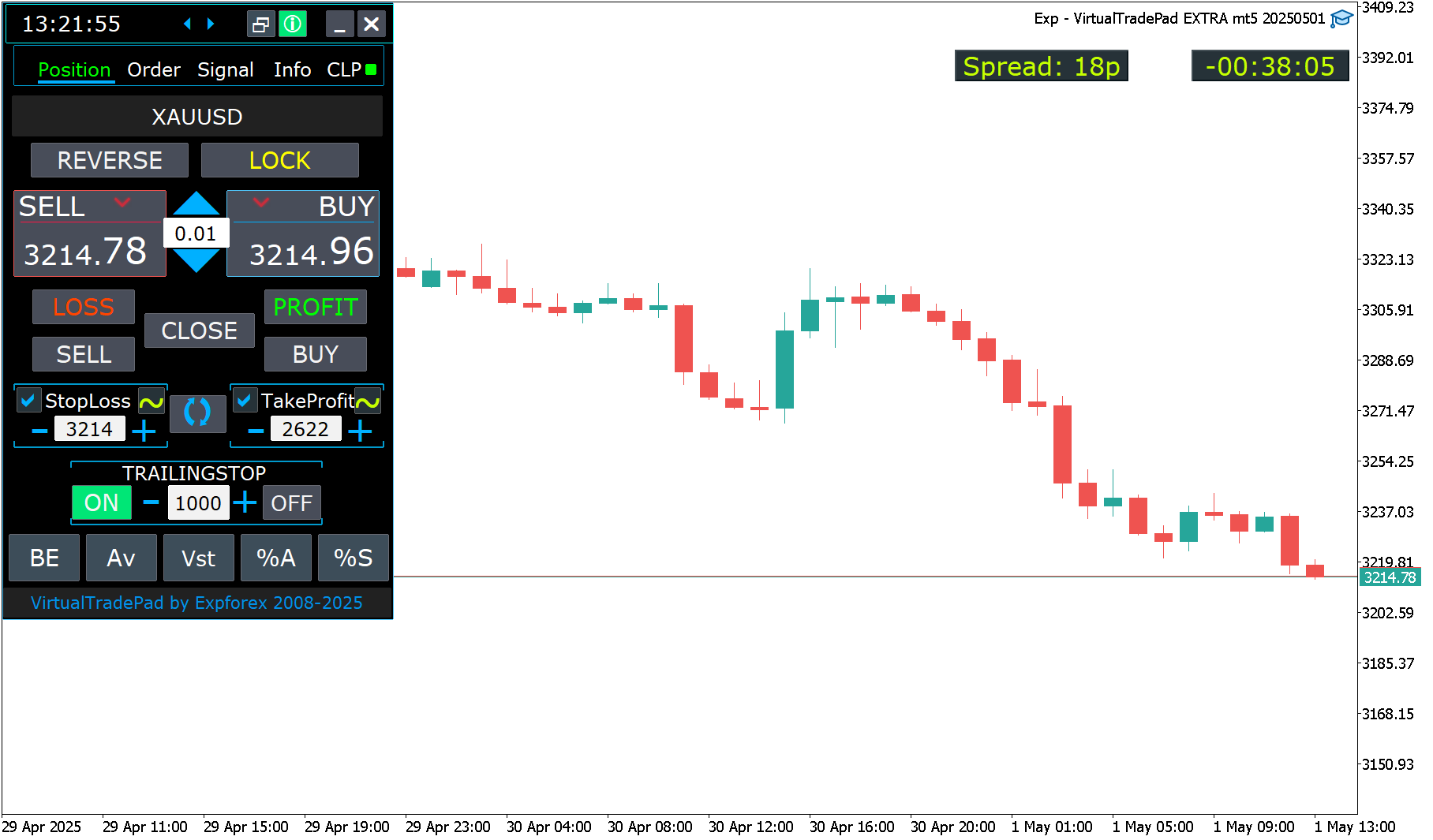
--Show_BuySell_LimitStop - В MetaTrader 5 Дополнительные кнопки открытия новых ордеров Buy/Sell Stop Limit.
Можно включить показ кнопок открытия Buy/Sell Stop Limit.
По умолчанию отключено!
--Принудительная запись глобальных переменных на диск.
--Добавлены возможность установки/удаления отложенных/лимитных ордеров с клавиатуры:
BuyStop_Open_KEY=BUTTON_G; //BuyStop_Open_KEY --> Button to Open BuyStop order;
SellStop_Open_KEY=BUTTON_H; //SellStop_Open_KEY --> Button to Open SellStop order;
BuyLimit_Open_KEY=BUTTON_J; //BuyLimit_Open_KEY --> Button to Open BuyLimit order;
SellLimit_Open_KEY=BUTTON_K; //SellLimit_Open_KEY --> Button to Open SellLimit order;
BuyStop_Delete_KEY=BUTTON_V; //BuyStop_Delete_KEY --> Button to Delete BuyStop order;
SellStop_Delete_KEY=BUTTON_B; //SellStop_Delete_KEY --> Button to Delete SellStop order;
BuyLimit_Delete_KEY=BUTTON_N; //BuyLimit_Delete_KEY --> Button to Delete BuyLimit order;
SellLimit_Delete_KEY=BUTTON_M; //SellLimit_Delete_KEY --> Button to Delete SellLimit order;
--TypeofOrdersMagicTarget - Добавлен выбор типа ордеров при использовании MagicTarget, Если стоплосс и тейкпрофит не используется.
BuyStop SellStop - При использовании Magic Target без стопов, будет устанавливаться BuyStop/SellStop (по умолчанию, как в прошлых версиях).
BuyLimit SellLimit - При использовании Magic Target без стопов, будет устанавливаться BuyLimit/SellLimit.
--Цвет включения TrailingStop и CLP в режим ON - изменен на зеленый.
--Добавлены кнопки +- для поля TrailingStop.
--Найдена и исправлена ошибка утечки памяти при использовании Signals!
--В версии для терминала MetaTrader 5 теперь есть возможность использовать скроллинг (на мышке):
Если навести на поле для редактирования параметра (лот, стоплосс, тейкпрофит, дистанция, CLP) то при прокрутке скроллингом можно повышать или понижать значение в этом поле!
Внимание: Только для MetaTrader 5!
Внимание: Прокрутка графика отключается, если курсор в области нашей панели VIRTUALTRADEPAD и включается, если курсор вне области VIRTUALTRADEPAD .
--Show_BuySell_LimitStop - In MetaTrader 5, Additional buttons for opening Buy/Sell Stop Limit orders.
You can enable the display of the Buy/Sell Stop Limit open buttons.
Disabled by default!
-- Forced writing global variables to disk.
-- Added the ability to pending/delete stop/limit orders from the keyboard:
BuyStop_Open_KEY = BUTTON_G; // BuyStop_Open_KEY -> Button to Open BuyStop order;
SellStop_Open_KEY = BUTTON_H; // SellStop_Open_KEY -> Button to Open SellStop order;
BuyLimit_Open_KEY = BUTTON_J; // BuyLimit_Open_KEY -> Button to Open BuyLimit order;
SellLimit_Open_KEY = BUTTON_K; // SellLimit_Open_KEY -> Button to Open SellLimit order;
BuyStop_Delete_KEY = BUTTON_V; // BuyStop_Delete_KEY -> Button to Delete BuyStop order;
SellStop_Delete_KEY = BUTTON_B; // SellStop_Delete_KEY -> Button to Delete SellStop order;
BuyLimit_Delete_KEY = BUTTON_N; // BuyLimit_Delete_KEY -> Button to Delete BuyLimit order;
SellLimit_Delete_KEY = BUTTON_M; // SellLimit_Delete_KEY -> Button to Delete SellLimit order;
--TypeofOrdersMagicTarget - Added selection of the type of orders when using MagicTarget, If stop loss and take profit are not used.
BuyStop SellStop - When using Magic Target without stops, BuyStop / SellStop will be installed (by default, as in previous versions).
BuyLimit SellLimit - When using the Magic Target without stops, BuyLimit / SellLimit will be installed.
-- Color of TrailingStop and CLP in the ON mode - is changed to green.
- Added +/- buttons for the TrailingStop.
- Found and fixed memory leak error when using Signals!
- The version for the MetaTrader 5 terminal now can use scrolling (on the mouse):
If you hover over the field for editing the parameter (lot, stop loss, take profit, distance, CLP), then when scrolling with scrolling, you can increase or decrease the value in this field!
Note: Only for MetaTrader 5!
Note: Scrolling of the chart is disabled if the cursor is on the area of our VIRTUALTRADEPAD panel and is enabled if the cursor is outside the VIRTUALTRADEPAD area.
Automatic scalper, Smart Robot:
💰 TICKSNIPER: MT4: https://www.mql5.com/en/market/product/1287
💰 TICKSNIPER: MT5: https://www.mql5.com/en/market/product/3493
Панель торговли в 1 клик с графика и клавиатуры:
⌨️ VIRTUALTRADEPAD: МТ4: https://www.mql5.com/ru/market/product/2892
⌨️ VIRTUALTRADEPAD: МТ5: https://www.mql5.com/ru/market/product/167
I can answer only in the evening.
I apologize for the inconvenience.
Друзья. Я немного приболел, но поехал в командировку.
Отвечать смогу только вечером.
Прошу прощения за неудобства.
⌨️ VIRTUALTRADEPAD: MT4: https://www.mql5.com/en/market/product/2892
⌨️ VIRTUALTRADEPAD: MT5: https://www.mql5.com/en/market/product/167
The graphical interface is very well thought through and actually helps you to trade so much easier, personally I love the free EA because it's the first time that I'm able to be consistently profitable.
I highly recommend you to check out his work, I'm sure if you start using this VIRTUALTRADEPAD and it works out for you after testing you won't be trading without it anymore.
It's just the best I ever found online, the most user friendly graphical interface ever.
Regards to Vladislav.
🆕 The xCustomEA MetaTrader 4: https://www.mql5.com/en/market/product/32115
🆕 The xCustomEA MetaTrader 5: https://www.mql5.com/en/market/product/32116
====================================================================================
-. Добавлено уведомление (Alert ) если указанный индикатор не найден!
Советник проверит существование индикатора и выдаст сообщение о том, что индикатор не найден с просьбой проверить правильность имени!
====================================================================================
1. Функция ControlNewBarforSIGNAL Изменена:
Добавлены значения:
ControlNewBarforSIGNALType = 1 = True smallest TF of the settings: Новый режим!
Советник выбирает самый маленький ТаймФрейм, который был задан параметрами TF_IndSigToTrade1, FILTER_TF_IndSigToTrade1, FILTER_TF_IndSigToTrade2....
В таком режиме советник проверяет сигнал не на текущем установленном ТаймФрейме, а на ТаймФрейме получения сигнала от индикаторов!
Этот режим полезен для тех, кто использует TF_IndSigToTrade1, FILTER_TF_IndSigToTrade1, FILTER_TF_IndSigToTrade2, отличных от Current (Текущего).
ControlNewBarforSIGNALType = 2 = True current bar of the current TF: Старый режим!
В таком режиме советник проверяет сигналы каждый новый бар текущего ТаймФрейма!
Если Вы используете TF_IndSigToTrade1, FILTER_TF_IndSigToTrade1, FILTER_TF_IndSigToTrade2, отличных от Current (Текущего), то результаты на каждом ТаймФрейме могут быть разными.
Советуем устанавливать советник на ТаймФрэйм M1!
ControlNewBarforSIGNALType = 1 = False: Не использовать контроль нового бара для определения сигнала!
Внимание: При выключенном состоянии, советник проверяет сигналы каждый новый тик! Могут быть задержки при тестировании и оптимизации!
====================================================================================
2. Добавлена переменная ControlNewBarforOpenbySignal:
ControlNewBarforOpenbySignal=true: Старый режим! Открывать позиции по сигналу только каждый новый текущий бар, текущего ТаймФрейма!
Советник открывает позиции, если есть сигнал, только при наступлении нового бара текущего ТаймФрейма!
ControlNewBarforOpenbySignal=false: Новый режим! Открывать позиции по сигналу каждый новый бар от ТаймФрейма сигнала!
Советник открывает позиции, если есть сигнал, сразу при обнаружении сигнала.
Этот режим полезен для тех, кто использует TF_IndSigToTrade1, FILTER_TF_IndSigToTrade1, FILTER_TF_IndSigToTrade2, отличных от Current (Текущего).
📖 ExtraReportPad MT4: https://www.mql5.com/ru/market/product/15056
📖 ExtraReportPad MT5: https://www.mql5.com/ru/market/product/36730
0. Добавлена возможность указывать отчетный период в Фильтрах в формате: yyyy.mm.dd-yyyy.mm.dd
Внимание! Внимательно проверяйте формат запроса даты: yyyy.mm.dd-yyyy.mm.dd, например: 2018.05.25-2018.12.25
1. Добавлена переменная AccountHolderName = Печатать имя владельца счета в HTML!
2. В мт5: Добавлен скроллинг таблицы, с помощью колеса мышки.
(К сожалению, в МТ4 нет функции скроллинга колесом мышки! )
3. В Вкладку Текущие открытые позиции добавлена строка с итогом по всем открытым позициям.
4. Исправлена ошибка обновления списка открытых позиций. Данные пересчитываются при изменении списка открытых позиций.
5. Max и Min баланса , алгоритм обновлен!Индикатор начинает считать с следующего минутного бара после открытия позиции.
6. В статистику открытых позиций добавлено время удержания текущих открытых позиций!
7. Добавлено выбор единицы (валюта депозита, пункты) в столбцы Column_Max и Column_Min.
8. При создании отчета HTML в конец отчета будут добавлены Выбранные фильтры!
0. Added the ability to specify the reporting period in Filters in the format: yyyy.mm.dd-yyyy.mm.dd
Attention! Carefully check the date request format: yyyy.mm.dd-yyyy.mm.dd, for example: 2018.05.25-2018.12.25
1. Added variable AccountHolderName = Print the name of the account holder in HTML!
2. In MT5: Added scrolling tables using the mouse wheel.
(Unfortunately, in MT4 there is no function of scrolling with the mouse wheel!)
3. A line has been added to the Current open positions tab with a total statistics of all open positions.
4. Fixed error updating the list of open positions. Data is recalculated when changing the list of open positions.
5. Max and Min balance, the algorithm is updated! The indicator starts to count from the next minute bar after opening a position.
6. In the statistics of open positions added time retention of current open positions!
7. Added unit selection (deposit currency, points) in Column_Max and Column_Min columns.
8. When you create an HTML report, the selected filters will be added to the end of the report!
For MetaTrader 5 https://www.mql5.com/en/market/mt5?Filter=Vladon
For MetaTrader 4 https://www.mql5.com/en/market/mt4?Filter=Vladon
Please REPOST
Спасибо всем, кто любит мои разработки.
Для MetaTrader 5 https://www.mql5.com/ru/market/mt5?Filter=Vladon
Для MetaTrader 4 https://www.mql5.com/ru/market/mt4?Filter=Vladon
Пожалуйста, сделайте Репост!
⌨️ VIRTUALTRADEPAD: МТ4: https://www.mql5.com/ru/market/product/2892
⌨️ VIRTUALTRADEPAD: МТ5: https://www.mql5.com/ru/market/product/167
💎 VirtualTradePad MT4: https://www.mql5.com/ru/market/product/2892 💎 VirtualTradePad MT5: https://www.mql5.com/ru/market/product/167 ↔️↔️↔️ Полная инструкция и руководство пользователя VirtualTradePad : https://www.mql5.com/ru/blogs/post/712612 ↔️↔️↔️ Полная инструкция и руководство пользователя VirtualTradePad : https://www.expforex.com/publ/4-1-0-162
Trading Panel for MetaTrader 5 — professional one-click trading from chart and keyboard A powerful trading panel for active manual trading, designed to open, manage, and close trades far faster and more efficiently than the standard MetaTrader interface. This panel is built for traders who want full control over positions, pending orders, profit management, and trading execution inside one professional workspace. This is not just another utility. It is a complete trading cockpit for MetaTrader
Получить удовольствие и пойти по делам.
Форекс - это ТРУДНАЯ РАБОТА!
Думайте......
Программированием других ТЗ и чужих экспертов на заказ не занимаюсь!
Tick Hamster for MetaTrader 5 — Fully Automatic Trading Expert Advisor Trading without complicated setup. Tick Hamster for MetaTrader 5 is a fully automated Expert Advisor created for traders who want a simple, ready-to-run solution with automatic internal optimization for any trading symbol. This product is designed for users who prefer a clean start, minimal setup, and a trading system that adapts its internal logic automatically. Install it on a chart, set the lot size, and let the algorithm