EqH EqL Liquidity Zones MT5 Multi TF Scanner
- Indicators
-
Duc Hoan Nguyen
 I develop practical trading tools for MetaTrader 4/5, with a focus on indicator integration, Multi-Timeframe analysis, market scanning, and automated trading solutions.
My work mainly includes:
• Indicator-to-EA Solutions - Version: 1.0
- Activations: 10
See the MT5 version: EQH EQL Liquidity Zones Multi TF Scanner — MT5
See the MT4 version: EQH EQL Liquidity Zones Multi TF Scanner — MT4
See more products: All products or Trading Indicators, Special Offers & New Releases
New tools will be $30 for the first week or the first 3 purchases!
Trading Tools Channel on MQL5: Join my MQL5 channel for the latest updates
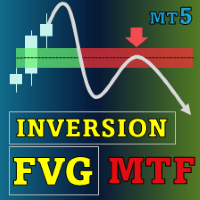
See where price forms nearly equal highs or lows and how it reacts on a return: a more structured view of liquidity zones across multiple symbols and timeframes.
Read the full indicator logic and usage guide
EQH EQL Liquidity Zones Multi TF Scanner identifies Equal Highs (EQH) and Equal Lows (EQL) zones, tracks sweeps and marks Buy/Sell rejections. The Scanner and Multi-TF features help you find noteworthy situations and inspect them directly on the chart.
Key features
- EQH/EQL matching adapted to price movement: Find adjacent candle pairs or separated pivots. Tolerance is based on a moving average of High/Low movement; adjust Lookback, left/right pivot windows and the RSI filter. RSI defaults to 14/Close with EQH 55 and EQL 45 thresholds.
- Clearly defined zone boundaries: An EQH spans the highest wick to the highest body edge of the two candles; an EQL spans the lowest wick to the lowest body edge. Labels show the timeframe; zone and signal colors are independent.
- Buy/Sell from rejection reactions: Buy follows an EQL touch and a close above its upper edge; Sell follows an EQH touch and a close below its lower edge, with Open/previous Close on the appropriate side. The zone must predate the signal candle and meet Min Zone Age, defaulting to 3 candles from the pair's first candle.
- Zone lifecycle management: Choose Wick or Body sweeps; Allow Rejection requires two consecutive Closes with Body. Max Zone Age stops old zones; Max Stored Zones = 0 removes the storage limit. Line and label limits are separate.
- Multi-symbol Scanner and Multi-TF: Monitor selected symbols and timeframes and use separate parameters per timeframe when needed. Use the Scanner to select charts for closer inspection of zones and price reactions.
- Six alert events: Receive new EQH/EQL, EQH/EQL sweep and Buy/Sell rejection alerts by message, push, email or sound. Expiry alone does not trigger a sweep alert; hiding arrows does not disable signals.
How to use it
- Establish the context: Observe active EQH/EQL zones and price relative to their two boundaries before reading an arrow.
- Distinguish sweeps from rejections: A sweep marks a crossing of the outer boundary; rejection is a touch followed by a close back on the appropriate side. With Wick, both events can occur on one candle.
- Refine zone detection: Use tolerance, left/right pivots, RSI and Min Zone Age to choose the structures to monitor; consult another timeframe for additional context.
- Choose your monitoring scope: Use the Scanner to find situations, open the chart for review and enable alerts for the current symbol or all Scanner symbols as needed.
Zones and arrows can change on the open candle; alerts use closed candles. Liquidity zones are inferred from price rather than confirmed pending-order data and do not establish the next price direction.