How I Use KIZAMI on Gold: Screen, Settings and a Full Day (M5)

This is a short guide to KIZAMI for gold traders on XAUUSD M5: what each part of the screen means, the few settings worth knowing, and how a trading day looks with it on the chart.
The short version: every signal arrives with its own Entry, TP1, TP2 and SL, so the plan is fixed before you click.
Product page: https://www.mql5.com/en/market/product/203530
Reading a Signal
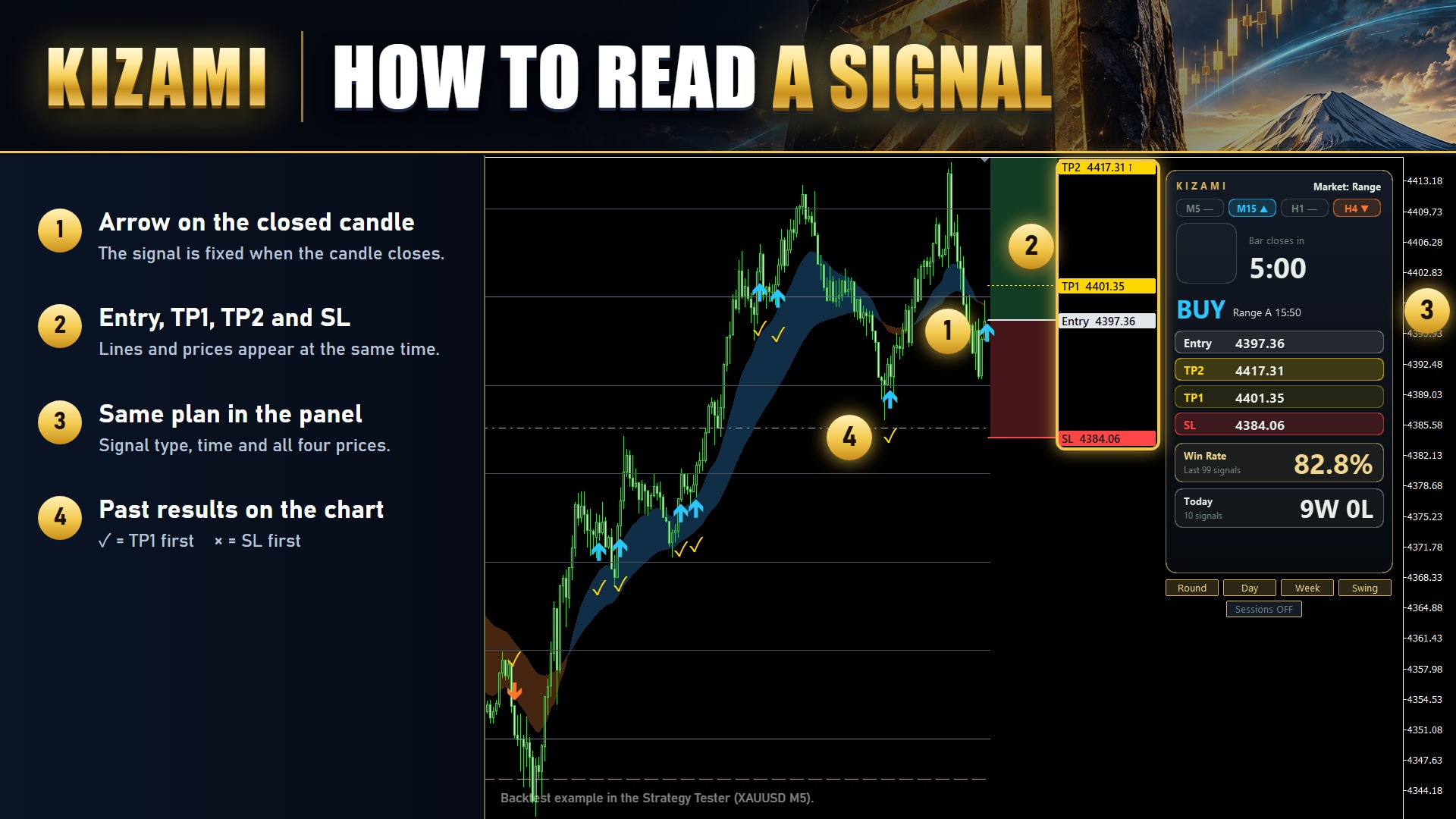
- The arrow appears once the candle closes. Once it is there, it does not move or disappear.
- Entry, TP1, TP2 and SL are drawn as lines at the same moment, with price labels on the right.
- Older signals keep a mark: a check when TP1 was hit first, a cross when SL was hit first.
TP1 sits close to the entry. I use it to take partial profit early. TP2 is the target for the rest. The SL is set per signal from the price action at that moment, so its distance changes from trade to trade.
The Panel
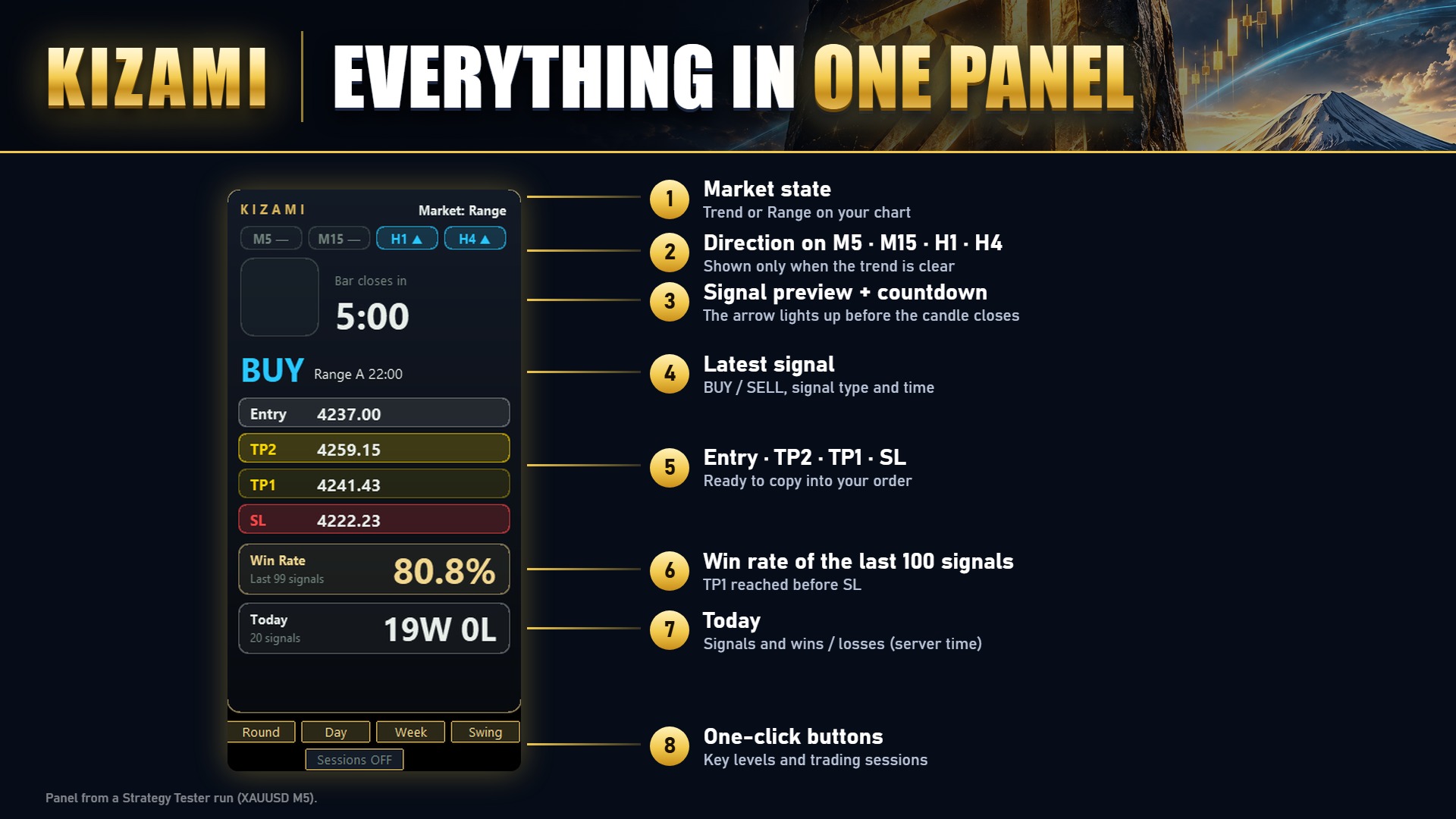
- Market state: Trend or Range. KIZAMI switches its entry type automatically when this changes.
- Direction on M5, M15, H1 and H4. An arrow means a clear trend; a dash means no clear direction.
- Signal preview with a countdown to the candle close. A forming signal shows here first, which gives me time to get ready.
- The latest signal with its type, time and all four prices.
- Win rate of the last 100 signals (TP1 before SL) and today's wins and losses (server time).
- A warning band before high-impact news.
Key Levels
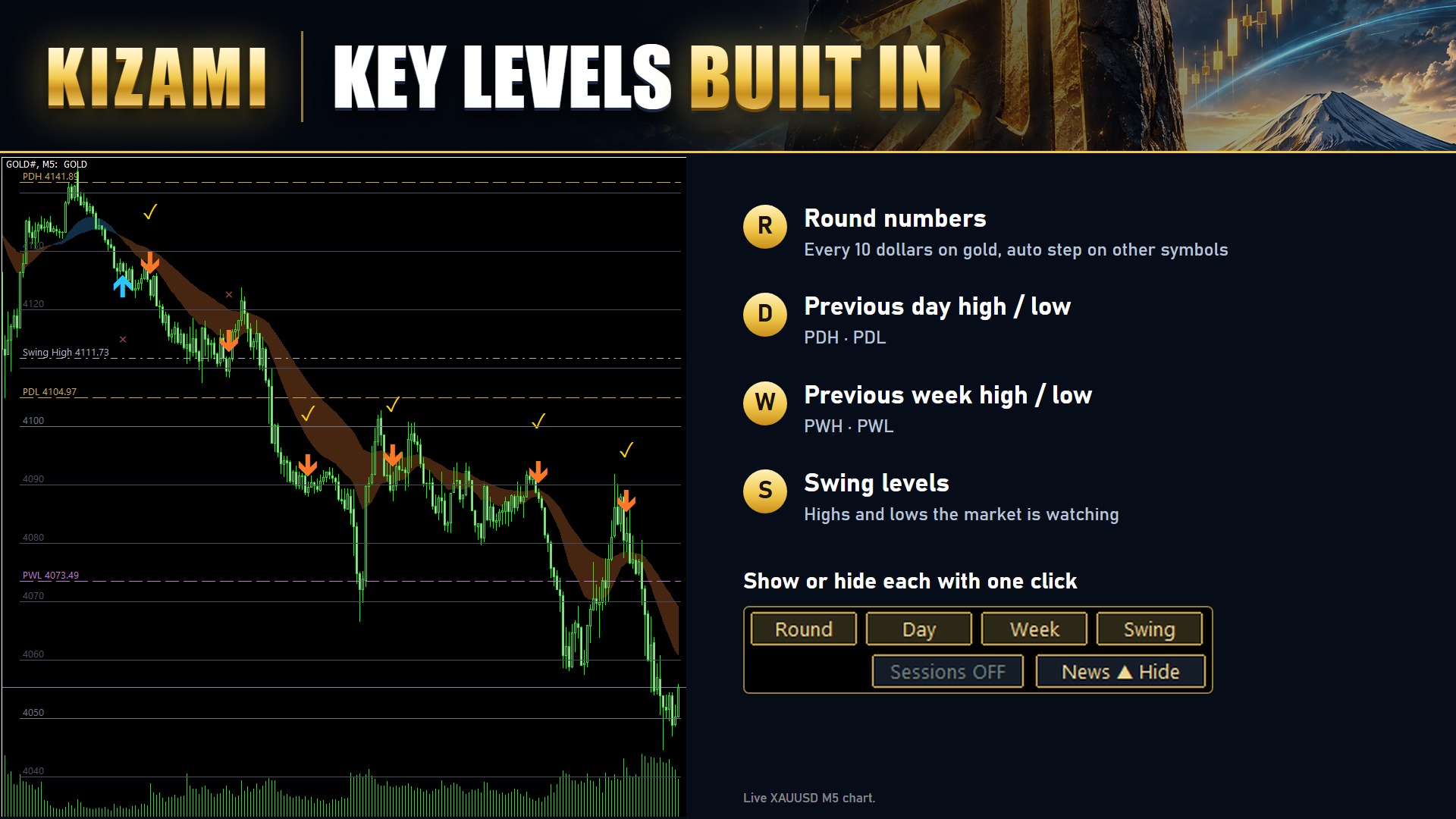
Four buttons under the panel switch each group of levels on and off:
- Round: round numbers, every 10 dollars on gold
- Day: previous day high and low (PDH, PDL)
- Week: previous week high and low (PWH, PWL)
- Swing: the swing highs and lows the market is watching
Below them, Sessions turns the session display on and off, and News hides or shows today's high- and medium-impact events under the panel.
Setup and Settings Worth Knowing
1. Open XAUUSD M5 and attach KIZAMI from the Navigator.
2. The defaults work as they are. These are the inputs worth knowing:
- Alerts: popup, push and email. Push is the one I keep on. Each alert carries all four prices, so the order can be placed from a phone. Push needs your MetaQuotes ID entered in MT5 (Tools → Options → Notifications).
- Number of signals with lines: how many recent signals keep their Entry, TP and SL lines on the chart. A small number keeps the chart clean.
- Round number step: the default is 10 dollars on gold. Other symbols get an automatic step.
- News panel currencies: the currencies whose events are listed under the panel. For gold, USD is the one that matters.
- Past signal marks: the check and cross marks on old signals can be switched off.
A Full Day: 11 November
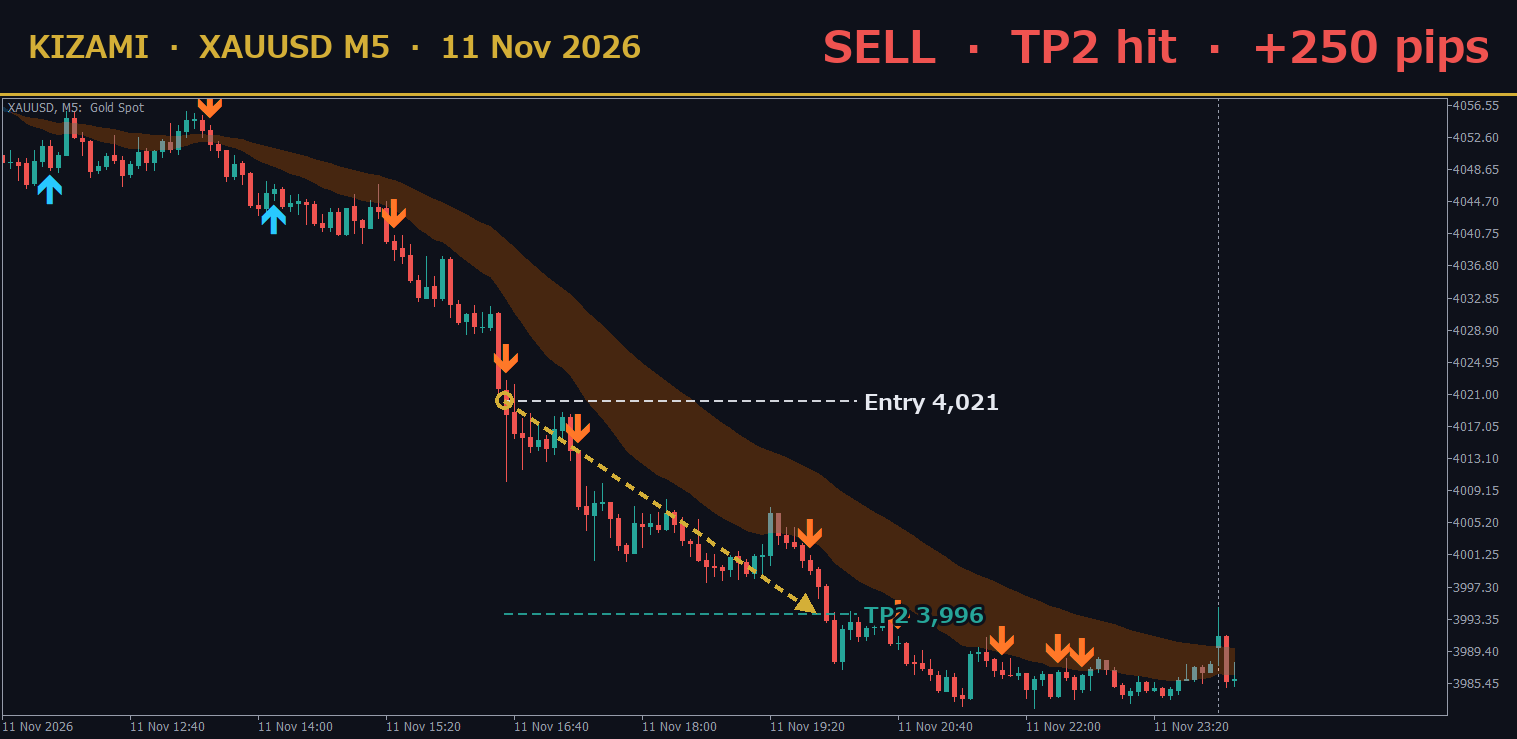
Times below are GMT. The chart shows broker server time (GMT+2).
- Before the European open: I check the panel. Market state, the direction row on M15, H1 and H4, and the news list for the day. Then I switch on Day and Round to see PDH, PDL and the nearest round numbers.
- European open: gold put in the day's high at 4,066.91 at 07:25 and started to roll over.
- Through London: I don't watch every candle. A push alert tells me when to look.
- New York: KIZAMI gave a SELL at 4,021.46 at 14:35. The plan on the chart was SL 4,038.12, TP1 4,016.46 and TP2 3,996.48.
- TP2 was hit at 17:50. Entry to TP2 was +250 pips. Price never traded above 4,022.67 before that, well short of the SL.
- The day's low came at 3,982.32 at 20:05.
This was the best KIZAMI signal of that day.
Three Common Questions
Does it repaint?
No. A signal is final once its candle closes.
Does it trade by itself?
No. KIZAMI is an indicator. Buyers get the KIZAMI Trade Assistant for free: a small EA that shows a BUY or SELL button with your lot size and places the order with KIZAMI's SL and TP in one click. It never opens a trade by itself.
Does it work on other symbols?
Yes. The same settings were tested on six FX pairs (M5, January 2024 to October 2026, TP1 before SL): EURUSD 76.1%, EURJPY 76.1%, AUDJPY 76.0%, GBPJPY 75.9%, USDJPY 75.4%, GBPUSD 75.4%. I trade gold.
Daily Plans and Recaps
My channel has session plans for gold and a recap of the previous day's best signals:
https://www.mql5.com/en/channels/kizami-gold
Get KIZAMI
Launch price: 39 USD. The price goes up by 10 USD after every 10 copies sold.
All four prices on every signal, with a 76.6% win rate on XAUUSD M5 (backtest, TP1 hit before SL, January 2024 to October 2026). A free demo is on the product page.
https://www.mql5.com/en/market/product/203530
Backtest results (M1 data, spread not included) do not guarantee future results.