Know Your Real Edge: Performance Analytics Inside Your MT5 Chart
21 October 2026, 12:22

0
20
Know Your Real Edge: Performance Analytics Inside Your MT5 Chart
Most traders know their balance. Few know their win rate, their average win versus average loss, or what one trade is really worth on average. Without those numbers, it is impossible to tell whether you are improving or just having a lucky week.
All In One Trade Management Panel MT5 includes a full performance analytics window, opened from the Trade tab. No exporting, no spreadsheets: your results are measured right on the chart.
TRY IT FIRST
The analytics work in the free trial on a demo account:
Get the full version: All In One Trade Management Panel MT5
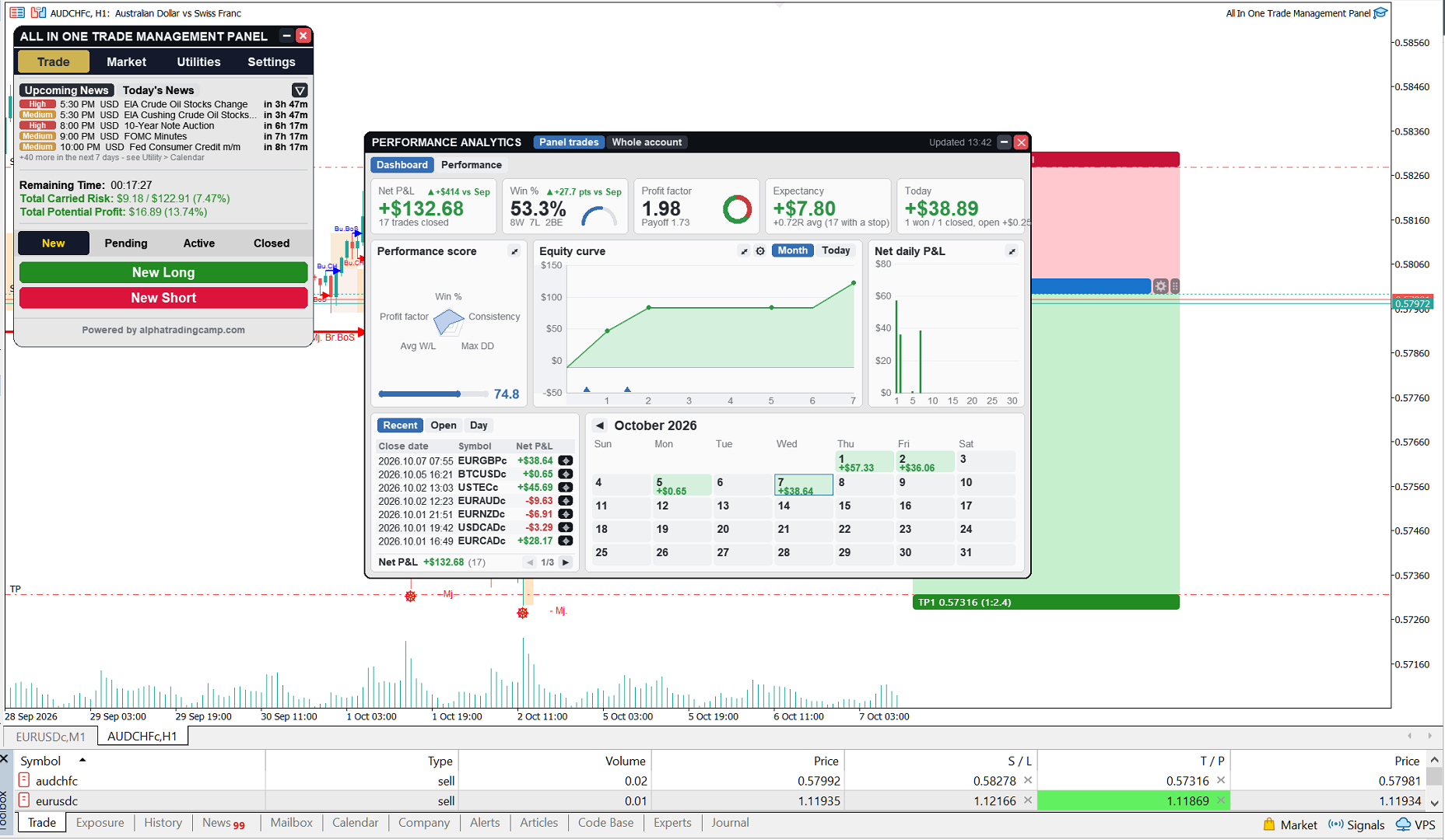
THE DASHBOARD
Five cards answer the most important questions at a glance:
- Net P&L, with a small curve of the month
- Win rate, with wins, losses and breakeven trades
- Profit factor, with the payoff ratio (average win / average loss)
- Expectancy per trade, in money and in R
- Today: closed and open profit or loss
Each card compares with the previous month, so you see straight away whether you are getting better.
PERFORMANCE BY PERIOD
Choose Day, Week, Month, Quarter or Year and page back through your history. For each period:
- Trades, wins, losses and breakeven trades
- Win rate, profit factor, expectancy in money and in R
- Average and largest win and loss
- Longest winning and losing streaks
- Average holding time of winners and losers
- Commission, swap and total costs
- Winning days and max drawdown
- An overall score, with targets you set yourself
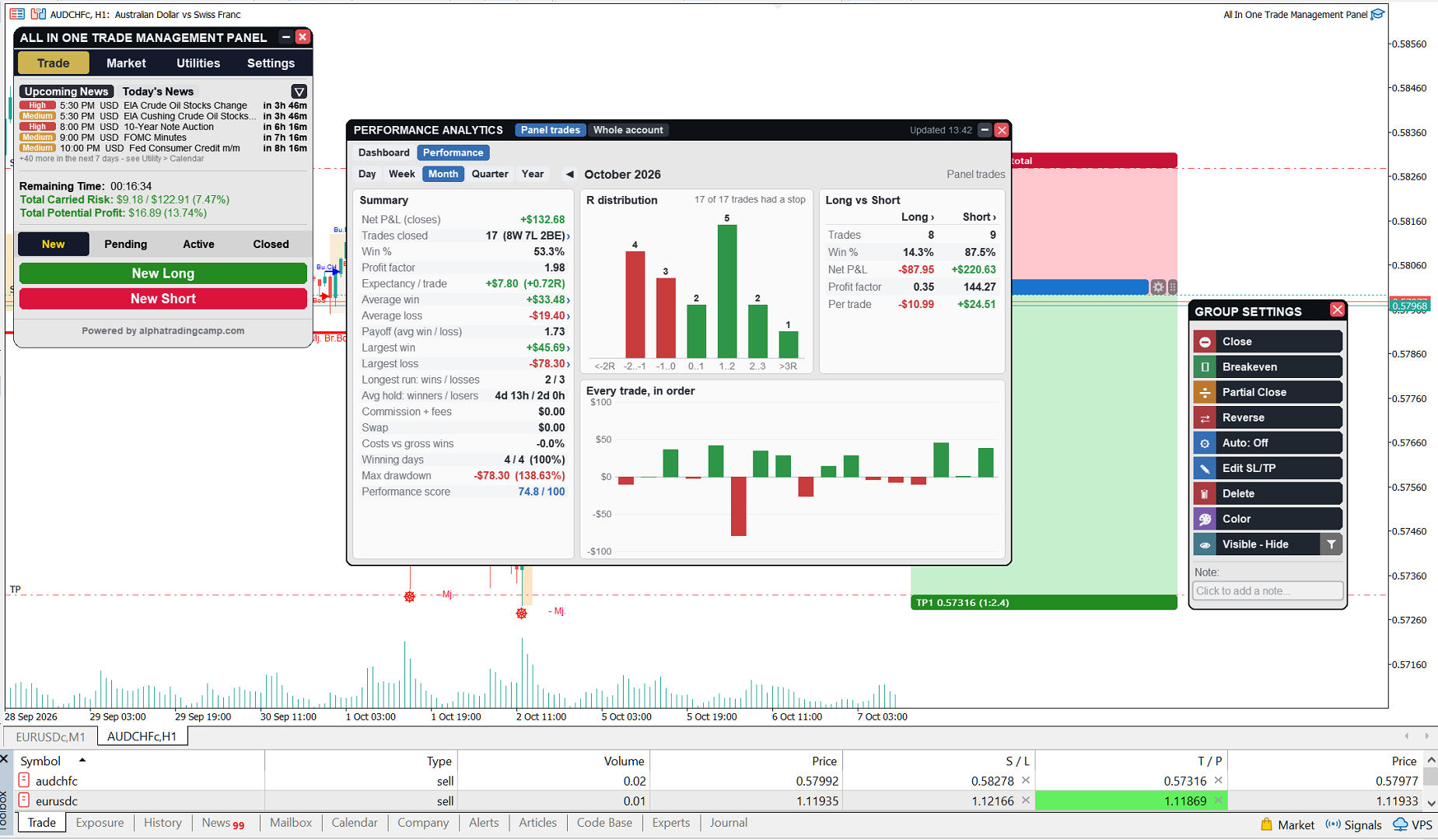
R DISTRIBUTION AND LONG VS SHORT
- See how many trades ended at -1R, +1R, +2R and beyond. It shows at once whether you cut winners early or let losers run.
- Compare long and short trades side by side; many traders discover they are profitable in only one direction.
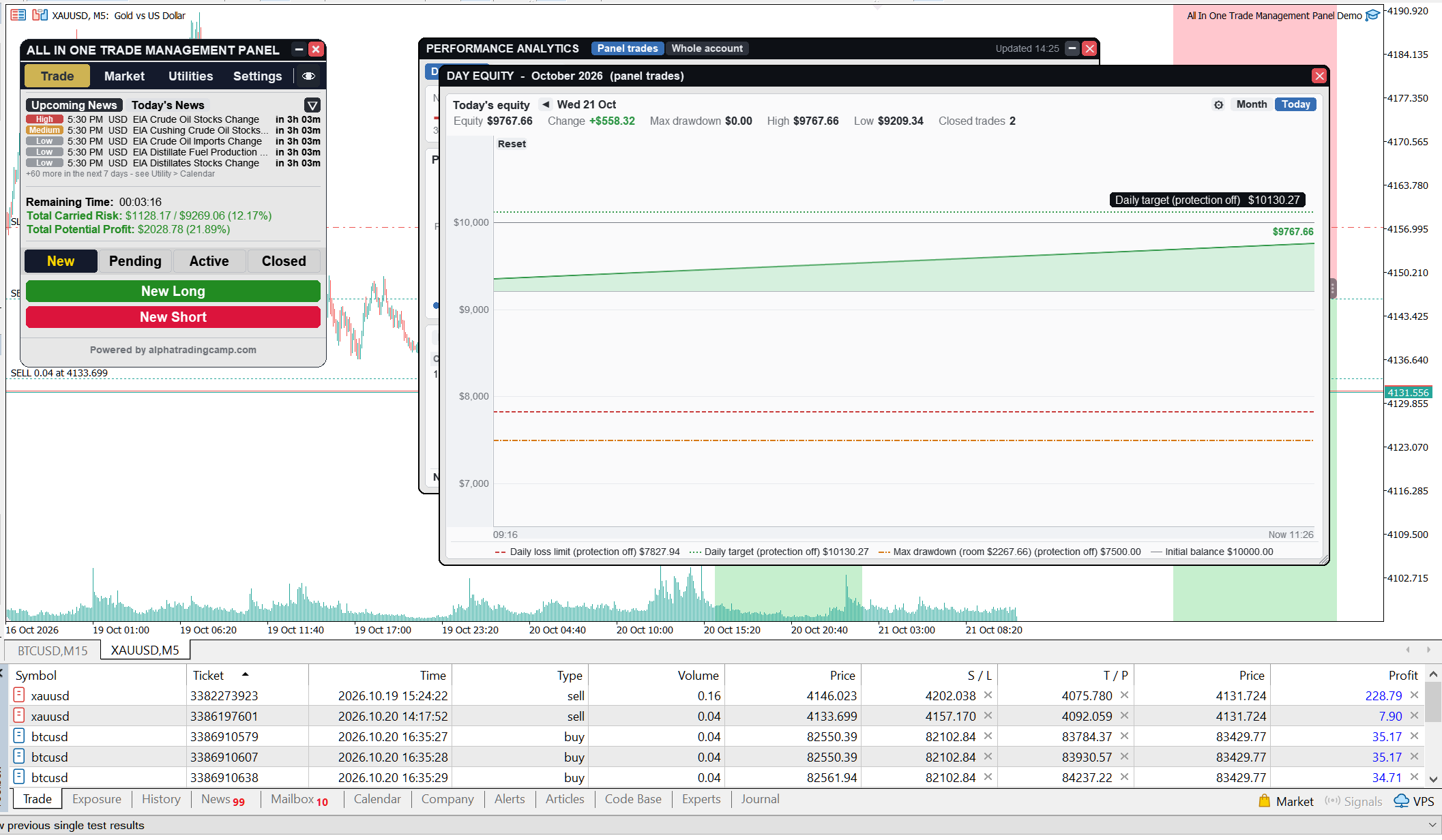
EQUITY CURVE
- Your equity over time, with the drawdown visible
- Day and month pages, and a daily profit bar view
- Deposits and withdrawals are marked on the curve and never counted as profit, loss or drawdown
- A calendar view shows each day's result and number of trades
FROM NUMBER TO TRADE
Every number is clickable. Click a bar, an R group, Long or Short, or a summary row such as "Largest loss", and you get the list of those trades. Click a trade to open its detail card: prices, stop and risk at entry, costs, how it was closed, partial closes, and a button to show it on the chart.
HOW THE NUMBERS ARE MEASURED
- R = profit or loss divided by the money at risk at the original stop loss. Trades opened without a stop are left out of R figures.
- Trades closing near zero (under 0.1R) are counted as breakeven and kept out of the win rate, so tiny scratch trades don't distort it.
- A partial close counts on the day it happens.
- The trading day starts at the hour you set, matching your broker or prop firm day.
- Results are read from your account history, so they stay correct after a restart or timeframe change.
WHY IT MATTERS
A positive expectancy with a 40% win rate can be a great system. A 70% win rate with large losses can be a losing one. Analytics turns "I think I'm doing fine" into numbers you can act on: which direction, which days and which habits cost you money.
Questions about reading your numbers? Leave a comment.




