
TradeAssist Pro v1.06 Overview
TradeAssist Pro is an all-in-one manual trading assistant and technical analysis toolkit for MetaTrader 5. It provides a modular, interactive on-chart dashboard designed for rapid execution, advanced trade management, and automated Smart Money Concepts (SMC) charting.
Dashboard Structure & Tabs
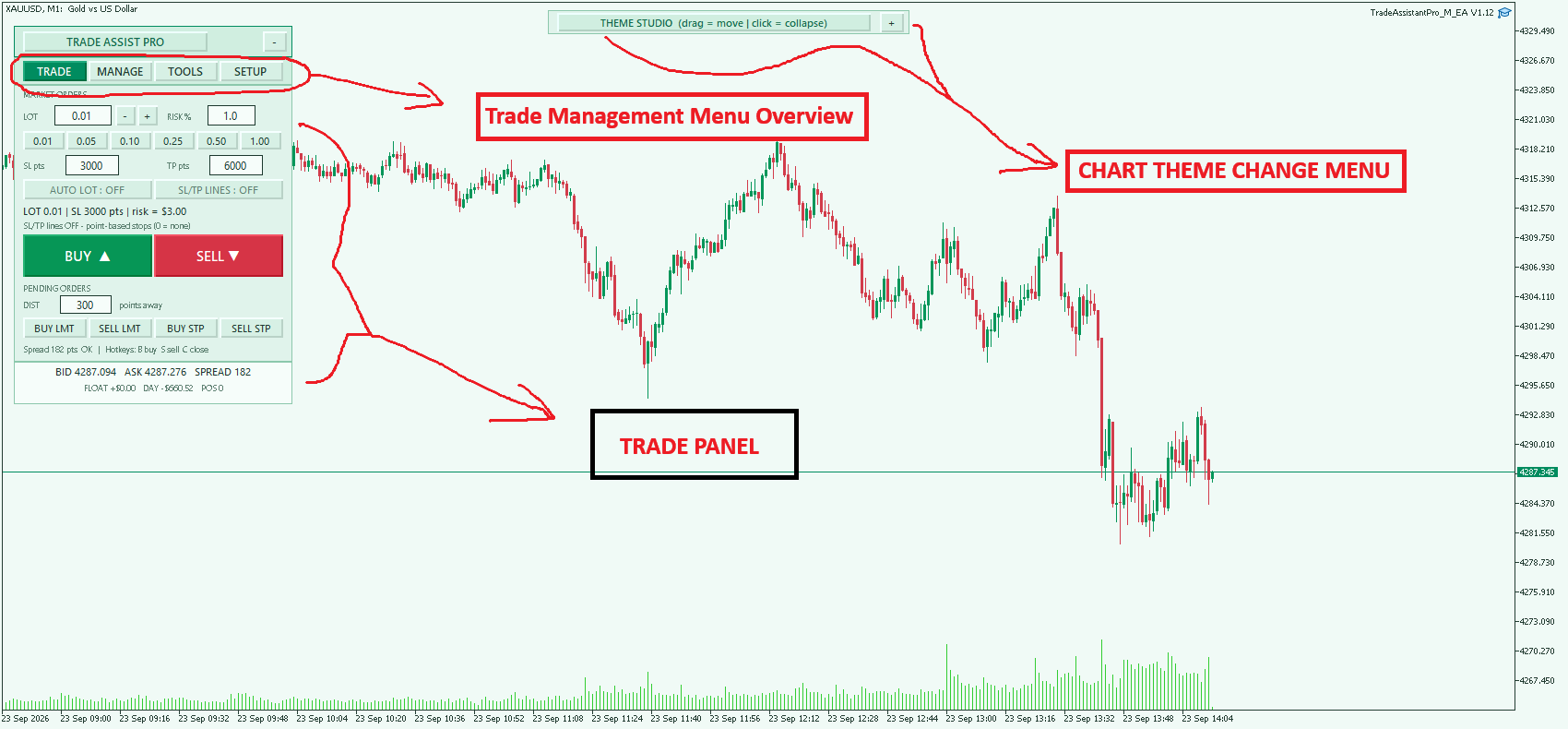
1. Trade Tab (Execution & Orders)
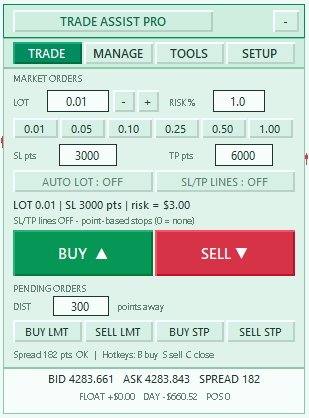
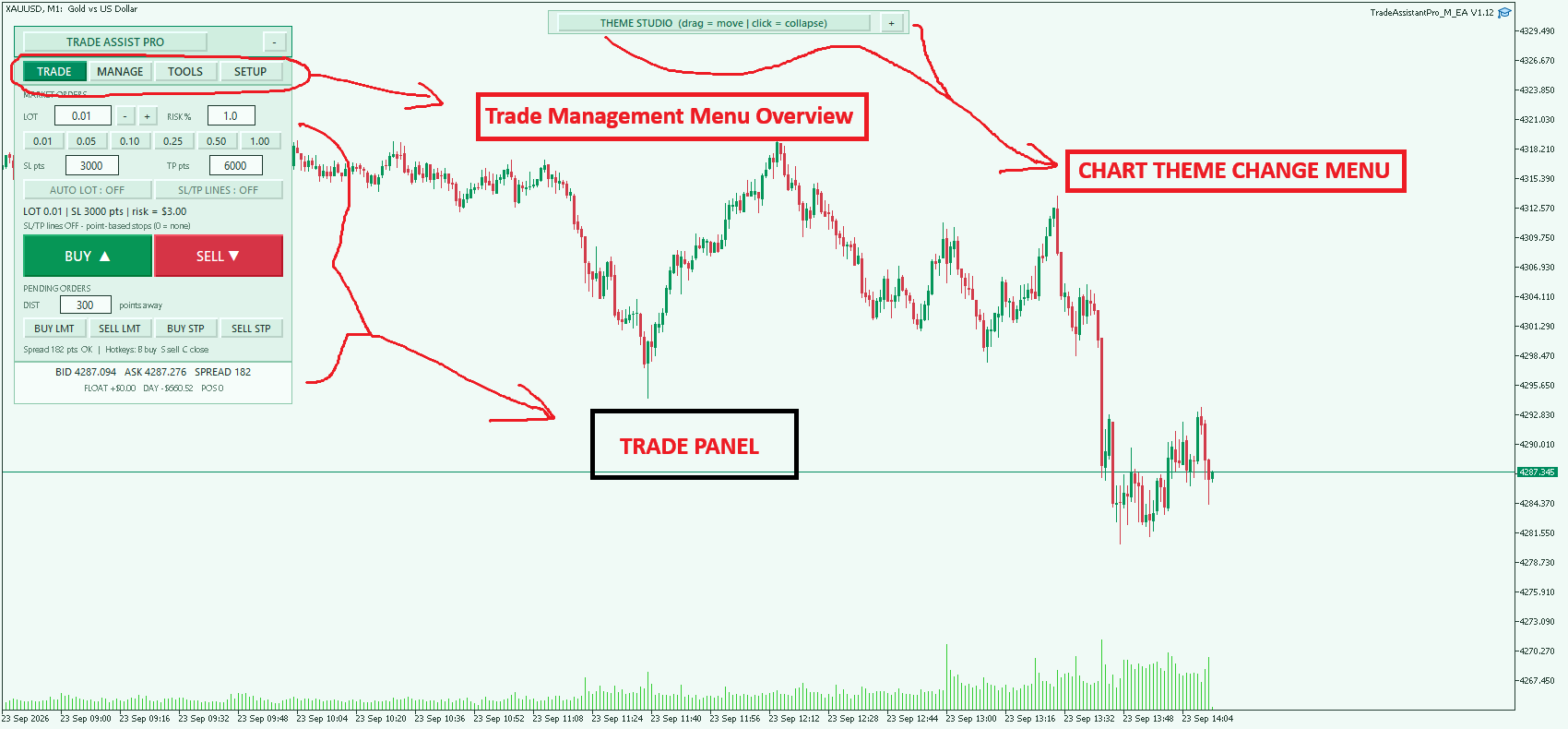
- 1-Click Trading: Execute Buy/Sell market orders instantly.
- Dynamic Position Sizing: Toggle between fixed lot sizes or auto-calculated lots based on account risk percentage and Stop Loss points.
- Visual SL/TP Lines: Drag-and-drop horizontal lines on the chart to visually set and modify Stop Loss and Take Profit levels before execution.
- Quick Lots & Pending Orders: Pre-configured quick-lot buttons and one-click placement for Buy/Sell Limits and Stops based on point distance.
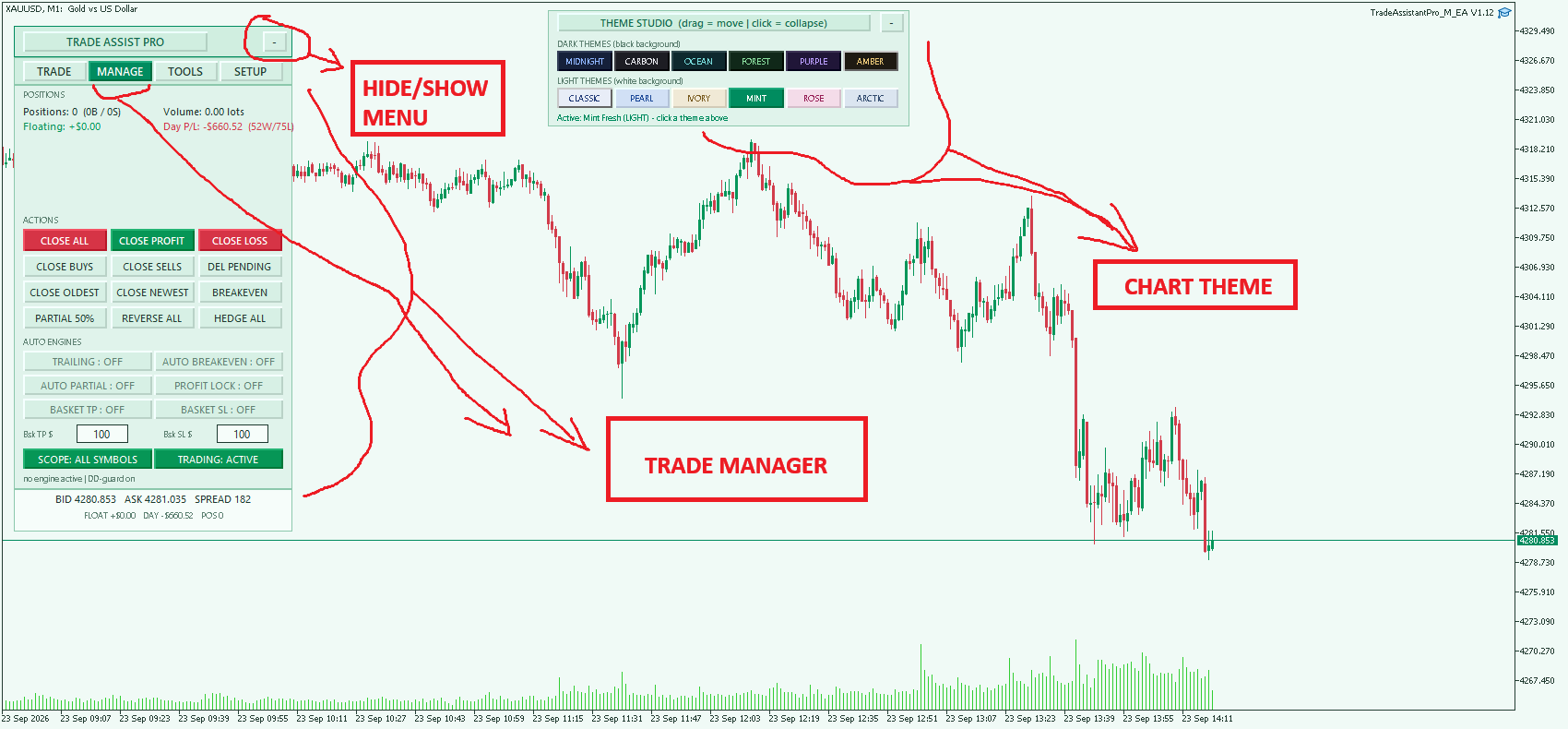
2. Manage Tab (Position Control & Automation)
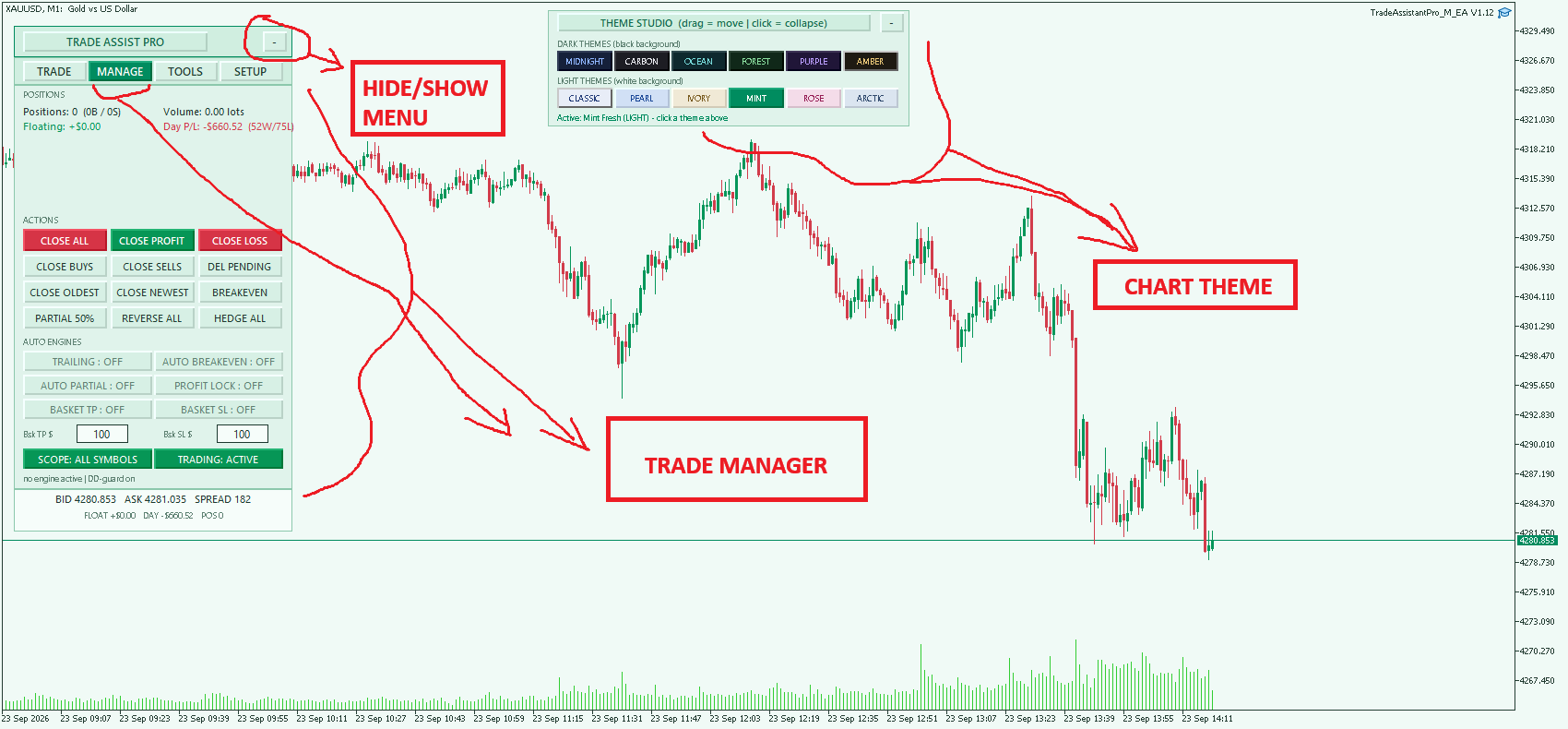
- Bulk Actions: Close All, Close in Profit/Loss, Close Buys/Sells, Close Oldest/Newest, or Delete Pendings.
- Advanced Operations: 1-click Breakeven, Partial Close (50%), Position Reversal, and Hedging.
- Auto Engines (Set & Forget): Toggle automated Trailing Stops, Auto-Breakeven, Auto-Partial closes, and a Profit Lock mechanism.
- Basket Management: Set specific dollar amounts for overall Basket Take Profit and Basket Stop Loss.
- Scope Toggle: Apply management actions to the current chart symbol only, or globally across all open positions.
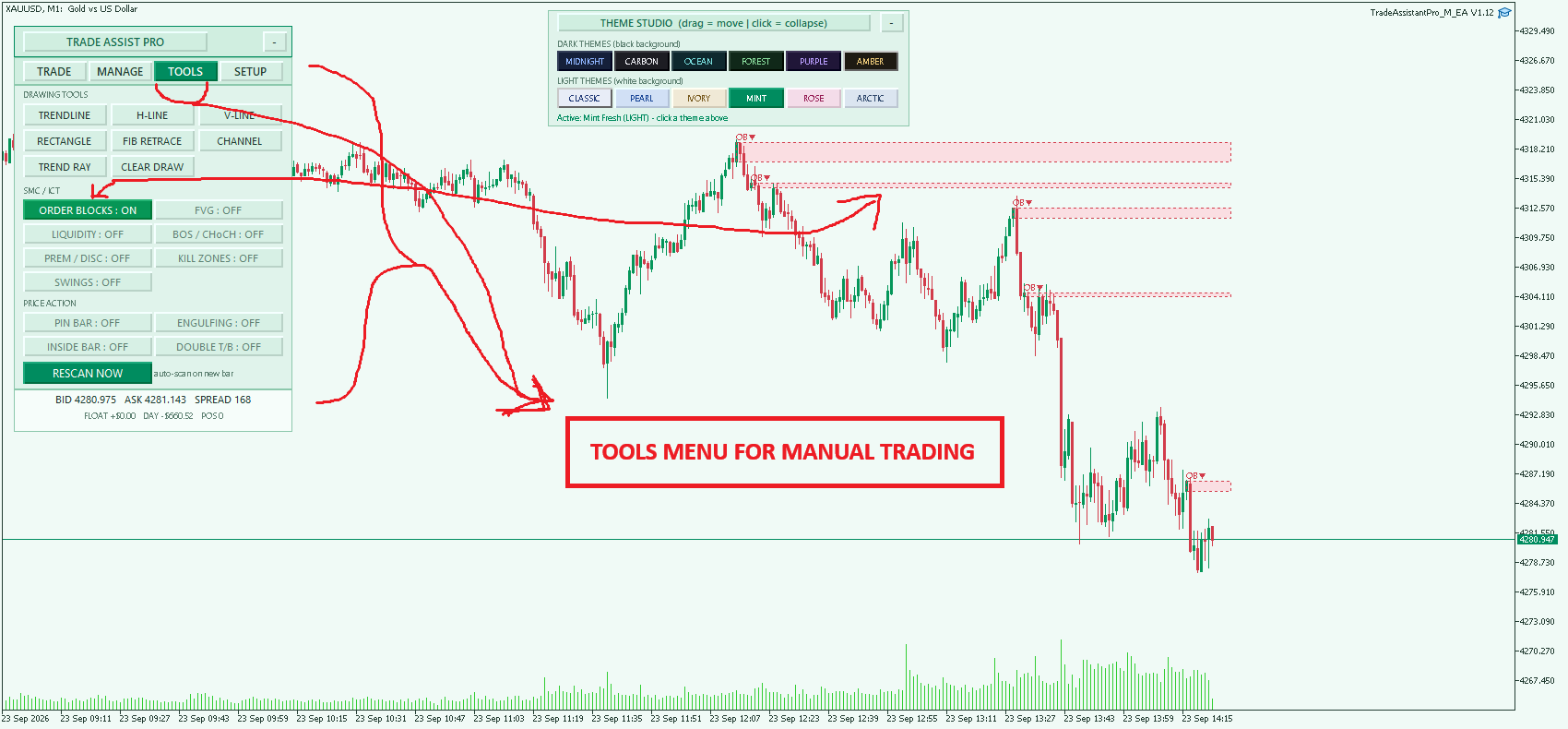
3. Tools Tab (SMC/ICT & Price Action)
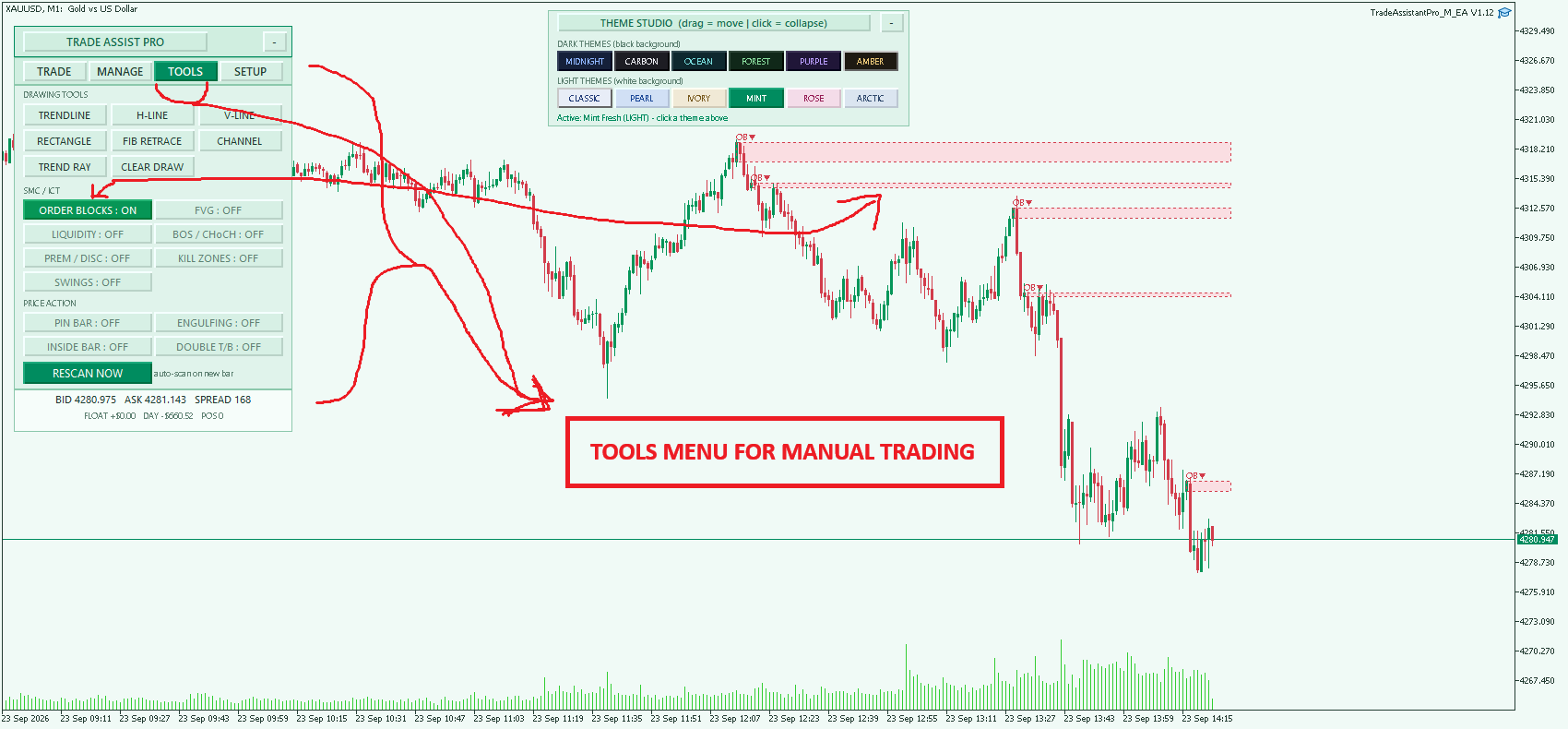
- Smart Money Concepts: Auto-drawing of Order Blocks (OB), Fair Value Gaps (FVG), Liquidity pools (EQH/EQL), BOS/CHoCH, and Premium/Discount zones.
- Market Structure: Identifies Swing Highs/Lows and marks Session Kill Zones (Asia, London, New York).
- Price Action Scanners: Auto-detects Pin Bars, Engulfing candles, Inside Bars, and Double Tops/Bottoms.
- Quick Draw: 1-click deployment of Trendlines, Fibonacci retracements, Channels, and standard lines.
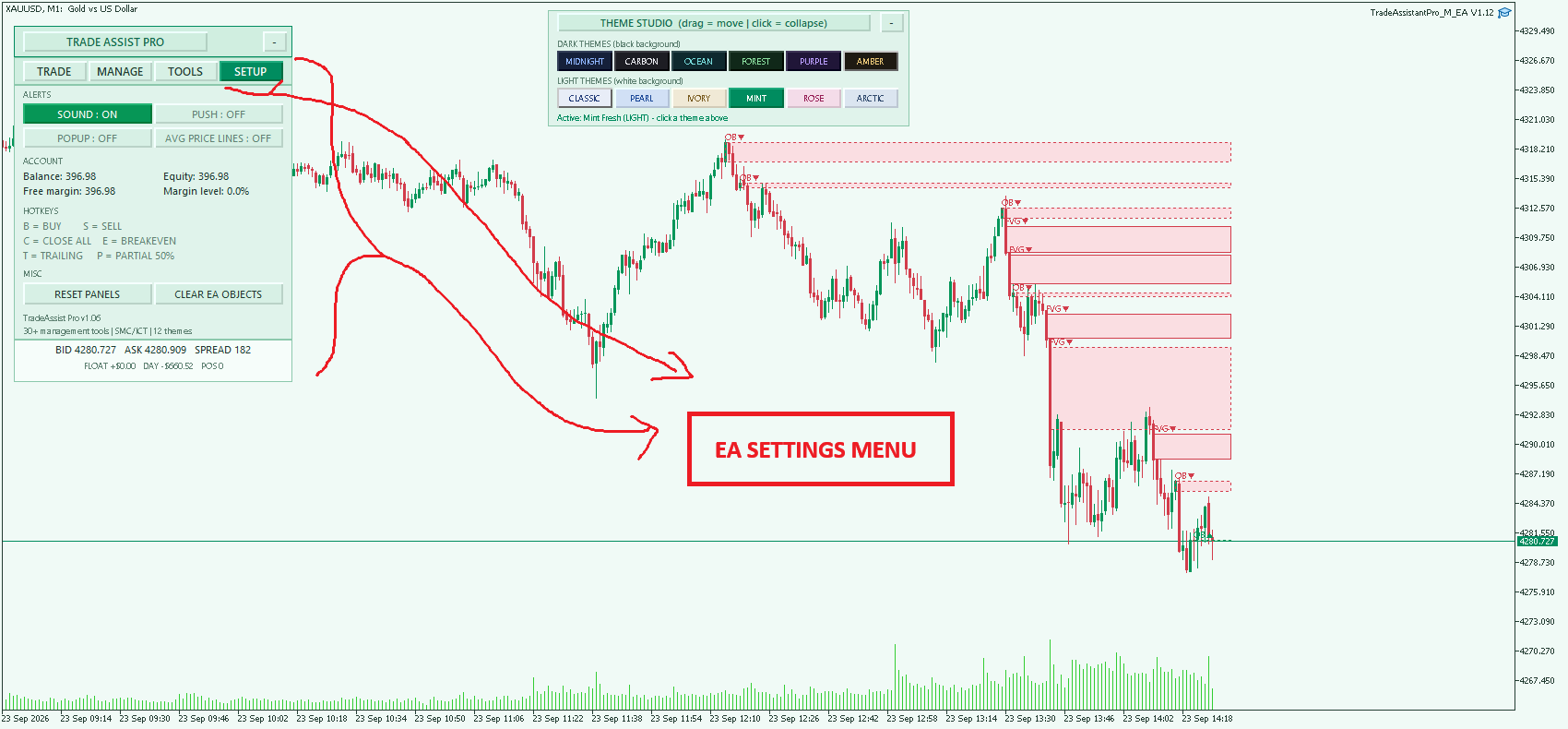
4. Setup Tab (Settings & Info)
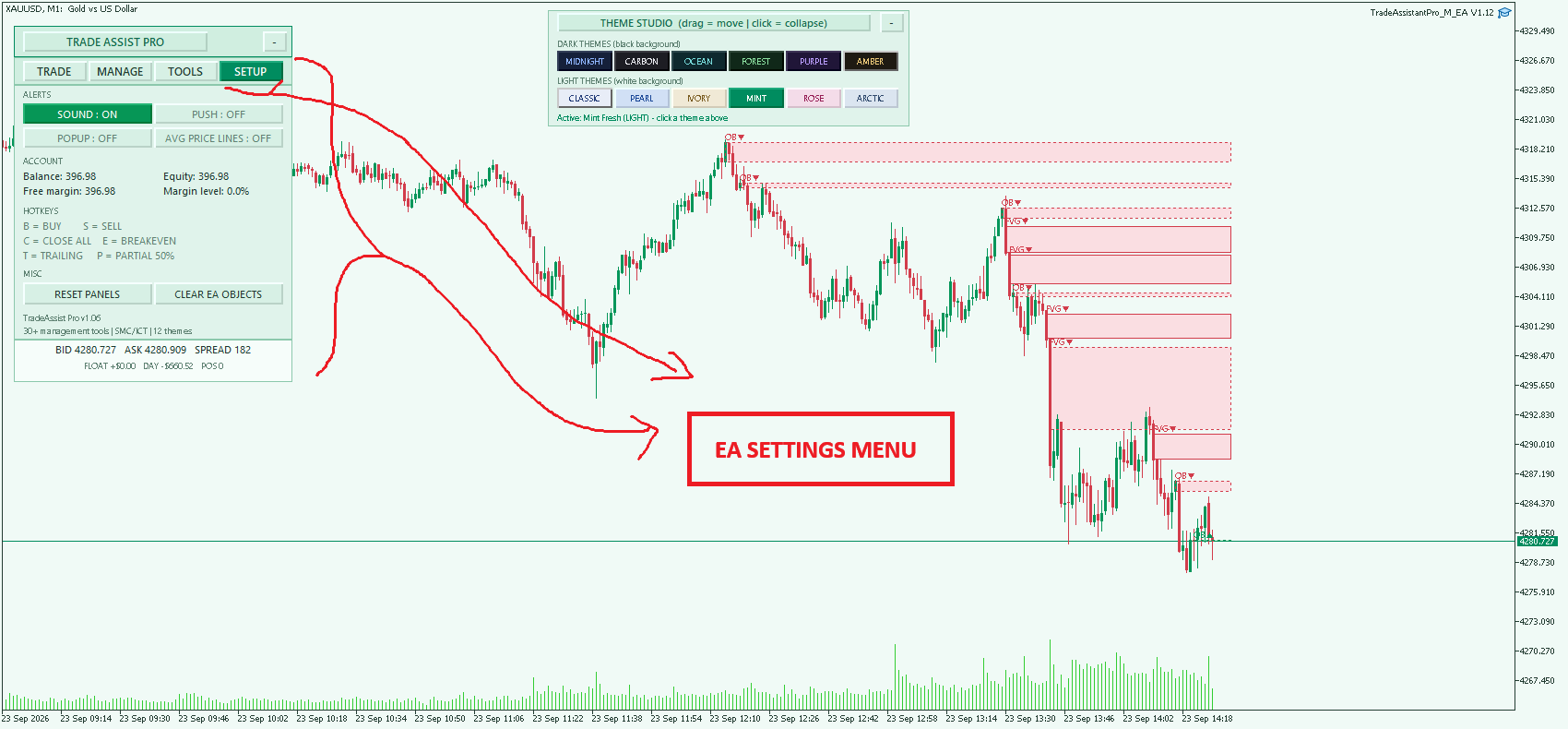
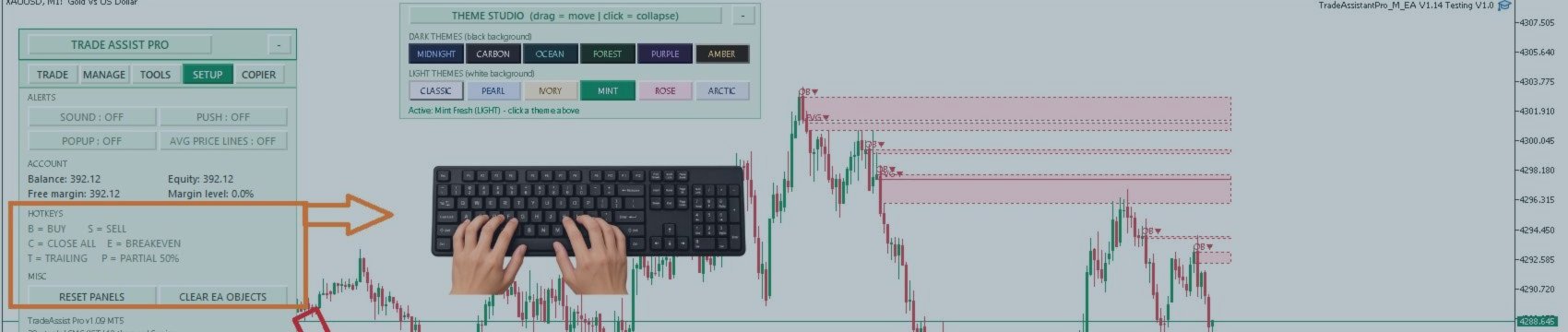
- Alerts: Toggle sound, push, and popup notifications.
- Visuals: Toggle average entry price lines for clustered positions.
- Account Stats: Real-time display of Balance, Equity, Free Margin, and Margin Level.
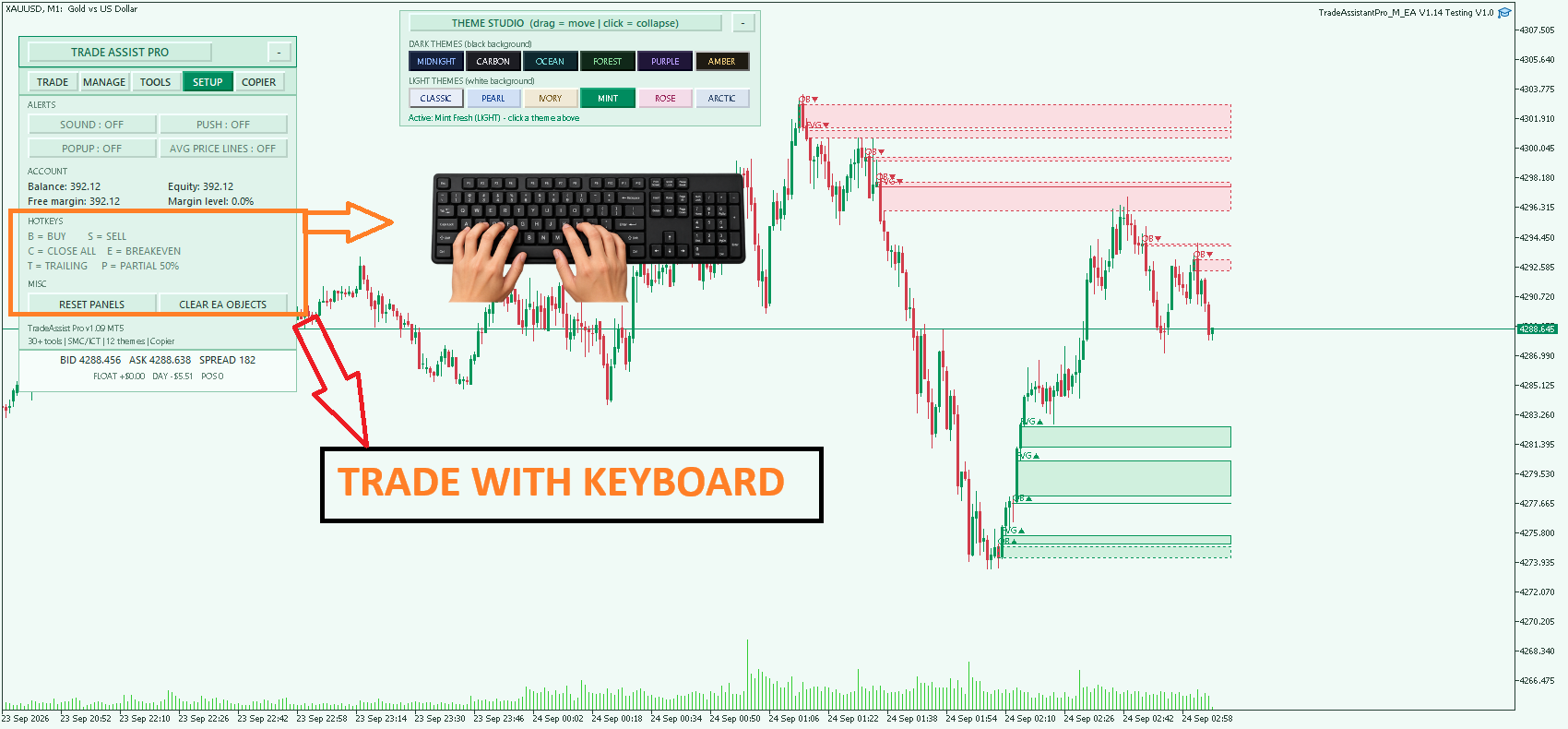
- Hotkeys: Keyboard mapping for rapid execution (B = Buy, S = Sell, C = Close All, E = Breakeven, T = Trailing, P = Partial 50%).
Core Risk Management & Protections
- Equity & Margin Guards: Automatically pauses trading and flattens positions if daily equity drawdown or minimum margin level thresholds are hit.
- Daily Targets/Limits: Closes positions and halts trading when a specific daily profit target or loss limit ($) is reached.
- Filter Blocks: Prevents execution if the spread exceeds a defined maximum or if the open position limit is reached.
- Scheduled Close: Option to automatically close all open positions at a specific server time.
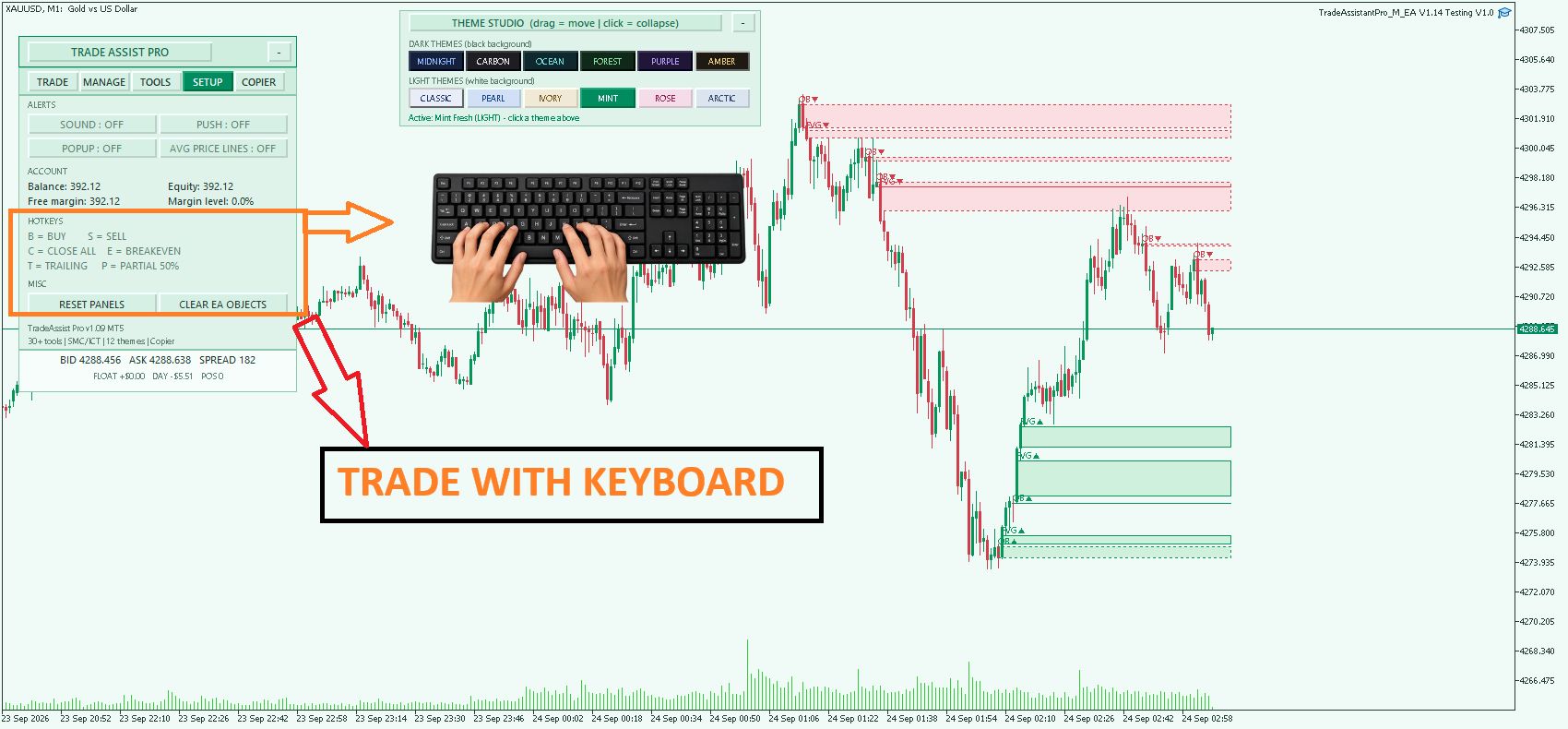
Interface & UI Design
- Draggable & Collapsible: Both the main dashboard and the Theme Studio can be dragged across the chart or minimized to save screen space.
- Theme Studio: Top-center panel offering 12 distinct color profiles (6 Dark, 6 Light) that instantly customize the dashboard, chart background, candles, and drawn objects.
- Dynamic Footer: Real-time tracking of Bid/Ask, Spread, Floating P/L, and Daily P/L directly at the bottom of the dashboard.
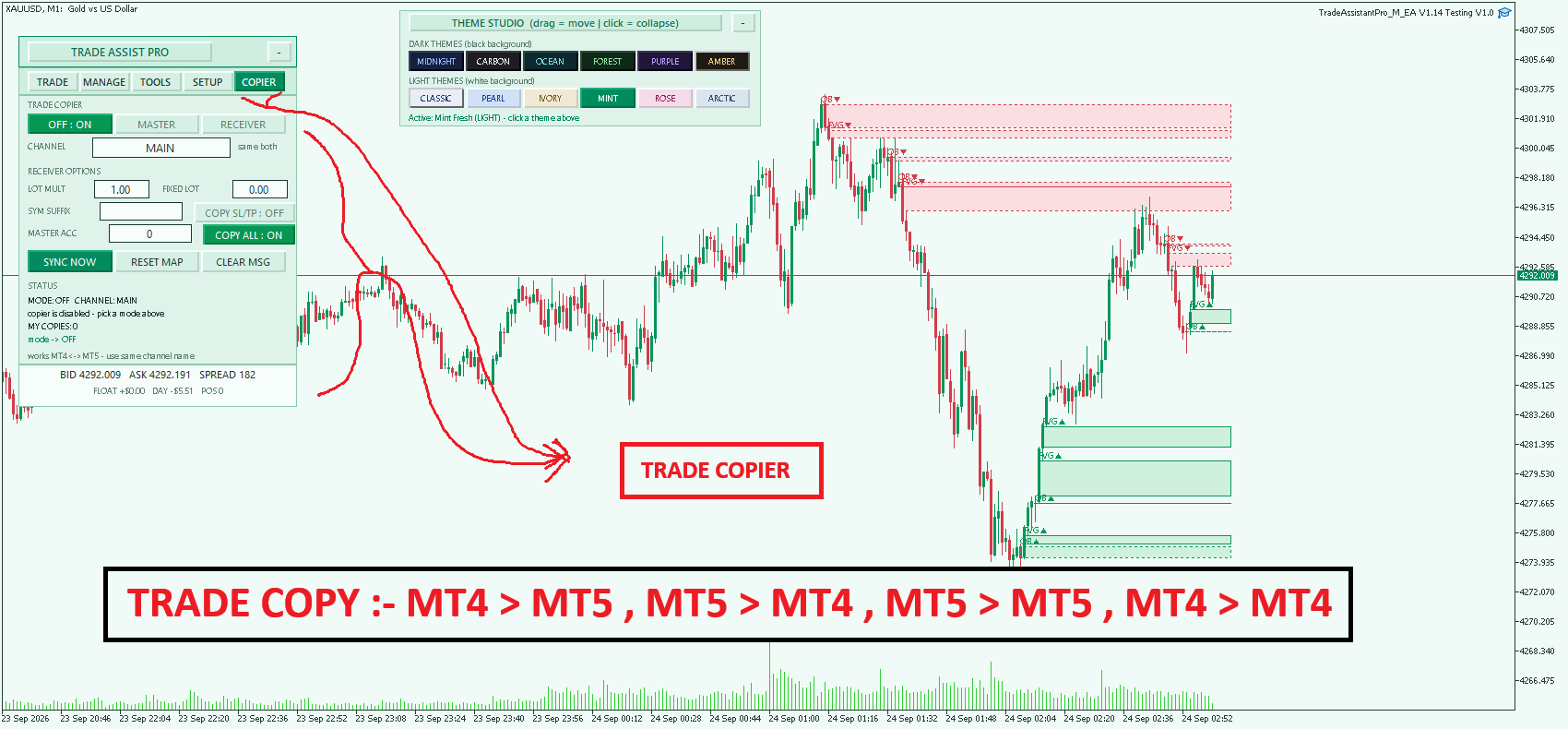
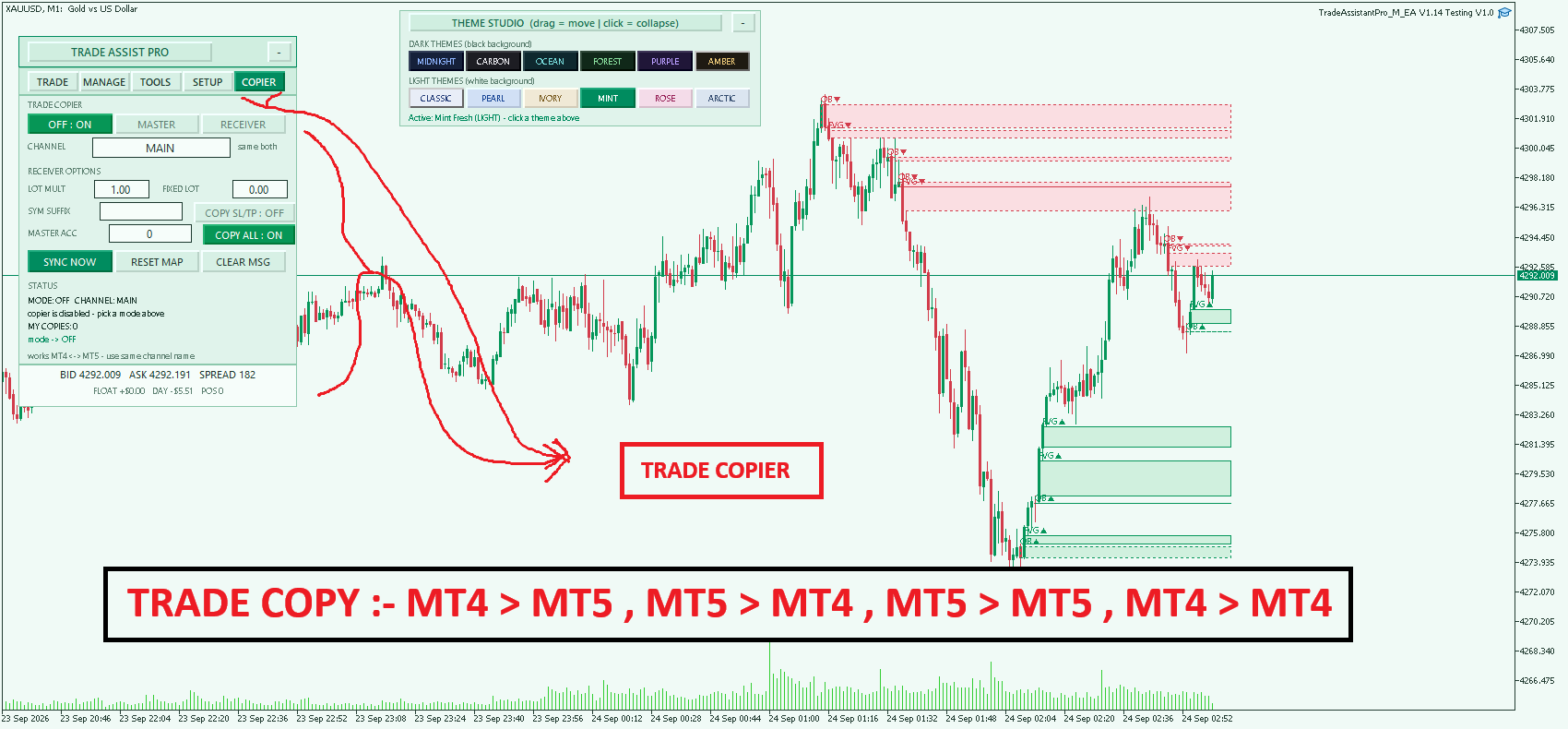
NEW ADD Trade Copier :-
Master & Receiver in one file — file‑channel via Common folder; works same‑terminal, cross‑terminal, and MT4↔MT5 with your MT4 & MT5 v1.06 build (same channel + file format)
Files:
Untitled design.png
116 kb
grdcfthtttythththddg.png
65 kb
UTYUUTUT.png
15 kb
DFGDGDGDFG.png
59 kb
BLSCDS.png
63 kb
2GGGGGG.png
74 kb
XAUUSDM1.png
57 kb