MSX AI Multi Symbol Scalper — Lot Sizing Framework, Risk Allocation & Free Margin Budget Engine Explained

Many traders focus heavily on entry signals while ignoring the factor that ultimately determines account survival: position sizing.
The purpose of this article is to provide a simplified overview of the Lot Sizing and Free Margin Budget Engine used inside MSX AI Multi Symbol Scalper.
This is not a strategy recommendation. The information below is intended to help users understand the purpose of each money-management parameter before creating their own configuration files.
Why Position Sizing Matters
Even a profitable trading strategy can fail if position sizes are too large.
The objective of the MSX AI Multi Symbol Scalper money-management framework is to:
• Control account exposure
• Allocate capital across multiple charts
• Prevent excessive margin consumption
• Maintain portfolio stability
• Support multi-symbol deployment
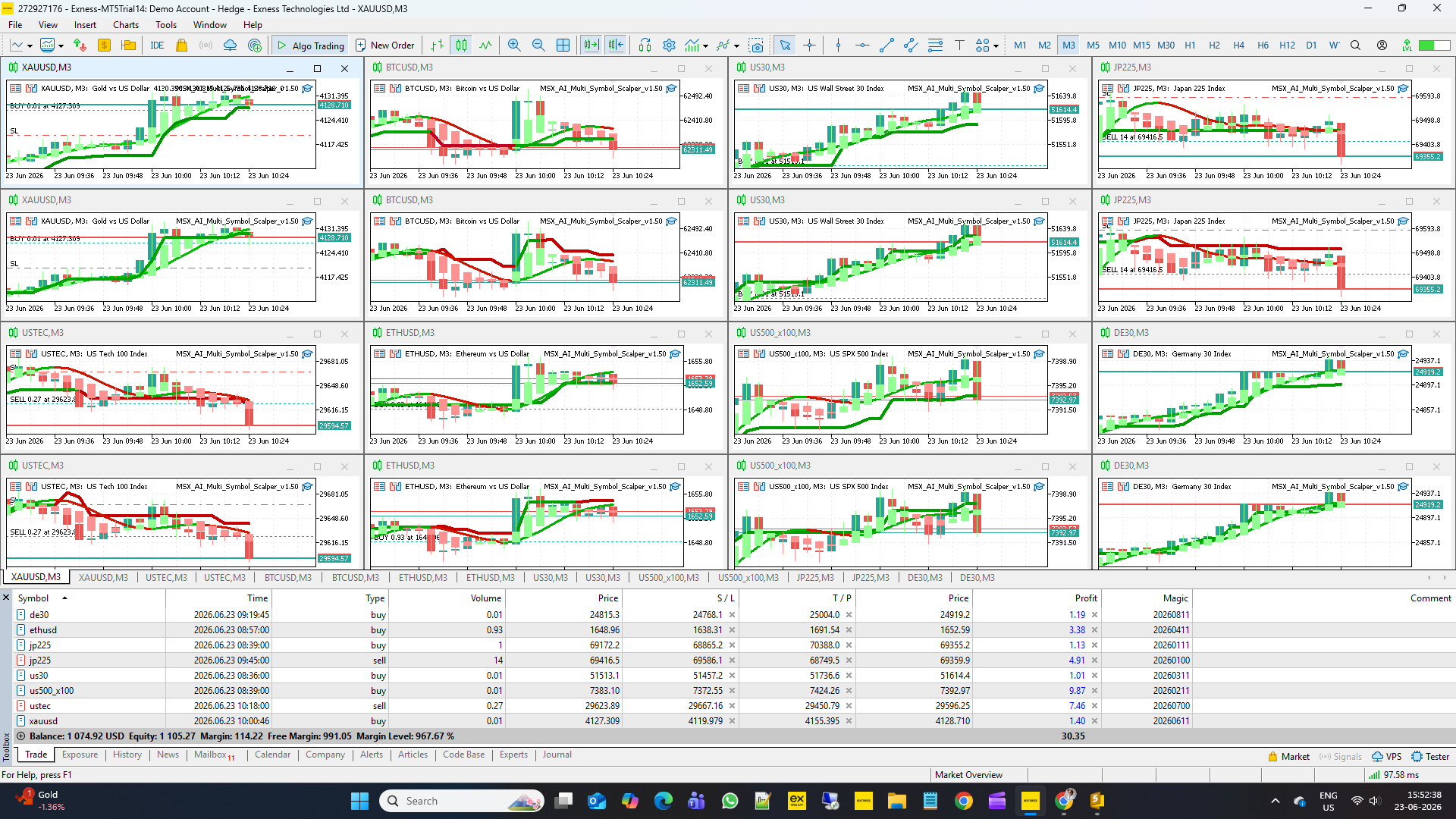
The EA can operate from a single chart or across multiple independent chart instances sharing one trading account.
LOT SIZING PARAMETERS
Inp_LotMode = LOT_FIXED
Selects the position sizing method.
LOT_FIXED
→ Every trade uses the same lot size.
LOT_RISK_PERCENT
→ Lot size is calculated automatically according to account risk.
When to change:
Use Fixed Lot for simple manual control.
Use Risk Percent when deploying multiple charts or portfolios.
Inp_FixedLot = 0.01
Defines the lot size used in Fixed Lot Mode.
Default value is intentionally small and designed primarily for validation and safe installation testing.
Most traders will normally adjust this according to:
• Account size
• Symbol volatility
• Number of charts
• Personal risk tolerance
Inp_RiskPercent = 1.0
Defines the maximum percentage of account capital risked per trade when Risk Percent mode is enabled.
Example:
1.0 = approximately 1% risk per trade.
Conservative traders often use lower values.
Aggressive traders may use higher values.
Increasing this value increases both potential profit and potential drawdown.
Inp_MaxLotCap = 0.10
Emergency maximum lot size protection.
Acts as a final safety ceiling regardless of calculation method.
Applies to:
• Fixed Lot Mode
• Risk Percent Mode
Purpose:
Prevents unexpectedly large positions from being opened during unusual market conditions or after large account growth.
Setting:
0.0 = disabled
Any positive value = maximum allowable lot size.
FREE MARGIN BUDGET ENGINE
Inp_FreeMarginReservePct = 30.0
Defines how much free margin remains permanently reserved before new positions are calculated.
Example:
Free Margin = $1000
Reserve = 30%
Reserved Amount = $300
Available Trading Budget = $700
Purpose:
Protects account stability during multi-symbol deployment.
Helps prevent over-allocation of capital.
Higher values provide more protection.
Lower values allow more aggressive capital utilization.
Inp_MinMarginLevelPct = 150.0
Defines the minimum projected margin level required before a new trade is allowed.
The EA performs a final margin safety check before opening a position.
Typical interpretation:
100% = margin call danger zone
150% = balanced protection
200%+ = conservative approach
Purpose:
Prevents trades that could push the account into dangerous margin conditions.
MULTI-SYMBOL PORTFOLIO DEPLOYMENT
One of the primary design goals of MSX AI Multi Symbol Scalper is portfolio operation.
A trader may run:
• 1 chart
• 6 charts
• 16 charts
• or more independent chart instances
All instances share the same account equity and margin resources.
For this reason:
Lot sizing should never be viewed as an isolated chart setting.
Instead, it should be considered part of overall portfolio risk allocation.
IMPORTANT NOTE ABOUT DEFAULT VALUES
The default values included with the Expert Advisor are intentionally conservative.
Their primary purpose is:
• Safe installation
• Marketplace validation
• Basic functionality testing
They should not automatically be considered optimized live-trading settings.
Every trader operates with different:
• Symbols
• Brokers
• Account sizes
• Risk tolerance
• Portfolio structures
For this reason, proper configuration or professionally prepared .set files are strongly recommended before live deployment.
.SET FILE SUPPORT
As part of the MSX AI Multi Symbol Scalper package, one complete set of default portfolio configuration files may be provided free of charge.
These files are intended to demonstrate the author's default portfolio structure and deployment methodology.
Additional customized .set files may be available as a separate paid service.
Pricing may vary depending on:
• Number of symbols
• Number of chart instances
• Account size requirements
• Risk profile
• Portfolio complexity
• Development workload
FINAL THOUGHTS
Position sizing is often more important than entry timing.
The Lot Sizing Framework and Free Margin Budget Engine were designed to help traders manage capital across multiple symbols while maintaining account stability.
Understanding these parameters before live deployment can significantly improve risk control and overall portfolio management.
Visit for all old and latest published Articles main page: MSX AI Multi Symbol Scalper — Knowledge Base & Article IndexWelcome to the official MSX AI Multi Symbol Scalper Knowledge Base.
This Knowledge Base serves as the official documentation center for MSX AI Multi Symbol Scalper. It provides organized educational articles covering installation, deployment, configuration, trading architecture, money management, capital protection and portfolio administration.#RiskBasedPositionSizing, #MarginLevelProtection, #DynamicLotCalculation, #EquityRiskManagement, #PortfolioRiskAllocation, #MarginReserveSystem, #MaximumLotCap, #TradeVolumeControl, #AccountExposureManagement, #BrokerMarginValidation