MSX AI Multi Symbol Scalper — Free Margin Reserve, Margin Level Protection & Portfolio Safety Validation Explained

Introduction
One of the biggest challenges in multi-symbol automated trading is not finding trade signals.
The real challenge is controlling account exposure while multiple charts and multiple EA instances are operating simultaneously.
Many trading systems calculate position size using only balance or equity and completely ignore overall portfolio pressure.
This can lead to excessive margin usage, margin calls, forced liquidation, or unstable account behavior when several trades open at the same time.
MSX AI Multi Symbol Scalper includes a dedicated Portfolio Safety Validation Framework designed to help maintain account stability before every new trade is allowed.
This framework operates through three major components:
• Free Margin Reserve
• Margin Level Protection
• Portfolio Safety Validation
Together these systems help ensure that account survival always has higher priority than opening additional trades.
Why Portfolio Safety Matters
When operating:
• 1 chart
Risk may appear small.
When operating:
• 6 charts
• 12 charts
• 16 charts
Multiple trades may become active simultaneously.
Without portfolio controls:
A trader may unintentionally consume most available margin even while each individual trade appears acceptable.
The result may include:
• Margin pressure
• Reduced flexibility
• Forced position liquidation
• Broker margin call events
• Unnecessary drawdown amplification
For this reason MSX AI Multi Symbol Scalper performs account-level safety validation before opening every new position.
Free Margin Reserve Protection
Input
Inp_FreeMarginReservePct = 30.0
Purpose
This setting permanently reserves a percentage of current free margin before position sizing calculations begin.
The reserved capital cannot be used for new positions.
The objective is to maintain a safety buffer for:
• Existing trades
• Floating drawdowns
• Spread expansion
• Margin fluctuations
• Portfolio stability
Example
Current Free Margin:
$10,000
Reserve:
30%
Reserved Capital:
$3,000
Available Trading Budget:
$7,000
The EA will calculate new position sizes using only the remaining budget.
This helps prevent over-allocation of account resources.
Why 30% Is Commonly Used
30% provides a balance between:
• Capital efficiency
• Account safety
• Portfolio flexibility
• Multi-chart operation
Many professional portfolio traders maintain unused margin reserves specifically to survive volatility spikes.
When Traders May Increase It
Examples:
40%
50%
60%
Suitable for:
• Conservative traders
• Funded accounts
• High-volatility symbols
• Large portfolio deployment
Result:
Higher account protection
Lower position sizes
Lower overall exposure
When Traders May Reduce It
Examples:
10%
20%
Suitable for:
• Aggressive traders
• Smaller portfolios
• Higher risk tolerance
Result:
Larger trade capacity
Higher exposure
Higher portfolio risk
Margin Level Protection
Input
Inp_MinMarginLevelPct = 150.0
Purpose
This is the final account safety check before trade execution.
Even if a position passes all previous calculations, the EA still evaluates projected account margin level.
If the projected margin level would fall below the specified threshold, the trade is rejected.
Why Margin Level Matters
Margin Level is one of the most important indicators of account health.
Example:
100%
Typically approaches broker margin-call territory.
150%
Generally considered a safer operating level.
200%+
More conservative operation.
Higher values create greater protection against adverse market conditions.
Why 150% Is Used
150% offers a practical balance between:
• Capital utilization
• Trading flexibility
• Account safety
• Portfolio expansion
It helps prevent excessive leverage while still allowing efficient use of capital.
When Traders May Increase It
Examples:
200%
250%
300%
Suitable for:
• Conservative deployment
• Funded account programs
• High-volatility portfolios
• Capital preservation strategies
Result:
Fewer trades
Greater account stability
Lower margin pressure
When Traders May Reduce It
Examples:
120%
130%
Suitable for:
• Aggressive growth models
• Smaller account portfolios
• Higher-risk trading styles
Result:
More trade opportunities
Higher exposure
Higher account risk
Portfolio Safety Validation Process
Before every new trade the EA performs multiple validation stages:
Step 1
Signal validation
The trend framework confirms trade eligibility.
Step 2
Money management calculation
Lot size is calculated.
Step 3
Free Margin Reserve check
Reserved capital is protected.
Step 4
Projected margin calculation
Future account margin level is estimated.
Step 5
Portfolio safety validation
The EA evaluates whether account stability remains acceptable.
Step 6
Trade approval or rejection
Only trades passing every safety test are executed.
Why Some Trades May Be Rejected
Users occasionally notice that valid trade signals are ignored.
This is often intentional.
Possible reasons include:
• Insufficient free margin
• Margin level protection triggered
• Portfolio reserve exceeded
• Existing exposure too high
• Risk limits reached
In these situations the EA prioritizes account protection over trade frequency.
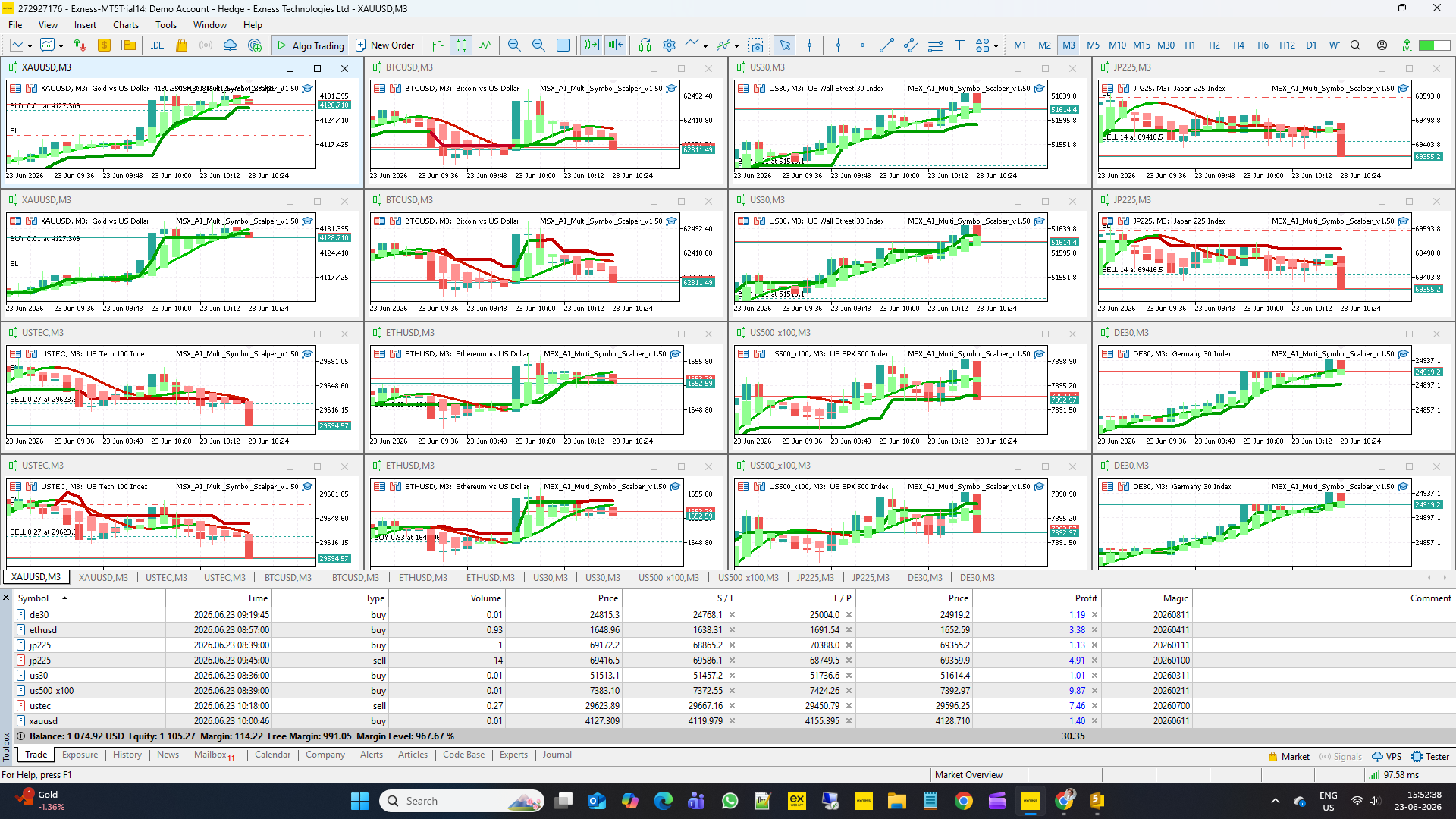
Benefits For Multi-Chart Deployment
This framework becomes increasingly important when operating:
• BUY Engine charts
• SELL Engine charts
• Multiple symbols
• Multiple timeframes
• Portfolio deployments of up to 16 charts
Without portfolio validation, several charts could attempt to consume account resources simultaneously.
The safety framework helps coordinate account-wide resource allocation.
Important Note
Higher protection settings generally produce:
• Lower exposure
• Fewer trades
• Higher account stability
Lower protection settings generally produce:
• More exposure
• More trades
• Higher account risk
There is no universal best setting.
Appropriate values depend on:
• Account size
• Risk tolerance
• Number of charts deployed
• Symbol volatility
• Trading objectives
Final Thoughts
The Free Margin Reserve, Margin Level Protection, and Portfolio Safety Validation Framework form one of the most important defensive layers inside MSX AI Multi Symbol Scalper.
These systems were designed specifically for multi-symbol portfolio operation where account stability is often more important than maximizing trade frequency.
By continuously monitoring available resources before every trade, the EA helps maintain disciplined exposure, preserve account flexibility, and reduce unnecessary margin pressure during live market conditions.
Visit for all old and latest published Articles main page: MSX AI Multi Symbol Scalper — Knowledge Base & Article Index
Welcome to the official MSX AI Multi Symbol Scalper Knowledge Base.
This Knowledge Base serves as the official documentation center for MSX AI Multi Symbol Scalper. It provides organized educational articles covering installation, deployment, configuration, trading architecture, money management, capital protection and portfolio administration.#FreeMarginReserve, #MarginLevelProtection, #PortfolioSafetyValidation, #MarginManagement, #FreeMarginControl, #CapitalEfficiency, #MultiChartRiskControl, #MarginSafetyFramework, #PortfolioExposureManagement, #AccountProtectionSystem