

DVN Core Gold LION launched yesterday.
→ Product page: https://www.mql5.com/en/market/product/177103
For anyone who purchased — or is still considering — this post covers exactly how to configure the system for your first week of trading.
Setup decisions made in the first session have a meaningful impact on early results. This guide walks through each one.
Step 1 — Choose the Right Broker
DVN Core Gold LION is optimized for low-spread XAUUSD execution. Spread directly affects performance, especially for S4 (Trap and Fill) which operates on M5 and is more sensitive to execution conditions.
Recommended:
- Exness Raw Spread or Pro account
- IC Markets Raw account
What to check before starting:
- Average XAUUSD spread below 15 pips
- Execution type: Market execution (not instant)
- Account type: Hedging — this is required, not optional. The EA will not function correctly on a netting account.
Step 2 — Choose Your Risk Setting
The EA uses percentage-based risk per trade, applied independently to each strategy.
Conservative (recommended for first week):
- Risk per strategy: 0.5%
- At $500 deposit, this means ~$2.50 risk per trade per active strategy
Standard:
- Risk per strategy: 1.0%
Aggressive (not recommended for new accounts):
- Risk per strategy: 2.0%+
Start conservative. The first week is for observing system behavior in your specific broker environment — not for maximizing position size.
Minimum deposit is $300 at 0.01 lot. Recommended starting deposit is $500–$1,000 for proper risk distribution across all five strategies.
Step 3 — Chart Setup
- Attach the EA to a XAUUSD chart only
- Timeframe on the chart does not matter — the EA manages H1, M30, and M5 timeframes internally
- One instance of the EA is all that is needed
Do not attach the EA to multiple charts or multiple symbols.
Step 4 — Prop Firm Mode (if applicable)
If you are running a prop firm challenge, enable Prop Firm Mode before the EA places its first trade.
Configure these values to match your challenge rules:
- Daily Loss Limit % — set to 80% of your challenge's daily loss rule (conservative buffer)
- Max Drawdown % — set to 80% of your challenge's max drawdown rule
- News Filter — enable
- Date Blocks — enable
One toggle activates all protections. Verify the peak equity is displaying correctly on the dashboard before leaving the EA running unattended.
Step 5 — VPS
Run the EA on a VPS, not a local computer.
XAUUSD trades around the clock. A connection drop during an open trade creates execution risk. A VPS with a server location close to your broker's server reduces latency and prevents missed trades.
Exness and IC Markets both have server locations in New York and London. Choose a VPS provider with a node in the same region.
What to Expect in the First 50 Trades
The ML filter does not activate until 50 trades have closed.
During this warm-up period, all five strategies trade across all available time windows — without time-based filtering. This is expected behavior. Results during the warm-up will not reflect the fully filtered system.
Once the filter activates, the dashboard will show which three 4-hour windows are permitted. Trade frequency will decrease. Average quality per trade should increase.
Do not adjust settings during the warm-up period based on early results. Let the system collect its baseline data first.
What to Monitor
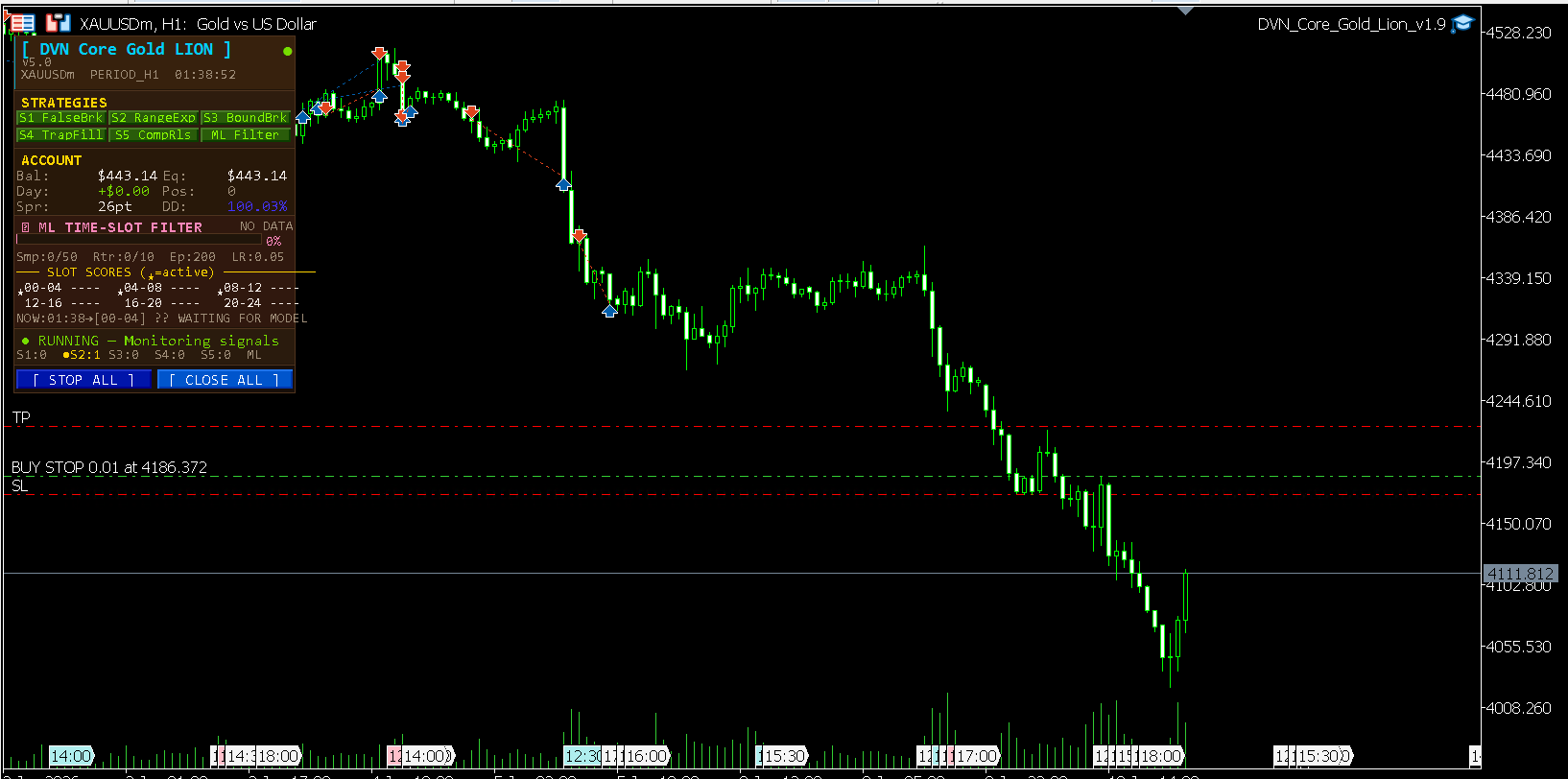
The on-chart dashboard shows everything you need:
- Daily P&L — watch this against your loss limit each session
- Drawdown % — track against your configured threshold
- ML Status — shows whether the filter is active and which windows are permitted
- Open positions — how many trades are currently running across all strategies
If anything looks unexpected in the first week — leave a comment below or message directly. Setup issues are almost always configuration-related and are straightforward to resolve.
→ Product page: https://www.mql5.com/en/market/product/177103
→ Live Signal: https://www.mql5.com/en/signals/2376723
→ DVN CORE Channel: https://www.mql5.com/en/channels/dvn_core
— DVN CORE




