Install Magic Entry DEMO
Download Demo version:
[DOWNLOAD DEMO]
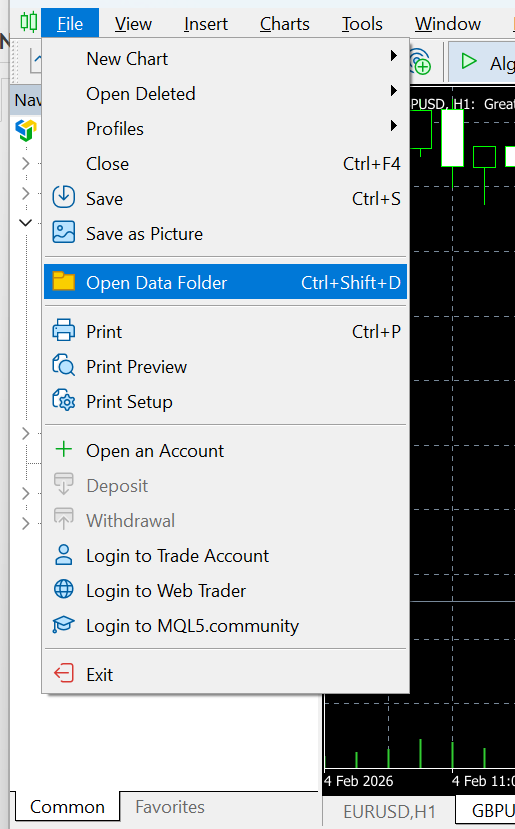
Full path example:
C:\Users\USERNAME\AppData\Roaming\MetaQuotes\Terminal\TERMINAL-HASH-many-random-symbols\MQL5\Experts\
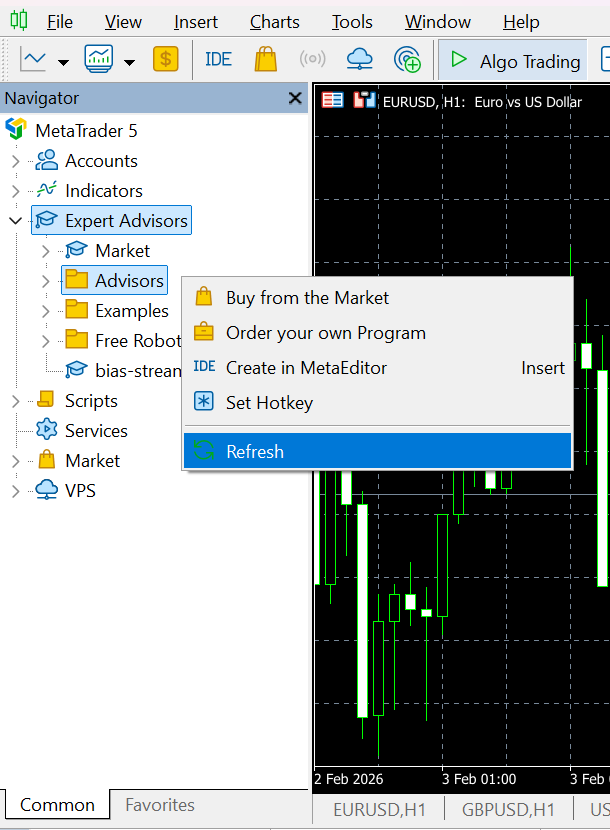
Then refresh the list of Expert Advisors, right click on the Expert Advisors tab and Refresh.
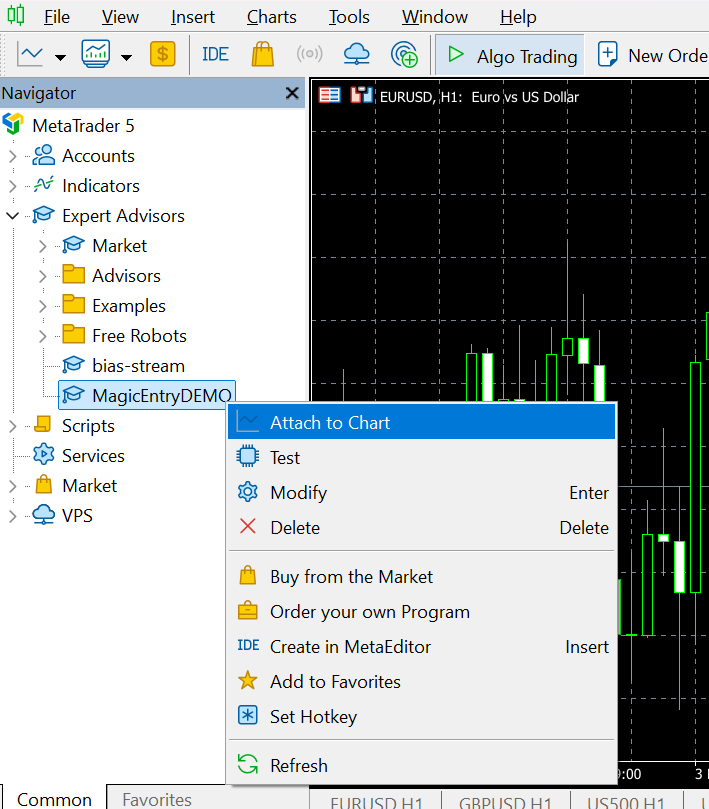
Right click and Attatch to chart or Double click the MagicEntryDEMO
This is a DEMO / UI preview version of Magic Entry 3x.
It is built for testing the interface and workflow on a chart, but it will not place or manage real trades. All trade-execution features are removed/blocked: the EA cannot open, modify, delete, or close any market/pending orders or positions (including partial closes, breakeven moves, and trailing SL/TP). When a trading action is triggered, the DEMO shows a warning message, but does not does not execute any trading actions.
Aside from the disabled trading execution, the DEMO behaves like the original Magic Entry 3x.
Full version:
https://www.mql5.com/en/market/product/142204