
Bober Crypto MT5. How to upload Binace futures data in MT5 manually.
29 December 2021, 21:14

0
4 263
1.Open your MT5.
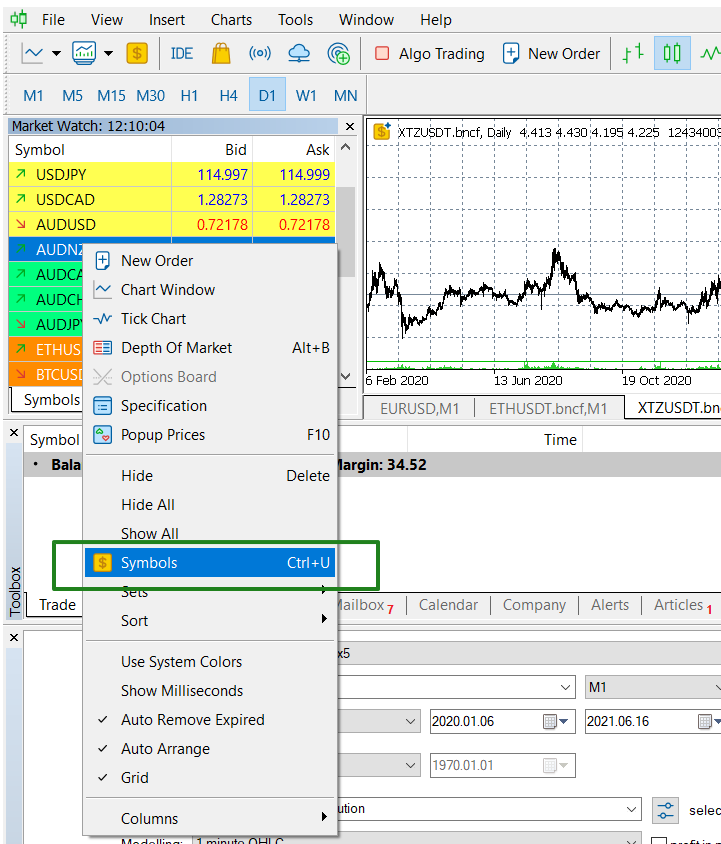
2. Right click on MarketWatch -> Symbols
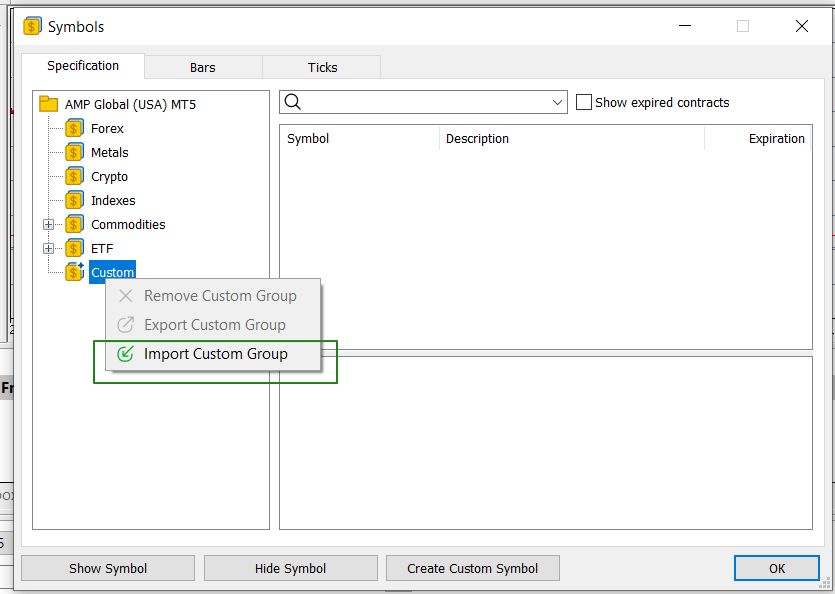
3.Right CLick on Custom folder -> Import Custom group ->Choose BinanceFutures Coins.JSON file (attached below).
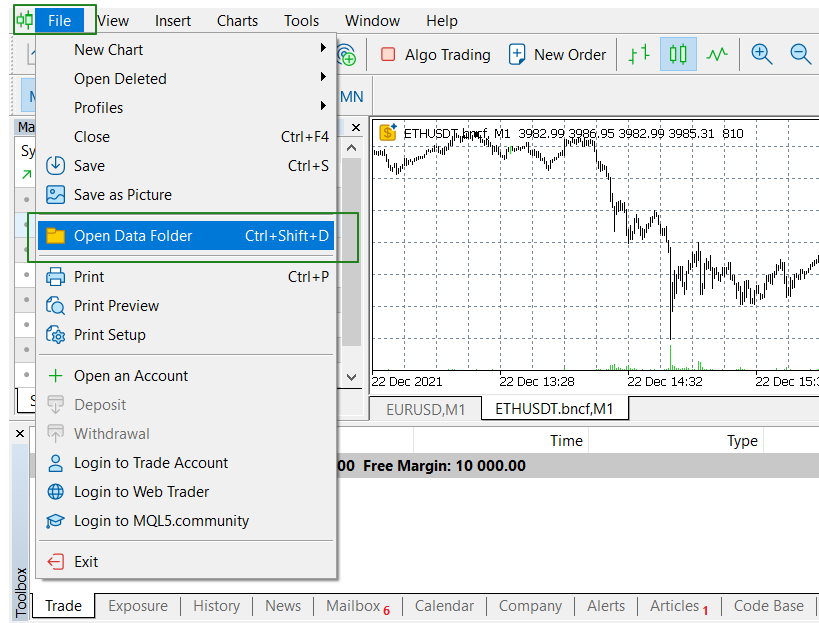
4.Open File -> Open Data Folder.
5. Go to Bases -> Custom -> CopyPast downloaded "history" folder. Replace all files if needed.
Google drive link to download : Binance futures Coins archive.
Google drive link to download (Bobe Lazer MT5) :
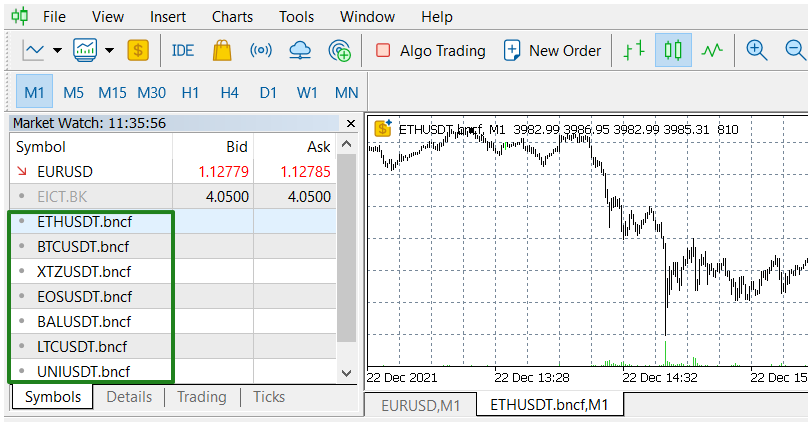
Now your Binance futures Coins successfully uploaded and ready for backtest.
Google drive link to download : Binance futures Coins archive.
Files:




