Trade Manager Professional
- Utilitys
- Version: 1.0
- Aktivierungen: 5

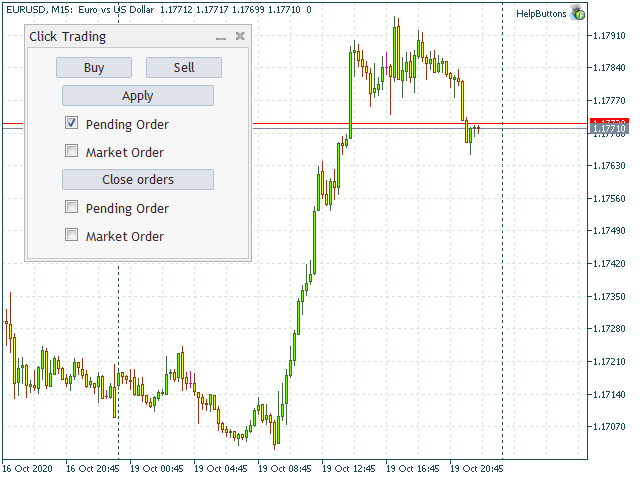
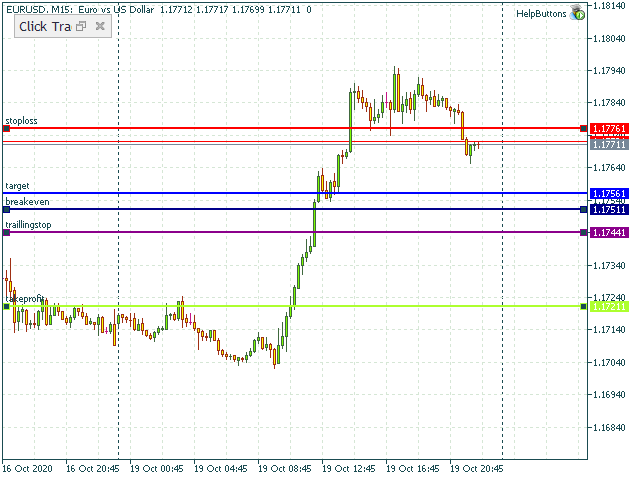
Mit diesem Tool können Nutzer ganz einfach Folgendes hinzufügen:
- Stop-Loss,
- Take-Profit,
- Railing-Stop,
- Break-Even,
- Ziel
Manuelles Bearbeiten der Linien.
Parameter:
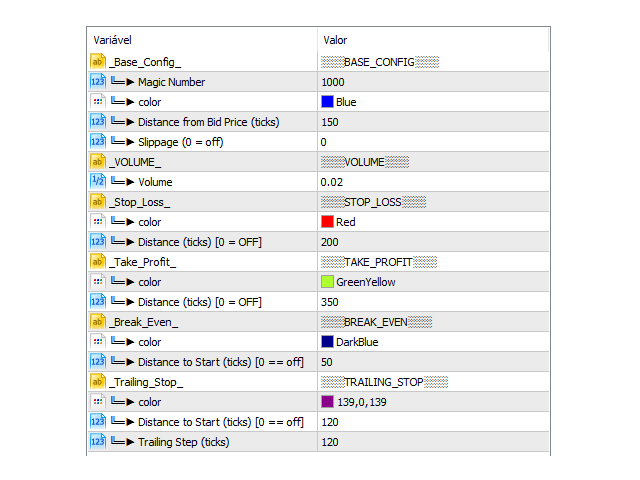
- Magic Number: Nummer zur Identifizierung Ihres EAs, die verwendet wird, wenn dieser auf mehrere Vermögenswerte angewendet wird.
- Abstand vom Geldkurs (Ticks): Aktueller Kurswert, zu dem die Kauf- oder Verkaufsorder platziert werden soll, in Ticks (jeder Tick entspricht der kleinsten Kursänderung).
- Slippage (0 = deaktiviert): Stellt die maximale Abweichung in Pips dar, bei der die Order noch ausgeführt wird.
- Volumen: Lotgröße . Beispiel (EURUSD, Volumen = 0,01, 0,02, 0,1, 1).
- SL-Abstand (Ticks) [0 = aus]: Abstand zum Stop-Loss in Ticks; bei 0 deaktiviert.
- TP-Abstand (Ticks) [0 = AUS]: Abstand zum Take-Profit in Ticks; bei 0 deaktiviert.
- BE-Abstand (Ticks) [0 = AUS]: Abstand bis zum Break-Even; das bedeutet, wenn der Kurs diesen Wert erreicht, verschiebt sich der Stop-Loss auf den Einstiegskurs.Bei 0 wird die Funktion deaktiviert.
- TS-Abstand bis zum Start (Ticks) [0 = AUS]: Abstand zur Aktivierung des Trailing Stops; das bedeutet, dass sich der Stop-Loss, sobald der Kurs diesen Wert erreicht, gemäß demParameter „Trailing-Schritt-Abstand“ verschiebt und nicht aktualisiert wird, wenn sich der Kurs entgegen der Position bewegt.
- Trailing-Schrittweite (Ticks): Die Trailing-Schrittweite in Ticks.