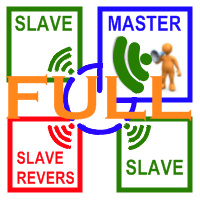
Transaction Repeater Full
- 实用工具
-
Alexandr Bryzgalov
 我根據您的算法開發交易機器人。
如果你有你的工作很長一段時間交易策略,但沒有時間去不斷的坐在顯示器和顯示器市場上的情況下,交易機器人可以成為在這種情況下,你不可替代的助手。他會根據這些信號監測它的交易信號進行質押的算法,未平倉合約,陪他們接近時,它是必要的。投資顧問可以做無交易員在工作場所不斷出現。只是偶爾(1-2次一個月),你將需要調整下,改變市場的設置顧問。
顧問MT4 - 這是一個機會來測試你的交易策略的歷史數據。的選擇optimatnyh設置這個可能性最大化你的交易策略的價值。這不是沒有defatigable員工誰可以給你多,從存款的利潤的百分比。 - 版本: 2.592
- 更新: 23 二月 2022
- 激活: 20
Copies transactions between MT4 terminals.
Possibilities:
- quick copy start
- minimum processor load
- direct and reverse (reverse) copying.
- copying Take Profit and Stop Loss levels
- copying deferred and their changes
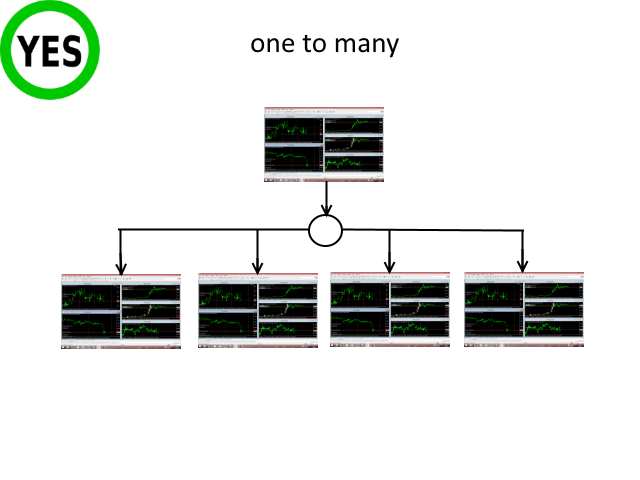
- copy transactions one to many
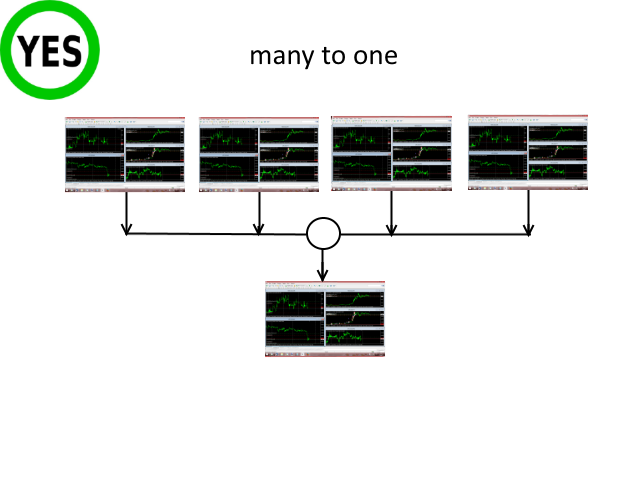
- copy trades many to one
- local copy only
Attention: The product is designed for copying trades only within a single computer or VPS with access to the desktop. The product will not work on the built-in Virtual Hosting of the terminal.
We will help you set up a copyist on your server or PC.
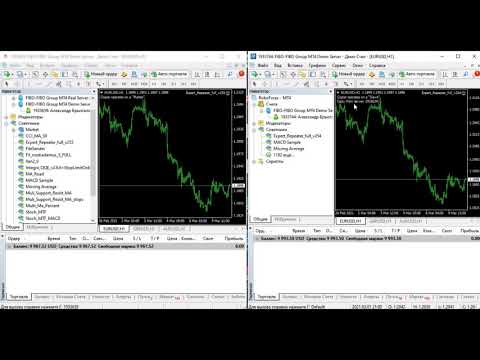
- On the provider's account, run "Transaction Repeater Full" from folder "Experts\Market". The product works on any chart.
- Select Master mode. Select necessary parameters.
- If prefixes or suffixes are used in symbol names on the master account, they should be indicated in parameters mPrefix and mSuffix.
- Set the period of master account data update in parameter "Sleep mls.". The number of milliseconds.
- On the client's account, run "Transaction Repeater Full" from folder "Experts\Market". The product works on any chart.
- Select Slave or Slave_reverse mode.
- In the ServerAccount parameter. specify the number of the master account, on which the trade copier is running in the master mode.
- ServerAccount value can be left unchanged. After start, in the upper left corner of the chart, click on the required master account number the trade copier is running on.
- If prefixes or suffixes are used in symbol names on the slave account, they should be indicated in parameters sPrefix and sSuffix.
- If "many to one" copying is performed, StMagik parameter of each launched copy should be different.
- Set up other parameters.
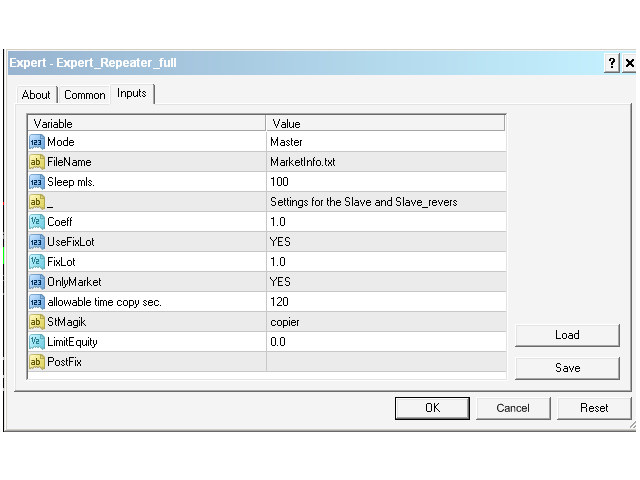
- Mode - script operation mode:
- Master - for a provider account; in this mode, the script transmits trades from the master account.
- Slave - for a recipient account; in this mode, the script receives the data transmitted by the script from the master account.
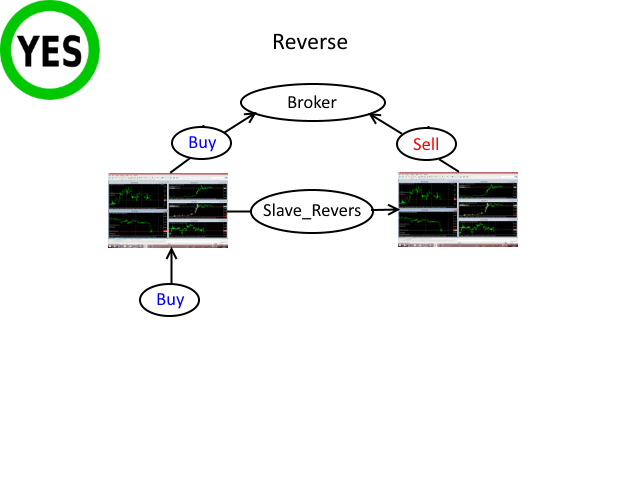
- Slave_reverse - for a recipient account; in this mode, the script receives the data transmitted by the script from the master account and reverses the trade's direction. In other words, if BUY is opened on the master account, SELL is opened on the client one.
- Sleep mls. - data file update/check period in milliseconds.
- mPrefix - prefix in symbol names on the master account. Leave blank if no prefix is used.
- mSuffix - suffix in symbol names on the master account. Leave blank if no suffix is used.
- ServerAccount - number of the master account to copy trades from. If 0, then you need to select the account number from the list in the upper left corner immediately after starting the copyer.
- AutoLot - If true, the lot is calculated using the formula Lot=MasterLot*(AccountBalans Slave/AccountBalans Master).
- Copy ratio - lot copying ratio.
- UseFixLot - if "YES", a value from FixLot will be used.
- FixLot - fixed lot size.
- OnlyMarket - if "YES", only market orders are copied. If "NO", market and limit/stop orders are copied.
- CopyStop - if "YES", the trades copier will copy the stop loss and take profit of trades. If "NO", then stop levels will not be copied.
- allowable time copy sec. - allowable copying time in seconds.
- StMagik - any number, allows to avoid confusion if several script copies are launched.
- marker - a comment to an order sent by the copier, provides for an easier monitoring of orders opened by the copier
- Slippage - maximum price slippage set when sending an order by the copier.
- LimitEquity - copying is stopped if available funds on a receiver account are less than the specified value. However, open orders are simultaneously closed with the ones on the master account.
- sPrefix - prefix in symbol names on the slave account. Leave blank if no prefix is used.
- sSuffix - suffix in symbol names on the slave account. Leave blank if no suffix is used.




























































Amazing copy trade highly recommended... Guy's have you try copy trade from Demo to live account?