Steadyhand Order Panel
- 实用工具
- 版本: 1.0
- 激活: 10

Why traders use it
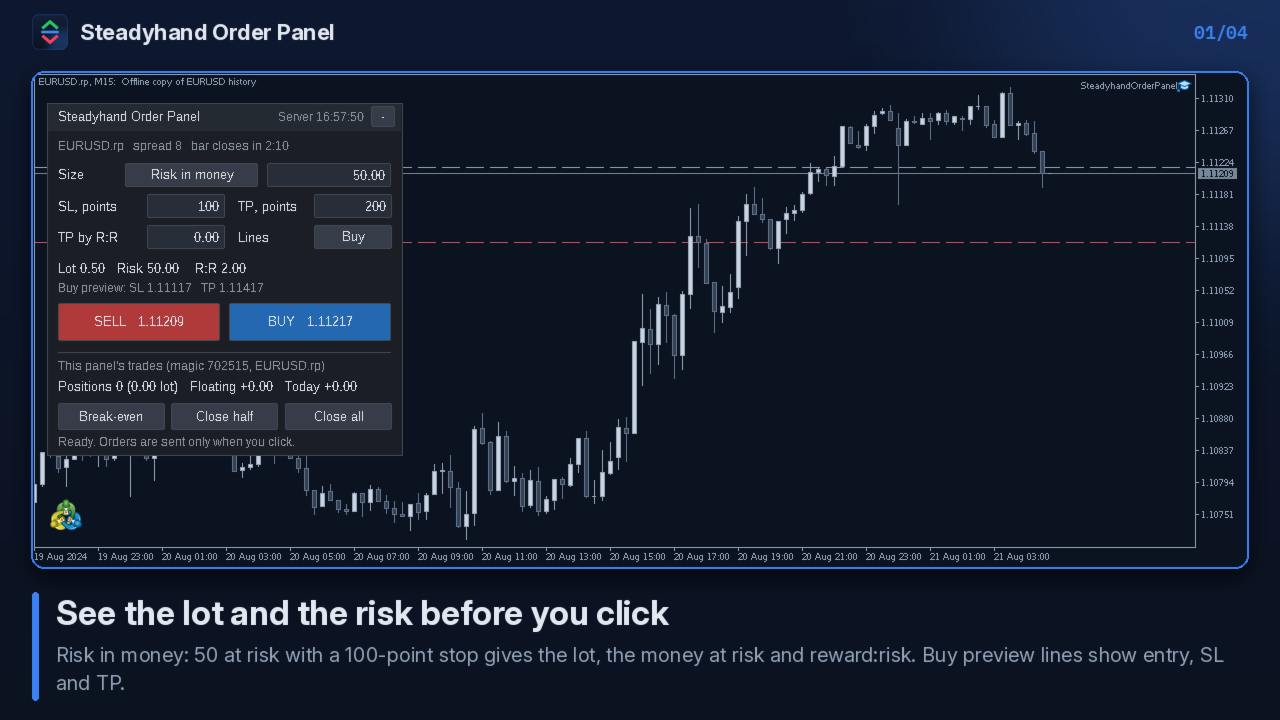
- You see the lot, the money at risk to the stop loss and the reward:risk before you click.
- Orders are sent only when you click Buy or Sell. There is no automatic trading logic.
- If something is wrong (minimum lot, stop distance, margin, closed session), nothing is sent and the panel says why.
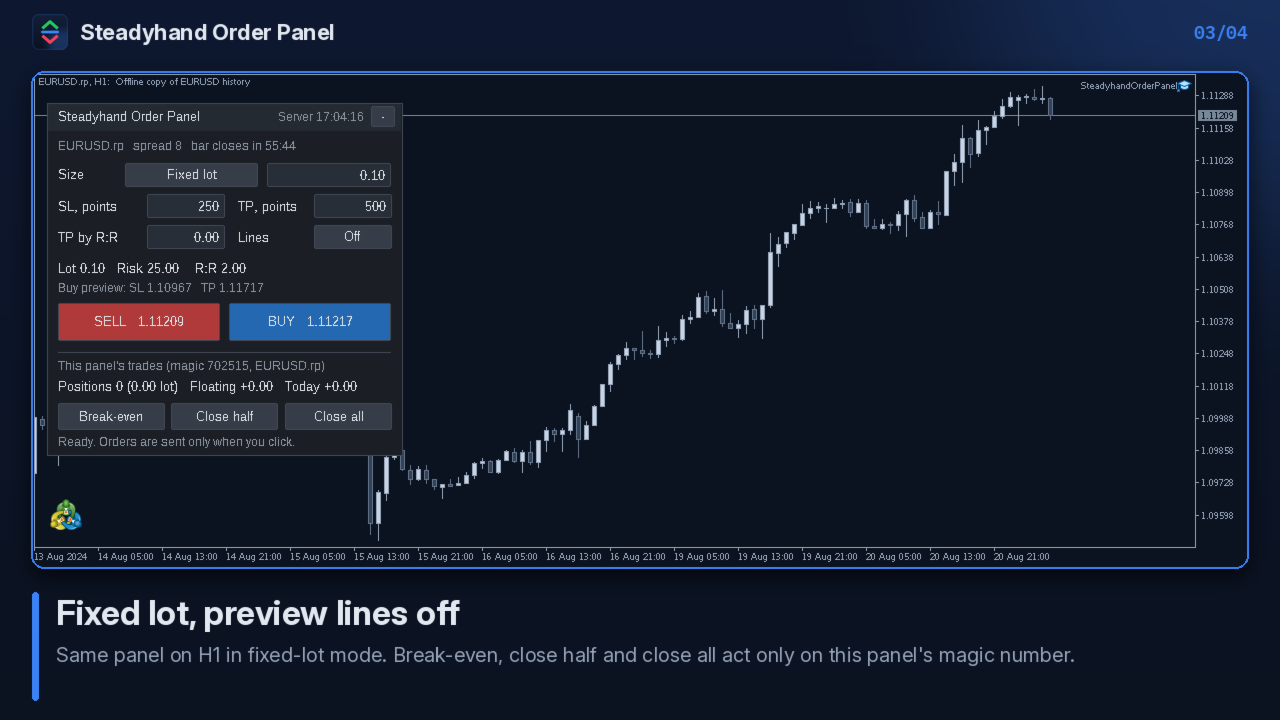
- Break-even, close half and close all touch only the panel's own trades, never your manual trades or other Expert Advisors.
What it does
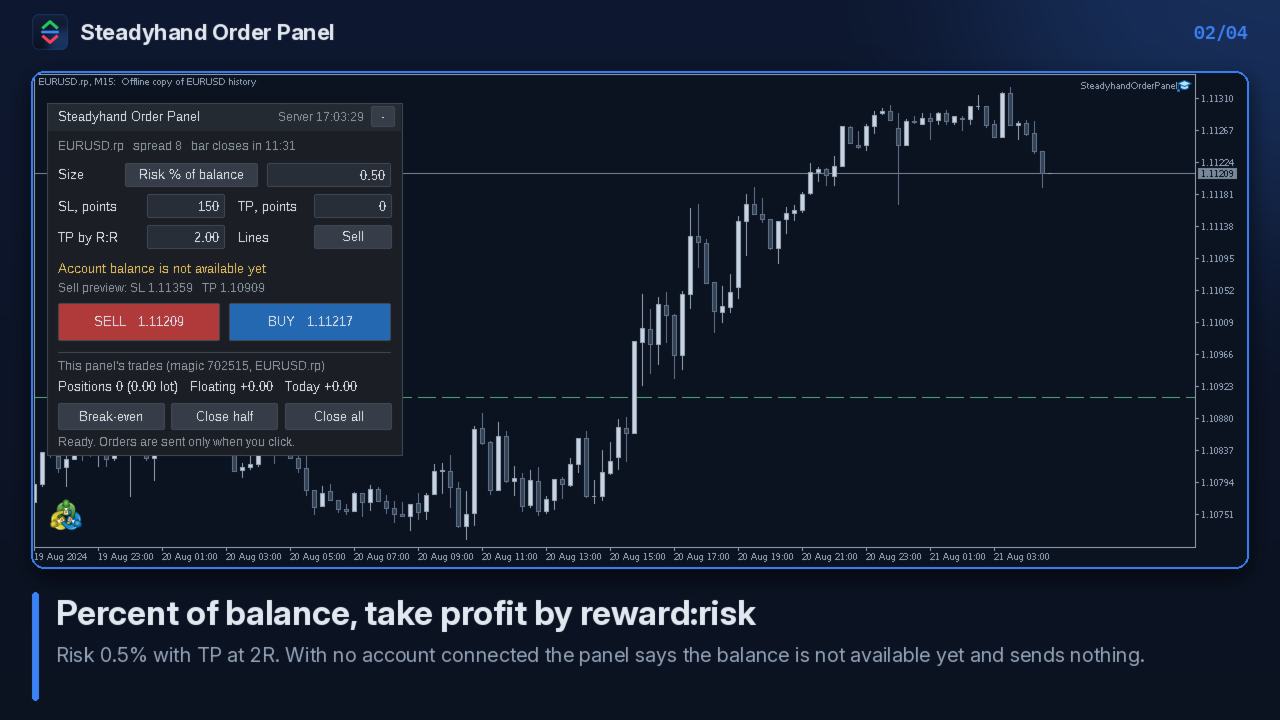
- Lot from a fixed lot, a percent of the balance at risk, or a money amount at risk.
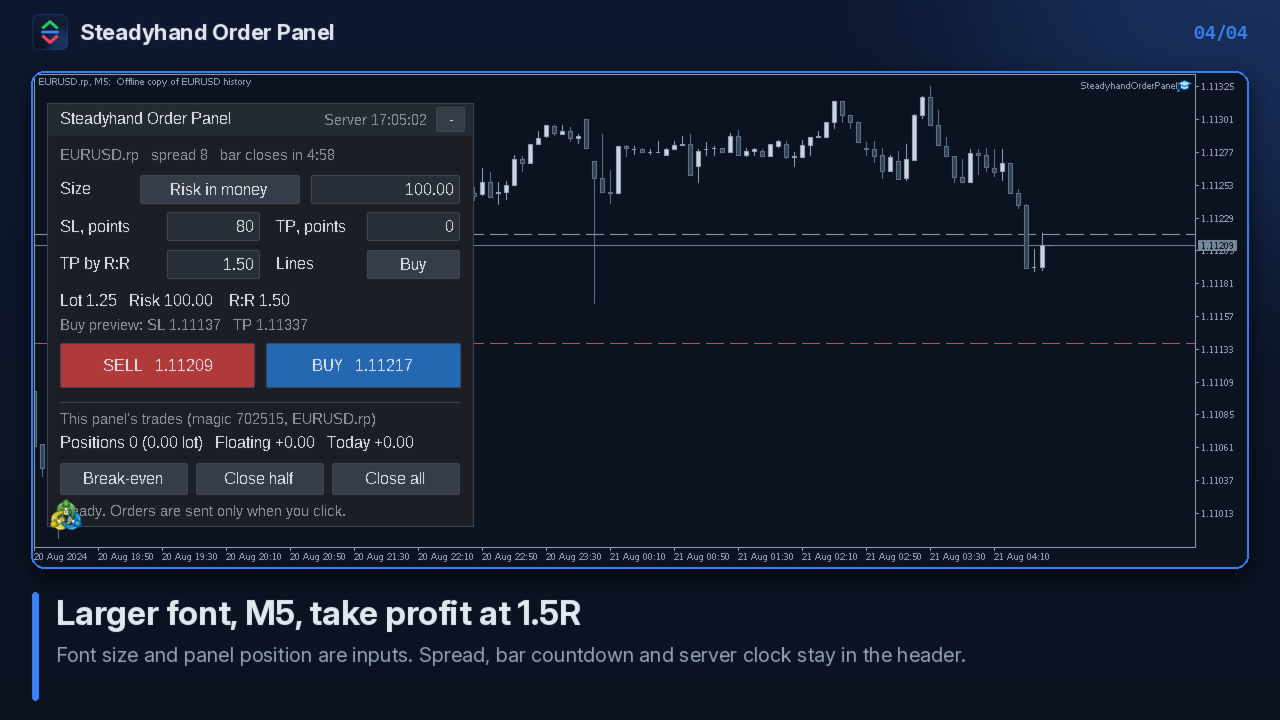
- Stop loss and take profit in points, or take profit as a multiple of the stop distance (reward:risk).
- Optional preview lines on the chart for the entry, stop loss and take profit of the buy or sell side.
- Break-even, close half and close all for its own positions on the chart symbol. Close half and close all need a second click within 3 seconds.
- Shows spread, time until the current bar closes and the server clock.
- Values typed in the panel are kept when you change the timeframe.
How the lot is calculated
In the risk modes, the money at risk is divided by the loss of one lot at the stop loss, using the symbol's tick value and tick size. The lot is rounded down to the volume step and limited to the maximum lot, so the real risk is equal to or slightly below the amount you set. If the result is below the minimum lot, no order is sent. Commission and swap are not included.
Checks before every order
Terminal connection, Algo Trading permission, the symbol's trading mode and session, the broker's minimum stop distance, the volume limit and the margin against free margin, then OrderCheck on the server. A failed check sends nothing and shows the reason in the status line and in the Experts log.
Parameters (Inputs tab)
Orders
- InpMagic — Magic number of this panel's trades (default 702515)
- InpSizing — Size mode at start: Fixed lot / Percent of balance at risk / Money at risk (account currency) (default: Percent of balance)
- InpSizeValue — Size value for that mode: lot, % or money (default 0.5)
- InpStopPoints — Stop loss, points, 0 = none (default 250)
- InpTakePoints — Take profit, points, 0 = none (default 500)
- InpTargetRR — Take profit by reward:risk, 0 = use points (default 0)
- InpDeviation — Maximum slippage, points (default 10)
- InpComment — Order comment (default "Steadyhand")
Panel
- InpDayStartHour — Server hour when "Today" starts (default 0)
- InpPanelX, InpPanelY — Panel position, pixels (default 12, 28)
- InpFontSize — Font size 7–14 (default 9)
- InpPreview — Preview lines at start: Off / Buy / Sell (default Off)
FAQ
- Does it trade by itself? No. Every order comes from your click.
- Netting or hedging? Both. Break-even and close actions work per position.
- Will it touch my other trades? No. It filters by its magic number and the chart symbol. Magic 0 would also match manual trades, and the panel warns you if you set it.
- Can I test it in the Strategy Tester? Yes, in visual mode, by clicking the buttons. There is no automatic test result to show.
- DLLs, internet, files? None. It reads only symbol, account and position data inside the terminal.
- Support? Product comments and MQL5 private messages. 10 activations per purchase.
Disclaimer
This tool does not give signals, recommend any trade or guarantee any result. Trading involves risk of loss. All decisions to trade are yours.