Fahmi Trade Manager
- 实用工具
- 版本: 1.3
- 激活: 10

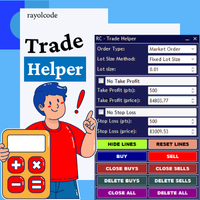
Fahmi Trade Manager is a fast, clean one-click trading panel that handles position sizing and trade management for you, so you can focus on your analysis.
Order execution
- One-click BUY / SELL with live prices on the buttons
- Automatic lot size based on risk % of balance, or fixed lot mode
- Stop loss in points and take profit by Reward:Risk ratio
- Live preview of lot size and money at risk before you enter
Bulk actions
- Close All / Close Buys / Close Sells
- Close Profitable / Close Losing positions
- Close 50% of every position
- Move all positions to breakeven in one click
Auto management (toggle on/off directly from the panel)
- Automatic breakeven with profit lock
- Trailing stop with start, distance and step settings
- Automatic partial close at a profit target
Account overview
- Spread, buy/sell positions and total volume
- Floating P/L, today's closed P/L, balance and equity
Compatibility
- Works on any symbol: forex, gold, indices, crypto
- Supports hedging and netting accounts
- Can manage only its own trades, or all trades on the symbol, including manual and mobile trades
- Built-in safety checks: free margin, volume limits, broker stop and freeze levels
Input parameters
- Lot sizing mode - Risk % of balance or fixed lot
- Risk % per trade - percentage of balance risked when risk mode is active
- Fixed lot - lot size used in fixed lot mode
- Stop loss (points) - default stop loss distance
- Take profit R:R - take profit as a multiple of the stop loss (0 = no take profit)
- Magic number - identifier for trades opened by the panel
- Max slippage (points) - maximum allowed slippage
- Confirm bulk close actions - asks for confirmation before closing positions
- Which trades to manage - only panel trades, or all trades on the chart symbol
- Auto breakeven / trigger / lock - moves stop loss to entry plus lock points after the trigger profit
- Auto trailing / start / distance / step - trails the stop loss once profit reaches the start level
- Auto partial close / trigger / volume % - closes part of the position once at the trigger profit
- Panel X / Y and colors - panel position and appearance
Note: In the Strategy Tester the panel opens sample trades so you can see the management features in action. On a live chart it only trades when you click the buttons.