WHAT IT DOES
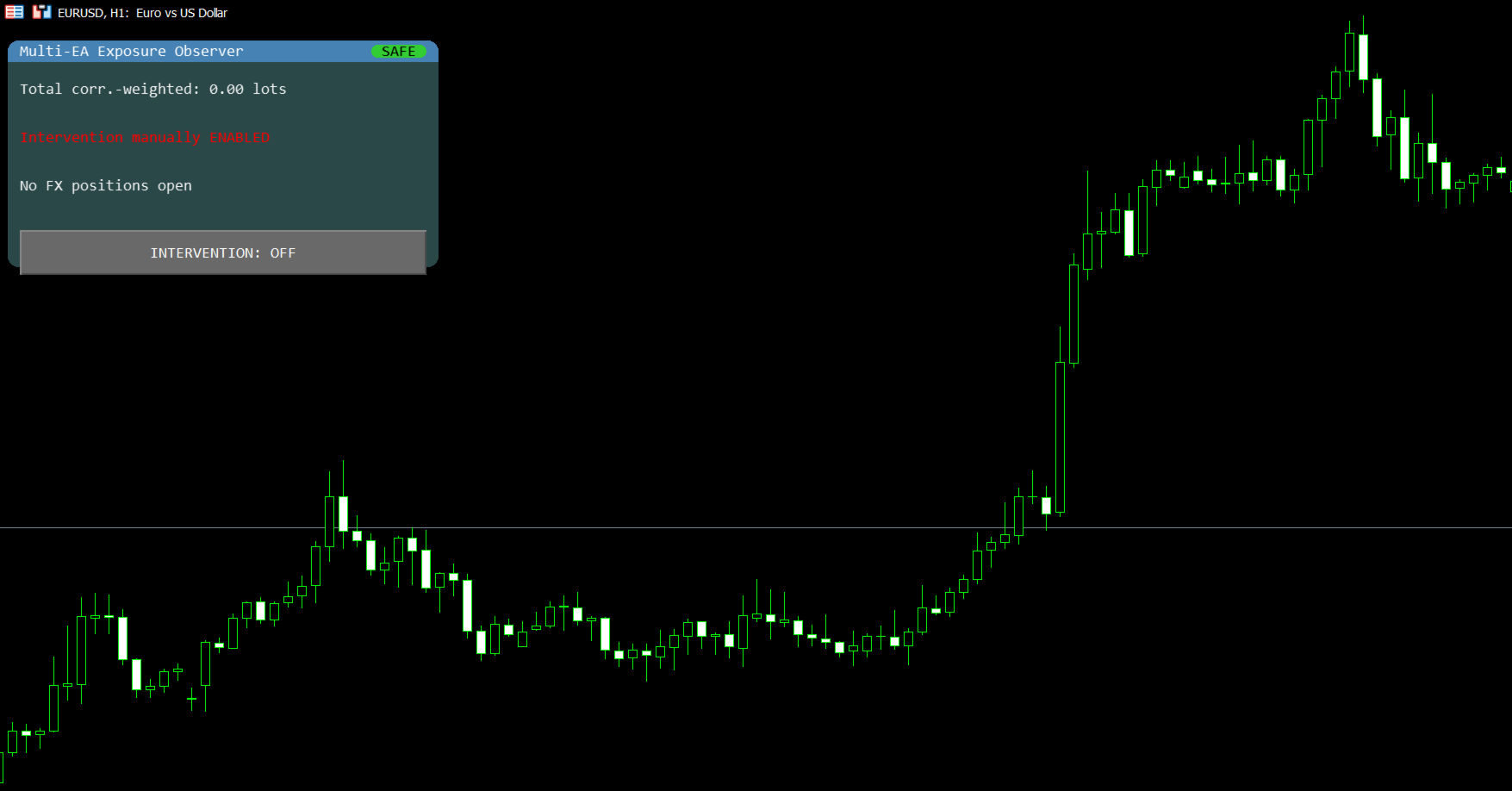
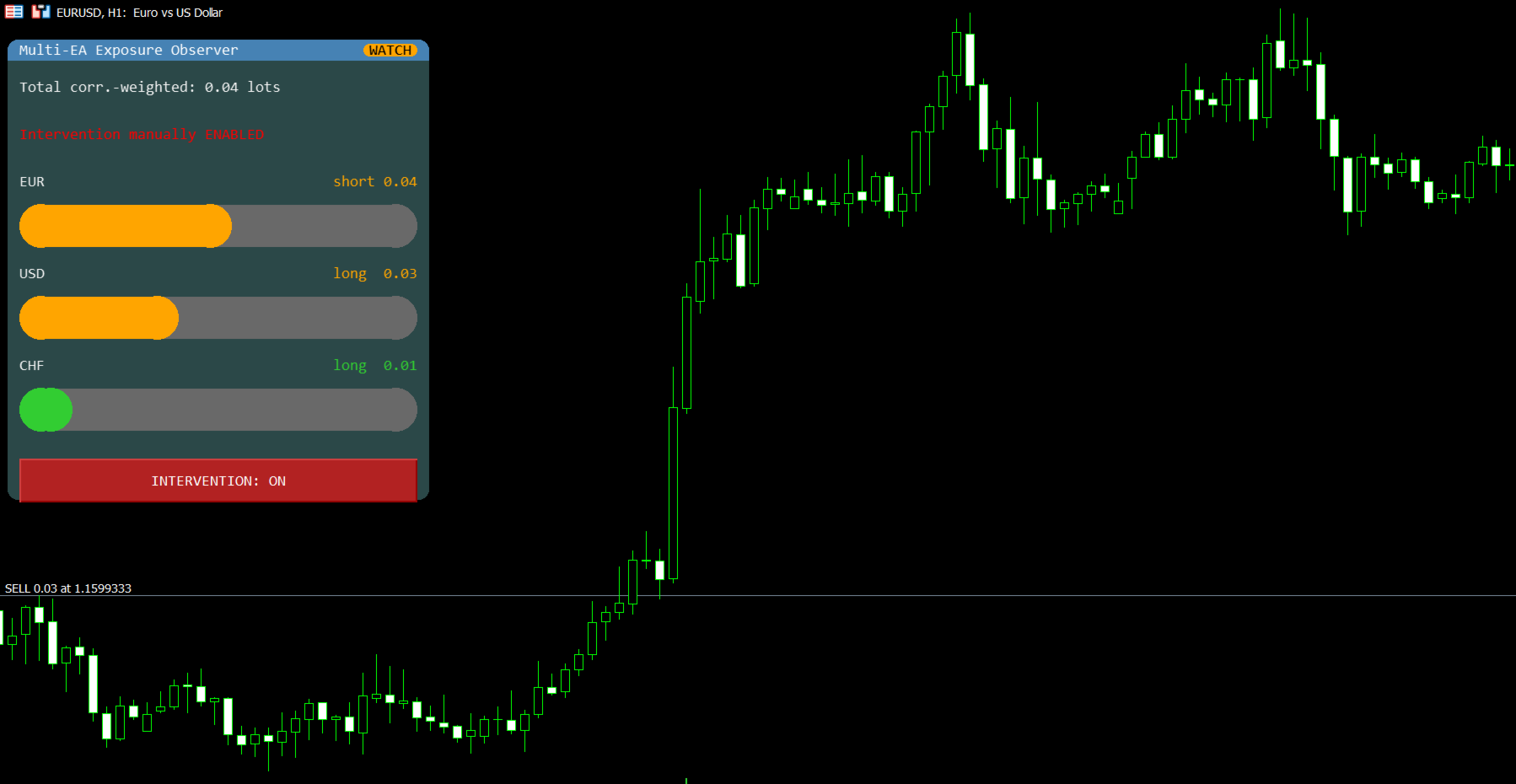
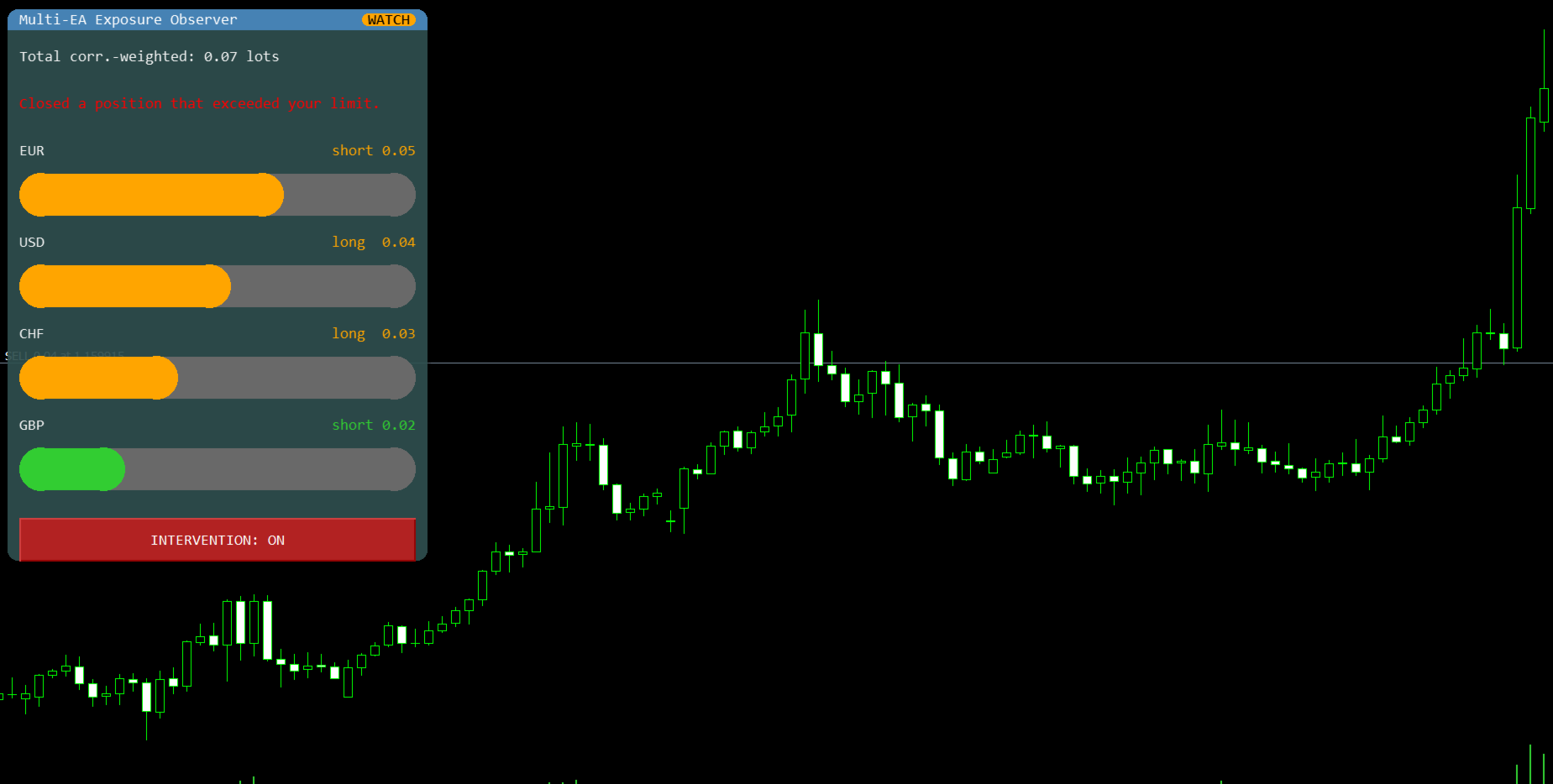
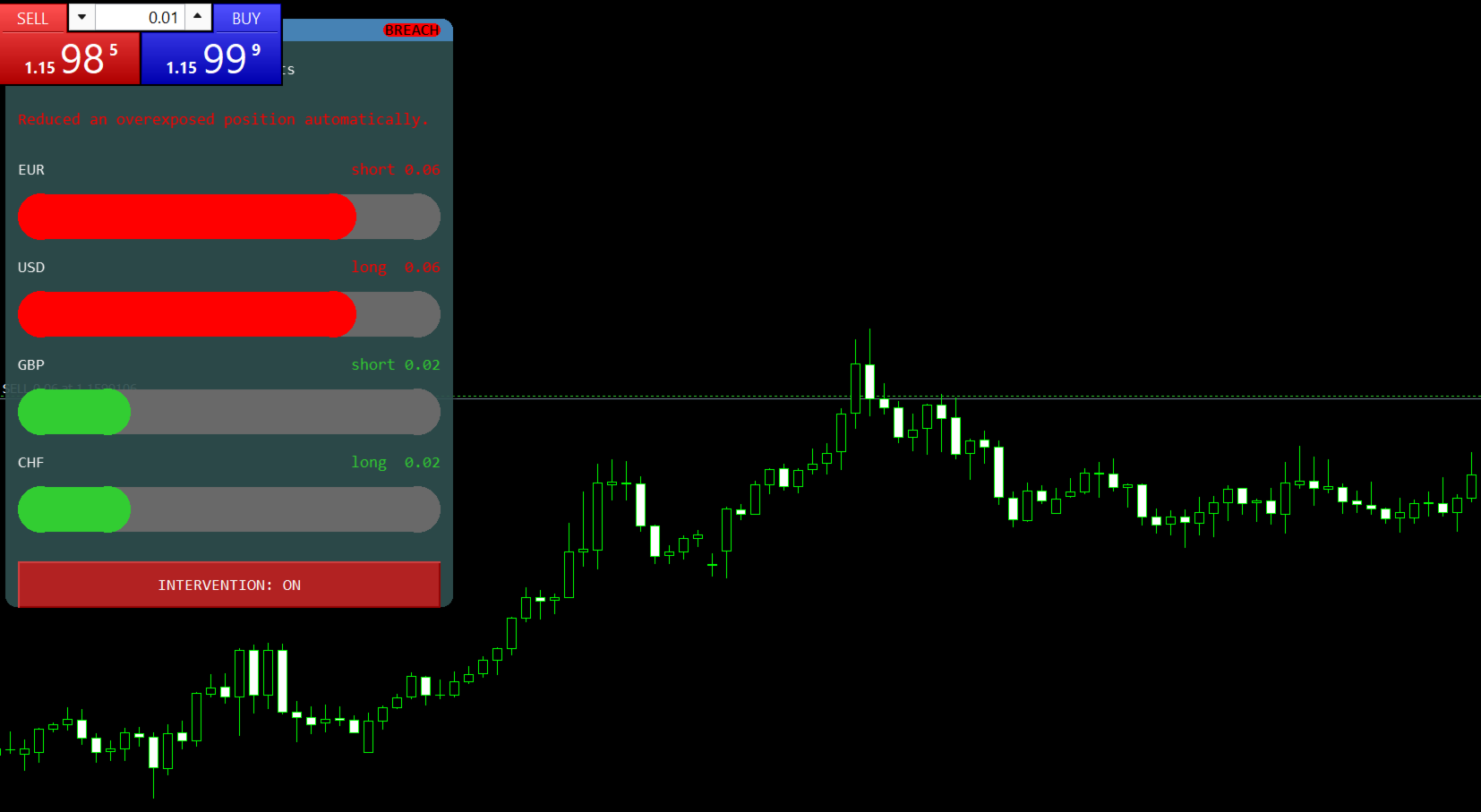
This tool watches every open position on your account, no matter which EA opened it. It adds up your real exposure per currency (for example, how much EUR or USD you are net long or short) and shows it in a clear on-chart panel with a simple status badge (Safe / Watch / Breach). If one currency goes above a limit you set, the tool can automatically reduce the position that caused it - this feature is OFF by default and must be turned on by you.
WHO IT'S FOR
Traders who run more than one EA on the same account and want to see their combined risk, not just what each EA reports on its own.
KEY FEATURES
- Live panel with a Safe / Watch / Breach status badge and a bar per currency, sorted by size
- Works across all EAs and manual trades on the account (not tied to one Magic Number)
- Optional automatic partial-close when a currency exceeds your set limit (off by default)
- Exempt list: choose Magic Numbers that should never be touched by automatic actions
- Cooldown timer to avoid repeated actions in a short time
- Full activity log saved to a CSV file, with a plain-language status line on the panel itself
- On/off switch directly on the chart panel
- Panel stays compact even with many currencies open (shows the worst ones, summarizes the rest)
PARAMETERS OVERVIEW
All values below are input parameters - change them anytime to fit your account size and risk tolerance.
- Per-currency warning/trigger: exposure limit per currency, in lots (default 0.05)
- Total warning threshold: display-only overall limit (default 0.1)
- Enable intervention: master switch for automatic action (default: false / off)
- Exempt Magic Numbers: positions never auto-closed (default: empty)
- Cooldown seconds: wait time between actions per currency (default: 5)
- Max visible currencies: how many rows to show before summarizing the rest (default: 6)
- Symbol suffix: strip a broker suffix such as ".m" (default: empty)
REQUIREMENTS
- MetaTrader 5
- Automatic intervention currently supports NETTING accounts only (detected automatically; hedging accounts run in observation mode only, with no automatic action)
- Only standard 6-letter symbol names are read (e.g. EURUSD, XAUUSD). Other instruments are displayed as not monitored.
- "Allow Algo Trading" must be enabled in the terminal for the automatic feature to work
KNOWN LIMITATION
On netting accounts, if a position on the same symbol is merged with trade from a different (non-exempt) source, MetaTrader may reassign the Magic Number of the resulting net position. The exempt list is reliable
as long as no other non-exempt EA or manual trade works the same symbol. This is a platform behavior, not a tool defect.
ACTIVE DEVELOPMENT
This tool is actively developed. Future updates are free for everyone who purchased it, and I plan to keep improving it based on real user feedback (for example: broker compatibility, hedging account support).
⚠ TEST ON A DEMO ACCOUNT FIRST.
This tool can automatically close or reduce trading positions when enabled. Test the automatic intervention feature on a demo account before using it on a live account, and always understand the threshold and exemption settings before enabling it on funds you cannot afford to lose.