
SFRecovery EA
- 专家
- 版本: 3.32
- 更新: 5 十月 2026

SFRecovery EA - 免费的 MT5 回撤恢复管理器,在每个周期开始之前先计算最坏情况。
任何网格或恢复型 EA 都能对亏损篮子加仓摊平,但几乎没有一个能回答启动时唯一重要的问题:"如果情况变坏,我最多会亏多少?" SFRecovery 在每个周期开始前,用即将交易的同一网格引擎计算这个数字,显示在面板、日志和 Telegram 中,并且当最坏情况超过您设定的净值比例时可以拒绝启动。
100% 免费 - 完整版
所有功能全部解锁。无时间限制、无订阅、无付费版本、无追加销售。先在策略测试器中测试,再用同一个文件在真实账户上运行。
它拯救您的持仓 - 自身没有交易策略
SFRecovery 没有入场信号。把它加载到一个图表上,它会监控您在该品种上选择的持仓:手动交易、其他 EA(按 magic 号,或用 "*" 表示全部)以及 webhook 机器人。当这些持仓进入回撤时,它接管整个篮子 - 加仓摊平、部分平仓或对冲锁仓 - 直到以保本加上您的目标退出。入场由您的策略负责;SFRecovery 负责控制损失。
v3.32 新功能(2026 年 10 月)
- 整个账户的最坏情况:当 EA 运行在多个图表上时,每个面板显示所有运行实例的总和,并可设置账户级别的上限
- 网格保证金预测:看清爆仓(stop-out)是否可能在最坏情况之前到来
- 保护在重新加载后依然有效:切换周期、重启 VPS 或更新终端,不再重置净值峰值,不再唤醒已停止的 EA,也不再清除当日停止
- 多行 Telegram 警报恢复送达(当日停止、熔断、绝对平仓、最大亏损)
- OBSERVE 模式:每个完成的周期写入一行 CSV,用您自己的数据进行校准
先设置亏损上限
使用默认参数时,金额硬上限和绝对平仓都是关闭的:只有熔断机制在保护您,而它在每次冷却后会重新启用,因此连续多次止损的亏损可能累加。实盘前请设置 "Hard kill $" 和 "Absolute close %",或加载任一预设 - 所有预设都已开启这两个上限。启动时打印的配置摘要会把每个触发条件和每个上限标为 ON 或 OFF。
5 分钟上手试用
打开策略测试器,在任意品种上运行。在测试器中,"Auto-open losing trades in tester"(默认开启)会让 EA 随机开仓,方便您观看完整的恢复周期。这些开仓是随机的:只展示管理器的行为,并非策略结果。在可视化模式下也可以使用图表上的交易面板。该选项在真实账户上不起任何作用。
您始终能看到
- 以金额和净值百分比表示的最坏情况,包括本图表以及您所有 SFRecovery 图表的合计
- 完整网格将占用的保证金,以及之后剩余的可用保证金
- 当前亏损与触发周期的确切条件对比,以及每个周期的触发原因
- 日志中每次退出都有标签:篮子止盈、部分平仓、防停滞、最大亏损、熔断、绝对平仓
保护体系
- 3 级熔断:减少手数、停止加仓、全部平仓 + 冷却
- 篮子的金额硬性亏损上限
- 从真实净值峰值计算的绝对平仓:全部平仓并彻底停止
- 平仓范围 + halt guard:保护性停止还可以平掉同一品种或整个账户上其他 EA 的交易,并在停止期间持续平掉它们新开的仓位。MT5 不允许一个 EA 关闭另一个 EA;这是可执行的等效方案
- 按图表和按账户的最坏情况过滤:超过您风险上限的周期一律不启动(可选)
- 每日净值止损及 N 次止损后当日停止,适用于自营公司(prop firm)规则
- 退出成本缓冲、敞口上限、点差和隔夜过滤
恢复方式
- 加仓网格:固定间距、ATR 或卡尔曼滤波
- 交叉部分平仓:篮子在周期中逐步缩小
- LOCK_FIRST / LOCK_DRAIN:用反向锁仓冻结亏损(对冲账户)
- ZONE 双向和 CONTROL 模式:在行情两侧同时运作,或在达到您的回撤阈值时接管该品种的全部持仓
通用
金额目标会根据品种和您的净值自动缩放;面板显示当前使用的比例。适用于金属、外汇、指数、加密货币和大宗商品。
快速开始
1. 每个品种加载到一个图表。2. 选择监控对象(0 = 手动交易、magic 号,或 "*" = 该品种的所有持仓)。3. 加载 v3.32 预设或设置您的触发条件。4. 检查金额上限和绝对平仓。5. 在"专家"日志中查看配置摘要。第一笔加仓单在启动时开出,这是设计使然;青色线是篮子的保本价,不是止损。
官网完整指南(英文)
产品页面: https://www.signalforge-ai.com/sf-recovery/
参数手册: https://www.signalforge-ai.com/sf-recovery/manual/
分步安装指南: https://www.signalforge-ai.com/blog/recovery-ea-setup/
v3.32 预设 (.zip): https://www.signalforge-ai.com/downloads/SFRecovery_v3.32_XAUUSD_Sets.zip
预设、手册与支持
用户手册、为每种恢复方式校准好的 .set 预设以及更新日志都在本页面的"评论"标签中。问题和错误报告也请发在那里。如果 SFRecovery 对您有帮助,一条真实的评价能帮助其他交易者做决定。
坦诚说明局限
这是一个持仓管理器,不是交易系统:它没有入场信号,也不会把亏损策略变成盈利策略。加仓摊平会把许多小亏损变成次数更少但更大的亏损,所以要先设置上限。ZONE 和 CONTROL 因两侧同时运作,会增加敞口和隔夜利息成本。过去的测试不保证未来的结果:请在模拟账户上用您计划使用的确切手数进行测试。
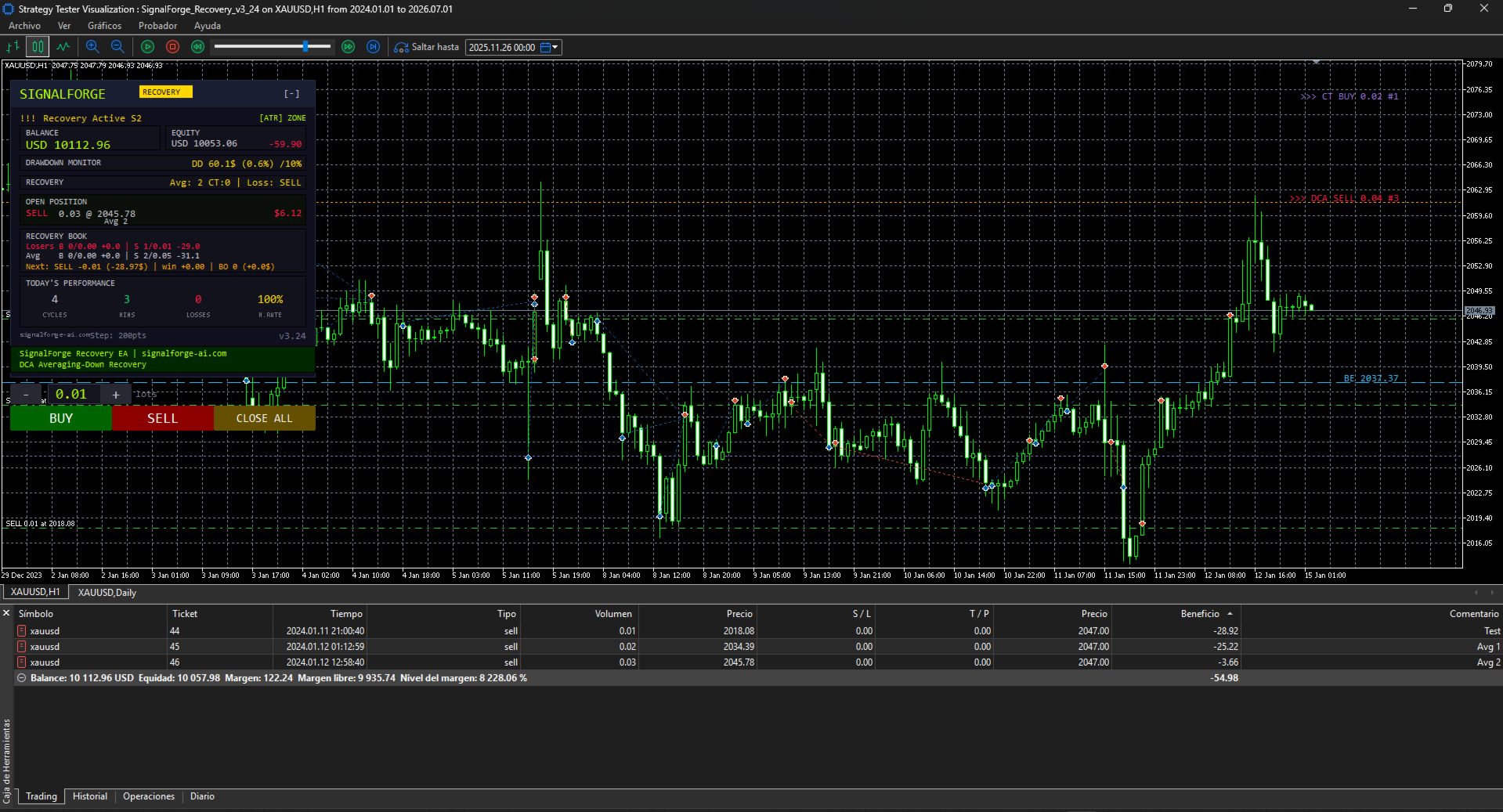
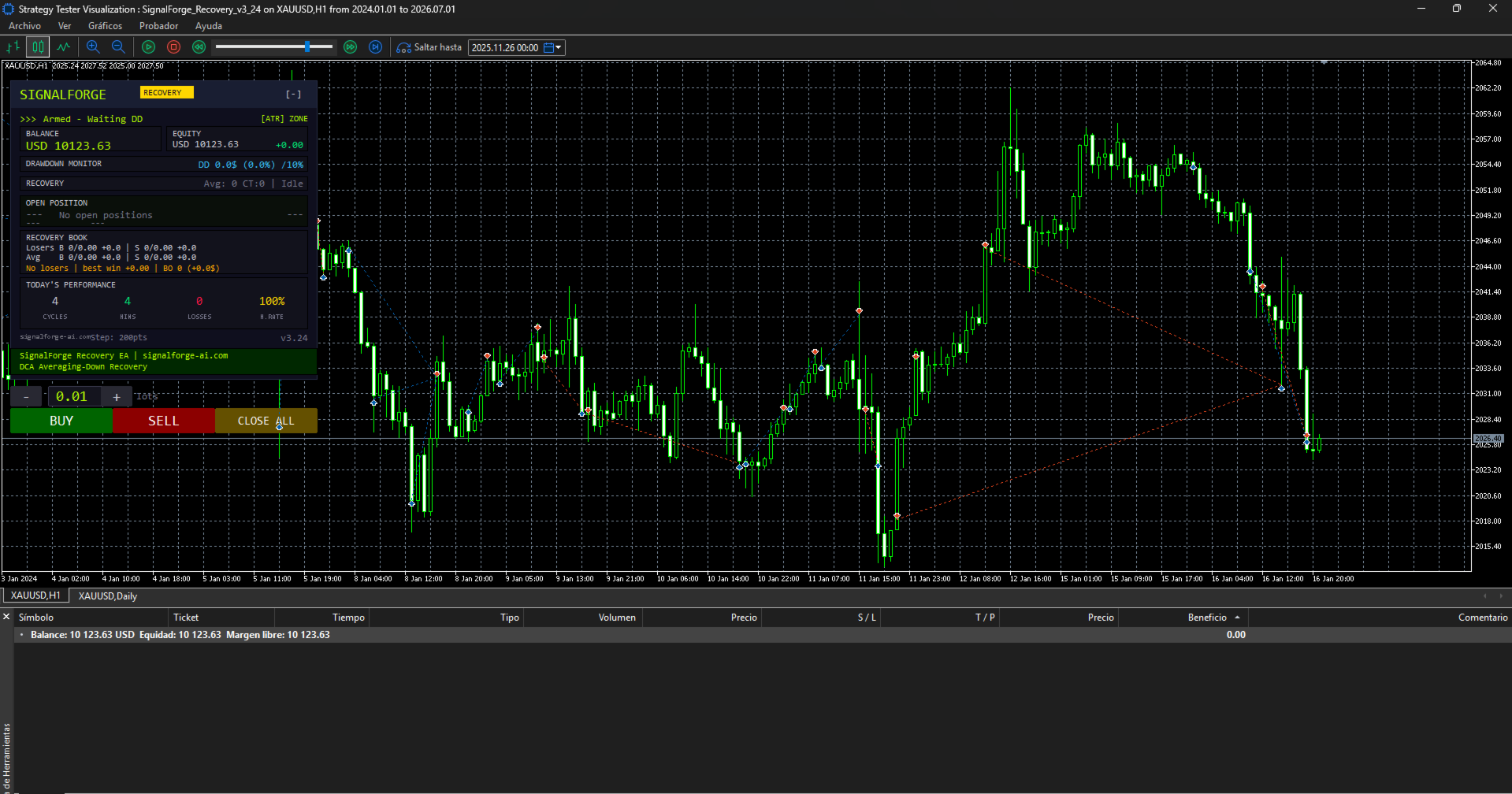
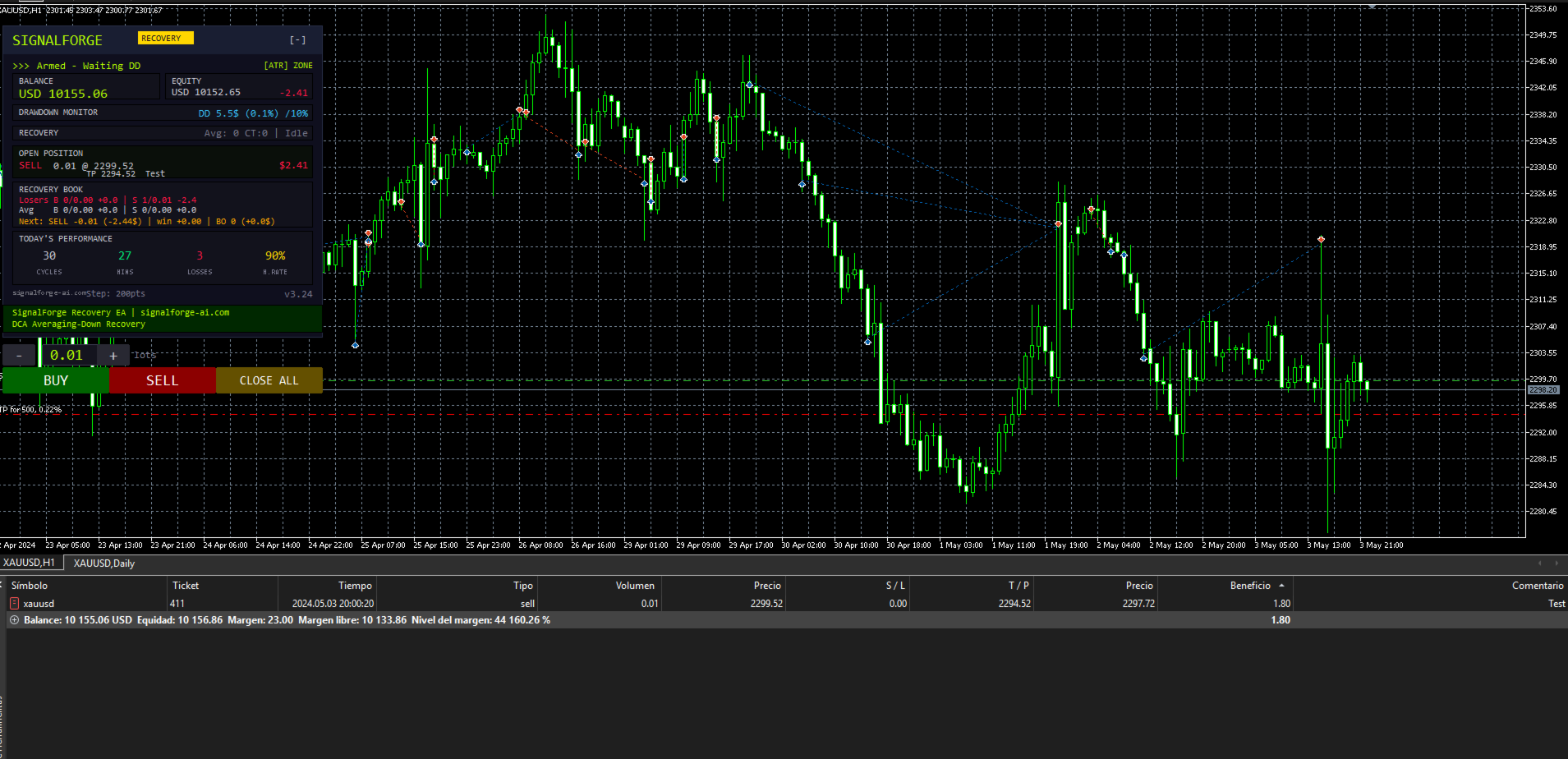





























Unfortunately, the EA does not behave as it should. During my testing, even when using the set files provided by the developer, the EA repeatedly burns through the account, either gradually or all at once. I contacted the developer/support to try to understand what was happening. However, instead of properly addressing the issue, I was told that I was an “odd” person and that the problem was somehow my fault. I have done nothing unusual. I simply tested the EA using all of the files and set files provided by the developer, and the EA behaved in essentially the same way with all of them: it opens positions and closes them at significant losses without any clear reason, or continues operating until the account is completely wiped out. The developer first called me “odd” and then told me that a new version would be released this weekend. In my opinion, an EA of this type should be thoroughly tested before being sold, especially when customers are expected to use the provided settings. And regardless of technical issues, customers should be treated respectfully and should not be insulted when they report a problem. Unfortunately, my experience so far has been very disappointing.
Edit:
I can understand the confusion regarding the word “odd”, but the fact remains that the EA does not work as it should with any of the provided set files, and even with the default settings.
From my experience, the EA is currently unusable. I have tested it with the settings provided and tried different configurations, but the behaviour remains the same.
Unfortunately, at this point, I feel that I have simply wasted my money.
I will Update if anything changes with new release!
It was a count, never a description of you. I understand it read
differently, and that is my wording's fault, not your reading. I am sorry
for it. On the EA: SFRecovery has no entry signal. The extra positions are its
averaging grid, and the "BE" line on the chart is a display of the basket
break-even price - not a stop, and not tied to the DD% input. This weekend I am releasing the new version. It adds a pre-flight that calculates the maximum loss of a full grid before
every cycle and can refuse a launch above the risk limit you set. If you send me the set and the period you tested, I will reproduce your run
and answer with facts instead of opinions. Thank you for your patience.