
SFRecovery EA
- Experts
-
Benjamin Sanchez Parra
 Fundador de SignalForge AI
Herramientas inteligentes de trading que conectan TradingView con MetaTrader 5. - Version: 3.32
- Mise à jour: 5 octobre 2026
SFRecovery EA - gestionnaire de récupération de drawdown GRATUIT pour MT5 qui calcule son pire scénario AVANT le début de chaque cycle.
N'importe quel EA de grid ou de recovery peut moyenner un panier perdant. Très peu savent répondre à la seule question qui compte au lancement : "si ça tourne mal, combien puis-je perdre ?" SFRecovery le calcule avant chaque cycle, avec le même moteur de grid que celui qui va trader, l'affiche sur le panneau, dans le journal et sur Telegram, et peut refuser de lancer quand le pire scénario dépasse la part d'equity que vous fixez.
100% GRATUIT - VERSION COMPLÈTE
Toutes les fonctions débloquées. Pas de limite de durée, pas d'abonnement, pas de version payante, pas d'upsell. Testez-le dans le Strategy Tester et utilisez-le sur votre compte réel avec le même fichier.
IL SAUVE VOS POSITIONS - IL N'A PAS DE STRATÉGIE PROPRE
SFRecovery n'a aucun signal d'entrée. Placez-le sur un graphique et il surveille les positions que vous choisissez sur ce symbole : trades manuels, autres EAs (par magic number, ou "*" pour tous) et bots webhook. Quand elles passent en drawdown, il prend en charge le panier - moyennage, clôtures partielles ou lock de couverture - et le mène jusqu'au break-even plus votre objectif. Votre stratégie trouve les entrées ; SFRecovery limite les dégâts.
NOUVEAU EN v3.32 (OCTOBRE 2026)
- Pire scénario sur tout le compte : avec l'EA sur plusieurs graphiques, chaque panneau affiche la SOMME de toutes les instances actives, avec une limite optionnelle au niveau du compte
- Projection de marge de la grille : voyez si un stop-out peut arriver avant le pire scénario
- Les protections survivent aux rechargements : un changement d'unité de temps, un redémarrage du VPS ou une mise à jour du terminal ne réinitialise plus le pic d'equity, ne relance plus un EA arrêté et n'efface plus l'arrêt journalier
- Les alertes Telegram sur plusieurs lignes sont de nouveau livrées (arrêt journalier, circuit breaker, clôture absolue, perte max)
- Mode OBSERVE : une ligne CSV par cycle terminé, pour calibrer avec vos propres données
RÉGLEZ D'ABORD LES PLAFONDS DE PERTE
Avec les inputs par défaut, le plafond de perte en argent et la clôture absolue sont DÉSACTIVÉS : seul le circuit breaker vous protège, et il se réarme après chaque cooldown, donc plusieurs stops successifs peuvent s'additionner. Avant de passer en réel, réglez "Hard kill $" et "Absolute close %", ou chargez l'un des presets - ils sont tous livrés avec les deux plafonds ACTIVÉS. Le résumé de configuration affiché au démarrage indique chaque déclencheur et chaque plafond en ON ou OFF.
ESSAYEZ-LE EN 5 MINUTES
Ouvrez le Strategy Tester et lancez-le sur n'importe quel symbole. Dans le testeur, "Auto-open losing trades in tester" (activé par défaut) fait ouvrir à l'EA des trades aléatoires pour que vous voyiez des cycles de récupération complets. Ces entrées sont aléatoires : elles montrent le comportement du gestionnaire, pas le résultat d'une stratégie. En mode visuel, vous pouvez aussi trader depuis le pad du graphique. L'option n'a aucun effet sur un compte réel.
CE QUE VOUS VOYEZ, TOUJOURS
- Pire scénario en argent et en % de l'equity, pour ce graphique et cumulé sur tous vos graphiques SFRecovery
- Marge que bloquerait la grille complète et marge libre restante ensuite
- La perte en direct face au déclencheur exact qui lance un cycle, et la raison de chaque lancement
- Chaque sortie étiquetée dans le journal : TP du panier, partielle, anti-stagnation, perte max, circuit breaker, clôture absolue
DISPOSITIF DE PROTECTION
- Circuit breaker à 3 niveaux : réduit les lots, stoppe les ajouts, clôture tout + cooldown
- Plafond de perte en argent sur le panier
- Clôture absolue depuis le vrai pic d'equity : clôture tout et s'arrête définitivement
- Portée du kill + halt guard : un stop de protection peut aussi clôturer les trades d'autres EAs sur le symbole ou le compte, et continue de fermer ce qu'ils ouvrent pendant l'arrêt. MT5 ne permet pas à un EA d'en désactiver un autre ; c'est l'équivalent applicable
- Filtre de pire scénario par graphique et par compte : aucun cycle ne démarre au-dessus de votre limite de risque (optionnel)
- Stop journalier sur l'equity et arrêt de la journée après N stops, pour les règles des prop firms
- Marge pour coûts de sortie, plafond d'exposition, filtres de spread et de rollover
STYLES DE RÉCUPÉRATION
- Grille de moyennage : pas fixe, ATR ou filtre de Kalman
- Clôtures partielles croisées : le panier diminue pendant le cycle
- LOCK_FIRST / LOCK_DRAIN : gèle la perte avec un lock opposé (comptes hedging)
- ZONE double sens et mode CONTROL : travaille les deux côtés du mouvement, ou prend en charge tout le carnet du symbole à votre seuil de drawdown
UNIVERSEL
Les objectifs en argent s'ajustent seuls au symbole et à votre equity ; le panneau affiche l'échelle utilisée. Métaux, forex, indices, crypto et matières premières.
DÉMARRAGE RAPIDE
1. Placez-le sur un graphique par symbole. 2. Choisissez quoi surveiller (0 = trades manuels, magic numbers, ou "*" = toutes les positions du symbole). 3. Chargez un preset v3.32 ou réglez votre déclencheur. 4. Vérifiez le plafond en argent et la clôture absolue. 5. Lisez le résumé de configuration dans le journal Experts. Le premier ordre de moyennage s'ouvre au lancement, par conception ; la ligne cyan est le prix de break-even du panier, pas un stop.
GUIDES COMPLETS SUR NOTRE SITE (EN ANGLAIS)
Page du produit: https://www.signalforge-ai.com/sf-recovery/
Manuel des paramètres: https://www.signalforge-ai.com/sf-recovery/manual/
Installation pas à pas: https://www.signalforge-ai.com/blog/recovery-ea-setup/
Presets v3.32 (.zip): https://www.signalforge-ai.com/downloads/SFRecovery_v3.32_XAUUSD_Sets.zip
PRESETS, MANUEL ET SUPPORT
Le manuel utilisateur, les presets .set calibrés pour chaque style de récupération et le changelog se trouvent dans l'onglet Commentaires de cette page. Questions et bugs, également là. Si SFRecovery vous est utile, un avis honnête aide les autres traders à décider.
LIMITES, EN TOUTE HONNÊTETÉ
C'est un gestionnaire de positions, pas un système de trading : il n'a pas de signal d'entrée et ne transformera pas une stratégie perdante en stratégie gagnante. Le moyennage transforme beaucoup de petites pertes en moins de pertes plus grosses ; c'est pourquoi les plafonds passent en premier. ZONE et CONTROL augmentent l'exposition et le coût du swap car les deux côtés travaillent en même temps. Les tests passés ne garantissent pas les résultats futurs : essayez-le sur un compte démo avec les tailles exactes que vous comptez utiliser.
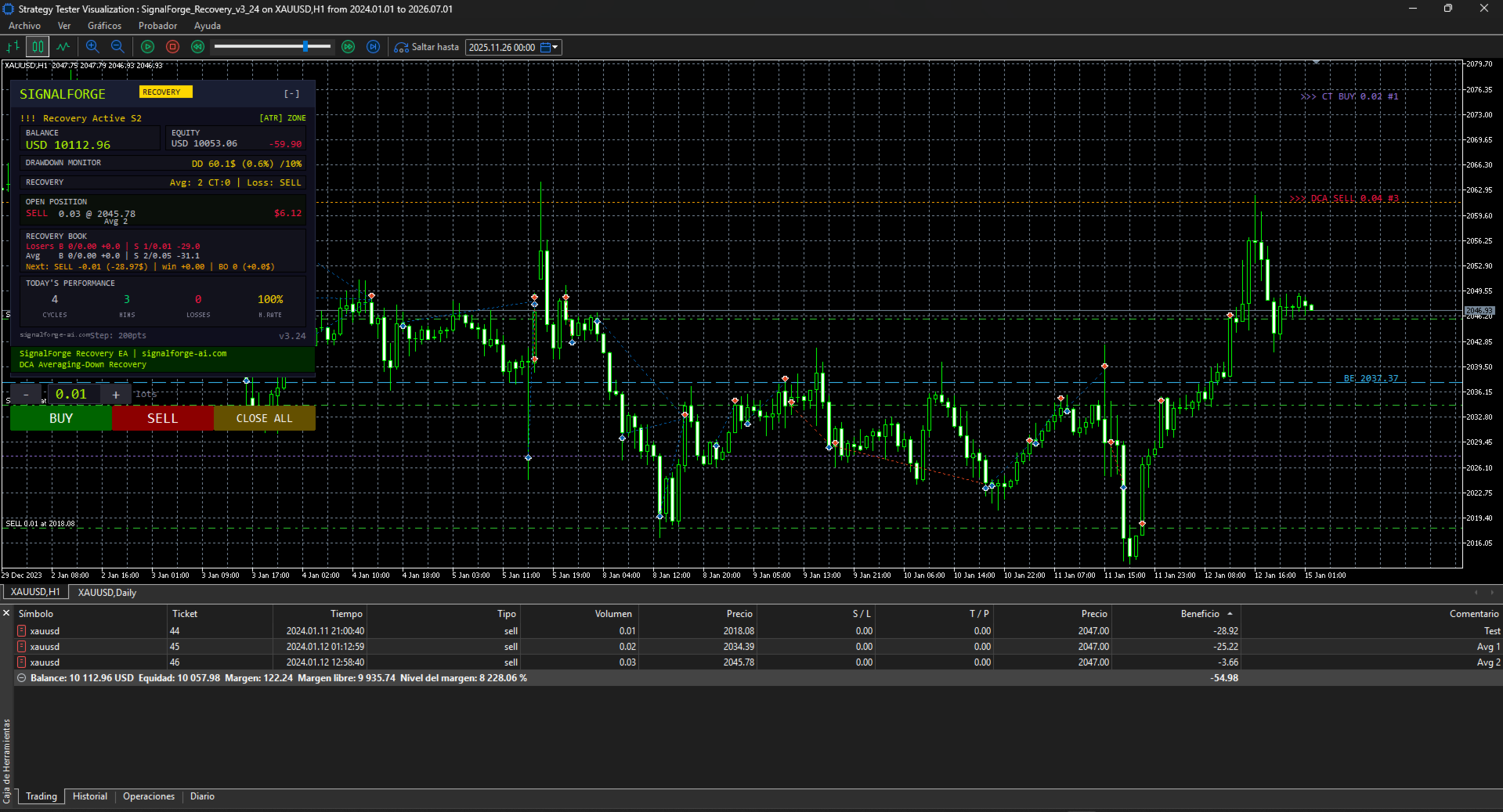
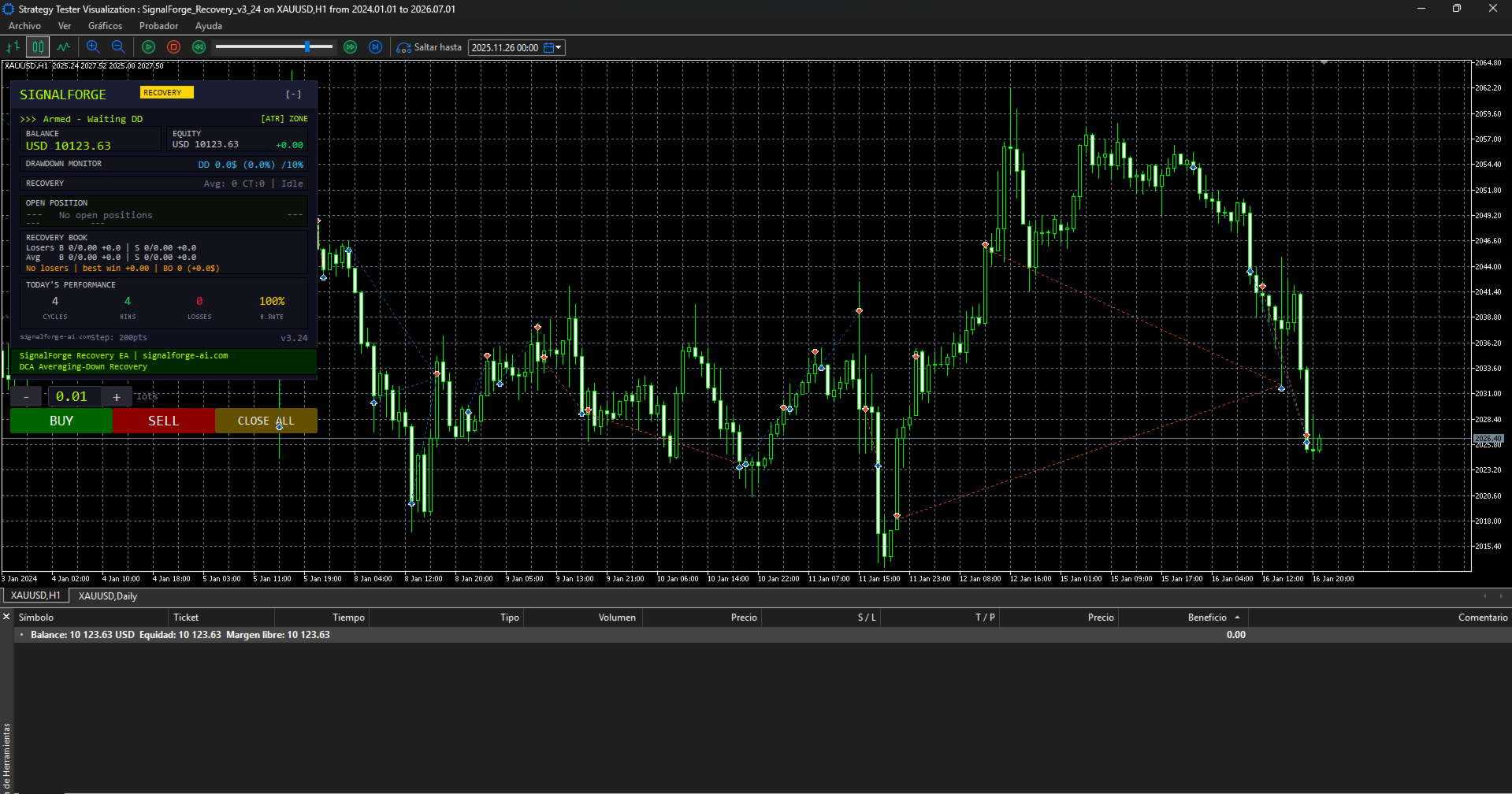
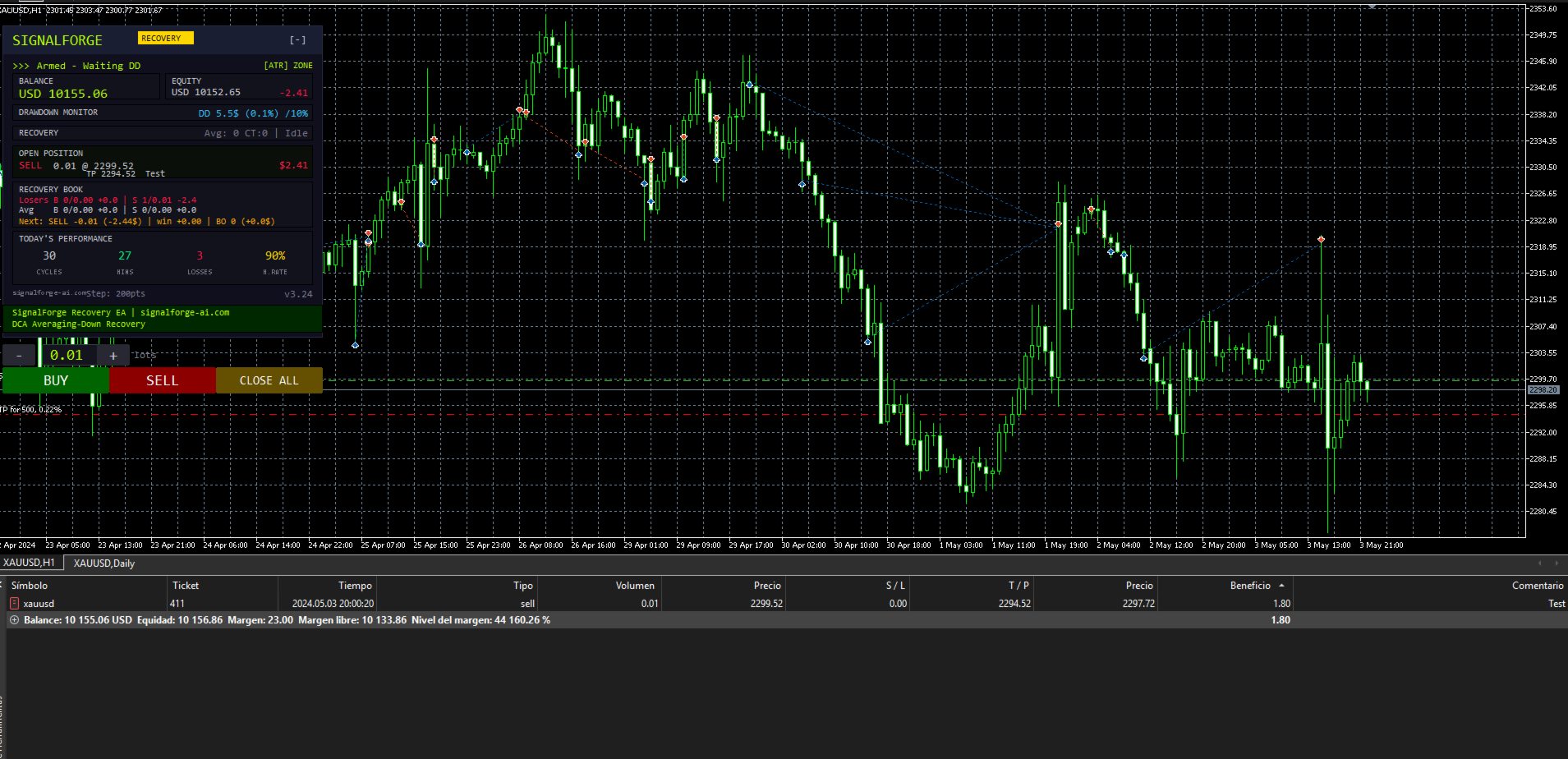
































Unfortunately, the EA does not behave as it should. During my testing, even when using the set files provided by the developer, the EA repeatedly burns through the account, either gradually or all at once. I contacted the developer/support to try to understand what was happening. However, instead of properly addressing the issue, I was told that I was an “odd” person and that the problem was somehow my fault. I have done nothing unusual. I simply tested the EA using all of the files and set files provided by the developer, and the EA behaved in essentially the same way with all of them: it opens positions and closes them at significant losses without any clear reason, or continues operating until the account is completely wiped out. The developer first called me “odd” and then told me that a new version would be released this weekend. In my opinion, an EA of this type should be thoroughly tested before being sold, especially when customers are expected to use the provided settings. And regardless of technical issues, customers should be treated respectfully and should not be insulted when they report a problem. Unfortunately, my experience so far has been very disappointing.
Edit:
I can understand the confusion regarding the word “odd”, but the fact remains that the EA does not work as it should with any of the provided set files, and even with the default settings.
From my experience, the EA is currently unusable. I have tested it with the settings provided and tried different configurations, but the behaviour remains the same.
Unfortunately, at this point, I feel that I have simply wasted my money.
I will Update if anything changes with new release!
It was a count, never a description of you. I understand it read
differently, and that is my wording's fault, not your reading. I am sorry
for it. On the EA: SFRecovery has no entry signal. The extra positions are its
averaging grid, and the "BE" line on the chart is a display of the basket
break-even price - not a stop, and not tied to the DD% input. This weekend I am releasing the new version. It adds a pre-flight that calculates the maximum loss of a full grid before
every cycle and can refuse a launch above the risk limit you set. If you send me the set and the period you tested, I will reproduce your run
and answer with facts instead of opinions. Thank you for your patience.