PrecisionRisk MT5
- 专家
- 版本: 1.23
- 更新: 26 五月 2026
- 激活: 5

Short Description
A clean MT5 risk manager and signal assistant with manual trade controls, optional auto-trading mode, risk-based lot calculation, EMA/RSI signals, breakeven, partial close, spread filter and safety controls.
Full Description
PrecisionRisk MT5 is a clean and practical trade management assistant for MetaTrader 5.
It is designed for traders who want better control over position sizing, trade execution and trade management directly from the chart. The tool combines a compact trading panel, risk-based lot calculation, EMA/RSI signal guidance, spread monitoring, manual trade controls, optional automatic trading mode and essential safety controls.
By default, PrecisionRisk MT5 works as a manual trade manager. It does not open trades by itself unless the optional automatic live/demo trading mode is enabled by the user. The trader remains in control and can manually decide whether to buy, sell, move a trade to breakeven, partially close a position or close all positions opened by the tool.
The optional auto-trading mode is designed for users who want the EA to act on its internal BUY / SELL signal logic. This mode is disabled by default and should only be enabled after testing and understanding the settings.
The signal assistant uses EMA and RSI logic to display market direction as BUY, SELL or WAIT. This is designed to support analysis and decision-making, not to guarantee any trading result.
PrecisionRisk MT5 is suitable for forex, gold and CFD traders who want a simple risk management assistant, a cleaner way to manage trades from the chart and optional signal-based automation.
Main Feature
- Compact chart panel
- Manual BUY and SELL buttons
- Optional automatic live/demo trading mode
- Risk-based lot calculation
- Hard maximum lot cap
- EMA 50 / EMA 200 trend signal
- RSI confirmation filter
- BUY / SELL / WAIT signal display
- Spread monitoring
- Automatic Stop Loss and Take Profit calculation
- Breakeven button
- Partial close button
- Close all positions opened by the tool
- Max open trades protection
- Daily loss protection
- Live / demo account detection
- Confirmation popups before trade actions
- Strategy Tester / Market validation compatible auto-test mode
How It Works
PrecisionRisk MT5 calculates trade volume based on the selected risk percentage, stop loss distance and account size. The calculated lot can also be limited with a hard maximum lot cap, which is useful during testing or conservative live usage.
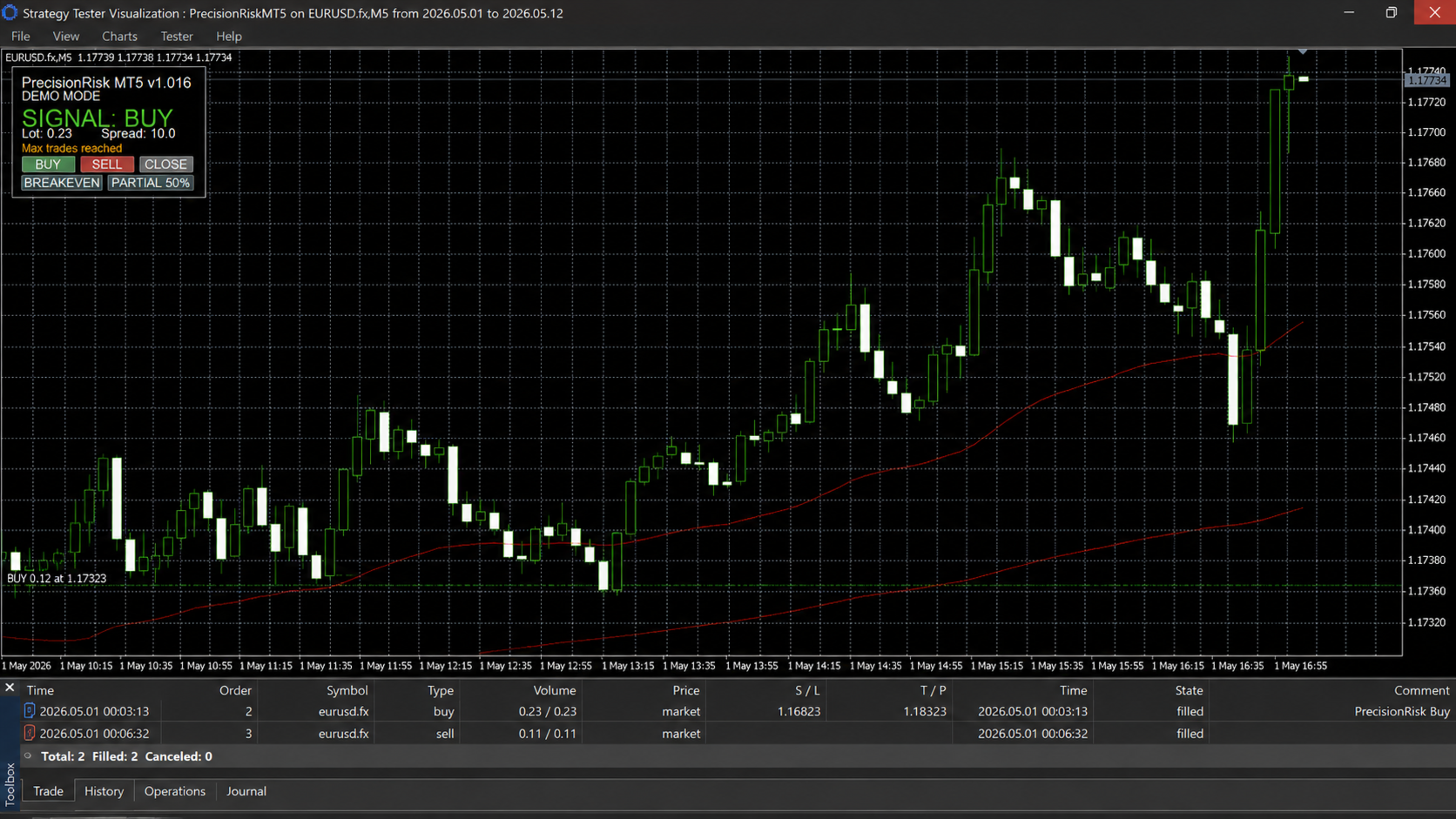
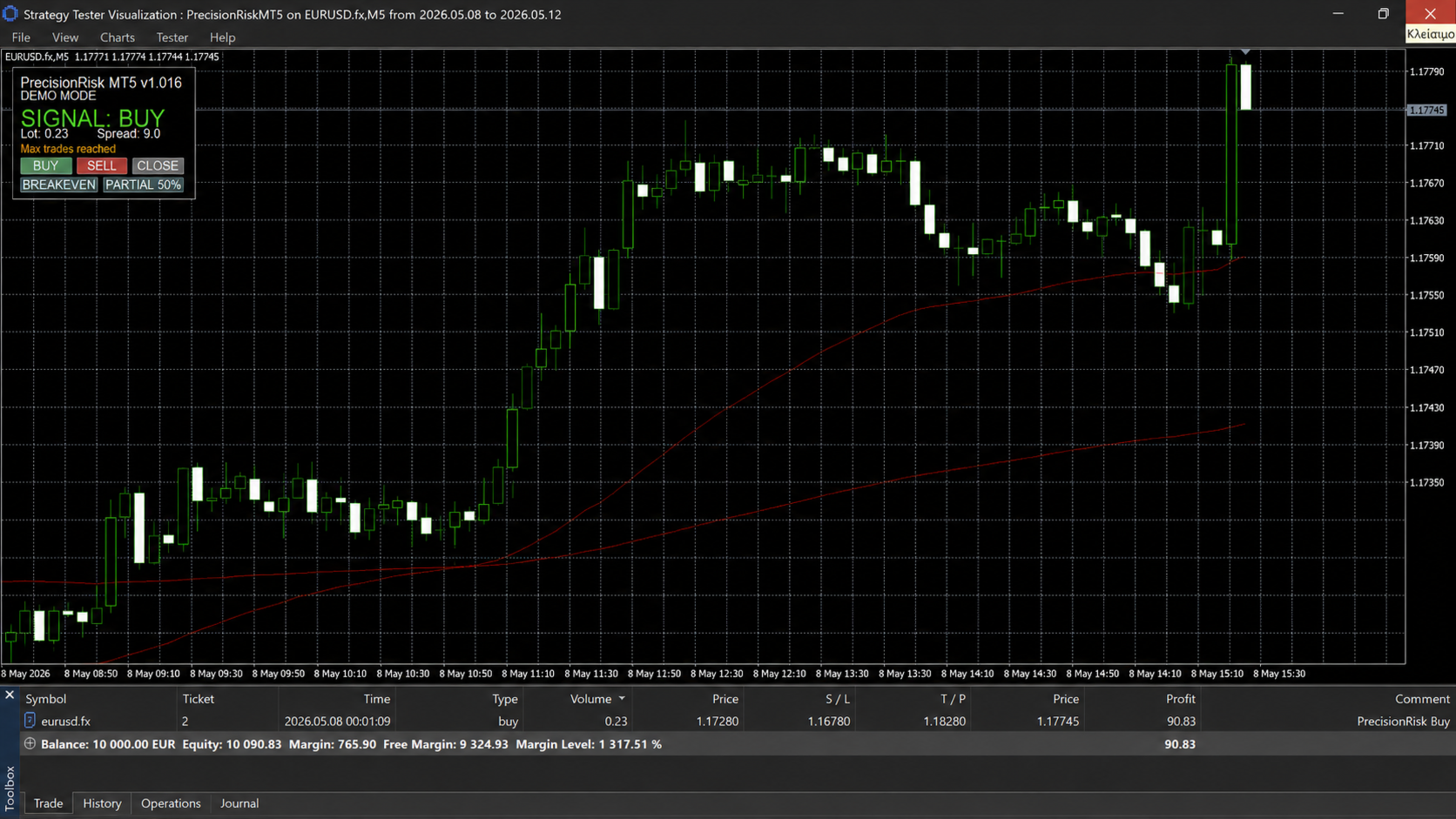
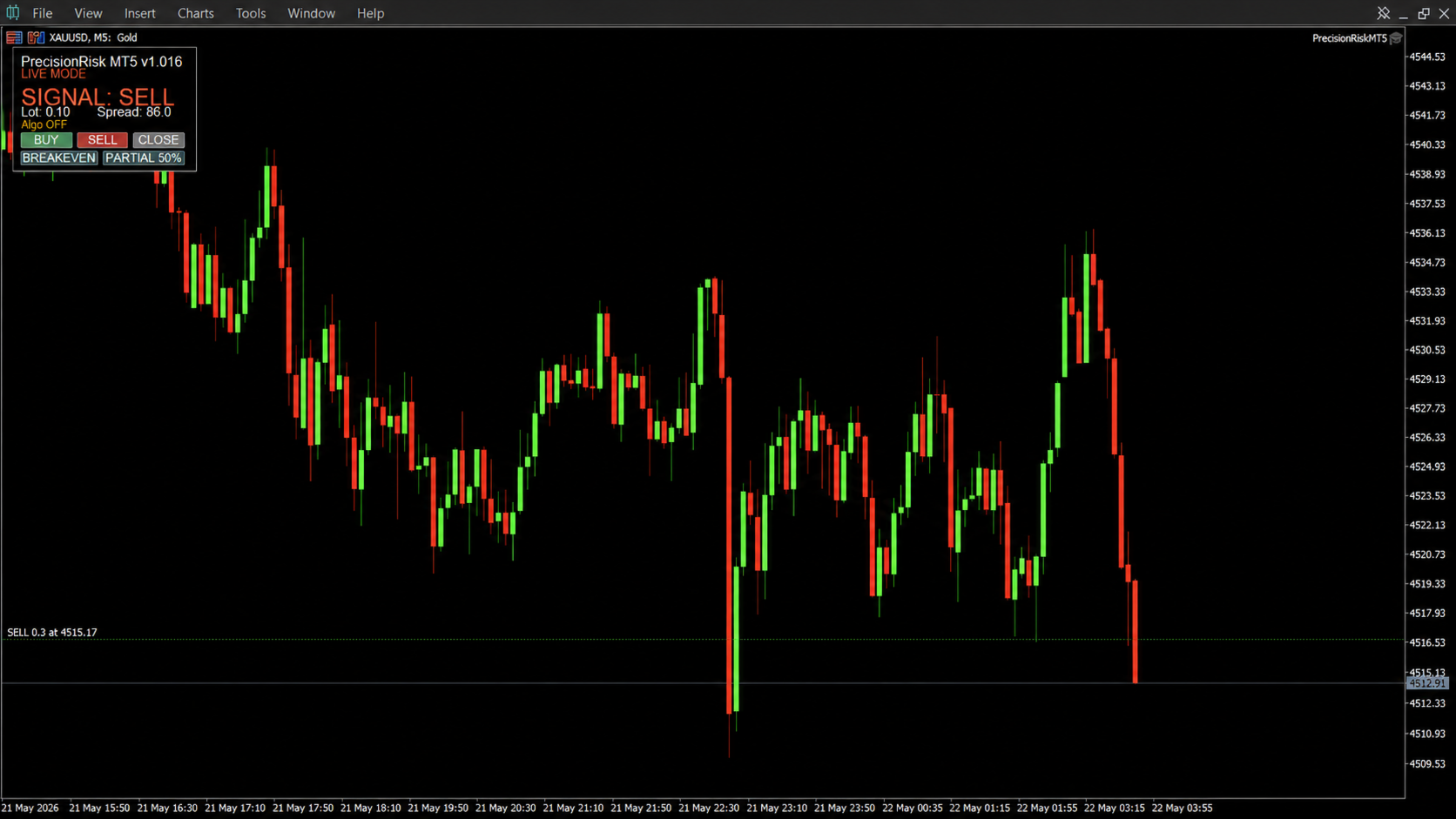
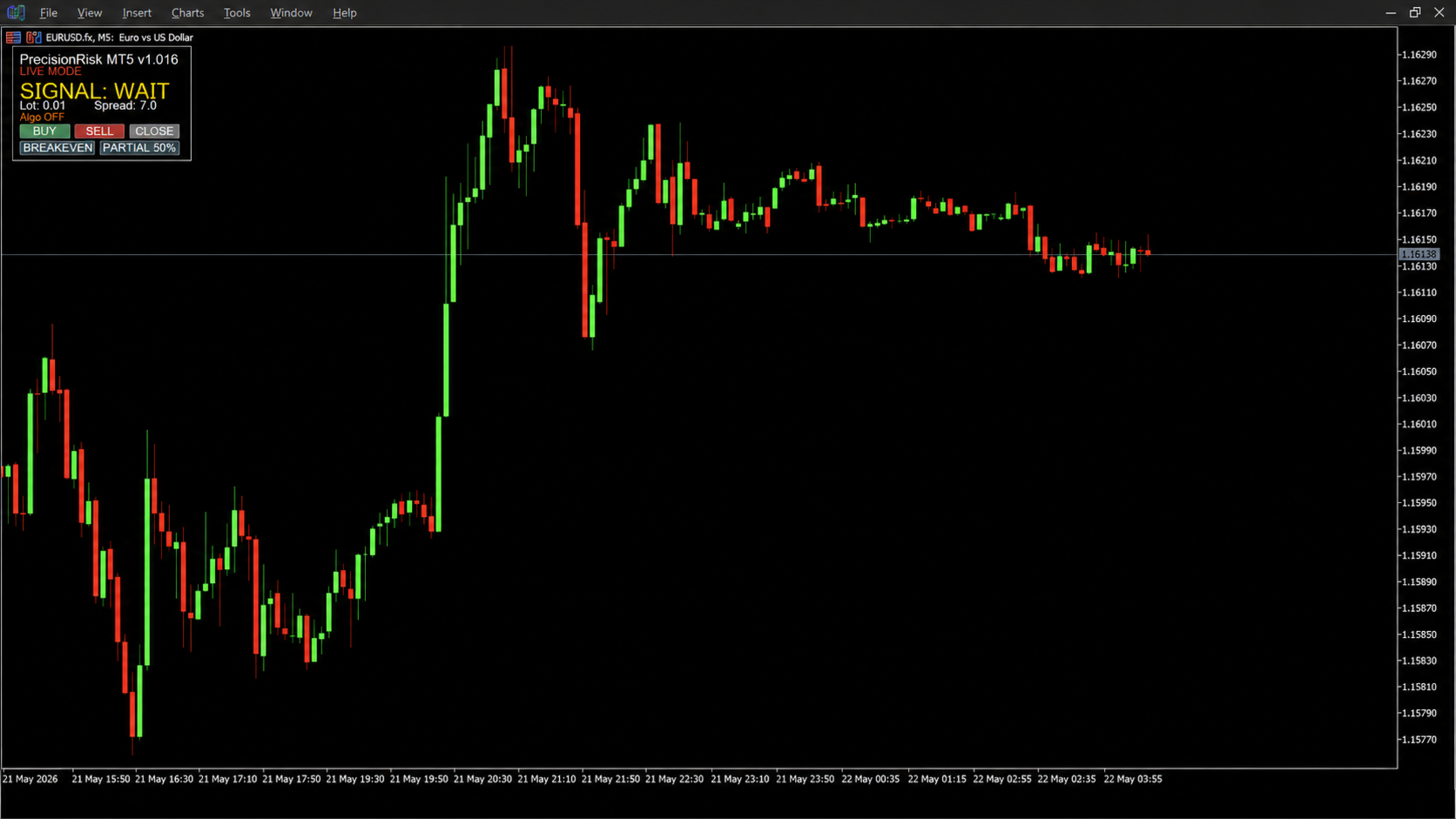
The panel displays the current signal, calculated lot, spread and trading status. When the trader chooses to open or manage a position, the tool can request confirmation before executing the action.
The signal assistant uses Fast EMA, Slow EMA and RSI.
Signal interpretation:
BUY: bullish trend and RSI confirmation
SELL: bearish trend and RSI confirmation
WAIT: no clear setup
When optional automatic trading is enabled, the EA can use the signal logic to open trades automatically, subject to the selected safety settings, spread filter, maximum open trades limit and daily loss protection.
Trade Management Tools
BUY / SELL:
Opens a market trade using the calculated lot size, stop loss and take profit.
BREAKEVEN:
Moves the stop loss close to breakeven when the trade has reached the required profit distance.
PARTIAL 50%:
Closes part of the open position according to the selected partial close percentage.
CLOSE:
Closes positions opened by the tool on the current symbol and magic number.
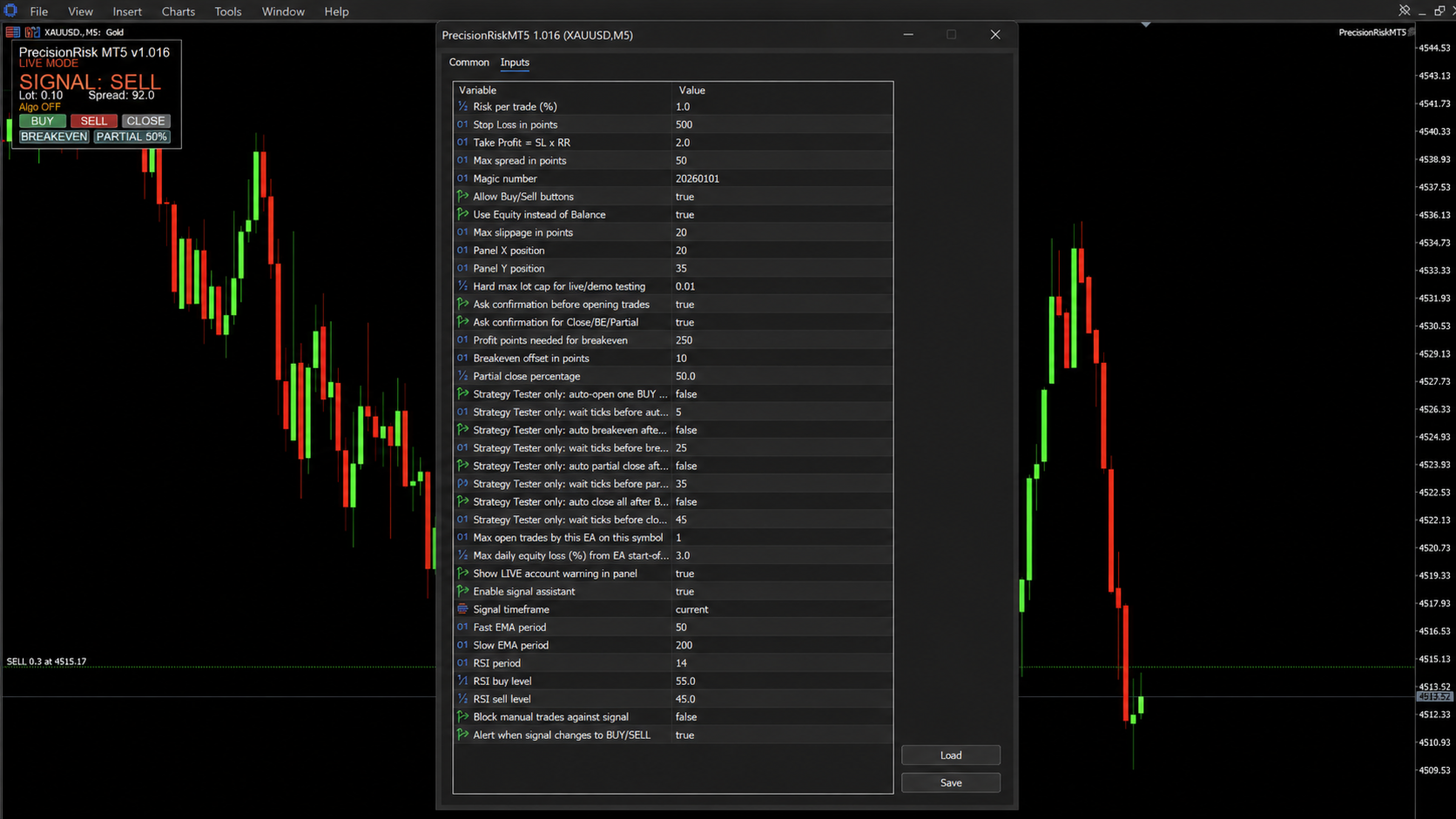
Important Inputs
- Risk per trade (%)
- Stop Loss in points
- Take Profit = SL x RR
- Max spread in points
- Magic number
- Hard max lot cap
- Ask confirmation before opening trades
- Ask confirmation for Close / BE / Partial
- Profit points needed for breakeven
- Breakeven offset in points
- Partial close percentage
- Max open trades
- Max daily equity loss
- Enable signal assistant
- Optional automatic live/demo trading
- EMA periods
- RSI period and levels
Strategy Tester Notes
In the Strategy Tester, manual panel buttons may not always respond depending on the MT5 environment. For this reason, PrecisionRisk MT5 includes dedicated Strategy Tester auto-test options.
These options are intended for testing and Market validation compatibility. Normal live/demo automatic trading is controlled separately by the optional automatic live/demo trading setting.
Recommended First-Time Settings
For safer testing:
- Risk per trade: 0.1% to 1.0%
- Hard max lot cap: 0.01 during initial testing
- Confirmations: enabled
- Max open trades: 1
- Daily loss protection: enabled
- Optional automatic trading: disabled until tested
Always check the calculated lot and settings before opening or allowing trades.
Risk Disclaimer
Trading involves risk. PrecisionRisk MT5 is a trade management utility and signal assistant with optional automation. It does not provide financial advice and does not guarantee profits. Market conditions can change quickly, and losses are possible.
Always test the tool in the Strategy Tester or on a demo account before using it on a live account. Use it at your own discretion.