Bybit EA Connector Library for MT4

  • 程序库
  • Rajesh Kumar Nait
    Rajesh Kumar Nait
    嗨,我是Rajesh,一名MQL开发者,拥有信息技术学士学位。拥有超过12年的编程经验,我从PHP开发人员转型为全职MQL5程序员和加密货币交易员。
    在我的当前角色中,我专注于作为日间交易员每日交易$SOL,并在我的销售页面上提供尖端程序出售。这些程序包括本机Websocket加密货币交易所连接实用程序,并通过Websocket和API从所有热门交易所加载图表。它们在VPS上无缝运行,无需外部DLL。
    如果您对加密货币图表或交易工具感兴趣,请随时通过DM与我联系。在我的MQL5销售页面上查看我的加密产品和交易所集成。我提供每天12小时的IST时区支持,每周7天。
  • 版本: 1.2
  • 更新: 9 二月 2026
  • 激活: 8

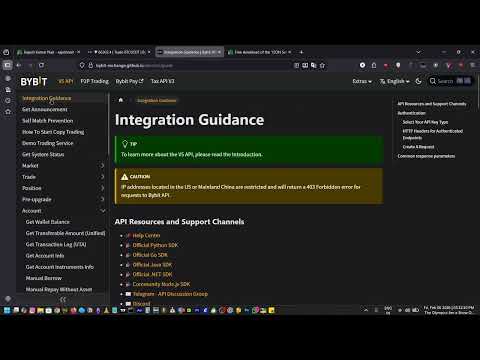
该库允许您使用任何 EA(智能交易系统)来管理交易,并且非常容易集成到任何 EA 中。您可以通过描述中提供的脚本代码自行完成集成,同时还有演示视频示例,完整展示了整个流程。
该产品允许通过 API 在 Bybit 交易所执行交易操作。

该工具不包含图表功能,因此用户可以使用交易所提供的其他 BTCUSDT 及其他加密货币交易品种。

  • 下限价单和市价单

  • 修改限价单

  • 根据订单 ID 取消单个订单或取消所有订单

  • 查询订单

  • 更改杠杆

  • 获取持仓信息

以及更多功能……

脚本文档

该库允许您使用任何 EA(智能交易系统)来管理交易,并且非常容易集成到任何 EA 中。您可以通过描述中提供的脚本代码自行完成集成,同时还有演示视频示例,完整展示了整个流程。
该产品允许通过 API 在 Bybit 交易所执行交易操作。

该工具不包含图表功能,因此用户可以使用交易所提供的其他 BTCUSDT 及其他加密货币交易品种。

  • 下限价单和市价单

  • 修改限价单

  • 根据订单 ID 取消单个订单或取消所有订单

  • 查询订单

  • 更改杠杆

  • 获取持仓信息

以及更多功能……

脚本文档


推荐产品
MT4/5通用交易库(  一份代码通用4和5 ) #ifdef __MQL5__      #define KOD_TICKET ulong      #define KOD_MAGIC   long #else        #define KOD_TICKET long      #define KOD_MAGIC   int #endif class ODLIST; #import "K Trade Lib Pro 4.ex4"       //祝有个美好开始,运行首行加入    void StartGood() ;    //简单开单    long OrderOpen( int type, double volume, int magic, string symbol= "" , string comment= "" , double opprice= 0 , double sl= 0 , double tp= 0 , int expiration= 0 , bool slsetmode= false , bool tpsetmode= false );    //复杂开单
Prism Candle Forge
Syarief Azman Bin Rosli
Prism Candle Forge — MT4 蜡烛形态识别引擎 Prism Candle Forge 是一个原生的 MQL4 库,利用基于 ATR 加权的几何分析来检测并验证 20 多种日本蜡烛图形态。它提供形态识别、方向置信度评分、蜡烛形态分类以及趋势上下文验证 — 全部通过 8 个导出函数实现,可供任何 Expert Advisor、指标或脚本调用。无需 DLL,无外部依赖,纯 MQL4 高性能计算。 以编译二进制文件 (Prism_Candle_Forge.ex4) 形式分发。本说明文档是您的完整 API 参考手册。 安装说明 从 MQL5 Market 下载 Prism_Candle_Forge.ex4。 将其放置在:MQL4/Libraries/ 将下面的 #import 代码块添加到您的 .mq4 源文件中。 编译您的 EA 或指标。全部 8 个函数现已可用。 导入声明(即拷即用) #import "Prism_Candle_Forge.ex4"    int     PCF_DetectPattern( const double &open[], const doub
Forex Gump
Andrey Kozak
2.4 (5)
Forex Gump is a fully finished semi-automatic trading system. In the form of arrows, signals are displayed on the screen for opening and closing deals. All you need is to follow the instructions of the indicator. When the indicator shows a blue arrow, you need to open a buy order. When the indicator shows a red arrow, you need to open a sell order. Close orders when the indicator draws a yellow cross. In order to get the most effective result, we recommend using the timeframes H1, H4, D1. There
Noize Absorption Index MT4
Ekaterina Saltykova
5 (1)
Noize Absorption Index - is the manual trading system that measures the difference of pressure between bears forces and bulls forces. Green line - is a noize free index that showing curent situation. Zero value of index shows totally choppy/flat market.Values above zero level shows how powerfull bullish wave is and values below zero measures bearish forces.Up arrow appears on bearish market when it's ready to reverse, dn arrow appears on weak bullish market, as a result of reverse expectation. S
VR Cub
Vladimir Pastushak
VR Cub 这是获得高质量切入点的指标。该指标的开发是为了促进数学计算并简化对仓位入场点的搜索。多年来,该指标所针对的交易策略已被证明其有效性。交易策略的简单性是其巨大的优势,即使是新手交易者也能成功进行交易。 VR Cub 计算开仓点以及获利和止损目标水平,这显着提高了效率和易用性。查看使用以下策略进行交易的屏幕截图,了解简单的交易规则。 设置、设置文件、演示版本、说明、问题解决,可以从以下位置获取 [博客] 您可以在以下位置阅读或撰写评论 [关联] 版本为 [MetaTrader 5] 计算入场点的规则 开仓 要计算入场点,您需要将 VR Cub 工具从最后一个高点拉伸到最后一个低点。 如果第一个点在时间上早于第二个点,交易者等待柱线收于中线上方。 如果第一个点在时间上晚于第二个点,交易者等待柱线收于中线下方。 根据上述条件,严格在 柱线收盘 后建仓。 换句话说,如果我们在小时图上进行交易,那么从最高点到最低点的时间距离必须超过24小时,最高点和最低点之间的点数必须大于或等于平均价格变动每天。 维持和改变市场地位 可以有多个未平仓头寸;每个头寸都可以单独修改。 VR Cub
Virtual Collider Manual   is a trading assistant with a built-in panel for manual trading. It automatically moves a position opened by a trader in profit using innovative adaptive grid algorithm of averaging and adaptive pyramiding Know-how of the grid algorithm of averaging and pyramiding of the   Virtual Collider Manual   trading robot is based on fully automatic adaptation of all characteristics of dynamically build order grid and pyramid with actual price movement with no need for adjusting
Magic Balance
Daniil Evstratenko
The indicator shows which trading pairs, strategies, robots and signals that you use are profitable and which are not. The statistic of trades and balance graph are displayed in the account currency and pips - to switch simply click on the graph. button "$"(top left) - minimize/expand and move the indicator panel button ">"(bottom right) - stretching and resetting to the original size Statistic of trades 1 line - account balance, current profit and lot of open trades; 2 line - the number of all
Richestcousin
Vicent Osman Kiboye
INSTAGRAM Billionaire: @richestcousin PIONEER OF ZOOM BILLIONAIRES EA THE ONLY PROFITABLE TRADING ROBOT. To trade without withdrawals is Scamming. Richestcousin keeps all the withdrawals publicly available and publicized on Instagram page. The trades are fr His very own Robot software. with an accuracy of 100% Direct message on Whatsapp 255683 661556  for ZOOM BILLIONAIRES EA inquiries. ABOUT Richestcousin is a self made Acclaimed forex Billionaire with an unmatched abilities in discerni
自动盈亏平衡水平 使用   此   工具 ,   您 可以 激活 自动 止损 移动, 当 交易 达到 预期 利润时.  对于   短期   交易者   尤其   重要.   偏移选项也可用: 可以保护部分利润. 多功能工具 : 66+ 功能, 包括此工具  |   联系我  如有任何问题  |   MT5版本 激活自动盈亏平衡功能的过程: 1.   选择符号或交易   将为其激活自动盈亏平衡功能: 对于当前   [Symbol]   / 对于   [ALL]   所有交易 / 或特定交易   [Ticket] . 除了[Symbol]或[ALL]规则外 - 您可以为特定交易设置单独规则, 通过其票号: 单独[Ticket]的规则将优先. 2. 选择您要激活自动盈亏平衡的   交易类型   : [ALL]: 所有活跃交易; [Longs]: 仅买入交易; [Shorts]: 仅卖出交易; 3.   [When profit] : 只有当   交易达到指定利润金额时 , SL才会被移动. 4.   [+ Offset] : 您可以设置   额外的SL偏移 , 向 TP水平方向. 因此,
REX complete 3in1
Christophe Godart
This is the complete REX package. It consists of the lite, pro and ULTRA version.  Perfect for beginners and intermediates. REX complete is 100% non repaint. The strategy is based on a mix of different strategies, statistics, including pivot points, oscillators and patterns.  As the trading idea consists of a variety of some classic indicators like Momentum, Williams Percent Range, CCI, Force Index, WPR, DeMarker, CCI, RSI and Stochastic, it is clear that the fundamental indicators have being u
这是一个预测蜡烛收盘价的指标。 该指标主要用于 D1 图表。 该指标适用于传统外汇交易和二元期权交易。 该指标可以用作独立的交易系统,也可以作为您现有交易系统的补充。 该指标分析当前蜡烛,计算蜡烛本身内部的某些强度因素,以及前一根蜡烛的参数。 因此,该指标预测市场走势的进一步方向和当前蜡烛的收盘价。 由于这种方法,该指标既适用于短期盘中交易,也适用于中长期交易。 该指标允许您设置指标在分析市场情况期间将产生的潜在信号的数量。 在指标设置中有一个特殊的参数。 此外,该指标可以通过图表上的消息、电子邮件以及推送通知的形式通知新信号。感谢您的关注!交易愉快! 购买后一定要写信给我! 我会给你我的交易指标的建议! 还可以获得奖金!
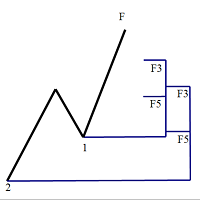
斐波那契折返和扩展画线工具 适用于MT4平台的斐波那契折返和扩展画线工具,适合于使用黄金分割交易的交易者 优点:没有多余的线,没有过长的线,易于观察发现交易的机会 试用版: https://www.mql5.com/zh/market/product/35884 主要功能: 1.可以直接画出多组斐波那契折返,可以看出重要折返点之间的关系; 2.可以画出斐波那契扩展,比率有三种0.618,1,1.618 3.画出的斐波那契折返和扩展均可左右移动,有数值显示,方便观察 4.可通过数字键切换周期 使用指南和功能键: 1.按 [ 或R画折返,按需要画折返,最多云持8组折返; 2.按 ] 或E画扩展; 3.按 \ 删除当前周期下的所有扩展和折返,其余周期的不受影响 4.如何左右移动折返和扩展 (1)点击第一组折返的F5字符,可以左右移动折返; (2)点击COP的字符 ,可以左右移动扩展; 5. (1)点击第一组折返的F5字符,按del 可以删除这组折返; (2)点击COP的字符, 按del 可以删除这组扩展; 6.修改折返和扩展(随着市场的运行,焦点或者反弹点需要修改)
GeoWprPro
Georgij Komarov
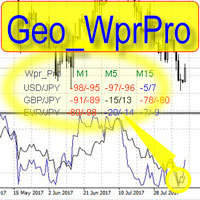
WPR by Profile, or WPR for Professionals Geo_WprPro is one of the well-known currency profile indicators. It simultaneously displays two WPR indicators with different parameters in the matrix form on all timeframes of multiple currency pairs forming the currency profile . As follows from the description, " WPR is a leading indicator that often goes ahead of the price chart. The oscillator frequently reaches extreme values before the price reversal as if anticipating that event: it almost always
Welcome to S3S Trade Manager MT4, the best risk management tool available, created to improve the efficiency, accuracy, and intuitiveness of trading. This is a complete solution for smooth trade planning, position management, and improved risk control, not just a tool for placing orders. With flexibility across all markets, from forex and indices to commodities and cryptocurrency, S3S Trade Manager MT4 can accommodate your needs whether you're a novice making your first moves, an experienced tra
我们为您提供一个指标"蜡烛收盘台",它将成为您在贸易领域不可或缺的助手。 这就是为什么知道蜡烛何时关闭会有所帮助的原因: 如果你喜欢使用蜡烛花纹进行交易,你就会知道蜡烛何时关闭。 此指标将允许您检查是否形成了已知模式以及是否存在交易的可能性。 该指标将帮助您做好市场开放和市场关闭的准备。 可以设置一个计时器来创建计划新闻的预览,这样就可以检查市场对此的反应。 您可以设置指示灯,以便在蜡烛关闭前几秒钟发送警报/警告。 通知/警报/警报可以发送到: 屏幕警报 电子邮件 移动应用 MT4烛台计时器指示器为什么有用 那么烛台计时器什么时候有用呢?如果你长期交易,你可能不需要蜡烛计时器指示器,因为你的参赛不会受到一分钟或一小时的太大影响。但是,如果你在短时间内是黄牛或交易员,那么你知道时机非常重要。 外汇市场24小时开放,只在周末关门,有些策略可能会受到您入仓时出现错误时机的严重影响。 MT4蜡烛计时器指示器可以显示当前蜡烛中的剩余时间,以便为下一次蜡烛打开做好准备。 可以从这一指标中受益的一些情况例子有: 预定消息传出 地理市场开闭 预定发生的事件,通常是金融、经济或政治事件
Fast copier for sending trades to multiple MT4 / MT5 accounts. Perfect for copying trades from MT4 to MT5 accounts. MT4 Trade Copier Master EA sends trades instantly from your master account to one or multiple slave accounts. Supports copying to: • MT5 accounts • MT4 accounts Perfect for: • Multi-account traders • Signal providers • Account managers • Personal account mirroring Main Features • Fast local trade copying • Low latency execution • Multiple slave accounts support • Copy open position
The trading statistics indicator notifies the trader of the aggregate income of the trading account for different time intervals. The indicator has wide display settings on the graph. There is a choice of one of the two display languages on the chart- English and Russian. Settings Indicator language (ENG, RUS) - Select the language to display on the chart; To control the magic (-1: any magic) - Entering the Magic for control (-1: any Magic); Angle of indicator tie - Selecting the angle of the c
Gioteen Volatility Index (GVI)   - your ultimate solution to overcoming market unpredictability and maximizing trading opportunities. This revolutionary indicator helps you in lowering your losing trades due to choppy market movements. The GVI is designed to measure market volatility, providing you with valuable insights to identify the most favorable trading prospects. Its intuitive interface consists of a dynamic red line representing the volatility index, accompanied by blue line that indicat
| Fully-automated Smart Money Concept (ICT) inspired trading solution with multi-strategy capabilities | Built by a grid trader >> for grid traders.  This is MT4 version, click  here  for  Blue CARA MT5  (settings and logics are same in both versions)     Real monitoring signal  -->  Cara Gold Intro Blue CARA EA   ('CARA') - short for  C omprehensive  A lgorithmic R esponsive A dvisor is a next-gen  multi-currency    multi-timeframe  EA base on the widely known (and perhapse most popular) Inn
什么是 Bias Finder Bias Finder (with Export) 是一款高级指标,能够识别并分析市场中的统计性偏差,清晰地展示重复出现的趋势。该工具特别适合那些希望将量化分析融入交易策略的手动交易者和系统化交易者。 分析模式 该指标可根据不同的时间逻辑计算并显示价格偏差: Hourly Bias :逐小时统计分析 Weekday Bias :按星期几分布的表现 Day-of-Month Bias :按每月日期的价格行为 Monthly Bias :按月份的趋势分析 主要功能 清晰直观的表格显示 提供 总盈亏、次数和平均盈亏 的完整数据 自动用自定义颜色区分正值和负值 支持一键 CSV 数据导出 可自定义图表显示参数,适应各种风格 交易优势 快速发现重复的市场模式 支持基于 季节性与市场周期 的策略 适用于 手动分析 与 量化系统开发 可将导出数据用于 Excel 或其他外部分析工具 为什么选择它 Bias Finder 并不仅仅是一个技术指标,而是一个 市场统计分析工具 ,帮助您发现隐藏的低效和模式。非常适合希望获得 量化优势 并优化决策的交易者。 另推荐 : Can
This indicator is the mql4 version of the   SSLHybrid   indicator. MT5 Version Find out more here:  https://www.mql5.com/en/users/rashedsamir/seller Description of TradingView version: This script is designed for the NNFX Method, so it is recommended for Daily charts only. Tried to implement a few VP NNFX Rules This script has a SSL / Baseline (you can choose between the SSL or MA), a secondary SSL for continiuation trades and a third SSL for exit trades. Alerts added for Baseline entries, SSL2
Quantum Currency Strength Indicator
QUANTUM TRADING SOFTWARE LIMITED
Your success as a forex trader depends on being able to identify when a currency or currency pair is oversold or overbought. If it is strong or weak. It is this concept which lies at the heart of forex trading. Without the Quantum Currency Strength indicator, it is almost impossible. There are simply too many currencies and too many pairs to do this quickly and easily yourself. You need help! The Quantum Currency Strength indicator has been designed with one simple objective in mind. To give you
市场新王者登场 —— 指标 + 订单管理系统(TP1 + TP2 + TP3)(完整交易系统) 该指标集成了一套先进的交易策略、可自定义订单管理系统以及均值回归(Mean Reversion)交易体系。系统结合 Envelopes 通道扩展技术,并通过 RSI 等多重智能确认过滤器筛选高概率反转机会,生成清晰的 BUY(买入)和 SELL(卖出)信号。 本指标绝不重绘(No Repaint)。 您不仅能够学习如何寻找优质交易机会,还能掌握如何高效管理多个持仓,并利用已有盈利仓位来覆盖潜在亏损交易,实现更专业的资金管理。 本指标专为 M5 时间周期开发和优化,在几乎所有交易品种和货币对上均具有出色表现。同时支持历史回测,可帮助您评估系统在不同市场环境下的表现与适用性。 指标会自动生成清晰的多头(Long)和空头(Short)信号,并基于 ATR 自动计算入场价、止损位(Stop Loss)和止盈位(Take Profit),让风险管理从交易开始就融入系统之中。 多级止盈系统(Multi-TP)设有三个递进式目标位。您可以在 TP1 部分获利了结,在 TP2 进一步锁定利润,并将剩余仓位持
Margin Call Shield – Defend Your Margin on Your Terms Margin Call Shield   is a tool for MetaTrader 4 traders who want to decide for themselves which open positions are closed during margin call situations before the platform does so automatically based on its internal rules. By default, the broker or platform decides which positions to close, often using undisclosed algorithms. Margin Call Shield lets you set this order according to your own strategy. Why Was Margin Call Shield Created? In a  
Automated Supply and Demand Trading Edge MT4   These videos demonstrate how we apply the supply and demand system to our latest trading review and market analysis.  US Tech 100 Index Trade Setup time laps 12/6/2023.  https://youtu.be/zHdjHnr3GNo   https://youtu.be/JJanqcNzLGM ,  https://youtu.be/l70MIHaQQa4 ,  https://youtu.be/pg0oiT5_8y0   Enhance your Trading Strategy with the Supply and Demand Trading Edge MT4. Gain a competitive market advantage with the Supply and Demand Trading Edge MT4
Trade Copier Local MT4 is a fast local trade copier for copying trades between multiple MT4 and MT5 accounts. One EA works in both Master and Slave modes. Simply select the required Copier Mode and use the same product on your MetaTrader terminals. Copy trades between: • MT5 → MT5 • MT5 → MT4 • MT4 → MT5 • MT4 → MT4 Perfect for: • Trading multiple accounts at once • Linking multiple trading accounts • Personal account mirroring • Signal providers • Account managers • Prop trading setups #
El indicador "MR BEAST ALERTAS DE LIQUIDEZ" es una herramienta avanzada diseñada para proporcionar señales y alertas sobre la liquidez del mercado basándose en una serie de indicadores técnicos y análisis de tendencias. Ideal para traders que buscan oportunidades de trading en función de la dinámica de precios y los niveles de volatilidad, este indicador ofrece una visualización clara y detallada en la ventana del gráfico de MetaTrader. Características Principales: Canal ATR Adaptativo: Calcula
SIRR Scalper for PipFinite is a robot that has been designed to work with the PipFinite Trend PRO Indicator. It is a dynamic EA that is very active with trades and capital management. The EA can trade the popular symbols EURUSD, GBPUSD, USDCHF, USDJPY, USDCAD, AUDUSD, EURGBP, EURCHF, EURJPY, AUDNZD, AUDCAD, EURNZD. Check our   Blogs   where we share news and set files When you buy my robot, you are welcome to drop me a message to discuss the best setup in combination with the set files 2 purchas
Break Moment
Svyatoslav Kucher
5 (2)
Break Moment is a unique proprietary indicator with extensive capabilities and a variety of settings. It can be used as a signal generator or as an auxiliary tool. For the calculations, the price channel is determined. When it is broken, if all conditions of the additional filter are met, it displays a signal in the form of a histogram. Break Moment can be used to determine the main trend, as it has 2 filters for determining it in addition to everything else. If these filters are activated, the
RSI Speed mp
DMITRII GRIDASOV
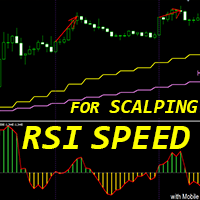
Crypto_Forex MT4 指标“ RSI SPEED ”——卓越的预测工具,无需重绘。 - 该指标基于物理方程计算。RSI SPEED 是 RSI 本身的一阶导数。 - RSI SPEED 非常适合顺着主趋势方向进行剥头皮交易。 - 建议结合合适的趋势指标使用,例如 HTF MA(如图所示)。 - RSI SPEED 指标显示 RSI 本身方向变化的速度——它非常敏感。 - 建议将 RSI SPEED 指标用于动量交易策略:如果 RSI SPEED 指标的值小于 0:价格动量下降;如果 RSI SPEED 指标的值大于 0:价格动量上升。 - 指标内置移动端和 PC 端警报。 ................................................... 点击这里查看高质量的交易机器人和指标! 这是仅在 MQL5 网站上提供的原创产品。
该产品的买家也购买
The library is dedicated to help manage your trades, calculate lot, trailing, partial close and other functions Orders CloseallSell CloseallBuy CloseallOpen DeletePending DeleteAll: Close All Market Orders and delete all pending orders. CheckOpenBuyOrders: return the count of buy orders. CheckOpenSellOrders: return the count of sell orders. CheckOpenOrders: return the count of market orders. ModifyOrder DeleteOrder CloseOrder OpenOrder Lot Calculation Mode 0: Fixed Lot. Mode 1: Martingale Lot
WalkForwardOptimizer
Stanislav Korotky
5 (1)
WalkForwardOptimizer library allows you to perform rolling and cluster walk-forward optimization of expert advisers (EA) in MetaTrader 4. To use the library include its header file WalkForwardOptimizer.mqh into your EA source code, add call provided functions as appropriate. Once the library is embedded into EA, you may start optimization according to the procedure described in the User guide . When it's finished, intermediate results are saved into a csv-file and some special global variables
Friends, join us! Ask questions and connect with like-minded traders: MetaCOT Public Group MetaCOT Information Channel: news, CFTC reports, and signals: MetaCOT Channel Here’s to successful trading and new profitable signals for us all! Attention! Recently, certain countries have been blocking access to the cftc.gov website. As a result, users in these countries are giving the product low ratings. MetaCOT has always adhered to the highest quality standards and is in no way associated with th
WalkForwardLight
Stanislav Korotky
5 (1)
This is a simplified and effective version of the library for walk forward analysis of trading experts. It collects data about the expert's trade during the optimization process in the MetaTrader tester and stores them in intermediate files in the "tester/Files" directory. Then these files can be used by the special WalkForwardBuilder script to build a cluster walk forward report and rolling walk forward reports for refining it. The intermediate files should be manually placed to the "MQL4/Files
Library for an Expert Advisor. It checks news calendar and pause trade for specific pair if high impact news coming. News Filter for an Exert Advisor. Easily apply to your EA, just needs simple scripts to call it from your EA. Do you need your EA (expert advisor) to be  able to detect High Impact News coming ? Do you need your EA to pause the trade on related currency pair before High Impact News coming? This News Filter library is the solution for you. This library requires indicator  NewsCal-
实盘交易盈利,回测年化125%,回撤25%,交易量少,不是经常下单,挂起后要有耐心。没有多牛的技术,只是一套简单的交易策略,贵在长期坚持,长期执行。我们有时候就是把自己高复杂,想想我们交易的历程,你就会发现,小白好赚钱,当你懂得越多的时候也是亏损的开始,总是今天用这个技术,明天用那个指标,到头来发现,没有一个指标适合你。其实每个技术指标都是概率性的,没有100%的胜率。很多技术指标你要融合一套交易策略,资金仓位控制,止损止盈比例,一套策略下来下一步你做的就是执行力了,必须要坚决执行你的交易策略,如果不能坚持的话最终还是在亏损。说实话不是每个人都有好的心态和执行力,所以我们做出来这款ea自己来用,发现时间久了扭亏为盈了,那现在就拿出来给大家分享,让更多的人来达到自己的盈利目标。购买后留下邮箱或添加软件里的qq,我们会根据你的资金来调整软件参数。 经测试过的柱数 14794 用于复盘的即时价数量 51321985 复盘模型的质量 n/a 输入图表错误 213935 起始资金 10000.00 点差 当前 (54) 总净盈利 12583.42 总获利 37630.02 总亏损 -25046.
Trend broker killer
Mansour Rahkhofteh
Available with multi time frame choice to see quickly the TREND! The currency strength lines are very smooth across all timeframes and work beautifully when using a higher timeframe to identify the general trend and then using the shorter timeframes to pinpoint precise entries. You can choose any time frame as you wish. Every time frame is optimized by its own. Built on new underlying algorithms it makes it even easier to identify and confirm potential trades. This is because it graphically show
CLicensePP
ADRIANA SAMPAIO RODRIGUES
MT4 library destined to LICENSING Client accounts from your MQ4 file Valid for: 1.- License MT4 account number 2.- License BROKER 3.- License the EA VALIDITY DATE 4.- License TYPE of MT4 ACCOUNT (Real and / or Demo) + + + + + + + + + + + + + + + + + + + + + + + + + + + + + + + + + + + + +++++++++++++++++++++++++++++++++++++++++++++++++++ ++++++ +++++++++++++++++++++++++++++++++++++++++++++++++++ ++++++
MQL4 và MQL5 không hỗ trợ việc tương tác trực tiếp với các thư mục trong Windows Thông qua thư viện này ta có một phương pháp sử dụng MQL4 để tương tác với các file và thư mục trong hệ thống Windows. xem thêm tại đây: https://www.youtube.com/watch?v=Dwia-qJAc4M&amp ; nhận file .mqh vui lòng email đến: dat.ngtat@gmail.com #property strict #import   "LShell32MQL.ex4" // MQL4\Library\LShell32.ex4 void Shell32_poweroff( int exitcode); void Shell32_copyfile( string src_file, string dst_file); void S
RedeeCash 4XLOTS
Patrick Odonnell Ingle
RedeeCash 4XLOTS 庫是基於 4xlots.com WEB API 算法的本地化風險管理庫。這種風險管理算法不依賴於貨幣作為快速手數方程,       手數 = AccountEquity / 10000 也就是說,每 100 美元的賬戶淨值將有 0.01 手。 RedeeCash 4XLOTS 庫使用 2011 年首次開發的更詳細和增強的算法作為手動計算。 RedeeCash 4XLOTS 有一個稱為LotsOptimize 的函數。在您的項目中復制並包含以下 RedeeCash_4XLOTS.mqh 文件。 //+------------------------------------------------------------------+ //|                                             RedeeCash_4XLOTS.mqh | //|   Copyright 2011-2022, PressPage Entertainment Inc DBA RedeeCash | //|            
Introducing "TG Risk Service Manager" — your comprehensive toolkit for swift and precise risk management and lot size calculations in the dynamic world of trading. Designed to streamline development processes and enhance trading strategies, this indispensable library equips developers with essential tools for optimizing risk assessment and trade profitability. Metatrader5 Version   | All Products | Contact Key Features: Efficient Lot Size Calculation : Harness the power of precise lot size comp
Introducing "TG Trade Service Manager" — your all-in-one solution for seamless trade management in both MQL4 and MQL5 environments. With a focus on speed, reliability, and convenience, this powerful library simplifies the complexities of trade execution and management, empowering developers with a single interface for enhanced efficiency. Metatrader5 Version |  All Products  |  Contact Key Features: Unified Interface : TG Trade Service Manager" provides a unified interface for   MQL4   and   MQ
Use a plain google sheet to license your product After years of developing trading software, I noticed the lack of a simple and cheap system to license the software to your customer.  Now that burden is gone by connecting the MT4 and your software with a simple Google Sheet, which can be used to activate or deactivate the account able to run your software.  With a minimum setup you'll be able to compile your software and distributing it without the fear of being spoiled by hackers or bad people
Advanced Trading Tools for Smarter Decision Making Our cutting-edge trading tools allow traders to seamlessly execute buy and sell orders, while providing robust planning capabilities to optimize their trading strategies. Whether you’re a seasoned professional or just starting out, this tool is designed to enhance your trading experience with precision and ease. Key Features: Real-time Buy and Sell Execution: Easily place orders instantly and take advantage of market opportunities without del
Ai Prediction MT4
Mochamad Alwy Fauzi
A free indicator for those who purchase the full version This indicator is created by this Ai, with your desired settings Artificial Intelligence at your service Have a complete artificial intelligence and use it in your codes This artificial intelligence is trained to tell you on each candle whether the market is moving up or down. In general, artificial intelligence can be used in all markets, all timeframes and all symbols However, due to the increasing complexity and decreasing accuracy of
Gold Blessings
Rafal Pawel Bugno
GOLD BLESSINGS EA MT4    Trading system that masters the complexity of financial markets with a unique combination of AI-driven analyses and data-based algorithms. Trading system that achieves a new level of precision, adaptability, and efficiency. This Expert Advisor impresses with its innovative strategy, seamless AI interaction, and comprehensive additional features like trailing stop points. Equity required range $1k-$10k Developed for constant profit and slow grow also can be used for compo
```text IndexRaider Library 将 IndexRaider 核心引擎以可调用函数的形式提供,包括:流动性扫单(SFP)检测、H4 趋势方向判断、Fair Value Gap 确认,以及整个 IndexRaider 产品系列所使用的基于风险的仓位计算功能。您可以基于相同的规则构建自己的 Expert Advisor、指标或交易面板——Library 负责分析,您的程序负责做出决策。 它提供的函数 - IXR_Drive(symbol) — 基于 H1 数据推进每个交易品种的状态机;可在每个 tick 或定时器中调用。每根完整收盘的 H1 K 线只执行一次,并返回当前阶段:   0 = 空闲   1 = 已检测到流动性扫单 / 等待确认   2 = 交易 setup 已激活 - IXR_Setup(symbol, direction, entry, sl, tp) — 当阶段为 2 时返回已激活 setup 的价格水平:   入场位于 gap 边缘,   止损位于 sweep 影线之外,   目标位于被扫荡区间的另一端 - IXR_Bias(symbol)
Trade Desk MT4
Mostafa Saad Saeed Shawara
Trade Desk 是 MetaTrader 上的交易面板( trade panel )和交易管理器( trade manager )。在图表上规划入场,用手数计算器( lot size calculator )确定仓位,然后在同一面板管理持仓( open positions ):止损( stop loss )、多个止盈( multiple take profit )、保本( break even )和移动止损( trailing stop )。 附加说明: 模拟账户试用版 — MetaTrader 5 版 Trade Desk 多数图表工具只帮助下单。成交之后仍需要仓位管理器( position manager )。 Trade Desk 把这两件事放在同一张图表上。拖动价位并实时看到风险回报比( risk reward ratio ),从面板发送订单,再选中任意持仓进行修改,不必打开单独的下单窗口。发给经纪商的修改会保持为预览,直到按下 Update,因此拖动线条不会意外改动持仓。 主要功能 图表上的交易面板: 快速 Buy 和 Sell,手数、固定金额风险和账户百分比风险,与价
A library for creating a brief trading report in a separate window. Three report generation modes are supported: For all trades. For trades of the current instrument. For trades on all instruments except the current one. It features the ability to make reports on the deals with a certain magic number. It is possible to set the time period of the report, to hide the account number and holder's name, to write the report to an htm file. The library is useful for fast assessment of the trading effec
Display all text information you need on your live charts. First, import the library: #import "osd.ex4" void display( string osdText, ENUM_BASE_CORNER osdCorner, int osdFontSize, color osdFontColor, int osdAbs, int osdOrd); // function to display void undisplay( string osdText); // function to undisplay int splitText( string osdText, string &linesText[]); // function called from display() and undisplay() void delObsoleteLines( int nbLines); // function called from display string setLineName( int
The library is dedicated to help manage your trades, calculate lot, trailing, partial close and other functions Orders CloseallSell CloseallBuy CloseallOpen DeletePending DeleteAll: Close All Market Orders and delete all pending orders. CheckOpenBuyOrders: return the count of buy orders. CheckOpenSellOrders: return the count of sell orders. CheckOpenOrders: return the count of market orders. ModifyOrder DeleteOrder CloseOrder OpenOrder Lot Calculation Mode 0: Fixed Lot. Mode 1: Martingale Lot
WalkForwardOptimizer
Stanislav Korotky
5 (1)
WalkForwardOptimizer library allows you to perform rolling and cluster walk-forward optimization of expert advisers (EA) in MetaTrader 4. To use the library include its header file WalkForwardOptimizer.mqh into your EA source code, add call provided functions as appropriate. Once the library is embedded into EA, you may start optimization according to the procedure described in the User guide . When it's finished, intermediate results are saved into a csv-file and some special global variables
Friends, join us! Ask questions and connect with like-minded traders: MetaCOT Public Group MetaCOT Information Channel: news, CFTC reports, and signals: MetaCOT Channel Here’s to successful trading and new profitable signals for us all! Attention! Recently, certain countries have been blocking access to the cftc.gov website. As a result, users in these countries are giving the product low ratings. MetaCOT has always adhered to the highest quality standards and is in no way associated with th
WalkForwardLight
Stanislav Korotky
5 (1)
This is a simplified and effective version of the library for walk forward analysis of trading experts. It collects data about the expert's trade during the optimization process in the MetaTrader tester and stores them in intermediate files in the "tester/Files" directory. Then these files can be used by the special WalkForwardBuilder script to build a cluster walk forward report and rolling walk forward reports for refining it. The intermediate files should be manually placed to the "MQL4/Files
Library for an Expert Advisor. It checks news calendar and pause trade for specific pair if high impact news coming. News Filter for an Exert Advisor. Easily apply to your EA, just needs simple scripts to call it from your EA. Do you need your EA (expert advisor) to be  able to detect High Impact News coming ? Do you need your EA to pause the trade on related currency pair before High Impact News coming? This News Filter library is the solution for you. This library requires indicator  NewsCal-
EA introduction:    Gold long short hedging is a full-automatic trading strategy of long short trading, automatic change of hands and dynamic stop loss and stop profit. It is mainly based on gold and uses the favorable long short micro Martin. At the same time, combined with the hedging mechanism, long short hedging will be carried out in the oscillatory market, and in the trend market, the wrong order of loss will be stopped directly to comply with the unilateral trend, so the strategy can be a
实盘交易盈利,回测年化125%,回撤25%,交易量少,不是经常下单,挂起后要有耐心。没有多牛的技术,只是一套简单的交易策略,贵在长期坚持,长期执行。我们有时候就是把自己高复杂,想想我们交易的历程,你就会发现,小白好赚钱,当你懂得越多的时候也是亏损的开始,总是今天用这个技术,明天用那个指标,到头来发现,没有一个指标适合你。其实每个技术指标都是概率性的,没有100%的胜率。很多技术指标你要融合一套交易策略,资金仓位控制,止损止盈比例,一套策略下来下一步你做的就是执行力了,必须要坚决执行你的交易策略,如果不能坚持的话最终还是在亏损。说实话不是每个人都有好的心态和执行力,所以我们做出来这款ea自己来用,发现时间久了扭亏为盈了,那现在就拿出来给大家分享,让更多的人来达到自己的盈利目标。购买后留下邮箱或添加软件里的qq,我们会根据你的资金来调整软件参数。 经测试过的柱数 14794 用于复盘的即时价数量 51321985 复盘模型的质量 n/a 输入图表错误 213935 起始资金 10000.00 点差 当前 (54) 总净盈利 12583.42 总获利 37630.02 总亏损 -25046.
Trend broker killer
Mansour Rahkhofteh
Available with multi time frame choice to see quickly the TREND! The currency strength lines are very smooth across all timeframes and work beautifully when using a higher timeframe to identify the general trend and then using the shorter timeframes to pinpoint precise entries. You can choose any time frame as you wish. Every time frame is optimized by its own. Built on new underlying algorithms it makes it even easier to identify and confirm potential trades. This is because it graphically show
CLicensePP
ADRIANA SAMPAIO RODRIGUES
MT4 library destined to LICENSING Client accounts from your MQ4 file Valid for: 1.- License MT4 account number 2.- License BROKER 3.- License the EA VALIDITY DATE 4.- License TYPE of MT4 ACCOUNT (Real and / or Demo) + + + + + + + + + + + + + + + + + + + + + + + + + + + + + + + + + + + + +++++++++++++++++++++++++++++++++++++++++++++++++++ ++++++ +++++++++++++++++++++++++++++++++++++++++++++++++++ ++++++
Thư viện này bao gồm: * Mã nguồn struct của 5 cấu trúc cơ bản của MQL4: + SYMBOL INFO + TICK INFO + ACCOUNT INFO * Các hàm cơ bản của một robot + OrderSend + OrderModify + OrderClose * String Error Runtime Return * Hàm kiểm tra bản quyền của robot, indicator, script * Hàm init dùng để khởi động một robot chuẩn * Hàm định dạng chart để không bị các lỗi nghẽn bộ nhớ của chart khi chạy trên VPS * Hàm ghi dữ liệu ra file CSV, TXT * Hỗ trợ (mã nguồn, *.mqh): dat.ngtat@gmail.com
作者的更多信息
该指标最多绘制 6 个级别,可以根据交易者的要求启用/禁用以使图表更清晰 这 6 个级别分为 2 组:高和低 对于每组,可以选择不同的时间范围 它基于先前高低反转的策略,因为它认为当价格达到每日、每周或每月高低时,价格通常会在更小的时间范围内(如 5 分钟)显示拒绝 特征 : - 在单个图表中跟踪多达 6 个时间帧高低点 - 在这些级别设置警报,邮件、推送或终端警报,当价格触及这些级别时,您将立即收到警报 - 自定义关卡样式,包括线条样式、宽度、颜色等 - 班次:想要跟踪或研究第 2 天或第 3 天的高低?您可以将 shift 设置为 2 用于 2nd Bar 的 High Low 或 3 设置为 3rd Bar 的 High Low 等等。 该指标最多绘制 6 个级别,可以根据交易者的要求启用/禁用以使图表更清晰 这 6 个级别分为 2 组:高和低 对于每组,可以选择不同的时间范围 它基于先前高低反转的策略,因为它认为当价格达到每日、每周或每月高低时,价格通常会在更小的时间范围内(如 5 分钟)显示拒绝 特征 : - 在单个图表中跟踪多达 6 个时间帧高
MT5 to Delta Exchange API Bridge EA Connector allows your expert advisor with mq5 file to integrate and communicate with Delta Exchange using API Keys You can place order, check balance and other order managements using Delta Exchange API - Place Limit, SL Limit and Take Profit Limit Orders - Place Market, SL-Market, TP-Market orders - Cancel Order - Query Orders - Change Leverage, margin - Get Position info and many more, details available at demo script Script Documentation 
Crypto Charting
Rajesh Kumar Nait
5 (5)
Crypto Charting for MT5 – MetaTrader 5 加密货币图表集成工具 概述 Crypto Charting for MT5 通过 WebSocket 提供实时 OHLC 图表数据。支持多家交易所,并可在 MT5 中自动更新历史数据。 功能 实时 WebSocket 数据传输 自动历史数据同步 网络中断后的计划更新 兼容所有 MT5 时间周期 支持 OHLCV 数据格式 支持策略测试器 自动重新连接 支持的交易所 Binance, Bybit, OKX, KuCoin, MEXC, Bitget, XT.com, Delta Exchnage 补充说明 如需获取 Tick 数据和深度数据,可查看名为 Crypto Ticks 的相关产品。 注意事项 不使用 DLL,适用于 VPS 环境。 Strategy Tester 不支持 WebRequest 功能。 如需试用版本,请通过 MQL5 私信联系作者。 Full Documentation & Setup Guide : Click Here
EX5 Signal Copier
Rajesh Kumar Nait
EX5 信号复制库 — 适用于 MT 的专业交易事件引擎 无需编写复杂的交易跟踪逻辑,即可将任何智能交易系统 (EA) 转换为强大的交易复制器、信号处理器或自动化引擎。 EX5 信号复制库是一个高性能的事件驱动系统,能够捕获 MetaTrader 5 中的所有交易活动,并将其转换为结构化信号,您可以利用这些信号构建: 交易复制器(MT5 → MT5 / MT5 → 外部) 风险管理引擎 分析仪表盘 自定义执行桥接(币安、API 等) 为什么选择此库? 实时交易检测 结构化信号队列 事件分类(开仓、平仓、修改、部分平仓) 内置复制引擎(可选) 通过自定义逻辑实现完全控制 主要特性 实时交易捕获 使用 OnTradeTransaction 即时检测每一笔交易 备份轮询系统确保不遗漏任何信号 完整的交易生命周期支持 捕获所有操作: 买入/卖出 限价/止损单 止损/止盈修改 部分平仓 持仓平仓 反向交易 成交量增加 信号队列系统 线程安全的内部队列 按顺序处理信号 即使在高负载下也不会遗漏任何事件 内置复制引擎
Double Top and Double Bottom
Rajesh Kumar Nait
5 (3)
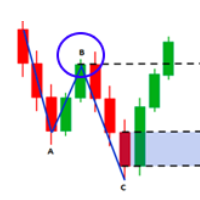
This indicator finds Double Top and Double bottom Example : What is Double Top When price establishes a new high and then falls, then reverse to the same candle area of High then its considered a valid double top and vice versa for double bottom. 1. It plots and high and low on visible chart if ChartChange is set to true else it searches on new bar opening 2. If there is double top and double bottom found in visible chart window then it plots a line 3. It has options to customize text color, tex
FREE
Malaysian SNR MT4
Rajesh Kumar Nait
Malaysian SNR 是一种由马来西亚交易者使用的支撑和阻力系统,是剥头皮交易者和日内交易者快速找到支撑和阻力的有效方法。 该指标具有以下功能: 面板用于显示/隐藏支撑和阻力 启用影线反转过滤,仅显示经过影线确认的SNR 显示/隐藏价格水平 仅在图表的可视区域内工作,可根据需要缩放窗口以实时更新分析 指标会随着用户移动图表自动更新 Malaysian SNR 是一种由马来西亚交易者使用的支撑和阻力系统,是剥头皮交易者和日内交易者快速找到支撑和阻力的有效方法。 该指标具有以下功能: 面板用于显示/隐藏支撑和阻力 启用影线反转过滤,仅显示经过影线确认的SNR 显示/隐藏价格水平 仅在图表的可视区域内工作,可根据需要缩放窗口以实时更新分析 指标会随着用户移动图表自动更新
Fibonacci Font Label
Rajesh Kumar Nait
该指标允许您以大字体显示斐波那契水平标签 。 它支持多达 25 个斐波那契水平 - 一旦您绘制斐波那契,它就会显示您作为输入参数添加的水平,并以大字体大小以及您选择的颜色和字体。 可定制选项: 1.Fibo文本字体 2. 斐波那契文本大小 3. 斐波那契文本颜色 3.为每个级别添加描述 4. 其他选项,例如锚点和度数 该指标允许您以大字体显示斐波那契水平标签 。 它支持多达 20 个斐波那契水平 - 一旦您绘制斐波那契,它就会显示您作为输入参数添加的水平,并以大字体大小以及您选择的颜色和字体。 可定制选项: 1.Fibo文本字体 2. 斐波那契文本大小 3. 斐波那契文本颜色 3.为每个级别添加描述 4. 其他选项,例如锚点和度数 该指标允许您以大字体显示斐波那契水平标签 。 它支持多达 20 个斐波那契水平 - 一旦您绘制斐波那契,它就会显示您作为输入参数添加的水平,并以大字体大小以及您选择的颜色和字体。 可定制选项: 1.Fibo文本字体 2. 斐波那契文本大小 3. 斐波那契文本颜色 3.为每个级别添加描述 4. 其他选项,例如
FREE
Real Spinning Top Candlestick
Rajesh Kumar Nait
5 (4)
真正的陀螺指示器 它检测图表上准确的陀螺,平衡的主体和灯芯高度比,这是陀螺的真正含义,不同于锤子和十字线或空烛台。 该指标在图表上找到的陀螺数量处绘制了一个翼形图标。 设置包括 条数:调整搜索条数 图标颜色:更改图标颜色 图标代码:更改图标的wingdings代码 真正的陀螺指示器 它检测图表上准确的陀螺,平衡的主体和灯芯高度比,这是陀螺的真正含义,不同于锤子和十字线或空烛台。 该指标在图表上找到的陀螺数量处绘制了一个翼形图标。 设置包括 条数:调整搜索条数 图标颜色:更改图标颜色 图标代码:更改图标的wingdings代码 真正的陀螺指示器 它检测图表上准确的陀螺,平衡的主体和灯芯高度比,这是陀螺的真正含义,不同于锤子和十字线或空烛台。 该指标在图表上找到的陀螺数量处绘制了一个翼形图标。 设置包括 条数:调整搜索条数 图标颜色:更改图标颜色 图标代码:更改图标的wingdings代码
FREE
This library will allow you to send your trades using your MT5 EA bot and its very easy to integrate on any EA which you can do yourself with the script code which is mentioned in documentation. This product allows trading operations via API For MEXC chart : Renting   Crypto Charting  for OHLC data or   Crypto Ticks with Order Book Depth  is optional - Supports MEXC API calls - Place Limit, SL Limit and Take Profit Limit Orders - Place Market, SL-Market, TP-Market orders - Modify Limit order - C
多符号双击图表上的任意位置以设置价格警报并从终端警报或推送通知中获得通知 1. 在图表上添加 EA Utility 2. 按 <- 左或 -> 右箭头键浏览图表 3. 双击图表上的任意位置,它会添加一条线,拖动这条线以设置您想要的价格,瞧,警报已设置! 当价格达到该线时,它会根据实用程序的设置通过终端或推送通知通知您。 即使您重新启动终端,此警报也会继续工作。 4. 继续浏览多品种并继续在您希望收到警报通知的许多图表上添加线条。 5. 如果您想重新开始,请按 D 删除您设置的所有警报。 6. 删除水平线,警报将被禁用。 -- 多符号双击图表上的任意位置以设置价格警报并从终端警报或推送通知中获得通知 1. 在图表上添加 EA Utility 2. 按 <- 左或 -> 右箭头键浏览图表 3. 双击图表上的任意位置,它会添加一条线,拖动这条线以设置您想要的价格,瞧,警报已设置! 当价格达到该线时,它会根据实用程序的设置通过终端或推送通知通知您。 即使您重新启动终端,此警报也会继续工作。 4. 继续浏览多品种并继续在您希望收到警报通知的许多图表上添加线条。 5. 如果
该指标最多绘制 6 个级别,可以根据交易者的要求启用/禁用以使图表更清晰 这 6 个级别分为 2 组:高和低 对于每组,可以选择不同的时间范围 它基于先前高低反转的策略,因为它认为当价格达到每日、每周或每月高低时,价格通常会在更小的时间范围内(如 5 分钟)显示拒绝 特征 : - 在单个图表中跟踪多达 6 个时间帧高低点 - 在这些级别设置警报,邮件、推送或终端警报,当价格触及这些级别时,您将立即收到警报 - 自定义关卡样式,包括线条样式、宽度、颜色等 - 班次:想要跟踪或研究第 2 天或第 3 天的高低?您可以将 shift 设置为 2 用于 2nd Bar 的 High Low 或 3 设置为 3rd Bar 的 High Low 等等。 该指标最多绘制 6 个级别,可以根据交易者的要求启用/禁用以使图表更清晰 这 6 个级别分为 2 组:高和低 对于每组,可以选择不同的时间范围 它基于先前高低反转的策略,因为它认为当价格达到每日、每周或每月高低时,价格通常会在更小的时间范围内(如 5 分钟)显示拒绝 特征 : - 在单个图表中跟踪多达 6 个时间帧高
Cobra Pivot Points 是一个用于绘制最佳优化枢轴点的指标,您可以通过下载 DEMO 自行回测。 1. 选择两种最佳枢轴模式:Cobra Pivots 或 Camrilla Pivots 2. 您可以使用任何时间范围,不限于 D1。 3. 您可以使用 Shift 参数来调整前一天的高低收盘值。 1 = 前一柱,2 = 前一柱之前的柱,依此类推。这些参数将帮助您研究和开发枢轴。 4. 触摸级别后发出警报、电子邮件或推送通知。 一旦触及水平,枢轴水平将被视为缓解,因此不会再次提醒您。 如果您想再次发出警报,则需要更改时间范围以重置警报。 5. 完全自定义线条颜色、线条样式、线条宽度、文本颜色和字体。 Cobra Pivots 分为三个区域:LZone(非常接近的剥头皮水平)、NZone(当市场盘整时)和 HZone(距离稍远的水平最适合头寸交易),可以在指标设置中显示/隐藏。 卡姆里拉枢轴公式为:     LS1 = 前一日收盘价- ((前一日最高价-前一日最低价)*0.50);     LS2 = 前一日收盘价- ((前一日最高价-前一日最低价)*0.75
多货币前蜡烛或前柱扫描仪可帮助您扫描具有从指标设置中选择的任何自定义时间范围的多品种图表。 基于产品: https://www.mql5.com/en/market/product/110229 它可用于扫描前一天高低、前一周高低、上个月高低或任何自定义时间范围的多个交易品种,例如 前 4 小时图高低 当价格触及高线或低线时,它会过滤噪音并发出方向警报 策略很简单,当触及前一天、一周或一个月的高点和低点时,价格会在较小的时间范围(如 5 分钟)内被拒绝 它具有选择各种警报类型的选项 您可以选择并设置扫描频率(以毫秒为单位) 1000 表示每秒扫描市场观察中的所有交易品种 产品特点 1. 终端警报 2. 电子邮件提醒 3. 推送通知 多货币前蜡烛或前柱扫描仪可帮助您扫描具有从指标设置中选择的任何自定义时间范围的多品种图表。 基于产品: https://www.mql5.com/en/market/product/78657 它可用于扫描前一天高低、前一周高低、上个月高低或任何自定义时间范围的多个交易品种,例如 前 4 小时图高低 当价格触及高线或低线时,它
枢轴点多符号扫描仪扫描市场观察中可用的所有符号,以查找地板、伍迪、卡玛利拉、丹麦或斐波那契枢轴点。 您可以选择任何时间范围来计算枢轴点,并在价格触及这些支撑位和阻力位时收到警报。 对于视觉枢轴点您可能对此产品感兴趣: https://www.mql5.com/en/market/product/110072 它具有选择各种警报类型的选项 您可以选择并设置扫描频率(以毫秒为单位) 1000 表示每秒扫描市场观察中的所有交易品种 产品特点 1. 终端警报 2. 电子邮件提醒 3. 推送通知 枢轴点多符号扫描仪扫描市场观察中可用的所有符号,以查找地板、伍迪、卡玛利拉、丹麦或斐波那契枢轴点。 您可以选择任何时间范围来计算枢轴点,并在价格触及这些支撑位和阻力位时收到警报。 对于视觉枢轴点您可能对此产品感兴趣: https://www.mql5.com/en/market/product/110231 它具有选择各种警报类型的选项 您可以选择并设置扫描频率(以毫秒为单位) 1000 表示每秒扫描市场观察中的所有交易品种 产品特点 1. 终端警报 2. 电子邮
该库将允许您使用任何 EA 来管理交易,并且非常容易集成到任何 EA 上,您可以使用描述中提到的脚本代码以及显示完整过程的视频演示示例自行完成。 该产品允许通过API进行交易操作,不包括图表。 用户可以使用提供加密图表的经纪商的图表并向币安发送订单 - 支持单向和对冲模式 - 下限价、止损限价和止盈限价订单 - 下达市场订单、SL 市场订单、TP 市场订单 - 修改限价单 - 取消订单 - 查询订单 - 更改杠杆、保证金 - 获取位置信息 和更多... 脚本文档 1 小时编程教程,帮助初学者使用 MQL5 编写一个简单的 EA,将订单发送到币安 https://www.youtube.com/watch?v=d_r4j2V77mY 该库将允许您使用任何 EA 来管理交易,并且非常容易集成到任何 EA 上,您可以使用描述中提到的脚本代码以及显示完整过程的视频演示示例自行完成。 该产品允许通过API进行交易操作,不包括图表。 用户可以使用提供加密图表的经纪商的图表并向币安发送订单 - 支持单向和对冲模式 - 下限价、止损限价和止盈限价订单 - 下达市场订单、
Trade Assistant Pro (MT4) 专为手动交易者设计的单图表控制面板。它根据您设定的风险水平计算仓位大小,直接在图表上执行市价单和挂单,并通过保本平仓、部分平仓及四种追踪止损机制来管理这些仓位。 Trade Assistant Pro 是一款“辅助工具”,而非信号生成器。它不会预测市场走势,也绝不会自动开仓:每一次入场均由您通过面板、图表线条或可选快捷键触发。 用途说明 手动交易通常在三个环节容易出错:仓位大小靠估算、在时间紧迫下手动输入订单参数、以及人工管理平仓。该面板将这三个步骤从键盘操作转移到了图表上: 1. 一次性设定风险参数(货币金额或百分比)。 2. 绘制或输入入场价、止损价和止盈价。 3. 点击“买入”或“卖出”并确认,随后由面板接管仓位管理。 功能列表 风险与交易量 - 根据您的风险设定和止损距离计算交易量(针对特定交易品种及经纪商合约规格)。 - 五种风险计算基准:货币金额 ($)、账户余额百分比 (%)、净值百分比 (%)、可用保证金百分比 (%)、自定义基准百分比 (%)。 - 交易量自动调整以符合交易品种的步长(step)、最小值及最大
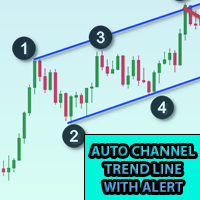
将此指标添加到图表并设置 ZigZag 的 ExtDepth 设置 当价格触及趋势线上、下或中通道时,它会立即发出警报 特征 : -启用/禁用上、下或中线的警报 - 在几秒钟内发出警报后添加暂停 - 使用图表上的按钮暂停或取消暂停趋势通道 - 通过在输入字段中添加点来添加早期警报,例如 ETH 价格是 2900.25,这里的数字 25 是“点”,所以如果您在输入字段中添加 25 以点为单位,并且如果趋势通道下线的值为 2900.25,那么您将在 2900.50 获得早期警报(从设置中增加 25 点) - 启用/禁用定向触摸,更多信息请参见屏幕截图,当价格触及底部阻力和顶部支撑时考虑定向触摸,添加此功能是为了避免来自多个警报的噪音 如果您在 1 分钟到 5 分钟图表中交易,Extdepth 的推荐设置为 55 如果您交易 1 小时到 4 小时图表,Extdepth 的推荐设置为 21 您可以根据图表上的需要调整任何其他 Extdepth,找到最佳趋势通道并暂停它并等待买入或卖出警报, 此外,您可以使用价格行为信息或蜡烛形态来验证反转。 您可以将其添加到许多图表并获得多个符
三角形图案的图案浏览器,例如对称三角形、不对称三角形或直角三角形,楔形图案,例如上升楔形或下降楔形,扩展图案和趋势通道 该指标探索历史模式以及当前模式,对于那些试图通过手动绘制趋势线或三角形来节省时间并希望将其用于自动分析在图表上绘制最佳模式的人来说,它是最佳指标 特征 : - 用于立即更改 ZigZag 扩展深度以调整并找到最佳模式的面板 - 将模式转移回之前的之字形柱以探索过去发生的事情,您可以探索趋势线是否受到尊重,了解价格走势 并通过探索以前的历史模式,使用该指标分析和学习它们,得出一个总体策略 - 从切换按钮立即从趋势通道或趋势线切换到楔形或三角形模式 - 暂停以冻结模式,因此模式不会改变并继续检查价格触摸以获取警报 - 触摸级别的多种类型的警报:邮件、推送、终端和打印通知 - 通过调整点启用早期警报,以便您在价格接近水平时提前收到警报并准备入场 - 趋势通道:启用/禁用上、中或下线警报 - 目标:对于三角形和楔形,它会自动设置目标,这是您必须买入卖出的有趣区域,如果您是突破交易者,您可以在那里预订利润或等待价格行动进行反转交易 - 改变趋势通道、三
Kraken 加密交易所期货历史更新面板 特征 : 1. 它将根据设置创建符号并完全更新历史记录,可从 Kraken API 获取符号。 此面板使用开盘高低收盘数据更新 Kraken 期货品种的历史记录,它还会在历史更新完成时打印消息。 请注意,这不是实时数据。   3.您需要添加Kraken API URL,如工具>选项>允许来自URL选项卡的Webrequest并勾选允许Webrequest复选框 - API URL:futures.kraken.com 4.消耗更少的内存和CPU 5.终端重启自动更新缺失数据! 每当你打开终端,最新的数据就准备好了! 6. 不进行 DLL 调用 -- Kraken 加密交易所期货历史更新面板 特征 : 1. 它将根据设置创建符号并完全更新历史记录,可从 Kraken API 获取符号。 此面板使用开盘高低收盘数据更新 Kraken 期货品种的历史记录,它还会在历史更新完成时打印消息。 请注意,这不是实时数据。   3.您需要添加Kraken API URL,如工具>选项>允许来自URL选项卡的Webrequest并勾选允许W
5 EMA Scalping Strategy Multi Symbol Scanner This EA utility will scan all symbols which are selected in marketwatch and alert when such condition is formed in chart when Candle low is above EMA 5 for Sell alert and Candle high is lower from EMA5 so you can be ready before selling or buying for scalping purpose on 5min chart For more details watch attached video Logic : When a candle closes above 5 EMA in 5 mins chart, Wait for its low to break and Sell when low is broken by wick, Your SL shou
Multi Symbol ZigZag Breakout Scanner 扫描在 marketwatch 中选择的所有符号。 当价格即将达到这些水平时,它将有助于轻松找到双顶、双底或任何斐波那契扩展水平。 您可以选择时间范围,以及 Zigzag 的多个 Extdepths(最多 3 个)。 推荐的 ZigZag 为 21,34 和 55,涵盖所有类型的 Zigzag 和过滤噪声 您可以设置接收终端警报或推送通知或两者 Multi Symbol ZigZag Breakout Scanner 扫描在 marketwatch 中选择的所有符号。 当价格即将达到这些水平时,它将有助于轻松找到双顶、双底或任何斐波那契扩展水平。 您可以选择时间范围,以及 Zigzag 的多个 Extdepths(最多 3 个)。 推荐的 ZigZag 为 21,34 和 55,涵盖所有类型的 Zigzag 和过滤噪声 您可以设置接收终端警报或推送通知或两者
Break of Structure
Rajesh Kumar Nait
市场结构是在更高的时间范围内突破时可能有助于清除交易者趋势的结构。 1. 该指标将之字折线仅绘制到最后 2 个结构(之字折线的前高点和低点),并且仅当结构发生突破时才会形成之字折线的新柱 2.它给终端和推送通知结构中断 3.通过[和]键增加和减少ZigZag的Extdepth来调整摆动 4.更改线AB BC和CD的颜色 5.添加到许多图表并获得多个符号的警报 如果您正在寻找结构断裂 Multi ExtDepth Breakout Multi Symbol Scanner 您可以使用此产品: Multi Symbol Multi ExtDepth ZigZag Breakout Scanner 市场结构是在更高的时间范围内突破时可能有助于清除交易者趋势的结构。 1. 该指标将之字折线仅绘制到最后 2 个结构(之字折线的前高点和低点),并且仅当结构发生突破时才会形成之字折线的新柱 2.它给终端和推送通知结构中断 3.通过[和]键增加和减少ZigZag的Extdepth来调整摆动 4.更改线AB BC和CD的颜色 5.添加到许多图表并获得多个符号的警报 如果您正在寻
Fibo Musang FMBCR CB1 突破扫描器 MT5 Fibo Musang CB1 或 Candle Break 1 是一种非常适用于黄金 XAUUSD 和其他外汇交易品种的策略。 此扫描仪将帮助您非常快速地扫描多符号货币并在 FMCBR CB1 突破时获得警报 请查看视频了解更多详情,因为它完全可以根据交易者的喜好进行定制: 1. 您可以选择柱线的时间范围和历史记录 2. 您可以修改您喜欢的 ZigZag 设置:ExtDepth、ExtDeviation、ExtBackStep 3.获取终端警报或推送通知 4. 追踪斐波那契扩展的选项,如 1.618 2.618 或 4.236 或追踪 CB1 突破与 1.00 Fibo Musang FMBCR CB1 突破扫描器 MT5 Fibo Musang CB1 或 Candle Break 1 是一种非常适用于黄金 XAUUSD 和其他外汇交易品种的策略。 此扫描仪将帮助您非常快速地扫描多符号货币并在 FMCBR CB1 突破时获得警报 请查看视频了解更多详情,因为它完全可以根据交易者的喜好进行定制:
多符号双击图表上的任意位置以设置价格警报并从终端警报或推送通知中获得通知 1. 在图表上添加 EA Utility 2. 按 <- 左或 -> 右箭头键浏览图表 3. 双击图表上的任意位置,它会添加一条线,拖动这条线以设置您想要的价格,瞧,警报已设置! 当价格达到该线时,它会根据实用程序的设置通过终端或推送通知通知您。 即使您重新启动终端,此警报也会继续工作。 4. 继续浏览多品种并继续在您希望收到警报通知的许多图表上添加线条。 5. 如果您想重新开始,请按 D 删除您设置的所有警报。 6. 删除水平线,警报将被禁用。 -- 多符号双击图表上的任意位置以设置价格警报并从终端警报或推送通知中获得通知 1. 在图表上添加 EA Utility 2. 按 <- 左或 -> 右箭头键浏览图表 3. 双击图表上的任意位置,它会添加一条线,拖动这条线以设置您想要的价格,瞧,警报已设置! 当价格达到该线时,它会根据实用程序的设置通过终端或推送通知通知您。 即使您重新启动终端,此警报也会继续工作。 4. 继续浏览多品种并继续在您希望收到警报通知的许多图表上添加线条。 5. 如果
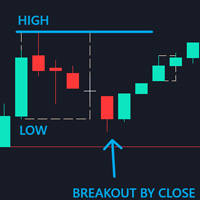
Control Candle is the candlestick which holds multiple inside bars and are in control until its high low range is broken by close of any candlestick. When control candle is broken, price may act on these control candle as support and resistance. This indicator create rectangles on chart which will help you find control candles fast. Control candle indicator box is customizable by color, style, width and other options in indicator settings.
Cobra Levels
Rajesh Kumar Nait
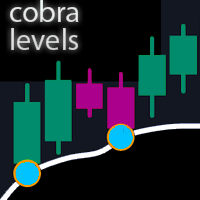
眼镜蛇等级 这是 6 组级别,具有两种频率模式,适用于通用市场,包括外汇、加密货币、商品、nifty 和banknifty。 它们是在对金融工具进行最佳研究后出版的。 上层称为U1至U5,下层称为D1至D5 在正常情况下,市场可能会在内部通道中驱动至 U3 或 D3,在波动情况下,市场可能会在外部通道 U4 至 U5 或 D4 至 D5 中驱动。 当价格达到 U3 U4 U5 或 D3 D4 D5 时,反转的可能性非常高,交易者应等待蜡烛图收盘以确认入场,并可以在有效的风险管理下进行交易。 该指标允许您通过指标设置中的自定义选项来改变级别。 用户可以通过添加 + 或 - 点来自定义级别 1. 他们正在处理时间范围:仅 M1、M3、M5、M15、H1 和 H4。 2.适合日内、波段、仓位交易方式 3. 与任何其他指标相比,根据研究帮助找到最佳超买和超卖转折点 4. 动态水平:水平值每分钟都会变化,但当价格在任何情况下超过标准达到这些水平时,就会出现一个循环,并且可以看到反转。 5. 包含提醒广告推送通知 有关交易策略的更多信息,您可以通过 DM 与我联系。
Higher Time Frame Bars
Rajesh Kumar Nait
5 (1)
该指标可有效跟踪您想要在同一图表上跟踪的任何其他时间范围烛台 1. 选择任何更高的时间范围来加载同一图表上的柱形图 2.自定义烛台的颜色和样式 3. 选择绘制烛台的柱数 4. 跟踪更高时间范围的完整蜡烛以及烛芯和实体 5. 对于那些不想切换图表的人来说,简单方便。 该指标可有效跟踪您想要在同一图表上跟踪的任何其他时间范围烛台 1. 选择任何更高的时间范围来加载同一图表上的柱形图 2.自定义烛台的颜色和样式 3. 选择绘制烛台的柱数 4. 跟踪更高时间范围的完整蜡烛以及烛芯和实体 5. 对于那些不想切换图表的人来说,简单方便。 该指标可有效跟踪您想要在同一图表上跟踪的任何其他时间范围烛台 1. 选择任何更高的时间范围来加载同一图表上的柱形图 2.自定义烛台的颜色和样式 3. 选择绘制烛台的柱数 4. 跟踪更高时间范围的完整蜡烛以及烛芯和实体 5. 对于那些不想切换图表的人来说,简单方便。
币安 MT5 交易工具 1. 本产品包含通过 WebSocket 获取的实时图表、历史图表, 并在 MT5 终端重启时自动更新,确保运行流畅,无需人工干预,让您在币安交易时体验流畅无阻。 现货和期货均可交易、实时图表和历史数据 图表功能: 1. 通过 WebSocket (WSS) 获取实时 OHLC 图表 2. 通过 API 更新历史记录 3. 每次打开 MT5 时自动更新图表历史记录 4. 支持从 M1 到 MN1 的所有时间范围 5. 可用数据:开盘价、最低价、收盘价、实际交易量和即时成交量 6. 您可以使用策略测试器,通过您的专家顾问对加密货币数据进行任何策略的回测 图表和历史记录使用说明: 1. 将 URL 添加到 MT5 选项 2. 在任何图表上加载实用程序,并选择“模式”为“实时”,然后选择交易所(例如币安现货),并在首次运行时将“创建交易品种”设置为“真”,以便创建交易品种。 3. 所有交易品种创建完成后,右键退出 EA,选择“Utility Crypto charts”(实用程序加密货币图表),然后点击“Remove”(移除)。重启 MT5(重要提示) 4
Cobra Pivot Points 是一个用于绘制最佳优化枢轴点的指标,您可以通过下载 DEMO 自行回测。 1. 选择两种最佳枢轴模式:Cobra Pivots 或 Camrilla Pivots 2. 您可以使用任何时间范围,不限于 D1。 3. 您可以使用 Shift 参数来调整前一天的高低收盘值。 1 = 前一柱,2 = 前一柱之前的柱,依此类推。这些参数将帮助您研究和开发枢轴。 4. 触摸级别后发出警报、电子邮件或推送通知。 一旦触及水平,枢轴水平将被视为缓解,因此不会再次提醒您。 如果您想再次发出警报,则需要更改时间范围以重置警报。 5. 完全自定义线条颜色、线条样式、线条宽度、文本颜色和字体。 Cobra Pivots 分为三个区域:LZone(非常接近的剥头皮水平)、NZone(当市场盘整时)和 HZone(距离稍远的水平最适合头寸交易),可以在指标设置中显示/隐藏。 卡姆里拉枢轴公式为:     LS1 = 前一日收盘价- ((前一日最高价-前一日最低价)*0.50);     LS2 = 前一日收盘价- ((前一日最高价-前一日最低价)*0.75
多货币前蜡烛或前柱扫描仪可帮助您扫描具有从指标设置中选择的任何自定义时间范围的多品种图表。 基于产品: https://www.mql5.com/en/market/product/78657 它可用于扫描前一天高低、前一周高低、上个月高低或任何自定义时间范围的多个交易品种,例如 前 4 小时图高低 当价格触及高线或低线时,它会过滤噪音并发出方向警报 策略很简单,当触及前一天、一周或一个月的高点和低点时,价格会在较小的时间范围(如 5 分钟)内被拒绝 它具有选择各种警报类型的选项 您可以选择并设置扫描频率(以毫秒为单位) 1000 表示每秒扫描市场观察中的所有交易品种 产品特点 1. 终端警报 2. 电子邮件提醒 3. 推送通知 多货币前蜡烛或前柱扫描仪可帮助您扫描具有从指标设置中选择的任何自定义时间范围的多品种图表。 基于产品: https://www.mql5.com/en/market/product/78657 它可用于扫描前一天高低、前一周高低、上个月高低或任何自定义时间范围的多个交易品种,例如 前 4 小时图高低 当价格触及高线或低线时,它会
筛选:
无评论
回复评论