 MetaTrader 5
 专家
专家
 指标
指标
 程序库
程序库
 实用工具
实用工具
 窗口小部件
窗口小部件
 规则
规则
MetaTrader 5 交易实用工具 - 25
 以下是可在MetaTrader 5中简化交易的交易程序。将鼠标悬停在一个工具上,阅读它的描述和用途。
This indicator allows to hide OBV (on all MT5 timeframes) from a date define by the user with a vertical line (Alone) or a panel (with "Hidden Candles"). Indicator Inputs: Apply To Information on "On Balance Volume" indicator is available here: https://www.metatrader4.com/en/trading-platform/help/analytics/tech_indicators/on_balance_volume ************************************************************* Hey traders!! Give me your feeds! We are a community here and we have the same objective....
FREE
This indicator allows to hide Bill Williams Fractals (on all MT5 timeframes) from a date define by the user with a vertical line (Alone) or a panel (with "Hidden Candles"). Indicator Inputs: Indicator Color Indicator Width Information on "Fractals" indicator is available here: https://www.metatrader4.com/en/trading-platform/help/analytics/tech_indicators/fractals ************************************************************* Hey traders!! Give me your feeds! We are a community here and we ha
FREE

TradeManagerSmart is a useful addition to your MetaTrader 5 desktop. The window can be moved freely, and its functionality can be customised in the settings.
## The Profit/Loss shows the cumulated profit/loss for all open positions, not for each position/product !
Quick trading buttons (one-click trading) with the following features: Sell: Sell order Buy: Buy order Break-even: Immediately sets the stop-loss to the entry price (break-even) Close winners: Closes all positions that are in profit
FREE

该脚本的设计使交易者可以确定交易交易的平均持续时间,在此期间可能的利润和损失的比率将是最佳的。 首先,让我们看一下确定贸易交易最佳持续时间的一般方法。我们介绍以下变量: R - 交易的结果; T - 交易开放的时间; W - 上一笔交易结束与下一交易开盘之间的时间。 每个交易者都努力在最短的时间内获得最大的利润。这种愿望可以通过以下简单表达来描述: R/(T+W)→max 。 很明显,变量 T 和 W 取决于交易的总持续时间和交易数量。设 ATD 是交易的平均持续时间, N 是交易总数。然后,交易的平均持续时间应与其总数的平方根成比例增长,即: ATD~√N 。 但是,有一些有根据的问题出现 - 任何交易持续时间等同于其他交易持续时间,交易持续时间如何影响交易操作的结果?为了得到所提问题的答案,我们将对历史数据的价格行为进行一项小型研究。 我们继续如下。我们将历史数据划分为由一定数量的柱组成的系列,对应于交易的平均持续时间。在每个这样的系列中,我们计算最大价格变动,我们将引用更大的偏差 StopLoss ,并且更小 - 到 TakeProfit 。 之后,我们将计
FREE

This is a simple indicator type thing to track potential total risk if all the stop losses to be hit. It gives the sum of the total stop losses for a certain currency in positions and orders. These are the functions. (I will add more functions later, eg - total profits per symbol etc.) ( Add a comment if you need any feature. I will add it ) Total risk exposure - This is the total risk that can happen if all the stop losses in positions and open orders were to hit. Total positions risk - This is
FREE

如果您喜欢这款免费工具,请留下五星好评!非常感谢 :) “风险管理助手”专家顾问系列是一套全面的工具,旨在通过有效管理各种市场条件下的风险来增强交易策略。该系列包含三个关键组件:平均交易、切换交易和对冲交易专家顾问,每个组件都针对不同的交易场景提供独特的优势。
此 EA 是基于市场上标准风险管理策略的开发版本。
https://www.mql5.com/en/blogs/post/756961
1. “均线助手”EA: MT4: https://www.mql5.com/en/market/product/115468 MT5: https://www.mql5.com/en/market/product/115469 2. “切换助手”EA: MT4: https://www.mql5.com/en/market/product/115478 MT5: https://www.mql5.com/en/market/product/115428 3. “对冲助手”EA: MT4: https://www.mql5.com/en/market/product/115466 MT5
FREE

MQT Prop Guard DD 保护自营交易公司(prop firm)账户,防止突破每日亏损限额和 总回撤限额。它每秒监控净值,在达到您挑战的每日限额之前平掉所有仓位,然后锁定 交易直到下一个每日重置。兼容 FTMO、The5ers、FundedNext 等自营公司的规则(请 始终核对您公司的确切重置时间和限额)。 工作原理(逻辑说明): 在设定的重置时间(服务器时间)记录当日起始基准:余额、净值或两者的较大值 (默认采用保守值)。 每秒将当前净值(浮动亏损计入)与基准减去每日限额(百分比或固定金额)进行 比较。 在可配置的预警水平(默认为限额的 80%)每天提醒一次:弹窗、日志和可选的推 送通知。 一旦突破限额,平掉所有品种的全部仓位,删除挂单,并锁定交易直到下一次重置。 锁定期间开的任何仓位会被立即平掉。 可选的总回撤限额(基于初始余额)提供第二重保护。 状态保存在终端全局变量中:重启不会重置当日基准或锁定。 如果您只想收到提醒而不自动平仓,可使用“仅提醒”模式。 说明: 放在单个图表上即可,它监控整个账户。 需要启用算法交易(需要平仓权限)。 无 DLL,无需联网。重置时间为
FREE

ClearAllObjects — MT5 图表即时清理工具 用途
一键清除图表上 所有图形对象 ,包括趋势线、斐波那契回撤、箭头、文本标签、甘氏工具等。完美解决策略测试、K线形态分析、手动绘图后图表过于杂乱的问题,让图表瞬间恢复清晰。 使用方法
在导航器 > 脚本中找到ClearAllObjects,拖拽到任意图表上 → 可选确认对话框 → 立即完成清理。清理完成后图表会显示删除数量并在专家日志中记录。 主要特性
仅清理当前图表(多图表窗口安全)
超快执行速度,无需DLL,MQL5 Market就绪
覆盖图表所有窗口的所有对象类型
支持自定义过滤特定对象类型或子窗口 适用于
算法交易者清理EA回测绘图
实时交易中快速移除分析标记
告别繁琐的逐个双击删除烦恼 拖拽 → 清理完成。
FREE

Helmsman Trade Manager 永久免费,并且为「一直免费」而设计。 您已经知道 要交易什么 。难的是周围的一切——与风险真正匹配的手数、会自己移动的止损、本该分批了结的那一部分,以及您半夜对自己许下、白天却打破的规则。 Helmsman 负责这一部分 ,让您的注意力回到该在的地方:图表。 在线阅读 | 下载 PDF 用画的,不用算的。 在图表上拖动入场、止损与目标。每条线都带着 自己的距离、金额和盈亏比 ,拖动时实时更新。一个标签发出订单,并事先告诉您它将发出哪一种:市价、突破挂单还是限价挂单。 先定风险,再定手数。 输入 余额的 1% 或 50 美元 ,手数由您的止损与该经纪商的合约算出,精确到手数步长。改变主意也行——直接输入手数,风险数字会自动跟随。 点击之前,资金卡说实话: 风险 ——真正押上的金额,按您自己的阈值显示为绿色、琥珀色或红色 成本 ——当前点差(点数与金额)加佣金(留空则由您自己的历史估算) 保证金 ——需要多少,还剩多少可用 回报 ——目标处等待的金额 然后放手。 带偏移的保本 ,避免点差恰好在零点把您扫出 四级递进锁定 ——随着盈利推进
FREE

The Ultimate Trade Management Tool for Manual Traders Trade faster. Manage smarter. Stay in control. You decide when to enter the market . Shadow Scalper Assistant takes care of everything after that . Designed for MetaTrader 5, this powerful Trade Assistant helps manual traders execute trades quickly, protect profits automatically, and manage positions with confidence—without relying on automated trading strategies. Whether you're a scalper, day trader, or swing trader, Shadow Scalper Assistant
FREE
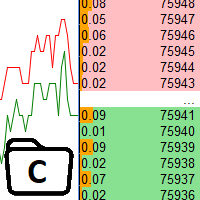
The utility is designed to control the update rate of the order book (or several) in the strategy tester. Management is carried out by a library, which is available here https://www.mql5.com/en/market/product/81400 Interface description: S/P Start and pause playback --- Decrease the speed by one step +++ Increase speed by one step R Updating the character list <0> Slider, moving left/right change the playback speed, after releasing the mouse it is restored to its original state. The
FREE

Strangely enough, everyone seems to have their own idea of how you should measure support and resistance. Not every support and resistance zone is strong. The strongest support or resistance levels will more often than not be with trend . What this means is, if we are in a bull trend, pullback levels to support will more often than not be ‘stronger‘ than resistance levels above. These expert advisors use several mathematical models and statistical models to determine the strongest support and r
FREE

Save time placing orders This is a tool for manual trading. It has an intuitive, and straightforward interface without any useless extras. Allows you to automatically calculate the order volume size, open both market and pending order. Works on any symbol/instrument, account type or broker. Input fields: Order Size - as percentage of account free margin Take Profit - as percentage of account balance Stop Loss - as percentage of account balance Symbol Contract Size - needs to be manually entered
FREE

Manual Trading Panel is a simple, efficient and intuitive graphic tool that provides a controls to open, close and manage all your orders in MetaTrader 5. It is very useful in case you have to interact with other EA adding another position or delete all positions in a specific direction or all of themes. This EA can not be tested on strategy tester. In case of usage please try its functions on demo account before running on live trading. Functions presented to this version: Interacts only with p
FREE
背景
本产品是基于周期论而开发出的实用看盘工具。 当您在分析一个交易品种的多个周期时,添加了多个图表放在副屏中,这时您需要查看其他交易品种的多周期图表时,无法快捷的切换,将会增加大量时间成本。 此产品可快捷切换副屏中的图表显示的品种,且应用模板不变,放置位置也不会改变,大大节省了设置的时间。 使用方法 例如您在2个副屏分别放置了XAUUSD的M5,M15图表,当您需要查看EURUSD的图表时,只需在客户端点击停驻的EURUSD图表,应用脚本即可。 注意如果副屏上放了多种交易品种的图表,那么在应用脚本后,都会统一切换为一种交易品种的图表,所以建议不同副屏放置一种交易品种的图表即可。 点击 这里 查看快速新增单个品种的多周期图表的产品信息, 可配合此产品一起使用。 点击 这里 查看基于周期论的指标产品,可配合此产品一起使用。 如果您有任何问题或需要帮助,请通过私信与我联系。 注意! 我的所有产品只能在这里购买,即官方 MQL5 网站。 谨防骗子!
FREE

Trade Risk Desk answers one question at the moment you need it answered: what volume makes this stop cost exactly what you decided to risk. Drag the stop line to where it belongs on the chart and the panel prints the volume, the money behind it, and the margin the position will hold. What It Answers Set the risk as a percent of balance or as a fixed amount in account currency. Put the stop where your idea says it belongs. The panel reads the symbol settings your broker publishes and prints: the
FREE

Manage All Trades for MT5 Manage All Trades is a free MT5 utility that gives you fast and convenient control over open positions directly from the chart. Close all trades, BUY trades, SELL trades, profitable trades, losing trades, or positions on the current symbol with one click. Built for traders who want speed, simplicity, and better trade management in live market conditions. Manage All Trades is a lightweight and practical trade management utility for MetaTrader 5 that helps you close open
FREE
The VR Close orders script is designed to close positions in the terminal at a profit or loss mark set by the trader. The program is written as a script and can work together on the same chart with any other indicators and expert advisors. The program has a simple visual panel and is easy to configure with the mouse. With this program's help, the trader can automatically close positions and delete orders depending on the conditions set. There is often a situation when you need to close position
FREE

Lenzi Indicators - Advanced Chart Watermark Pro (MT5) Water Mark Pro is a professional-grade watermark indicator for MetaTrader 5. Designed for traders, educators, signal providers, and content creators, it allows you to beautifully brand your charts without obstructing price action. Featuring a smart mathematical engine, it calculates true opacity, automatically centers text, prevents overlapping, and dynamically resizes fonts when you shrink your chart window. Key Features Background Render
FREE

The Problem Every Trader Faces Every serious trader knows the struggle: Wasted time scrolling through years of data to find specific dates Missed opportunities because you can't quickly jump to historical patterns Frustrating navigation with manual scrolling that never lands exactly where you need No quick way to mark important dates for future reference Inconsistent chart positioning when trying to compare different time periods These inefficiencies cost you valuable analysis time and
FREE

History by Magic Number MT5 is a utility that filters trading history based on a selected Magic Number . It’s especially useful on accounts where multiple EA strategies run simultaneously and you need to isolate the performance of a single strategy . This tool is a non‑trading analytical Expert Advisor for MetaTrader 5, designed to provide precise evaluation of trading performance associated with a specific Magic Number within a user‑defined time range . It does not interfere with live trading,
FREE

This Tradepanel is an Utility for Traders Who want ot use Basic MoneyManagement for Calculation of Lotsize I have created the basic edition only to give an Overview with Limited Functionality Full Features are available with Auto TradePanel Pro. (This is Only Because it can not be Tested in Strategy Tester ). Complete Description is available at "Auto TradePanel Pro". in This Version Basic Functionality ( Calculation of Lotsize ) open /close Positions is working in the same way as in Pro
FREE

History On Chart is an indicator that shows the "trail" of all trades made in a specific period of time. It shows the entry and exit point with their respective dates and prices. It also shows the type of trades and the cash result. Open trades are also displayed, but only the entry point. The indicator is free and fully customizable. If you have any questions please contact us. Enjoy!
This is a free indicator, but it took hours to develop. If you want to pay me a coffee, I appreciate a lot <
FREE

OVERVIEW
Tanin EA17 Second Chart is a professional-grade utility EA built specifically for ultra-scalpers. Since MetaTrader 5 does not natively support second timeframes (like S10, S15), scalpers often face execution delays when analyzing external platforms and executing on MT5. EA17 bridges this gap by generating smooth, real-time custom second charts directly within your terminal. THE STORY BEHIND THE TOOL
As a scalper myself, I needed absolute speed and precision. I built this tool to elimin
FREE

"Twits Price speedometer" is an indicator designed to measure current "speed" and directional efficiency of price movement in real time. It has been developed as an Expert Advisor (EA) because it reacts to every incoming tick, making it independent from traditional chart time frames and capable of analyzing markets with extremely high precision, even at the level of individual ticks or milliseconds. The operating principle is simple yet highly effective. Within a user-defined analysis window (fo
FREE

TraderMusic Плеер на графике. Показывает карточку фонового плеера Windows: название трека, исполнителя и обложку. Под треком идёт лента зелёных и красных свечей. Управление мышью: играть и пауза, предыдущий и следующий трек, громкость. Панель можно скрыть и снова открыть, перетащить по графику. Язык интерфейса: русский и английский. Карточка и обложка приходят из фонового плеера Windows. Пока плеер молчит, на панели написано, что трек ещё не пришёл.
FREE

转售源自 CQG Data Factory 的 E-mini Nasdaq (ENQ) Level 1 期货数据集。该数据集仅包含 ENQ期货,不包含其他交易品种。
数据集时间段从 2020 年 1 月 1 日至 2026 年 4 月 30 日,压缩后总文件大小为 37.5 GB。其它时间段的数据没有,只有从 2020 年 1 月 1 日至 2026 年 4 月 30 日的数据。
其在 CQG Data Factory 官网的官方售价为 2,081.70 美元。
该数据集仅包含 Level 1 逐笔(tick-by-tick)报价及成交量信息;不包含 Level 2 或 Level 3 数据,也不包含 OHLC K 线数据。
其中 2026 年 4 月的数据可免费下载,其余部分则以100USD转售。下单购买后请与我联系,我提供完整的数据下载链接。
ex5文件中有2026 年 4 月一整月的数据集,大家可以免费下载查看。
FREE

CauCa Client is a smart execution engine built for the Fishing Strategy, a method designed to patiently cast entries, scale positions in layers, and react quickly when market conditions become favorable. It focuses on precision order handling, dynamic layer management, and stable behavior in fast-moving sessions. This Client EA is ideal for traders who want disciplined, rule-based execution without manual stress. It helps maintain consistency in grid expansion, order structure, and timing, while
FREE

當蠟燭觸及手動放置的趨勢線時,該實用程式會打開訂單,就好像它是一個更明確的掛單一樣。 它可以用於任何資產,當它打開訂單時,它會消除它所觸及的線並創建箭頭。在這種情況下,它用於價格反轉操作,當看漲蠟燭觸及自下而上的線時,它打開賣單,當看跌蠟燭觸及自上而下的線時,打開買單。
您可以調整停損和止盈,該實用程式非常有用,因為您可以對要打開的訂單進行編程並退出螢幕,對於圖表模式非常有用,當價格達到上升和下降的支撐線和阻力線時,例如水平線和垂直的。
使用最新更新,您可以放置多行。
非常重要:Meta trader 5 有交易歷史記錄,當訂單關閉並繪製一條線時,該線可能會與機器人的邏輯混淆並打開不需要的訂單,要解決此問題,請禁用交易歷史記錄,使其不顯示,請參閱列印輸出,如果它已顯示在圖表上,請以滑鼠右鍵按一下「交易記錄」將其隱藏。
注意:無法測試策略測試器。
FREE

使用 Isheguve Trend Scout 掌控您的市场分析! 厌倦了手动绘制趋势线并错过关键的市场转变吗? Isheguve Trend Scout 是一款 MQL5 实用程序应用程序,旨在通过在图表上自动识别和绘制趋势线来为您提供优势。 为什么选择 Isheguve Trend Scout? 轻松检测趋势: 停止猜测,让应用程序为您代劳。Trend Scout Pro 智能分析历史价格数据以寻找重要的波段点,并自动绘制准确的趋势线。 完全可定制: 根据您的交易风格量身定制应用程序。轻松启用或禁用上升和下降趋势线,并选择您喜欢的颜色以获得个性化的图表视图。 在当前时间周期上分析任何时间周期: 无论您是剥头皮交易者、日内交易者还是长期投资者,您都可以在首选时间周期上绘制趋势线,同时在当前时间周期上监控价格变动,从而即时洞察市场方向。 功能概览: TIMEFRAME (用于绘制趋势线):分析从 M1 到 MN1 的任何时间周期上的趋势。 LOOK BACK PERIOD:通过设置用于检测波段点的柱数来调整趋势线的灵敏度。
FREE

RRPP Script A script for placing a pending order prepared by the Risk Ratio Trade Panel indicator. Reads the entry price, Take Profit, Stop Loss and lot size directly from the indicator lines on the chart. Requirements The Risk Ratio Trade Panel indicator must be attached to the chart and the panel must be open before running the script. How it works Attach the Risk Ratio Trade Panel indicator to the chart, open the panel and set the Entry, TP and SL lines to the desired levels. Then run RRPP Sc
FREE

AI Equity Drawdown Guardian is an account-wide protection utility for MetaTrader 5. It continuously monitors your account equity against a configurable daily and total drawdown limit, and automatically closes all open positions and blocks new trading the moment a limit is breached - across ALL symbols and ALL magic numbers, not just its own trades. Key features: Daily drawdown percent limit, calculated from the equity at the start of each trading day Total drawdown percent limit, calculated from
FREE

交易数据分析助手 : 这是一款交易数据统计分析工具,数据图表较多可供分析参考 . 语言: 支持语言的选择切换(目前支持中文和英文 主动识别不用人工选择) 主窗口显示: 余额显示 总盈亏显示 现在持仓盈亏金额显示 现在持仓盈亏比例显示 买单卖单总单量,总手数,以及盈亏情况显示. 仓位使用比例显示 按照目前持仓能够承受的亏损点数预计 (点击右下角可缩放)每日订单单量,手数,盈亏情况统计 (点击右下角可缩放) 当周盈亏数据
(点击右下角可缩放) 当月盈亏数据
(点击右下角可缩放) 当年盈亏数据
交易数据统计区: 详细订单统计,(可以选择按日,周,月,季度,年)(按品种,识别码)(现有持仓详细统计) 盈亏/手数/交易次数 柱状图 多/空持仓时间/获利水平情况 多货币盈利次数/盈利水平分布情况 余额净值曲线/余额曲线/盈利曲线等(注:加载余额净值曲线可能需要一定的数据处理时间,请耐心等待加载完成...) 每次订单盈亏利润柱状图 多货币对盈利曲线图 数据统计分析报告 关于版本更新 有任何问题,建议,欢迎交流.
FREE
Tired of calculate every weekend and the end of the month to know how much you've earned and how much your capital has grown?
Then this indicator will help you! It informs you how much your capital has grown in money and percentage in the day, week, month, year and in history, plus show how much volume ou used, how much trades you did and how much comission and swap you paid. Alo the open positions result are showed in money and percentage. Note: The amount of trades displayed may differ from

Pairs Navigator is a simple and easy-to-use tool that allows you to view all of your charts in a single window. This eliminates the need to open multiple charts from the Market Watch window, saving you time and effort. Pairs Navigator is also very lightweight, so it will not put a strain on your RAM or cause your MT4/5 platform to hang. To use Pairs Navigator, simply drag and drop the currency pairs you want to view into the Pairs Navigator window. You can then easily switch between charts by
FREE

Many EAs only make money in a trending market. When the market goes sideways, they give back profits for months. Regime Watch tells you which kind of market you are in, so you can decide when to scale your EA up or down, before the drawdown shows it to you. How it works Regime Watch measures how far price has moved over the last 126 daily bars (about 6 months), in either direction. When the move reaches 12%, the market is TRENDING. When it falls below 10%, the market is SIDEWAYS. A change only c
FREE

TradeSyncLive - For MT5 Trade Analytics Dashboard Automatically sync your MT5 trades to a web-based dashboard with real-time analytics and EA performance tracking. This app was made with AI assistance, it's not professional, don't expect something amazing, this is just a weekend project. Setup Attach TradeSyncLive EA to any chart (one chart for each account you want to analyze) Set your Username in the EA inputs (pick whatever username, this is your login for the web app) Add the Supabase URL to
FREE

Stop Loss Magic Number Description All offsets in this utility are calculated in USD. A reliable Stop Loss manager for loss protection, auto trailing and profit locking. Suitable for both beginners and advanced traders thanks to simple and extended modes. Fully automates trade management and helps eliminate emotional decision-making. Utility Features
Default Mode — simple mode
Designed for quick and easy use. Includes basic trade management logic: • loss protection (Loss Protection Offset)
FREE

Auto-Shutdown MT5 Terminal - Saves you from Over-Trading by automatically closing MT5 Termial when daily loss limits are breached Love it? Hate it? Let me know in a review! Feature requests and ideas for new tools are highly appreciated. :)
Try "The AUDCAD Trader":
https://www.mql5.com/en/market/product/151841 ️ Your Automated Discipline Enforcer "I'll just make back what I lost..."
"One more trade to break even..."
"I can't end the day red..."
Sound familiar? These thoughts have d
FREE

AlgoForex Smart Trade Panel Title: AlgoForex Smart Trade Panel - Visual Risk Management & Trading Category: Experts / Trading Utilities Price: Free Overview Take full control of your trading with the AlgoForex Smart Trade Panel — a lightweight, professional, and visually interactive trading assistant designed for both beginners and advanced traders. Tired of manually calculating lot sizes or struggling to place precise Stop Loss and Take Profit levels? This utility empowers you to
FREE
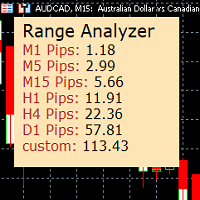
Range Analyzer calculates the Average True Range (ATR) values for different timeframes in pips to give a fast and simple overview about the volatility of the chosen symbol.
Settings are very easy:
bars for calculation: Choose the number of bars for calculation or use the default value (14 periods).
from bar: Choose the youngest bar to start the calculation or use the default setting (0 = current bar). custon timeframe: Choose another timeframe.
You can use it for forex, crypto, indices, comm
FREE

This is the demo version of SmartVSV Panel. https://www.mql5.com/en/market/product/91131 It is the same as original panel with all graphic objects and settings. Main difference is that you can not trade with this demo, but you can see all orders' parameters such as entry, TakeProfit and StopLoss. Also you can test QuickTrade. All functions are explained with alerts. When you add it to your chart press "I" to call information alert.
FREE

Have you ever wanted to back-test a strategy but never wanted to risk real money? And the thought of using a demo account is exhausting as real time markets develop your skills slowly. This utility will help you develop your strategy faster and will help determine if the strategy works long-term by simulating real trading through back-tests. This will save you time as you can back-test strategies from previous price data. With the new update you can now change your lot-size add take-profit and
FREE

Account Info EA It is a tool that presents on the graph all the positions of the account, and specific information concerning the positions, but also the account. It enables the user to have an image of his account at a glance. Use like any expert advisor. You can't attach it in the same chart with other expert advisor. It does not have the ability to open or manage positions. You can attach it on any chart and any timeframe.
FREE

This MQL5 indicator creates a customizable grid of horizontal lines on your trading chart. Here's what it does:
**Main Functions:** - Draws equally spaced horizontal lines across the visible price range - Supports two line types: horizontal lines or trend lines with forward projection - Automatically adjusts to price scale changes
**Key Features:** 1. **Customizable Spacing**: Set grid distance in pips (20 pips by default) 2. **Flexible Starting Point**: Auto-calculates starting price or lets
FREE

The Teaching T-INN utility was created to train architecture neural networks (T-INN) Target-IntelNeuroNet adapted to the currency market. The utility file must be placed in the scripts folder and run on the chart and timeframe on which you want to train the neural network. The result of the training will be recorded in a file, and the entire training process is displayed in the console on the chart and an additional log file. Before starting the script, it is necessary to download all the stori
FREE

CHART REVOLUTION EA - 半自动交易的革命! 您是否厌倦了MT5笨拙的标准界面?告别频繁的窗口切换和复杂的计算! Chart Revolution EA 是一款新一代的专业交易面板,它将您的图表变成一个功能齐全的交易员指挥中心! 为什么选择 CHART REVOLUTION? 一切尽在同一屏幕 - 不再有多余的窗口
即时执行 - 一键开仓
智能风险计算 - 根据存款百分比自动计算手数
可视化控制 - 所有持仓水平直接显示在图表上
4种时尚主题 - 从赛博朋克到黑客帝国 核心功能 交易面板: 一键开设买入/卖出仓位 快速设置手数、止损和止盈 快速选择按钮 (0.01 - 1.00手) 预设止损/止盈水平 (25, 50, 100, 200 点) 平掉所有仓位 / 仅平掉盈利仓位 可折叠面板以节省空间 资金管理: 资金管理 - 基于风险自动计算手数 每日最大亏损 - 防止情绪失控 每日交易次数限制 - 控制交易活动 每笔交易风险 - 从存款的0.1%到10% 自动功能: 移动止损 (Trailing Stop) - 自
FREE

Stop journaling trades manually. Let your terminal do it. Chart Reporter is a free Expert Advisor that turns MetaTrader 5 into a fully automated trading journal. Every position you open, scale, or close is captured in real time — complete with a chart screenshot at the moment of execution — and pushed to a private cloud dashboard you can review from any browser. No spreadsheets. No screenshots dragged into folders. No "I'll log it later" debt at the end of the week. What it does Auto-journals ev
FREE

本产品已更名为 PositionRelay TV Slave Subscriber。
请从 MQL5 Market 安装 PositionRelay TV Slave Subscriber。此 TradeEcho 列表已被取代并将隐藏。Market 产品标题无法重命名。
同一 User ID 与云端 API。请卸载 TradeEcho TV Slave Subscriber,然后在每个跟随账户上附加 PositionRelay TV Slave Subscriber。
配套产品:PositionRelay Master Publisher。
关键词:复制交易, 跟单, PositionRelay, 品牌迁移, slave
PositionRelay TV Slave Subscriber 将 PositionRelay 云端的 TradingView 网络钩子信号镜像到您的 MetaTrader 5 跟随账户。它轮询虚拟 TradingView 源账户(非 MT5 主账户),并以 TV_ 票注复制开仓、平仓和修改操作。
配套产品:PositionRelay Master P
FREE

Chinese (Simplified) CCI Cross Alert EA for MT5 CCI Cross Alert EA 是一个简单的 MetaTrader 5 工具,当 商品通道指数(CCI) 达到常见的超买或超卖水平时向交易者发送提醒。它可以帮助交易者在无需一直盯着图表的情况下监控 CCI 信号。 将 EA 添加到图表后,它会持续监控 CCI 指标,并在关键水平被突破时发送 弹出提醒 ,方便您快速查看图表并评估潜在交易机会。 功能 检测 CCI 上穿超买水平(默认 100)
检测 CCI 下穿超卖水平(默认 -100)
MetaTrader 5 弹出提醒
适用于任何交易品种和时间周期
轻量且易于使用 工作原理 EA 会监控当前图表上的 CCI 指标。当指标上穿超买水平或下穿超卖水平时,MetaTrader 5 会弹出提醒。 CCI 周期、应用价格和提醒水平可以在设置中调整。 该 EA 仅提供提醒功能 ,不会自动开仓或管理交易。
FREE

Please visit = https://www.mql5.com/en/market/product/186048 for slave EA
MT4 Version = https://www.mql5.com/en/market/product/186079
Free Demo Version = https://c.mql5.com/6/1033/COPYTRADE_BIN7D.zip
User Manual : download here
Best EA Trade Copier for MT5. EA Trade Copier is a powerful and reliable trade copying solution that transfers trades from one Master account to multiple Slave accounts in real time. Whether you manage multiple trading accounts, investor accounts, VPS terminals,
FREE

Recovery Booster 终于来了 – 许多 EA持有者 一直在寻找的解决方案。 您的 EA 表现很棒。但在经历一次亏损交易后,您经常会想:“如果我现在能用稍微 大一点的的手数 交易就完美了” — 因为接下来的交易往往非常大可能盈利。
针对“具挑战性”EA的实盘表现: 许多EA在回测中看起来完美,但在 实盘回撤 中却举步维艰。Recovery Booster目前正在帮助其中一种热门策略来应对并从 更深的回撤 中恢复。 在此查看结果: 使用 Recovery Booster 的实盘信号 Recovery Booster 是一款适用于 MetaTrader 5 的交易工具,可帮助您优秀的机器人更快地从亏损中恢复。它会监控 主EA ,并在 回撤 期间,使用您选择的 手数倍数 开设额外仓位。 但这还不是全部。我希望与您一起让 Recovery Booster 变得更好。 用户指南 要充分了解 Recovery Booster 的工作原理以及如何正确设置它,请阅读详细的 用户指南 。 官方聊天群 加入 Recovery Booster Hub — 在这里您可以分享经验、提出问题并互相帮助
FREE

适用于 MetaTrader 5 的专业仓位规划与交易量控制面板 Position Control Suite 是一款用于 MetaTrader 5 的专业可视化交易规划面板。 它适合希望直接在图表上准备订单、设定精确 Stop Loss 水平,并根据账户货币风险金额自动计算交易手数的交易者。 该工具的核心逻辑非常直接:输入你愿意承担的风险金额,设置 Stop Loss 距离,面板会自动计算当前交易计划所需的仓位大小。 这可以让下单准备流程更清晰、更稳定,并减少开仓前的手动计算。 主要功能 账户货币风险输入: 输入本次交易希望承担的具体风险金额。 自动手数计算: 根据风险金额和 Stop Loss 距离计算交易量。 图表可视化水平: Entry、Stop Loss 和 Take Profit 直接显示在图表上。 市价订单模式: 根据 BUY 或 SELL 自动使用正确的 Bid 或 Ask 执行价格。 挂单模式: 可手动输入或拖动入场价格,准备 Buy Limit、Buy Stop、Sell Limit 或 Sell Stop。 可编辑价格字段: Entry、SL 和 TP 可直接在面
FREE

If you use several charts open at the same time, you know how boring it is to apply formats to each chart individually. This script can change all open charts using a single command. Parameters: 1 - Choose symbol to put on charts: apply the selected symbol to all charts. If "current", it does not change the symbol; 2 - Choose timeframe or leave empty: apply the selected timeframe to all charts. If "CURRENT", it does not change the timeframe; 3 - Apply template to the charts: If true, apply the t
FREE
O Produto RFOC Variação Diária apresenta a função de indicar no gráfico a variação, em porcentagem, do preço em relação ao preço de fechamento do dia anterior.
O indicador permite configurar 100% da coloração para variações de alta, baixa e neutra (0.00%).
O painel com a apresentação da variação diária do preço fica fixada na parte superior do gráfico, e se ajusta automaticamente no centro da janela.
FREE

This indicator allows to know the remaining time before the closing of the candle. It works on every timeframe. It is very usefull when your trading strategy depend of the close or the open of a specific candle. So use it like you want. Don't forget to leave a comment or a request for a EA or an indicator. Also spread it to your friends and don't hesitate to visit my profile to see others tools.
FREE

mBer is a non-repainting scalping indicator purpose-built for EURUSD on the M5 chart . Instead of relying on generic moving averages, mBer calculates rolling Upper Quartile (Upper Q) and Lower Quartile (Lower Q) levels from recent price data — statistical boundaries that mark where price is trading relative to its own short-term distribution. When price pushes toward the Upper Q, it signals a statistically stretched, potentially overbought zone; when price pushes toward the Lower Q, it signals a
FREE

Signal Anywhere is an advanced version of Panel Anywhere , featuring an additional panel called Signal panel. This panel allows you to copy trades from a Signal Anywhere Provider to a Signal Anywhere Subscriber seamlessly. With Signal Anywhere , you can view market symbols and copy signals simultaneously without the need to switch between Expert Advisors (EAs). Features of the Signal panel: Local and internet-based trade copying Searchable, request, and acceptance functionalities Support for mu
FREE

Limit Open Positions EA
"Limit Positions EA is a powerful utility tool designed to provide strict control over the number of open positions in your trading account. This Expert Advisor continuously monitors your trading activity and ensures that no new positions are opened once the specified limit is reached. Ideal for traders seeking to mitigate overexposure and manage risk effectively, Limit Positions EA works seamlessly across all symbols and timeframes. Whether you're managing a large port
FREE

VYXAXIS Dispatcher is a free companion utility for Vyxaxis Tick. It processes WebRequest and supported Push notifications independently from the main Vyxaxis Tick chart workflow. Requires Vyxaxis Tick. VYXAXIS Dispatcher does not generate trading signals, execute trades, or provide a trading strategy. It is designed to separate notification delivery from the main tick-chart processing workflow, helping reduce the possibility of network-related delays affecting Vyxaxis Tick during periods of high
FREE

# The Position Monitor — 实时交易信息显示工具(MT5)
---
### 产品简介
**The Position Monitor** 是一款为 MetaTrader 5 平台开发的轻量级实用脚本,可在图表上实时显示当前持仓信息,提供清晰、简洁的 HUD(抬头显示界面)。
它以每 **100 毫秒** 的频率更新当前交易数据,包括:交易方向、开仓价格、止损止盈、持仓量和浮动盈亏 —— 全部可视化显示,无需打开终端窗口。
> 开发者:@TrapFrogBubblez
> 官网:www.trapfrogbubblez.com
---
### 功能亮点
- **实时 100ms 刷新速度** — 快于普通 Tick 更新
- **浮动盈亏颜色区分** — 盈利为绿色,亏损为红色
- **可选图表标线** — 显示入场价、止损、止盈
- ️ **完全可自定义** — 字体、颜色、大小、位置等自由设置
- **自动清理图表对象** — 无残留,无污染
- **超轻运行负
FREE

Equity Aler t can help you send notifications to your personal Telegram when your account equity reaches/ drops below a preset value. Additionally, you can check your MT4/5 account info anytime from your Telegram by simple command: /check . Get more free useful EAs here !
HOW TO SET UP? * Get inputs for EA: - Telegram Bot Token: Create a Telegram bot by @BotFather , and save your Bot Token. Find your bot by username & press "start". - Telegram User ID: Use your User ID by chatting
FREE
This indicator monitors the vital constants of your trading account to keep it healthy and away from excessive risks. It monitors all trades, absolute exposure, account floating point and leverage currently in use, using different color codes for your interpretation. [ Installation Guide | Update Guide | Troubleshooting | FAQ | All Products | Get Help ] Amazingly easy to understand The indicator is clean and simple It calculates exposure by pairs and currencies Keep your used leverage cont
FREE

概览 此智能交易允许您点击K线实体(类似TradingView),在图表上创建三条线,分别代表入场点、止损和止盈。 您可以用鼠标拖动这些线。 交易风险可在EA的输入参数中设置,支持百分比、固定手数或固定美元金额。 盈亏比(RR)显示在图表右上角。 新增功能 无风险选项 移动止损功能 新闻过滤器 EA包含新闻过滤器,根据新闻重要性和用户定义的时间窗口(例如新闻前后N分钟)施加限制。在此窗口内: 不开启新仓位 可平掉现有仓位 可限制挂单 重要提示 上线前请始终在模拟账户测试EA。 此EA专为MetaTrader 5设计。 要使新闻过滤器生效,请启用MT5经济日历并确保网络连接稳定。 建议 欢迎在评论区提出未来更新功能的建议。
FREE

ProTrader Command Professional Trading Analytics & Risk Management System Transform your MetaTrader 5 into a professional trading platform with real-time analytics, automated risk management, and performance tracking. Core Features Real-Time Trading Dashboard Professional MT5 Interface Enhancement Live account metrics displayed directly on your chart Performance indicators with color-coded status alerts Position overview showing all trades at a glance Risk status monitoring with visual warnings
FREE

Stop journaling your trades by hand. Let them journal themselves. Every serious trader knows the truth: the traders who review their trades outperform the ones who don't. And almost nobody actually does it — because manually logging every entry, exit, SL, TP, and P&L into a spreadsheet is tedious enough that it quietly dies after week two. War Room Journal kills that excuse. This is the official connector between your MetaTrader terminal and the War Room trading journal on Telegram (by @Ash_TheT
FREE

Description Smart SL/TP Modifier Pro is a professional utility designed to help traders easily manage Stop Loss (SL) and Take Profit (TP) levels directly from their MetaTrader 5 chart.
It provides interactive on-chart control lines and intuitive buttons for quick modification of all active orders with just one click. This tool is especially useful for traders who manage multiple positions manually but want to ensure consistent and fast SL/TP adjustment. Main Features Modify all open trades
FREE

EV Prop Protector is a set-and-forget MT5 utility designed for prop firm traders. Attach it to any chart and it silently monitors your account 24/7, closing all positions and pending orders the instant you breach any configured limit. Every module can be turned ON or OFF independently. DRAWDOWN PROTECTION • Daily loss limit — closes everything when today's equity loss reaches X% • Max drawdown limit — closes everything when total drawdown from starting balance (o
FREE

SmartGuard Trading Journal helps MetaTrader 5 traders build an automatic local trading journal without manual input, external servers or trading actions.
The utility records account snapshots, risk metrics, open positions, pending orders, deal history and real-time trade transactions into local CSV files. These records help traders review equity changes, margin pressure, floating exposure, broker costs and real trading behavior over time.
SmartGuard Trading Journal does not open, close or modi
FREE

Manual Trading Assistant is a professional EA designed for manual traders who want institutional-level trade management without losing control. This tool does NOT open trades automatically - you remain in full control of your entries. Once you open a position manually, the EA takes over with advanced features: automatic TP/SL placement based on ATR or fixed pips, dynamic trailing stop that adapts to volatility, break even protection to eliminate risk after initial profit , partial close
FREE
您知道为什么MetaTrader市场是出售交易策略和技术指标的最佳场所吗?不需要广告或软件保护,没有支付的麻烦。一切都在MetaTrader市场提供。
