 MetaTrader 5
 专家
专家 指标
指标 程序库
程序库 实用工具
实用工具 窗口小部件
窗口小部件 规则
规则MetaTrader 5 交易实用工具 - 28
 以下是可在MetaTrader 5中简化交易的交易程序。将鼠标悬停在一个工具上,阅读它的描述和用途。
LKLK Smart Panel — The Professional One-Click Trading Panel for Manual Scalpers
Take full control of your discretionary trading with a fast, elegant, and fully customizable control panel built directly on your chart. LKLK Smart Panel was designed for traders who execute manually and need speed, clarity, and real-time performance feedback — without ever leaving the chart.
WHY LKLK SMART PANEL?
Manual scalping and discretionary trading demand split-second execution. Switching between menus, ty
FREE

Having a chart window that has multiple pairs (symbols), timeframes, and indicators displayed simultaneously can be quite advantageous. This indicator will allow traders to place multiple chart objects in a sub window of the main chart window. The indicator is capable of adding all available MT5 indicators and custom indicators to the existing chart. The list and parameters of the indicators are for reference at: https://www.mql5.com/en/docs/indicators
Input parameters Name
Example
Indicator
FREE

这个小工具可以帮助您通过在图表上拖动简单的线条来定义风险管理。它显示您直接在该行根据账户百分比或固定资金金额计算的实际手数。
您所要做的就是按键盘上的“t”键激活该线并将该线拖至止损点。就是这样。
在设置中,您可以定义线条和文本的颜色和宽度,还可以定义线条和右侧的文本间距,并且可以以帐户百分比或固定资金大小设置风险。
如果您有疑问或愿望,请随时询问。
这个小工具可以帮助您通过在图表上拖动简单的线条来定义风险管理。它显示您直接在该行根据账户百分比或固定资金金额计算的实际手数。
您所要做的就是按键盘上的“t”键激活该线并将该线拖至止损点。就是这样。
在设置中,您可以定义线条和文本的颜色和宽度,还可以定义线条和右侧的文本间距,并且可以以帐户百分比或固定资金大小设置风险。
如果您有疑问或愿望,请随时询问。
FREE

Q-Dragon Dashboard Monitor 是一款功能强大且优雅的独立实用程序,旨在为交易者提供全面、实时的交易绩效概览。无论您是手动交易还是运行多个 EA,此仪表板都能无缝计算和可视化您的统计数据,而不会干扰您的交易。
主要特点: - 实时投资组合监控:即时查看您的实时活跃头寸、浮动盈亏和整体账户状态。 - 高级订单统计:一目了然地跟踪您的胜率、总订单数、盈利因子、最大回撤以及买卖交易量比例。 - 盈亏日历与亮点:通过直观的彩色编码交易日历回顾您的每日和每月表现。轻松找出表现最好和最差的交易日。 - 净值曲线可视化:通过直接内置于面板中的动态柱状图可视化您的盈利历程。 - 魔术码 (Magic Number) 过滤:通过输入魔术码来过滤仪表板统计信息,以监控特定的 EA,或者监控整个账户。 - 完全独立且安全:无需外部服务器连接或 WebRequests。它 100% 在您的 MetaTrader 5 终端上本地运行,确保最高的速度和安全性。
输入参数: - Magic Number Filter:输入特定的魔术码,用逗号分隔(例如,12345, 67890)。留空以
FREE

MAKO Helix 是一款适用于 MetaTrader 5 的多尺度市场几何分析工具。
Helix 不仅观察单一周期,而是同时连接从年度结构到 M1 的多个市场尺度,从而形成关于方向、一致性、张力以及跨周期传播状态的统一读数。
Helix 希望回答一个重要问题:某个周期中的运动只是局部变化,还是更大市场结构正在不同尺度之间传播的一部分?
分析尺度
- Y1 - MN1 - W1 - D1 - H4 - H1 - M30 - M15 - M5 - M1
主要读数
- Macro:高周期的主要方向 - Mid:中间周期的状态 - Fast:快速周期的状态 - Coherence:不同尺度之间的方向一致程度 - Tension:不同周期组之间的冲突程度 - Propagation:判断变化是保持局部还是向其他尺度传播 - Curvature:观察方向如何随尺度变化 - Compression:观察多个周期中的波动率收缩或释放 - Anchor:识别最高的有效结构尺度 - State:整体多尺度市场几何状态 - Guidance:对当前状态的简明解释
逐周期分析
除了整体摘
FREE

背景
本产品是基于 周期论 而开发出的实用看盘工具。 当您需要使用 多周期图表 来分析 一个品种 时,手动添加不同周期的图表并且应用模板的时间是个非常大的成本。 这一款产品可以帮助您快捷新增一个或多个交易品种的多个周期的图表,并且 统一应用同一种模板 ,新增后可将图表拖拉至副屏,适用于多屏分析。 使用方法
在需要添加的交易品种图表上应用此脚本,在弹出的面板输入您需要添加图表的数量和应用模板名称即可。 第一行填写需要添加图表的数量,新增图表的周期默认顺序为:M5, M15, M30, H1, H4, D1。 第二行填写您需要应用模板的名称,您可以使用系统自带的模板,也可以使用您自定义的模板,但是名称需同步,包括英文大小写。 点击 这里 查看快捷切换多屏图表的工具,可配合此产品一起使用。 点击 这里 查看基于周期论的指标产品,可配合此产品一起使用。 如果您有任何问题或需要帮助,请通过私信与我联系。
注意! 我的所有产品只能在这里购买,即官方 MQL5 网站。 谨防骗子!
FREE

Trade Auditor 是一款只读的取证分析工具。它不会开仓,也不会改动任何东西。它扫描您账户自身的交易历史与持仓,用通俗的语言告诉您:这个账户的行为究竟像一支纪律严明的交易台,还是像一个正在爆仓的账户。 大多数交易者买了一个 EA 或跟单某个信号,却始终不真正了解它对账户做了什么,直到回撤到来。Trade Auditor 让您看清这一切,并能拿出证据。 它检查什么 马丁格尔。 亏损之后加大仓位——经典的账户杀手。经过账户余额归一化处理,因此基于风险的正常仓位增加不会被误标。 网格与逆势摊仓。 在前一笔仍未平仓时,于更差的价格再开一笔同方向的交易——这是形态,而非意图。有意的分批加仓(scale-in)或多次入场的突破策略,只要在更差价格加仓,同样计入,即使每笔都设了止损;顺势加仓(多头以更高价格加仓)则不计入。 无止损裸单。 入场订单中未在经纪商端附带止损的交易。由 EA 在内部维护的虚拟或隐藏止损在此视为裸单,因为只有挂在经纪商端的止损才能在终端、VPS 或网络连接中断时依然生效。如果此项被标记而您并未预料到,请询问您的 EA 或信号提供者的开发者是否使用了隐藏止损。 风险敞口
FREE

Take control of your trading performance with the Pro Dashboard Screener Designed for serious traders, this utility provides a clean, professional, and real-time overview of your account's health directly on your chart. Stop switching between tabs to check your stats. With the Quant Pro Dashboard, your key metrics are always front and center, allowing you to focus on what matters most: your analysis. Key Features: Account Intelligence: Automatically detects your Account Number and Broker detail
FREE

EEFX Volatility Tool is a simple MT5 risk-management utility that calculates a suggested trading lot size based on current market volatility. Markets do not move the same amount every day. A fixed lot size can therefore create very different levels of exposure depending on whether volatility is low, normal or unusually high. The EEFX Volatility Tool automatically measures volatility and provides a suggested lot size directly on your MT5 chart, helping you adapt your position sizing to changing m
FREE

All in one Multipurpose Telegram Trade Management , Manage and Copy Trades on the go From Telegram Pro Version MT5: www.mql5.com/en/market/product/95742 Pro Version MT4: www.mql5.com/en/market/product/85691
Execute Trades on mobile with fast execution When away from desktop MT5, or scalping the market with mobile device, or needed to copy trades from telegram groups while away, or doing some other activities, Telegram EA Manager is an effective tool to perform any trade operation with swift
FREE

TrendFollowing is an multi-currency scanner that just indicates where to buy/sell: Abilities: Opens up the chart automatically with and arrow indicating where to take action. Send the signal to a telegram channel, see @fx_signal_com channel to get the idea. Configuration: No need to configure "Market Watch". Open a chart and attach the scanner to it. Trading Rules: Use only buystop/sellstop orders above/below arrow on the chart. Delete the pending order if price retraces below/above the moving
FREE

Coyote by Stellarex Horizons — visual trade setup, sized to your risk, every time. Coyote turns trade planning into three lines on a chart. Drag your Entry, Stop Loss, and Take Profit into position, and Coyote handles the rest — calculating the correct position size for your account risk, working out your reward-to-risk ratio, and automatically choosing the right order type. No manual lot-size math, no guessing whether you need a limit or a stop order. Why traders use Coyote Most traders either
FREE

Script for deleting pending orders If you need to delete all pending orders you placed, this script will do it for you! It doesn't have any input parameters. Allow AutoTrading before running the script. Usage:
Run the script on a chart. If you need a possibility to adjust parameters of the script, use the version with input parameters https://www.mql5.com/en/market/product/627 You can download MetaTrader 4 version here: https://www.mql5.com/en/market/product/2782
FREE

Universal HTF Box Candle Overlay: Multi-Timeframe Wick Stats & Liquidity Tracker The Ultimate Multi-Timeframe Visualization Tool for MT5! Stop switching tabs to check higher timeframes. Universal HTF Box Overlay brings any higher timeframe (HTF) structure directly onto your current lower timeframe (LTF) chart. Whether you are a Gold scalper or a Trend follower, this utility gives you the "Eagle Eye" view needed for precision trading. Key Features: Fully Universal HTF Support: Overlay ANY time
FREE

PropArmor — 净值保护盾 (Equity Protection Shield)
一键保护您的交易账户免受灾难性回撤的影响。
PropArmor 实时监控您的账户净值,并在净值降至您指定的保护水平时,自动关闭所有仓位和挂单。
专为自营交易公司 (Prop Firm) 交易员、资金账户挑战以及任何希望为其账户提供可靠安全网的人设计。
工作原理
1. 在输入设置中设定您的“净值保护 (Equity Protect)”水平(例如,在 $10,000 的账户中设定为 $9,900)
2. 点击仪表板上的“开始保护 (Start Protect)”
3. PropArmor 每 500 毫秒持续监控您的净值
4. 如果净值触及您的保护水平 → 立即关闭所有仓位
核心功能
净值底线保护 — 以美元设定您的
FREE

Daily Stop & Profit Daily Stop & Profit 是一款专业的 风险管理型智能交易系统(Expert Advisor) ,旨在自动控制 每日盈利和亏损限额 ,帮助交易者以纪律化的方式保护资金并锁定利润。 该 EA 独立于交易策略运行,可用于 任何交易品种和任何时间周期 。 主要功能 设置 每日止盈(Take Profit) 和 每日止损(Stop Loss)
限额可按 百分比(%)或固定金额(USD / EUR) 设置
实时自动监控每日交易结果
清晰显示 剩余的盈利或亏损目标
风险与收益管理 每日止盈(TP):
当达到设定的每日盈利目标后,自动管理交易。 每日止损(SL):
通过限制每日最大亏损来保护交易账户。 实时统计数据: 盈利交易总额(USD) 亏损交易总额(USD) 当前持仓总盈亏(USD) 交易控制面板 EA 在图表上提供直观的控制面板,支持一键操作: 关闭盈利单 — 关闭所有盈利交易 关闭亏损单 — 关闭所有亏损交易 全部关闭 — 关闭所有未平仓交易 删除挂单 — 删除所有挂单 启用 / 禁用 EA — 快速控制 EA
FREE

Strangely enough, everyone seems to have their own idea of how you should measure support and resistance. Not every support and resistance zone is strong. The strongest support or resistance levels will more often than not be with trend . What this means is, if we are in a bull trend, pullback levels to support will more often than not be ‘stronger‘ than resistance levels above. These expert advisors use several mathematical models and statistical models to determine the strongest support and r
FREE

Golden Sizer By SKPAD – Calculateur et Gestionnaire de Position Intelligent Golden Sizer est bien plus qu'un simple outil de trading : c'est un assistant stratégique complet pour la gestion des risques et des positions. Conçu pour s'adapter à tous les styles de trading – du débutant au professionnel, du swing trader au scalpeur – il transforme votre approche des marchés grâce à une interface intuitive, une précision de calcul optimale et une exécution rapide. Compatible avec tous les marchés (F
FREE

Project Overview Totz Visual Risk Calculator EA is an interactive, on-chart Risk Management panel for MetaTrader 5 (MT5). It replaces manual position size calculations by automatically computing appropriate lot sizes based on visual, draggable Entry, Stop Loss (SL), and Take Profit (TP) lines. Key Features Automated Risk Calculation: Lot sizing automatically adjusts to target a specific percentage of account balance or equity. Interactive Visual Lines: Drag-and-drop horizontal lines directly
FREE

This script deletes all objects attached to all open charts. It's a bulk operation that can save a lot of time, avoiding the need to open the Objects List (Ctrl+B), pressing "List all", then manually selecting the objects and hitting "Delete" (for each single chart)... If you've tried "Delete all objects from chart", this script does the same thing, but to all open charts . So beware! You'll have to add all those Fibonacci retracements, trendlines, etc. back to your charts if you run this script
FREE

Chinese (Simplified) CCI Cross Alert EA for MT5 CCI Cross Alert EA 是一个简单的 MetaTrader 5 工具,当 商品通道指数(CCI) 达到常见的超买或超卖水平时向交易者发送提醒。它可以帮助交易者在无需一直盯着图表的情况下监控 CCI 信号。 将 EA 添加到图表后,它会持续监控 CCI 指标,并在关键水平被突破时发送 弹出提醒 ,方便您快速查看图表并评估潜在交易机会。 功能 检测 CCI 上穿超买水平(默认 100)
检测 CCI 下穿超卖水平(默认 -100)
MetaTrader 5 弹出提醒
适用于任何交易品种和时间周期
轻量且易于使用 工作原理 EA 会监控当前图表上的 CCI 指标。当指标上穿超买水平或下穿超卖水平时,MetaTrader 5 会弹出提醒。 CCI 周期、应用价格和提醒水平可以在设置中调整。 该 EA 仅提供提醒功能 ,不会自动开仓或管理交易。
FREE

Inspector - 实时绩效与回撤监控
附加材料与说明
完整手册 - MT4 版本 - MT5 版本
实时掌握您的交易状况。 Inspector 是 MetaTrader 的实时绩效与回撤监控工具,源自 Meta Extender 套件。它实时跟踪您在每个时间段内的交易结果。 功能介绍: 持续实时计算并监控您的交易绩效、回撤及多个时间段内的关键统计数据。Inspector 显示每日、每周、每月和每年绩效的全面指标,让您随时掌握最新的交易结果。 核心优势: 即时了解当前交易绩效与回撤水平 跨不同时间段追踪绝对和相对结果 自动重置周期(每日午夜、每周日等) 可选交易保护 - 当绩效或回撤达到限制时自动阻止新交易 非常适合在整个交易时段管理大量持仓的日内交易者 工作原理: 将 Inspector 附加到任意图表后,它将立即开始跟踪激活后开启的所有交易。实时查看绩效、回撤百分比及按时间段整理的交易统计数据。配置可选的保护限制,在达到特定阈值时暂停交易,在困难时期保护您的账户。适用于所有货币对和时间框架。 输入参数 Inspector 设计为即装即用,因此只有一项设置:
FREE

Live Chart Viewer – Real-Time Trading Chart Anywhere Live Chart Viewer lets you view and share your MetaTrader 5 chart in real time from any modern device.
Whether you are away from your trading desk, monitoring trades remotely, or sharing your analysis live, this tool keeps you and your audience connected to the market instantly. Notice: Charting library by TradingView Demo: https://chartviewer.live/view/ElVTwx9Lf5w • Key Features Real-time chart updates
Price movements, drawings, and char
FREE

PropFolio Copy trading Hub Pro MT5 Slave: Cross-Platform Trade Copier Lightning-Fast Execution & Precision Risk Scaling for Retail and Prop Firm Traders The PropFolio Copy trading Hub Pro MT5 Slave is the receiving engine of the ultimate trade management ecosystem. Designed to work exclusively with the PropFolio Copytrading Hub Pro Master EA, this high-performance bridging tool allows you to instantly replicate trades across multiple accounts and platforms with sub-millisecond precision. Whethe
FREE

Price Alert EA for MT5 – Intuitive On-Chart Alert System The CFN Price Alerts EA for MetaTrader 5 is a professional, easy-to-use tool designed to simplify price monitoring and trading decisions. It allows traders to set customizable price level alerts directly from their charts—no more manual setup through MetaTrader's native alert system. With a clean, interactive panel, you can quickly add, manage, and remove alerts. Alerts are visually displayed on the chart and saved between sessions, pr
FREE

Trailer Is a reduced version of my EA bull scalper but will handle trailing loss and risk management
use the ai trailing tool to effect the trailing start or chose manual mode to start the trailing and the spread of the sl behind it
check out the EA Bull Scalper for full position Management position opening and extreme performance
https://www.mql5.com/en/market/product/116071?source=Site+Profile+Seller
FREE

Posh Sessions is indicator which displays sessions in broker time or your local time. You can set up to 5 sessions, assign name, start time, end time and color of each session. There is session's range to help you make a chart analysis.
Settings for a session: Show: To show or not the session on chart Title: The title/name of the session Timezone: Select between broker or local time to implement the session's period Start time: The session start time End time: The session end time Co
FREE

如果产品有任何问题或者您需要在此产品上添加功能,请联系我 Contact/message me if you encounter any issue using the product or need extra feature to add on the base version.
Session TakeProfit StopLoss is basically helping to set the take profit and stop loss in dollar for the total open orders (session). Once the total profit is greater than session_tp or less than session_sl, the EA will help to close all open orders acting similarly to a take profit/stop loss for a single order.
Inputs session_tp: session take profit ses
FREE

Free Slave Version – Remote Trade Receiver MT5.
This is the FREE Slave version of our professional Remote Trade Copier system. It allows you to receive trades from a Master account running our full Copy Trade solution. Designed for simplicity and reliability, this version is read-only and cannot send trades or operate independently.
Key Features: One-click setup – simply connect to the Master. Fast and accurate order copying. Supports all symbols, order types, and brokers. Minimal resource us
FREE

Introduction Welcome to the world of Forex trading, where every tick of the market can be influenced by news events. Introducing our expert advisor for MetaTrader, your ultimate tool for navigating the complexities of news trading. This innovative advisor is specifically designed to automate your trading strategy during key macroeconomic releases, ensuring you never miss an opportunity. When important indicators are announced, volatility often spikes, creating potential for profit. Our expert
FREE

MarketEnvNavi — AI Market Scanner for Discretionary Traders What this tool does MarketEnvNavi scans 12 major currency pairs in real time, ranks them by how well conditions are aligned, and lets you ask Claude AI for a plain-English breakdown of the top pairs — including specific price levels, stop-loss guidance, and a clear action recommendation. It is built for one purpose: to put an objective layer between you and the impulse to jump into a trade. What it does NOT do It does not place trades.
FREE

This Expert Advisor captures and sends information about all open positions to a REST API server in real-time using HTTP POST requests. It is ideal for building synchronization tools, external monitoring systems, or custom trade copier solutions. What does this EA do? Iterates through all active orders in the account. Compares current positions with the previously sent ones. If any change is detected (SL, TP, price, symbol, volume, type, etc.), it sends updated information to the defined endpoi
FREE

Trend Falcon Signals is a professional-grade, lightweight signal indicator utility developed for MetaTrader 5. It is specifically designed to identify high-probability, trend-following entry points using a multiple-timeframe moving average crossover system. Please note: This utility is purely an analytical tool. It does NOT open, manage, or close trades automatically. It strictly provides visual arrows on the chart and sends mobile notifications to assist manual traders. Core Trading Logic & St
FREE

Prop Firm Daily Loss Guardian Prop Firm Daily Loss Guardian is a lightweight risk-management utility for MetaTrader 5. It displays a clear on-chart “traffic light” status panel for your daily loss usage and can optionally enforce a hard stop by closing newly opened positions once a critical drawdown level is reached. The tool is designed for traders who want an immediate, visual understanding of when to reduce risk and when to stop trading for the day. Key Features On-chart status panel with tra
FREE

Chameleon Floating Loss Protector "Your last line of defense against runaway drawdown." Overview Chameleon Floating Loss Protector (FLP) is a lightweight risk management utility that runs silently in the background and acts as an automatic circuit breaker for your trading account. When the total floating loss of your monitored positions exceeds a predefined threshold, the EA immediately closes all affected positions — then resets itself and resumes monitoring, ready for the next trade. No manua
FREE

UMNi-NTFY MT5 Telegram Notification System UMNi-NTFY is a lightweight Telegram notification tool for MetaTrader. It monitors trading activity and delivers fast, structured alerts directly to your phone — keeping you connected to your system without watching charts. KEY FEATURES Trade Open alerts (Entry, SL, TP) Trade Close alerts (P&L outcome) Session summaries System Online / Offline status Clean, structured message format Works with all symbols and timeframes Compatible
FREE

Read-only analytics for accounts running several EAs. Groups your closed trades by magic number and measures how much of their combined risk actually cancels out. Free measurement edition. The monitoring and alerting edition is Portfolio Command Desk: https://www.mql5.com/en/market/product/188884 The problem You run five Expert Advisors. Each backtest looked fine on its own. But the account does not trade five systems, it trades one portfolio, and no report in MetaTrader tells you how those sys
FREE

Join WhatsApp Group for Free Signals & More Discussion
https://chat.whatsapp.com/IWc1CaxviFw8Bu94JGRIQv For Live Signals Please Visit
https://www.mql5.com/en/signals/2352564?source=Site+Profile+Seller
TRADE EXECUTION Auto-trade on pattern confirmation Reverse trading signals option Multiple order management Customizable magic number for identification ️ RISK MANAGEMENT Fixed or dynamic lot sizing Automated stop loss placement Take profit targets Maximum orders limit control PROFIT PROT
FREE

CapGuard Risk Manager Protect your capital, pass Prop Firm challenges, and eliminate emotional trading with CapGuard Risk Manager. Whether you are an algorithmic trader running multiple EAs, a manual trader struggling with discipline, or a Prop Firm challenger needing strict risk controls, CapGuard Risk Manager is your ultimate safety net. This professional utility runs on a single chart but protects your entire MT5 account. It continuously monitors your equity, open positions, and server stab
FREE

This is a tool created for scalping. it can generate pending orders with 4 input: 1. Volume : Lot for the Pending Orders 2. Distance : Distance within the Orders in Points 3. Total Order : Total Generated Orders 4. Take Profit : TP for the generated Orders in Points 5. Stop Loss : SL for the generated Orders in Points It also have another tools which can monitor the floating and close at defined profit using Closed at Profit Input What's new: - Stop Loss in Pip
FREE

Visual Trade Info is designed to give traders a clear, visual understanding of their trading activity in real time. Instead of relying on scattered data or manually calculating key metrics, the tool presents all essential information directly on the chart in a clean and intuitive format. It enables traders to monitor every transaction with precision, including entry and exit points, active positions, and overall trade performance. Profit and loss are displayed dynamically, allowing users to inst
FREE

Confluence Timer Core 是一款专为 MetaTrader 5 (MT5) 交易平台量身打造的机构级多时间周期指标,旨在为专业交易者提供极致的视觉辅助。该工具能够在实时运行中精准计算并显示从子小时、日内到宏观趋势的所有时间周期倒计时(涵盖从 M1 到 MN1 的全周期,其中更高时间周期 HTF 严格从 H1 及以上开始起算)。核心版本内置了多种先进的资产管理模式,不仅支持标准外汇与黄金交易,更提供了独特的“黄金平移(Gold Shifted)”模式,通过精确的 01:00 锚定机制与 23:59 强制会话截断算法,确保交易者能精准捕捉市场关键节点。此外,该指标还集成了基于蜡烛图方向的动态变色功能、针对亚盘、伦敦及纽约交易时段的智能跟踪系统,以及一套经过高度优化的、确保图表在切换周期时绝无残留垃圾对象的图形渲染架构。凭借这些卓越的技术特性,Confluence Timer Core 能够帮助交易者在瞬息万变的市场中始终保持与时间维度的完美同步。
FREE

This indicator shows both GMT time and your broker's time on the chart.
Simply attach the indicator to a chart, and you will see the GMT time and your broker's time displayed in the top left corner, as shown in the screenshot. By using this indicator, you can always stay informed about your broker's time, which is especially useful during daylight saving changes.
You won't have to worry about whether your broker follows the US or EU schedule, as the indicator automatically adjusts to reflect any
FREE

Script for Metatrader 5. One click to Delete the background grid and object, all objects on the chart such as Trend lines you have drawn or created by another program arrows text Fibonacci lines removes the background grid making a clearer clean chart horizontal and vertical lines
Easy for clearing a chart or when opening new charts. Please leave a review on how its working.
FREE

ExpertGain Risk Manager MT5 is a professional MetaTrader 5 utility designed to help traders manage risk, protect trading capital, and improve trading discipline. It is built for manual traders, semi-automated traders, prop-firm traders, forex traders, gold traders, and anyone who needs better control over daily losses, drawdown, trade exposure, and open positions. This utility does not open trades automatically and does not provide buy or sell signals. Instead, it focuses on responsible trade ma
FREE
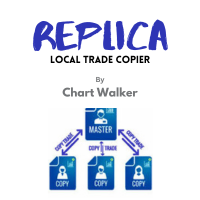
White label available. contact us for more info. dushshantharajkumar@gmail.com Replica Local Trade copier by Chart Walker
Replica, a MetaTrader 5 (MT5) local trade copier, is a powerful tool designed to streamline and automate trading processes for users within the MT5 platform. This innovative software allows traders to replicate trades from one account (master) to another (slave) in real-time, enabling efficient and synchronized trading across multiple accounts. With its user-friendly inte
FREE

MT4 MT5 Trade Bridge for MetaTrader 5 is the MetaTrader 5 component of the MT4 MT5 Trade Bridge system. It allows a MetaTrader 5 terminal to work either as a Master or as a Slave in a local bridge connection with MetaTrader 4. When configured as Master , the MT5 component reads trading activity from the MetaTrader 5 terminal and writes structured trade data into a local bridge file. The connected MT4 component can then read this data and mirror the trading activity according to its selecte
FREE

"Terminator Trades " EA robot, built on the powerful MQ5 code, is designed to simplify the process of closing your positions and pending orders. You can adjust if you want close all the trades or by specific symbols. With just a single click on a button, you can efficiently manage your current positions, ensuring that you never miss an opportunity to terminate a trade. Close Trades , Delete Pending Orders with Terminator Trades.
FREE

Real Time Account Overview MT5 — Account & Magic Number P&L Monitor Real-time account overview and per-strategy P&L tracking, all in one clean panel. Overview Dashboard MT5 is a lightweight Expert Advisor that overlays a live information panel directly on your MetaTrader 5 chart. It gives you an instant snapshot of your account health and the performance of each trading strategy — identified by magic number — without ever leaving the platform. Whether you run a single EA or a dozen simultaneous
FREE

With this indicator you have displayed on the chart the optimal lot size for the forex pair. No need for manual calculations or losing time on websites where you have to input the values to get the optimal lot size. The indicator values are preset for maximum percentage risk is 2% and for maximum pips loss is 50. For a customizable version you can buy using the this LINK . ATTENTION: This only works with forex pairs and it doesn't work on account deposits in YENS!!!!!!
FREE
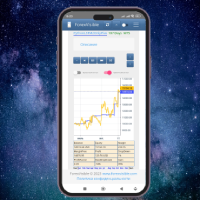
This client utility is intended for sharing and copying signals, as well as for monitoring your Expert Advisor on the site https://forexvisible.com . The Android version of the site can be downloaded here The version for the MT4 terminal can be downloaded here https://www.mql5.com/en/market/product/106509 There are many reasons to use this application in your trading, and these are: 1. If you have many trading advisors and many accounts, it is very difficult to track them and monitor everythin
FREE

==============================================================
使用键盘(1,2,3,4,5)快速切换 时段 1m,5m,15m,1h,4h
免费使用
==============================================================
==============================================================
==============================================================
==============================================================
FREE
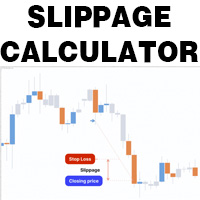
This is a tool that helps you calculate potential slippage you may encounter in real trading. This is quite important to understand how slippage can affect your strategy. It helps you gain a better understanding of your trading system and compare slippage levels among different brokers. Simply add it to the chart of the symbol you wish to estimate slippage for.
FREE

PANEL OF TOPOS AND HISTORICAL BACKGROUNDS This is a panel that does not open orders only manages all Symbols and calculates the tops and bottoms and presents the calculation in relation to the top and bottom in 5 Years, 2 Months and 1 Week.
It is ideal for filtering the pairs that are in the good regions to operate. You can filter the range and choose whether to consider the body or shadow of the candle in the monthly. Good luck...
FREE

Welcome to my product page, glad you stopped by and I hope you find interest in this product which is completely free to use. There are certainly many other similar products but this is my version of one. AS Check MT5 - Account and symbol informer utility compatible with Meta Trader 5 With this software you quickly and easily extract information about your account and symbol. As this is a script and not an indicator or expert, the program runs once and detach itself from the chart and the i
FREE

Monitor Your EAs and Manual Trading From One MT5 Dashboard One account. Multiple strategies. One clear overview. Quantum Magic Monitor is a professional MT5 trading dashboard designed to help traders monitor multiple Expert Advisors and manual trading activity separately and in one place . Instead of analysing a mixed account history, Quantum Magic Monitor lets you organise trading activity by Magic Number / EA group and monitor the performance of different strategies independently. WHY QUANTUM
FREE

Price Aler t can help you send notifications to your personal Telegram when the price crosses a preset value. Additionally, you can check your MT4/5 account info anytime from your Telegram by simple command: /check. Get more free useful EAs here !
HOW TO SET UP? * Get inputs for EA: - Telegram Bot Token: Create a Telegram bot by @BotFather , and save your Bot Token. Find your bot by username & press "start". - Telegram User ID: Use your User ID by chatting with @ userinfobot * Setup
FREE

Symbol Changer AA – Advanced & Instant Chart Navigator for MT5 Take full control of your trading workspace with Symbol Changer AA . This high-performance utility is designed for professional traders who need to switch between different financial instruments instantly without cluttering their MetaTrader 5 interface. Developed under the Sumerian Trader brand, the "AA" (Advanced Asset) edition focuses on speed, reliability, and extreme ease of use. Main Features: One-Click Symbol Swap: Instantly ch
FREE

Account and Market Dashboard Advanced Account Dashboard & Risk Monitor (MT5) This script provides a real-time on-chart dashboard for monitoring account performance, risk exposure, and execution conditions in MetaTrader 5. It is designed for traders who want clear visibility of account health and risk awareness during live trading or VPS operation.
The script does not open trades and does not interfere with any strategy logic . Key Features Account Metrics Live equity, balance, and float
FREE

SEREDINA 是您评估和控制仓位的多功能工具!该脚本会自动计算MetaTrader 5平台上任何交易工具的买入(BUY)和卖出(SELL)头寸的平均价格,不仅提供精确的数据,还在图表上显示视觉水平,帮助您立即看到您的仓位平均入场价位。 使用 SEREDINA ,您可以: 确定当前资产的开仓BUY和SELL订单的“平均价格”。 快速评估两种方向的潜在盈亏平衡水平。 节省分析和管理仓位的时间,尤其是在大量交易时。 主要特点: 精确计算 :脚本会根据每个头寸的数量,精确计算平均价格。 直观显示 :平均BUY和SELL价格在图表上分别用蓝线和红线表示,使入场水平更加直观。 用户友好界面 :脚本启动后会在终端窗口显示平均价格,并在图表上以文字注释形式显示。 通用性 :适用于MetaTrader 5中的任何交易工具和时间框架。 适用人群: 此工具专为在单一符号上管理多个头寸的交易者而设计,特别是使用网格交易、对冲或加仓策略的交易者。它对初学者和有经验的专业交易者都非常有用,能够帮助他们查看平均入场水平,从而管理风险并做出平仓决策。 SEREDINA 可以帮助您轻松管理订单组合,节省计算时间。通
FREE

(加密货币图表)
将 Binance Spot 中的所有符号保存到自定义符号中。
为 Binance Spot 中的符号添加“S”前缀。
它创建了可以跟踪 Binance Spot 中的符号的基础设施。
您应该允许来自工具菜单 >> 选项 >> 智能交易系统的 WebRequest 并添加 URL: https://api.binance.com
只需双击脚本。
您可以在几秒钟内获得整个列表。
在链接中查看产品 https://www.mql5.com/en/market/product/69001 如果在安装过程中或售后出现任何问题,请随时与我们联系。 如果在安装过程中或售后出现任何问题,请随时与我们联系。 如果在安装过程中或售后出现任何问题,请随时与我们联系。
FREE

Daily Drawdown Protector Lite is a lightweight, zero-configuration prop firm safety utility for MetaTrader 5. Designed specifically for traders on FTMO, MyFundedFx, The Funded Trader, and all other prop firm challenges, it silently monitors your account in the background and acts the moment your daily loss limit is breached — closing all trades and disabling the EA automatically. Features: Configurable daily loss limit (% of balance) Floating equity stop loss protection Auto-closes all positio
FREE

Closing Assistant - 一键管理多笔交易
附加资料和说明
完整手册 - MT4 版本 - MT5 版本
在最关键的时刻,一键关闭任意一组交易。 Closing Assistant 是 MetaTrader 的快速一键交易管理工具,源自 Meta Extender 套件。当市场快速变动、分秒必争时,无需翻找冗长的交易列表,即可按方向或盈亏状态即时退出交易。 功能介绍: 一键同时关闭多笔交易,可按方向(买入/卖出)或盈亏状态(盈利/亏损)分类操作。提供两种范围选项:当前品种的交易,或 MetaTrader 中的全部交易 - 让您完全掌控需要即时退出的仓位。 主要优势: 在瞬息万变的市场行情中快速批量平仓,把握每一秒 关闭所有盈利交易,在剧烈反转中锁定利润 快速退出所有亏损仓位,有效控制回撤 非常适合管理多个仓位的剥头皮交易者和日内交易者 无需翻找交易列表 - 一个按钮搞定一切 使用方法: 选择所需范围(当前品种或全部 MetaTrader 交易),然后使用直观的按钮按方向或盈亏关闭交易。该小工具自动完成所有平仓操作,无需额外确认弹窗,确保在市场行情要求立
FREE

Chopar MT5 — Transaction Notification Utility This tool is designed exclusively for broadcasting trading account events to Telegram ( @ChoparTradeBot) . It does not perform market analysis or provide financial advice; instead, it functions as an informational bridge between your MT5 terminal and the messenger. What This Monitor Tracks: Opening and Closing Trades: Captures the moment a deal is added to the history ( DEAL_ADD ). For closed positions, it immediately calculates and displays the fin
FREE

How to Use All Symbols Opener Preparation : Open any symbol chart in your MetaTrader 5 platform. Select your preferred time frame for the open chart (e.g., M5, H1, D1). Launch All Symbols Opener : Attach the All Symbols Opener utility to the currently open chart: Drag and drop it from the Navigator window under Experts onto the chart. Alternatively, double-click All Symbols Opener from the Navigator to activate it. Automatic Operation : The tool will detect the active chart’s time frame and appl
FREE

This MT5 Utility is designed to simplify the process of managing multiple trades. If you have several open positions, it can be time-consuming to close each one manually. With this tool, you can easily close all profit trades, losing trades, or just the trades that are linked to the chart you're currently viewing. It saves you time and effort by allowing you to manage your trades with just a few clicks, making your trading experience smoother and more efficient. Whether you're focusing on profit
FREE

The MetaTrader 5 script to set TP and SL for all positions during volatile market conditions in the current chart It is able to modify or close Key Features Absolute prices only
Leave as 0.0 if you don't want to change a particular value
No confirmation. The script executes immediately
Current symbol only. The script only affects positions in the chart the script is dragged to Use Cases Emergency exit
Risk management by changing SL and TP of all orders
FREE

RiskLock MT5 — Professional Drawdown Protection & Emergency Account Lock System RiskLock MT5 is a professional risk management utility designed to protect trading accounts from excessive drawdown and catastrophic loss events.
Main Features Drawdown Percentage Protection
Fixed Monetary Loss Protection
Emergency Account Lockdown
Automatic Position Liquidation
Pending Order Deletion
Optional Close-All-Charts Protection
Real-Time Color Dashboard
Emergency Global Variable Lock
Mult
FREE

Conversion of ".set" files created in the MT5 terminal for use in the MT4 terminal. The script is great for cross platform experts.
How to work: place the source files ".set" in the local terminal folder\MQL5\Files run the script the ".set" files for the MT4 terminal appeared in the local terminal folder (the end of the file name "* -MT4.set")
Created on MT5 build 1755 from 18/01/18 Please leave your feedback after using.
FREE

This is a utility for storing the data on open interest (OI), ratio of buyer/seller orders' number and the ratio of buyer/seller orders' volumes on the Russian FORTS futures market. This is the first product of the series. Now, you can trace history of the specified data in real time in МТ5 terminal. This allows you to develop brand new trading strategies or considerably improve the existing ones. The data received from FORTS market is stored as a database (text CSV or binary one at user's discr
FREE
学习如何在MetaTrader AppStore上购买EA交易,MetaTrader平台的应用程序商店。
MQL5.community支付系统支持通过PayPay、银行卡和热门付款系统进行交易。为更好的客户体验我们强烈建议您在购买前测试EA交易。
