 MetaTrader 5
 专家
专家
 指标
指标
 程序库
程序库
 实用工具
实用工具
 窗口小部件
窗口小部件
 规则
规则
适用于MetaTrader 5的EA交易和指标 - 139
 使用EA交易和指标,使外汇交易获得更多盈利。EA交易可使您自动开启和关闭交易,而指标将帮助您更准确地预测市场行为。
该页面提供MetaTrader 5应用程序的目录。
使用EA交易和指标,使外汇交易获得更多盈利。EA交易可使您自动开启和关闭交易,而指标将帮助您更准确地预测市场行为。
该页面提供MetaTrader 5应用程序的目录。 
The utility Filled Area Chart adds to the standard set of price presentations. It is a brand new, nice price chart. You will certainly like it if you want to feel yourself a trader born under the Bloomber lucky star.
The Properties allow to set the colors and other things: Color preset - choose a preset or set to "Custom" and set your own colors using the properties below.
Custom area color - color of the area below the price line. Works only with Color preset = Custom.
Custom chart color - col
FREE

Kito Session Range Projection is a MetaTrader 5 indicator for traders who organize intraday analysis around the Asia, London and New York trading sessions.
The indicator draws each configured session as a broker-time range, tracks the high, low and midpoint, and extends symmetric projection levels above and below the range. It also compares the session range with the average daily range calculated from 20 completed daily candles.
The indicator is designed for chart analysis. It does not open,
FREE
MultiPip Range Label v2 — Lightweight Daily/Weekly/Monthly Pip Stats
MultiPip_RangeLabel_v2 is a zero-plot, ultra-light indicator that prints a compact, draggable text panel with objective range statistics—perfect for order-flow and breakout traders who need quick context without clutter.
No backgrounds, no heavy drawing—just crisp labels you can park anywhere on the chart. The header is draggable; all lines move together.
What it shows
Today – current day’s range (high–low) in pips
Last D
FREE
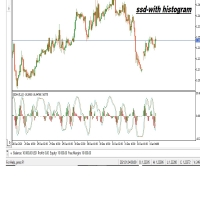
The SSD With Histogram is a custom forex indicator for Metatrader 5 that shows a slow stochastic line, a signal line, and a histogram that reflects the difference between the slow line and the signal line. The indicator and its elements are displayed in a separate window just below your main trading chart.
parameters: k period; 5 D period; 3 time frame: m1 m5 m15 m30 h1 d1
FREE

Epic News Trader
Key Features – (Best for News Trading) How it works, watch the Video https://youtu.be/oSU-JO4L1kw?si=thSGC3v1ccfPlYQH
Contact for Set Files or See the Screen Shots
WhatsApp: Text only +447716409196
Best for XAUUSD on All Brokers
Frequently Asked Questions (FAQs) Q1: What is Smart Order Executor EA? Smart Order Executor EA is a manual trade execution tool that helps traders quickly place single or multiple ladder orders with advanced risk and order management features. Q2: Is
FREE

If you love this indicator, please leave a positive rating and comment, it will be a source of motivation to help me create more products <3 How to use Slope Direction Line Uptrend: When the SDL line slopes up and turns from red to green, it shows that the price is trending up. This is also considered a buy signal. Downtrend: When the SDL line slopes down and turns from green to red, it shows that the price is trending down. This is also considered a sell signal. Sideways: When the SDL line mo
FREE

An analogue of the Stochastic oscillator based on algorithms of singular spectrum analysis (SSA) SSA is an effective method to handle non-stationary time series with unknown internal structure. It is used for determining the main components (trend, seasonal and wave fluctuations), smoothing and noise reduction. The method allows finding previously unknown series periods and make forecasts on the basis of the detected periodic patterns. Indicator signals are identical to signals of the original i
FREE

GIVE A LOOK TO MY OTHER PRODUCTS ! 100 % PER MONTH PROFIT----CONTACT ME FOR MORE INFO ! Smoothed MA cross alert,is a cool indicator that notificate you directly on your telephone or email when 2 Smoothed Moving average ( you choose the parameters ) crosses. This is very important when you want to know a change of trend and you can't stay in front of your pc! The indicator give you the alert just when the next bar opens ,so give you a more accurate entry. Please ask me for more info... You find
FREE

Quote Cost Parity is a MetaTrader 5 chart panel for forex majors and minors that share a quote currency. Pairs with the same quote have the same pip cost for a given lot. The indicator uses that correspondence directly: it calculates the cost once for the group, then shows that cost for three lot sizes. It acknowledges only these quote groups. JPY: USDJPY, EURJPY, GBPJPY, AUDJPY, NZDJPY, CADJPY, CHFJPY. Source : USDJPY. CHF: USDCHF, EURCHF, GBPCHF, AUDCHF, NZDCHF, CADCHF. Source : USDCHF. CAD:
FREE

ApexForge MA Radar 轻量级自动均线方向面板 ApexForge MA Radar 是一款专为 MetaTrader 5(MT5)打造的轻量级均线方向分析工具,旨在帮助交易者快速掌握当前市场的均线排列与趋势方向,同时保持极低的系统资源占用。 本指标能够自动识别当前图表上的 EMA(指数移动平均线),无需手动输入均线周期,即可按照均线价格由高到低自动排序,并实时显示每条均线的多头、走平或空头方向,让交易者能够更直观地观察市场结构与趋势变化。 ApexForge MA Radar 采用高效的更新机制,仅在必要时刷新显示内容,有效减少 CPU 占用,不影响 MT5 的运行速度,即使同时开启多个图表或长期运行,也能保持流畅稳定的使用体验,非常适合 VPS 与多屏交易环境。 简洁清晰的面板设计能够减少图表杂乱,让交易者专注于价格行为与趋势分析,无论是剥头皮交易、日内交易、波段交易,还是作为辅助趋势观察工具,都能够快速提供有价值的均线信息,提高分析效率。 功能特色 自动识别当前图表上的 EMA 按均线价格自动排序 实时显示多头、走平、空头方向 自动同步当前图表 极低 CPU 占用
FREE
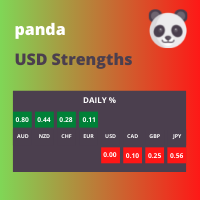
This panel displays the price percentage change
Shows the percentage change in price from the last open: Daily, Weekly and Monthly timeframes. Numbers are easier to use than histogram currency meters. Line up the three timeframes strengths/weaknesses for strong trends. Compare currencies strongest against weakest. USD is the world's reserve currency to compare against.
How to use 1. Match the strongest currency with weakest currency; or 2. Match the strongest or weakest currency against USD;
FREE

PROP FIRM 首选 准备挖掘你的财务潜力吗?立即购买Gold Digger,成为真正的淘金者! Gold Digger EA简介: 通过精心分析的网格系统实现每月4-8%的回报率 概述 Gold Digger 是一个复杂的专家顾问 (EA),它使用专门为交易XAUUSD(黄金)设计的先进网格交易系统。该EA旨在提供4-8%范围内的稳定月收益。该EA为专业交易员、机构投资者和Prop Firm而设计,结合了严格的量化分析、自适应算法和全面的风险管理策略,以优化在各种市场条件下的交易表现。 Gold Digger拥有经过Myfxbook验证的可靠记录。有兴趣的各方可以通过以下链接查看特定月份的详细业绩指标和实时账户表现: 网格系统分析 Gold Digger策略的核心是其高度优化的网格交易系统。该系统通过在基础价格上下方的预定区间内下达买卖订单,利用黄金市场的波动性。主要组件包括: 网格间距: 根据实时市场波动性和流动性动态调整,以最大化盈利潜力并最小化回撤。 订单大小: 基于账户余额、市场条件和历史表现数据的风险调整模型。 订单管理: 包括自动跟踪止损、获利水平和动态止损调整的高级
FREE

Trading Workspace Themes by Soecke is a free chart customization script for MetaTrader 5. Choose from eight color themes and apply your preferred appearance to the current chart or all open charts.
Included themes
DEEP_SPACE, MIDNIGHT_BLUE, VOLCANIC_AMBER, POLAR_DARK, SOFT_LITE, COASTLINE, AMETHYST_SOFT and SAKURA_MIST.
Each theme defines colors for the chart background, foreground, grid, bullish and bearish candles, bar outlines, chart line, price lines, stop levels and volume bars.
Feature
FREE

️ IMPORTANT: PLEASE READ BEFORE DOWNLOADING This is a functional Core Engine to secure your license. This is NOT the full trading strategy. You can obtain the Full Spartan Forex Twin V7 Suite (the actual multi-asset profitable system) in two ways: DIRECT DOWNLOAD: Get the full package (including .set files and the setup manual) from my official repository: Notorius52/Spartan-Forex-Twin-Suite: Advanced Automated Trading System for MetaTrader 5 STEP-BY-STEP GUIDE: If you need help with installat
FREE

OVERVIEW
ATR Optimize Pro is a professional-grade Expert Advisor designed for traders who demand precision, reliability, and intelligent risk management. By synergizing three powerful indicators - Moving Average (20), RSI (14), and ATR (14) - this EA identifies high-probability trading opportunities with remarkable accuracy.
Unlike conventional robots that rely on risky strategies like grid trading or martingale, ATR Optimize Pro uses pure price action with indicator confirmation, making i
FREE

Daily ATR Range + Percent + Daily Open Professional indicator that displays dynamic price levels based on Daily Average True Range (ATR) calculated from the Daily Open price. Key Features: • Automatic Daily ATR calculation with optional outlier filter • Key percentage levels: 25%, 50%, 75%, 100%, 150% of Daily ATR • Daily Open line with customizable style and color • Clear labels positioned on the left side of each level • Informative panel showing ATR value, expected move, distance to levels a

PriceEdge AI — Prop Firm 5-Layer Price Action AI · No Grid · No Martingale · Prop Firm Safe FULL DESCRIPTION PriceEdge AI is a fully automated Expert Advisor for MetaTrader 5 built around a five-layer signal confirmation engine. Every trade requires agreement across all five independent analysis layers before execution. If any single layer disagrees, no trade is placed. This conservative approach produces fewer tra

VERSIONE INGLESE (ENGLISH VERSION) ️ ATTENTION: IMPORTANT NOTE ABOUT THE VERSION AND STRATEGY TESTER RESULTS Due to the strict restrictions and memory limitations imposed by the MQL5 automatic validator, which often rejects algorithms with highly complex protection logics, the version downloadable directly here from the Market serves as a validation/demo setup. To download the FULL, UNRESTRICTED, and REAL production version of the algorithm (.ex5 file), please connect to our official GitHub re
FREE

Volume Profile Custom Pro Volume Profile Custom Pro est un indicateur MetaTrader 5 permettant d'afficher la distribution des volumes directement sur le graphique sous forme d'histogramme horizontal. L'indicateur analyse les volumes sur une plage configurable de bougies et met en évidence les zones de prix les plus échangées afin d'identifier rapidement les niveaux clés du marché. Fonctionnalités Profil de volume horizontal en temps réel Nombre de bougies analysées configurable Nombre de ni
FREE

Hi everyone, I had make that product for try help you get another lever without so hard work and painful... This work on most EUR pairs, maked that for EURUSD but work one anothers, becouse the simple strategie is just follow some nicelh indicators that i use for trade... and is my strategie in a program ... i don't advise start with less that -1000 and more than 0.01 but you can find too how work the tool and how you can work with that so , i will let there a group of telegram for that , try ha
FREE

EEFX Trade Manager is a practical trade management utility for MetaTrader 5, designed to make manual trading faster, clearer and easier to control directly from the chart. Instead of navigating through multiple MT5 windows, Trade Manager brings the key execution and position-management functions together into one simple interface. It can be used by discretionary traders as well as traders who want additional manual control over positions opened by other Expert Advisors. Main Features https://eef
FREE

This is the MT5 version. Get Dual Onset MT4 here
It is an algorithm to detect trend changes early. You should try multiple values for the Multiplier parameter (1 <value <10 recommended). At first glance you can see effective entries. This is, in fact, one of the rows that Geleg Faktor initially had. But it was removed because it was no longer needed. The other rows were sufficient for G.Faktor's effectiveness, but I still wanted to share this one.
Always test before using it on your live ac
FREE

# Star light mini v6 - Free
**Type:** Free version (Scalping EA with DD-step & Resume features) **Copyright:** 2026, KOKONOE **Description:** For XAUJPY, EURJPY and other instruments
---
## Overview
**Star light mini v6** is a free version of the commercial Star light v6 with core features. Almost all functions are available except the Auto lot experimental version, with enhanced features in the following areas:
- **DrawDown Step Management** — Dynamic multiple order management based o
FREE
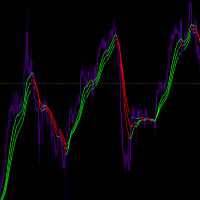
Input Parameters JawPeriod (default=9): Period for the blue line JawShift (default=0): Shift for the blue line TeethPeriod (default=7): Period for the red line TeethShift (default=0): Shift for the red line LipsPeriod (default=5): Period for the green line LipsShift (default=0): Shift for the green line Signals Bullish Conditions When price moves above all lines (all lines turn Lime) Potential buying opportunity Confirms upward momentum Bearish Conditions When price moves below all
FREE

INSTITUTIONAL STRUCTURE PRO Market Structure + Swings + Fair Value Gaps with SOR Priority Institutional Structure Pro is an advanced market structure indicator based on institutional analysis.
The system automatically identifies:
Structural highs and lows
Structure breakouts (SOR – Structure Override / priority breakout)
Bullish and bearish fair value gaps (FVG)
Real inefficiency zones with precise rectangles
All directly on the chart, with no delay and no repainting.
What Does the
FREE

================================================================ 波动率与点差成本分析指标 (SpreadCostAnalyzer) 使用说明 ================================================================
【指标功能】 本指标用于实时监控和分析交易成本,帮助交易者评估当前点差 相对于市场波动率的成本效率,从而做出更明智的交易决策。
【核心指标】 1. 当前点差: 显示当前买卖价差(点数) 2. 点差成本: 根据手数计算的实际交易成本(美元) 3. ATR波动率: 基于ATR计算的市场波动程度 4. 成本效率比: 点差占波动率的百分比
【成本效率评估】 - 绿色 (<5%): 低成本,适合交易 - 黄色 (5%-15%): 中等成本,谨慎交易 - 红色 (>15%): 高成本,不建议交易
【参数设置】 - ATR周期: 默认14,用于计算波动率 - 手数: 默认0.1,用于计算成本金额 - 低成本阈值: 默认5%,低于此值显示绿色 - 高成本阈
FREE

Session Highlighter and Killzones draws clean colored boxes for the Asia, London and New York trading sessions, plus optional London and New York killzone windows. Time of day is a large part of context in forex, and seeing each session range on the chart explains a lot of what price is doing. Each session box marks the high and the low of that session for the last several days, and the boxes sit behind the candles so the chart stays readable. The session hours are set in server time and are ful
FREE

Tick History Loader is an essential auxiliary tool that downloads the full available tick history for any symbol in your MT5 terminal. The script performs a deep synchronization with the trading server, sequentially requesting and saving the entire tick history from the earliest available date. This is necessary for the correct operation of advanced analytical tools that require complete market data. The obtained tick history serves as the basis for building custom charts with a timeframe in sec
FREE

AGORA RADAR es un monitor gratuito multisímbolo y multi-marco temporal para MetaTrader 5. Escanea todos los símbolos visibles en Market Watch en M1, M5, M15, H1 y D1, mostrando señales activas, antigüedad de la señal, precio y estadísticas recientes de TP/SL. AGORA RADAR es un indicador visual gratuito de monitorización para MetaTrader 5. Escanea todos los símbolos visibles en Market Watch y analiza cinco marcos temporales: • M1
• M5
• M15
• H1
• D1 El panel de radar muestra: • Última señal
FREE
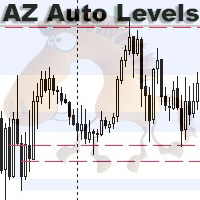
AZ Auto Levels builder ATR edition Indicator of automatic level drawing. For different instruments you need to play with the parameters to find the right ones. So, what is its idea - the indicator searches for levels of interest on the timeframe selected in the settings (by default H1). The search occurs only on candles that are 30% greater than the standard daily ATR of similar candles (you can change this in the settings). ATR is calculated for 20 days ago (also can be changed in the settings)
FREE
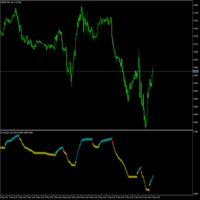
Es un indicador que no se repinta y que muestra la tendencia a corto plazo. contiene lo siguiente: Visual Mode MA Period MA Method MA Price
ATR Period Volatility Factor Offset Factor Use Break Use Envelopes Use Alert
cualquier sugerencia hagamelo saber en los comentarios y también colocar estrellas para postear más contenido, indicadores y advisor actualizadas
FREE

# ️ VUI LÒNG ĐỌC KỸ TRƯỚC KHI SỬ DỤNG CHỈ CẢNH CẢNH KHÔNG!
** Trước khi bắt đầu sử dụng công cụ Fibonacci này, vui lòng dành thời gian đọc kỹ tất cả các chi tiết, hướng dẫn và cảnh báo về sự chênh lệch giá thị trường bên dưới. Bạn đã thành công trong giao dịch và đảm bảo an toàn vốn phụ thuộc vào việc hiểu các quy tắc này. Cảm ơn bạn đã dành thời gian và tâm huyết!**
---
### ️ HƯỚNG DẪN SỬ DỤNG & ĐO LƯỜNG THỦ CÔNG
Việc sử dụng công cụ này cực kỳ đơn giản, trực quan và nhanh chóng. Vui lò
FREE

Symbol Cost Monitor 是一款面向 MetaTrader 5 的专业分析工具,旨在帮助交易者同时快速监控多个交易品种的交易成本。 点差和隔夜利息会直接影响最终交易结果。对于剥头皮交易、日内高频交易、持仓数天以及同时交易多个品种的交易者而言,这一点尤其重要。MetaTrader 5 的标准界面无法在同一个窗口中方便地比较这些参数,因此交易者通常需要逐个打开品种规格并手动查看相关信息。 Symbol Cost Monitor 会收集所选交易品种的关键数据,并将其显示在图表上的紧凑型面板中。该工具可以帮助您快速识别点差较高的品种、比较隔夜利息、监控交易条件的变化,并在开仓前评估潜在交易成本。 面板会实时更新数据,并且可以监控 Market Watch 中的全部交易品种,也可以只监控用户自定义的品种列表。颜色提示能够帮助您快速发现交易条件恶化,而警报功能则可以在点差超过设定水平时及时提醒您。 主要功能: 同时监控多个交易品种,显示 Bid 和 Ask 价格,显示当前、最小和最大点差,显示 Swap Long 和 Swap Short,显示隔夜利息计算模式,显示三倍隔夜利息日,显
FREE

滑點分析,專為高精度交易和整個市場而設計 它適用於真實賬戶或模擬賬戶,通過獲利和止損分析您的所有頭寸,因此您可以分析您的經紀商的滑點
什麼是交易滑點? 滑點或滑點是在下達交易訂單和在市場上實際執行之間可能發生的價格差異。
這是因為從訂單被放置在交易平台上並在市場上執行起,價格可能會在很短的時間內變動。
請求價格和最終獲得的價格之間的這種價格變動就是滑點。
我的其他發展可以在這裡看到
建議使用帶有止盈和止損的所有頭寸,以便能夠準確識別所有內容
如果您需要幫助,請在購買後立即聯繫我
傳入參數 -
我們將有 3 個高級配置 -配置模式1時間分析 -配置模式2平均模式 -配置方式3 滑點分析
很多時候我們可以選擇滑動,但我們不知道該放什麼 那麼現在可以分析您最喜歡的經紀人的市場幻燈片,並能夠根據分析的時間使用最佳配置 這可以每天、每週、每月、每年等進行分析。
FREE
Time and Price Fractal Studies is an indicator that will help you identify certain patterns that tend to repeat themseleves at certail times of the day or at certain prices. It is used to study Fractal Highs ad Lows in relation to time and price. You will get to answer certail questions like: At what time of day does this market usually turn around. At what price does the market turn. Is it at round numbers etc.
FREE

Yellow Indicator by Quant Atlas Creator: https://www.quant-atlas.com/ Yellow Indicator is a clean reversal focused trading tool designed to highlight potential turning points using momentum behavior and RSI structure. The indicator looks for moments where momentum has moved through an important zone and begins to show signs of exhaustion. When conditions align, it plots dark yellow triangle signals directly on the chart. Both bullish and bearish signals use the same dark yellow visual identity,
FREE
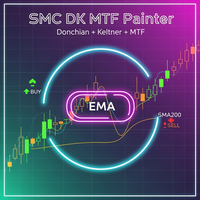
SMC Donchian Keltner MTF Trend Painter The SMC Donchian Keltner MTF Trend Painter for MetaTrader 5 is a versatile trend indicator that combines Donchian and Keltner channels with a multi-timeframe EMA bias. It delivers a clear, multi-dimensional view of market trends and precise trading signals – ideal for both intraday and swing traders. Key Features: Multi-Timeframe Trend Assessment: Candles are colored according to EMA bias from two timeframes (e.g., H1/H4), instantly showing the dominant ma
FREE

Our offer also includes a free panel — Indicator Panel — which allows you to show or hide indicators created by BOToBRACIA -> MT4 / MT5 Our offer also includes a version for MetaTrader 4 -> https://www.mql5.com/en/market/product/179248?source=Site+Market+Product+Page#description
Indicator Panel is a tool designed to manage the visibility of technical analysis objects generated by our indicators. Instead of enabling/disabling individual indicators or manually removing chart objects, a si
FREE
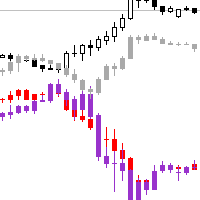
交易实用必备工具指标 波浪自动计算指标,通道趋势交易 完美的趋势-波浪自动计算通道计算 , MT4版本 完美的趋势-波浪自动计算通道计算 , MT5版本 本地跟单复制交易 Easy And Fast Copy , MT4版本 Easy And Fast Copy , MT5版本 本地跟单复制交易 模拟试用 Easy And Fast Copy , MT4 模拟账号运行 Easy And Fast Copy , MT5 模拟账号运行
可以设置其他周期品种的K线图 覆盖到本窗口中,观察到关联性波动 品种名留空则放弃显示该品种
"Cooperative QQ:556024" "Cooperation wechat:556024" "Cooperative email:556024@qq.com"
FREE
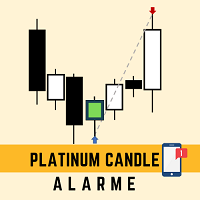
This robot sends app notifications based on Platinum Candle Indicator rules. The Platinum Candle Indicator shows colored candles when prices are strongly distorted in relation to their averages. App message example to sell: [SPX][M15] PLATINUM TO SELL 11:45. App message example to buy: [EURUSD][M15] PLATINUM TO BUY 11:45. It also sends messages for multiple timeframes: [SPX][M15] PLATINUM TO BUY 11:45; [EURUSD][M1] PLATINUM TO SELL 11:45
QUESTIONS ABOUT THE PURCHASE AND INSTALLATION OF PRODUCT
FREE
Trade Table EP:全能智能交易平台 该交易工具是为活跃交易者提供的一站式解决方案,能够最大限度地简化和自动化图表工作流程。其主要功能包括: 预先设置 TP 和 SL: 在将交易放置于图表之前,您可以提前设定获利平仓(Take Profit)和止损(Stop Loss)参数,从而预先确定退出点,保护您的资金免受市场意外波动的影响. 双向开仓: 该工具支持同时开设多头(买入)和空头(卖出)仓位,为交易者在不同市场环境下提供灵活的操作空间. 一键平仓: 无论何时,您都可以通过单一操作关闭所有活跃交易,便于在突发情况下迅速锁定利润或限制损失. 该平台经过优化,专注于高效交易管理,使您能够将更多精力投入到市场分析,而无需在繁琐的日常操作上浪费时间.
FREE

Indicator Name: DualClockWithSignalTime.mq5 Description: The DualClockWithSignalTime is a custom MetaTrader 5 (MT5) indicator designed to display three pieces of real-time information directly on the chart: Broker Server Time Local Computer Time Last Signal Time (BUY/SELL) This indicator is helpful for traders who need to monitor both the broker's time and their own local time, ensuring better synchronization of trading actions. Additionally, it automatically detects and displays the latest BUY
FREE

Free until ...
The MACD Indicator is a MetaTrader 5 tool that helps traders analyze market trends and momentum. It shows three components in a separate window below the price chart: the MACD Line, Signal Line, and Histogram. What It Shows: MACD Line (Blue): Tracks the difference between a fast and slow moving average. Signal Line (Orange): A smoothed average of the MACD Line. Histogram (Bars): Shows the gap between MACD and Signal Lines with colors: Dark Green : Rising momentum above zero. Lig
FREE

MAD Bands (Moving Average Deviation Bands) MAD Bands are intended to be used when you want to visually check the behavior of price volatility in relation to a moving average.
MAD_Bands (MQL5 version) parameter description This document explains the MT4 parameter input screen for each setting item (input parameter). Group: Main (basic settings) Period Default : 20 Explanation : The number of candlesticks used to calculate the moving average (Mid) and band width. The larger the value
FREE

Trend Fuzzy Analyzer Purpose and Concept
The Trend Fuzzy Analyzer indicator assesses the strength and direction of the current market trend. It is based on the principle of Fuzzy Logic , which transforms quantitative readings from several standard technical indicators into a qualitative assessment of trend strength. Unlike binary signals, the indicator outputs a final value as a confidence level (from 0 to 100%). Core Working Principle The indicator simultaneously analyzes input data from f
FREE

Made for Educational purposes. Check the YouTube video for full details. This is a simple RSI mean reversal strategy using the RSI 2 made popular by Larry Connors. It's been updated using some machine learning. How to use: Add to daily SP500 chart. IMPORTANT. Change name of subchart to the name of SP500 your broker uses.
What this strategy does It buys when price drops hard, but only if interest (volume) is picking up — then sells after a strong bounce. Entry (when it buys) 1. RSI(2) < 10 P
FREE
Trading Manager Tool – Execute and Manage Your Trades with Professional Precision Introduction
The Trading Manager Tool is a complete solution for traders who want precise control over risk, execution, and trade management.
No more manual calculations or complex steps — this tool simplifies your trading process and enhances your efficiency. Key Features Smart Risk Management Define SL/TP in real values (e.g., “I risk $30”) and let the tool calculate the lot size automatically Visualize risk and
FREE

Az Speedometer measures price impulse quality — not just candle size, but whether that move is backed by real momentum, volume, and direction. A single glance tells you if the current bar is a meaningful push or just noise. "A green bar alone means nothing. Az Speedometer shows you green bars with high volume, a clean candle body, and three consecutive bullish closes — that's a signal worth taking." How it works: Speed ratio : Candle range vs ATR — how fast is price moving relative to its av
FREE

Trend Filter Line is a trend-following tool designed to help traders identify the market's core direction with surgical precision. Based on the popular Two-Pole Filter logic, this indicator eliminates market "noise" and provides a clear, color-coded visualization of the prevailing trend.
Whether you are a scalper, day trader, or swing trader, the Trend Filter Line Pro acts as your primary decision-making filter—ensuring you never trade against the momentum.
How It Works The indicator uses a s
FREE
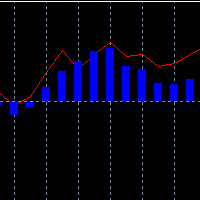
Klinger Volume Oscillator (KVO) - A Powerful Trend & Momentum Indicator This is an enhanced version of the Klinger Volume Oscillator (KVO) , a widely used indicator designed to help traders identify momentum shifts, trend direction, and overbought/oversold conditions in the market. How the KVO Indicator Works: Volume-Based Trend Identification – Unlike traditional oscillators that rely solely on price movements, the KVO uses both price and volume to detect market trends and momentum shifts .
FREE

The Candle Smoother is an indicator for MetaTrader 5 that helps you see price movements more calmly and clearly. It removes unnecessary "market noise" and displays the true trend more effectively.
What does the "Candle Smoother Indicator" do?
It smooths the classic candlestick data (Open, High, Low, Close). This filters out chaotic, hectic candles. Additionally, an EMA line (Exponential Moving Average) is calculated based on the smoothed prices. This helps you better recognize where the market
FREE

COT Dashboard Basic — 在MT5图表上直接查看聪明资金的动向。实时CFTC数据,零手动操作。
此版本包含3种工具(EUR、美元指数、黄金)和4周历史数据。升级前的完美测试工具。
包含功能 - 从CFTC官方API实时获取数据——自动刷新 - 3种工具:EUR、DXY(美元指数)、黄金 - 每种工具4周历史数据 - 多头、空头、净持仓、周变化(CHG.L / CHG.S) - RANK% — 净持仓百分位排名 - FLIP — 多空偏向指标 | BIAS — 看涨/看跌/中性 - 超均值变化高亮:周变化超过平均时显示彩色框 - 点击日期在图表上投射该周高低点
完整版增加功能 - 49种工具(金属、能源、谷物、软商品、畜牧、货币、指数、债券、比特币) - 最多52周历史数据 - 背离顾问:检测价格与聪明资金持仓的背离 - 折叠/展开工具以自定义视图 - 自定义经纪商品种关键字 - 自动检测货币对两侧
完整版: https://www.mql5.com/en/market/product/172032
设置(30秒,一次
FREE

MACandleApprox — 均线近似蜡烛指标 MACandleApprox 是一款在价格窗口上,把开盘、最高、最低、收盘四个价格序列分别经过选定类型的移动平均处理后,重绘为"近似蜡烛"的自定义指标。它不改变原始 K 线,而是在主图上叠加一层基于均线的平滑蜡烛视图,帮助交易者更直观地观察价格的平滑走势与方向变化。 本指标最多支持三组独立的近似蜡烛,每组均可单独开启或关闭,并独立配置长度、均线类型与涨跌颜色。 支持的均线类型 每组蜡烛可选择下列六种均线算法之一: SMA — 简单移动平均 EMA — 指数移动平均 WMA — 线性加权移动平均 VWMA — 成交量加权移动平均(基于成交量序列计算) HMA — 赫尔移动平均(以 WMA 组合方式近似计算) RMA — 平滑移动平均(即 SMMA/RMA) 输入参数 第一组蜡烛(默认开启) 显示第一组蜡烛:是 / 否 长度:21 均线类型:SMA 蜡烛样式:影线样式(在近似模式下统一定义为实体蜡烛) 看涨颜色:绿色 看跌颜色:红色 第二组蜡烛(默认关闭) 显示第二组蜡烛:是 / 否 长度:50 均线类型:EMA
FREE

Breakout Catcher EA — Free Edition Optimized for Cash Indices | M30 Timeframe Breakout Catcher EA is a simple yet effective trading tool designed to capture breakout movements on popular cash indices such as the S&P 500 and MSCI ACWI.
This Expert Advisor uses a breakout-based approach combined with smart trailing and breakeven management to help you trade trend continuations with precision. Key Features Ideal for cash indices (SP500, MSCI ACWI)
Works best on M30 timeframe
Automatic break
FREE

"This indicator was designed so that you don't trade against the trend, the price strength helps you have more confidence in your entries. Note: The indicator can be used on any currency pairs, don't worry if you don't have all the indicators it uses installed, it will be calculated from the indicators you already have on the platform.With an interface that changes color for buy (blue), sell (red), and neutral
FREE

Transform your financial chart analysis with our innovative Candle Coloring Indicator. This powerful tool allows you to instantly visualize market trends based on closing prices relative to a customized average. Customized Coloring: Choose colors that best suit your analysis style. Highlight candles above the average in a vibrant color of your choice and candles below the average in another distinctive color. Adjustable Average: Tailor the indicator to your trading strategies by setting the aver
FREE

The indicator calculates ZigZag using the classic algorithm with three parameters: Depth, Deviation, and Backstep. Its main function is detecting and visualizing repaints — moments when the last ZigZag point shifts to a new bar.
Upon loading, the indicator performs a simulation over the specified history depth. The algorithm sequentially recalculates ZigZag for each bar, comparing the current position of the last point with the previous one. If a shift is detected, a repaint line appears on the
FREE

[b]Trader Toolbox[/b] puts five everyday trading utilities into one tidy on-chart panel. Pick a single tool from the dropdown, or show all five at once. The panel is movable, resizable, minimizable, and draws cleanly over any chart.
[b]Important:[/b] Only the Equity Guard tool can act on the market, and only to [b]close[/b] positions within a scope you choose. The other four tools are read-only - they never open or modify trades. Always test on a demo account first.
[h2]What's inside[/h2] [li
FREE

The Phoenix Magic Levels indicator is a professional-grade institutional analysis suite for MetaTrader 5, specifically designed for high-precision Gold (XAUUSD) scalping. It transforms standard charts into a tactical dashboard by identifying institutional order flow, liquidity pools, and market inefficiencies. Core Functionality & Features Institutional Liquidity Detection: Automatically scans for "High-Ratio Wicks" and Fair Value Gaps (FVG) across multiple timeframes to reveal where "Big Mone
FREE

Sweep Hunter Basic is the simplified entry version of Sweep Hunter Pro for MetaTrader 5. It detects basic Buy-Side and Sell-Side Liquidity zones directly on the chart and marks simple sweep events. The Basic version is limited to 3 new zones per broker day and uses a reduced visual style. For the full version with dashboard, alerts, extended history, tooltips, advanced settings and unlimited zone workflow, visit Sweep Hunter Pro: https://www.mql5.com/de/market/product/177937?source=Site
FREE

Inicialmente este indicador foi elaborado e pensado para rastrear pontos ou velas onde há força de tendência. Como nas grandes descobertas, cheguei ao indicador que mostra principalmente velas de reversão, pontos de tensão, alta liquidez, resistência. O indicador traz simplificação ao gráfico, indicando todos os pontos onde possivelmente teríamos lta´s, ltb´s, médias móveis, bandas, ifr alto. O indicador não faz o gerenciamento de risco, apenas mostra as velas onde podem ocorrer reversão. Lembre
FREE

EMA 200 Entry Strategy The 200 Exponential Moving Average (EMA) is a powerful indicator used to identify the overall market trend and high-probability trade entries. It acts as a dynamic support and resistance level, helping traders align with institutional market direction. When price is trading above the EMA 300 , the market is considered to be in a strong uptrend . In this condition, traders should focus only on buy opportunities . A valid entry occurs when price pulls back toward the EMA 200
FREE
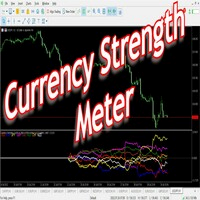
Have you ever wondered which currency is the strongest at any particular time? Or which currency pair is trending the most. Well, the currency strength meter helps with just that. It compares USD , EUR , AUD , CHF , GBP , CAD and NZD depending on the timeline you have chosen in settings, and ranks them on the number of pips each has moved compared to the rest. N/B: All currency charts of the above pairs must have loaded. You can do this by highlighting all major and minor currencies in
FREE
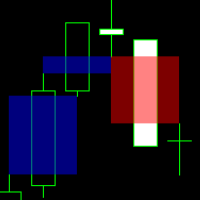
This indicator identifies and highlights market inefficiencies, known as Fair Value Gaps (FVG), on price charts. Using a custom algorithm, the indicator detects these areas of imbalance where the price moves sharply, creating potential trading opportunities. Indicator Parameters: Bullish FVG Color (clrBlue) : Color used to highlight bullish inefficiencies. The default value is blue. Bearish FVG Color (clrRed) : Color used to highlight bearish inefficiencies. The default value is red. Bullish FVG
FREE
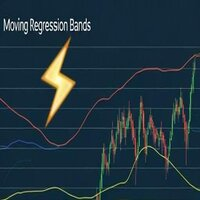
MovingRegressionBands - Polynomial Regression Indicator with Adaptive Bands Description MovingRegressionBands is an advanced technical indicator that combines polynomial regression with adaptive bands to identify market trends and reversal points. Using sophisticated mathematical calculations, the indicator provides a more precise view of price movements through a higher-order regression model. Key Features Configurable polynomial regression order for greater accuracy Adaptive bands based on mod
FREE

โครงสร้างตลาด ZigZag (ความลึก 30) – คําอธิบาย + การตั้งค่า อินดิเคเตอร์นี้ใช้หาโครงสร้างตลาดแบบ: HH (Higher High) = ยอดสูงขึ้น → แนวโน้มขึ้น HL (Higher Low) = ยกฐาน → แนวโน้มยังขึ้น LH (Lower High) = ยอดต่ําลง → แนวโน้มลง LL (Lower Low) = ทําโลว์ใหม่ → แนวโน้มลงชัด ใช้ร่วมกับ ZigZag เพื่อ "คัดเฉพาะสวิงใหญ่" ไม่มั่ว หลักการทำงาน ZigZag จะหา "จุดกลับตัว" ตามค่า Depth เอาจุดเหล่านั้นมาเปรียบเทียบ: สูงกว่าเดิม → HH ต่ํากว่าเดิม → LH โลว์สูงขึ้น → HL โลว์ต่ําลง → LL แสดง label + เส้นแนวนอน
FREE

Edge Analyzer — Multi-EA Performance Truth Find out which of your Expert Advisors actually has a statistical edge — and which one is just noise. Reads your real trade history, groups it by EA, and gives you an honest verdict.
Which of your EAs is actually making money? You're running several Expert Advisors. Your account moved this month — but which EA earned it? Which one is quietly bleeding? And that impressive win rate on your favourite bot: is it an edge, or a lucky streak that's about to e
FREE

HFT EA 1.6 — High Frequency Trading Automation
free @stepmastercol
DEFAULT NASDAQ TIME FRAME M1
FUNCIONA CON LOS INDICES SINTETICOS , DEBEN AJUSTAR LOTAJE SEGUN CORRESPONDA
Lleva la velocidad del mercado a otro nivel.
HFT EA 1.6 es un Expert Advisor diseñado para operar con ejecución ultrarrápida, alta frecuencia de entradas y gestión dinámica del riesgo en mercados altamente volátiles. Optimizado para traders que buscan aprovechar micro movimientos del precio con precisión algorítmica y re

Special launch price — only $35!
Complete Environment for Multicurrency Backtesting and Live Trading Simulation. Crypto, Indices, Metalls, Forex Simulator. Trade Shell Simulator MT5 is a professional tool that allows not only backtesting of EAs and indicators but also serves as a trading assistant for live online trading — calculating risks, placing and modifying orders. Key Features Two Operation Modes Simulation Mode (Tester) — Full M1 and tick history loading. ️
This indicator is a **Pivot-Confluence Zone Identifier** that focuses exclusively on identifying key support and resistance levels where price clusters align with classic pivot points. Here's what it does:
## Core Functionality
**Pivot Confluence Detection**: - Only displays price zones that align with classic pivot point levels (R1, R2, R3, S1, S2, S3) - **Excludes the main pivot point** - focuses only on support and resistance levels - Uses a configurable pip range to detect confluence nea
FREE
MetaTrader市场是您可以下载免费模拟自动交易,用历史数据进行测试和优化的唯一商店。
阅读应用程序的概述和其他客户的评论,直接下载程序到您的程序端并且在购买之前测试一个自动交易。只有在MetaTrader市场可以完全免费测试应用程序。
