 MetaTrader 5
 专家
专家
 指标
指标
 程序库
程序库
 实用工具
实用工具
 窗口小部件
窗口小部件
 规则
规则
适用于MetaTrader 5的EA交易和指标 - 137
 使用EA交易和指标,使外汇交易获得更多盈利。EA交易可使您自动开启和关闭交易,而指标将帮助您更准确地预测市场行为。
该页面提供MetaTrader 5应用程序的目录。
使用EA交易和指标,使外汇交易获得更多盈利。EA交易可使您自动开启和关闭交易,而指标将帮助您更准确地预测市场行为。
该页面提供MetaTrader 5应用程序的目录。 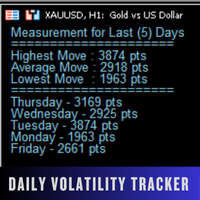
Daily Volatility Tracker is a practical and lightweight indicator designed to help traders monitor and analyze market volatility based on historical daily price movements. Whether you're a day trader, swing trader, or scalper, understanding how much a market moves per day is critical for: Choosing the right pairs to trade Setting accurate stop-loss and take-profit levels Adapting to changing market conditions MT4 Version - https://www.mql5.com/en/market/product/134958/ Join To Learn Market De
FREE

A script for closing positions If you need to quickly close several positions, this script will make all the routine for you! The script does not have any input parameters. Allow AutoTrading before running the script. Usage:
Run the script on a chart. If you need to specify the maximal deviation and the number of attempts to close positions, use the script with input parameters https://www.mql5.com/en/market/product/625 You can download MetaTrader 4 version here: https://www.mql5.com/en/market/
FREE

Esse Indicador é uma boa opção para quem gosta de operar a longo prazo e com paciência. Ele trabalho com os níveis de fibo na media de 200 são 9 níveis onde você pode operar nas reversões o mercado partir do níveis abaixo. Level 1 = 550 pontos Level 2 = 890 pontos Level 3 = 1440 pontos Level 4 = 2330 pontos Level 5 = 3770 pontos Level 7 = 9870 pontos Level 8 = 15970 pontos Level 9 = 25840 pontos Level 6 = 6100 pontos
FREE

Hello this is MT5 version of my first EA Project - MA CROSS Simple MA Cross Fast and Slow with additional High Time Frame Filter. You can set manually to get optimum Result. It's suit for swing Trader that Trade on High Time Frame. ex. H1 / H4 with D1 Filter. Or you can modify It that follow your strategy.
Give me good feedback to improve for better version. Cheers!!
Hurry up FREE download for Limited Time!!
Please test It on Demo account or strategy tester before applied on Live Account
FREE

Trading Stats Panel Your Trading Performance. At a Glance. Trading Stats Panel is a professional MetaTrader 5 indicator designed to give traders a clear and convenient overview of their recent trading activity directly on the chart. Instead of constantly opening the MT5 History tab and manually calculating your results, the panel presents key trading statistics in one easy-to-read dashboard. What Does Trading Stats Panel Show? The dashboard provides important performance information including
FREE
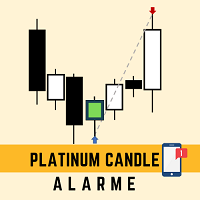
This robot sends app notifications based on Platinum Candle Indicator rules. The Platinum Candle Indicator shows colored candles when prices are strongly distorted in relation to their averages. App message example to sell: [SPX][M15] PLATINUM TO SELL 11:45. App message example to buy: [EURUSD][M15] PLATINUM TO BUY 11:45. It also sends messages for multiple timeframes: [SPX][M15] PLATINUM TO BUY 11:45; [EURUSD][M1] PLATINUM TO SELL 11:45
QUESTIONS ABOUT THE PURCHASE AND INSTALLATION OF PRODUCT
FREE

The AlphaQuant Prop Firm Risk Calculator is a professional, institutional-grade utility designed specifically for proprietary trading firm challenges and funded accounts. It eliminates manual guesswork, ensuring every trade you plan aligns perfectly with your firm's strict risk parameters.
KEY FEATURES
️ Universal Prop Firm Compatibility Unlike rigid tools locked to one firm, this calculator features fully customizable input parameters. Easily adjust the Max Daily Loss , Max Total Loss ,
FREE

Spread Tracker is a lightweight utility that records and analyzes the real spread behavior of any symbol in real market conditions.
Instead of trusting broker marketing numbers, you get hard data from your own terminal. Every tick is sampled and written to file so you can later evaluate how a symbol actually behaves during different sessions, news events, rollovers, and low-liquidity phases. This tool is made for traders and EA developers who care about execution quality and realistic backtests.
FREE
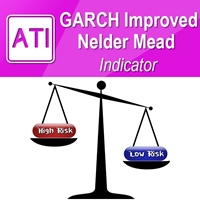
Introduction to GARCH Indicator GARCH is the short initial for Generalized Autoregressive Conditional Heteroskedasticity and it is the volatility prediction model commonly used in financial industry. GARCH model was first appeared in the work by Danish Economist, Tim Peter Bollerslev in 1986. The 2003 Nobel Prize winner, Robert F Engle also added much contribution for the refinement of GARCH model with Tim’s work. Our GARCH INM predictor took the original method of Nelder Mead for GARCH model bu
FREE

GoldPro EA - 您的专业XAUUSD交易伙伴 使用多种经过验证的策略自信交易黄金 GoldPro EA 是专为MetaTrader 5平台上的**XAUUSD(黄金)**交易打造的智能交易系统。无论您是交易趋势、突破还是寻找剥头皮机会,本EA都能通过智能策略选择和专业风险管理适应市场条件。 GOLDPRO EA的独特优势 XAUUSD专家 - 不是通用的多货币对EA 专门为黄金交易优化 - 每个参数都针对XAUUSD波动性进行调整 理解黄金独特的价格行为和市场动态 专门为贵金属交易设计的策略 一个EA中的3种强大策略 1. 趋势跟踪 - 通过EMA交叉+RSI确认捕捉强劲的定向移动 2. 突破交易 - 利用动量过滤器捕捉支撑/阻力突破 3. 剥头皮模式 - 从超买/超卖水平快速反转(可选) 您控制运行哪些策略 - 启用全部三种或仅启用适合您风格的策略! 专业风险管理(您的资金第一) 自动手数计算 - 根据您的风险承受能力自动计算仓位大小 每笔交易都有止损 - 绝不裸奔,永远 每日亏损限制 - 达到每日亏损阈值时停止交易 移动止损 - 随着市场朝您有利方向

Turbo Panel LIGHT - Essential Trading Management Description: Take control of your manual trading with the Turbo Panel LIGHT ! I developed this utility to bring institutional-grade speed, discipline, and visual clarity to your MT5 chart. This is the free, essential version of my premium trading assistant, designed for traders who need fast execution and strict daily limits. Whether you are a scalper or a day trader, this panel streamlines your workflow by calculating your global average price, t
FREE

Sell Setups Bottom Anchored Professional Supply Zone Detection Indicator for MetaTrader 5 Sell Setups Bottom Anchored v32 is a powerful technical indicator designed to automatically detect and highlight high-probability Sell Supply Zones on the chart. The indicator identifies key institutional sell patterns such as: Order Blocks (OB)
Sweep Reversal Zones (Liquidity Grab)
Breaker Blocks (BKR)
Continuation Supply Zones (CONT)
Multi-confirmation confluence zones (Gold) The indicator is built
FREE

本EA设计用于监控开仓时的滑点,和平仓时的滑点,并以文件形式记录保存在csv文件中。 本EA对记录交易滑点,统计损失,以及评估平台是很有用的。 记录文件保存在MT5数据文件夹中,比如 MT5_Data_Folder\MQL5\Files. 通过菜单栏的 “文件”->“数据文件夹” 进去。 警告 : 不要直接打开文件,否则会影响EA记录,把文件拷贝到别处再打开。 使用方法: 打开图表加载EA即可,只需要加载一个EA。EA会监控所有品种的单子。 参数: Show in brief - 如果是true,EA显示最近5单开仓/平仓的记录,滑点以点数计。 开仓滑点记录示例: 文件名是Slippage Monitor( 50495414 )-open.csv. Prior Time Ticket Position Ticket Deal Symbol Type Lots Prior Price Open Price Slippage Open Time 2021.11.17 15:47:00 96788016 73740574 XAUUSD Buy 0.05 1862.81 186
FREE

Here is the English version of the product description, tailored to sound clear, professional, and engaging for the MQL5 Market: RBM SL TP Label — Indicator for MetaTrader 5 If you trade Forex and miss seeing the exact financial value of your risk and target directly on your chart, this indicator solves that in a clean, direct, and intuitive way. What It Does As soon as you open a position, the indicator automatically detects your Stop Loss and Take Profit lines and displays, in real-time, both
FREE

Most accounts are not lost on one bad trade. They are lost when nobody is watching the risk. LTS Risk Panel watches it for you, all day.
LTS Risk Panel is the account-protection dashboard from LTS — Legacy Trading System . In one panel it shows your drawdown limits with color progress bars, the right LTS lot size for your balance, your open exposure, basket break-even lines and your closed results. The default limits are the same used in LTS Expert Advisors: 15% daily loss and a 50% hard stop o
FREE

If you like this product, please give it a 5 star rating as a token of appreciation.
This indicator calculates and draws pivot points and support/resistance levels for both daily and weekly timeframes: Pivot (central) level Support levels S1, S2, S3 Resistance levels R1, R2, R3 It allows showing daily, weekly, or both sets of pivots , giving traders visual references for potential support/resistance areas.
Pivot mode: Choose which pivots to display (weekly, daily, or both). Colors and style: C
FREE
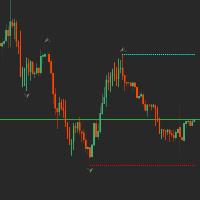
The fractal indicator shows the latest support and resistance levels. If the price breaks through the level and is fixed, the indicator draws a rhombus of yellow or crimson color signaling a possible continuation of the movement towards the breakdown.
Indicator Settings:
- BarCount: sets the minimum number of bars required to build a fractal.
It is better to use the indicator in conjunction with other indicators.
FREE

An indicator for visualizing time ranges of key trading sessions: Asian, European, and American. The indicator features functionality for setting the start and end times of each trading session, as well as an adjustable timezone of the trading server. The main advantages of the indicator include the ability to operate with minimal CPU load and memory usage. Moreover, it offers the option to specify the number of displayed historical days, providing the user with flexible market dynamics analysis
FREE

Q市价做空,W市价做多,E市价全部平仓。 持仓最大数量为1,即:禁止加仓。 ea的输入为手数,止损和最大滑点,不支持设置止盈。 专为短线吃一个小波段设计。 无论下单还是止损都会有提示声。 Q W E sell buy close
The Q key is short, the W key is long, and the E key is closed. The maximum number of positions is 1, i.e., it is forbidden to add positions. The EA's inputs are lots, stop loss and maximum slippage, and take profit is not supported. Designed for short-term swing trader. Play sound whenever position open or stoploss.
FREE

Trade Governor enforces trading discipline on manual trades or trades opened by another EA. It does not open trades and makes no market prediction - it is a pure risk-governor layer that protects your account with three rules.
Rules it enforces: - Trading-session window: positions held outside your allowed server-time window are closed (for example, keep only the Asian session). - Max trades per day: positions beyond your daily limit are closed (newest first); the counter resets each broker day
FREE

有没有想过是否有一个交易机器人可以在您确切的进入和退出条件下为您交易。不用担心,Pebble 就在这里!
只需在 RSI 交易面板中设置您的交易参数,然后按“开始交易”就可以了!Pebble 将负责其余的工作。
使用 Pebble 有几个好处:-
从交易中消除人类情感。 全天候活动并搜索您的交易条件。 自动下单并将止损移至盈亏平衡。 不仅可以根据 SL 和 TP 退出头寸,还可以根据 RSI 条件退出头寸。 直接从面板更改 RSI 周期。 在子窗口 1 上放置一条绿线和一条红线,以帮助您分别轻松查看买入和卖出水平。 这是自动化交易的最佳方式,让这个机器人在您睡觉时为您交易!RSI 是专业交易中最广为人知和最受欢迎的指标之一,在较高的时间范围内效果最佳。
FREE
MrGoldTrend is a sophisticated trend-following indicator designed exclusively for XAUUSD (Gold) traders on the MQL5 platform. With clear, easy-to-interpret visual signals, this indicator helps you quickly identify the prevailing trend and make informed trading decisions on the H1 timeframe. MrGoldTrend’s gold lines indicate an uptrend, while blue lines signify a downtrend, providing immediate visual clarity for trend direction. Key Features: Clear Trend Visualization : Gold lines for uptrends, b
FREE

Plus Color Candles — MetaTrader 5 彩色蜡烛图 Plus Color Candles 会根据每个周期的方向自动显示不同颜色的蜡烛。 当收盘价等于或高于开盘价时,表示上涨的蜡烛,并显示为绿色。当收盘价低于开盘价时,表示下跌的蜡烛,并显示为粉色。 该指标保留完整的开盘价、最高价、最低价和收盘价信息,为价格行为提供清晰、直接的视觉显示。 主要特点: 上涨和下跌蜡烛使用不同颜色显示; 根据开盘价和收盘价自动确定颜色; 完整显示蜡烛实体和影线; 快速识别每根蜡烛的方向; 兼容不同资产和图表周期; 自动更新; 兼容 MetaTrader 5 策略测试器; 针对 Replay 环境提供专门的视觉处理; 不执行交易操作。 Plus Color Candles 是用于技术分析的视觉辅助工具。该指标不保证任何财务结果,应结合用户自己的分析标准和风险管理方法使用。
FREE

ClearAllObjects — MT5 图表即时清理工具 用途
一键清除图表上 所有图形对象 ,包括趋势线、斐波那契回撤、箭头、文本标签、甘氏工具等。完美解决策略测试、K线形态分析、手动绘图后图表过于杂乱的问题,让图表瞬间恢复清晰。 使用方法
在导航器 > 脚本中找到ClearAllObjects,拖拽到任意图表上 → 可选确认对话框 → 立即完成清理。清理完成后图表会显示删除数量并在专家日志中记录。 主要特性
仅清理当前图表(多图表窗口安全)
超快执行速度,无需DLL,MQL5 Market就绪
覆盖图表所有窗口的所有对象类型
支持自定义过滤特定对象类型或子窗口 适用于
算法交易者清理EA回测绘图
实时交易中快速移除分析标记
告别繁琐的逐个双击删除烦恼 拖拽 → 清理完成。
FREE

Closed All Positions Closed All Positions is a simple and efficient MetaTrader 5 trade management utility designed to close open positions quickly with a single click. The utility provides a clear CLOSE ALL POSITIONS button directly on the chart, allowing traders to exit multiple open positions without manually closing them one by one. Main Features One-click close - close all matching open positions with one button press. Fast Close Mode - designed to dispatch closing requests quickly when mult
FREE

In which direction should I trade today? For “TREND followers”, we need to determine the TREND . This indicator determines the Trend based on the price High, Low and Close of every bar, for a given period and timeframe. Calculating and plotting the Trend UP and Trend DOWN lines. If the: “Trend UP” line (Green) is above the “Trend DOWN” line (Red), then it is a BULLISH Trend (see "Screenshots" tab). “Trend DOWN” line (Red) is above the “Trend UP” line (Green), then it is a BEARISH Trend (see "
FREE

DEAR USERS?! PLEASE GIVE THIS ITEM YOUR FAIR AND HONEST REVIEW?! Thank you!
️ THE ALPHAQUANT ADVANTAGE: BUILT FOR PROP FIRMS and LIVE ACCOUNTS Most standard dashboards only show you the profit and loss of individual EAs. AlphaQuant goes further to protect your funded accounts: True Account-Level Drawdown Tracking: Prop firms do not care about an individual EA's drawdown; they care about your total account drawdown. AlphaQuant tracks your account's highest equity peak and calculates your true,
FREE

Risk Basket Planner Risk Basket Planner 是一款用于 MetaTrader 5 的手动篮子风险规划工具。它帮助交易者设置多个入场层级、技术止损,并在手动交易前计算每一层的手数和实际总风险。 主要功能 支持 1 到 5 个入场层级 。 可选择 BUY 或 SELL 方向。 风险按 账户净值 Equity 的百分比设置。 L1-L5 入场价格可直接输入或在图表上拖动。 所有层级共用一个 技术止损 。 Auto SL 预设:80%、100%、120%。 Manual SL 模式可由交易者精确设置止损价格。 修改入场、止损、风险%、方向或层级数量后自动重新计算。 尝试在各活跃层之间平均分配风险,并显示 经过经纪商最小手数/步进取整后的实际风险 。 显示每层手数、风险%、风险金额、总手数、目标风险和实际篮子风险。 显示当前点差以及点差与最近止损距离的关系。 当止损距离过近,或经纪商最小手数导致目标风险无法实现时给出提示。 可移动面板,支持最小化、恢复和关闭。 根据经纪商的交易品种规格进行计算,可用于经纪商支持的 Forex、贵金属和 CFD。 重要说明 本工
FREE

STO & ZeroMax 系統:革命性演算法,助您精準停損,最大化獲利
還在為深度回檔中利潤被市場吞噬而苦惱嗎?還在為如何掌握最佳止盈時機,避免過早離場而苦惱嗎?
隆重介紹 STO-一款高精準度的基相和動量震盪指標,隸屬於 ZeroMax 專業交易系統。這款新一代分析工具專為追求極致精準止損和識別高波動性資產(如黃金 (XAUUSD))反轉點的交易者而設計。
STO 指標的奧秘是什麼?
STO 的主要獨特之處在於其能夠精準追蹤動量衰減,並準確地識別超買和超賣情況。大多數交易者受情緒左右,要么在虧損回調中苦苦支撐,要么過早平倉,而 STO 則提供清晰的數學信號,助您找到理想的止損點。
此指標能夠即時回應市場階段變化,讓您在價格進入深度回檔之前,精準掌握價格走勢的峰值。
ZeroMax 三重指標:三大指標的協同作用
ZeroMax 不僅僅是一個獨立的訊號;它是一個完整、自給自足的生態系統。三大指標完美協同運作,徹底消除人為誤差和市場噪音。即使關閉K線圖,您也能精準定位入場點和止盈點!
趨勢預測器(主要入場觸發點):
作用:在動量出現前找到入場點
FREE
Swing High & Low Trendline Indicator is a professional tool that automatically identifies swing points on your chart and draws trendlines for easy visualization.
No need to manually scan candles, the indicator highlights key highs and lows based on your chosen settings, helping you analyze market structure and trade with confidence. Features: Automatically detects swing highs & swing lows Draws clean trendlines directly on the chart Works on all symbols (forex, indices, crypto, stocks,
FREE

SigmaFarm Dashboard UI Pro - The Ultimate Multi-Symbol Multi-Timeframe Trading Solution 1. Introduction / Overview Tired of juggling multiple charts and EAs? SigmaFarm Dashboard UI Pro is a powerful and intuitive Expert Advisor designed to revolutionize your trading experience. This all-in-one solution allows you to effortlessly monitor, analyze, and manage trades across multiple symbols and timeframes from a single, dynamic dashboard. With advanced signal generation, robust risk managem
FREE

Position Manager Pro v1.0 (MT5) Dual Magic Number Independent Group Manager with Live P&L Dashboard Overview Position Manager Pro is a powerful trade management Expert Advisor for MetaTrader 5 that operates as an overlay manager — it does not open positions itself, but instead manages and monitors positions opened by other EAs or manually by the trader. The core concept is two fully independent groups , each identified by a unique Magic Number . Each group has its own Take Profit, Stop
FREE

Description
Breakout Intraday Expert Advisor This EA is designed to identify high-probability trading opportunities when the price breaks above or below the previous week's high or low. It focuses on capturing strong momentum moves that often follow such breakouts. Recommended Pairs : GBPJPY | XAUUSD "These pairs are selected due to their strong reactions around previous weekly highs and lows, making them ideal for breakout strategies."
Parameters Auto Start Bot Risk per Trade (The
FREE

SuperTrend Indicator for MetaTrader 5 The SuperTrend Indicator is a classic trend-following tool designed to help traders identify the current market direction with clarity and precision. Based on Average True Range (ATR), it dynamically adapts to price volatility to outline potential support or resistance levels in trending markets. Key Features Trend Visualization
Displays color-coded trend lines directly on the chart:
• Uptrend – green line
• Downtrend – red line Signal Arrows
Shows arrows
FREE

FMAN Scalper v3.0: Dominate XAUUSD with Precision M5 Scalping Engineered exclusively for XAUUSD (Gold) trading on M5 timeframe (also tested on M1 and M30), combining intelligent signal analysis with sophisticated risk management. Optimized for Exness ECN accounts with comprehensive market protection and flexible layering system. Overview Professional scalping EA for XAUUSD using triple-confirmation signal system (RSI + Bollinger Bands + Volume) with advanced breakout detection. Fe

Candle Detector By Mahefa R. General Description Candle Detector is an advanced technical indicator for MetaTrader 5 , designed to automatically detect and highlight the most important Japanese candlestick patterns directly on the price chart .
It allows traders to quickly identify market reversal and continuation setups without visual clutter. The indicator recolors only the candles that match the selected pattern , ensuring a clear, accurate, and professional chart analysis . ️ How It Work
FREE

RCI 3Lines — Rank Correlation Index with Three Periods Overview RCI 3Lines is a powerful momentum and trend indicator based on the Rank Correlation Index (RCI) , a Japanese technical analysis tool widely used in Asian markets. It plots three RCI lines simultaneously — Short, Middle, and Long — allowing traders to identify trend direction, momentum shifts, and overbought/oversold conditions across multiple timeframes in a single window. Unlike RSI or Stochastic, RCI measures the correlation
Adaptive Grid Elite Pro Indicator - Professional Trading Signal Indicator Transform Your Trading with Intelligent Divergence Detection and Grid Strategy Guidance AGE Pro MT5 EA https://www.mql5.com/en/market/product/144042 Adaptive Grid Elite Pro Indicator is a sophisticated technical analysis indicator that combines advanced divergence detection with intelligent grid trading guidance. This indicator provides professional-grade signal generation with complete visual guidance for grid trading st
FREE

Mobile-EA is an Android-first trading companion for MetaTrader 5 , bringing market tools and connected account management together on your phone. This product is the companion MT5 Expert Advisor that links your terminal to the Mobile-EA Android app. The mobile app is available for Android; iPhone/iOS is not currently supported. The Android app is now available on Google Play , and new users receive a free 14-day Ultimate trial starting at registration . Watch the app introduction here: https://y
FREE

Triple Trend Core (EMA 50, 100, 200): * Dynamic trend tracking across three timeframes. * Ultra-thin visualisation to avoid overlapping with candlesticks. Thermal Fibonacci Retracement (Dynamic Heat Map): * Temperature Levels: Retracements are intuitively coloured. Shallow levels (0% - 23.6%) in Red/Orange indicate high-tension zones and quick continuation, while deep levels (76.4% - 100%) in Blue signal cooling zones or extreme value. * Dynamic Adaptation: Automatically calculates the maximum a
FREE
Do you want to see the most relevant supports and resistances at a glance? Tired of tracing the levels by hand? Multi Levels Detector is an indicator for MetaTrader that will draw supports and resistances according to the parameters entered, and also offers the possibility of executing an alert every time the price reaches any of its levels.
SETTINGS UsePercentage: Allows you to configure whether the distances between levels will be measured in points, or by a percentage of the asset.
TimeFram
FREE

Shows min and max of last M5 Candle. Can be used to trade breakouts of last M5 candle. The M5 Candle Breakout Strategy avoids to stay too long in a sindways phase. See documentation on @swisstrader3713, where you can follow my live trading. The only parameters are the color of the lines defining the M5 stretch. Best use the indicator in M1 timeframe. The M5 Breakout Strategy has helped me to reduce overtrading.
FREE

The Cybernetic Cycle Oscillator for MetaTrader 5 is an indicator designed to reduce the lag inherent in traditional indicators. This MT5 version is a direct adaptation of the classic CyberCyclesOscillator found on the Thinkorswim platform, whose mathematical logic is based on John Ehlers' developments presented in his book Cybernetic Analysis for Stocks and Futures . Mathematical Foundations and Code Structure Unlike conventional oscillators, which tend to react late to trend changes because the
FREE
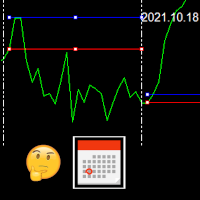
This indicator draws the high intraday price and the low intraday price of the first n minutes of the day. The chart shows the days with vertical lines and two horizontal lines to indicate the max and the min close price of the n first minutes of the day. The max/min lines start and end with the day calculated. With this indicator you can see how starts the day compared with the previous days. It is valid for any market inasmuch as the start time is calculated with the data received.
Parameter
FREE

Bar Strength Divergence Indicator BarStrength Indicator is an exclusive indicator to trade Forex, Stocks, Indices, Futures, Commodities and Cryptos.
BarStrength Indicator shows the strength of each candle.
The indicator shows in a separate windows candles relatively to 2 price levels representing resistance and support in the market.
Once candle is near resistance it is highly probable that price movement will change direction and will go down in the next candles.
Once candle is near support

# Smart Fair Value Zones - Professional Fair Value Gap Indicator for MetaTrader 5
## Advanced FVG Detection with Intelligent Auto-Removal
Smart Fair Value Zones is a sophisticated, automated Fair Value Gap (FVG) indicator designed specifically for MetaTrader 5. This professional trading tool identifies market imbalances with precision and includes intelligent auto-removal functionality that deletes FVGs immediately when price touches them - because **each FVG should only be used once**.
## K
The Trendline Automatic indicator is an advanced technical analysis tool specifically designed to assist traders in identifying critical levels in the financial markets through the automatic drawing of support and resistance trendlines on price charts. With its automatic capabilities, this indicator saves traders time and effort in analyzing price movements, allowing them to focus on making better trading decisions. Key Features : Automatic Drawing of Trendlines : This indicator allows traders t
FREE
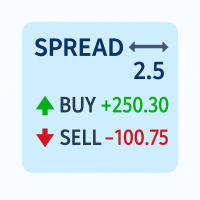
Track your spread and all position PnLs (Buy & Sell) in real-time – stay in control of your trades at a glance!
Features: Real-time spread display (in pips) Total Buy position PnL Total Sell position PnL Clean, non-intrusive display layout Works with all symbols and timeframes Perfect for: Scalpers needing quick spread awareness Day traders monitoring long/short performance Risk managers optimizing exposure No need to switch tabs or rely on external tools — everything you need is visible at
FREE

钱德动量振荡器(CMO)指标,支持多时间框架,可自定义视觉信号及可配置警报系统。
自由职业编程服务、更新和其他TrueTL产品可在我的 MQL5主页 获取。
非常欢迎您的反馈和评价!
什么是 CMO? 钱德动量振荡器(CMO)是由图沙尔·钱德(Tushar Chande)开发的动量指标,计算价格上涨总和减去价格下跌总和,再除以总移动幅度。CMO 的范围在 -100 到 +100 之间。高于 +50 表示超买状态,低于 -50 表示超卖状态。 零线作为多头和空头市场阶段之间的分界线。与其他振荡器不同,CMO 不使用平滑处理,使其更加灵敏但也更加波动。特别适合识别强趋势阶段和价格衰竭点。 功能特点: 带箭头和垂直线的视觉信号标记 三个具有可配置触发器的独立信号缓冲区 信号检测选项:方向变化、穿越水平线、峰值/谷值 每个信号的可配置警报功能(邮件、推送、声音、弹窗) 支持插值方法的多时间框架(MTF)功能 柱状图或折线图绘制模式 多种颜色模式(简单、基于方向、基于水平) 通过自定义指标调用(iCustom)访问缓冲区,支持 Expert Advisor(EA)集成 输入参数: 基本设置
FREE

Average Price Calculator is an MT5 trade management utility for calculating the volume-weighted average entry price and maintaining a common Take Profit for multiple positions opened on the same symbol and in the same direction. BUY and SELL positions are processed as separate baskets. The utility calculates the average entry price according to the volume of every position and sets a common Take Profit at the specified distance from that average. It can also calculate a suggested additional volu
FREE
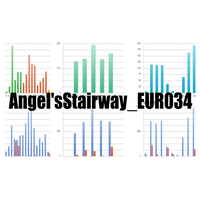
An updated version is now available free of charge. Ver. 034.33 is available. Basics Currency Pair: EUR-USD 5 Minute Display and set the 5-minute chart of EUR-USD. Adjustments may be necessary depending on the broker.
In particular, entry is controlled by " エンベロープミドル偏差" and the ATR 1H value.
About Envelope Middle Deviation " エンベロープミドル偏差" is closer to 1.0, the easier it is to enter the market, but at the same time, the rate of being cut-risk increases.
About ATR EntryLimit
ATR Entry Li
FREE

无论如何移动图表,都可以瞬间聚焦到您选择的时间点,轻松查看目标时刻的数据,非常方便分析和操作。 Focus Time Line Player 操作简便,可以快速关注任意时间点,提升分析效率。
如果您喜欢,也请考虑使用 “Focus Time Line”: https://www.mql5.com/zh/market/product/154363 除此功能外,它还能在多个图表上进行多周期(MTF)同一时间同步,让多周期分析变得更加轻松。
【功能】 ・Focus Mode: SingleLine(默认显示) ・Crt FocusLine: 在任意时间创建一条焦点线 ・Position: 切换显示位置 ・Focus: 将图表视图移动到创建的焦点线上 ・X按钮: 退出程序
【操作步骤】 ・Focus Mode 保持默认 SingleLine 使用 ・点击 Crt FocusLine 创建一条 FocusTimeLine ・使用 Position 按钮选择显示位置 ・点击 Focus 将图表移动到选定的焦点 ・点击 X 按钮退出程序 版本比较 下表显示了本产品(Player版)与高
FREE

账户统计 – 用于 MetaTrader 5 的交易统计仪表板
账户统计是一款适用于 MetaTrader 5 的分析与报告工具。它将您交易账户的关键指标直接显示在图表上,并支持在不同时间周期内对您的交易表现进行结构化分析。 该产品面向希望系统性分析其交易结果并进行清晰记录的交易者。 功能
内置仪表板可实时显示最重要的交易指标,包括盈亏、胜率、利润因子以及其他统计数据。显示内容可在不同时间周期之间切换,包括日、周、月、年以及总体统计。 此外,该工具还提供自动报告功能。报告可在设定时间生成,并通过平台内置的通知功能发送。用户可以将每日分析与周期性汇总相结合。 程序能够自动识别如周、月、年切换等关键时间节点,并相应地补充报告内容。 在风险监控方面,将计算并显示最大回撤及历史权益数据等信息。
输入参数 InpLanguage: 选择仪表板显示语言(德语或英语) InpFontName: 指定您偏好的字体(默认:Arial) InpX / InpY: 设置仪表板在图表中的精确像素位置(之后可移动 InpBgColor: 仪表板背景颜色 InpMainText: 文字标签颜色 InpBtn
FREE

Product Name: MY DASHBOARD (v1) – Smart Trading Panel for MT5 MY DASHBOARD is a professional-grade trading utility designed to streamline your MT4 workspace. It integrates essential portfolio data, risk metrics, and market insights into a single, clean interface—allowing you to focus on trading while the dashboard handles the calculations. Key Featured - Real-Time Market Info: - Symbol Display: Clearly identifies the current trading instrument. - Dynamic Spread Monitor: Visual alerts when sp
FREE

"All in One" panel. You can simultaneously control: up to 3 symbols; up to 6 periods; up to 31 popular signals. You can see the sum for all signals taking into account the weight of the signal Version for MetaTrader 4: https://www.mql5.com/ru/market/product/27880 Version for MetaTrader 5: https://www.mql5.com/ru/market/product/27830
Parameters NUM_BAR - number of the bar to analyze (set a value greater than 0 to work on closed bars). timeframe_1....timeframe_6 - working timeframes (if set to "c
FREE

ONLY DEMO ACCOUNT Live Versión Here : https://www.mql5.com/en/market/product/170738 ADX System is an advanced trend-strength and momentum confirmation indicator built on ADX and Directional Movement logic. It transforms traditional ADX data into a structured visual system that helps traders identify: • Trend initiation
• Strength acceleration
• Buy/Sell confirmation phases
• Momentum shifts
• Continuation zones The indicator features a two-step confirmation process (Alert → Confirmation), a
FREE

Highlights a specific candle after a designated time interval. This feature is particularly useful for evaluating the potential profitability of breakout strategies that are triggered at specific candle intervals. It allows traders to visually assess whether a breakout strategy, set to activate at a certain candle, would have been successful in past market conditions.
FREE

This indicator solves the problem of chart scaling where the bar becomes too thin and it becomes difficult to determine the bar's open and close prices.
Thick Bar indicator - allows you to change the thickness of the lines and the color of the stroke, due to which you can get a thicker bar on the chart. The default indicator has a bar thickness of 2 and preset colors that can be changed in the settings
FREE

Swiss CandleTime What ist CandleTime for This indicaor just displays the remaining time for a candle to build. It is best used if you trade with timframes from 3 minutes. I use it in M3 to keep postions. If I have two following red candles i usually liquidate the position. Timeframes M1 to H1 Inputs Arrow displayed => Edit your arrow string Arrow for waiting conditions => Arrow if chart is offline Text Color => color of the text Tell if there is a trend change => tells you, if the two preciding
FREE

Proton Strength Matrix MT5
OVERVIEW Proton Strength Matrix MT5 is an indicator for MetaTrader 5 that analyzes and displays market strength metrics across multiple timeframes simultaneously. The indicator quantifies buying and selling pressure for the current symbol on selected timeframes and presents this information in a dashboard format on the chart.
PRIMARY FUNCTION The indicator analyzes price action patterns and generates strength values representing buying pressure (positive) and sellin
FREE

The Phoenix FVG & S&R Toolkit is a professional-grade visual engine designed to pinpoint institutional liquidity and market imbalances with surgical precision. By automating the detection of Fair Value Gaps (FVG) and Support & Resistance (S&R) zones, this tool removes the guesswork from technical analysis and helps you focus on high-probability "Smart Money" setups. The indicator identifies areas where price has moved too quickly, leaving behind "unmitigated" gaps that act as magnets for future
FREE

Nem Nem is super accurate mt5 indicator it is working with any pair any time frame it will show and provide you with high Winrate signal you can use for forex pairs , gold and any other pairs it is easy to use also you can see the white lines for starting and end of signals it will help you to read the chart and enter and make correct decisions in trades. also it will be clear for you when to enter and exit from any trades
FREE
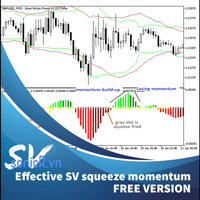
This is addition of Effective SV squeeze momentum that add bolliger band and Keltner channel to chart window. Squeeze momentum introduced by “John Carter”, the squeeze indicator for MT5 represents a volatility-based tool. Regardless, we can also consider the squeeze indicator as a momentum indicator, as many traders use it to identify the direction and strength of price moves. In fact, the Tradingview squeeze indicator shows when a financial instrument is willing to change from a trending ma
FREE

Nexa Gold Relative is a professional Gold trading indicator designed for XAUUSD traders who prefer cleaner and more selective trade signals.
The indicator combines a Gold-focused price calculation engine with RSI confirmation, ATR-based trade zones, candle confirmation, session filtering, signal cooldown, and mobile alerts.
Nexa Gold Relative is built to help traders identify structured BUY and SELL setups directly on the chart, with clear Entry, Stop Loss, and Take Profit areas.
Main Featur
FREE

Green Red Triple Overlap Candle by RWBTradeLab
Three candles of the same colour that go nowhere. A clean, non-repainting detector for MetaTrader 5 that finds the groups where one side keeps pushing and the other side keeps absorbing — and marks the exact band the group folded over. All from CLOSED candles only.
What This Indicator Does
The middle candle is the reference. Candle 1 and Candle 3 clamp its BODY from opposite ends, which is what stops the three of them from stepping away from eac
FREE
This indicator shows both GMT time and your broker's time on the chart.
Simply attach the indicator to a chart, and you will see the GMT time and your broker's time displayed in the top left corner, as shown in the screenshot. By using this indicator, you can always stay informed about your broker's time, which is especially useful during daylight saving changes.
You won't have to worry about whether your broker follows the US or EU schedule, as the indicator automatically adjusts to reflect any
FREE

A manual trade manager with a live on-chart preview. Plan every trade visually: entry, stop and up to four take-profits appear as draggable lines with filled risk/reward zones — lot size, R-multiple and money value update in real time. One click places it all. Market, Limit and Stop orders at the press of a button Position sizing by percent, money risk or fixed lot Up to 4 partial positions, each with its own TP and a shared SL Stop by pip/ATR distance or anchored to the last swing high/low Auto
FREE

Features at a Glance Multi-Band System: 4 bands above and below a center line, creating 9 distinct layers ALMA-Based Center Line: Smooth, responsive moving average that filters noise effectively Volatility Bands: Automatically adjusts to market volatility using Standard Deviation Keltner Channel Integration: Blends ATR-based channels with standard deviation for robust band placement Alert System: Get notified when price crosses key band levels
Read in detail with screenshots in blogpost: https:
FREE

Advanced Trade Mirror is a powerful Forex tool designed for traders who need instant, seamless trade replication across multiple terminals on the same machine. With lightning-fast execution, it ensures zero lag in copying trades, maintaining precision and efficiency in high-speed trading environments. Get the Trade Mirror Master here: https://www.mql5.com/en/market/product/133891
Specification:
Master ID: Identity value of master terminal, please use a unique value to prevent duplicated mas
FREE

Haunted Risk Calculator is a visual risk management panel for MT5 that calculates the correct lot size in real time based on your account balance, risk percentage, and stop-loss distance. HOW IT WORKS
Set your risk percentage or dollar amount, drag the SL and TP lines to your desired levels on the chart, and the panel instantly shows the calculated lot size, risk in dollars, reward-to-risk ratio, and expected profit. Execute with one click or a keyboard shortcut. FEATURES Draggable panel — grab
FREE
MetaTrader市场是 出售自动交易和技术指标的最好地方。
您只需要以一个有吸引力的设计和良好的描述为MetaTrader平台开发应用程序。我们将为您解释如何在市场发布您的产品将它提供给数以百万计的MetaTrader用户。
