 MetaTrader 5
 专家
专家
 指标
指标
 程序库
程序库
 实用工具
实用工具
 窗口小部件
窗口小部件
 规则
规则
适用于MetaTrader 5的EA交易和指标 - 135
 使用EA交易和指标,使外汇交易获得更多盈利。EA交易可使您自动开启和关闭交易,而指标将帮助您更准确地预测市场行为。
该页面提供MetaTrader 5应用程序的目录。
使用EA交易和指标,使外汇交易获得更多盈利。EA交易可使您自动开启和关闭交易,而指标将帮助您更准确地预测市场行为。
该页面提供MetaTrader 5应用程序的目录。 
New candlestick alert, the alert appears according to the timeframe it is placed on. The indicator works on any asset, the alert can be silenced at any time, without the need to remove the indicator from the graph. It's great for those who can't keep an eye on the chart all the time. You can use this tool at work, college or anywhere else. It is also possible to receive signals directly on your cell phone by connecting to the metatrader. Aurélio Machado.
FREE

TradeFlow Dashboard MT5 代表了交易管理的典範轉移,提供了強大且多功能的解決方案,旨在提升您的風險管理策略並簡化 Meta Trader 5 平台內的決策。 憑藉其時尚且用戶友好的介面,該工具超越了傳統的交易體驗,特別適合希望提高業績的手動交易者。
讓我們深入研究 TradeFlow Dashboard MT5 的主要亮點,探索每個功能如何為無縫且強大的交易體驗做出貢獻:
無縫訂單執行: TradeFlow Dashboard MT5 讓您能夠無比輕鬆地執行買入、賣出、限價和停損訂單。 無論您喜歡固定手數還是透過百分比管理風險,該工具都能適應您獨特的交易風格,為每筆交易提供精確性和控制。
輕鬆啟動追蹤停損: 一鍵啟動追蹤停損帶來了一定程度的適應性,這對於駕馭市場的動態本質至關重要。 您的停損會根據市場走勢動態調整,提供在快節奏的交易環境中至關重要的靈活性和反應能力。
主動市場崩潰保護: 市場崩潰過濾器是風險管理領域的遊戲規則改變者。 設定每日最大回檔百分比,TradeFlow Dashboard MT5 會採取主動措施,在達到限制時自動平倉所有未平倉部位
FREE

Rectangle Editor – Control total sobre tus zonas Rectangle Editor es una herramienta avanzada diseñada para traders que utilizan zonas, bloques o áreas de interés en su operativa. Permite , editar y gestionar rectángulos directamente en el gráfico de forma rápida, precisa y profesional. El indicador facilita la manipulación de objetos rectangulares en el gráfico, permitiendo: Dibujar zonas de oferta y demanda Marcar Order Blocks Delimitar Fair Value Gaps (FVG) Definir zonas de ent
FREE
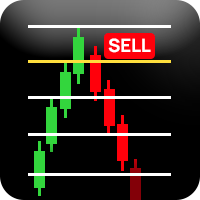
️ 重要提示:评估版本 - 限制交易品种支持 此指标目前仅供评估使用,仅支持以下交易品种: EURUSD(欧元美元) Volatility 50 (1s) Index(波动率50指数) 该指标无法在其他任何交易品种上运行。 Richchild 四分理论指标 评估版 专业市场结构分析工具 概述 这是一个专业的交易指标,旨在使用动态区间计算和基于四分位的价格分析来分析市场结构。该指标通过自动化周期分析和关键价格水平的可视化表示提供全面的市场洞察。 如何使用此指标 开始使用 品种选择 :确保您正在交易EURUSD或Volatility 50 (1s) Index 时间框架选择 :使用底部的时间框架按钮选择您的分析周期(M15, M30, H1, H4, H6, H12, D1, W1, MN1) 视觉控制 :使用控制按钮切换高/低线并在深色/浅色主题之间切换 读取仪表板 主仪表板显示多个时间框架的实时数据: TF :正在分析的时间框架 L% :当前价格从周期低点的位置(0-100%) H% :当前价格从周期高点的位置(负值表示低于高点) Quarter :您当前所在的时间四分
FREE
MACD-V — Volatility-Normalized Momentum Indicator Inspired by award-winning quantitative trader Alex Spiroglou ,
the MACD-V is a powerful evolution of the classic MACD — delivering a volatility-normalized momentum framework that produces consistent, actionable signals across all securities and timeframes. While the traditional MACD measures the difference between two EMAs, the MACD-V goes a step further by dividing this difference by the market’s volatility (ATR).
This normalization makes the
FREE

MTForge SuperTrend — Adaptive Trend Following for MT5 A professional-grade SuperTrend indicator built for serious traders. Unlike basic SuperTrend tools, MTForge SuperTrend gives you two trend detection modes and six moving average types, letting you fine-tune the indicator to match any market condition. What It Does The indicator plots a single colored line on your chart that flips between support (green) and resistance (red). When price is trending up, the line sits below price as dynamic supp
FREE
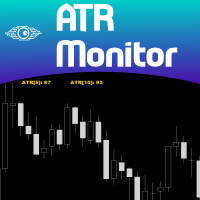
ATR is a measure of volatility introduced by market technician J. Welles Wilder Jr. in his book, "New Concepts in Technical Trading Systems". In general, traders are accustomed to seeing the ATR in the form of a sub-window indicator. What I am presenting here is a simplified version of ATR - just the current ATR number - very useful for monitoring just the very moment of the current chart. If you want to monitor several timeframes in the same chart, just add the ATR Monitor indicator several tim
FREE

GPF Stochastic: a momentum indicator that compares a specific closing price of an asset to a range of its prices over a certain period. It helps traders identify potential overbought or oversold conditions in the market. The indicator consists of two lines: %K Line : The main line, which represents the current closing price relative to the price range over a set period. %D Line : The signal line, which is a moving average of %K. The Stochastic Oscillator ranges from 0 to 100 , with levels typic
FREE

SMC Trend Momentum Signal Line
SMC Trend Momentum Signal Line is an MT5 indicator that draws a smoothed on-chart line and colors it in real time: lime for positive momentum, tomato for negative, derived from the “SMC Trend Momentum” subwindow oscillator. This gives you immediate momentum direction directly in the main chart. Note: You must purchase the “SMC Trend Momentum” to see the line. The SMC Trend Momentum Signal Line is and will remain free of charge for you. Key Features Colored On-Char
FREE

Overview The Sierra Capital Multi‑Timeframe EMA Indicator is a free analytical tool designed for traders who rely on multi‑timeframe trend confirmation. It displays short‑, medium‑, and long‑term Exponential Moving Averages (EMAs) from higher timeframes directly on your current chart. This allows you to evaluate trend strength, momentum alignment, and market structure without switching charts or disrupting your workflow. Key Features Shows EMAs from up to three higher timeframes on a single char
FREE

Expreso is built for one purpose:
To help traders position early before the move expands — not chase it after. In a market where most traders react late, Expreso focuses on timing and positioning, allowing you to align with emerging momentum at the earliest stage possible. Core Concept Expreso is designed to support early entry positioning by helping you focus on: Timing entries near the start of a move Recognizing when the market is ready to expand Avoiding late entries during overextended pric
FREE
对“ICONIC TRENDLINE SIGNAL”指标的深度解析(中文) 所提供的 MQL5 代码实现了一个面向 MetaTrader 5 的高级多维度顺势指标。它并非简单的均线交叉,而是把趋势强度、波动率、多周期分析与量化评分系统整合为一体,构成完整的决策支持工具。 1. 核心交易策略与逻辑 该指标基于稳健的多层逻辑框架,用于识别高胜率的顺势入场点。 A. 趋势定义:多 EMA 系统 趋势检测的基础是由 5 条指数移动平均线(EMA)构成的高级体系。主图上的“趋势线”采用经典的 EMA 级联(默认 9、21、50),而在后台还会参考更长周期(最高至 200 周期 EMA)以进行更深层的市场分析。 多头趋势(主图) :当 EMA(9) > EMA(21) > EMA(50) 且按“多头顺序”完美排列时,确认强劲上升趋势。这代表短/中/长周期参与者达成一致。 空头趋势(主图) :当 EMA(9) < EMA(21) < EMA(50) 时,定义为空头趋势。 相较于两线交叉,这种级联结构更可靠,因为它要求多个周期同时确认,从而过滤较弱或尚未形成的行情。 B. 趋势确认:ADX 强度过滤
FREE

Commercial Description for MQL5 Store
TradingPsychology Guard EA — The Ultimate Institutional Risk Guardian TradingPsychology Guard is not an automated entry system; it is a High-End Professional Intraday Risk Management Utility explicitly designed for professional manual traders. It was built to shield your trading account and secure your equity against the single biggest threat in the financial markets: lack of emotional discipline. If you have ever suffered from "revenge trading," found

Precision Entries. Intelligent Risk. Complete Control. Saturn Vortex Prime is a fully automated trading system that combines proprietary volume analysis with intelligent market efficiency calculations to identify high-probability trade setups. Unlike black-box systems, this EA gives you complete transparency and control over every aspect of its operation through clearly organized, user-friendly parameters. ️ IMPORTANT – PLEASE READ FIRST
ONCE YOU DOWNLOAD , MESSAGE ME FOR SET FILES
FREE

Heikin Guardian EA – Smart Trend Trading with Capital Protection (MT5) Heikin Guardian EA is a professional automated trading system built on
Heikin Ashi price action , combined with multi-timeframe trend confirmation
to deliver precise entries, disciplined exits, and strong capital protection. It is designed for traders who value consistency, control, and risk management
over aggressive and unstable strategies.
Works with all currency pairs, especially Gold. Please use timeframe : Day F
FREE
> Elevate Your Trading Strategy This free tool is just the beginning. At code4trading , we specialize in developing high-performance indicators and Expert Advisors designed for precision and professional-grade analysis. Looking for more advanced features? Discover our full suite of premium tools, including optimized signals, advanced oscillators, and institutional-grade trading utilities at our official MQL5 store. > Explore the full catalog here: https://www.mql5.com/en/users/pablogx9
FREE

PGSindicator for MetaTrader 5 Free Companion Indicator for Profit Guard System Trade Panel. *** The attached video is the " PGS Trade Panel Tutorial Part 1 " *** (4m video) Adjust >>> **** EMA1 N-Pips Separation from EMA2
This setting defines the minimum distance required between EMA1 and EMA2 before a trend condition is considered valid.
The default value is 100.0 pips for NASDAQ 100, 1 minute CHART . Depending on how your broker calculates pip values, you may adjust this to 20.0 or 10.0
FREE

UZFX FTMO Guardian PRO 是一款专业的 MetaTrader 5 账户监控指标,旨在帮助交易者安全地完成 FTMO 挑战,并自信地管理受托账户。
与专家顾问不同,该工具不会执行、修改或平仓交易。它作为实时交易助手,在您进行手动交易时持续监控您的账户,并计算每一项重要的 FTMO 规则。
仪表盘将所有关键账户统计数据集中展示,包括余额、净值、浮动盈亏、已平仓盈利、日盈利、总盈利、当前回撤、剩余回撤、盈利目标进度、交易天数以及整体挑战健康状况。
该指标自动支持:
FTMO 两步标准模式 FTMO 两步波动模式 FTMO 一步挑战模式 它持续计算:
日回撤 最大回撤 静态回撤 追踪回撤(1步挑战) 盈利目标进度 剩余所需盈利 剩余每日亏损容许值 剩余最大回撤 已完成交易日 当前挑战状态 智能预警系统会在违规发生前提供实时通知。当交易者接近每日回撤限额、最大回撤限额、盈利目标或出现危险的浮亏时,系统会发出警报,使其能在违反挑战规则前采取行动。
仪表盘还提供了重要 FTMO 交易条件的快速参考,包括:
新闻交易规则 周末持仓规则 隔夜持仓规则 一致性要求 当前挑
FREE

Description Smart SL/TP Modifier Pro is a professional utility designed to help traders easily manage Stop Loss (SL) and Take Profit (TP) levels directly from their MetaTrader 5 chart.
It provides interactive on-chart control lines and intuitive buttons for quick modification of all active orders with just one click. This tool is especially useful for traders who manage multiple positions manually but want to ensure consistent and fast SL/TP adjustment. Main Features Modify all open trades
FREE

Minimalist Manager is a manual trade-management panel for traders who place their own entries and want precise, fast control over risk, stops, and targets directly on the chart.
It is a discretionary tool. You decide when to enter; Minimalist Manager handles the sizing, stop-loss, take-profit, break-even and trailing mechanics around your decision. Trading several accounts? Its Trade Copier places the same trade on all of them, each at its own risk.
Key features
Risk-based position sizing. Se
FREE

Non-proprietary study of Joe Dinapoli used for trend analysis. The indicator gives trend signals when the fast line penetrates the slow line. These signals remain intact until another penetration occurs. The signal is confirmed at the close of the period. It is applicable for all timeframes. Parameters Fast EMA: period of the fast moving average. Slow EMA: period of the slow moving average. Signal EMA: period of the signal line. ************************************
FREE

What is MTF Confluence Panel? A premium multi-timeframe analysis tool that scores 8 technical indicators across 4 timeframes simultaneously to give you a clear confluence score — so you can enter trades with confidence, not guesswork. How It Works Each timeframe gets scored by 8 independent indicators that vote BUY or SELL: EMA Cross (20/50) — Trend direction Price vs EMA 50 — Price position relative to trend RSI (14) — Momentum MACD Histogram — Momentum confirmation Stochastic (14,3,3) — Fast m
FREE

VTX OMNIBOARD 是一款专为 MetaTrader 5 设计的全功能多品种、多周期趋势监控面板(Dashboard)。基于 Vortex (VTX) 涡流趋势算法与价格动量分析,帮助交易者在单一图表上一眼掌握整个市场的多空结构与强弱变化,无需频繁切换图表。 无论您是剥头皮交易者、波段交易者还是长线交易者,VTX OMNIBOARD 都能将复杂的市场动态转化为直观的趋势方向、动量强度及高胜率反转预警。 核心优势与主要功能 多品种 & 多周期扫描器: 在单个主图上同时监控多个货币对、黄金贵金属或指数在不同周期(M1 至 MN1)的走势。 高精度 Vortex (VTX) 算法: 精确测量正向 (+VI) 与负向 (-VI) 市场涡流动态,提早捕捉新趋势启动,有效过滤震荡噪音。 一键图表直达: 点击面板上的任意品种或周期按钮,立即快速切换当前图表。 全方位智能提醒: 支持趋势金叉死叉与多周期共振(Confluence)实时推送:桌面弹窗、手机 MT5 Push 推送及邮件提醒。 极低资源占用: 代码深度优化,即使同时扫描 20 个以上品种,也不会造成图表卡顿或 CPU 负载过高。
FREE

Playback of previously saved data from the order book.
Key features: Historical data navigation Adjusting the playback speed with the "---" and "+++" buttons, as well as with the mouse, you can by scrolling the wheel over the area of these buttons and between them Turning Price Centering On and Off Time display accurate to thousandths of a second Attention: This product also needs a utility to save data: https://www.mql5.com/en/market/product/71642
FREE

Exp Crassula expert Advisor can start working with a minimum Deposit of 20$
You can enable it on other timeframes and currency pairs by first testing and selecting the parameter the minimum size for the calculation in paragraphs. it is recommended to use from 50 to 500.
It is possible to use a martingale.
The free version is released so that you can test the expert Advisor in real time.
1.unlike the paid version, the expert Advisor trades 2 days a week, on Tuesdays and Thursdays.
2. in the free
FREE

The multi-timeframe indicator of the levels of the Pivot Points. Every closed daily period has its own so-called reference point - Pivot Point, which sets the levels for smaller intraday timeframes for the following day. The Pivot Points indicators existing in the codes have no method of showing the dynamics of the pivot point changes on the historical data of the price chart. Pivot Point calculation formula. Pivot=(High + Low + Close) /3 High — the maximum of the previous day; Low — the minimum
FREE

Throw VolumeGap Mabrouk Identify Institutional Footprints with Precision Volume Analysis Overview VolumeGap is not just another volume indicator; it is a clinical trading tool designed to detect "Liquidity Surges" and "Institutional Entry Points." By analyzing the relative strength of every tick, this indicator pinpoint the exact moment when high-volume players enter the market, creating high-probability reversal and breakout opportun. LIMITED LAUNCH OFFER Current Price: $35 (Exclusive for the
FREE

This utility keeps a watchful eye on your trading terminals and ensures that you are notified if any of them are disconnected. Simply attach the utility to a chart and connect to a monitoring service who can notify you.
We use UptimeRobot for both VPS and terminal monitoring; however, any service supporting heartbeat monitoring can be employed.
Many such services offer free plans and various notification methods, such as Cronitor.io
FREE

Inggris:
SAMA dengan Master → SAME as Master
1.0 = lot sama, 2.0 = 2x → 1.0 = Same lot, 2.0 = 2x
Beda tiap client boleh, biar tidak bentrok → Different for each client is allowed, to avoid conflicts
true = SL TP 100% sama kayak Master → true = SL TP 100% identical to Master
true = kalau Master close, Client ikut close → true = if Master closes, Client closes as well
" Here is a professional and engaging product description in English for your **EA Copy Client**, structured to attract and
FREE

Hello this is MT5 version of my first EA Project - MA CROSS Simple MA Cross Fast and Slow with additional High Time Frame Filter. You can set manually to get optimum Result. It's suit for swing Trader that Trade on High Time Frame. ex. H1 / H4 with D1 Filter. Or you can modify It that follow your strategy.
Give me good feedback to improve for better version. Cheers!!
Hurry up FREE download for Limited Time!!
Please test It on Demo account or strategy tester before applied on Live Account
FREE

Displays the countdown to the current candle’s close and shows the live server time clearly on your chart, including the GMT. It is a fuss-free indicator, plug and play. Accurate Candle Timer is a simple and practical tool for traders who want to monitor candle timing without unnecessary clutter. It shows how much time is left before the current candle closes, helping you stay aware of when the next candle will begin. This is useful for traders who prefer to wait for candle close confirmation be
FREE
Pivot Points are used by Forex traders to find support and resistance levels based on the previous day's price action. There are various ways to calculate pivot points, including averaging the open, high, low, and close of the previous day's chart price.
Forex Traders use a combination of pivot points with moving averages to find trading opportunities in the currency markets.
Pivot points are very useful tools that use the previous bars' highs, lows and closings to project support and resist
FREE

Certainly! Here's the revised Chinese translation including the information about the indicator not repainting its signals and being resistant to market noise:
介绍 Volatility Doctor RSI,这是一款基于可信赖的RSI指标构建的突破性工具,旨在提升您的交易体验。
我们的指标不仅提供实时的RSI读数,还准确预测了未来10步内RSI读数的位置,适用于您选择的任何时间框架和任何偏好的交易符号。此外,我们强调指标不会重新绘制其信号,确保您获得可靠的交易指导,同时对市场噪音具有很强的抵抗力。
自适应智能:这个智能工具学习并动态调整,无缝融入您独特的交易策略,增强您的决策过程。
立即使用 Volatility Doctor RSI 提升您的交易。
祝您和平、繁荣和交易盈利。
Volatility Doctor.
FREE

Basket Exit Levels 是一款一次性使用的 MetaTrader 5 实用脚本,面向在同一品种上加仓、建仓篮子,并需要快速、可控离场的交易者。 选择多空方向(Long / Short)和模式后运行一次即可。脚本会为图表品种上该方向的所有匹配持仓设置离场价位,不改动止损(Stop Loss)。不会自行开仓或平仓;关闭输入对话框后也不会在后台继续运行。 模式 1. 绝对离场价 — 所选方向的所有持仓使用同一离场价。 2. 相对每笔入场的点数 — 按持仓分别计算: - 多头:离场 = Open + Points × Point - 空头:离场 = Open − Points × Point 图表大面板(v1.06) 不再依赖细小的图表注释,而是绘制清晰的对象面板(深色石板或浅色主题,可调尺寸与角落): - 产品名称、方向与模式 - 成交量加权平均入场价与总手数 - 当前保证金水平 - 账户保证金水平约降至 50% 时的参考价格 - 在目标离场价的预估资金结果(含库存费与手续费) - 离场结果汇总(成功 / 失败笔数) 警报与 Experts 日志会按订单号报告成功或失败——在休
FREE
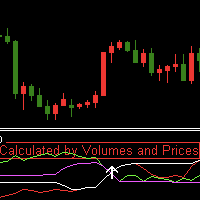
指标简介
该指标不仅利用了价格计算,而且融入了成交量进行计算,目前为单边指标,只有出现向上的做多箭头信号。 单独使用该指标效果不显著,需要另外配合趋势类指标使用,然后寻找趋势出现的时间段,用该指标作为入场信号指标,效果类似于均线金叉,但有时候比均线金叉更提前显示信号。 该指标有4条线,根据价格和volume计算的线各自两条,价格计算周期和成交量计算周期均可手动输入设置,如果出现价格均线上穿成交量指标线会出现白色箭头信号。 该指标具有报警功能,当出现白色箭头信号,它能够发送邮件和massages到手机客户端,同时在电脑图表窗口发送Alert警报,因此不用一直盯盘也可以即时获得信号提醒,每次消息提醒重复次数可以手动修改。 它适用于所有时间框架,任何交易品种。 指标的信号如图所示, 我的其他指标和EA可在这儿找到: https://www.mql5.com/zh/users/hzx/seller
FREE

实时交易与历史可视化工具是一款强大的MetaTrader 5指标,旨在通过清晰直观的视觉提示帮助交易者追踪持仓与平仓记录。无论您正在监控实时交易还是分析历史表现,该工具都能在图表上直接呈现直观可定制的入场/离场点位、盈亏状况及交易统计数据。
核心功能:
动态连线直观呈现活跃交易:连接入场点与当前价格
实时更新盈亏数据
历史交易可视化:带入场/出场标记及趋势线
一键查看交易详情(盈亏、盈亏点数、仓位规模)
按交易类型(买/卖)筛选并限定历史数据展示
可选摘要表:展示近期交易盈亏概览
简洁有序的布局,快速评估交易表现 智能刷新率控制,低CPU占用率
适用人群: 日内交易者与短线交易者——快速评估持仓与近期交易 波段交易者——回顾历史交易进行形态分析 所有策略类型——兼容任何交易风格
立即获取实时交易与历史可视化工具,让您的交易清晰明了!
FREE
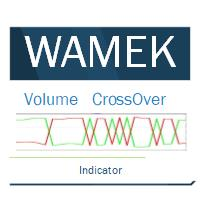
Volume Cross Over is an indicator that measure positive and negative volume flow in a financial instrument, such as a stock, commodity, or index. It is base on the idea of On-Balance Volume developed by Joseph Granville. However instead of trending lines, this indicator shows volume cross over. When the closing price of an asset is higher than the previous closing price, then the Bull volume is greater than zero and Bear volume is negative. It suggests that buying volume is dominating, and
FREE

SYU Heiken Trader
The SYU Heiken Trader constructs true Heiken Ashi symbols as custom instruments directly inside MT5, unlocking timeframes and chart types the platform does not natively offer. Every indicator, script, and expert advisor you already use runs on these charts without modification — because to MT5, they are real symbols. Build the chart, apply your tools, and trade from it as you would any standard instrument.
FREE
Here's a clearer, more organized description for the indicator: An enhanced ATR Bands indicator that provides flexible, configurable price bands based on Average True Range (ATR). While traditional ATR-based indicators often have limitations in their configurability and functionality, this version offers comprehensive features for both stop-loss and take-profit level calculations. Key Features: Configurable source price (close, high, low) for ATR band calculations Adjustable scaling factors wit
FREE

Simple order is designed to make placing pending orders as easy and fast as possible. Setting a pending order takes just two steps. 1. Double-click on the price of placing an order, after that a panel with buttons for order names appears. 2. Click on the button of the required order That's it, the pending order is set. If necessary, we adjust the order by dragging, as well as change the sizes of stop loss and take profit. Don't forget to pre-set the size of the stop loss and take profit in the S
FREE
Tired of sifting through your account history to track closed trade profits? The Draw Profit indicator by Bo.Botfx is here to revolutionize how you visualize your trading performance! This intuitive and powerful indicator automatically draws the profit (or loss) of your closed orders directly onto your chart . No more guessing or tedious calculations – with Draw Profit, you can instantly see the exact outcome of each trade right where it happened. Key Features: Visual Profit Tracking: Clearly di
FREE
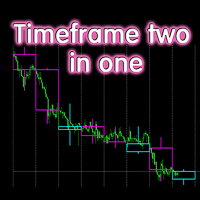
The indicator displays candlesticks of a given senior timeframe, on smaller timeframes
TF_Bar - selection of the senior timeframe, based on which candlesticks on the current one will be displayed.;
Number_of_Bars - the maximum number of bars up to which the indicator will be calculated.;
Color_Up - color display of bullish candlesticks;
Color_Down - color display of bearish candlesticks;
Widht_lines - the thickness of the indicator lines.
Other useful free and paid products can be viewed
FREE

Umagads Lot Calculation and Auto SL TP Assistant:MT5 专业风险管理辅助工具 在快速波动的市场中, 手动计算手数往往会导致错过最佳入场点。 Umagads 交易助手 是专为追求执行效率和严格风险控制的 MetaTrader 5 交易者设计的半自动化实用程序。 您无需再为手动计算仓位而烦恼, 也无需在入场后匆忙设置止损线。 一切计算均在瞬时完成, 并自动应用于您的订单, 让交易更加从容。 核心功能 v2.40: 精准手数计算: 根据账户余额的固定百分比 (Risk %) 实时计算最理想的交易手数。 瞬间自动盾牌: 点击买入或卖出的瞬间, 助手会立即根据预设点数挂载止损 (SL) 和止盈 (TP)。 账户安全守卫: 内置安全机制, 仅支持 USD、 USC(美分)和 CNT 账户, 有效防止因非标准货币计算导致的致命错误。 双语支持: 界面可在英文和印尼语之间自由切换, 动态面板标题显示清晰。
FREE
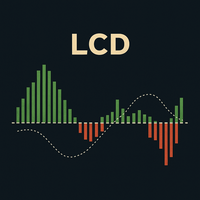
LCD 拉盖尔聚合离散指标:MACD 的高级改良版 LCD 拉盖尔聚合离散指标 (LCD Laguerre Convergence Divergence) 是一种先进的技术指标,旨在改进经典的 MACD 指标,提供更快、更灵敏和更具适应性的动量检测。其主要优势在于使用了 拉盖尔滤波器 (Laguerre filters) ,它比传统的移动平均线能更精确地响应价格变化。 主要优势 更高灵敏度和更小滞后性: 拉盖尔滤波器能生成更早的进场和出场信号,这在波动剧烈的市场中至关重要。 对波动性的适应能力: 它根据 ATR(平均真实波幅) 动态调整,在低波动性时过滤掉噪音,在高波动性时快速做出反应。 改进的噪音过滤: 包含一个 决策区 (Decision Zone) 和额外的平滑处理(直方图的 EMA),以减少虚假信号。 可选的成交量确认: 允许通过成交量来验证信号,这对于 H1-D1 等时间周期非常有用;在 M1-M30 的剥头皮交易中可以将其禁用。 视觉灵活性: 可以自定义线条和直方图的颜色、粗细和样式。 组成部分与工作原理 L-Fast 线: 代表短期动量,对价格反应迅速。 L-Signal
FREE

SMC Order Blocks Pro — MTF | No-Repaint | ATR Filter | Sessions & Delta The most reliable Smart Money Concepts Order Block detector for MetaTrader 5. Built on a 25-point senior audit, this indicator detects institutional order blocks with zero repaint, multi-timeframe confluence, ATR-based filtering, session awareness, volume heatmap coloring, and a full break/mitigation alert system. Key Features No-Repaint Order Block Detection Order blocks are identified and locked on confirmed candles onl

Volume Above Average Indicator - MQL5 Introduction The Volume Above Average Indicator is a custom indicator for the MetaTrader 5 (MQL5) platform that helps traders identify the current trading volume compared to the historical average. The indicator uses three different sensitivity levels to classify volume into weak, medium, and strong, providing a clear visualization of market momentum. Key Features Displays trading volume in a separate window. Compares the current volume with the historical a
FREE
Easy to use EA designed to auto trade. Works in every market condition. It uses reliable levels of MACD indicator combined with unique logic to perform fully automatic trading operations. *For MT4 version please go here! *If you don't like automated system and only need an alert system to help you in trading. Please check this arrow with alert system here!
FEATURES: Dangerous methods like martingale, hedge, grid or scalping are NOT used. Each position has Stop Loss and Take Profit. Positional
FREE

FREE

The indicator draws horizontal lines based on the RSI indicator's overbought and oversold levels. The closing prices of the bar are selected when it exits the overbought zone or when the RSI indicator first crosses the 50% line. For more information, you can enable the display of RSI values for the most recently closed bars in the upper left corner. It also displays information about whether the RSI indicators are in the overbought or oversold zone. All timeframes are available. Can be enable
FREE

CandleCountdown Indicator — Overview This indicator displays a live countdown timer for the current candle on your chart, updating every second. It’s designed to be visually intuitive, resilient across timeframes, and smartly formatted for clarity.
Core Features • Real-Time Countdown Shows how much time remains until the current candle closes, updating once per second. • Smart Time Formatting Adapts the display based on remaining time: • → shows just seconds (e.g., ) • → shows (e.g., ) •
FREE

Candle Disrespect is an MT5 chart indicator that highlights candles breaking or wicking through prior candle structure. It scans a configurable lookback range and color-codes three disrespect levels: body close past the prior wick, body close past the prior body, and wick-only rejection. Toggle flip-only mode, category visibility, and colors to suit your trading style.
FREE

Классический индикатор фракталов является запаздывающим, т.к. для подтверждения образования фрактала необходимо ждать 2 бара. Если этого избежать, то индикатор будет перерисовывающим, т.е. при обновлении максимума/минимума в течении 2-х баров фрактал будет менять своё положение на более позднее. В данном продукте максимально нивелированы оба этих недостатка, при этом совмещены достоинства обоих подходов! Индикатор показывает фрактал сразу в момент его образования, а в случае его обновления показ
FREE

Advanced Trend Builder is a trend indicator using the original calculation algorithm. ATB can be used on any data and timeframe. My recommendation use for calculation numbers 4 - 16 - 64 - 256 and so on ..., but this is only recommendation. The middle of the trend wave is a special place where market behavior is different, when developed ATB was main idea to find the middle of the wave trend. Input parameters: Bars will be used for calculation - number of bars used for a trend line calculation.
FREE

This MT5 script calculates and displays the total lot sizes traded on your account. This is useful as a quick visual summary for VPS promotions from brokers. The script outputs directly onto the chart. This is broken down by symbol and by three customisable time periods: today this week this month Font sizes can be adjusted The summary will appear in your chart
To update the display after new trades, simply run the script again.
FREE

Prime Box Zones Basic is the simplified entry version of the Prime Box Zones indicator for MetaTrader 5. It gives traders a practical first look at the core box-zone concept by displaying basic market consolidation zones directly on the chart. The Basic version is intentionally limited to keep the chart clean and to provide a focused introduction to the indicator logic. Prime Box Zones Basic includes: Basic box zone detection Live chart visualization Up to 3 newly detected boxes per broker day S
FREE

INTRODUCING MML Data Bridge The demand for bridging external data and machine learning with trading platforms is higher than ever. MetaTrader 5 is a powerful environment for trading and back testing, but without a data bridge, MT5 is largely isolated from using any external data. MML Bridge is a developer tool that allows users to bridge external data into MT5 for back testing, live trading, and optimization. It's built for ease of use, providing users with a simple function API that drip-feeds
FREE

RSI Condition:
The Relative Strength Index (RSI) for the current period is below a specified low threshold (RsiLow). This indicates oversold conditions. Candlestick Pattern:
It checks for a specific candlestick pattern across three consecutive candles: The current candle (1) closes higher than it opens (bullish) The previous candle (2) closes lower than it opens (bearish) The current candle's close is below the high of the previous candle Price Action:
The alert also checks that the current
FREE

Desenvolvido por smart2trader.com Indicador Pin Bar Color detecta e pinta automaticamente padrões de pin bar no gráfico com cores personalizáveis, oferecendo configurações flexíveis para identificação de oportunidades de trading. Além disso, através do nosso indicador Pin Bar , é possível monitorar em tempo real as formações do padrão pin bar , sendo sempre avisado nos ultimos 30 segundos antes do encerramento do candle.
Sobre o Padrão Pin Bar
O padrão Pin Bar é amplamente utilizado na análise
FREE
Hi Traders, EMA is very popular indicator to determine: trend // support // resistance. Here are the use of this simple yet very powerful Multi-Time Frame indicator: 1- Attach this indicator to your chart . - Choose the desired time frame ( ex: Current, M15, H1, H4, D1,...). - Set your desired EMA periods ( ex: 20, 50, 100, 150, 200,...). - Enable which EMA you want to show by setting the relevant EMA to: True / False (you can show 1, 2, 3, 4 or all of 5 EMAs at the same time). - Set col
FREE

Universal MarketInfo Service Library for MT4 & MT5
Bring simplicity and power to your trading projects with the Universal MarketInfo Service — a professional library that exposes a unified API for both MetaTrader 4 and MetaTrader 5.
No more rewriting code for each platform. With this library, you can: Access symbol data, OHLC prices, spreads, and volatility with a single call. Query account balance, free margin, stop levels, and lot constraints. Work with currency precision, pip values, and n
FREE

Adaptive Moving Average Gradient Indicator This indicator combines the responsiveness of Kaufman's Adaptive Moving Average (KAMA) with gradient analysis to identify momentum shifts and trend strength in real-time. Key Benefits: The gradient of the KAMA provides a dynamic measure of trend acceleration and deceleration, automatically adjusting to market volatility. Unlike standard moving averages, KAMA adapts its sensitivity based on price efficiency, making the gradient measurement more reliable
FREE

TREND SCANNER Stay With the Trend. Trade With Confidence. Trend Scanner analyzes the market to determine trend direction and strength using a combination of technical indicators. The system combines EMA 150/365, EMA 9/21, RSI, MA to confirm market direction and filter out weak or sideways conditions. Key Features: Bullish and bearish trend detection; EMA 150/365 and EMA 9/21 analysis; RSI confirmation; MACD momentum analysis; ️ ADX ranging-market filter; Trend strength measur
FREE

A lightweight, non-intrusive on-chart floating dashboard for MetaTrader 4 (MT4) and MetaTrader 5 (MT5) . It provides critical market telemetry and live account status directly inside the chart window with interactive drag-and-drop and minimize functionality. Key Features Interactive Drag & Drop: Click anywhere on the dashboard panel to reposition it seamlessly across the chart window. Automatic boundary detection keeps the panel within the chart frame. Smart Minimize / Expand Toggle ( _ / + ): C
FREE

TradeSyncLive - For MT5 Trade Analytics Dashboard Automatically sync your MT5 trades to a web-based dashboard with real-time analytics and EA performance tracking. This app was made with AI assistance, it's not professional, don't expect something amazing, this is just a weekend project. Setup Attach TradeSyncLive EA to any chart (one chart for each account you want to analyze) Set your Username in the EA inputs (pick whatever username, this is your login for the web app) Add the Supabase URL to
FREE

DS Prop Risk Dashboard V2.0 Real-Time Account Monitoring & Risk Management Dashboard for MetaTrader 5 Overview DS Prop Risk Dashboard V2.0 is a MetaTrader 5 dashboard designed to help traders monitor important account statistics and risk parameters directly from their trading chart. The dashboard provides a clear overview of balance, equity, floating profit/loss, drawdown, daily loss limits, and profit target progression. It is designed for traders who operate under structured risk conditions, i
FREE

Breakout Catcher EA — Free Edition Optimized for Cash Indices | M30 Timeframe Breakout Catcher EA is a simple yet effective trading tool designed to capture breakout movements on popular cash indices such as the S&P 500 and MSCI ACWI.
This Expert Advisor uses a breakout-based approach combined with smart trailing and breakeven management to help you trade trend continuations with precision. Key Features Ideal for cash indices (SP500, MSCI ACWI)
Works best on M30 timeframe
Automatic break
FREE

FREE

TradeManagerSmart is a useful addition to your MetaTrader 5 desktop. The window can be moved freely, and its functionality can be customised in the settings.
## The Profit/Loss shows the cumulated profit/loss for all open positions, not for each position/product !
Quick trading buttons (one-click trading) with the following features: Sell: Sell order Buy: Buy order Break-even: Immediately sets the stop-loss to the entry price (break-even) Close winners: Closes all positions that are in profit
FREE

Watch Osw:简单有效的蜡烛计时器 MetaTrader 的轻量级指标,可直接在图表上显示当前蜡烛收盘的剩余时间。这是一款基础且实用的工具,旨在让交易者始终能直观地看到新柱线形成还需多长时间,而不会在技术分析中增加额外负担。
参数指南(输入菜单) Watch Color:图表上计时器文本的颜色。 Text size:屏幕上时间数字的字体大小。 Text Font:时间指标的字体类型。 Candle End Alarm:启用或禁用(True/False)新蜡烛的信息警报。 Sound:周期变换时声音提示的音频文件名(.wav)。
视觉解释与功能 该指标投射出显示剩余时间的文本,并动态跟随当前的卖出价(Bid)。计时器格式会根据所打开图表的时间周期自动调整:
秒:显示在 1 分钟(M1)周期。 分和秒:M5 到 H1 周期的标准格式。 时、分和秒:在 H4 和日线图中激活。 天和小时:为周线图和月线图格式化。 新蜡烛警报:如果激活,系统会在当前蜡烛结束、下一根蜡烛开始的准确时刻发出声音提示和警报窗口。
操作指南 Watch Osw 是一款辅助决策的工具。通过了解蜡烛收盘的确
FREE

这是免费产品,欢迎您使用以满足您的需求!
如果您喜欢这个指标,请留下简短的好评!非常感谢!
点击这里查看高质量的交易机器人和指标! .................................................................................... MT5 外汇指标 SWAP 显示,出色的辅助交易工具。 .................................................................................... - SWAP 显示指标显示其所连接的外汇对的多头和空头交易的当前 SWAP。 - 可以在图表的任何角落找到 SWAP 显示值. - 也可以设置颜色和字体大小。 - 每个交易者在保持交易超过 1 天时都应该知道 SWAP。 这是仅在此 MQL5 网站上提供的原创产品。
FREE
MetaTrader市场提供了一个方便,安全的购买MetaTrader平台应用程序的场所。直接从您的程序端免费下载EA交易和指标的试用版在测试策略中进行测试。
在不同模式下测试应用程序来监视性能和为您想要使用MQL5.community支付系统的产品进行付款。
