 MetaTrader 5
 专家
专家
 指标
指标
 程序库
程序库
 实用工具
实用工具
 窗口小部件
窗口小部件
 规则
规则
免费的MetaTrader 4 交易实用工具 - 4
 以下是可在MetaTrader 4中简化外汇交易的交易程序。将鼠标悬停在下面列表中的工具上,阅读它的描述和用途。
Stay ahead of market movements with precision and efficiency using DG Price Alerts , a MetaTrader 4 indicator designed for traders who demand accuracy and flexibility. This powerful tool is crafted to provide instant notifications when price levels are touched or breached, ensuring that you never miss a crucial market opportunity. Key Features: User-Friendly Interface: Seamlessly navigate through our intuitive graphical user interface. Effortlessly set up alerts by placing horizontal lines, tren
FREE

对于那些使用趋势线、矩形和文本等元素进行技术分析的人来说,VR 颜色级别是一个方便的工具。可以直接向图表添加文本并截取屏幕截图。 设置、设置文件、演示版本、说明、问题解决,可以从以下位置获取 [博客]
您可以在以下位置阅读或撰写评论 [关联]
版本为 [MetaTrader 5] 一键点击 即可使用该指标。为此,请单击带有线条的按钮,之后光标下方将出现一条趋势线。然后,通过移动光标,您可以选择 行位置 并通过再次单击来修复它。 该指标的特点 是,样式和颜色的所有更改都会自动保存,并随后应用于所有 新创建的 图形对象。 该指标配备了两个独立的按钮,用于设置不同样式的趋势线,两个独立的不同样式的矩形,一个具有自己风格的文本字段以及一个用于创建屏幕截图的按钮。 屏幕截图在 MetaTrader 终端目录的 Files 文件夹中创建,保存路径和文件名写入专家日志中。 大致路径:C:\Users\用户名\AppData\Roaming\MetaQuotes\Terminal\Character set\MQL5\Files\VR Color Levels 有大量类似于 VR Color Le
FREE

This indicator draw a watermark on the chart, with the timeframe and symbol name. You can change everything, including add a aditional watermark. Functions: Symbol watermark: Size - text size. Font - text font. Color - text color. Background text - watermark at foreground or background mode. Horizontal correction - x correction in pixels. Vertical correction - y correction in pixels. Separator period X symbol - what will separate the period from symbol. Aditional watermark: Enable custom
FREE

This indicator copies graphical objects (vertical lines, horizontal lines, text labels, fibo and etc.) from master chart to other charts.
For example, you can copy lines from the chart GBPUSD with period H1 to chart GBPUSD with period M15. It's makes technical analyses more simple. Show label - show label on the Master chart, where you draw graphical objects to copy; Font size - font size of label; Type of synchronisation - type of synchronisation Copy text - on/off copy of text objects
Copy la
FREE

Great dashboard for market analytics. Help you to analyze the values of the Moving Average indicator and prices.
Using this dashboard you can: find signals from the Moving Average from all timeframes; find signals from the Moving Average from all symbols; check - how far the Moving Average is from the price; check - the Moving Average value has changed; 2 types of signal.
Modes of operation (switched by a button on the graph): current value of Moving Average; the difference between the
FREE
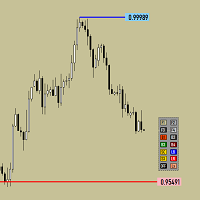
Утилита предназначена для изменения фона графика ,одним нажатием кнопки. Помимо изменения фона ,утилита также может менять цвет баров и свечей на графике.Из дополнительных опций ,это изменение размера графика а также линии с ценовой меткой.Панель можно включить и выключить,что дает возможность не захламлять график.Кнопка B2 помимо изменения цвета баров ,снимает выделение со всех объектов на графике.
FREE
手动策略测试助手专家顾问是一款强大的工具,旨在帮助交易者使用MetaTrader 4的策略测试器手动测试他们的策略。该专家顾问提供了一个用户友好的面板,具有直观的控件,可以在图表上设置订单、计算手数、管理风险,并直接监控账户余额和权益。 主要功能: 用户友好的面板,配有5个按钮,便于导航和控制。 风险管理功能:根据所需风险金额(以美元表示),自动计算手数。 设置线条:自动在图表上显示入场止损线和获利线,以便精确下单。 下单:根据入场线相对于询价或买卖价格的位置,开设挂单(买入限价、买入止损、卖出限价、卖出止损)。 移除线条:快速移除下单后的入场止损线和获利线。 移至保本:当订单盈利时,将订单移至保本点。 删除订单:一键关闭所有挂单或已开仓交易。 实时显示面板上的余额和权益,方便监控。 通过使用手动策略测试助手专家顾问,交易者可以在MetaTrader 4的策略测试器中手动测试他们的策略,从而有效地优化交易方法并验证交易想法的有效性。
FREE

Daily Trading Dashboard – MT4 Indicator A compact and efficient tool that displays your daily trading statistics directly on the chart. Designed for traders who need a clear overview of their performance without switching screens. Key Features Real-time calculation of today’s profit/loss (with green/red color coding) Display of trade count and total trading volume Lightweight 280×160 px panel with clean blue design Automatic updates every few seconds Optional filtering by Magic Number or Comment
FREE

This is a very simple indicator that mixes the Sunday session with the Monday one. This is useful because the Sunday session is a partial session mostly with only Australian and Asian sessions included, so the analysis of the Monday's daily session if mixed with Sunday tends to be more comprehensive. This indicator plots a candle with the following values: Open - the Friday's Close or Sunday's Open (depending on your choice). High - the highest High of Sunday and Monday. Low - the lowest Low of
FREE
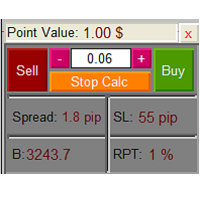
The Lot Calculation FJD is an expert for risk management for Meta Trader 4. This expert calculates the value of lot size for every position based on Trader’s given balance, Risk, and Stop loss. This expert is really user friendly, and calculates lot size with just a few clicks which helps traders specially the scalpers to open a position as quick as possible with respect to the Risk management.
The following inputs can be changed by the user: 1. Percentage of Risk per Trade (RPT %) 2. Balance
FREE

The Market Info is a universal indicator to show basic information about the market in a simple table on the chart.
Main features Displays current market information as: Symbol name Timeframe Price Spread Average daily range Current daily range Broker time Local time Market hours Date Remaining bar time
Indicator parameters All indicator settings are arranged in logical blocks for easy orientation and adjustment. You can set this features: 01: Main Corner - position on chart Left up Left down
FREE

TP1 TP2 TP3 panel free is a simple tool designed for manual trading. It helps you to follow free or paid forex signals with multiple take profit (TP1 TP2 TP3). Fill the fields (volume, SL, TP1, TP2, TP3) in pips or price, press the ‘Sell’ or ‘Buy’ buttons and the program opens 1 to 3 identical orders. It also adds TP1 and TP2 lines on chart. The program alerts you when TP1 and TP2 are reached or if stop lost and TP3 are almost reached so you can close your orders and move stop losses according t
FREE
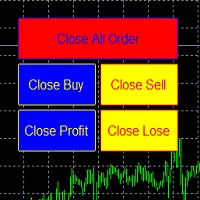
metatrader 4 ea simple closeall
you can get free ea by registering FBS broker through my link https://fbs.partners?ibl=621087&ibp=24536958
install ea in any pair and run it.. Congratulations on using the ea close assistant
Button Function : Close All Order = function to close all open orders and pending orders Close Sell = function to close all open sell orders Close Buy = function to close all open buy orders Close Profit = fu
FREE

免费。在下一笔交易之前,先了解您的账户状况。 TrueRisk Account Dashboard 在图表上显示您今天、本周和本月的盈亏(金额和百分比),以及赢了多少笔交易。它会计算如果每个止损都被触发,您的持仓还会给您留下多少;提醒您那些完全没有止损的交易;并显示距离您自己设定的每日亏损限额还剩多少空间。它只读取账户:从不开仓、修改或平仓。 TrueRisk Trade Panel MT4(免费) | TrueRisk Symbol Changer MT4(免费) | MT5 版本 | 所有 TrueRisk 工具 新品(免费):您的交易结果是靠实力还是靠运气? Luck or Skill Trade Analyzer 把您已平仓的交易与 1,000 名随机交易者对比(相同品种、方向、手数和持仓时间),告诉您战胜了其中多少人。 余额、净值和浮动盈亏,以及保证金水平 今天、本周和本月:已平仓盈亏(金额和百分比)、已平仓交易中的盈利笔数 入金和出金不计入盈亏,百分比按当天、当周或当月开始时的账户金额计算 如果所有止损都被触发:您将剩下的余额,以及对应的百分比 没有止损的交易会被统计并以橙
FREE

You can manually open a trade (one click), and this EA will take care of setting the SL and TP. SL and TP are set based on the number of pips you specify in the input screen. You can also choose monetary SL and TP. SL and TP are determined based on the weighted average price (WAP), so if you open a new trade, SL and TP will be updated according to the new WAP. The WAP is not unique but differentiated between buy and sell trades (this is useful only if you open opposite trades on the same chart)
FREE

Auto Stop Trail And Profit is an expert advisor that monitors orders, when it detects that one has been placed, on the same chart that has been activated or on all assets, depending on its configuration, it will place its respective stop loss, take profit and perform trail stop loss (in a classic way, keeping a distance or "step by step").
You can see more of my products here: www.mql5.com/en/users/joaquinmetayer/seller
FREE

Auto Trailing Stop and Breakeven - Free
- Free Trailing Stop and Break Even Manager - Trailing Stop EA Free - Auto Breakeven
Free automatic trailing stop and breakeven manager for MT4. Moves your stop loss to break even and trails it for you - on every trade, hands-free. The free edition of Trail Architect.
Stop letting winning trades turn into losers. This free automatic Trailing Stop and Breakeven manager watches your open positions and moves the stop loss for you - first to break even, then
FREE

Precision Candle Timer is a must-have visual indicator that accurately displays the remaining time of the current candle on your chart. Perfect for traders who need precise timing for entries and exits , especially in scalping , day trading , or candle-formation-based strategies. Designed to be fully customizable, you can easily change its position, color, font, and size to match your trading layout. It adds clarity, control, and responsiveness to your trading routine. Key Features: Precise t
FREE

TradeAquila Monitor streams your MetaTrader 4 account to TradeAquila, a real-time dashboard for every trading account you run: broker, prop firm and crypto accounts, side by side. What it does Pushes a live snapshot of your account every 10 seconds: balance, equity, margin, open positions with their floating P/L, pending orders, and the closed trades of your history. On the dashboard you get today's realized P/L with its reset at 17:00 Chicago time, your prop firm rules (daily loss, max drawdown
FREE

TP Splitter MT4 TP Splitter MT4 is an advanced Expert Advisor (EA) designed to optimize your take-profit strategy by automatically placing copy trades with multiple TP levels. It ensures a structured exit plan while maximizing profits and managing risk efficiently. Unlike standard trade copiers, TP Splitter MT4 only executes copy orders when the entry price is more favorable than the master order. It places sell orders at a higher price and buy orders at a lower price. With built-in order manag
FREE

Tipu Trader is a part of Tipu Panel ecosystem that was developed out of need for quick and simple trading. Tipu Trader is an easy to use trade panel for commonly used trade functions. Create you own signals with Tipu Panel and trade along with Tipu Trader, a simple and easy to use trade panel.
Features An easy to use trade panel for most commonly used trade functions. Create your own personal trade signals with Tipu Panel , and trade with Tipu Trader. Customizable Panel. The panel can be moved
FREE

The utility is designed for placing pending orders Buy Stop, Sell Stop, Buy Limit, Sell Limit with predefined values for each type of orders, number 0 ... 15, distance from current price, Lot, Take Profit, Stop Loss, Magic. Expose and delete by pressing the hot key. How to place and delete orders by voice using the utilities of this type, see the video below the description. https://www.youtube.com/channel/UCTpVWJkEic6TzoXr0qc9RIw/featured Key "A" sends a request for placing orders Buy Stop. Ke
FREE

This utility allows to record the spread value to the file, which is equal to or greater than the value specified in the settings, at the specified time. The utility also displays useful information on the symbol's chart: current spread value in points, name of account holder, name of trading server, leverage, the size of the swap for buy orders, the size of the swap for sell orders, day of the week for accruing triple swap, the size of a point in the quote currency, the minimum allowed level of
FREE

download it and test it yourself. because of size minimums, i will repeat here what i said about the paid version::: I will not flood the system with marketing hype. This EA trades 'only' gold in forex. No parameters. You can see the results of one tester, others are similar or better. I will provide a free copy of the EA in the free market for you to download and test yourself to make sure it will suit you (Onlygoldtest.ex4). You need a good sized account, reasonable spread, high frequency. Fo
FREE

xCalper Economic Calendar MT4 brings economic calendar information to your Terminal chart and Experts from online sources. Just add it to your chart to see detailed news without losing attention or automate reading of calendar information to improve trading decisions.
Main Features Support data sources: Forex Factory Filtering by day, impact or currency of news. Visual alert of upcoming news. Platform notification of upcoming news.
Parameters Filters Impact expected - Show/Hide by impact: Low,
FREE

Binary Options Pal Studio is analytical tool for constructing a profitable Binary Options trading strategy, combining technical data and money management systems.
Features Most of indicator parameters are optimizable for best win rate or simulated balance, generating best possible outcome. Daily, hourly ITM statistics are displayed on interactive dashboard, every day of the week and hour can be switched to set up specific time patterns. Trade size, payout, spread and money management systems (i
FREE

A small trading panel makes it easier for a trader to visually place pending orders, market, as well as trailing and unloading the grid of orders.
It is installed as a regular adviser. Parameters and description:
Lot Volume: 100 - in this field you can set, change the order volume at any time
Line UP - visual horizontal level for pending BuyStop and SellLimit orders
Line DN - visual horizontal level for BuyLimit and SellStop pending orders
Delete Lines - delete all lines from t
FREE

Trade simplifier is a trade panel that simplifies trade opening. It is simple and easy to understand, with key features to ease trading. Features include:
Order type selection Fixed lot entry from the chart user interface Easy Take profit entry field on the chart user interface Visual take profit selection and adjustment via the line that appears when you click the Take Profit button Easy Stop loss entry field in points on the chart user interface Visual Stop Loss selection and adjustment via
FREE

UltraFast Trade Manager V2.60 - The Ultimate "True Break-Even" Utility The UltraFast Trade Manager is not an auto-trading robot that opens trades. It is a professional Trade Manager . Whether you use a Grid/Martingale EA, or trade manually, this tool manages your open trades, calculates your real profits, hides your targets from the broker, and closes your trades with one click. Version 2.60 is completely dummy-proof. It calculates everything for you, so you never have to guess your profit again
FREE

================================================================================ The utility is useful when you have to load history data for many symbols and timeframes. It loads the symbol used in the market watch. One symbol is scanned for all timeframes. Then the charts will be closed and the next symbol is scanned. You cannot abort the operation. Wait till it is done. ================================================================================
FREE

Interactive Gann Drawer of Square 9 (Temporary free download for the 1st 20 users) This Expert Advisor (EA) turns Gann’s Square of 9 method into a dynamic and interactive trading tool . It automatically calculates and draws key amazing accurate support and resistance levels on your chart all based on a point in history that you choose by just clicking on the chart. If you just want to see it drawing and analyzing and open you trades yourself use this version. But if you want the same tool that
FREE

篮子阶段利润 EA ΜΤ4 是最先进的方法,可以在篮子利润的 3 个不同阶段(时间段)中处理一堆未结订单,并最终在所需的结束时间以任何利润或亏损将它们全部平仓。
产品安装 | 篮子阶段利润 EA MT4 设置/输入指南 | 更新购买的产品
特征 不使用马丁格尔、网格、平均或其他危险技术 以账户货币计的所有未平仓头寸组合的篮子获利,分 3 个阶段 第 4 阶段所有未平仓头寸以任何组合盈亏平仓 100% 自动化智能交易系统 MQL5 VPS 兼容
如何使用Basket Stage Profit EA MT4? 如果您手动交易,您应该将 Basket Stage Profit EA ΜΤ4 附加到您的 MT4 终端的单独图表,然后单击自动交易按钮。通过这种方式,您可以继续进行新的手动交易,并且篮子阶段利润 EA ΜΤ4 仅在满足您的自定义标准时才会起作用。如果您使用智能交易系统进行交易,您需要将 Basket Stage Profit EA ΜΤ4 附加到您的 MT4 终端上的单独图表,单击自动交易按钮,Basket Stage Profit E
FREE

iCUSTOM INDICATOR TESTER是CODERS的工具,但不仅限于此。 即使您没有.mq4文件的源代码,而只有编译后的.ex4文件,即使或特别是它,该程序也设计用于测试和检查自定义指标。
交易者可能会测试指标,并查看其想法是否与指标数据相关联-如果该想法是真的计算出来的,以及是否有可能基于此特定指标创建EA。 它可以节省开发人员和交易者的时间。
请在指标的名称字段中输入指标的名称,然后将.ex4指标文件放入指标文件夹。
程序将显示前64个缓冲器的当前值。
如果BUFFER值始终恒定为零,则该BUFFER可能无效。 //////////////////////////////////////////////////////////////////////////////////////////////////////////
FREE

Account Info AS 是一款功能強大的 MetaTrader 4 資訊腳本,可將您交易帳戶的完整資訊直接顯示在圖表上。該腳本提供帳戶分析、風險管理和交易決策所需的所有數據。
主要功能
完整財務資訊 帳戶類型(模擬/真實/競賽)
餘額、淨值和保證金
可用保證金(現金和百分比)
保證金水平
當前盈虧
風險管理 追繳保證金和強制平倉水平
目前交易品種1手保證金計算
熱門交易品種的保證金
交易資訊
持倉(數量、方向、總獲利)
按類型列出的掛單
目前交易品種資訊:
手數(最小/最大/步長)
點差(點)
隔夜利息
科技數據
目前伺服器時間
公司和伺服器名稱
帳號和客戶資訊
設定 該腳本有三個簡單的參數:
Line_spacing - 在資料之間新增空行,以提高清晰度和可讀性
ShowAllSymbolsInfo - 顯示熱門交易品種(例如 EURUSD、 GBPUSD、XAUUSD 等)
顯示時間(秒)- 訊息顯示時間(0 = 不自動清除)
使用方法
將腳本拖放到 MetaTrader 4 的任意圖表上
如有必要,請在彈出視窗中調整
FREE

Overview No Nonsense ATR is a tool designed to help the No Nonsense Forex Traders backtest strategies and trading in real time.
The indicator calculates the value of the Stop Loss and the Take Profit (SL/TP) based on the ATR (Average True Range) allowing to verify the historical data in a simple and practical way, showing not only the SL/TP values but also the place where they would be and if it was a gain or loss. The No Nonsense ATR also calculates the trading volume required for each trade a
FREE

Easy Backtest 2 Pro
Easy Backtest 2 Pro is a great FREE alternative testing software!.
You can test your new strategy in Strategy Tester in your MT4 , using all available historical data. Beyond the basic functions such as: BUY, SELL PENDING ORDERS STOP LOSE, TAKE PROFIT AUTO RISK MANAGMANT AUTO LOT SIZE You can modify each of them at any time, exactly like in live trading. Advanced features PRO such as: PREVIOUS DAY'S HIGH/LOW PIVOT POINTS FIBONACCI AUTO TRAILLING STOP AUTO BRE
FREE

MultiTP Trade Manager EA — Advanced Trade Management Made Effortless (MT4)
Limited Offer – First 100 Downloads FREE!
Be among the first 100 traders to download Trade Anchor Manager (MT4/MT5) completely free of charge. Hurry – once the limit is reached, the offer closes instantly! After trying it out, we’d love if you could leave a review and share your thoughts – your feedback helps us improve and lets other traders know what to expect.
Need this Trade Anchor Manager for MT5? http
FREE

This is a simplified version of Advanced Trade Simulator for trying it out. You can trade NZDCHF. With the full version, you can trade anything and no time limit. You can find it here: https://www.mql5.com/en/market/product/61670 Description... It is an indicator you can attach to any chart and then buy and sell the given symbol virtually. No actual trading takes place. You can attach it to multiple charts. Then you can buy/sell multiple symbols. Features:
- buy and sell immediately on the give
FREE

Auto Close is an expert advisor that can assist you with your money and risk management rules. The EA can monitor your Balance, Equity, Margin, Global Profit and Global Loss and alert you in case any of these reaches a specified threshold. Free version with limited features can be found https://www.mql5.com/en/market/product/29179
How does it work Load the Auto Close EA in the chart and set the parameters you want to keep monitored. If any of the risk management parameters is met you can be not
FREE

Predetermination is an exit manager for trades you open yourself. It does not open positions and it does not send signals. After a manual buy or sell, it gives that trade a stop and up to six exit stages based on volatility. Three stages come from Average True Range, each with its own timeframe. Three come from completed range: daily (ADR), weekly (AWR), and monthly (AMR). Each stage can be switched on or off. Enabled stages are sorted by distance. Nearer stages trail the stop. The
FREE

即时 Slack 通知。可直接在图表上设置价格水平,当价格突破该水平时即可收到消息。添加一个水平只需一次点击。你可以用鼠标拖动线条,以精确设置所需的价格水平。 便捷控制面板: 所有活动提醒都会显示在列表中
可以通过拖动线条来编辑价格水平
不需要的提醒可以一键删除,或使用 "Clear All Alerts" 一次性全部清除
提醒在触发后会自动移除
可选择在图表上隐藏提醒线
支持自定义通知文本(例如:crossed、reached、touched)
支持 Dark/Light 模式 工作原理: 点击 Add Alert
图表上会出现一条价格水平线
将其移动到所需的价格水平
当价格突破该水平时 - 你将会在 Slack 收到消息 简单设置: 在 Slack 中创建一个新的 App,配置 Incoming Webhook,选择一个频道并复制其 Webhook URL。
在 MetaTrader 4 → Tools → Options → Expert Advisor 中启用 https://hooks.slack.com/ 的 WebRequest,将该工具附加到任意图表,并在 Input
FREE

一款“设计简洁的”的交易面板,其特点是小巧的字节尺寸,CPU占用率低,步骤简洁,操作迅速,1到2次点击即可完成一个功能操作 ,节省了时间,增加了效率。 面板上手容易,并不繁琐的参数设置,符合交易者习惯。同时,其设计紧凑 ,一目了然 ,功能全面,乃手动交易之利器! 主要功能说明:
点击“卖价”显示 历史 交易 路径 点击“买价”点数和价格输入切换 点击“点差”一键清除所有箭头 点击“相机”屏幕快速抓图 点击“Lot”显示“统计面板”,如:手数统计,净值,平均价,每日盈亏等 点击“SL或TP”快速删除止损或止盈 点击“PD”快速删除挂单止损和止盈 支持“移动止损”和“保本止损”功能 支持“划线开单”或“报警” (价格高于"Red"红色线自动下单或报警,价格低于"Yellow"黄色线自动下单或报警) 支持“百分比开仓”功能,根据风险百分比和止损大小自动计算开仓手数 支持“OCO订单”功能,一个挂单成交,另一挂单自动取消 支持在“指定时间” 开仓 或 清仓功能 支持到达指定的金额平仓功能 支持反手、反手2倍、平盈利单、平亏损单、平最近单、部分平仓、 锁仓 等基本操作 支持中英文两种语
FREE

TRADING PANEL - CHART OVERLAY with: PARTIAL TAKE PROFIT ("virtual TP") % RISK LOT SIZE TRAILING STOP LOSS Fast and simple control of your trades this is DEM0 VERISON (for DEM0 acc.) of TRADING OVERLAY with PARTIAL take profit ("virtual TP") and % risk lot size
--- full version available on my 'seller page' as well as version for MT5
Easy lot size calculation with easy SL/TP setting. Your trading will be much more comfortable with this tool !
Works like any EA, add it
FREE
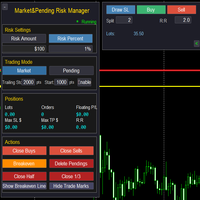
Market & Pending Risk Manager EA 操作说明书 Market & Pending Risk Manager 是一款专业的 MT4 交易面板 EA ,集成了市价交易、挂单交易、风险管理、移动止损等多项功能,为交易者提供完整的交易解决方案。 核心优势 智能双模式交易 市价交易模式 :一键买卖,快速执行 挂单交易模式 :精准入场,等待最佳时机 无缝切换 :点击即可在两种模式间自由切换 ️ 专业风险管理 固定金额风险 :设定每笔交易的最大亏损金额 百分比风险 :基于账户余额的风险比例控制 自动计算手数 :根据止损距离智能计算最优交易量 可视化交易线条 拖拽式操作 :直接在图表上拖动调整止损、止盈价格 实时计算 :动态显示盈亏比、手数、风险金额 彩色区域 :直观显示风险区域(红色)和盈利区域(绿色) 智能移动止损 自定义启动条件 :设定盈利多少点后启动移动止损 灵活止损距离 :可调整移动止损的跟踪距离 自动跟踪 :无需人工干预,自动保护利润 完整持仓管理 实时信息显示 :持仓手数、订单数量、浮动盈亏 一键
FREE

功能 勾选需要显示的内容,(当前版本包括当前K线倒计时,市场信息)并显示到图表右下角。
显示格式参数 fontsize 字体大小
c 颜色 font 字体类型
自定义显示的内容 参数 Symbol candle time left SPREAD DIGITS STOPLEVEL LOTSIZE LOTSIZE TICKSIZE SWAPLONG SWAPSHORT STARTING EXPIRATION TRADEALLOWED MINLOT LOTSTEP MAXLOT SWAPTYPE PROFITCALCMODE MARGINCALCMODE MARGININIT MARGINMAINTENANCE MARGINHEDGED MARGINREQUIRED FREEZELEVEL CLOSEBY_ALLOWED
FREE

The EA monitors positions for selected pairs, sets a break-even level and moves a trailing stop. When the trade is "n" points of profit (parameter dist_BEP), the stop loss is moved to the break-even point (the level of the trade opening price) plus the specified distance in points (parameter BEP) The EA checks all available (or filtered) trades for break-even and moves stop-loss levels if necessary. The EA also checks all available (or filtered) trades for trailing stop conditions and, if neces
FREE

Maybe a little more conservative ,, test it, and if you want it, let me know in the messages section ,, this one will not work on a live account ,,, i expect everything should be proportional and fair ,, and let me know how much you will pay for it .. if you like it, and you will ,, tell me ,,,,,,,,,,,,,,,, now because of minimum size requirements of mql , ,, ok it's giving me a hard time , i must have 300 characters , so, this EA trades gold and very well, i don't know if i completed the 30
FREE

Close at time is a very useful EA to close specific positions at specific time. It also provides additional condition to setup. Close specific positions at time. Close specific positions which currently profits. Close specific long positions only. Close specific short positions only. Close specific pending orders. It is useful to support your trading strategies.
Parameters description magic : Target magic number to close. close_time_hr: Hour to close. (MetaTrader 4 terminal time) close_time_min
FREE

Investment Castle Panel — Your Trades, At a Glance
The Panel puts the numbers that matter right on your chart: floating profit and loss, drawdown and more — for manual trades and for any Expert Advisor. A clean, movable dashboard so you always know exactly where you stand.
What it does for you Live P/L on the chart: floating profit/loss for the current symbol, for both buy and sell orders, in your base currency and in pips. Max drawdown at a glance: keep an eye on risk without digging through
FREE

is a multi-timeframe visual matrix that tracks the relative linear progression (log-return strength) of the eight major currencies — EUR, GBP, AUD, NZD, USD, CAD, CHF, and JPY — across selected timeframes in a single responsive panel. Motive Traders often struggle to quickly see which currencies are gaining or losing strength relative to one another across multiple timeframes. This indicator condenses that information into color-coded progression lines so you can immediately identify strong vers
FREE
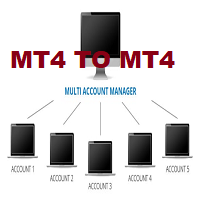
This tool allows you to automatically copy your orders between two or more METATRADER 4 platforms in same computer.
Settle the issuer of orders in Principal and the receiver of orders in Copieur To use it, add the script on both platforms, activate the auto trading button for the order copier. Principal=main Copieur=copy
it is very simple and does not need to add dll or csv . GOOD LUCK
FREE

The Buffer Reader will help you to check and export the custom indicators buffers data for your current chart and timeframe. You can select the number of buffer and historical bars to read/export. The data can be exported in a CSV format and the files will be stored in the folder: \MQL4\Files .
How it works Put the number of buffers to read in the Buffers_Total input parameter. Put the number of rows to display in the Rows_Total. Choose the CSV separator in the parameter. Copy the correct name
FREE

Auto risk manager easy demo version of the utility for order control. Regardless of whether orders are opened manually or by advisors, when the specified percentage of profit or loss is reached, the advisor will close all positions, delete (if necessary) pending orders and independently close the chart windows (will not allow advisors to open new transactions). The utility will be especially useful for traders who trade using advisors or manually on several currency pairs at the same time. The
FREE
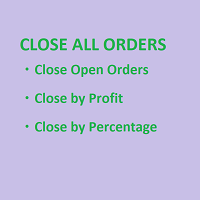
SmartClose(Close All Orders) helps you close all your trades. You can use it on any symbol. You can also set a warm value to manage the risk. With these functions: Close Open Orders : Close all open trades in the trading account. You don't need to set a value for the "value" parameter. Close by Profit : Close trades when profit reaches a specific predefined level. You need to set a value for the "value" parameter. Close by Percentage : Close trades based on a certain percentage of the balance.
FREE

Tracking positions using trailing on the Parabolic SAR indicator. It is necessary to allow automated trading in the terminal settings. In testing mode, the utility opens Buy or Sell positions on the first ticks, which allows you to visually observe the given logic, changing the utility parameters. In real mode, the utility does not open positions. Discuss the complexities of Forex trading here: chat "Age of Expert Advisors" . Parameters Select_Magic - selection of magic numbers. Positions with
FREE

Copy Dog AI 交易复制器 MT4 Copy Dog AI 交易复制器在 MetaTrader 账户之间复制交易,让你用你的语言通过说话来设定复制规则,也可以在 MT4 或 MT5 的图表面板上打字输入复制指令并进行账户管理。用平实的话写下或说出你想要的,例如:“从现在起只复制黄金,手数 (lot) 为发送方的一半,并让每一笔复制单在价格后方 200 点跟踪移动。”Google Gemini 会把你的话变成规则,用平实的话向你解释,然后等待。你按下 Apply(应用)后,规则才会生效。 你可以在图表上的聊天面板中与它对话,也可以通过你自己的 Telegram 机器人在手机上与它对话,打字或发送语音消息均可。之后你可以问“我这周的复制单表现如何?”“暂停复制”或“平掉我所有的黄金复制单”。对于持仓交易的操作,它会显示将要操作的交易的准确清单,并在你确认后执行。 这是 MT4 版本。MT5 版本是同一开发者的另一个独立产品。两者可以协同工作:MT4 发送方可以向 MT5 接收方供单,反之亦然。 使用方式 把程序附加到你想分享其交易的账户的图表上:Role = Sender(发送方)
FREE
Pending Orders EA BOT MT4 – 您终极的交易伴侣 MetaTrader 4 最强大的一键挂单网格 EA (针对 XAUUSD, NAS100, GER40, BTCUSD, Volatility 75 及所有主要货币对进行了优化) 在几秒钟内放置 100–1000+ 个完美分层的 Buy Limit/Buy Stop 或 Sell Limit/Sell Stop 订单,具有递增手数、3种模式的智能移动止损(Trailing Stop)和全图表控制功能。没有复杂的菜单——只有美观的大按钮和实时仪表板。此 EA 非常适合最小价格间隔为 0.01 的剥头皮交易(Scalping),能在几分钟内放置数百笔交易,或设置长期交易信号。未来,我们计划通过此 EA 提供交易信号,让您的交易更加轻松。如需更多详情和支持,请联系我们。 实时验证信号与证明 账户 1: tinyurl.com/3u3f4cjt 账户 2: tinyurl.com/4u6ukvzs 为什么要选择 Pending Orders EA BOT? 快速交易: 以最小 0.01 的价格间隔在几分钟内放置数百笔
FREE

Server Time On Chart is a simple indicator that shows the time of the broker's server with hours, minutes and seconds in the lower left corner of the chart's. Within the inputs you can only change the size of the font and the color you want depending on your taste. You can see more of my publications here: https://www.mql5.com/en/users/joaquinmetayer/seller
FREE
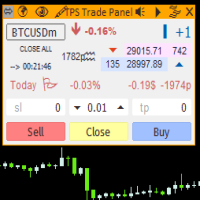
"TPS Trade Panel: Your Gateway to Effortless Trading
Introducing the TPS Trade Panel – the ultimate tool to streamline and enhance your trading experience across financial markets. Whether you're a novice or a seasoned trader, this feature-rich panel empowers you to execute trades swiftly and make informed decisions with ease.
Efficient Order Execution: Execute trades across multiple financial instruments without the need to navigate through complex menus. With a few clicks, you can open, clo
FREE

Trading Panel - Smart Stop Management
A free professional trading panel for MT4, built to make manual execution faster, cleaner, and smarter.
Trading Panel - Smart Stop Management helps you place Market, Limit, and Stop orders directly from the chart, manage position size, calculate TP/SL from volatility, and protect your execution from temporary spread widening during news, rollovers, or thin market conditions.
The panel uses local smart stop logic based on the middle price, helping reduce
FREE

The FX Indicators Alert is a Scanner Tool that allow you to set up alerts for any Indicator, and display or send notifications to your email box and/or mobile device. It will monitor your rules in the selected TimeFrames and Symbols. The tool can manage the standard indicators and the Custom one (7 buffers for the custom indicators). You can create your alerts by combining different indicators.
Please note that this tool is not supported in the strategy tester due to multi Symbols, TimeFrames,
FREE

MT-Radar — 用手机免费监控 MetaTrader 终端
想知道您的智能交易系统是否在运行、终端是否保持连接,又不想每次都通过 RDP 登录 VPS?
MT-Radar 在一个安全的网页面板中显示您所有 MT4/MT5 终端的状态。在手机、平板或任何电脑上打开它,几秒钟内即可确认一切运行正常。
MT-Radar 显示的内容: 账户和终端 — 账户信息和终端基本信息 日志 — 实时查看终端日志和专家日志 市场报价 — 您市场报价窗口中交易品种的报价 图表和智能交易系统 — 打开图表,查看在其上运行的 EA 的状态 所有终端集中在一个面板 — 不同电脑和 VPS 上的 MT4 和 MT5 隐私与安全
端到端加密 — 数据在本地 MTAgent-Radar 与网页面板之间的整个传输路径上都经过加密。中继服务器只转发加密流量,无法读取其内容。
密钥只属于您 — 加密密钥由您的个人密码生成,绝不会发送到任何服务器或第三方。
无入站端口 — MTAgent-Radar 以普通用户权限运行,不开放任何入站端口。
代码干净 — EA 不使用外部 DLL,不发送网络请求,也不执行任何交易
FREE

This utility allows you to check and improve your binary options trading skills. This is an indicator, not an Expert Advisor. Therefore, you do not need to remove your active EA from the chart.
Inputs Expiry, min - option expiration time; InfoPanel background color - info panel background color; InfoPanel text color - info panel text color; InfoPanel text fontsize - info panel font size.
FREE

EA可以通过搜索并平掉盈利仓位来平掉无利可图的仓位 。
该助手 在所有位置中 寻找 终端中 最 无利可图的位置 。 进一步地,通过搜索剩余的盈利头寸,他计算出当一个或多个头寸的 利润 大于另一个头寸的损失时可以弥补损失的一系列头寸。 如果找到一组此类头寸,顾问就会将其平仓。 一系列位置可以由任何位置组成。 它们的最大数量可以在顾问设置中调整。 您还可以指定搜索的最小损失和平仓的额外利润。 MT5版本
详细描述 如何购买
如何安装
如何获取日志文件 如何测试和优化 Expforex 的所有产品 您可以在策略测试器中测试 Expert Advisor,并在可视化模式下使用我们的 EAPADPRO 工具栏进行交易! 近减加加在图表上的工作原理 认为 您以 1.600 的价格开设买入 #1 仓位; 价格跌至 1.550 ,目前亏损 -50点; 盈亏平衡点(平均价格)= 1.600 ; 如果我们打开 SELL #2、Sell #3 和 Sell #4; EA 交易开始执行主算法。 那么总利润将为+5$; 智能交易系统 (EA) 激活算法,并且必须平仓
FREE

Удобная торговая панель для MT4 с поддержкой нескольких символов. Быстрые кнопки Buy / Sell / Close All. Гибкие настройки: лот, SL/TP в $, Magic, спред. Настраиваемый интерфейс (цвета, размеры, позиция). Максимум удобства для ручной торговли. Кому подойдёт: MultiSymbolPanel — это инструмент для трейдеров, которые хотят: Управлять сделками вручную, но быстрее и удобнее; Контролировать несколько валютных пар с одной панели.
FREE

ATC Alert Manager 让您直接在图表上设置价格警报,并从一个小的面板管理它们。每个警报都显示为图表上的一条线,您可以将其拖动到新的价格。 警报在价格穿越您水平的时刻触发一次,带有弹出警报、声音和可选的推送到您手机的推送通知。已经超过水平的价格不会触发它,因此您永远不会每个 tick 都收到重复警报。
此工具也是 All In One Trade Management Panel MT4 的一部分,与仓位工具、交易管理和绩效分析一起。 主要功能: 一键添加警报。价格字段从当前价格开始,您选择方向:Above 或 Below。
为任何警报添加备注,例如「伦敦高点」。备注包含在警报消息中。
每个警报都绘制为一条线,图表右侧带有价格标签。拖动标签以更改价格,警报在新水平重新武装。
每个标签旁边的齿轮按钮打开该警报的编辑窗口。
面板列出每个警报及其状态:Armed、Fired(带时间)或 Disabled。
从面板启用、禁用、编辑或删除任何警报。启用已触发的警报会再次武装它。
警报为每个账户保存,并在重启、时间周期更改或品种切换后恢复。每个图表显示自己品种的线条。 输
FREE

The script is based on the indicator Stochastic Oscillator.
The script draws up arrows or down arrows.
The tooltip arrows indicate the recommended price level.
The script can signal an alert, which also indicates the price level.
The script draws an up arrow when the Stochastic Oscillator lines go out of the oversold zone.
The script draws a down arrow when the Stochastic Oscillator lines out of the overbought zone.
Indicator signals are not filtered in any way - this is the classic Stocha
FREE

It is just an alternative fibo lines, because mt4 have is a very strange drawing of fibo lines A simple Box (Rectangle) graphic element with adjustable levels binding: it is possible to specify up to 17 custom levels, all rectangles on the chart with the given prefix in their name are processed. Levels are specified in % of the height of the rectangle. A convenient graphical element for analyzing charts by growth-correction levels. Enjoy your work!
FREE

Action Scanner is a market scanner. It’s yet another product in my "Can’t trade with out it" series. Do you want to know what is moving right now? Action Scanner scans your watchlist and opens the 10 currently most moving charts. You can chose between, most moving in points, most moving in your account currency(if you were to trade it with a standard lot size 1.00) and most moving in percentage. The standard version is a complete tool with no limitations. However the pro version has additiona
FREE

Key Features & Core Logic ATR Rope Indicator Logic (Pine Script Replication) Utilizes a custom-calculated Average True Range (ATR) "Rope" mechanism that adapts dynamically to market volatility . Functions as a trailing baseline and trend-direction filter, helping the EA stay on the right side of market momentum Scoring System & Risk Filtering Evaluates market conditions through a comprehensive scoring algorithm (out of 14 points for both Buy and Sell sides) . Trades are only executed or alerted
FREE
MetaTrader 市场 - 在您的交易程序端可以直接使用为交易者提供的自动交易和技术指标。
MQL5.community 支付系统 提供给MQL5.com 网站所有已注册用户用于MetaTrade服务方面的事务。您可以使用WebMoney,PayPal 或银行卡进行存取款。
