 MetaTrader 5
 专家
专家
 指标
指标
 程序库
程序库
 实用工具
实用工具
 窗口小部件
窗口小部件
 规则
规则
免费的MetaTrader 4 交易实用工具 - 5
 以下是可在MetaTrader 4中简化外汇交易的交易程序。将鼠标悬停在下面列表中的工具上,阅读它的描述和用途。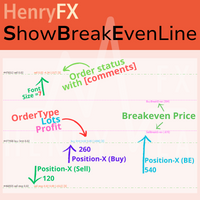
This indicator can help easy to management your order on screen.
FREE Version, included: - " Show Breakeven Price "
Show Breakeven Line Pro : : https://www.mql5.com/en/market/product/58289
Input Parameter: " Label Prefix "
:: [ ] Description; " Position-X-Dis "
:: [ ] Description; " Position-Y-Dis "
:: [ ] Description; " Show Market Price "
:: [ ] Description ; " Price Up Color "
:: [ ] Description; " Price Down Color "
:: [ ] Description ; " Position-Y-D
FREE

执行买/卖订单时,TradeSnap 会自动捕获并保存屏幕。
只需将其设置在图表上,它就会自动保存,无需任何额外工作。
图表上的线条、箭头等也会按图像中的原样保存。
图像大小可以是 10000x10000 像素,因此您可以保存显示价格变动历史的水平图像。
参数信息
--事件参数--
Magic number (0=ALL):如果您有任何 EA,请设置 Mugic Number。
entry: true:打开执行时捕获。
exit: true:关闭执行时捕获。
--捕获信息--
图像宽度、图像高度:图像大小 x/y,以像素为单位。 最大值:10000px
--留言信息--
文本颜色、文本大小、文本位置、显示秒数:如果您想更改消息显示,请更改设置。
图像过滤器:deta filder/MQL4/Files/OshiraseSnap/
无:如有必要,请删除旧图像。
感谢您对本产品的关注。 如果您对我们的产品感到满意,我们将非常高兴。 如果不是,请联系我们寻找解决方案。 此外,如果您需要其他功能,请随时告诉我们。
FREE

Sentinel Pro V is a professional-grade MetaTrader 4 Expert Advisor designed for traders who demand precision and mobility. By combining three layers of RSI and Stochastic analysis with custom trendline tracking, this bot ensures you stay informed of every critical market move via instant Telegram notifications. Key Specialized Features 1. Triple-Level RSI & Stochastic Alerts Unlike standard bots, Version 2 allows you to set three distinct alert zones for both RSI and Stochastic indicators. This
FREE

PendingOrderActivator manages pending orders in the forex market in a continuous cycle.
The user must configure the duration of the orders, stop loss levels, take profit levels, and the MagicNumber.
The expert advisor automatically places pending orders based on the distance from the current price and deletes them when the opposite order is triggered.
When an order is activated, the bot will take a break until the user reconfigures it or changes the timeframe, at which point the bot will reactiv
FREE
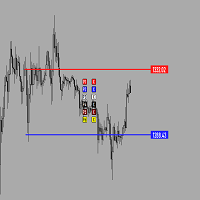
Утилита предназначена для создания ценовых уровней на графике.Утилита имеет панель управления с кнопками ,для создания и удаления ценовых уровней.При создание уровней ,также на экране появляются ценовые метки с прямоугольной зоной в области цены ,для лучшего зрительного восприятия.Также в утилите имеются настройки,толщины линий ,стиля линий и цвета линий.Размеры меток также можно измерить в настройках.
FREE
Do you want tidy and attractive charts? Let Hogvid Chart Scale help you! Chart Scale automatically scales the height of the chart to a configurable percentage of the total window height.
This creates space at the top and bottom of the window for additional visual elements and increases clarity without having to manually adjust the vertical scaling which can be annoying, especially if you change the chart symbol frequently.
The function can be activated and deactivated at any time with a simple
FREE
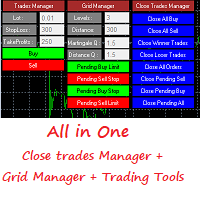
This is a demo version . Download the full version from this link https://www.mql5.com/fr/market/product/84850
Full version Allows you to : Set the number of levels (trades). Lot size and you can do Martingale to raise the lot size for each level. Set distance between levels, and you can manage the distance for each level using Distance Q. Static TP and SL for each level. You can open : BUY STOP / BUY LIMIT / SELL STOP / SELL LIMIT (levels in one click). Close all buy orders. Close all s
FREE
Trade Master is advanced forex robot for manual trading and managing open trades. When attached to a chart it prints two buttons BUY and SELL. Using these two buttons you can trade manually by predefined Stop Loss, Take Profit and other parameters. Trade Master is also equipped with Trailing Stop system to protect the profits. Trade Master is the best tools for scheduled closing of trades. It can be used for closing trades for each weekday from Monday to Friday at specific time (hour and minutes
FREE

This is a RISK MANAGER utility for MetaTrader. To activate it, after downloading it, you must enable all autotrading controls on MetaTrader, as with EXPERT ADVISORS. The user must enter control settings as indicated in the indicator properties, which initially have default data. RISK MANAGER will perform checks and display pop-up alerts when certain behaviors exceed the user-entered settings. It's free; use it, try it, develop it, or contribute ideas. It's just a utility; the programmer assumes
FREE

MT4 Alert Sender is a free ea tool that help you send the alert messengers in MT4 program for many different purpose with ease. Very simple and effective, you only need to input the alert content in a input box, then click a "Send Alert" button. The EA will send alert message. An alert pop-up shows your content in a new window pop-up.
You can combine of using MT4 Alert Sender EA with any other tools out there for your need. Thanks for your trust in my product.
FREE

Enhance Your Trading with the Support and Resistance Alert! Ready to take your trading to the next level? Introducing the Support and Resistance Alert—the ultimate tool to precisely identify market turning points! Key Features: Dynamic Support and Resistance Lines: The indicator automatically draws support and resistance levels based on local lows and highs, giving you clear guidance on where the market is likely to reverse. Real-Time Alerts: Stay ahead of the market with customizable alerts. Ge
FREE
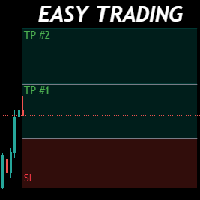
Money Management will help you to Easy Trade with One Click , instance and pending, set SL, and manage number of your TP . You can use this expert for different currency pairs, CFDs, cryptocurrency, and stocks .
The basic formula for calculating pip value and position size which has been used in this expert are:
Pipette Value = Position Size * (Exchange Rate (Base Currency) / Entry Price) * Contract Size * Digits Exp. Account Currency: USD Currency Pair: GBPJPY Position Size: 0.05 Lot = 5000
FREE

Pairs Navigator is a simple and easy-to-use tool that allows you to view all of your charts in a single window. This eliminates the need to open multiple charts from the Market Watch window, saving you time and effort. Pairs Navigator is also very lightweight, so it will not put a strain on your RAM or cause your MT4/5 platform to hang. To use Pairs Navigator, simply drag and drop the currency pairs you want to view into the Pairs Navigator window. You can then easily switch between charts by c
FREE

Smart Lot-Size Calculator And Trade Assistant for Mobile Trading Overview: This is the tool every trader in the market must have no matter if you are scalper, swing traders, day trader, or long term trader. This On-The-Go trading tool will help you stay disciplined and also stay free from daily trade management chores, Most traders face common problems like 1. Calculation of proper lot-size of a position to take controlled risk 2. Managing every trade and trailing stop-loss if trades goes in
FREE

核心描述 Ultimate Trading Dashboard MT4 is a complete visual trading control system that integrates drag and drop order execution, multi-symbol monitoring, automated timeframe rotation, and advanced market analysis tools into a single unified workspace designed to improve speed, precision, and decision-making efficiency in manual trading on MetaTrader 4. 主要特点 支持直接在图表上拖放订单执行,并自动检测买入限价单、买入止损单、卖出限价单和卖出止损单。 单一界面即可自动轮换显示多种货币对的多符号监控 多时间框架自动切换,包括 H4、H1、M30、M15、M5 和 M1,提供持续的市场概览 多对阴影显示功能可同时显示多达 8 个相关仪器的阴影。
FREE

The Equity Curve indicator is a simple and helpful tool that shows the development of the equity curve in real time. For precision measurement, it should be used in a separate window with a period of M1.
Main features The indicator shows the development of the equity curve in real time. High precision on the minute chart. High-speed calculation. Available for MT4 and MT5. Please visit the Equity Curve indicator product page for the input and output parameters settings.
FREE

AutoRiskManage v2.3 — Documentation Expert Advisor — MetaTrader 4 & 5 AutoRisk Manage v2.3 Automated risk management EA with interactive graphical panel. Applies SL/TP, Break Even, Trailing Stop, and lot size calculation by risk percentage — for any instrument, any broker. MT4 / MT5 v2.3.0 MQL4 · MQL5 C2C + B2C Time Space Technology Overview AutoRiskManage is an Expert Advisor that acts as a risk management layer on top of any manually opened position. It does not generate trading signals — i
FREE

Manual Zig-zag allows you to build a zig-zag with the mouse, to build it is necessary to turn on the zig-zag and left-click. The file must be placed in the \ MQL4 \ Indicators folder then in the terminal from the list of indicators put it on the chart.
A zigzag can be built so that this zigzag can only be seen on the current time frame or in all halves at once.
You can change the color and thickness of the line while on the chart without getting into the settings.
You can quickly remove each
FREE

Dear Friend ... I hope and Wish a happy new year to all of you .. as i told you < this is a simple Utility EA can helps you in your trading . he helps you to ensure that your decision is correct to enter the market . it is work on all currency pairs , stocks ,indices and crypto . its easy to install . no complicated inputs. this EA works as follows : it's main work is to detect the highest price and the lowest price on H4 & H1 time frame and draw resistance and support and trend every line has
FREE
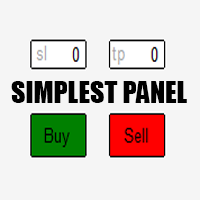
Just a simple panel that I created to make my trading life easier. Features: Buy and Sell with TP & SL right on chart Lot size is calculated by risk percentage Martingale - will open opposite position when SL hit (please don't enable unless you know what you are doing)
Will have more add-ons like Close-all button, Break-even, Trailing-Stop, etc. It's FREE so please leave your negative review somewhere else.
FREE

Introducing "Prop Risk Manager": Your Trading Discipline Partner
Are you a trader looking to adhere to prop firm rules with unwavering discipline? Look no further. "Prop Risk Manager" is your comprehensive solution for navigating prop firm guidelines and optimizing your trading success.
Key Features:
- Precision Risk Management : "Prop Risk Manager" aligns with prop firm principles to ensure you never trade during news events, hold trades overnight, or risk weekends.
- Tailored Trading Hou
FREE

Welcome. This indicator is for alarming the trader by sound when Symbol's price goes above or below certain level(s). It doesn't do any trading. Setting the levels is very handy, you just drag them with the mouse on the chart. You can customize the sounds the Indicator alarms you by (may be useful for office with a number of the terminals running). Also, this product includes an auxiliary Windows application that makes the usage even more handy. This product includes 4 parts: Sounder_TopBottomLe
FREE

Close at time is a very useful EA to close specific positions at specific time. It also provides additional condition to setup. Close specific positions at time. Close specific positions which currently profits. Close specific long positions only. Close specific short positions only. Close specific pending orders. It is useful to support your trading strategies.
Parameters description magic : Target magic number to close. close_time_hr: Hour to close. (MetaTrader 4 terminal time) close_time_min
FREE

The utility displays information about performed trades on the current chart. The account history as well as a separate file can be used as a data source. The file format is set manually or selected from available templates.
Settings: Source - where to take data from, from_History - account history, from_File - csv file. File Name - file name. The file has to be located at ..\MQL4\Files\ directory of the terminal. File Format - select the file format from the list: MQ_Signals - file of trades f
FREE

KALIFX POSITION SIZE Calculator – Risk & Lot Size Tool (MT4) KALIFX PS Calculator is a chart-based utility designed to help traders calculate position size and manage risk directly from a simple on-screen panel. It provides a structured way to define trade parameters and view calculated results before placing an order. Key Features On-Chart Control Panel: Manage all inputs and actions from a compact interface on the chart. Mode Switching: Toggle between Risk % and Fixed Lot modes. Order Type S
FREE

播放过去的图表,并可瞬间聚焦到特定时间点。 将图表移动到创建的焦点线,可高效观察和分析重要时间点。 功能 瞬间将图表移动到关注时间点 自动播放可用于掌握图表走势、动态并进行模式搜索 播放规格 播放方向:过去 → 未来 每次移动的K线数:1 播放速度:固定 播放中可暂停 / 恢复 END按钮结束程序 操作 Crt FocusLine:创建焦点线 Position:切换显示位置(右 / 中 / 左) Focus:瞬间将图表移动到创建的焦点线 Pause / Restart:暂停 / 恢复播放 END:退出程序 版本比较 下表显示了本产品(Player版)与高端型号(Full Version)之间的功能差异。虽然用户界面(控制面板)的布局完全相同,但可用的模式和设置范围有所不同。
功能项目 Player版 (本产品) Full Version (完整版) 用户界面 完全相同 (通用界面) 完全相同 (通用界面) 播放方向 仅限未来方向 支持未来与过去 (双向) 播放速度 固定 (0.5秒 / 柱) 可变 (50毫秒 - 10分钟) 移动K线数 固定 1根 可调节 (1根 - 480根)
FREE

Range Analyzer calculates the Average True Range (ATR) values for different timeframes in pips to give a fast and simple overview about the volatility of the chosen symbol. Settings are very easy: bars for calculation: Choose the number of bars for calculation or use the default value (14 periods). from bar: Choose the youngest bar to start the calculation or use the default setting (0 = current bar). You can use it for forex, crypto, indices, commodities or for what ever you want.This expert is
FREE

# FORBEX Market Watch Trading Hours
## Professional Market Session Monitoring for MetaTrader 4
FORBEX Market Watch Trading Hours is a powerful MT4 dashboard EA, designed to provide traders with a complete real-time overview of market opening and closing schedules across Forex pairs, Indices, Commodities, Metals, Cryptocurrencies, and other broker-supported instruments.
The dashboard automatically scans all symbols available in Market Watch and displays their current trading status, live sess
FREE

ForexFanclub(FFC) : For detailed instructions and our official website, please visit my profile !
PidPro is a fully-featured, professional bulk order closing tool provided by Forex Fanclub, designed to maximize the efficiency of position management. Whether you are a scalper needing lightning-fast exits or managing a basket of positions from an Expert Advisor, PidPro provides the ultimate control. [Key Features] 1. Flexible Target Selection:
Choose between "All Charts" to manage your entire
FREE
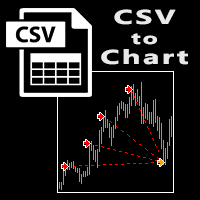
The script visually displays deals from CSV format reports on MT4 terminal charts. It automatically recognizes popular formats: MQL5.com Trading Signals for MT4 / MT5 platforms
MyFXBook service Copy the report file to the <Data Folder>\MQL4\Files folder and run the script on any chart. The script analyzes the CSV file, automatically creates new charts for all instruments that are found in the report, and draws the deals of each instrument on a separate chart. The script additionally calculates a
FREE
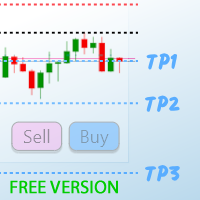
TP1 TP2 TP3 panel free is a simple tool designed for manual trading. It helps you to follow free or paid forex signals with multiple take profit (TP1 TP2 TP3). Fill the fields (volume, SL, TP1, TP2, TP3) in pips or price, press the ‘Sell’ or ‘Buy’ buttons and the program opens 1 to 3 identical orders. It also adds TP1 and TP2 lines on chart. The program alerts you when TP1 and TP2 are reached or if stop lost and TP3 are almost reached so you can close your orders and move stop losses according t
FREE

BuntuFx Copier Pro is a fast and reliable trade copier for synchronizing orders between Master and Slave accounts on MetaTrader 4 and MetaTrader 5. Main Features MT4 and MT5 cross-platform copying Market and pending order synchronization Automatic SL, TP, partial close, and order close copying Multiple lot modes: multiplier, fixed lot, risk percentage, and lot sequence Symbol mapping and suffix support Magic number, symbol, direction, and comment filters Reverse trading mode Layer-based copying
FREE

Precision Candle Timer is a must-have visual indicator that accurately displays the remaining time of the current candle on your chart. Perfect for traders who need precise timing for entries and exits , especially in scalping , day trading , or candle-formation-based strategies. Designed to be fully customizable, you can easily change its position, color, font, and size to match your trading layout. It adds clarity, control, and responsiveness to your trading routine. Key Features: Precise t
FREE
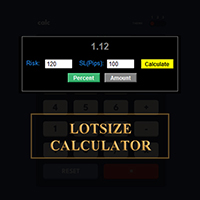
在 MetaTrader 平台直接計算您的交易手數!
各位交易員,大家好!您是一位注重風險管理的交易者嗎?如果是,那麼這款工具正是為您量身打造的。我叫 Ibrahim,我開發了一款工具,可以根據您帳戶餘額中的風險百分比來計算您的交易手數。如果您想要承擔一個絕對值的風險,而不是以百分比的形式指定風險,這款工具也能幫您計算出合適的交易手數。例如,您可以指定從您的帳戶餘額中拿出 100 美元來承擔風險。
MT5 版本: https://www.mql5.com/en/market/product/155025
它是免費的,歡迎體驗!請在評論區留言,告訴我您希望我添加哪些功能,或您希望我為社區開發哪些新的工具。
祝您交易愉快,自動化交易快樂!
FREE

AutoSTPending - Expert Advisor for Automatic Stop Loss and Take Profit
The AutoSTPending expert advisor automatically creates or modifies the Stop Loss and Take Profit levels configured in the properties. It is a user-friendly and easy-to-understand tool. With AutoSTPending, you can simplify and streamline your trading operations by allowing the expert advisor to automatically set and adjust your Stop Loss and Take Profit levels. This allows you to focus on other activities while maintaining ef
FREE
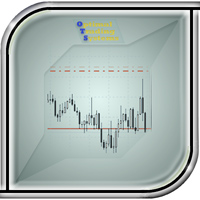
The utility manages other EAs' orders as well as the ones opened manually. It is capable of trailing the price (trailing stop function), set a stop loss and take profit if they have not been set before. When configuring the utility for an EA having no trailing stop function, place it to the new window with the same currency pair specifying the same Magic value (as for the EA orders the stop loss is to be applied to). You can set any timeframe. It does not affect the utility operation. Set Magic
FREE

# AutoECPointer
**AutoECPointer** stands for **Auto Entry Close Pointer** .
AutoECPointer is a custom indicator for MetaTrader 4 (MT4) designed to visualize your trade history directly on the chart. It automatically draws arrows for trade entries and exits, distinguishing between profitable and losing trades, helping traders review their past performance visually.
## Features
- **Automatic History Visualization** : Scans account history and plots trades on the chart. - **Entry & Exit Marker
FREE

This EA helps traders in the following benefits : - show the entry point for sell or buy orders that you makes. -show the TP & SL levels on chart - control the lot size - control the TP & SL level in points - works on all chart period - rising algo trading rank in your signal - closing all deals in one click - closing only profitable deals - closing only losable traders enjoy
FREE
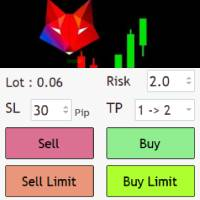

Medi Partial Close Pro is a high-performance trade management utility engineered for professional intraday traders, specifically optimized for high-volatility pairs like XAUUSD . Why Choose Medi Partial Close Pro? Smart Directional Logic: Unlike standard utilities, v5.5 features an intelligent trigger system that detects if your target is a "Take Profit" or "Stop Loss" scale-out based on current market price. Master Control Panel: Manage your entire portfolio from a single dashboard. Close 25%,
FREE

Close Positions on Candle Close This tool allows you to automatically close positions based on the last candle's closing price, helping confirm trade exits and avoiding unpredictable price movements. How It Works: The EA waits for a candle to close above or below the Stop Loss level before executing a position close. It eliminates the need to manually monitor trades and helps automate exit strategies. Settings: Order_Type: Select the types of orders or positions to be managed. CandleTimeFrame:
FREE

The professional utilities "Ichimoku Waves Meter" to analyse graphs using the correct interpretation of Ichimoku kinkōhyō!
Is a graphic program that allows traders to quickly and easily measure the proportions between the indicated points on the price graph. This time and price indicator is a basic tool for analysing the chart according to the Ichimoku strategy on the MT4 platform. Using this tool allows an insightful and complete analysis of time waves as well as price waves in a very short ti
FREE

An egg is the organic vessel containing the zygote in which an embryo develops until it can survive on its own, at which point the animal hatches. An egg results from fertilization of an egg cell . Most arthropods , vertebrates (excluding live-bearing mammals ), and mollusks lay eggs, although some, such as scorpions , do not. Reptile eggs, bird eggs , and monotreme eggs are laid out of water and are surrounded by a protective shell , either flexible or
FREE
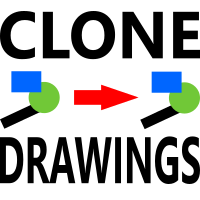
此脚本允许您将任何类型的绘图对象(如趋势线、斐波那契回撤等)复制到一个或多个其他图表。
默认情况下,脚本会将当前图表(即应用脚本的图表)上的所有对象复制到当前加载的相同交易品种的任何其他图表。
设置
目的地时间表 当设置为除 PERIOD_CURRENT 以外的任何值时,它会将对象复制到与应用脚本的图表具有相同交易品种的任何打开图表。 如果您将值设置为特定的时间范围,例如 PERIOD_D1,则只会更新具有相同交易品种和周期的图表。 复制对象类型 您可以将其设置为您希望复制的特定类型的对象,然后只有该类型的对象将被复制到其他图表。 复制指标窗口对象 当设置为 True 时,指示器窗口上的对象也将被复制。这依赖于第二张图表具有与源图表相同的指标,并且顺序相同。
在图表之间复制对象让您满意!
FREE

此工具提供了两个主要优势:它增强了MT5经济指标的使用便利性,并实现了与MT4的无缝数据共享。例如,您可以有效利用超过10年前的经济指标数据进行训练和回测。此外,它兼容MT4的 PracticeSimulator ,使其成为从历史数据交易练习到MT4实时交易的宝贵工具。 重要提示
此工具需要从MT5获取经济指标数据,因此在MT4版本中无法独立运行。请确保已安装MT5版本。 => MT5版本
MT5经济指标的改进 历史数据访问 : 分析包括超过10年前事件的经济指标数据,支持详细的回测和历史回顾。 可自定义显示 : 经济指标以不显眼的方式显示在您的图表上,并可选择与背景融合显示。 自动时间调整 : 自动调整时区和夏令时,确保历史事件的准确显示。 MT4的兼容性和优势 无缝数据共享 : 直接在MT4图表上使用MT5经济指标数据,包括实时交易和练习场景。 与PracticeSimulator的集成 : 兼容 PracticeSimulator ,使您能够将真实的经济事件纳入训练和策略测试中。 多语言支持 : 经济指标可以以您的母语显示,使工具更加易用。 此工具的独特功能是能够将MT5数据与
FREE

EA REMOTE COPIER Copy Your Trades Across Different VPS — Fast, Secure & Reliable EA Remote Copier is a professional Expert Advisor designed to automatically copy trading activity between different VPS, trading accounts, and locations through the Internet . It is suitable for traders, money managers, signal providers, and anyone who needs to synchronize trades across multiple accounts efficiently.
Please download Slave EA here = https://www.mql5.com/en/market/product/190920
User Manual :
FREE

Position Manager Pro v1.0 (MT4) Dual Magic Number Independent Group Manager with Live P&L Dashboard Overview Position Manager Pro is a powerful trade management Expert Advisor for MetaTrader 4 that operates as an overlay manager — it does not open positions itself, but instead manages and monitors positions opened by other EAs or manually by the trader. The core concept is two fully independent groups , each identified by a unique Magic Number . Each group has its own Take Profit, Stop Loss, and
FREE

Displays the countdown to the current candle’s close and shows the live server time clearly on your chart, including the GMT. It is a fuss-free indicator, plug and play. Accurate Candle Timer is a simple and practical tool for traders who want to monitor candle timing without unnecessary clutter. It shows how much time is left before the current candle closes, helping you stay aware of when the next candle will begin. This is useful for traders who prefer to wait for candle close confirmation be
FREE

This script allows you to toggle the "Show Trade Levels" option, but for the current chart only. Normally, you can only change the setting using the Options -> Chart menu for ALL charts, but this script allows you to do it for a SINGLE chart. I'm using it when I take screenshots, because most of the time I'm not trying to show the trades, just some functionality of one of my other tools. Iif you need that functionality, then this script is very helpful!
If the script helps you, please let me k
FREE

Panel Display is a free utilities indicator, to display basic account information, in a beautiful way. This indicator is a plug and play, where the is no input required except for display corners. User can quickly engage how much profit/loss for current day / week! This Week's Performance - This week closed order for all pairs. Today's Performance - Today's closed order for all pairs. Current Floating Profit / Loss - Current Floating Profit/Loss (all pairs) in the account
FREE

MetaTrader 4 的Indicator Test Report — MT4 重绘检查器和指标测试器,显示任何指标的实际行为 您无法看到编译指标的内部情况。Indicator Test Report加载任何指标(购买的、编写的或内置到 MetaTrader 中)并回答描述无法回答的问题:它是否重新绘制、它需要多少历史记录以及它真正发布了什么?它报告行为。它不评分。 将任何指标加载到策略测试器中,并获得有关其行为的十二个方面的简单语言报告:它发布了多少缓冲区,在其值有意义之前需要多少历史记录,闭合柱上的值随后是否会发生变化,以及读取成本。 没有分数,没有及格分数,也没有关于指标是否良好的判断——只有观察到的内容,以及它证明了什么和没有证明什么。 它回答什么 1. 缓冲器。 该指标实际发布了多少个编号数据系列,以及响应的最高指数。这通常比图表显示的要多:两线指标可能会发布 6 个缓冲区,而 EA 按索引读取需要实数。报告指出,如果索引不连续,则通过计数进行索引会读取错误的序列。 2. 计算状态。 目标根据存在的柱数计算了多少柱。填充缓冲区为零是一种真实的命名状态,而不是错误。 3.闭
FREE
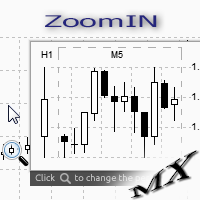
The ZoomIN indicator is designed for quickly viewing the selected bar on the smaller timeframes in a pop-up window. Once launched, the indicator works in the background, does not take up space on the chart and does not consume system resources. When the indicator is activated by the Shift + i combination (can be changed in the settings), a pop-up window with a chart of a smaller timeframe is created. The displayed timeframe can be changed by a left-click on the magnifying glass icon. To hide the
FREE
Update:ver1.53 (2023/08/16) ・ Overview and required environment Generate a duplicate limit order reservation for manual orders or orders from other tools, etc. This is specialized to "simplify the ordering operation". For the analysis to decide ordering, please do your best by yourself, such as fishing for materials, deriving a rule of thumb, using other analysis tools and EA together, etc. Since version 1.28, the function of "automatically re-order after settlement" has been implemented. (This
FREE

Trading panel for manual trading. Has a fairly wide functionality. Allows you to automatically calculate the order size, open both market and pending orders. It has a wide range of options for closing orders, it is possible to partially close orders, close orders after reaching a certain profit or loss, separately close profitable and unprofitable, buy and sell, as well as pending orders. The panel also contains a simple implementation of a grid of pending orders, reverse and lock functions, tr
FREE

Use this indicator to ensure all your open charts are constantly displaying the same time frame. Change the time frame in any one chart and watch the others instantly change to the same time frame. Also allows scrolling of candles in one chart to be replicated in all other synchronized charts. Analyze correlation between different symbols by linking charts together on the same time frame Display a vertical marker move across all your open charts, so you can quickly compare price action at the sa
FREE

Use Forex Trading Profit Tracker to keep a record of your earnings across accounts. This indicator will show a dashboard in the Meta Trader chart to show for the profit or loss money in your account. It’s easy to see just how much money you’re making matched betting with the Forex Trading Profit Tracker. Key features: Track your profit over time Check out your stats. Track expected profits against actual profits. Export account history to Excel.
MT5 version(*): https://www.mql5.com/en/market/
FREE

ForexBob 1 Click Button is very impresive forex tool for scalpers: 1. Helpful in Closing multiple trades in just Single Click. 2. Scalper can benefits the most who always eager to close multiple trades in averaging and lock the profits fast. 3. It helps to avoid latency and so profits can be locked where we need. 4. Easy to Install, same as we install any expert advisor. 5. Speed of closing trades depends on your broker's server speed.
If you find any improvements we are open to your feedback
FREE

This indicator draw a watermark on the chart, with the timeframe and symbol name. You can change everything, including add a aditional watermark. Functions: Symbol watermark: Size - text size. Font - text font. Color - text color. Background text - watermark at foreground or background mode. Horizontal correction - x correction in pixels. Vertical correction - y correction in pixels. Separator period X symbol - what will separate the period from symbol. Aditional watermark: Enable custom
FREE

See Your Key Trading Measurements at a Glance Smart Pips Meter is a free utility that displays important market measurements directly on your chart—so you can make faster trading decisions without manually calculating pip distances. WHAT IT SHOWS ADR (Average Daily Range)
See the current ADR pip value directly on your chart. Current Candle Size
Instantly see the size of the current candle in pips. Previous Candle Size
Quickly check the size of the last completed candle. Spread
FREE

Convenient tool for measuring the number of points between the prices directly on the chart. Displays in the measurement between points in percentage, points (financial) and time (bars ). Compatible with all graphical timeframes. When fixed on the chart is displayed in all timeframes. Press Ctrl, click the first point, move the mouse and will now display the measurement. Click again and fix. Very fast tool that does not occupy much space. Input Parameters Line Color Line Style Text Color Text S
FREE

When executing an order, whether through the Metatrader ticket on a computer or the Metatrader app on a mobile device, either manual or pending,
Easy Trade will automatically set the take profit and stop loss levels, as well as a limit order with its respective take profit and stop loss levels. It follows the trading strategy for market open (US30, US100, US500), but it can be applied to any market asset.
FREE

This EA will make all the history trades appear on the chart,,
will make it easy to track each trade in history separately , it will show each trade open price + time and closing price + time
simply download the EA to your MT4 platform, then apply it on any chart that belongs to any trades in mt4 history,
for example, if you have traded on GBPUSD in the history, open GBPUSD chart and apply the EA on it, it will automatically print all info on the chart about the trades ,,
EA works per
FREE

Информирование пользователя о величине текущего спрэда цветом, в зависимости от тренда. Простой и удобный информатор. Расположить можно в любом месте графика (настраивается во входных параметрах). При активном индикаторе наносим на график горизонтальную линию цветом, указанным во входных параметрах. Эта линия будет (по Вашему мнению) точкой разворота тренда. Если цена будет ниже линии - цвет величины спрэда будет окрашен в цвет "медвежьего" тренда, если цена буде выше линии - цвет величины спрэ
FREE
A simple Utility Trading Tool for calculating your profits automatically.
once your orders are active, it calculates your profit or loss in pips value and displays it at the bottom right corner of the screen.
ADVANTAGES - shows order movement graphically - Helps you calculate profit and loss percentages per trade in each asset. - Shows progress of each trade - Easy trading - Helps you meet daily profit targets - Professional trading
FREE

S imple arrow with alert on chart. This is NOT an entry indicator but a direction indicator. It uses MACD signal line to show you possible future direction of a trend. Please use it with other filters or confirmations to trade properly. Recommended for scalping and short term trades. Made for EURUSD M5 but it should work on every major pair on M5 timeframe. For MT5 version please go here! *If you need a fully automated trading system. Please check this EA here! FEATURES: Very simple directional
FREE

The TradingView-style hide-drawings button MT4 never had
"From the maker of Risk Sentinel — risk-first position sizing that keeps your risk fixed as you drag the stop: https://www.mql5.com/en/market/product/185979 "
Hide/Show Drawing is a one-tap chart-cleanup utility for MT5. Hide all your drawings — or just trendlines, Fibs, shapes, or text — to read raw price action, then restore everything exactly as it was, per-timeframe settings and all. Nothing is deleted; every object stays in memory
FREE
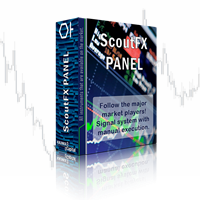
ScoutFX Panel is created to make manual trading and decision making process easier for the traders who prefer manual trading. This trading panel will help you to make a market entry decision by displaying the majority of trades statistics. Using this data, trader can easily determine the market entry direction or to make corrections for used trading strategy based on statistics.
ScoutFX Panel notifies the trader about reached percent of sell or buy overtake for each instrument, via voice noti
FREE

Spread Data tool will display current spread and average spread. It will record spread for every hour (from 0 to 23) and can give better data about your broker spread. Run it for 2 days or more to get better spread data . Every spread smaller than MinSpread will be recorded as MinSpread Every spread larger than MaxSpread will be recorded as MaxSpread It help to decide what spread to be used when do backtest, EA spread settings, EA that trade in specific time interval, especially for scalping EA
FREE

Equity Curve Overlay – MT4 Equity Curve Overlay 是一款适用于 MetaTrader 4 的指标,可将账户的净值曲线直接显示在主图上,与交易品种的价格走势进行可视化对比。 主要功能: 在主图上绘制净值(Equity)曲线 实现净值与价格走势的直观对比 可调节的缩放因子与垂直偏移,用于精准对齐 可选显示前一交易日的最高价与最低价水平 输入参数: EquityScaleFactor :用于调整净值曲线与价格值匹配的缩放因子 EquityOffset :净值曲线的垂直偏移(可正可负) ShowPrevDayHighLow :是否显示前一交易日的高低点标签 ColorHighLabel 、 ColorLowLabel :高点与低点标签的颜色设置 使用场景: 本工具适用于以下用途: 在回测中可视化评估策略表现 对比净值增长与市场价格行为 提供基本参考,用于策略优化与调整 兼容性: 适用于 MetaTrader 4 平台 可在实时行情与策略测试器中使用 不会影响其他指标或 EA 的正常运行 由 LM | Trading & Development 开发
FREE

Time Based Close - 自動化交易管理 EA 概述
Time Based Close 是一款功能強大且易於使用的 MetaTrader 4 (MT4) 專家顧問(EA)。它通過基於用戶設定的持倉時間自動關閉交易,並提供動態回撤控制功能來保護您的帳戶。無論您是新手還是資深交易者,這款 EA 都能簡化您的交易策略並有效管理風險。 核心功能 基於時間的關閉 :根據設定的持倉時間(預設:29 分鐘,可調整)自動關閉交易。 回撤保護 :監控並管理回撤,當回撤達到設定的百分比閾值(預設:30%)時關閉所有交易。 互動式面板 :直觀的圖表面板,可開關功能(持倉時間、回撤控制),調整設置,並實時監控餘額、淨值和回撤等數據。 贈金調整 :準確計算回撤,考慮經紀商贈金,確保精準的風險管理。 商品過濾 :支援特定商品或所有商品,兼容經紀商的後綴設置。 優勢 風險管理 :通過自動回撤控制保護您的帳戶免受過大損失。 節省時間 :基於時間自動關閉交易,無需手動監控。 易於使用 :簡單的面板設計,實時更新數據,適合各級交易者。 經紀商兼容性 :已在 IC Markets 和 Vantage Int
FREE
MetaTrader市场是独有的自动交易和技术指标商店。
阅读MQL5.community用户备忘更多地了解我们提供给交易者的独特的服务:复制交易信号,自由职业者开发的自定义应用程序,通过支付系统完成的自动付款和MQL5云网络。
