 MetaTrader 5
 专家
专家
 指标
指标
 程序库
程序库
 实用工具
实用工具
 窗口小部件
窗口小部件
 规则
规则
免费的MetaTrader 4 交易实用工具 - 11
 以下是可在MetaTrader 4中简化外汇交易的交易程序。将鼠标悬停在下面列表中的工具上,阅读它的描述和用途。
MT4 trading tool. Intuitive Dashboard that allows effortless automated trading, saving 99 Strategies , Advanced Money Management , Automatic group orders : Global Take Profit / Stop Loss, Smart TP (Multi-Level, Position Recovery) and Smart SL (Breakeven, trailing Stop, Multi-Level), Exit Manager , Signals, Strength Indicator , ATR Graph, Price Alert, News Warning… # If you have any other requirements or are interested in collaboration, please contact (info@styxia.com)
Get more information
FREE

Binary Options Receiver Free is a free tool to copy binary options trades from other traders at different locations over internet, who use Remote Binary Options Copier to send. To start copying via this tool, provider must add a free license in his list first. That means you can use this free tool to copy binary options trades from a provider, who authorized you to do so and issued a free license. Reference : If you need both sending and receiving features, please check Remote Binary Options Cop
FREE

Signalator Lot Size Evaluator MT4 is a free local MetaTrader 4 utility for manual traders. It helps calculate an estimated lot size before opening a trade manually. The calculation is based on account size, trade direction, entry price, stop loss, risk percentage or fixed money risk, and broker symbol settings. The main purpose is simple: Enter your setup → define your risk → get the suggested lot size. The panel also shows useful pre-trade information such as spread, risk amount, SL/TP distance
FREE
New version 1.22. Partagas
The AG algorithm is an element of a comprehensive trading system for trading a basket of currencies across 8 major currencies across all 28 currency pairs. The algorithm serves as a signal block for determining entry/exit from a position. To collect initial values, AG uses data from the CSS Currency Slope Strength cluster indicator. This indicator was not chosen by chance - it performed very well during testing of the algorithm. A. AG determines the width of the e
FREE
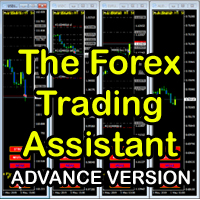
The Forex Trading Assistant is a trading utility that speeds up our execution of orders. The lot size is automatically computed based on the risk-on-balance you set in the input window. The pip value will be based on your risk-on-balance. Hence, the total stoploss is the actual risk computed based on your risk-on-balance per trade. Morever, you can drag your Order Line, Stoploss Line, and Takeprofit Line just like dragging a horizontal line on your chart. The following are the inputs. ( Click D
FREE
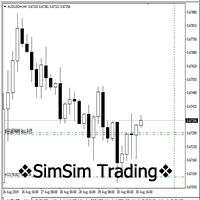
"SimSim Expert Assistant" утилита для сопровождению сделок трейдера в терминале МТ4. Утилита бесплатная, пользуйтесь. Кроме того, утилита открывает сделки по сигналам индикаторов SimSim Trading (через глобальные). Параметр индикатора "Signal shaping for SimSim Expert Assistan" указывает на это.
Как работать с утилитой. Expert Assistant работает в терминале МТ4 и устанавливается в папку Expert, в утилите нет ни одного параметра при старте. Все параметры находятся в списке глобальных переменных
FREE

Easy Equity Builder 2026.....is back due to popular demand for testing before it becomes premium from my regular customers. This is easily a 1000$ EA but Im giving it for testing for friends who want to test with me. Do ask questions in comments.
Screenshots soon!
Plan your weekly profit target based on your risk appetite and let the robot manage it. Easy Equity Builder works on your strategy from Monday to Friday, shuts down as soon as the assigned target is reached and restarts automatica
FREE

You can use comercial or free AG version.
In comercial version you can trade all 28 pairs in your basket.
For free version for testing you can trade only 7 pairs for free
In version 1.20 change the indicator from CCFp to CSS -CurrencySlopeStrength
In algorithm release the construction of Baskets Differencial - 4 baskets
Signal algoritm AG for 28 pairs you can rent in mql5 shop
https://www.mql5.com/ru/market/product/94278
Signal algoritm AG for 7 pairs FREE version you can upload free
htt
FREE

An egg is the organic vessel containing the zygote in which an embryo develops until it can survive on its own, at which point the animal hatches. An egg results from fertilization of an egg cell . Most arthropods , vertebrates (excluding live-bearing mammals ), and mollusks lay eggs, although some, such as scorpions , do not. Reptile eggs, bird eggs , and monotreme eggs are laid out of water and are surrounded by a protective shell , either flexible or
FREE

BOSSTESTER (Binary Option Super System Tester) indicator is a simple tester for BOSS binary options trading system. Its objective is constructing a balance line on history data during CALL and PUT transactions performed by BOSS trading system. The tester requires at least 50 bars in history.
Inputs Initial Balance - initial balance. Investment Rate - investment rate. Losses Cover Ratio - loss coverage ratio. Payout - payout in %. Loss - loss in %. Trading Style - trading style: Super_Conservati
FREE

PropFolio Copy trading Hub Pro MT5 Slave: Cross-Platform Trade Copier Lightning-Fast Execution & Precision Risk Scaling for Retail and Prop Firm Traders The PropFolio Copy trading Hub Pro MT5 Slave is the receiving engine of the ultimate trade management ecosystem. Designed to work exclusively with the PropFolio Copytrading Hub Pro Master EA, this high-performance bridging tool allows you to instantly replicate trades across multiple accounts and platforms with sub-millisecond precision. Whethe
FREE
这是一个MT4的脚本,帮助把交易记录导出到CSV文件,依照品种,以及时段选择。
参数 Select Symbol: 这是个二选一的选择,选当前品种或者所有品种。 Select Period: 这是7个选项的参数,分别是上个月,本月,上周,本周,今天,指定日期。 Specify Starting Date: 输入一个起始日期,如果上面参数你选择的是指定日期的话。 Specify Ending Date: 输入一个截止日期,如果上面参数你选择的是指定日期的话。 File Name Prefix: 为输出文件名称取个前缀。 如果参数Select Period 选择的不是 指定日期,那么后面的两个参数就不用填写了。 脚本会有弹窗提示结果,并且有一个文件输出结果,文件保存在MQL4\Files文件夹中。 希望对你有帮助,真心希望对你有帮助,我觉得会有帮助。 必须满足300个字,我必须说些废话,好了,希望对你有帮助。
FREE

Mini Assistant is a small training tool in the strategy tester. A minimal set of buttons provides ease of use. There are no external parameters; they are simply not needed here. All you need is right on the screen. Before opening a position, in the special input windows, specify the required volume, as well as Stop Loss and Take Profit levels. To close a position, select it by ticket in the lower window. The program was written quickly, and also does not have a special uniqueness, so I post it i
FREE
Your trading life will be easier with the Forex Control Panel. This control panel, which has many features, is very easy and simple to use.
With this control panel, you will have 3 different ea features. You can learn how to use it from the special video I prepared for you.
You can buy this product, whose normal price is $125, at a much cheaper price than its current discounted price.
You can also try all its features in the strategy test.
A pdf file explaining its detailed features will be
FREE

This script will help you to open 28 charts for the most traded forex pairs at the same time. Charts (H1): EURUSD, EURCAD, EURCHF, EURGBP, EURAUD, EURNZD, EURJPY, USDCAD, USDCHF, GBPUSD, AUDUSD, NZDUSD, USDJPY, CADCHF,CADJPY, CHFJPY, GBPCAD, GBPCHF, GBPAUF, GBPNZD, GBPJPY, AUDCAD, AUDCHF, AUDNZD, AUDJPY, NZDJPY, NZDCHF, NZDCAD. Of course you can select other symbols too. Add the script to a chart to open 28 charts. Use it for free. Let me know if it makes sense for you.
FREE
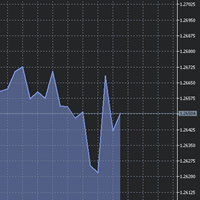
The utility Filled Area Chart adds to the standard set of price presentations. It is a brand new, nice price chart. You will certainly like it if you want to feel yourself a trader born under the Bloomber lucky star.
The Properties allow to set the colors and other things: Color preset - choose a preset or set to "Custom" and set your own colors using the properties below.
Custom area color - color of the area below the price line. Works only with Color preset = Custom.
Custom chart color - col
FREE

TopstepFX Max Lots Calculator was built to help traders in the TopstepFX Trading Combine monitor their cumulative open position size across all products. While using it, the chart window that is running the Expert Advisor will automatically display the total cumulative position size, for all products being traded. Additionally, it will warn traders when their max position size has been reached.
FREE

Lucky Forex Stats
Lucky Forex Stats Allow users to See all Account data on their Chart, you can choose any time period and it'll show you full account details with ratio, and each pair has individual details!
Advantages
You can choose any time period and it'll display all detail.
You can see your whole accounts details, the profit and loss with exact $figure and ratio as well.
Each pair shows the profit they've earned or lose,
The winning and losing trades
Winning VS losing %
and many more
P
FREE

That indicator shows on chart actual amount of lots currently opened position and Take Profit pips numnber and pips left to get. All objects can be placed at any place of chart by user choice. Objects text can be set by user also by writing new text in indicator's parameters window. Each object color can ve set to any color from the palette of colors delivered by MT4 editor.
FREE
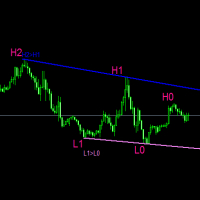
#forex #sharemarket #trading Disclaimer :- My videos, presentations, and writings are strictly for educational purposes and should not be considered investment advice. I cannot guarantee the accuracy of any information provided. It is essential to conduct your own research and consult a qualified financial advisor before making any investment decisions. I bear no responsibility for any financial losses or negative outcomes resulting from the use of my content. Please exercise caution and seek
FREE

TradeCraft is a buffet style trade companion tool to help you trade manually on zone like zone created by my Indicator : SR Imbalance Scalping . You can trade by market order or pending order. As this is a buffet style like trading panel, choose (check) the menu first before you select a zone (not the other way around). Select the zone you want to trade with or create yourself a custom zone using shape tool. The value will be automatically updated in the panel after you select (one zone selected
FREE

Script for Close all open SELL orders.
Usage:
- Enable Automate Trading
- Attach / Double click the script
ENJOY IT.
//+------------------------------------------------------------------+ //| Close SELL.mq4 | //| Copyright 2015, SangBatosai-Code5 | //| https://www.mql5.com/en/users/mahakaya | //| Credit: | //| SangBatosai-Code
FREE

This Expert Advisor constantly monitors the balance and P / L of your trading account to avoid costly withdrawals and / or taking profits. When a certain drawdown or profit target is reached, the EA will warn, close all trades. Very simple setting, set the Take profit and the stop loss (in money) and the expert will start to monitor the orders that are manual or from another expert, and once the profit or stop loss point has been set, the expert will close all the positions with the classic "Bas
FREE

n3oNpLoX Trade Manager Market Order. Stop Order. Limit Order.
To help you Place trades based on the amount of Money in Dollars you want to risk. As it will show in the screenshots you can calculate the right Lot size for the money you want to risk. Calculates Lot Size based on the distance between Stop Loss and Entry Point. 5 Options for TP - (1RR,2RR,3RR,4RR,5RR)
It will help you manage your risk and Place trades with the correct Lot Size. So you will not over expose yourself and your money
FREE

Скрипт для быстрого закрытия рыночных и отложенных ордеров. Этот зацикленный скрипт гарантированно закроет все выбранные ордера. Он будет работать, пока не закроет все выбранные позиции и удалится когда сделает свою работу. Если у Вас много открытых позиций этот скрипт поможет вам. Интуитивно понятный интерфейс 1) Просто бросьте его на график. 2) Выберите ордера, которые надо закрыть. По умолчанию выбраны все! 3) нажмите кнопку "Close". Версия для MT5 https://www.mql5.com/ru/market/product/1297
FREE

EA Germany 30 Functions: Detects and analyzes market gaps, providing insights into potential trend reversals or continuations. Facilitates risk management and order adjustments based on your configured settings. Trades exclusively from 10:00:00 (broker's time) onwards and solely on the Germany 30 (DE30) index. Please note: Trading involves risks. The EA Germany 30 expert advisor provides tools for analysis; however, results may vary. Use at your own discretion.
FREE

V-Trailing è uno strumento avanzato progettato per supportare il nostro trading manuale, con funzionalità dedicate alla gestione di take profit, stop loss e trailing stop. Questa utility, oltre a semplificare l’inserimento dei dati su MT4, consente di configurare parametri di trailing stop non disponibili di default sulla piattaforma. La caratteristica principale di V-Trailing è la possibilità di impostare un punto di partenza personalizzato per il trailing stop, diverso dalla linea di prezzo co
FREE

FREE for limited time! CoPilot EA is an add-on EA to provide additional Order & Risk Management for other EAs. Want more control and Telegram support? Check out CoPilot Pro: https://www.mql5.com/en/market/product/82009 Do you have favorite EAs that trade well, and you want additional control over it? Do you run multiple EAs on same account and you need a way to manage Risks and Orders from account level? CoPilot is the best companion for you! Features: Addition Order & Risk Management to other
FREE

Утилита MQLTA Take Screenshot позволяет снимать скриншоты текущего графика прямо из самого графика. Утилита полезна для быстрого сохранения интересной ситуации и сохранения текущего графика перед открытием или закрытием ордера.
Как она работает? Take Screenshot использует встроенную функцию языка MQL4 для сохранения снимка текущего графика.
Как использовать утилиту Загрузите индикатор и выберите нужные параметры. Как только откроется панель, нажмите на значок сохранения, чтобы сделать снимок т
FREE
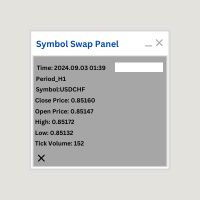
Symbol Swap Panel: Effortlessly switch the active symbol on your chart while simultaneously adding the new symbol to Market Watch. This tool ensures seamless integration and access to real-time market data, optimizing your trading workflow. **Note:** When switching to a different symbol, it's recommended to switch back and forth between timeframes to ensure that the panel loads properly. Description:
The "Symbol Swap Panel" is a versatile utility designed for traders seeking to manage the
FREE
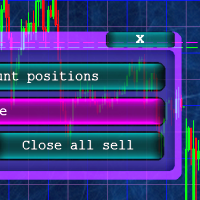
Кнопочная панель для одновременного закрывания большого числа позиций. Всего четыре варианта закрывания: Закрыть все позиции на счёте ( Close all account positions ). Закрыть все позиции по символу графика, на котором находится панель ( Close all positions ). Закрыть все Buy позиции по символу графика, на котором находится панель ( Close all Buy positions ). Закрыть все Sell позиции по символу графика, на котором находится панель ( Close all Sell positions ).
FREE

An on‑chart, data‑driven pre‑trade planner that turns your broker’s live market properties into clear, actionable numbers. It consolidates spread, commission, swaps, ATR‑based stop/targets, pip/point value and 10 risk‑profile lot sizes into one compact panel that auto‑scales to any chart size. The display is direction‑agnostic (no LONG/SHORT duplication) and emphasizes total trade cost and true risk/reward before you click “Buy/Sell.” What it shows (at a glance) Time & price context (Local/Serv
FREE

该脚本对于那些处理大量订单的人非常有用。 碰巧账户上有盈利,您需要立即关闭账户上的所有订单。 这就是完整的Closer脚本的用途。
脚本参数: Close type - 指定要关闭的订单类型。 如果您只想关闭买入订单。 将参数设置为唯一的买入订单位置,如果要关闭所有订单,则将参数保留在所有类型位置 MagicNumber - 如果您的帐户上运行了多个订单,但您需要关闭某个顾问的订单,请在此参数中指定该顾问的唯一编号,然后脚本将仅关闭该顾问的订单,其余订单将 将我添加为朋友,以免错过新机器人的更新和发布-> Dmitrii Korchagin 查看市场上我的其他产品->我的产品 我的机器人很快就会发布,但与此同时,看看它是如何交易的-> Hewer信号
FREE

让交易更清晰可见。 你是否曾在 MT4 策略测试器或图表上的信号可视化中分析过交易?
如果答案是“是”,那么你一定知道那些交易线几乎看不清。
解决方案就是实用工具 “Visible Deals” 。
“Visible Deals” 可以让你的交易线变得更粗,甚至可以更改颜色。
只需将 “Visible Deals” 拖放到图表上,并调整新的线条格式即可。 Make the deal visible. Have you ever analyzed the deals in the MT4 Strategy Tester or Signal Visualization on Chart? If the answer is "Yes", then you know how sightless trade lines are. The solution is the utility "Visible Deals". The utility "Visible Deals" allow you to make trade lines wider or even change color. Just
FREE

The EA automatically opens the orders when price crossing/touching lines, which were drawn by the user. Two scenarios are possible. When you expect the price to stay in the channel. When you expect that the price will not remain in the channel after the break off it. If you want use first scenario - you must set in settings Trade mode = “False_Breaking_Channel”. If you want use second scenario - you must set in settings Trade mode = “Breaking_Channel”. When you run EA, you must draw two trend li
FREE
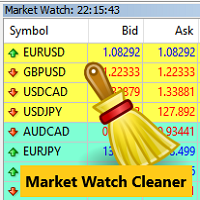
Clean up Market Watch from unused symbols.
If you use multiple advisors and terminals on the same account your Market Watch windows may get filled with unused symbols from orders and positions opened on other terminals. Every symbol in the Market Watch consumes cpu power and bandwidth to get constantly updated and if you are on a vps you want to minimize resources consumption. Market Watch Cleaner helps you with that by periodically cleaning your Market Watch window from unused symbols.
Param
FREE

ABCMarketsControldemo is a demo version of the ABCMarketsControl utility that manages already opened trades on any symbol by moving them to a breakeven when the price reaches a certain level. Besides, if the price goes further in favorable direction, the utility moves Stop Loss and Take Profit accordingly. You can check the utility operation in the strategy tester on any symbol on a period from January 1 to December 21, 2017 by setting the time_start_buy_demo and/or time_start_sell_demo paramete
FREE

BALANCE GUARDIAN is a software to support traders who wish to set profit and maximum loss targets for their trading accounts. developed for MT4. Once BALANCE GUARDIAN is activated, the user will be able to set the maximum acceptable loss as well as their own profit target - upon reaching either one, the software will proceed with closing all open trades and subsequent deactivation of autotrading in case any Expert Advisors are active.
PLEASE NOTE: The software's sole purpose is to provide the
FREE

This is the Free Version of "Quick Copier MT4" (Please check : https://www.mql5.com/en/market/product/34184) This free version is available to be used within 2 hours only, and it has limited features. Please also check this product at fxina.hostingerapp.com.
"Quick Copier" is designed to copy trading without any complicated settings. It copies master orders faster than "Just Copier". The copy can be done in one PC. One EA can be set as master (provider) or slave (receiver). The receiver lot ca
FREE

Updated Premium Description (with Pricing Strategy) Copy Trade PRO – Professional Master + Slave Copy Trading System Complete MT4 Copy Trading Solution with Intelligent Symbol Matching & Premium Dashboard Master Copy Trade Pro (Paid) + Slave Copy Trade Pro (Free)
Master Copy Trade Pro Download link
: https://www.mql5.com/en/market/product/185085?source=Site+Market+My+Products+Page
The most reliable and user-friendly copy trading system for MetaTrader 4. Broadcast your trades from the M
FREE
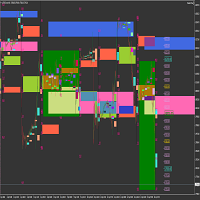
Market Viewer This utility seeks to assist the trader in identifying potential areas of interest on the price chart. Different components integral to decision making have been automated, allowing the user to engage with perfectly calculated levels. Some components include the weeks initial balance, session Min and Max areas and a round number indicator altogether forming templates providing confidence to the trader. Have a look at the screenshots for a sneak peak into the components. The utility
FREE

Auto Close & Delete All is an assistant to help you quickly close all trades of a selected symbol or all symbols and delete pending orders. Through its flexible settings, you can set the script to either close only trades, or only pending orders, or both market trades and pending orders. The script can close deals and delete pending orders wither for the current instrument, or for all instruments. This is selected in settings. The settings are displayed on the screen before the script execution,
FREE

PulseBar is a visual trading tool designed for MT5/MT4 that eliminates guesswork when planning your trades. It draws an interactive horizontal line on your chart that instantly calculates and displays the projected PnL (Profit/Loss) of your open positions (long or short) if the price were to reach that exact level. It is ideal for Price Action traders, Scalpers, and Day Traders who need to quickly and cleanly visualize Take Profit targets, partial exit levels, or risk zones without leaving the
FREE
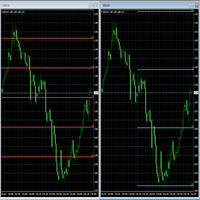
Fibonacci will be designed by default based on the monthly candle but you can simultaneously view Fibonacci on a weekly candle or you can choose your two favorite timeframes. When you run this script, an input prompt will appear and the following input parameters can be configured: Input Parameters: Name Example Default Timeframe1 Monthly 43200 Timeframe2 Weekly 10080 TF1status 1 on 1 TF2status 0 off 0 candleID you can choose which candle to apply 1 Prefix1 It's is the prefix of the first object
FREE

The panel allows you to place and open orders with one click of a button.
It is possible to quickly change the parameters of the lot, take profit, stop loss and expiration time.
The expiration parameter is valid only for pending orders. The trading panel works in the tester. To open a pending order, click on the buy or sell stop button, and then on a place on the chart.
(This function cannot work in the strategy tester for technical reasons) Expiration time is in minutes, everything else is
FREE
Jarfac Trades Extractor Description: Le "Jarfac Trades Extractor" est un script MQL4 conçu pour les traders qui souhaitent exporter et analyser leurs trades historiques. En un seul clic, le script génère un fichier CSV contenant des informations détaillées sur chaque trade exécuté pendant une période spécifiée. Caractéristiques principales : Filtrage par Période : Définissez une période personnalisée pour l'extraction. Possibilité de désactiver le filtrage par période. Filtrage par Commentaire :
FREE

* Based on this product "BRiCK Convert4To5 MT5 Free" was created. "Convert4To5" is a Script that converts MQL4 source files into MQL5 source files.
Experts, Indicators, Scripts, and Libraries with extension ".mq4" will be available for MT5.
Parameter
None.
Procedure
1. Open the following folder.
terminal_data_folder\MQL4\Files\ (in the terminal menu select to view "File" - "Open the data directory") 2. Confirm that the BRiCK_Convert4To5 folder exists.
If it does not exist, insert
FREE

Product Overview DW Connection Monitor MT4 is a lightweight utility EA for MetaTrader 4 that keeps a constant eye on your terminal's connection to the broker and its network latency. The moment your connection drops — or comes back — it sends a push notification straight to your phone, so you always know the real state of your trading terminal, even when you're away from the screen. It's built for traders running EAs on a VPS or a home PC who need to be sure their automated strategies are actu
FREE

Universal TradingView to MT4 Webhook Connector Automatically execute your TradingView alerts inside MetaTrader 4 — fast, reliable, and hands-free. This connector bridges TradingView and MT4, allowing BUY, SELL, and CLOSE alerts from any TradingView indicator or strategy to be converted into real MT4 trades with advanced risk management . Stop fighting with complex python scripts or unreliable copiers. This tool pulls signals directly from any webhook server you choose and executes them with lig
FREE

Clonify PRO - MT5和MT4的本地交易复制器 用于在MT5和MT4账户之间复制交易的专业工具(通过共享文件夹"Common")。 功能: 1. 发送端(Sender): 实时导出交易 发送所有内容(无过滤器) 不需要任何额外设置 2. 接收端(Receiver): 复制交易。 Magic Number(魔术号码): 使用发送端的账户ID(默认)或自定义号码。 手数模式: Analogous(相同模式): 与发送端完全相同的交易量。手数乘数允许减少或增加传输的手数。 Proportional(比例模式): 按照净值的风险百分比成比例。 Fixed(固定模式): 固定手数。 Max Deviation(最大偏差点数): 开仓时价格的最大偏差。 重试系统: 在出错时重复尝试开仓,最多重试'Max Retries'次,并阻止有问题的订单号。 符号映射: 自动搜索后缀(EURUSD -> EURUSD.m)。手动映射(S1=R1, S2=R2)。 通知: 要使通知功能工作,需要在MetaTrader 5终端中配置两项内容: 推送通知: 转到工具 -> 选项 -> 通知。启用"推送通
FREE
TradeStops Manager EA is a simple, dynamic, volatility-adaptable stops-management tool that will help you to manage your open order's stops effectively according to your way. The fact that most traders lose money in the markets is not really surprising if you consider that most traders do not know how to set up the right, dynamic, adaptable stops in the face of current volatility in the market. Do you want to close a specific order after a specified
number of candles, StopLoss Level is reach
FREE

使用按键和通知进行绘图 该产品将对那些专业交易者感兴趣。更准确地说,他们在交易算法中使用干净的图表(没有指标或指标数量最少的图表)。 使用热键,可以在活动图表上创建具有不同绘图样式和不同颜色的图形对象。您可以更改图形的格式样式。 您可以选择默认的图形样式,或在顾问程序属性选择窗口中进行设置。转到图形,在创建图形对象时,会自动选择颜色,线条类型和线条粗细。图形对象的绘图样式将取决于执行绘图的当前时间范围。 请观看视频,我将尝试展示其基本功能。
键盘快捷键 键0-从所有对象上移开焦点 键1-创建一个“水平线”对象 键2-创建一个“矩形”对象 键3-创建一个“趋势线”对象 键\-从图表中删除各种对象 键]-删除“”类型的对象 键[-删除“矩形”类型的对象 键\-从图表中删除所有图形对象(仅绘制) 按键q-o-更改当前时间范围
创建水平线和趋势线 视频说明中提供了一个示例。 创建一个矩形 其他设置: -为将来自动扩展矩形; -当价格越过矩形的内部边界时,更改矩形的颜色; -选择的能力-是否用颜色填充矩形。 通知设置 通知类型: -Telegram-将通知发送到您先前在Telegram中创
FREE

UMNi-NTFY UMNi-NTFY is a lightweight Telegram notification tool for MetaTrader 4. It monitors trading activity and delivers fast, structured alerts directly to your phone — keeping you connected to your system without watching charts.
KEY FEATURES • Trade Open alerts (Entry, SL, TP) • Trade Close alerts (P&L outcome) • Session summaries • System Online / Offline status • Clean, structured message format • Works with all symbols and timeframes • Compatible with manual and
FREE

What is a tool ? Used for monitoring profit by magic number, From parameter magic number and profit target. The tool will automatically close orders to the same magic number. When your profits meet the target set. How to use Place the tool on any pair any timeframe and set input your parameter. Pair : Any Timeframe : Any Input Parameter Magic Number (0 for manual order) Meaning : Input your magic number here, Set 0 for manual order. Summary profit of this magic number ($) Meaning :
FREE

️ 1. Visual Level Adjustment (Click-and-Drag Risk Management)
The utility provides an interactive framework to configure order parameters using chart-based lines rather than manual price typing: Exclusive Toggle Logic : Activating one level adjustment mode (e.g., clicking the Stop Loss button) automatically disarms the other two modes. This prevents graphic input conflicts on the chart. Target Parameters : It manages three distinct interactive pricing lines: Entry Price ( btn_p_ent_click / p_
FREE

A simple and useful Current Price Panel, which displays magnified current Bid, Ask prices and spread, movable anywhere on chart window using the mouse. Also provides an option to have as text at a static location showing bid or ask price along with spread, shown at any location on the chart. Allows display as pips or points along with spread highlighted in distinct color if it crosses the threshold point for the previous 100 ticks. Includes an option to show or hide the last digit (pipette) of t
FREE

Simply clock. Local time as default. There are possible to Select: Local Time /Server Time /GMT Time as input. Please take into account that the local time is the most accurate. However ,this clock always uses local time seconds, even If GMT / Server Time Is selected. I solved it this way to get more accuracy. Delays can occur when changing minutes or hours, if local time is not selected.
FREE

~~~~~Product Description~~~~~ This Close Panel Trading can Help Our Trading Plane . This has 13 Button Box , 2 Key In Box and 1 Description . CloseBuy All - To Close All Buy Active Order CloseBuy Profit - To Close All Buy Active Profit Order CloseBuy Lose - To Close All Buy Active Lose Order CloseBuy Pending - To Close All Pending Buy Order CloseSell All - To Close All Sell Active Order CloseSell Profit - To Close All Sell Active Profit Order CloseSell Lose - To
FREE

如果您喜欢这款免费工具,请留下五星好评!非常感谢 :) “风险管理助手”专家顾问系列是一套全面的工具,旨在通过有效管理各种市场条件下的风险来增强交易策略。该系列包含三个关键组件:平均交易、切换交易和对冲交易专家顾问,每个组件都针对不同的交易场景提供独特的优势。
此 EA 是基于市场上标准风险管理策略的开发版本。
https://www.mql5.com/en/blogs/post/756961
1. “均线助手”EA: MT4: https://www.mql5.com/en/market/product/115468 MT5: https://www.mql5.com/en/market/product/115469 2. “切换助手”EA: MT4: https://www.mql5.com/en/market/product/115478 MT5: https://www.mql5.com/en/market/product/115428 3. “对冲助手”EA: MT4: https://www.mql5.com/en/market/product/115466 MT5
FREE
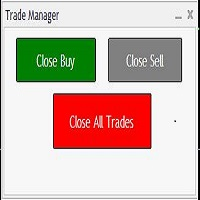
Trades Manager Buy and Sell Close
The Close Buy and Sell Expert Advisor is a free EA given to help traders manage trades easily especially during volatile market environment.
Features:
It helps to quickly close trades either in profit or loss. Close for separate Buy Only Close for separate Sell Only Close for both Buy and Sell Only Control Box can be minimized, closed or moved around from the chart.
It works for all open trades opened on the terminal.
Contact me for your specific coding
FREE

无论如何移动图表,都可以瞬间聚焦到您选择的时间点,轻松查看目标时刻的数据,非常方便分析和操作。 Focus Time Line Player 操作简便,可以快速关注任意时间点,提升分析效率。
【功能】 ・Focus Mode: SingleLine(默认显示) ・Crt FocusLine: 在任意时间创建一条焦点线 ・Position: 切换显示位置 ・Focus: 将图表视图移动到创建的焦点线上 ・X按钮: 退出程序
【操作步骤】 ・Focus Mode 保持默认 SingleLine 使用 ・点击 Crt FocusLine 创建一条 FocusTimeLine ・使用 Position 按钮选择显示位置 ・点击 Focus 将图表移动到选定的焦点 ・点击 X 按钮退出程序 版本比较 下表显示了本产品(Player版)与高端型号(Full Version)之间的功能差异。虽然用户界面(控制面板)的布局完全相同,但可用的模式和设置范围有所不同。
功能类别 Player Edition Full Version 基础聚焦 SingleLine SingleLine 扩展聚
FREE

Informational indicator to aid in trading English and Russian version Balance Equity Drawdown Margin level Opened orders Spread Total profit Profit for today Profit for yesterday Profit for the week Profit for a month Detailed statistics for 5 pairs Detailed statistics on the current pair ATR MarginCall quote and distance to it Breakeven quote and distance to it Minimum margin level Maximum drawdown Maximum possible lot to open Displaying the breakeven line Displaying MarginCall and Stopout lin
FREE

Trade Entry Journal is your ultimate solution for streamlining trade entries and journaling. Designed specifically for forex traders, this powerful tool automates the tedious tasks of calculating lot sizes, placing trades, and documenting your trading activities. Say goodbye to manual entries and focus on making smarter trading decisions. Key Advantages: Automated Lot Size Calculation : Calculate the perfect lot size based on your stop loss level and risk amount. The lot size will be adjusted t
FREE

Export Order History Free ! Meta Trader 4 script Please leave a review about this product to help other users benefit from it. Export trades history into a CSV file ( Excel sheet ) The summary is saved into a file in MQL4\Files folder. Choose / A ccount history / C ustom period from your MT4 Select period Click OK to Export file directory Open MT4 data folder CSV file ( Excel sheet ) Order > Open time > Close time > Type > Symbol > Size > Entry price > Exit price > T/P >
FREE
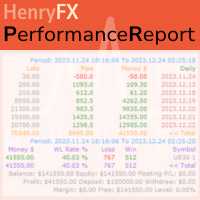
This Performance Report indicator is special design for some trader to analyst his/her performance.
FREE Version, included: - " Display Language "
- " Report Grouping "
- " Count Live Order "
- " Label Row Dis "
- " Label Font Size "
Performance Report Pro : : https://www.mql5.com/en/market/product/58287
Input Parameter: " Display Language "
:: [ English / Chinese ] Display language; " Report Title "
:: Show the report title as you want; " Report Grouping "
::
FREE

The script automatically downloads historical data for all instruments from the "Market Watch" window, on all timeframes from M1 to MN1. It is recommended to use the script before launching multi-symbol and multi-timeframe indicators that work simultaneously with many instruments. Features: To download quotes, the script uses the MQL API only. This is a necessary requirement for publishing programs on the MQL-Market. This method is fast enough, but effective in not all cases. A more reliable (bu
FREE

It's demo version of Auto StopLoss Defender , you can buy on page - https://www.mql5.com/ru/market/product/33112 or extended version of the program is Auto StopLoss Premium , you can set stoploss and takeprofit - https://www.mql5.com/ru/market/product/33113
Demo restrictions: Stop-loss reset to 0.10% for new order.
While you are trading, Auto StopLoss Defender doing all the routine work. "Must have" for scalping. Best way to save account balance in case of force majeure.(Internet connec
FREE

Alfa for MT4您的智能交易指挥中心 告别繁琐操作,专注决策本身。 是否厌倦了在多个图表窗口间手忙脚乱?是否曾因订单管理混乱而错失良机或蒙受损失? Alfa 为您而生。它不仅仅是一个工具,更是您部署于MT5/MT5平台的 交易指挥中心 ,旨在通过自动化与智能化,将您从重复劳动中解放,让您专注于捕捉市场机遇。 核心功能,直击交易痛点 全景式持仓管理
“一眼掌握全局,一键高效平仓。”
实时聚合所有订单与持仓,盈亏状况一目了然。支持 一键全平 、 一键平盈利单 或 平亏损单 ,助您在市场异动时快速反应,牢牢锁定利润。 深度盈亏统计
“不止于统计,更在于洞察。”
提供日、周、月、年等多维度可视化报告,清晰展示您的资金曲线与交易习惯。基于数据复盘,助您优化策略,实现持续成长。 ️ 精准订单监控
“秩序井然,掌控自如。”
全面监控所有挂单与活跃订单,配合自定义警报功能,确保没有任何交易机会在混乱中被遗漏。 高效复制交易
“策略同步,一劳永逸。”
轻松实现 模拟盘与实盘 、或多个实盘账户间的交易信号同步。无论是策略验证还是资金管理,都能极大提升效
FREE

Stop Guessing Your Lot Size. Trade With Defined Risk. Order Management Script is a FREE risk-management utility that automatically calculates your lot size, Entry, Stop Loss, and Take Profit based on your predefined trading rules. No manual position-size calculations.
No repeated SL/TP calculations.
Just define your risk and trading setup. KEY FEATURES Automatic Lot Size Calculation
Calculate the correct position size using: • Fixed monetary risk
• Percentage of account equi
FREE

This is the Free Version of "Just Copier MT4" (Please check : https://www.mql5.com/en/market/product/20920) This free version is available to be used within 2 hours only, and it has limited features. Please also check this product at fxina.hostingerapp.com.
"Just copier" is designed to copy trading without any complicated settings. The copy can be done in one PC. One EA can be set as master (provider) or slave (receiver). The receiver lot can be set to multiple providers lots. Any type of cop
FREE
MetaTrader市场是 出售自动交易和技术指标的最好地方。
您只需要以一个有吸引力的设计和良好的描述为MetaTrader平台开发应用程序。我们将为您解释如何在市场发布您的产品将它提供给数以百万计的MetaTrader用户。
