 MetaTrader 5
 专家
专家
 指标
指标
 程序库
程序库
 实用工具
实用工具
 窗口小部件
窗口小部件
 规则
规则
免费的MetaTrader 4 交易实用工具 - 3
 以下是可在MetaTrader 4中简化外汇交易的交易程序。将鼠标悬停在下面列表中的工具上,阅读它的描述和用途。
ATC Alert Manager 让您直接在图表上设置价格警报,并从一个小的面板管理它们。每个警报都显示为图表上的一条线,您可以将其拖动到新的价格。 警报在价格穿越您水平的时刻触发一次,带有弹出警报、声音和可选的推送到您手机的推送通知。已经超过水平的价格不会触发它,因此您永远不会每个 tick 都收到重复警报。
此工具也是 All In One Trade Management Panel MT4 的一部分,与仓位工具、交易管理和绩效分析一起。 主要功能: 一键添加警报。价格字段从当前价格开始,您选择方向:Above 或 Below。
为任何警报添加备注,例如「伦敦高点」。备注包含在警报消息中。
每个警报都绘制为一条线,图表右侧带有价格标签。拖动标签以更改价格,警报在新水平重新武装。
每个标签旁边的齿轮按钮打开该警报的编辑窗口。
面板列出每个警报及其状态:Armed、Fired(带时间)或 Disabled。
从面板启用、禁用、编辑或删除任何警报。启用已触发的警报会再次武装它。
警报为每个账户保存,并在重启、时间周期更改或品种切换后恢复。每个图表显示自己品种的线条。 输
FREE

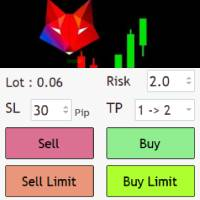
EA send order’s information in MT4 to Telegram channels Alert MT4 to Telegram by RedFox is an easy to use fully customizable utility that allows sending of specified signals to Telegram’s chat, channel or group, making your account a signal provider. Key Feature
Telegram Channel IDs : Send to many group, channel. Ex. -100xxxxx Add Footer Content: Add signature for content Send Pips Running: Send pips run when hit 20, 40, 80 pips Send screenshot: Send signal include screenshot Template Fil
FREE

Trade simplifier is a trade panel that simplifies trade opening. It is simple and easy to understand, with key features to ease trading. Features include:
Order type selection Fixed lot entry from the chart user interface Easy Take profit entry field on the chart user interface Visual take profit selection and adjustment via the line that appears when you click the Take Profit button Easy Stop loss entry field in points on the chart user interface Visual Stop Loss selection and adjustment via
FREE
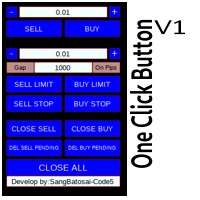
Simple button panel of trade on your chart with OneClick V1 Trial version. This trade panel will make it easier for you.
Equipped with several functions that make it very easy for you. More tools on OneClick VZ version, see here.
This version includes: Open Order Buy Open Order Sell Open Pending Order [Buy Limit - Buy Stop - Sell Limit-Sell Stop] Close ALL orders
Close Order Buy Close Order Sell Delete Pending Order [Buy Limit - Buy Stop - Sell Limit-Sell Stop] ENJOY IT!!! ONE CLICK V1 [TRIAL
FREE

EA Performance Hub (MT4) EA Performance Hub is a passive dashboard indicator that monitors the performance of every Expert Advisor running in your MT4 terminal. It automatically detects all magic numbers, reads EA names from order comments, groups multi-strategy robots, and shows core metrics in a single clean panel. This is a read-only utility . It does not trade, does not modify orders, and does not touch your positions. It only reads your account history and open trades to display statistics.
FREE

篮子阶段利润 EA ΜΤ4 是最先进的方法,可以在篮子利润的 3 个不同阶段(时间段)中处理一堆未结订单,并最终在所需的结束时间以任何利润或亏损将它们全部平仓。
产品安装 | 篮子阶段利润 EA MT4 设置/输入指南 | 更新购买的产品
特征 不使用马丁格尔、网格、平均或其他危险技术 以账户货币计的所有未平仓头寸组合的篮子获利,分 3 个阶段 第 4 阶段所有未平仓头寸以任何组合盈亏平仓 100% 自动化智能交易系统 MQL5 VPS 兼容
如何使用Basket Stage Profit EA MT4? 如果您手动交易,您应该将 Basket Stage Profit EA ΜΤ4 附加到您的 MT4 终端的单独图表,然后单击自动交易按钮。通过这种方式,您可以继续进行新的手动交易,并且篮子阶段利润 EA ΜΤ4 仅在满足您的自定义标准时才会起作用。如果您使用智能交易系统进行交易,您需要将 Basket Stage Profit EA ΜΤ4 附加到您的 MT4 终端上的单独图表,单击自动交易按钮,Basket Stage Profit E
FREE

This indicator copies graphical objects (vertical lines, horizontal lines, text labels, fibo and etc.) from master chart to other charts.
For example, you can copy lines from the chart GBPUSD with period H1 to chart GBPUSD with period M15. It's makes technical analyses more simple. Show label - show label on the Master chart, where you draw graphical objects to copy; Font size - font size of label; Type of synchronisation - type of synchronisation Copy text - on/off copy of text objects
Copy la
FREE
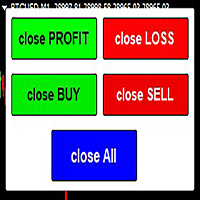
The script allows users to easily close positions if their profit/loss reaches or Close all orders just click function that you want.
Easy Close. - close PROFIT - close LOSS - close BUY - close SELL - close ALL ORDERS
If you find problem about function or you cant not work pls contact me. I will help you anytime.
Please Ratings and Reviews.
Thanks Traders. ENJOY.
FREE

Eagle Trade Copier
适用于 MetaTrader 4 和 MetaTrader 5 的本地交易复制器:在同一台电脑或 VPS 上,从 MT4 复制到 MT5、从 MT5 复制到 MT4,或在同一平台的终端之间复制。每个交易品种在首次复制前都会检查,每笔复制都像手动下单一样经过检查。 图表上的仪表盘实时显示账户、连接和每笔复制。
Eagle Trade Copier 在同一台电脑或 VPS 上运行的 MetaTrader 终端之间复制交易和挂单。一个文件,三种角色:在被复制的账户上作为 Transmitter,在每个复制账户上作为 Receiver,或作为 Self Copier 在同一账户内放大交易。首次复制前,它会测试连接并检查源账户的每个交易品种,图表上的面板会告诉您哪里会出问题以及如何解决。
与众不同之处 - 不同经纪商对同一品种的命名不同(EURUSD、EURUSD.r、EURUSDm、GOLD 和 XAUUSD)。点击一次 PING,即可列出所有无法复制的品种、您账户上对应的品种,以及能解决问题的准确 Prefix/Suffix 设置。 - 不会盲
FREE
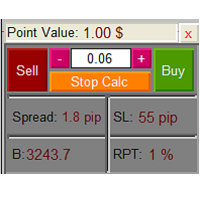
The Lot Calculation FJD is an expert for risk management for Meta Trader 4. This expert calculates the value of lot size for every position based on Trader’s given balance, Risk, and Stop loss. This expert is really user friendly, and calculates lot size with just a few clicks which helps traders specially the scalpers to open a position as quick as possible with respect to the Risk management.
The following inputs can be changed by the user: 1. Percentage of Risk per Trade (RPT %) 2. Balance
FREE
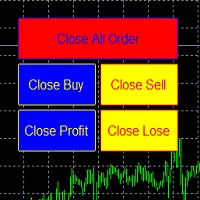
metatrader 4 ea simple closeall
you can get free ea by registering FBS broker through my link https://fbs.partners?ibl=621087&ibp=24536958
install ea in any pair and run it.. Congratulations on using the ea close assistant
Button Function : Close All Order = function to close all open orders and pending orders Close Sell = function to close all open sell orders Close Buy = function to close all open buy orders Close Profit = fu
FREE
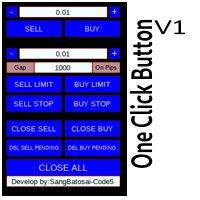
Simple button panel of trade on your chart with OneClick V1 Trial version. This trade panel will make it easier for you.
Equipped with several functions that make it very easy for you. More tools on OneClick VZ version, see here.
This version includes: Open Order Buy Open Order Sell Open Pending Order [Buy Limit - Buy Stop - Sell Limit-Sell Stop] Close ALL orders
Close Order Buy Close Order Sell Delete Pending Order [Buy Limit - Buy Stop - Sell Limit-Sell Stop] ENJOY IT!!! ONE CLICK V1 [TRIAL
FREE
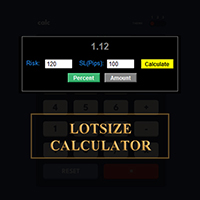
在 MetaTrader 平台直接計算您的交易手數!
各位交易員,大家好!您是一位注重風險管理的交易者嗎?如果是,那麼這款工具正是為您量身打造的。我叫 Ibrahim,我開發了一款工具,可以根據您帳戶餘額中的風險百分比來計算您的交易手數。如果您想要承擔一個絕對值的風險,而不是以百分比的形式指定風險,這款工具也能幫您計算出合適的交易手數。例如,您可以指定從您的帳戶餘額中拿出 100 美元來承擔風險。
MT5 版本: https://www.mql5.com/en/market/product/155025
它是免費的,歡迎體驗!請在評論區留言,告訴我您希望我添加哪些功能,或您希望我為社區開發哪些新的工具。
祝您交易愉快,自動化交易快樂!
FREE

Position Manager Pro v1.0 (MT4) Dual Magic Number Independent Group Manager with Live P&L Dashboard Overview Position Manager Pro is a powerful trade management Expert Advisor for MetaTrader 4 that operates as an overlay manager — it does not open positions itself, but instead manages and monitors positions opened by other EAs or manually by the trader. The core concept is two fully independent groups , each identified by a unique Magic Number . Each group has its own Take Profit, Stop Loss, and
FREE

TP Splitter MT4 TP Splitter MT4 is an advanced Expert Advisor (EA) designed to optimize your take-profit strategy by automatically placing copy trades with multiple TP levels. It ensures a structured exit plan while maximizing profits and managing risk efficiently. Unlike standard trade copiers, TP Splitter MT4 only executes copy orders when the entry price is more favorable than the master order. It places sell orders at a higher price and buy orders at a lower price. With built-in order manag
FREE

当市场处于 4H 或 1H 均线上方时考虑买入,处于下方时考虑卖出,可以降低大额亏损的风险。这会提高胜率。
它会在 5 分钟 K 线收盘价穿过 1 小时 (H1) 或 4 小时 (H4) 20MA 的准确时刻向您发出警报。
此工具专为重视高时段确认的交易者设计。它在后台监控市场,让您可以专注于任何图表,而不会错过关键的趋势转变。通过使用 M5 收盘价进行确认,它成功消除了由临时价格飙升(影线)引起的“噪音”和虚假信号。
主要特点: 实时监控 H1 和 H4 的 20 周期移动平均线。 仅在 M5 K 线确认收盘时触发警报。 适用于任何交易品种,即使您正在查看其他图表,它也能保持运行。 简洁、轻便且专业的警报消息。 旨在通过更高级别的趋势确认,帮助您建立更严谨的交易纪律。 本产品作为一个简单的实用工具提供。
同一开发者的其他产品也已在市场中发布。
FREE

This is a very simple indicator that mixes the Sunday session with the Monday one. This is useful because the Sunday session is a partial session mostly with only Australian and Asian sessions included, so the analysis of the Monday's daily session if mixed with Sunday tends to be more comprehensive. This indicator plots a candle with the following values: Open - the Friday's Close or Sunday's Open (depending on your choice). High - the highest High of Sunday and Monday. Low - the lowest Low of
FREE

This indicator draw a watermark on the chart, with the timeframe and symbol name. You can change everything, including add a aditional watermark. Functions: Symbol watermark: Size - text size. Font - text font. Color - text color. Background text - watermark at foreground or background mode. Horizontal correction - x correction in pixels. Vertical correction - y correction in pixels. Separator period X symbol - what will separate the period from symbol. Aditional watermark: Enable custom
FREE
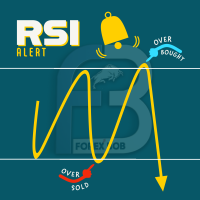
RSI PHONE ALERT RSI Alert is an amazing tool to get alerted on your mobile phone when Overbought/Oversell levels reached on RSI indicator. So that traders who doing manual trading can execute their trades from mobile phone while following their RSI strategy, as most of the traders use RSI for entering their trades. New suggessions are welcome INPUTS RSI levels RSI period Start/End time of the tool Custom text message to get on mobile phone Enable/Disable mobile alert function available Do not fo
FREE

Pending Orders EA BOT MT4 – 您终极的交易伴侣 MetaTrader 4 最强大的一键挂单网格 EA (针对 XAUUSD, NAS100, GER40, BTCUSD, Volatility 75 及所有主要货币对进行了优化) 在几秒钟内放置 100–1000+ 个完美分层的 Buy Limit/Buy Stop 或 Sell Limit/Sell Stop 订单,具有递增手数、3种模式的智能移动止损(Trailing Stop)和全图表控制功能。没有复杂的菜单——只有美观的大按钮和实时仪表板。此 EA 非常适合最小价格间隔为 0.01 的剥头皮交易(Scalping),能在几分钟内放置数百笔交易,或设置长期交易信号。未来,我们计划通过此 EA 提供交易信号,让您的交易更加轻松。如需更多详情和支持,请联系我们。 实时验证信号与证明 账户 1: tinyurl.com/3u3f4cjt 账户 2: tinyurl.com/4u6ukvzs 为什么要选择 Pending Orders EA BOT? 快速交易: 以最小 0.01 的价格间隔在几分钟内放置数百笔
FREE

You can manually open a trade (one click), and this EA will take care of setting the SL and TP. SL and TP are set based on the number of pips you specify in the input screen. You can also choose monetary SL and TP. SL and TP are determined based on the weighted average price (WAP), so if you open a new trade, SL and TP will be updated according to the new WAP. The WAP is not unique but differentiated between buy and sell trades (this is useful only if you open opposite trades on the same chart)
FREE
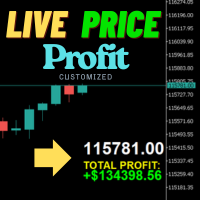
实时价格和总利润显示指标 专业交易者、日内交易者和直播者的终极实时交易伴侣 通过这个强大的指标改变您的交易体验,它直接在您的图表上显示实时买价和综合利润跟踪。专为高频交易环境和实时交易广播而设计。 核心功能 实时价格显示 每秒更新买价,具有专业格式 黄金/XAU和所有主要品种类型的特殊格式 大型清晰显示,完美适合屏幕分享和直播 自动品种位数检测,精确价格呈现 综合利润跟踪 从完整交易历史计算账户总利润 交易平仓时实时利润更新 可自定义的额外利润金额 可选的佣金和库存费包含 专业利润格式,清晰的正负指标 性能优化 智能缓存系统,最小CPU使用 1秒更新间隔,闪电般响应速度 高效的基于定时器的更新,平稳运行 实时交易监控和自动缓存刷新 专业错误处理和验证 高级自定义 显示设置 所有文本元素的可调字体名称和大小 盈亏和价格显示的自定义色彩方案 图表上任意位置的灵活定位 专业角落锚定,精确距离控制 适合专业交易者 日内交易 快速剥头皮决策的即时价格可见性 活跃交易会话期间的实时利润意识 清洁、非侵入性图表显示 技术规格 通用兼容性 所有品种类型:外汇、黄金、指数、加密货币 所有时间框架从M1
FREE

PartialAutoClose EA 是一款可对手动或自主交易开仓的持仓进行半自动、灵活管理的实用型EA。
【主要功能】 - 提供两种自动平仓逻辑可选: 可根据Heikin Ashi颜色变化或均线交叉自动平仓。 - 自动设置保本止损 达到设定利润后,止损会自动移到开仓价(或用户自定义水平)。 - 支持分批平仓或一次性全部平仓 出现平仓信号时,可选择仅平掉一半仓位(分批平仓)或全部平仓。 - 支持多持仓管理 可同时监控和管理同一图表下的多个持仓。 - 无需magic number,最适合人工/手动交易 无需magic number管理,自动管理所有手动或其他EA下的持仓。
【适合人群】 - 希望自动化管理人工建仓的平仓操作的交易者 - 希望在趋势反转或指标信号时只平部分利润的用户 - 需要自动设置保本止损且以手动建仓为主的交易者 - 想半自动化实现多持仓盈利与风险管理的用户
【参数示例】 - 平仓逻辑类型:Heikin Ashi或均线交叉 - 启用分批平仓 - 触发保本止损的利润(点) - ……以及更多自定义参数
【注意事项】 - 本E
FREE

The Buffer Reader will help you to check and export the custom indicators buffers data for your current chart and timeframe. You can select the number of buffer and historical bars to read/export. The data can be exported in a CSV format and the files will be stored in the folder: \MQL4\Files .
How it works Put the number of buffers to read in the Buffers_Total input parameter. Put the number of rows to display in the Rows_Total. Choose the CSV separator in the parameter. Copy the correct name
FREE

Tipu Trader is a part of Tipu Panel ecosystem that was developed out of need for quick and simple trading. Tipu Trader is an easy to use trade panel for commonly used trade functions. Create you own signals with Tipu Panel and trade along with Tipu Trader, a simple and easy to use trade panel.
Features An easy to use trade panel for most commonly used trade functions. Create your own personal trade signals with Tipu Panel , and trade with Tipu Trader. Customizable Panel. The panel can be moved
FREE

Live Risk Dashboard MT4 EA Monitor your account risk clearly and trade within your limits Live Risk Dashboard MT4 EA is a practical account-monitoring utility for MetaTrader 4. It displays your most important trading and risk information directly on the chart, helping remove the "math anxiety" of managing open positions. Instead of repeatedly checking different MT4 windows or manually calculating floating profit, drawdown usage, and remaining limits, you can view everything in one clean, compact
FREE

- The Symbol Changer Utility for MetaTrader is a tool that enables traders to switch between various symbols on the MetaTrader trading platform easily and quickly. - It is designed to change the symbol of the current and all open chart windows and the timeframe of the current chart window (by clicking the button). - The tool retrieves symbols from the Market Watch, displaying only the necessary symbols in the market watch.
FREE

MQT Lot Size Calculator 根据您选择的风险计算精确的手数——按账户净值的百分比 或固定金额——通过图表上三条可拖动的线:入场、止损和止盈。免费、轻量,且仅 用于计算:它绝不开仓、改单或平仓。 工作原理(逻辑说明): 方向由止损线的位置推断(在入场价下方为买入,上方为卖出)。 风险金额 = 账户净值 x 风险百分比(或您的固定金额)。 每手亏损 = 止损距离 / 最小变动价位 x 每跳价值。 手数 = 风险金额 / 每手亏损,始终向下取整到您经纪商的手数步长——绝不会 让您承担超过设定的风险。 面板显示:方向、入场/止损/止盈的价格与点数距离、以账户货币计的风险、计算 出的手数、取整后的真实风险、盈亏比、止盈处的潜在利润,以及所需保证金(若 超过可用保证金会发出警告)。 说明: 它只是一个计算器,绝不开仓、改单或平仓。 适用于任何品种和账户货币。 轻量:使用原生图表对象,无 DLL,无需联网。 有疑问或建议?请留言——24 小时内回复。
FREE

Unified Local Copier (ULC) — 本地智能跟单系统
Unified Local Copier 是一款面向 MetaTrader 4 / MetaTrader 5 的本地跟单 EA。系统不依赖外部 DLL,在同一台电脑上的 Master 与 Slave 终端之间实现低延迟、高可靠的订单同步。支持 MT4 与 MT5 跨平台组合使用。
当前版本:v1.30(MT5 / MT4)
一、工作原理与跟单范围
系统采用 Master-Slave(主从)架构。一个频道(Channel)内支持一主多从:一个 Master 账户向多个 Slave 账户同步交易指令。
Master(主控端) 实时监控本账户的全部交易动作,包括: - 挂单下达、修改、删除(Buy/Sell Limit、Stop 等) - 市价开仓 - 持仓止损 / 止盈修改 - 平仓(含部分平仓、对冲 Close By)
Slave(跟单端) 接收 Master 发出的交易指令,在本地账户上执行镜像操作。系统自动完成品种匹配、手数规范化、滑点控制,并将 Master 订单与 S
FREE
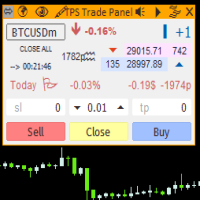
"TPS Trade Panel: Your Gateway to Effortless Trading
Introducing the TPS Trade Panel – the ultimate tool to streamline and enhance your trading experience across financial markets. Whether you're a novice or a seasoned trader, this feature-rich panel empowers you to execute trades swiftly and make informed decisions with ease.
Efficient Order Execution: Execute trades across multiple financial instruments without the need to navigate through complex menus. With a few clicks, you can open, clo
FREE

The script is based on the indicator Stochastic Oscillator.
The script draws up arrows or down arrows.
The tooltip arrows indicate the recommended price level.
The script can signal an alert, which also indicates the price level.
The script draws an up arrow when the Stochastic Oscillator lines go out of the oversold zone.
The script draws a down arrow when the Stochastic Oscillator lines out of the overbought zone.
Indicator signals are not filtered in any way - this is the classic Stocha
FREE

is a panel that groups FX Major & Minor quote currencies and shows the shared pip or point cost of a trade. View that cost for three fixed lot sizes or three account-balance risk percentages.
Currency Cost Constellation is a MetaTrader 4 chart panel for forex majors and minors that share a quote currency. Pairs with the same quote have the same pip cost for a given lot. The indicator uses that correspondence directly: it calculates the cost once for the group, then shows that cost for three lo
FREE

Alerts utility issues notifications when orders are opened, closed and removed, as well as when the price touches the selected graphical objects on the chart. The utility supports all graphical objects used in graphical analysis and features a simple graphical interface. Once launched, the indicator works in the background, does not take up space on the chart and does not consume system resources. Tracking order status.
If tracking order status is enabled, the utility automatically checks order
FREE

此工具提供了两个主要优势:它增强了MT5经济指标的使用便利性,并实现了与MT4的无缝数据共享。例如,您可以有效利用超过10年前的经济指标数据进行训练和回测。此外,它兼容MT4的 PracticeSimulator ,使其成为从历史数据交易练习到MT4实时交易的宝贵工具。 重要提示
此工具需要从MT5获取经济指标数据,因此在MT4版本中无法独立运行。请确保已安装MT5版本。 => MT5版本
MT5经济指标的改进 历史数据访问 : 分析包括超过10年前事件的经济指标数据,支持详细的回测和历史回顾。 可自定义显示 : 经济指标以不显眼的方式显示在您的图表上,并可选择与背景融合显示。 自动时间调整 : 自动调整时区和夏令时,确保历史事件的准确显示。 MT4的兼容性和优势 无缝数据共享 : 直接在MT4图表上使用MT5经济指标数据,包括实时交易和练习场景。 与PracticeSimulator的集成 : 兼容 PracticeSimulator ,使您能够将真实的经济事件纳入训练和策略测试中。 多语言支持 : 经济指标可以以您的母语显示,使工具更加易用。 此工具的独特功能是能够将MT5数据与
FREE
介绍 EA MartingaleTradeManager MT4,一款创新的专家顾问,旨在利用马丁格尔方法优化您的交易策略。这个 EA 非常适合希望自动化交易过程并通过系统化交易管理来弥补损失的交易者。 MQL产品安装指南 | 在 MT4/MT5 上更新已购买的MQL产品 | 常见故障排除指南 | 常规设置/输入指南 | 回测和设置文件 凭借其先进的功能,EA MartingaleTradeManager MT4 帮助交易者通过在亏损时进行对冲交易来有效管理其头寸,最大化利润潜力,同时最小化风险。这个 EA 非常适合新手和经验丰富的交易者,能够适应各种市场条件并提升您的交易表现。 MQL产品安装指南 | 在 MT4/MT5 上更新已购买的MQL产品 | 常见故障排除指南 | 常规设置/输入指南 | 回测和设置文件 主要特点 核心交易策略:利用马丁格尔策略通过进行对冲交易来弥补损失。 支持的时间框架:兼容多种时间框架,提高交易选择的灵活性。 风险管理:具有可自定义的止损和获利设置,以有效控制风险。 入场过滤器:包括 spread、交易时段和新闻事件的过滤器,以优化入场点。 头寸管理:实施
FREE

VisualRiskTool VisualRiskTool is a professional trade execution panel and risk management utility designed for MetaTrader. It streamlines the process of opening and managing positions by automating complex lot size calculations and providing a visual interface for setting stop-loss and take-profit levels directly on the chart. Core Functionality: Precision Risk Management The primary goal of VisualRiskTool is to eliminate manual calculation errors. By defining a fixed risk percentage (e.g., 0.5%
FREE

Auto Trailing Stop and Breakeven - Free
- Free Trailing Stop and Break Even Manager - Trailing Stop EA Free - Auto Breakeven
Free automatic trailing stop and breakeven manager for MT4. Moves your stop loss to break even and trails it for you - on every trade, hands-free. The free edition of Trail Architect.
Stop letting winning trades turn into losers. This free automatic Trailing Stop and Breakeven manager watches your open positions and moves the stop loss for you - first to break even, then
FREE

CleanView — Chart Management Utility for MetaTrader 4 CleanView is a utility designed to simplify the management of chart appearance and graphical objects in MetaTrader 4. It provides a compact button panel located in the upper-left corner of the chart, allowing quick access to functions for visual customization, chart cleaning, and display control. Functions and Buttons Clear Chart — removes all graphical objects from the current chart except the utility buttons. Useful for quick cleanup of lin
FREE

ELSNA Trade Manager ELSNA Trade Manager MT4 is an on-chart, multi-panel trade execution and position-management dashboard for MetaTrader 4 (MQL4) It replaces scattered right-click menus and manual ticket entry with a single draggable, zoomable, themeable control surface that works on any symbol and any timeframe. What it does Order entry. A MARKET panel fires BUY/SELL orders with one click (optional confirm dialog, optional instant mode), sized by fixed lot , risk % of balance, or a fixed risk a
FREE
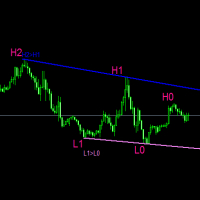
#forex #sharemarket #trading Disclaimer :- My videos, presentations, and writings are strictly for educational purposes and should not be considered investment advice. I cannot guarantee the accuracy of any information provided. It is essential to conduct your own research and consult a qualified financial advisor before making any investment decisions. I bear no responsibility for any financial losses or negative outcomes resulting from the use of my content. Please exercise caution and seek
FREE

Round numbers (or key levels) is an amazing strategy. These numbers are strong support and resistance levels. So what this indicator does is draw horizontal lines on the chart to help you find these levels. Configurations: 1St level: Color - lines color. Style - lines style. Width - lines width. 2Nd level: Second level lines? - turn off second level lines. Color - lines color. Style - lines style. Width - lines width. Space between lines in points - I don't need explain :) Display at backg
FREE

Hide Scale - 面向希望最大化图表空间的交易员的理想工具 如何使用 Hide Scale 按“T”键隐藏时间刻度,按“P”键隐藏价格刻度。 可以通过单击相应的按钮并选择每个功能的新键来自定义键盘快捷键。 如果想同时隐藏两个刻度,可以为两个选项分配相同的键。 要重新显示刻度,只需再次按相应的键即可。 Hide Scale 工具背后的原因 我们开发 Hide Scale 工具的目的是帮助使用我们的 Sweet VWAP 指标的交易员最大化其交易屏幕上的可用空间。 我们的目标是为那些需要处理屏幕空间不足的交易员创造更加高效和舒适的工作环境。 这个工具对于应用价格行为技术的交易员特别有优势,因为他们通常只需要监视蜡烛图的形成和价格的波动。 使用 Hide Scale,您可以轻松掌握刻度的控制。只需按下一个键,即可隐藏时间和价格刻度,需要再次使用时,只需再次按下相同的键即可。简单而高效! 这样,交易员就有可能专注于关键的市场评估。 自定义键盘快捷键设置 如果想自定义键盘快捷键,则可以通过单击相应的按钮并在键盘上输入新键来实现。这使得 Hide Scale 的使用更加适应个人喜好。 选择
FREE

(Multiple Close All) for MT4 a lightweight and efficient utility designed to help traders close their open positions and pending orders directly from the chart.
It provides a clean panel with interactive buttons, allowing quick closing of opened trades and deleting the Pending Orders with one click. Key Features: Close all BUY , SELL , or ALL positions with one click. MultipleCloseBy opposite trades.
Close only profitable trades or only losing trades . Close trades filtere
FREE

Export Order History Free ! Meta Trader 4 script Please leave a review about this product to help other users benefit from it. Export trades history into a CSV file ( Excel sheet ) The summary is saved into a file in MQL4\Files folder. Choose / A ccount history / C ustom period from your MT4 Select period Click OK to Export file directory Open MT4 data folder CSV file ( Excel sheet ) Order > Open time > Close time > Type > Symbol > Size > Entry price > Exit price > T/P >
FREE

DoIt EA Monitor - Multi EA Performance Dashboard for MT5 Your account can be profitable while one EA quietly drags down the portfolio. MetaTrader history shows the combined result, but it does not clearly show which strategy deserves more capital and which one needs attention. DoIt EA Monitor runs on one chart and separates live and historical performance by magic number, EA and symbol. It is completely read-only. It never opens, closes or modifies a trade. KNOW WHICH EA IS EARNING ITS PLACE Aut
FREE
显示当前市场信息,每秒更新一次。 点差大小; 掉期大小:针对空头和多头仓位; 可选显示当前时间; 多功能工具 :66+ 功能,包括此工具 | 如有疑问请联系我 | MT5版本 在指标设置中,您可以配置: 字体大小; 文本颜色; 选择位置:图表的左/右角; 开启/关闭当前时间显示(您计算机的本地时间); 程序文件应放在“ Indicators ”目录中。 多功能工具 :66+ 功能,包括此工具 | 如有疑问请联系我 | MT5版本 多功能工具 :66+ 功能,包括此工具 | 如有疑问请联系我 | MT5版本 多功能工具 :66+ 功能,包括此工具 | 如有疑问请联系我 | MT5版本 多功能工具 :66+ 功能,包括此工具 | 如有疑问请联系我 | MT5版本
//-----------
FREE

轻量化双色时段叠加指标 (MT4版) 标准时段指标只在图表上画一个巨大的空心方框,制造视觉杂乱却无法提供真正的分析价值。 Lightweight 2-Toned Session Overlays 彻底重构了时段方框的工作方式,将时段从开盘价处精准切分。 将“开盘到最高价”渲染为一种颜色,将“开盘到最低价”渲染为另一种颜色,您无需切换到小周期,就能一眼看出时段的方向性偏见、波动率和主导力量。如果上方色块巨大而下方色块极小,说明买盘自开盘起就占据绝对主导。 由 Forex Noob Tube 完全免费提供。 核心功能 双色视觉偏向: 瞬间读懂时段的故事。这种双色设计清晰展示了价格相对于时段开盘价的走势,助您轻松捕捉流动性猎取和时段反转。 智能资产识别: 自动调整常规外汇品种与黄金/股指(US30、NAS、XAUUSD)之间的逻辑,以适应CFD产品的午夜休市窗口。 策略性渲染延迟: 希望开盘时段保持图表清爽?可设置等待时段进行到 20% 时再绘制叠加层,让您在开盘高波动期间专注实时价格行为。 完整警报系统: 绝不错过任何一个交易时段开盘。支持针对伦敦和纽约时段的自定义桌面弹窗、声音以及移动端
FREE

EA可以通过搜索并平掉盈利仓位来平掉无利可图的仓位 。
该助手 在所有位置中 寻找 终端中 最 无利可图的位置 。 进一步地,通过搜索剩余的盈利头寸,他计算出当一个或多个头寸的 利润 大于另一个头寸的损失时可以弥补损失的一系列头寸。 如果找到一组此类头寸,顾问就会将其平仓。 一系列位置可以由任何位置组成。 它们的最大数量可以在顾问设置中调整。 您还可以指定搜索的最小损失和平仓的额外利润。 MT5版本
详细描述 如何购买
如何安装
如何获取日志文件 如何测试和优化 Expforex 的所有产品 您可以在策略测试器中测试 Expert Advisor,并在可视化模式下使用我们的 EAPADPRO 工具栏进行交易! 近减加加在图表上的工作原理 认为 您以 1.600 的价格开设买入 #1 仓位; 价格跌至 1.550 ,目前亏损 -50点; 盈亏平衡点(平均价格)= 1.600 ; 如果我们打开 SELL #2、Sell #3 和 Sell #4; EA 交易开始执行主算法。 那么总利润将为+5$; 智能交易系统 (EA) 激活算法,并且必须平仓
FREE
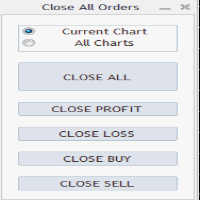
Close All Orders Assistant program sends orders to: Close All Profit, Close All Loss, Close All Buy, Close All Sell Positions. Depending on pressed button.
You can apply buttons to the current charts or for all charts. Enjoy using !
Attention ! The shutdown process may take a longer. Pay attention to this especially when you have more positions and the market is about to close.
FREE

Description VisualHistory plots positions (Buy and sell orders only) from history of account on a chart. It draws the standard arrows for entry/exit and connects them by the dashed line. Also, VisualHistory displays information on the top left corner of a chart concerning displayed positions: positions count, net profit. Download it to the <MQL4/Experts> directory of your MetaTrader.
Options
Start date for history orders - start date of displayed trade history End date for history orders - end
FREE

介绍 EA AccountTrailingStop MT4,这是一款先进的 Expert Advisor,旨在通过自动管理和保护您在 MetaTrader 4 上的利润来增强您的交易策略。该工具非常适合初学者和专业交易者,为各种交易环境中的动态利润锁定提供了强大的解决方案。 MQL产品安装指南 | 在 MT4/MT5 上更新已购买的MQL产品 | 常见故障排除指南 | 常规设置/输入指南 | 回测和设置文件 使用 EA AccountTrailingStop MT4,用户体验到显著的优势,例如在有利市场条件下提高利润保留率和减少手动监控时间。在 forex、指数和加密货币中,交易者注意到他们的整体盈利能力显著提高,使得这个 EA 成为任何希望优化交易表现的人的重要资产。 MQL产品安装指南 | 在 MT4/MT5 上更新已购买的MQL产品 | 常见故障排除指南 | 常规设置/输入指南 | 回测和设置文件 主要特点 动态利润跟踪:自动跟踪和追踪账户总利润,确保在当前利润低于最后一个峰值时平仓。 可自定义的追踪止损:根据您的利润水平设置追踪止损参数,实现量身定制的风险管理。 魔术号码支持:
FREE

This indicator show the candle remaining time on the chart and/or in the corner of the window. It also display notificaton (popup and push) when a new candle is formed (optional). You configure the timer on candles and at chart corner. I don't need to explain the functions because are very simple. MT5 version: https://www.mql5.com/pt/market/product/38470 Any doubt or suggestion to a new feature please comment. Enjoy!
FREE

Symbol Cost Monitor 是一款面向 MetaTrader 4 的专业分析工具,旨在帮助交易者同时快速监控多个交易品种的交易成本。 点差和隔夜利息会直接影响最终交易结果。对于剥头皮交易、日内高频交易、持仓数天以及同时交易多个品种的交易者而言,这一点尤其重要。MetaTrader 4 的标准界面无法在同一个窗口中方便地比较这些参数,因此交易者通常需要逐个打开品种规格并手动查看相关信息。 Symbol Cost Monitor 会收集所选交易品种的关键数据,并将其显示在图表上的紧凑型面板中。该工具可以帮助您快速识别点差较高的品种、比较隔夜利息、监控交易条件的变化,并在开仓前评估潜在交易成本。 面板会实时更新数据,并且可以监控 Market Watch 中的全部交易品种,也可以只监控用户自定义的品种列表。颜色提示能够帮助您快速发现交易条件恶化,而警报功能则可以在点差超过设定水平时及时提醒您。 主要功能: 同时监控多个交易品种,显示 Bid 和 Ask 价格,显示当前、最小和最大点差,显示 Swap Long 和 Swap Short,显示隔夜利息计算模式,显示三倍隔夜利息日,显
FREE

BackTester FX — симулятор ручной торговли MetaTrader 4 .
Позволяет моделировать рыночные условия на исторических данных в тестере стратегий, вручную открывать и закрывать сделки, анализировать торговые стратегии без рисков потерять. Ключевые возможности Эмуляция ручной торговли в визуальном тестере стратегий Совместимость с любыми инструментами и таймфреймами Быстрое управление ордерами (открытие/закрытие) Настройки объема сделки, Stop Loss, Take Profit Работает как в тестере стратегий так и на
FREE

UltraFast Trade Manager V2.60 - The Ultimate "True Break-Even" Utility The UltraFast Trade Manager is not an auto-trading robot that opens trades. It is a professional Trade Manager . Whether you use a Grid/Martingale EA, or trade manually, this tool manages your open trades, calculates your real profits, hides your targets from the broker, and closes your trades with one click. Version 2.60 is completely dummy-proof. It calculates everything for you, so you never have to guess your profit again
FREE

ClickDrag可以轻松地在图表上画线和移动对象。
点击,然后拖动,开始绘制趋势线。
水平移动鼠标可以画出价格线。
垂直移动鼠标可画出日期线。
现有的线和对象可以通过点击和拖动来移动。
显示开始点到结束点之间的价格和时间差。
开始后点击&拖动。
左右摇动来改变颜色。
向上和向下摇动可以删除。
- 什么是Click & Drag ?
1. 按下鼠标左键(按)。
2. 松开鼠标左键(释放)
3. 按下鼠标左键(按住)
4.保持按住并移动鼠标(拖动)
这个动作允许你画趋势线,移动对象,改变颜色和擦除。
箭头、价格对象、斐波那契、吉安线、周期线和形状也可以移动。
如果你不小心画了一条线,请移动到图表外,然后释放按钮。这条线就会消失。
比中间点击更容易。比中间点击的可见性更好。
但它不能用于不可选择的对象。
外汇的PIPS和差价合约的货币。
FREE

Displays the countdown to the current candle’s close and shows the live server time clearly on your chart, including the GMT. It is a fuss-free indicator, plug and play. Accurate Candle Timer is a simple and practical tool for traders who want to monitor candle timing without unnecessary clutter. It shows how much time is left before the current candle closes, helping you stay aware of when the next candle will begin. This is useful for traders who prefer to wait for candle close confirmation be
FREE

Key Features: Automatic swing detection on any timeframe (M1 to MN1) Visual arrow indicators (red for swing highs, blue for swing lows) Adjustable sensitivity with customizable swing strength parameter Dynamic arrow positioning that never overlaps with candles Instant display when changing timeframes - no delays Compatible with MT4 and MT5 platforms Clean, professional interface with minimal screen clutter Lightweight code for fast performance Customizable colors and arrow sizes
Customizable S
FREE

Stay ahead of market movements with precision and efficiency using DG Price Alerts , a MetaTrader 4 indicator designed for traders who demand accuracy and flexibility. This powerful tool is crafted to provide instant notifications when price levels are touched or breached, ensuring that you never miss a crucial market opportunity. Key Features: User-Friendly Interface: Seamlessly navigate through our intuitive graphical user interface. Effortlessly set up alerts by placing horizontal lines, tren
FREE

SAYON Trade Copier copies trades between MetaTrader accounts on the same computer or VPS: MT5 → MT5, MT4 → MT4, MT4 → MT5 and MT5 → MT4 .
One single EA for both roles: set it as Master on the account that sends the trades and as Slave on the accounts that copy them. You can switch role from the panel. FREE and complete. Every feature is included, with no limits on symbols or time.
To copy to or from MT5 accounts you also need SAYON Trade Copier MT5 on the MT5 terminals. Fast and reliable: the co
FREE

MultiTP Trade Manager EA — Advanced Trade Management Made Effortless (MT4)
Limited Offer – First 100 Downloads FREE!
Be among the first 100 traders to download Trade Anchor Manager (MT4/MT5) completely free of charge. Hurry – once the limit is reached, the offer closes instantly! After trying it out, we’d love if you could leave a review and share your thoughts – your feedback helps us improve and lets other traders know what to expect.
Need this Trade Anchor Manager for MT5? http
FREE

Local Trade Copier Local Trade Copier (LTC) 通过图表面板,在已连接的 MetaTrader 账户之间复制受支持的订单。它兼容 MT4 和 MT5 终端;只需在两端安装相应版本,即可进行跨平台连接。本工具复制符合条件的交易活动,不自行生成入场信号,接收账户的设置始终由您控制。 连接结构 单向复制时,将来源账户设为 MASTER,接收账户设为 RECEIVER。如果两个账户都需要共享符合条件的交易活动,可将其设为 PRIMARY 和 SECONDARY,启用 BI-DIRECTIONAL 双向操作。每个账户独立保留接收手数和品种偏好,方便适应不同账户规模或经纪商品种名称。 订单处理方式 可以复制符合条件的新 BUY 和 SELL 市价交易。建立连接时,已有市价持仓不会自动重新创建。 支持 BUY LIMIT、SELL LIMIT、BUY STOP 和 SELL STOP,也包括来源账户中符合条件的现有挂单。 挂单入场价格、止损、止盈、订单删除和来源账户触发的平仓等受支持的修改,将按所选模式处理。 交易管理选项 选择 工作方式 FOLLOW 同步
FREE

This EA gives traders a clean, full-window view of how large a position each Market Watch symbol can support at different percentages of account balance used as margin. It helps you quickly compare sizing options across symbols and risk levels without ever placing or modifying orders. The goal is simple position-size awareness so you can decide exposure before you trade.
Benefits Shows lot size potential across Market Watch symbols at up to three different % of balance margin levels side-by-sid
FREE

核心描述 Ultimate Trading Dashboard MT4 is a complete visual trading control system that integrates drag and drop order execution, multi-symbol monitoring, automated timeframe rotation, and advanced market analysis tools into a single unified workspace designed to improve speed, precision, and decision-making efficiency in manual trading on MetaTrader 4. 主要特点 支持直接在图表上拖放订单执行,并自动检测买入限价单、买入止损单、卖出限价单和卖出止损单。 单一界面即可自动轮换显示多种货币对的多符号监控 多时间框架自动切换,包括 H4、H1、M30、M15、M5 和 M1,提供持续的市场概览 多对阴影显示功能可同时显示多达 8 个相关仪器的阴影。
FREE

Kalifx Equity Guard — Account Protection Utility (MT4) Kalifx Equity Guard is a MetaTrader 4 risk-management utility designed to protect trading accounts from excessive losses and uncontrolled drawdowns. It continuously monitors account equity, floating losses, and daily performance, automatically taking protective action when predefined risk limits are reached. The utility operates independently of trade-entry logic and is fully compatible with both manual trading and automated Expert Advisors.
FREE

AutoRiskManage v2.3 — Documentation Expert Advisor — MetaTrader 4 & 5 AutoRisk Manage v2.3 Automated risk management EA with interactive graphical panel. Applies SL/TP, Break Even, Trailing Stop, and lot size calculation by risk percentage — for any instrument, any broker. MT4 / MT5 v2.3.0 MQL4 · MQL5 C2C + B2C Time Space Technology Overview AutoRiskManage is an Expert Advisor that acts as a risk management layer on top of any manually opened position. It does not generate trading signals — i
FREE

The professional utilities "Ichimoku Waves Meter" to analyse graphs using the correct interpretation of Ichimoku kinkōhyō!
Is a graphic program that allows traders to quickly and easily measure the proportions between the indicated points on the price graph. This time and price indicator is a basic tool for analysing the chart according to the Ichimoku strategy on the MT4 platform. Using this tool allows an insightful and complete analysis of time waves as well as price waves in a very short ti
FREE

KALIFX POSITION SIZE Calculator – Risk & Lot Size Tool (MT4) KALIFX PS Calculator is a chart-based utility designed to help traders calculate position size and manage risk directly from a simple on-screen panel. It provides a structured way to define trade parameters and view calculated results before placing an order. Key Features On-Chart Control Panel: Manage all inputs and actions from a compact interface on the chart. Mode Switching: Toggle between Risk % and Fixed Lot modes. Order Type S
FREE

The Price Line Alert Indicator will allow you to set price level that will alert you when hit, the price level will be shown in the chart as lines. Useful to get notified at specific prices, support, resistance, round numbers and so forth. If you want to a similar utility that will automatically close your position at a specific price check https://www.mql5.com/en/market/product/23113
How does it work? You can set several Price Lines and configured them to notify you if the price goes above or
FREE
MetaTrader市场是一个简单方便的网站,在这里开发者可以出售自己的交易应用程序。
我们将帮助您发布您的产品,并向您解释如何为市场准备您的产品描述。市场上所有的应用程序都是加密保护并且只能在买家的电脑上运行。非法拷贝是不可能的。
