RBR Risk Guard
- Yardımcı programlar
- Sürüm: 2.21
- Etkinleştirmeler: 10

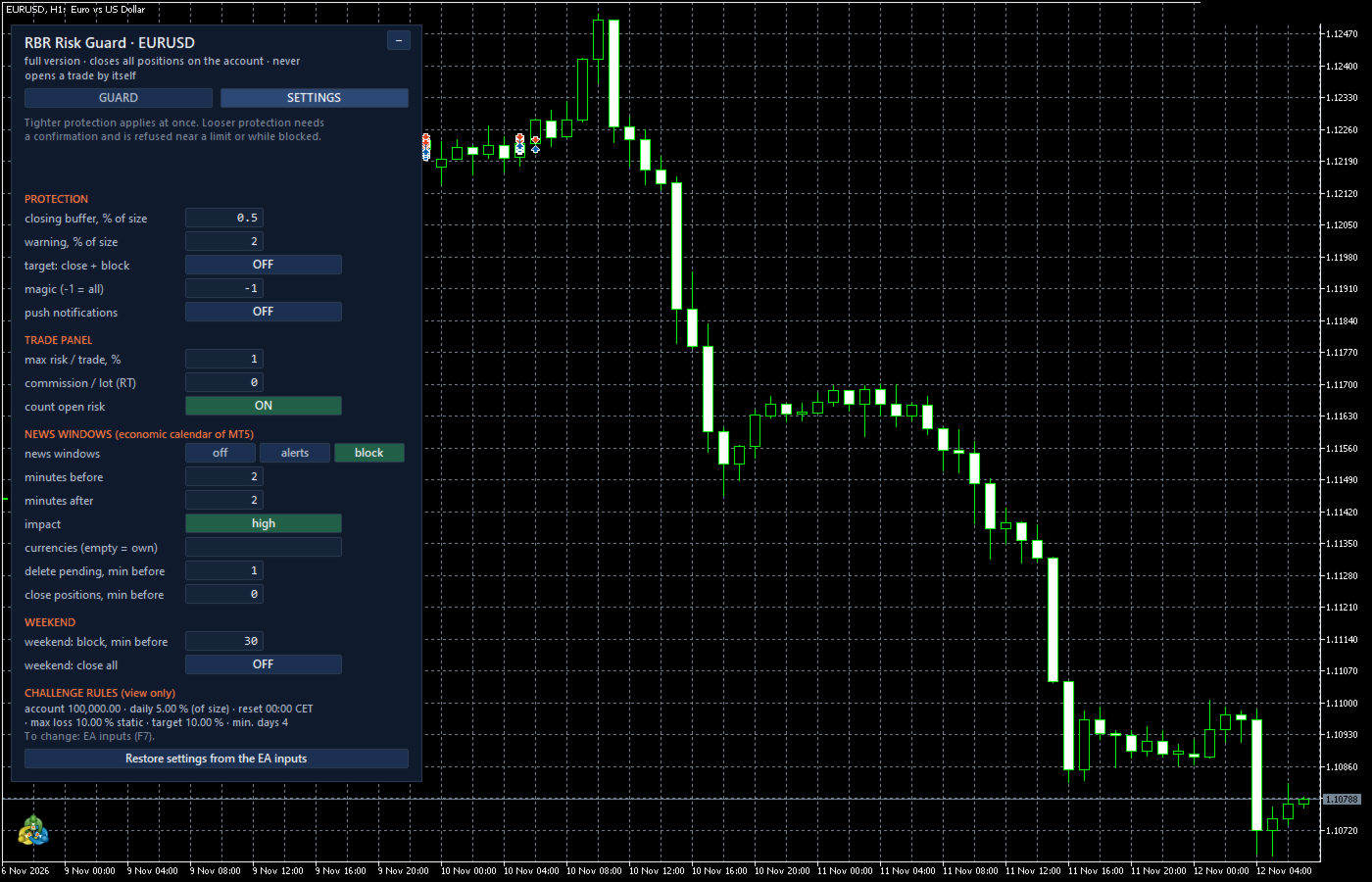
RBR Risk Guard watches the limits of a prop-firm challenge on your account equity, the way prop firms count them, and closes everything before a limit is reached. It does not trade for you: no strategy, no signals, no automatic entries.
What it guards
- Daily loss limit: a percentage of the account size or of the balance at the daily reset, counted from the balance or from the higher of balance and equity at the reset. Reset hour in broker server time, UTC, Central European time or New York time, with summer time changes.
- Max loss limit: static, trailing from the end-of-day high, trailing from the intraday equity high, or trailing until it reaches the account size.
- Profit target, minimum trading days and minimum profitable days, shown as counters.
What it does near a limit
A warning comes first (default: 2 % of the account size left to a limit), as an alert and, if you want, a push notification. When the room to a limit falls to the buffer you set (default 0.5 %), the EA closes all positions, deletes pending orders and blocks the trade panel until the next daily reset (daily limit) or until you remove the block (max loss limit). On hedging accounts opposite positions are closed in pairs to save one spread. Optionally it also closes everything and blocks when the profit target is reached.
Trade panel
A trade opens only when you click Buy or Sell. The lot is calculated from your risk per trade and the stop loss distance and rounded down. Before an order is sent the panel checks the room to both limits including the risk of open positions and pending orders, your maximum risk per trade, news windows and the weekend, and it always requires a stop loss. Manual orders from MetaTrader and orders of other EAs are not blocked before entry: they are checked after they open and closed if they break the rules.
News windows and weekend
News windows use the economic calendar of your MetaTrader 5 terminal: high impact or high and medium impact releases, for the currencies of each symbol or for your own list. Modes: alerts only, or block panel orders and close positions that open inside a window. Pending orders can be deleted, and positions of the affected symbols closed, a set number of minutes before a window. Weekend: block panel orders a set number of minutes before the market closes for the weekend and, if you want, close positions and pending orders at that moment.
Settings tab
Protection, news and weekend settings can be changed in the panel without restarting the EA. A tighter setting applies at once; a looser one needs a confirmation and is refused while the account is close to a limit.
Notes
- By default the EA closes all positions on the account (magic -1). To protect only one EA's positions, enter its magic number.
- Do not attach it to a terminal where another EA must keep its positions open.
- The day reference, the highs and the counters are saved and survive a terminal restart. If you start the EA in the middle of a challenge, enter the start values (today's reference balance, highest balance, days already done).
- The limits are checked by your terminal. If the terminal or the connection is off, nothing is guarded. Compare the numbers with your firm's dashboard; the firm's own rules always decide.
- The panel follows the terminal language (English, Polish, German).
- In the Strategy Tester there is no panel to click, so the EA only evaluates the limits there.