Smart Ai Trading Panel

SMART AI TRADING PANEL

User Manual — MetaTrader 5 (MT5)

Developed by RobotTradingCerdas
Website: https://robottradingcerdas.com
Copyright © 2026 Faisal Sagala

1. Introduction

Smart AI Trading Panel is a manual trading assistant for MetaTrader 5. It provides a convenient on-chart interface for opening trades, placing pending orders, managing Stop Loss and Take Profit levels, monitoring account information, and closing selected positions.

The panel includes the following features:

  • One-click Buy and Sell market orders.

  • Pending orders using Shift + Click or Ctrl + Click.

  • Editable lot size, Take Profit, Stop Loss, and Trailing Stop settings.

  • Break-Even management.

  • Average Take Profit management for BUY and SELL positions.

  • Selective closing of profitable or losing positions.

  • Bulk closing of positions and pending orders.

  • Account balance, equity, trading volume, and floating P/L monitoring.

  • Automatic position management based on configured equity targets.

Important: Smart AI Trading Panel is a trading assistant, not an autonomous AI trading strategy. The trader remains responsible for selecting entries, position sizes, and risk settings.

2. Installation and Setup

  1. Open MetaTrader 5.

  2. Select File → Open Data Folder.

  3. Open the MQL5 → Experts directory.

  4. Copy Smart Ai Trading Panel.mq5 into this directory.

  5. Open MetaEditor and compile the file.

  6. Return to MT5 and refresh the Navigator window.

  7. Drag the Expert Advisor onto the desired chart.

  8. Enable Algo Trading and allow automated trading when requested.

  9. Configure the input parameters and click OK.

The panel operates on the chart's current symbol. For example, attaching it to an XAUUSD chart makes it manage trades for XAUUSD.

3. Input Parameters

Open the EA properties and select the Inputs tab to configure the following parameters.


3.1 Trading Settings

Parameter Default Description
InpMagic 888 Magic Number used to identify positions and pending orders managed by the panel.
InpSlippage 10 points Maximum price deviation requested when opening or closing market positions. Actual execution also depends on broker conditions.

Important: The panel's position-closing and trailing-stop routines filter by both the current chart symbol and InpMagic. Use a unique Magic Number when appropriate to separate trades managed by this panel from other EAs.

3.2 Default Panel Values

Parameter Default Description
InpDefaultLots 0.01 Initial lot size displayed when the panel starts.
InpDefaultTP 1000 Default Take Profit distance.
InpDefaultSL 500 Default Stop Loss distance.
InpDefaultTS 0 Default Trailing Stop distance. Zero disables trailing stop.
InpDefaultUsePips true Sets the initial distance unit: true = PIPS, false = POINT.

The default TP, SL, and TS values are distances, not absolute market prices.

For example, if the panel is set to PIPS, TP = 100 means a target 100 pips away from the entry price. The actual price distance depends on the symbol's quotation format.

3.3 Break-Even and Average TP Settings

Parameter Default Description
InpAvgTPBufferPoints 0 Additional buffer, in points, applied to the average TP calculation. Zero uses the unadjusted average price.
InpBreakEvenColor Black Color of the Break-Even line on the chart.
InpTPAvgBuyColor Dodger Blue Color of the Average TP line for BUY positions.
InpTPAvgSellColor Orange Red Color of the Average TP line for SELL positions.

These settings determine the initial panel configuration. They do not guarantee a profitable trade or eliminate execution risk.

4. Understanding the Panel Layout

The panel is divided into five functional areas.

  1. Order Settings and Entry: Lot size, distance unit, TP, SL, TS, and market-order buttons.

  2. Position Tools: Break-Even and Average TP controls.

  3. Close Section: Buttons for closing selected positions and pending orders.

  4. Information and Dashboard: Trading volume, equity, balance, and floating profit/loss.

  5. Equity Targets: Account-level profit and loss thresholds.

4.1 Order Settings

Lots

Enter the desired trading volume, such as 0.01, 0.10, or 1.00. The broker's minimum volume, maximum volume, and volume step still apply.

Unit — PIPS / POINT

Click the unit button to switch between PIPS and POINTS. The selected unit affects the TP, SL, TS, and chart-based pending-order distances where applicable.

For most 3-digit and 5-digit forex quotes, one pip equals 10 points. Other symbols, especially metals and indices, may use different quotation conventions, so verify the symbol specifications with your broker.

TP — Take Profit

Sets the target distance from the entry price. Enter 0 to disable TP.

SL — Stop Loss

Sets the protective stop-loss distance from the entry price. Enter 0 to disable SL, subject to the panel's trailing-stop behavior.

TS — Trailing Stop

Sets the trailing-stop distance. Enter 0 to disable trailing stop.

The trailing stop in this panel only moves a BUY stop upward or a SELL stop downward when the position has moved into profit. It does not guarantee execution at the displayed SL price.

4.2 Market Entry Buttons

Buy Market

Opens a BUY position at the current available Ask price.

Sell Market

Opens a SELL position at the current available Bid price.

Before clicking either button:

  1. Check the lot size.

  2. Verify the PIPS/POINT unit.

  3. Set the desired TP, SL, and TS.

  4. Confirm the chart symbol and current market conditions.

Market orders are sent immediately, subject to broker execution and trading conditions.

4.3 Position Tools

BreakEven

Activates or deactivates the panel's Break-Even management. When active, the panel calculates a Break-Even level for the managed positions and displays the corresponding level on the chart.

The displayed Break-Even price is not necessarily a guaranteed net-profit price after commissions, swaps, and other trading costs.

TP AVG BUY

Activates Average Take Profit management for BUY positions. The panel calculates a shared TP level based on the average entry price and applies the target to the relevant BUY positions.

TP AVG SELL

Activates Average Take Profit management for SELL positions. The panel calculates and applies a shared TP level for the relevant SELL positions.

The Average TP features are useful when managing multiple entries on the same side. They do not guarantee that every position will close at the same final execution price.

4.4 Close Section

The following buttons provide selective position-closing functions.

Button Function
Buy Profit Closes managed BUY positions whose current position profit is positive.
Sell Profit Closes managed SELL positions whose current position profit is positive.
Buy Loss Closes managed BUY positions whose current position profit is negative.
Sell Loss Closes managed SELL positions whose current position profit is negative.
All Buy Closes all managed BUY positions.
All Sell Closes all managed SELL positions.
All Profit Closes all managed positions with positive position profit.
All Loss Closes all managed positions with negative position profit.
CLOSE INSTANT Closes all managed market positions.
CLOSE PENDING Deletes pending orders managed by the panel.
CLOSE DONTCARE Closes managed market positions and deletes managed pending orders.

Important: These buttons are action buttons, not confirmation prompts. Check the selected symbol and Magic Number before using them.

The profit/loss filters use the position's reported profit value. A position showing exactly zero is not included in either the positive-profit or negative-profit group.

4.5 Information and Dashboard

Field Description
LOT BUY Total lot volume of managed BUY positions.
LOT TOT Combined lot volume of managed BUY and SELL positions.
LOT SELL Total lot volume of managed SELL positions.
Equ Current account equity, including floating P/L.
Bal Current account balance.
P/L Combined floating position profit/loss calculated by the panel for managed positions.
Date and time Displays the trading server's current date and time.
BE Displays the current calculated Break-Even level when Break-Even management is active.

The displayed dashboard values refresh automatically. Equity and balance refer to the trading account, while the panel's position totals are limited by its symbol and Magic Number filters.

4.6 Equity Targets

The bottom of the panel contains four target fields.

Equity Profit

An absolute equity threshold. When account equity reaches or exceeds the entered value, the panel triggers its equity-target closing routine.

Example: If the account's equity target is 10500, the trigger is reached when account equity is at least 10,500 in the account's deposit currency.

Equity Loss

An absolute equity threshold. When equity falls to or below the entered value, the panel triggers its equity-target closing routine.

Example: If the threshold is 9500, the trigger is reached when equity is 9,500 or lower.

Target %

A percentage target calculated from account balance. This field represents a percentage of balance, not an absolute equity value.

Target $

A monetary profit/loss target based on the difference between equity and balance. This is useful for defining a floating-profit or floating-loss threshold in the account's deposit currency.

Enter 0 in a target field to disable that target. When a target is triggered, the panel attempts to close the relevant positions and pending orders according to its programmed routine. Triggered target fields are reset automatically.

Risk warning: Equity targets are account-level controls. They may affect trades beyond the current chart if the target routine closes account positions or orders without a symbol/Magic Number filter. Review the implementation and test on a demo account before relying on these controls.

5. Placing Pending Orders from the Chart

The panel supports pending orders using modifier keys and a chart click.

Shift + Click — Stop Orders

  1. Move the mouse over the desired price level.

  2. Hold Shift.

  3. Observe the horizontal guide line and the order label.

  4. Click the chart at the intended price.

The panel identifies the order type according to the selected price relative to the current market:

  • Above the Ask: BUY STOP.

  • Below the Bid: SELL STOP.

Ctrl + Click — Limit Orders

  1. Move the mouse over the desired price level.

  2. Hold Ctrl.

  3. Observe the horizontal guide line and the order label.

  4. Click the chart at the intended price.

The panel identifies the order type as follows:

  • Above the Ask: SELL LIMIT.

  • Below the Bid: BUY LIMIT.

The guide line is a preview of the proposed pending-order type and price. It is not an order until the chart click is processed.

Note: Pending orders use the panel's lot size and configured TP/SL distances. Check broker minimum-distance restrictions and verify the order in the MT5 Trade tab after placement.

6. Editing TP and SL on the Chart

When managed positions are present, the panel can display TP and SL lines on the chart.

  • Drag a TP or SL line to adjust its price level.

  • The corresponding panel distance field is synchronized with the selected level.

  • Editing the TP or SL distance fields applies the updated distances to the relevant managed positions.

  • A value of 0 removes TP or SL where supported by the panel's management rules.

If trailing stop has already moved the SL into profit, disabling trailing stop preserves that profit-locking SL. An SL that has not moved into profit may be removed when trailing is disabled.

Always confirm the final SL and TP levels in the MT5 Trade tab after changing them.

7. Recommended Trading Workflow

  1. Attach the panel to the chart for the symbol you intend to trade.

  2. Confirm the Magic Number and default parameters.

  3. Select PIPS or POINTS.

  4. Enter the lot size and desired TP, SL, and TS distances.

  5. Review the current market price and trading conditions.

  6. Open a market order or place a pending order.

  7. Monitor the dashboard and position levels.

  8. Use Break-Even or Average TP only when the relevant position-management behavior is understood.

  9. Use the selective close buttons to manage positions as needed.

  10. Confirm order status, volume, SL, TP, and execution results in the MT5 Trade tab.

8. Troubleshooting

The panel does not appear

  • Confirm the EA compiled successfully.

  • Check the Experts and Journal tabs for errors.

  • Confirm Algo Trading and EA permissions are enabled.

An order is rejected

  • Check the symbol's trading hours and minimum lot size.

  • Verify the pending-order distance and TP/SL levels.

  • Check the broker's execution restrictions and account permissions.

TP or SL values change unexpectedly

  • Check whether the panel is synchronizing its fields with current position levels.

  • Review whether trailing stop or Average TP is active.

  • Confirm the resulting levels in the Trade tab.

A close button does not close a position

  • Verify the chart symbol and InpMagic.

  • Check the Experts and Journal tabs for execution errors.

  • Confirm that the position meets the selected profit/loss filter.

Equity targets behave differently than expected

  • Verify the target value and account deposit currency.

  • Remember that equity changes with floating profit/loss.

  • Test each target independently on a demo account before live use.

9. Risk Disclaimer

Trading forex, gold, and other leveraged instruments involves substantial risk. Stop Loss, Trailing Stop, Break-Even, and equity targets cannot guarantee a specific execution price or prevent all losses. Slippage, spreads, gaps, liquidity, broker restrictions, and connectivity issues may affect results.

Smart AI Trading Panel is a trading utility. It does not guarantee profits and does not replace proper risk management.

Always test the panel on a demo account before using it in live trading.

RobotTradingCerdas
Website: https://robottradingcerdas.com
Copyright © 2026 Faisal Sagala


Önerilen ürünler
SmartRAL
Jemy Yeferson Dimu Ludji
SmartRAL (Smart Risk Auto-Lot EA) SmartRAL: The Ultimate Risk & Lot Management Expert Advisor (EA) SmartRAL is an essential tool for traders who demand precise risk management and automated position sizing in MetaTrader 5. Stop guessing your lot size and let the algorithm handle the calculations. This EA allows you to trade with confidence by guaranteeing your risk exposure on every single trade, while offering absolute flexibility in setting your Stop Loss (SL). Key Features & Benefits Guarante
Trade Manager Pro A complete discretionary trade-management cockpit for MetaTrader 5 — direction-aware position planning, prop-firm rule enforcement, a live correlation heat map, a pre-trade checklist gate, and one-click execution, all in a single on-chart panel. Overview Trade Manager Pro is not a signal-generating "black box" EA. It does not predict market direction and makes no profitability promises. Instead, it is a risk and execution management tool built for discretionary traders — partic
Bastion is a monitor-and-close-only risk manager for prop-firm traders. It watches your account against your firm's daily-loss and maximum-drawdown limits in real time and force-closes your open positions BEFORE you cross a line. It never opens a trade of its own, so it stays fully within the tools allowed by FTMO, FundedNext, The5ers, FTUK and FXIFY. Why traders fail challenges A large share of failed evaluations end on a single daily-loss breach: a moment of inattention, a news spike, one tra
Short Description Swing Timing Breakout EA is a smart Expert Advisor for MetaTrader 5 that combines trend filtering, momentum timing, and dynamic risk management to capture high-probability swing and breakout opportunities. Full Description Swing Timing Breakout EA is a professional trading robot designed for MetaTrader 5, suitable for traders who want a balance between automation, control, and disciplined risk management. This EA uses a trend-following and momentum confirmation approach ,
RRtoolbox - Professional Tools: Risk:Reward Trading Tool (SL/TP Horizontals + Pending orders + Diagonals), Alerts set on trend lines (for alerts on diagonal levels), SelfManagement (BE, partials...), close/cancelling by time, Statistics, Info and trading on chart. One-Click Trading with Visual Risk:Reward Management RRtoolbox is a comprehensive trading panel that combines one-click order execution,  statistics and  powerful visual Risk:Reward tools, alerts set with trendlines, on chart butt
ZF Equity Protector Premium v2.0 The Ultimate Daily Loss Breaker for Smart Traders & Prop Firm Hunters Have you ever blown a Prop Firm account just because of "one bad day"? Or has emotional revenge trading destroyed weeks of hard-earned profits in a matter of hours? Put an end to account destruction right now. ZF Equity Protector Premium v2.0 is an advanced automated safety system (EA) specifically engineered to be your capital's ultimate line of defense. This EA acts as a cold, calculated circ
If you've ever stared at a gold chart, done the math in your head three times, and still second-guessed your lot size right before entry - this tool was built for you. Current price: $39 - increases by $10 after every 20 purchases until reaching the final price of $89 . Next price: $49 . Complete Buyer Kit: 34 Professional Resources included at no additional cost. MT5 Presets, PDF Guides, Checklists, Mindmaps, Reference Cards, and Excel Workbooks - built from 8 years of developing structured XAU
MACD Sniper Pro
Noppawat Tumjai
MACD Sniper Pro is an advanced automated trading system designed for traders seeking high-precision entries and robust risk management. By combining the classic momentum of MACD Crossover with a strict ADX Volatility Filter and Dynamic ATR Management , this EA completely eliminates emotional trading and filters out dangerous flat/sideways markets. Unlike standard MACD indicators that suffer during consolidation, MACD Sniper Pro verifies trend strength before entering and protects your capital us
StrategyDeck — a cockpit for manual, discretionary trading. StrategyDeck draws and measures. It does not decide, and it never sends an order on its own. What it draws on the chart Opening range boxes for the Asia, Europe and US sessions, a linear regression channel, previous-day high and low with the day's open, and key candlestick patterns. Each drawing layer can be turned off, set to drawing only, or set to signal — and the signal position exists only where a measured scope is available.
Premium seviye, %80'den fazla doğru tahmin doğruluğuna sahip benzersiz bir göstergedir! Bu gösterge en iyi Ticaret Uzmanları tarafından iki aydan uzun süredir test edilmiştir! Yazarın göstergesini başka hiçbir yerde bulamazsınız! Ekran görüntülerinden bu aracın doğruluğunu kendiniz görebilirsiniz! 1, sona erme süresi 1 mum olan ikili opsiyon ticareti için harikadır. 2 tüm döviz çiftleri, hisse senetleri, emtialar, kripto para birimleri üzerinde çalışır Talimatlar: Kırmızı ok göründüğü an
Here   our more valuable tools SMC Trend Trading   ,  Easy SMC Trading  ,  Institutional SMC Architect Volume Analysis Tools  ,  Volume flow Profile  ,  Market volume profile  , FVG with Volume  , Liquidity Heatmap Profile  ,  Volume Spread Analysis You Give an Instruction: When you run the script, a window pops up with a dropdown menu. You choose exactly what you want it to do from the list (e.g., "Close Profit Only" or "Delete Pending Orders"). It Scans Your Positions: The script then reads
TRADEX EDGE MANAGER V1.00 – Configuration Overview  The Tradex Edge Manager V1.00 offers an intuitive and powerful set of customizable inputs, designed for precision trading and seamless automation with MT5. Below is a breakdown of its configuration categories and parameters: TELEGRAM SETTINGS Telegram Bot Token: Unique token to connect your EA to your Telegram bot. Telegram Chat ID: Destination group or channel where messages will be sent. Enable Telegram Notifications: Set to true to activ
Apex Terminal is a trade panel for MetaTrader 5 that sizes every position from your risk and manages it from entry to exit. Set how much you accept to lose and where the stop-loss goes. Before you click, the panel shows the lot, the loss at the stop and the profit at the full target. One click opens the trade with the stop-loss and the whole take-profit ladder already in place. TRADE - Position size from % of balance or equity, a fixed amount of money or a fixed lot. The lot is rounded down t
More stable MetaTrader 4 version is available here:  Lot Calculator Tool . This tool helps you to automatically calculate and manage risk, conveniently place orders visually, schedule orders, trail stops, move them to break-even and more. Features Place market or pending orders using draggable lines Schedule orders Calculate and limit risk using various methods See current spread See time till next candle Set custom order comments Trail stops Move stops to break-even See order profit/loss in p
Rulekeeper is a professional risk-management utility for MetaTrader 5, built for prop-firm traders (FTMO, FundedNext, The5ers, Apex, Topstep and any ECN account). It removes the human factor: tilt, overtrading and accidental rule violations. WHAT IT DOES 1. Daily Loss Limit — measures the day result from the balance at the close of the PREVIOUS trading day (configurable: day-start balance / day-start equity). When the limit is hit it closes all positions, removes pending orders and locks trad
EA otomatik kar al, otomatik al/sat, hacim yöneticisi, yanal işlem, takip eden açık nokta 1 – Otomatik al/sat aç EA ayarlara göre otomatik olarak al veya sat açar: kar, zararı durdur, hacim. Hacim yönetimi: toplam emir sayısı ve sabit boyut 2 – Otomatik kar al: ayarlara göre minimum karla kar al, minimum ve maksimum karlara göre kar al düğmesi 3 – Emir işleme: EA'da ayarlanan pip sayısına göre pozisyonun 3 seviyede zararı durdur vardır 4 – Yanal işlem: yanal tepe noktasında satış emri aç – yana
NVR Trade Manager is a professional manual trade management panel for MetaTrader 5. It combines risk calculation, order preparation, visual Entry / Stop Loss / Take Profit management and open-position management in one compact interface. The product is designed for traders who make their own trading decisions and want to execute them faster and more precisely in MetaTrader 5. Main Features • Market orders: Buy Market and Sell Market • Pending orders: Buy Limit, Sell Limit, Buy Stop and Sell Sto
FREE
Automatic TP and SL
Dushshantha Rajkumar Jayaraman
TradeGuard    by Chart Walker TradeGuard is a MT5 Expert Advisor (EA) designed to enhance your trading experience by automating key aspects of trade management. This EA excels in efficiently managing Take Profit (TP) and Stop Loss (SL) levels, offering a seamless and intelligent approach to trailing stops. One of TradeGuard's standout features is its Smart Trailing Stop, which dynamically adjusts the trailing distance based on market conditions. This adaptive approach helps maximize profits dur
Eabotpro Signals v3.0 A professional MetaTrader 5 indicator designed to deliver high-precision trading signals with real-time notifications, trade management tools, and a clean interface. "Recommended Base time frame is 4H Fibo From input . and trade time frame 1 mint , and 5 mint " Key Features: High-Accuracy Signals : Optimized for precision and consistency across different market conditions. Smart Trade Panel : Displays entry price, targets, stop levels, performance stats, and profit trackin
VRD Monitor, birden fazla EA çalışan bir MT5 hesabı için sermaye planlamasını ve hesap korumasını tek bir panelde toplar: Her EA'nın neye ihtiyaç duyduğunu kendi geçmişinden tahmin edin, bunu işletme sermayesi olarak belirleyin ve her EA'nın drawdown'unu buna göre sınırlayın. Birden fazla EA aynı hesabı paylaştığında, her birinin kendi sermaye rakamına ve kendi çıkış kurallarına ihtiyacı vardır. Monitor ikisini de EA bazında tutar; koruma o anda değil, önceden kararlaştırılır. Sizin için ne yapa
TradePilotmt5
Hossein Khalil Alishir
TradePilot Expert Advisor (EA) for MetaTrader 5 TradePilot is a professional and user-friendly Expert Advisor (EA) for MetaTrader 5 (MT5) . It simplifies automated trading , risk management , and trade execution with a smart trading panel . Perfect for beginners and experienced traders looking for a reliable trade manager EA with automated lot size calculation and smart position management. Key Advantages User-Friendly Trading Panel: Customizable panel with buttons and hotkeys for fast ex
CosmiCLab SMC FIBO CosmiCLab SMC FIBO is a professional trading indicator designed for traders who use Smart Money Concepts (SMC), market structure analysis and Fibonacci retracement levels. The indicator automatically detects market swings and builds Fibonacci levels based on the latest impulse movement. It also identifies market structure changes such as BOS (Break of Structure) and CHOCH (Change of Character), helping traders understand the current market direction. CosmiCLab SMC FIBO also pr
Gerçek para riskinden önce prop firm zorluklarında ustalaşın!   Gelişmiş simülatörümüz, özgün prop firm ticaret ortamlarını yeniden oluşturarak pratik yapmanıza, strateji geliştirmenize ve güvenle zorlukları geçmenize yardımcı olur. Simülatörümüzü kullanarak, demo veya gerçek hesaplar kullanarak herhangi bir prop firm zorluğunu simüle edebilir, hem manuel ticaret stratejilerini hem de EA'lar aracılığıyla otomatik ticareti destekleyebilir, özelleştirilmiş dönemler için kişiselleştirilmiş zorlukla
Expert TP SL v04 - Professional Trading Assistant with AI Motivation System Advanced manual trading tool with automatic risk management, overtrading protection, and intelligent psychological support for disciplined trading. PRODUCT OVERVIEW Expert TP SL v04 is a comprehensive trading assistant designed for manual traders who want to maintain emotional discipline while automating risk calculations. This isn't just another order placement tool - it's a complete trading psychology system that pr
Pattern Recognition EA
Claudiu-georgian Zavera
Pattern Recognition EA - From Learn to Earn. The market repeats itself. This EA finds every past repeat of the current candle sequence - and lets history vote the direction. ONE SHAPE. EVERY REPEAT IN HISTORY VOTES. The last N candles on your signal timeframe form a shape. The EA scans the history you choose - a fixed number of bars or everything your broker provides - for the SAME shape, and checks what happened next, every single time. Only when enough repeats exist AND a clear majority of t
Set Stop Loss and Take Profit in real USD value, not pips. Auto-protect every trade, lock breakeven in one click, and split TP across multiple targets. Works on any symbol. What This EA Does Auto SL TP Manager Breakeven Split TP MT5 is a trade management tool that protects and manages your open positions. It does not open trades for you. You open your own trades, and the EA handles the Stop Loss, Take Profit, breakeven, and partial close logic automatically. Instead of calculating Stop Loss and
Mine Farm
Maryna Kauzova
Mine Farm is one of the most classic and time-tested scalping strategies based on the breakdown of strong price levels. Mine Farm is the author's modification of the system for determining entry and exit points into the market... Mine Farm - is the combination of great potential with reliability and safety. Why Mine Farm?! - each order has a short dynamic Stop Loss - the advisor does not use any risky methods (averaging, martingale, grid, locking, etc.) - the advisor tries to get the most
CoPilot — Günlük Trading Panosu Sayılarınızı bilin. Netlikle işlem yapın. MT4 Sürümü CoPilot Nedir? CoPilot, tüm günlük performans istatistiklerinizi doğrudan grafik üzerinde gerçek zamanlı olarak görüntüleyen profesyonel düzeyde bir trading asistanıdır — her işlemde güncellenen bir canlı öz sermaye eğrisi ile birlikte. Grafikten ayrılmadan serinye anında görünürlük ihtiyacı duyan aktif yatırımcılar için tasarlanan CoPilot, tüm sembollerdeki günün her kapatılmış işlemini toplar ve temiz, renk ko
Apex Signal Stream – Trade Panel Version 2.47 | For MetaTrader 5 Overview Apex Trade Panel is a fully on-chart trading panel with two modes: Manual — precise control over every order, from lot sizing and SL/TP logic to trailing methods and batch close filters; and SignalStream auto-trade — the panel polls the Apex Signal Stream server over HTTPS and executes incoming signals behind 10 safety gates, reporting every outcome back. One panel, two ways to trade — and nothing enters your account that
PatternScope — Multi-Pattern Recognition for MT5 PatternScope is a multi-pattern recognition indicator for MetaTrader 5. It scans price action for classic chart patterns, confirms breakouts, and draws clear   Entry, Stop Loss and Take Profit   levels. A compact dashboard shows the latest pattern, bias and Risk:Reward. Patterns:   Double Top/Bottom, Triple Top/Bottom, Head and Shoulders (and inverted), Bullish & Bearish Flag, Pennant, Rising & Falling Wedge, Triangle, Rectangle, Cup and Handle —
Bu ürünün alıcıları ayrıca şunları da satın alıyor
Trade Assistant MT5
Evgeniy Kravchenko
4.43 (216)
It helps to calculate the risk per trade, the easy installation of a new order, order management with partial closing functions, trailing stop of 7 types and other useful functions. Additional materials and instructions Installation instructions - Application instructions Line function -   shows on the chart the Opening line, Stop Loss, Take Profit. With this function it is easy to set a new order and see its additional characteristics before opening.   Risk management  - The risk calculation
Trade Manager EA’ye hoş geldiniz! Ticaretin daha sezgisel, hassas ve verimli hale gelmesi için tasarlanmış nihai risk yönetim aracı ile tanışın. Bu sadece bir emir verme aracı değil; ticaret planlaması, pozisyon yönetimi ve risk kontrolü için kapsamlı bir çözüm. İster yeni başlayan bir yatırımcı olun, ister deneyimli bir trader ya da hızlı emir gerektiren bir scalper, Trade Manager EA ihtiyaçlarınıza uyum sağlar ve forex, endeksler, emtialar ve kripto paralar dahil tüm piyasalarda esneklik sunar
Farmed Hedge Yield Farming | All Markets (Manual - Hybrid - Semi/Automated EA) VERIFIED TRADING RESULTS - Farmed Hedge Yield Axi Copy:  https://www.mql5.com/en/signals/2356376 - Farmed Hedge Yield Exn Copy:   https://www.mql5.com/en/signals/2356404 - Farmed Hedge Yield V Copy:  https://www.mql5.com/en/signals/2357156 IMPORTANT NOTICE: FarmedHedge is a MANUAL-FOCUSED TRADING UTILITY ,not a fully automated EA. Results shown on this Signal include manual trades and overall strategic management.
Telegram to MT5 Multi-Channel Copier   , Telegram ve Discord kanallarınızdaki alım-satım sinyallerini doğrudan MetaTrader 5'e otomatik kopyalar. Bot yok, tarayıcı uzantısı yok, elle kopyalama yok. Sinyal Telegram'a veya Discord'a düşer ve EA birkaç saniye içinde terminalinizde işlemi açar. Ve bir kanalı kopyalamadan önce, yerleşik backtester o kanalın hesabınızda ne yapmış olacağını gösterir. Ürün iki bileşenden oluşur: Telegram kanallarınızı dinleyen bir Windows uygulaması ve sinyalleri MT5 ter
Telegram sinyallerini kendi işlem kurallarınızla kopyalayın Telegram to MT5 Signal Trader , herkese açık ve özel Telegram kanallarındaki ve gruplarındaki metin tabanlı işlem sinyallerini otomatik olarak MetaTrader 5'e kopyalar. Tek bir masaüstü uygulamasından birden fazla sinyal sağlayıcısını ve MT5 hesabını yönetin; her sağlayıcı için ayrı risk ve işlem ayarları belirleyin. Sinyal kopyalamak için Telegram botu veya API kurulumu gerekmez. Kendi Telegram hesabınızla telefon numarası veya QR kod k
TradePanel MT5
Alfiya Fazylova
4.88 (170)
Trade Panel, çok işlevli bir ticaret asistanıdır. Uygulama, manuel ticaret için 50'den fazla ticaret fonksiyonu içerir ve çoğu ticaret görevini otomatikleştirmeyi mümkün kılar. Uygulama talimatları: https://www.mql5.com/en/blogs/post/756482 Demo hesabı için uygulamanın deneme sürümü: https://www.mql5.com/en/blogs/post/750865 Uygulamayı nasıl kurulur: https://www.mql5.com/en/blogs/post/756239 Uygulamayı görsel modda nasıl test edilir: https://www.mql5.com/en/blogs/post/770277 Uygulamayı VPS MetaT
================================================================================ POC BREAKOUT - V20.72. Full Professional Grade Toolkit ================================================================================ POC Breakout is a full MetaTrader 5 trading dashboard for discretionary traders who want breakout signals, Point of Control (POC) context, volume profiles, order flow, market structure, news, alerts, and advanced trade planning in one professional workspace. Attached directly to you
REVDEN AI Desk: Trading'inizi Kendi Yapay Zekanızla Tek Bir Sohbetten Yönetin, REVDEN'in Piyasa Bağlamıyla Trading'inizi tek bir sohbetten yönettiğinizi düşünün. REVDEN AI Desk bunu MetaTrader 5'e getiriyor: kendi yapay zekanıza piyasayı nasıl okuduğunu sorarsınız, o da işlem yaptığınız semboller hakkında REVDEN'in tam bağlamından, yani durumlarından, risk görünümlerinden ve yaklaşan açıklamalardan yanıt verir. Önerileri giriş, stop, hedef ve riskle gelir; uygun olanları siz onaylarsınız. Kurall
News Trade EA MT5
Konstantin Kulikov
4.55 (11)
Birkaç yıldır kullandığım çok yararlı bir robotu tanıtıyorum. Hem yarı otomatik hem de tam otomatik modlarda kullanılabilir. >>> Chat <<< Program, ekonomik takvim haberlerinde esnek ticaret ayarlarını içeriyor. Stratejiler test cihazında kontrol edilemez. Sadece gerçek bir iş. Ayarların en son arşivini indirin: https://www.mql5.com/en/blogs/post/747929 Sinyal izleme: https://www.mql5.com/en/signals/author/test-standart Bu bilirkişi için kendi ayarlar setinizi oluştururken, blogdaki tüm paramet
RETAILBERG FOOTPRINT CHART PRO — Order-Flow Workspace for MetaTrader 5 Version 7.00  |  Professional System  |  31 tools  |  One chart A full 150-page illustrated User Manual is included. Please read the full manual to understand this feature packed footprint chart elements and ui. https://www.mql5.com/en/blogs/post/777982 DEMO / STRATEGY TESTER — PLEASE READ FIRST
The Patch It never opens a trade. It walks behind the ones that did. Every open position, every pending order — checked twice a second for the one thing that's easy to forget: a stop, a target. Found bare, it doesn't ask. It writes the missing number in, measured in points from wherever the position began, and moves on to the next. No strategy, no opinion on direction. Just the quiet assumption that nothing should ever sit on the market unprotected — not because someone decided it shouldn't,
Sonraki Güncelleme — Sürüm 2.52 Çok Yakında! [YENİ] Piyasa Analizinizi ve İşlem Sürecinizi Geliştirmek İçin Tasarlanmış 4 Büyük Yeni Özelliğe Hazır Olun İşlem ihtiyaçlarınızı karşılamak üzere tasarlanmış 4 yeni özellikle piyasa analizini bir üst seviyeye taşıyoruz. İşte yeni özellikler: TRADE OVERVIEW DASHBOARD CONFLUENCE AT ZONE STRONG & WEAK HIGH/LOW OTE 1. TRADE OVERVIEW DASHBOARD Piyasanın genel görünümünü daha kolay anlamanıza yardımcı olan, işlem kararlarınızı desteklemek için rehberlik s
Grid Manual MT5
Alfiya Fazylova
4.73 (22)
Grid Manual, sipariş ızgarasıyla çalışmak için kullanılan bir ticaret yardımcı programıdır. Yardımcı program evrenseldir, esnek ayarlara ve sezgisel bir arayüze sahiptir. Sadece kayıpların ortalaması yönünde değil, aynı zamanda kazanç artışı yönünde de bir emir ızgarası ile çalışır. Tüccarın bir emir ızgarası oluşturmasına ve eşlik etmesine gerek yoktur, bu yardımcı programı yapacaktır. Emri açmanız yeterlidir ve Grid manual otomatik olarak ona bir emir ızgarası oluşturacak ve kapanana kadar ona
EA Portfolio Control & Cloud Monitoring for MetaTrader 5 Your EAs manage trades. KONTROL_01 manages your EAs. A control system for traders running multiple Expert Advisors on the same account. Coordinate EA activity, manage trading risks and monitor your setup remotely. A detailed User Manual is available via DM after purchase. IN PRACTICE Multiple EAs. No coordination. Your EAs trade independently, unaware of each other's activity. KONTROL_01 coordinates them, limits simultaneous activity a
The product will copy all telegram signal to MT5 ( which you are member) , also it can work as remote copier.  Easy to set up, copy order instant, can work with almost signal formats, image signal,  s upport to translate other language to English Work with all type of channel or group, even channel have "Restrict Saving Content", work with  multi channel, multi MT5 Work as remote copier: with signal have ticket number, it will copy exactly via ticket number. Support to backtest signal. How to s
Floor Watch
Syed Tauqeer Hussain Shah
Floor Watch One number, watched every thirty seconds: how far equity has fallen since the day began — or since its highest point, if it's told to trail the peak instead of the open. Cross the line and it doesn't argue. Every open position closes, every pending order vanishes, and anything that slips through afterward gets shut the moment it appears. Not asked. Removed. The floor holds until the clock turns 5 AM Pakistan time — then, and only then, does the day start over. One rule. No except
Power Candles Strateji Tarayıcısı - Kendi Kendini Optimize Eden Çoklu Sembol Kurulum Bulucu Power Candles Strateji Tarayıcısı , Power Candles göstergesini çalıştıran aynı kendinden optimize edici motoru, Piyasa İzleyicinizdeki her sembol üzerinde yan yana çalıştırır. Tek bir panel, şu anda istatistiksel olarak hangi sembollerin işlem yapılabilir olduğunu, her birinde hangi stratejinin kazandığını, en uygun Stop Loss / Take Profit çiftini gösterir ve yeni bir sinyal geldiği anda size bildirim gön
EA Auditor
Stephen J Martret
5 (6)
EA Auditor is an independent analysis tool for traders evaluating Expert Advisors and trading signals on MetaTrader 5. It audits backtest reports, reviews posted developer signals, and cross-verifies the two against each other to help traders assess strategies before committing capital. The MQL5 market offers a wide range of Expert Advisors from many developers, with varying approaches, quality, and transparency. EA Auditor provides a consistent, data-driven framework for reviewing them, answer
YuClusters
Yury Kulikov
4.93 (43)
Attention: You can view the program operation in the free version  YuClusters DEMO .  YuClusters is a professional market analysis system. The trader has unique opportunities to analyze the flow of orders, trade volumes, price movements using various charts, profiles, indicators, and graphical objects. YuClusters operates on data based on Time&Sales or ticks information, depending on what is available in the quotes of a financial instrument. YuClusters allows you to build graphs by combining da
DrawDown Limiter
Haidar Lionel Haj Ali
5 (23)
DrawDown Limiter v5.0 — Gelişmiş Hesap Koruma Kontrolcüsü DrawDown Limiter v5.0, trading hesabınızı izlemek ve yapılandırılmış risk, kâr, haber, zamanlama, rollover veya pozisyon sayısı limitlerine ulaşıldığında otomatik olarak tepki vermek üzere tasarlanmış istemci taraflı bir hesap koruma kontrolcüsüdür. Tek bir özel grafik üzerinden manuel işlemleri, otomatik stratejileri, birden fazla Expert Advisor'ı, bekleyen emirleri ve açık pozisyonları izleyebilir. Tüm hesabı koruyabilir veya Magic Numb
Master Your Trading Discipline   Stop losing your hard-earned gains to overtrading and emotional decisions. The Discipline Tool is your ultimate trading assistant, ensuring strict risk management in real-time. Key Protection Features: Advanced Drawdown Defense : Automatically halts trading if your daily drawdown exceeds a preset threshold (percentage or dollar amount). Real-Time Equity Lock : Safeguard profits by referencing peak equity, ensuring drawdown stays within control. Hard Profit Target
Dealer's Panel No signal decides anything here — a hand does. One click, and the panel calculates what's underneath: lot size from risk, target from a 30-step balance ladder that remembers exactly how far an account has climbed. Toggle between market and pending without touching an input field. Set a stop, and the take-profit can write itself — a fixed share of the balance, translated into price with no arithmetic left for the trader to get wrong. One trade live at a time; it won't let a seco
Desteğe mi ihtiyacınız var? Nasıl kurulur? Sorunuz mu var? Buradan kendi dilinizde sorun, hızlı yanıt: https://www.mql5.com/en/market/product/139088/comments Çalışan Demo İndir Copy Cat More (Taklitçi Kedi) — İşlem Kopyalayıcı (Trade Copier) MT5 , yerel bir işlem kopyalayıcı ve bugünün ticaret zorlukları için tasarlanmış eksiksiz bir risk yönetimi ve yürütme çerçevesidir. Prop firm challenge'larından kişisel portföy yönetimine kadar, sağlam yürütme, sermaye koruması, esnek yapılandırma ve geli
Trade Indicator Assistant   is a powerful MT5 utility designed to turn indicators into automated trading systems. Its main feature is the ability to automatically detect an indicator’s   BUY and SELL signal buffers , without requiring you to know the buffer numbers, search through indicator settings, or modify the indicator source code. Bonus Indicator:   After purchasing Trade Indicator Assistant, contact me to receive   Trade Signal Pro   completely free as a bonus indicator. [Download Demo V
Bir kez satın alın. Şu anda sunulan ve gelecekte yayımlayacağım tüm MT4 ve MT5 göstergelerimi ve işlem robotlarımı (EA) ek ücret ödemeden edinin. Satın aldıktan sonra edinme talimatları için benimle iletişime geçin. Her 10 satın alımdan sonra fiyatın 50$ artırılarak en fazla 999$ olması planlanmaktadır. Ödeme sırasında Market’te görünen fiyat geçerlidir. Güvendiğiniz göstergeyi kullanmaya devam edin. Çevresindeki işleri otomatikleştirin. Sizin sinyaliniz. Sizin kurallarınız. Sizin işlem yürütme
Quant AI Agents are independent trading Expert Advisors. Instead of trading using a fixed strategy like other conventional EAs, Quant AI Agents   is a   multi-agent AI trading framework   that turns natural-language strategy prompts into live.  WANT THE SAME RESULTS AS MY LIVE SIGNAL?   Use the exact same brokers I do:   IC MARKETS , IC TRADING   .  Unlike the centralized stock market, Forex has no single, unified price feed.  Every broker sources liquidity from different providers, creating un
EASY Insight AIO – Akıllı ve zahmetsiz yatırım için hepsi bir arada çözüm Genel Bakış Tüm piyasayı — Forex, Altın, Kripto, Endeksler ve hatta Hisseler — saniyeler içinde, manuel grafik incelemesi, gösterge kurulumu ya da karmaşık ayarlar olmadan analiz edebildiğinizi hayal edin. EASY Insight AIO , yapay zekâ destekli yatırım için nihai, kullanıma hazır dışa aktarma aracınızdır. Tüm piyasanın kapsamlı bir anlık görüntüsünü tek bir temiz CSV dosyasında sunar; bu dosya ChatGPT, Claude, Gemini, Pe
Daily Trading Limiter
AL MOOSAWI ABDULLAH JAFFER BAQER
5 (8)
• Please test the product in the Strategy Tester before purchasing to understand how it works. • If you face any issues, contact me via private message—I’m always available to help. • After purchase, send me a screenshot of your order to receive a FREE EA as a gift. Daily Trading Limiter — the rule you cannot break Every trader knows the number. Three trades. Two percent. One bad day and stop. And every trader has watched themselves take the fourth trade anyway. The problem was never knowing th
EA Overfitter
Stephen J Martret
5 (1)
That backtest looks great. But will it still be making money tomorrow, next week, next month? EA Overfitter re-runs your EA on 100 price histories it has never seen. One score tells you if the edge is real. A backtest tells you what an EA did on one price history — the one that happened to occur. What you cannot tell from it is how much of that result was the strategy and how much was the particular path. EA Overfitter answers that. It builds up to 100 synthetic price histories your EA has n
FUTURES ORDERFLOW FOOTPRINT CHART Professional OrderFlow EA for MetaTrader 5 Version 1.01| Professional tool for real traders | Institutional-Grade Visualization STRATEGY TESTER USERS - PLEASE SELECT EVERY REAL TICK WHEN TESTING AND YOU HAVE DOWNLOADED HISTORICAL DATA. IF YOU SEE A WAITING SCREEN AND IT IS NOT DOWNLOADING, IT MEANS YOU HAVE LOW HISTORICAL DATA. TRY 1 MIN AND 5 MIN FIRST ON 1 DAY DATA. ONE DAY DATA SHOULD BE THE NEWEST AND MOST CURRENT DATE. PLEASE WAIT UNTIL THE MARKET HAS ROL
Yazarın diğer ürünleri
Transform Your Trading with SmartFastTrade AI: Speed and Ease at Your Fingertips! Introduction Are you a trader struggling with slow order execution? Do you want a tool that can assist you in making quick and accurate trading decisions? If yes, then SmartFastTrade AI is the answer to all your trading needs. With its unique combination of speed, user-friendliness, and advanced features, SmartFastTrade AI will help you unlock your full trading potential. Let's delve deeper into why this innovativ
MACD Spectra
Muhammad Faisal Sagala
MACD Spektrumu , basit ancak kârlı bir ticaret göstergesi! Bu gösterge tüm zaman dilimlerinde ve tüm para çiftlerinde kullanılabilir. %90'ın üzerinde bir doğrulukla, bu gösterge, ticaret faaliyetlerine yardımcı olacak en iyi göstergeyi arayan hem acemi hem de profesyonel tüccarlar için mükemmeldir. Sadece histogramın rengini, histogramın konumunu ve Sinyal ve MACD çizgilerinin konumunu takip ederek piyasaya kolayca girebilir ve çıkabilirsiniz. Daha fazla beklemeyin, MACD Spektral ile düzenli kar
SmartTradePanel, tacirlerin emirleri hızlı ve verimli bir şekilde yerine getirmelerini sağlayan bir ticaret aracıdır. Sağlanan gelişmiş özelliklerle SmartTradePanel, tacirlerin açık emirleri yönetmelerine ve işlemlerinin kar potansiyelini optimize etmelerine gerçekten yardımcı olur. Bu yazıda, SmartTradePanel'in özellikleri ve avantajları hakkında daha fazla konuşacağız. SmartTradePanel'in ana özelliklerinden biri, açık emirlerin hızlı bir şekilde gerçekleştirilmesidir. Sadece birkaç tıklamayl
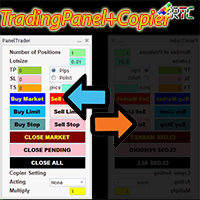
Bu TradingPanel, benzer ticaret panellerine kıyasla birçok avantaja sahiptir: 1. Anında (piyasa) ve bekleyen emirleri istenen fiyattan açın. 2. TakeProfit (TP), StopLoss(SL) ve ayrıca pip veya puan modunda ayarlanabilen TrailingStop(TS) ayarları. 3. Sadece piyasa emirlerini veya sadece bekleyen emirleri veya piyasa türündeki ve bekleyen tüm emirleri kapatabilirsiniz. 4. Ayrıca master olarak açılan emirlerin client olarak lot skala değerinin clienttan ayarlanabildiği panele kopyalanabildiği Copy
Rtc ML Ai | Predictor CORE MACHINE LEARNING ENGINE Adaptive ML Market Predictor – Multi-Bar Trend & Candle Forecast What This Indicator Does This indicator is a  real-time market prediction engine  designed to analyze price behavior and estimate  future market tendencies . Unlike conventional indicators, this system  does not rely on static parameters or historical curve-fitting , but adapts its internal state dynamically during live market operation. Instead of using static rules, the indic
RTC ML AiBot
Muhammad Faisal Sagala
RTC ML AiBot | ML Signal Executor EA – Risk-Managed Single Entry System RTC ML AiBot is not a typical “plug-and-profit” robot. It is a professional-grade execution and risk control engine, designed to work alongside an advanced machine-learning signal system. This EA exists to solve one critical problem most traders face:  protecting capital while executing signals with discipline and consistency. RTC ML AiBot is built as a dedicated execution and risk management layer for advanced signal-based
RtcSpectra5
Muhammad Faisal Sagala
Attention :   Please send a message to us if you still don't understand and are expected to follow the recommended capital size, lots size value, and one of the brokers whose portfolio we display. " For those of you who buy RTC Spectra products by ignoring our recommendations, you don't need to provide bad testimonials for your own mistakes!".  The Expert Advisor (EA) named "RTC Spectra" is designed for the long term with good and consistent results. This EA has been proven to perform very well
RtcDERIV
Muhammad Faisal Sagala
Deriv.com'da güvenli, hızlı ve etkin bir şekilde işlem yapmak ister misiniz? Çeşitli stratejiler denediniz, ancak doğru olanı bulamadınız mı? Endişelenme, bir çözümümüz var! Deriv.com'a özel en yeni Uzman Danışman olan RtcDERIV, geçen yıl %10.000'den fazla kâr kaydetmeyi başaran bir ölçeklendirme ve martingale stratejisi kombinasyonuyla birlikte gelir. RtcDERIV'in avantajlarından biri Volatilite Endeksi'nde, özellikle Volatilite Index 25'te kullanılmasıdır ki bu gerçekten şu an için çok iyi. D
Rtc ML Ai Predictor
Muhammad Faisal Sagala
Rtc ML Ai | Predictor CORE MACHINE LEARNING ENGINE Adaptive ML Market Predictor – Multi-Bar Trend & Candle Forecast What This Indicator Does This indicator is a  real-time market prediction engine  designed to analyze price behavior and estimate  future market tendencies . Unlike conventional indicators, this system  does not rely on static parameters or historical curve-fitting , but adapts its internal state dynamically during live market operation. Instead of using static rules, the indic
RTC ML AiBot MT5
Muhammad Faisal Sagala
RTC ML AiBot | Built-In Brain Machine Learning - Single Entry System RTC ML AiBot is not a typical “plug-and-profit” robot.  It is a professional-grade execution and risk control engine, designed to work alongside an advanced machine-learning signal system. This EA exists to solve one critical problem most traders face:  protecting capital while executing signals with discipline and consistency. Live Result RTC ML AiBot RTC ML AiBot is built as a dedicated execution and risk management layer fo
Transform Your Trading with SmartFastTrade AI: Speed and Ease at Your Fingertips! Introduction Are you a trader struggling with slow order execution? Do you want a tool that can assist you in making quick and accurate trading decisions? If yes, then SmartFastTrade AI is the answer to all your trading needs. With its unique combination of speed, user-friendliness, and advanced features, SmartFastTrade AI will help you unlock your full trading potential. Let's delve deeper into why this innovativ
SMART AI TRADING PANEL - WIDE PANEL User Manual — MetaTrader 5 (MT5) Developed by RobotTradingCerdas Website: https://robottradingcerdas.com Copyright 2026 Faisal Sagala 1. Introduction Smart AI Trading Panel Wide  is a manual trading assistant for MetaTrader 5. It provides a convenient on-chart interface for opening trades, placing pending orders, managing Stop Loss and Take Profit levels, monitoring account information, and closing selected positions. The panel includes the following featu

Filtrele:
Değerlendirme yok
Değerlendirmeye yanıt