Sayon Orders Manager MT5
- Yardımcı programlar
- Sürüm: 1.0
- Etkinleştirmeler: 10

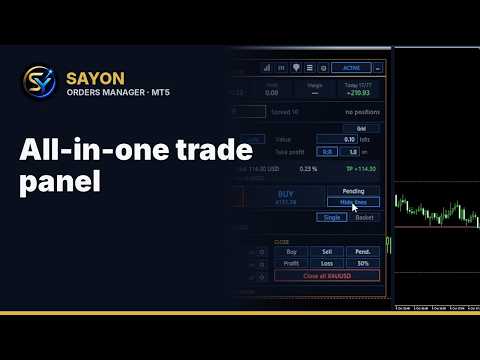
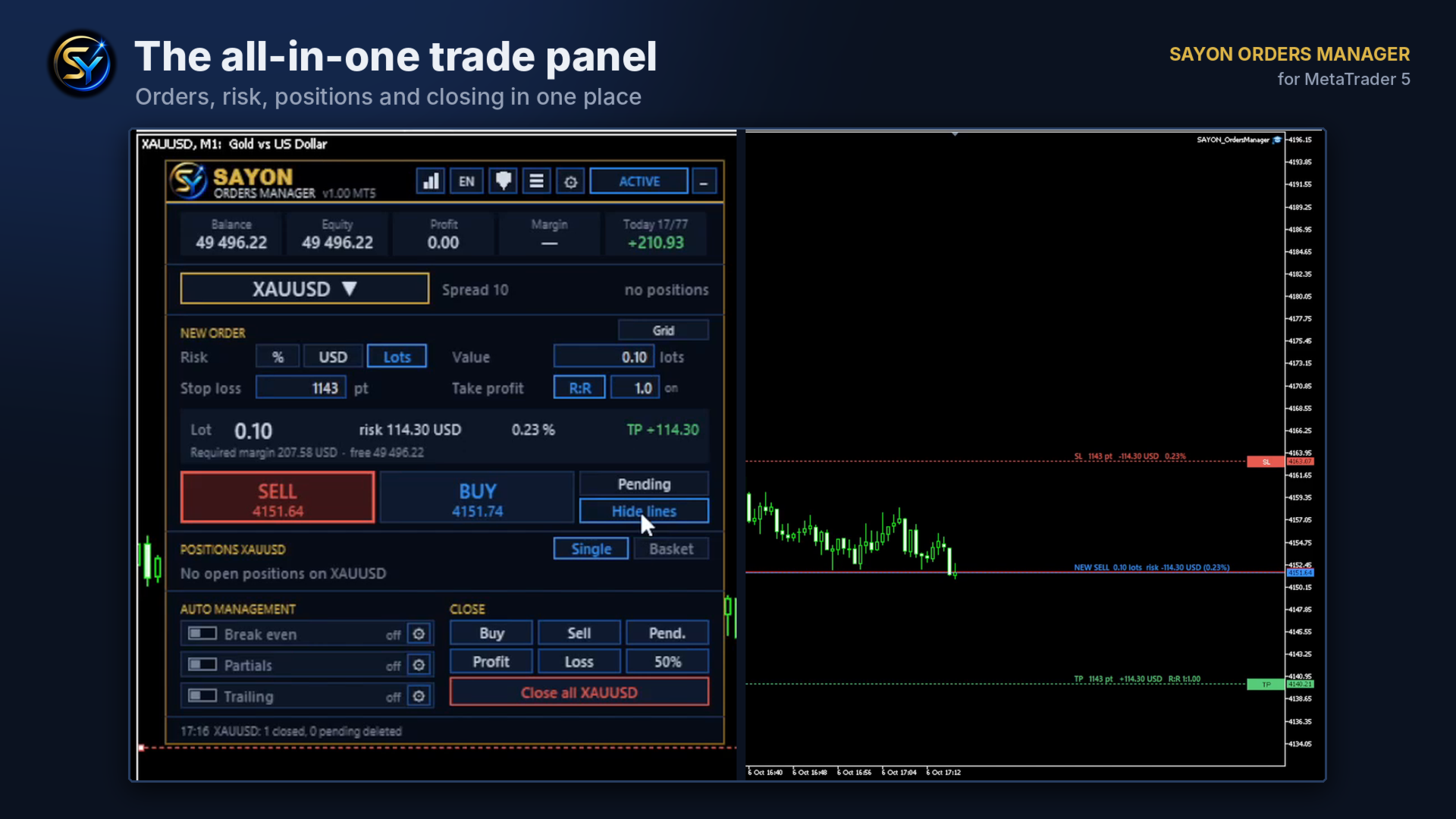
SAYON Orders Manager is a complete trade panel for MetaTrader 5.
Open, manage and close your trades from one clean panel, with every level drawn directly on the chart.
It works on any symbol: forex, metals, indices, crypto and stocks.
Nothing runs on your account until you decide: all automatic rules start OFF.
OPEN TRADES WITH CONTROL
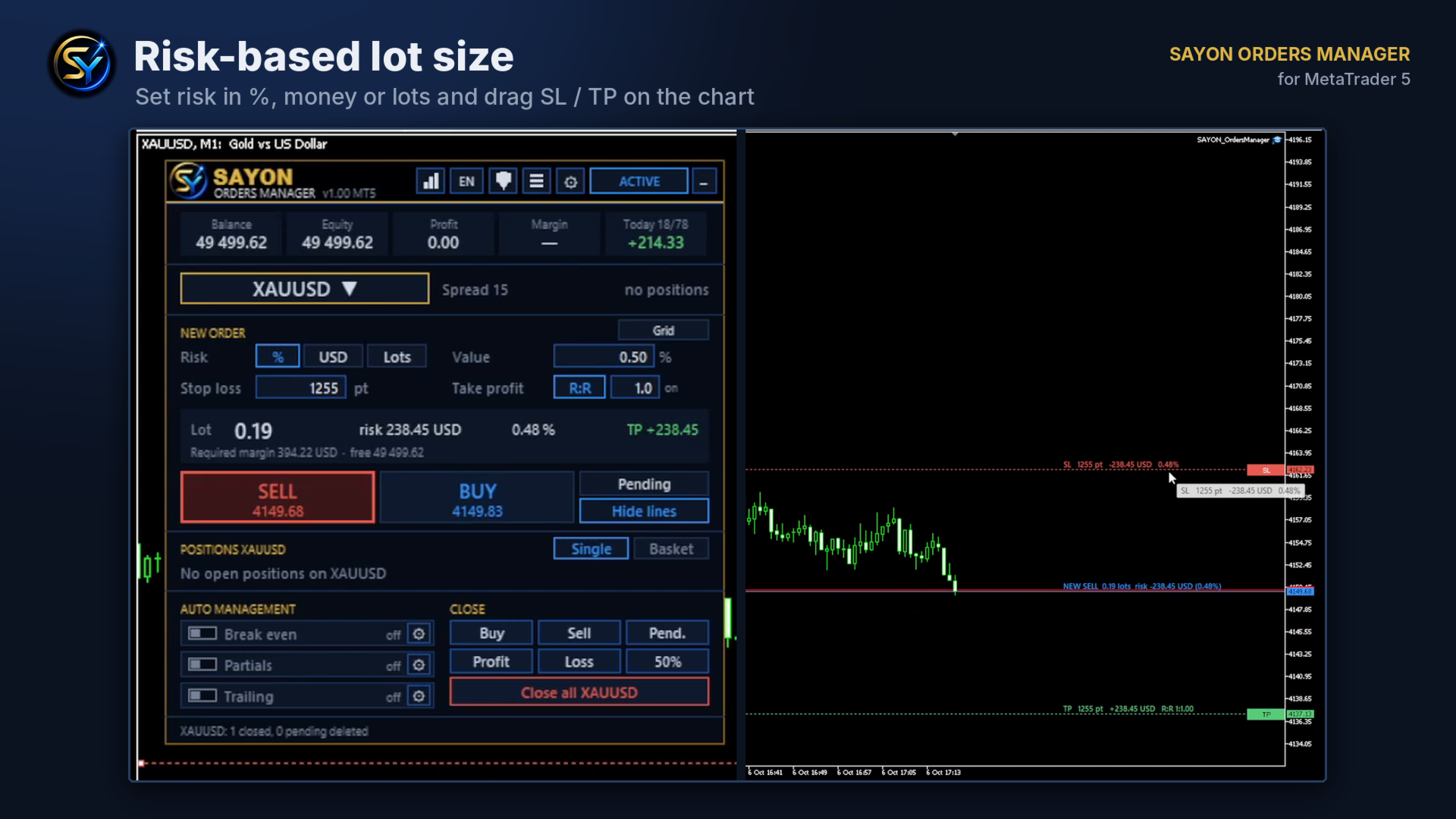
- Risk in % of balance or equity, in money, or in fixed lots
- The lot size is calculated for you from the stop loss distance
- Drag SL, TP and entry lines on the chart: points, money and R:R update live
- R:R lock: the take profit follows the stop loss automatically
- Market and pending orders (Limit / Stop chosen automatically from the entry price)
- Optional expiration for pending orders
- Trading without stop loss is possible in Lots mode
- Required margin and free margin shown before you send the order
- New-order lines hide automatically after sending
AUTOMATIC TRADE MANAGEMENT
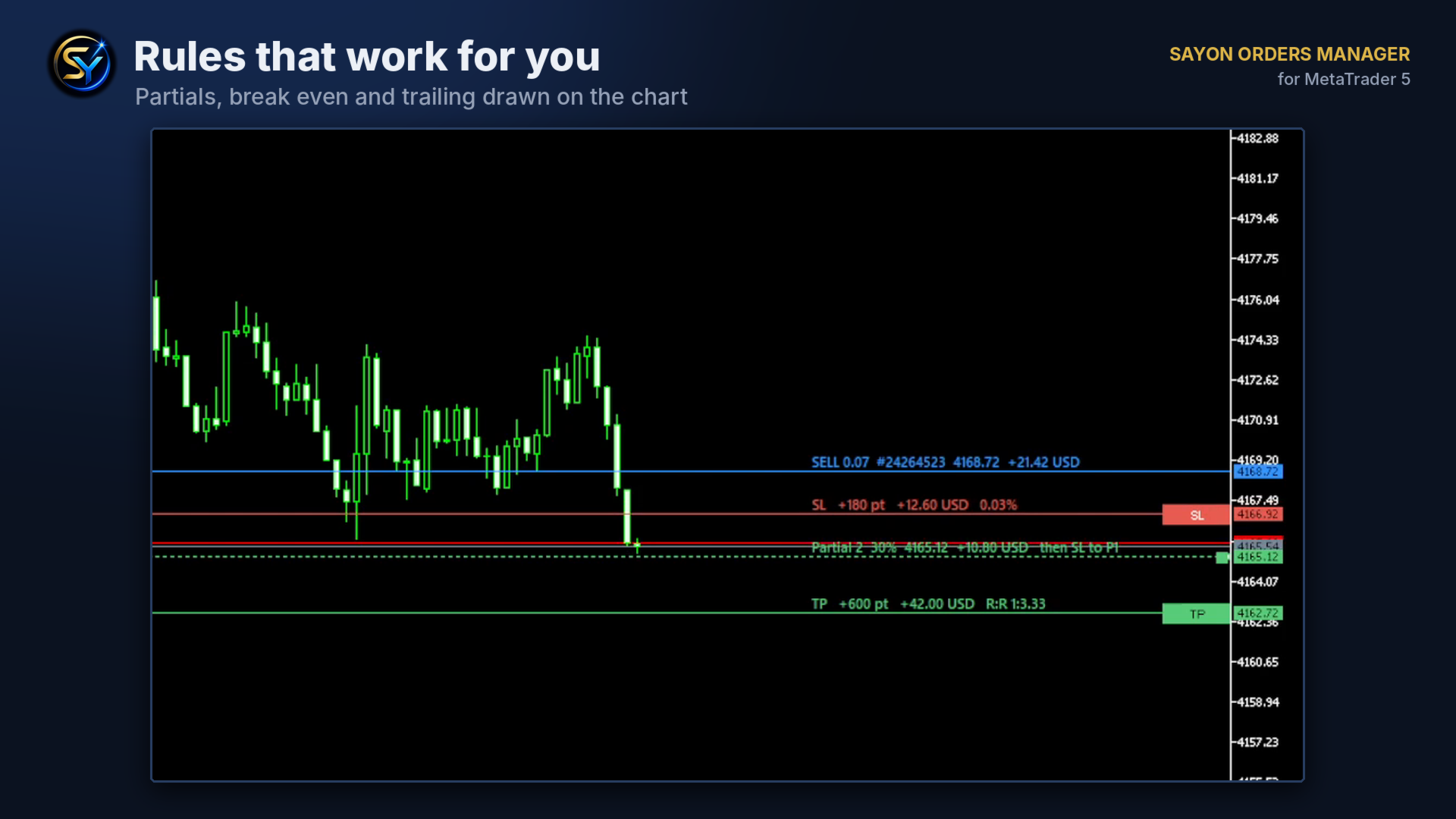
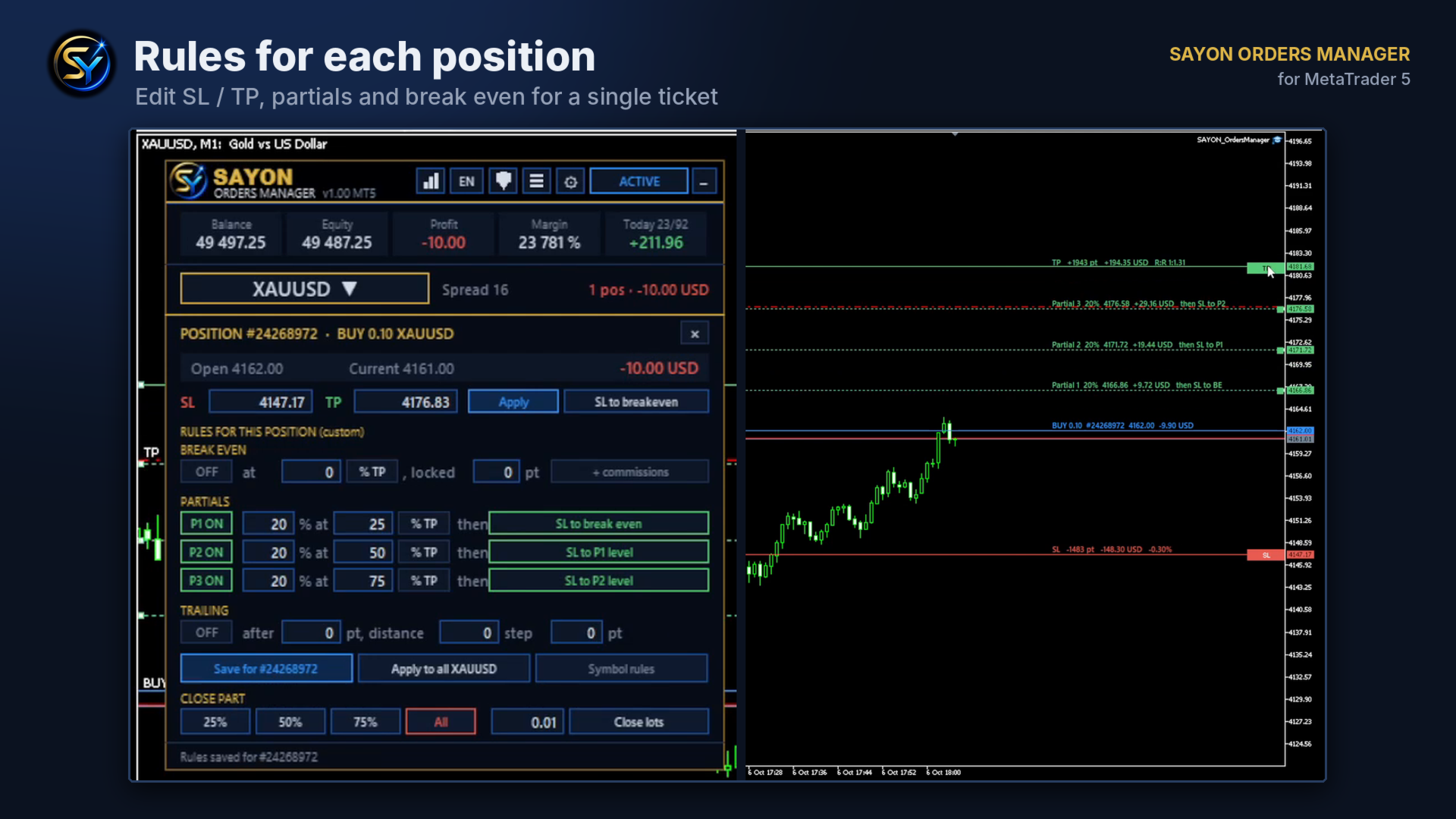
- Break even: trigger at a % of the TP distance or in points, lock extra points, optionally cover commissions
- Up to 3 partial closes at a % of the TP distance
- After each partial: move SL to break even, or step the SL to the previous partial level
- Trailing stop with start, distance and step
- All levels are drawn on the chart before and after opening
- Drag the small handles on the right to move partial, break even and trailing levels directly on the chart
- Rules per symbol, or custom rules for a single position
MANAGE OPEN POSITIONS
- Ticket screen for every position: edit SL / TP, move SL to break even with one click
- Close 25%, 50%, 75%, all, or a chosen number of lots
- Quick close buttons: buys, sells, pending, profitable, losing, 50% of everything
BASKET MODE
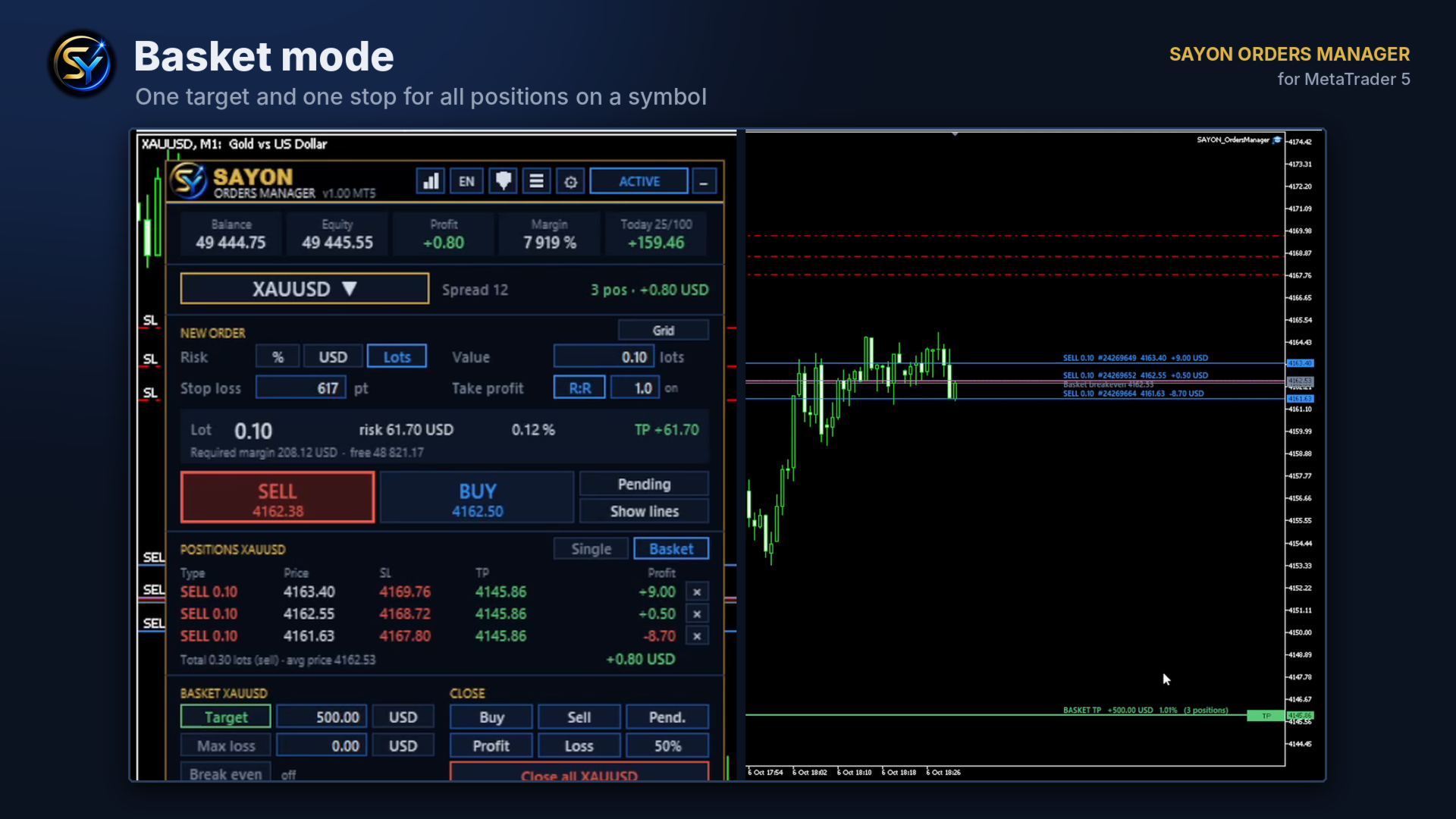
- Turn all positions on a symbol into one basket
- One profit target and one maximum loss, in money or % of balance
- All TPs and SLs are unified at the same price automatically
- Basket break even: once triggered, the basket stop loss is locked above zero profit
- Drag the basket TP / SL lines to change the target in money
ACCOUNT PROTECTION
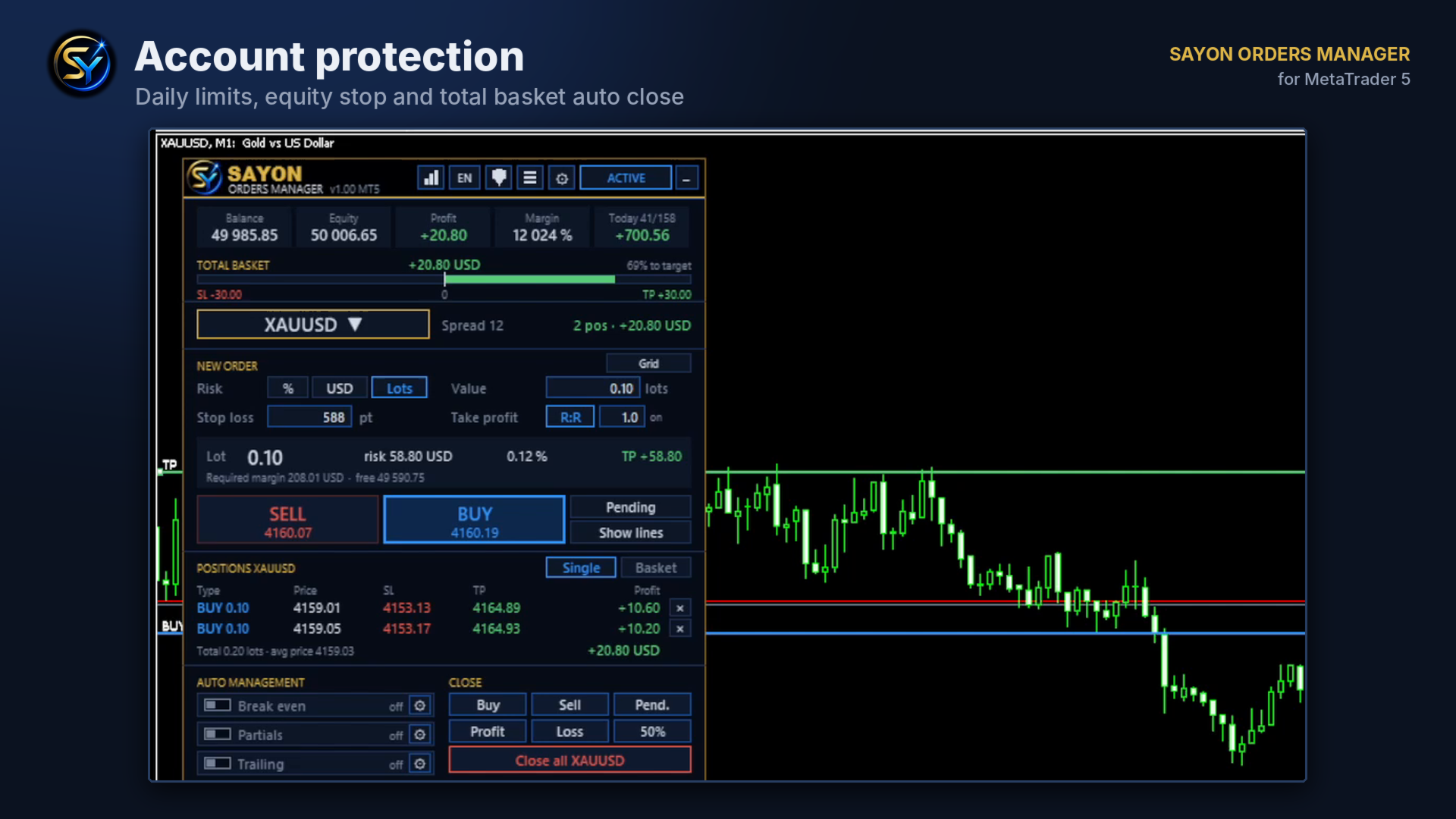
- Daily loss limit and daily profit target (money or %)
- Total basket target and maximum loss across all symbols
- Equity stop
- Alert above N trades per day
- When triggered, positions are closed and you are notified. New trades are never blocked: you stay in control
GRID
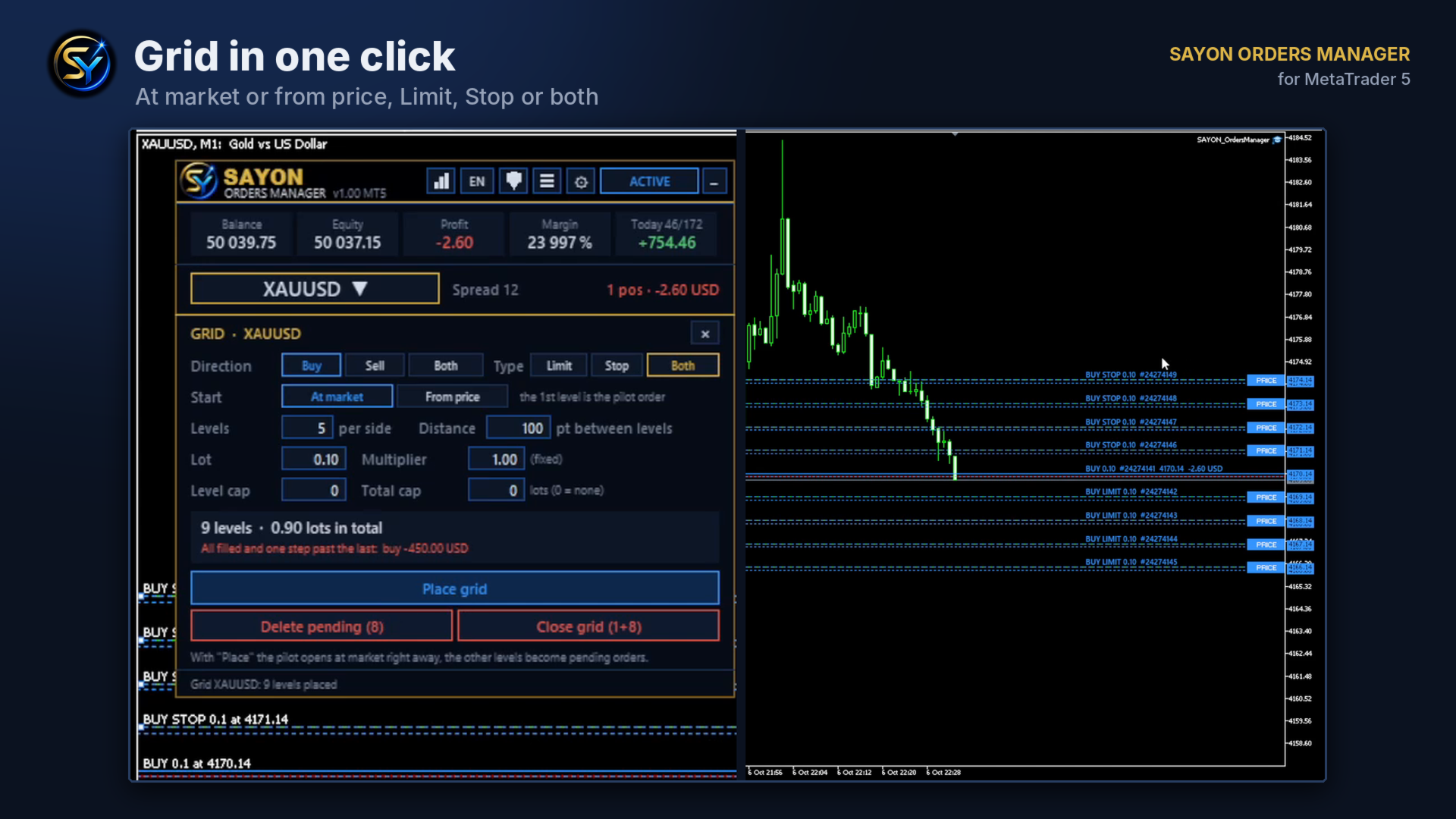
- Grid at market (first level opens as pilot order) or from a price (all pending)
- Buy, sell or both directions; Limit, Stop or both
- Levels, distance, lot, multiplier and caps
- Live summary of total lots and worst case before placing
- Delete pending orders only, or close the whole grid with one click
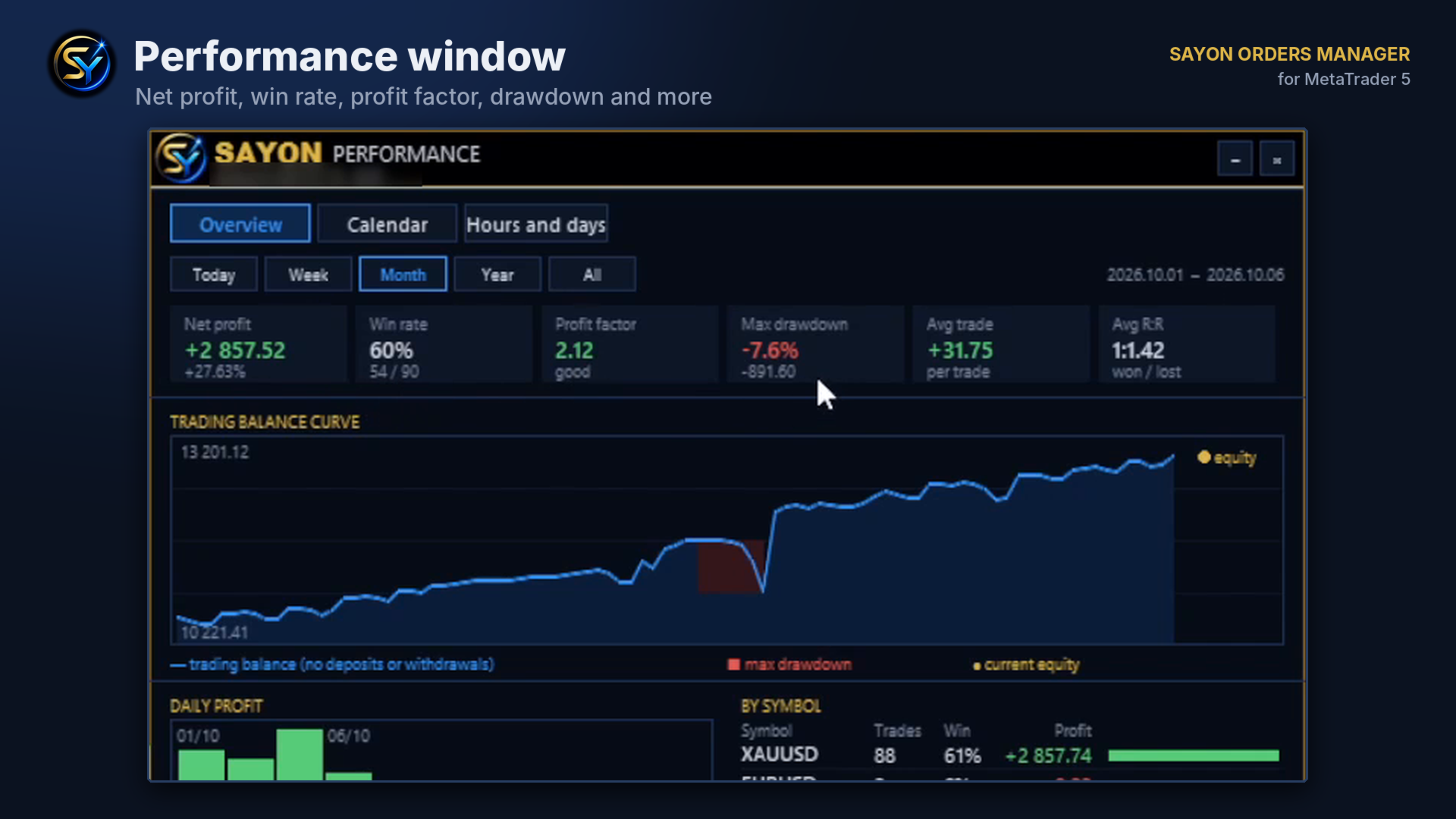
PERFORMANCE WINDOW
- Overview: net profit, win rate, profit factor, max drawdown, average trade, average R:R
- Balance curve without deposits and withdrawals, max drawdown highlighted
- Daily or monthly profit, results by symbol, best / worst trade, streaks, costs, average duration
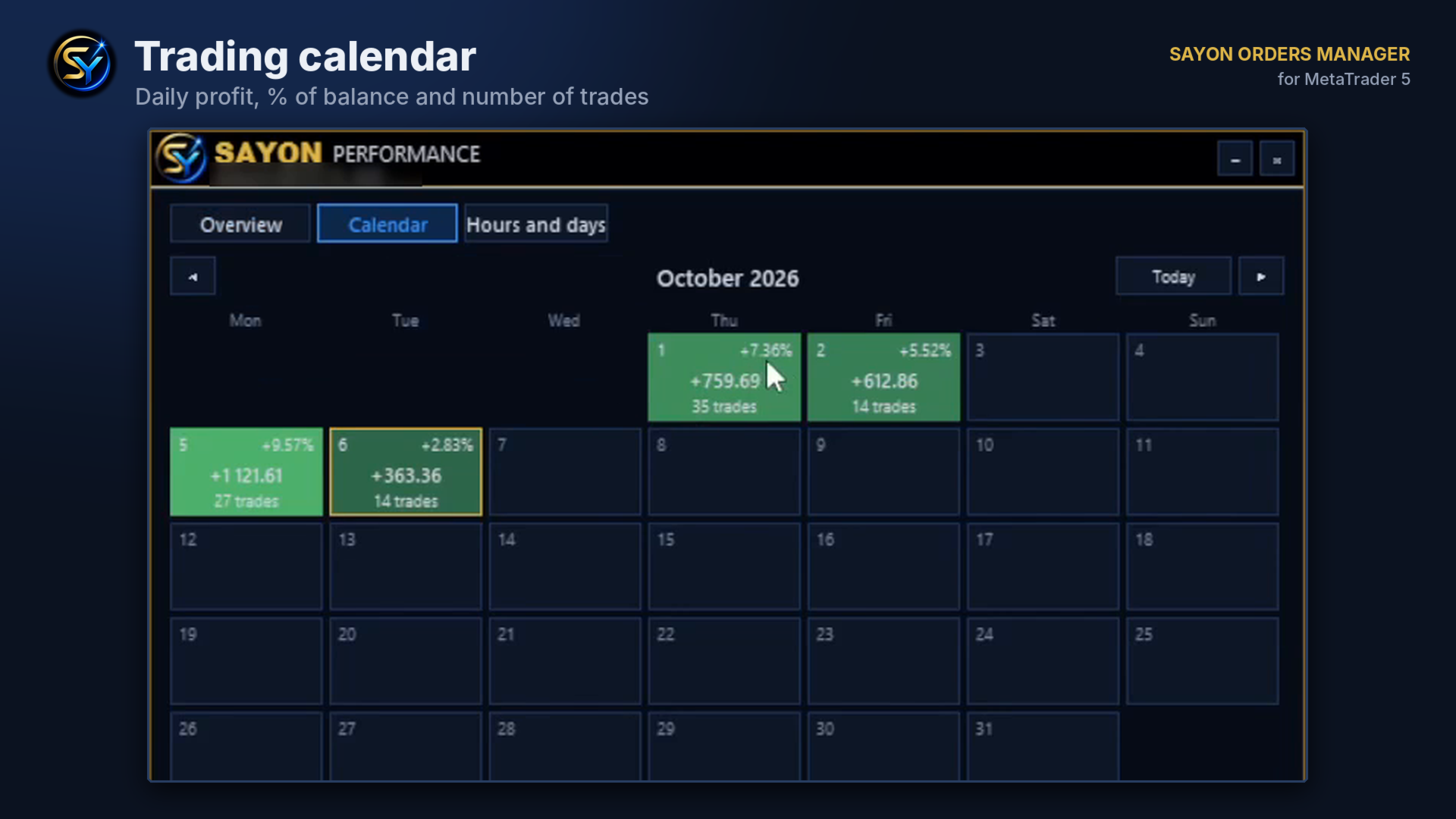
- Calendar with daily profit, % of that day's balance and number of trades
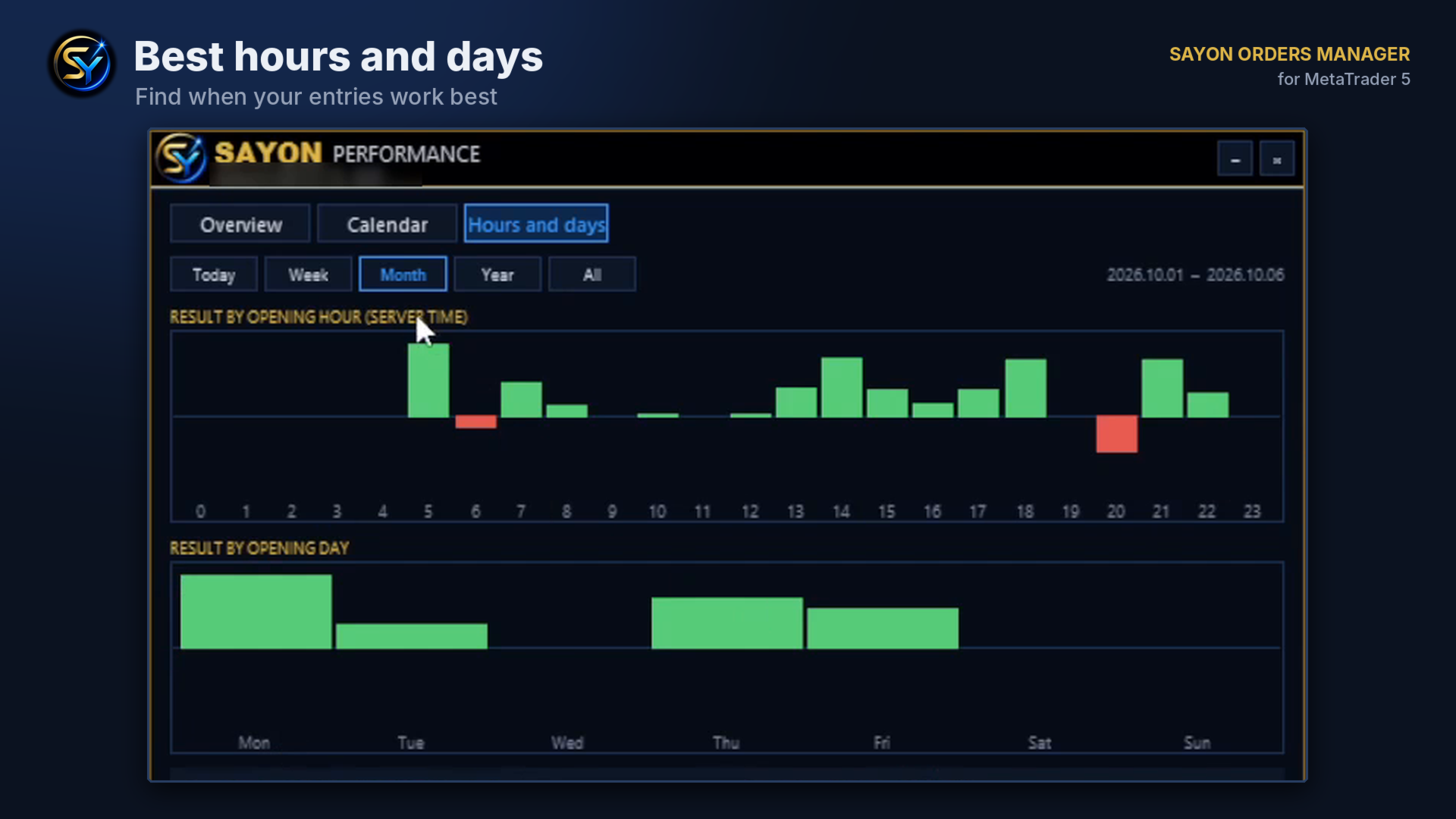
- Hours and days: results by opening hour and opening weekday
- Periods: today, week, month, year, all history
THE SAYON FAMILY
Need only the statistics window, even next to other EAs? SAYON Performance PRO (complete) or SAYON Performance (free).
Copying trades between MT5 and MT4 accounts? SAYON Trade Copier (MT5) and the free MT4 version SAYON Trade Copier MT4.
PANEL
- Symbol list with search, favorites, categories and live spreads; the chart follows your choice
- 7 languages: English, Italian, Spanish, German, French, Portuguese, Russian
- Movable and minimizable panel; position and choices are remembered
- Works on one chart for all symbols; changing timeframe keeps the panel in place
- Manage all positions, only manual ones, or a specific magic number
INPUTS (main)
- Panel position, order confirmation, hide lines after sending
- Default risk mode, value, initial stop loss and R:R
- Default break even, partial close and trailing rules
- Whole-account basket and account protection limits
- Line colors
- Magic number, managed positions, commission per lot, max spread, max lot, slippage
- Push notifications and on-screen alerts
NOTES
- The EA must stay attached to a chart for automatic management to work (VPS recommended for 24/5 management).
- Allow Algo Trading in MetaTrader 5.
- Test on a demo account first to get familiar with the panel.
- The panel does not trade on its own: it only executes your orders and the rules you switch on.
- Designed for hedging accounts.
- In the Strategy Tester the panel is shown only in visual mode.