DS Universal Trade Manager
- Yardımcı programlar
- Sürüm: 7.79
- Etkinleştirmeler: 15

DS Universal Trade Manager for MetaTrader 5
Compact trade planning, position management and optional indicator automation
The DS Universal Trade Manager combines the essential tools for manual trade planning and position management in one compact interface. Entry, stop-loss, take-profit, risk, break-even, trailing and partial targets can be planned, adjusted and monitored directly on the chart.
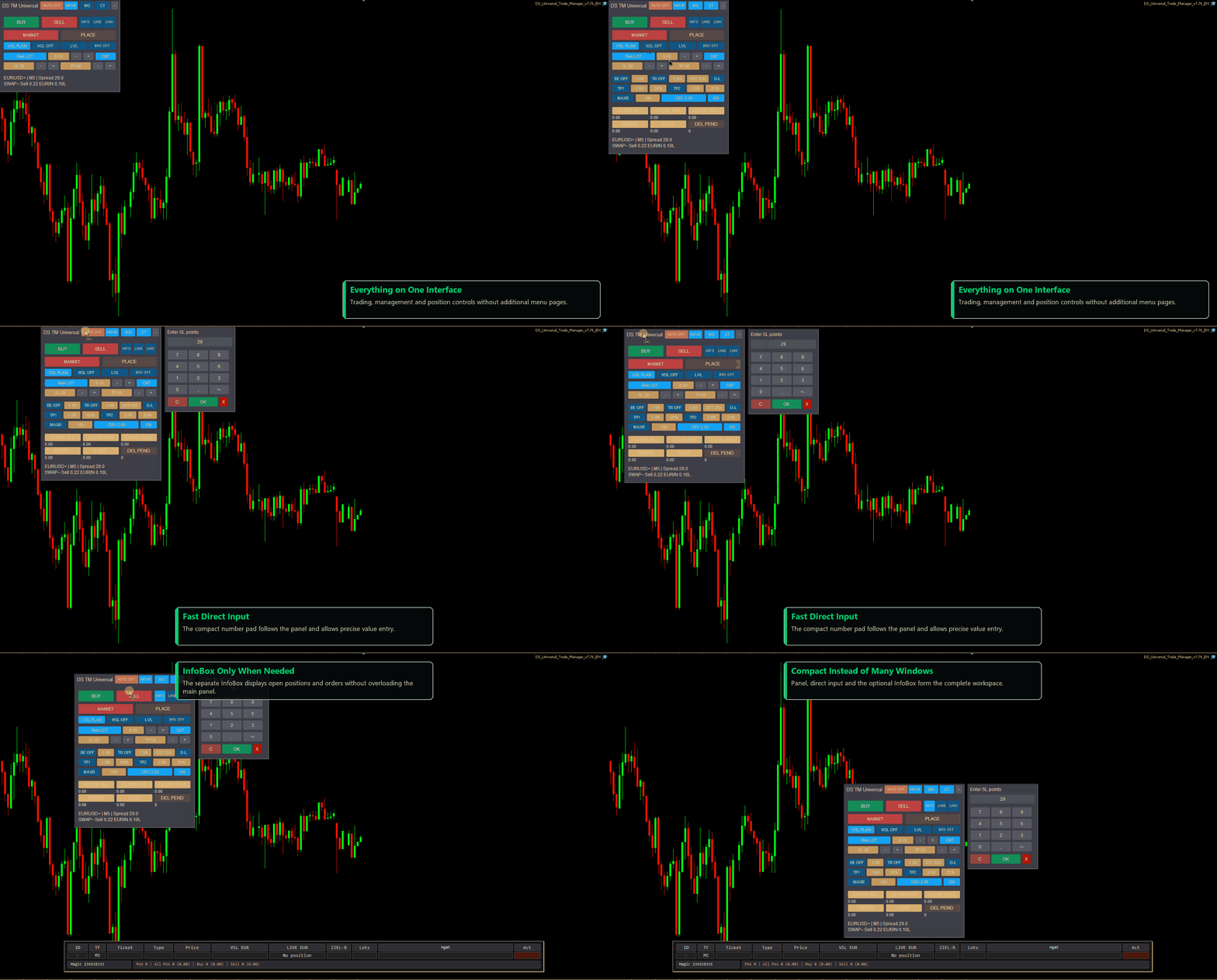
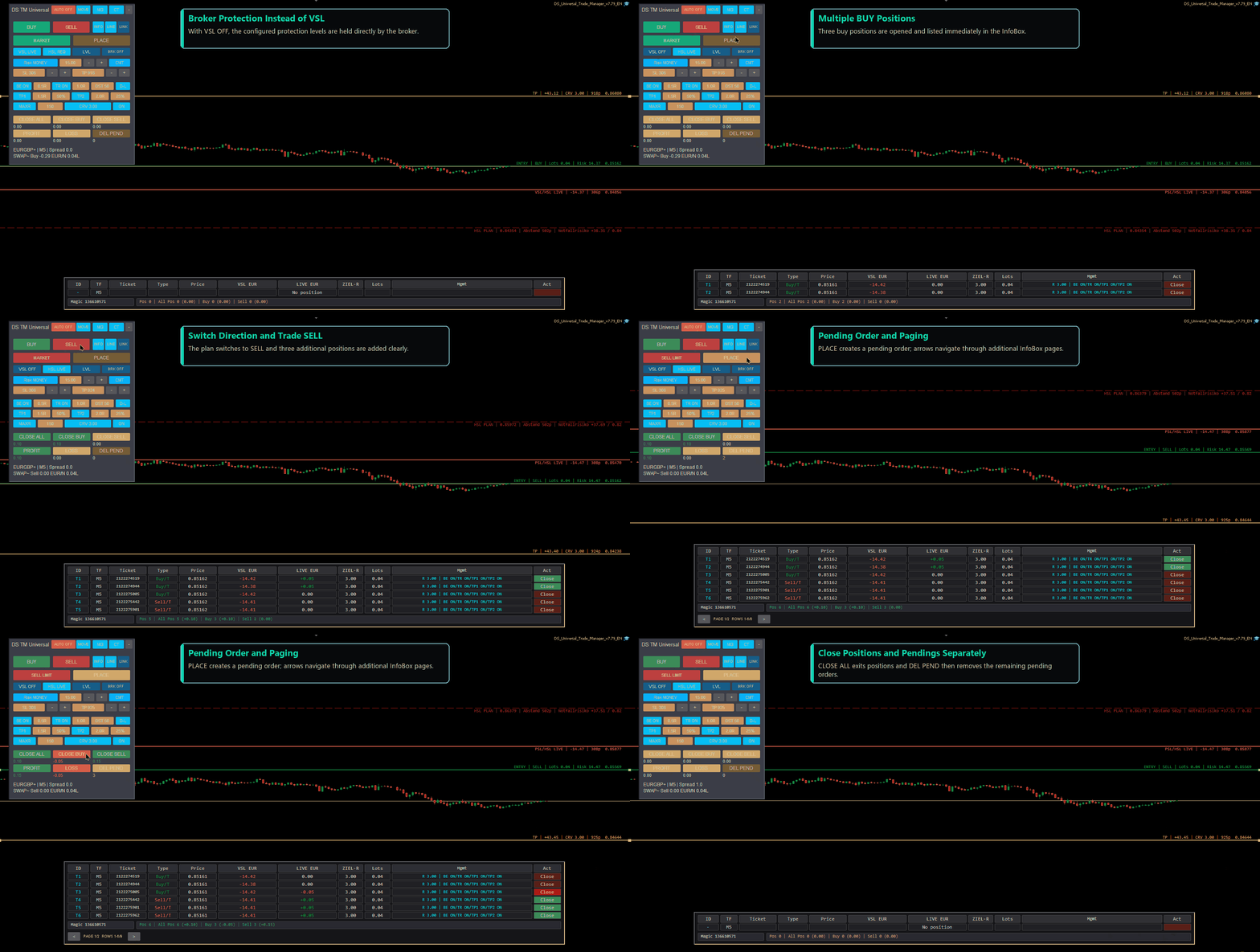
The panel is intentionally streamlined. Instead of opening numerous separate windows, three clearly divided sections can be expanded only when needed. The panel can be moved, locked and minimized. When expanded, it remains within the visible chart area.
THE THREE PANEL SECTIONS
• Trading Control Centre: Main section for BUY, SELL, market and pending orders, risk, lot size, entry, stop-loss, take-profit and the risk/reward ratio.
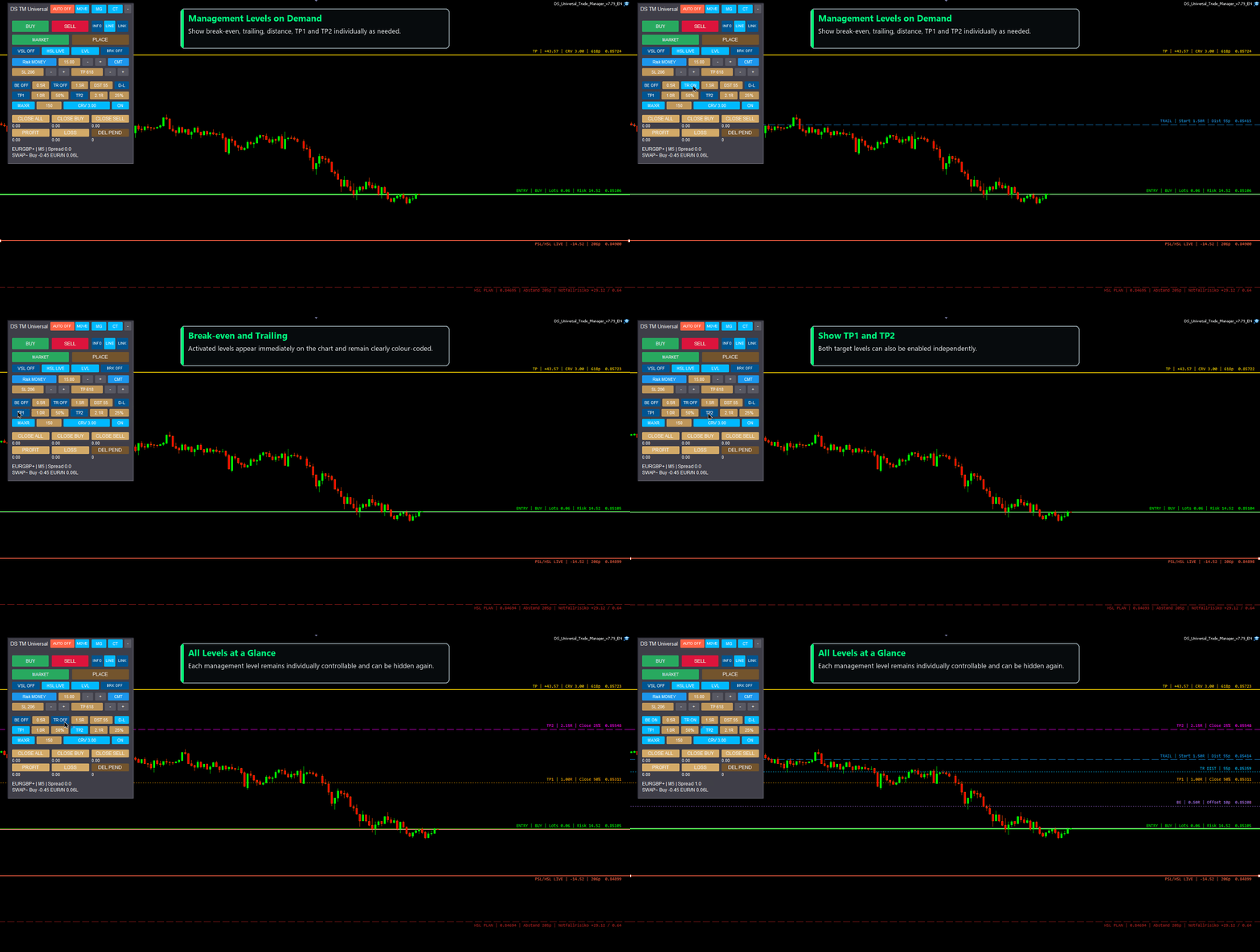
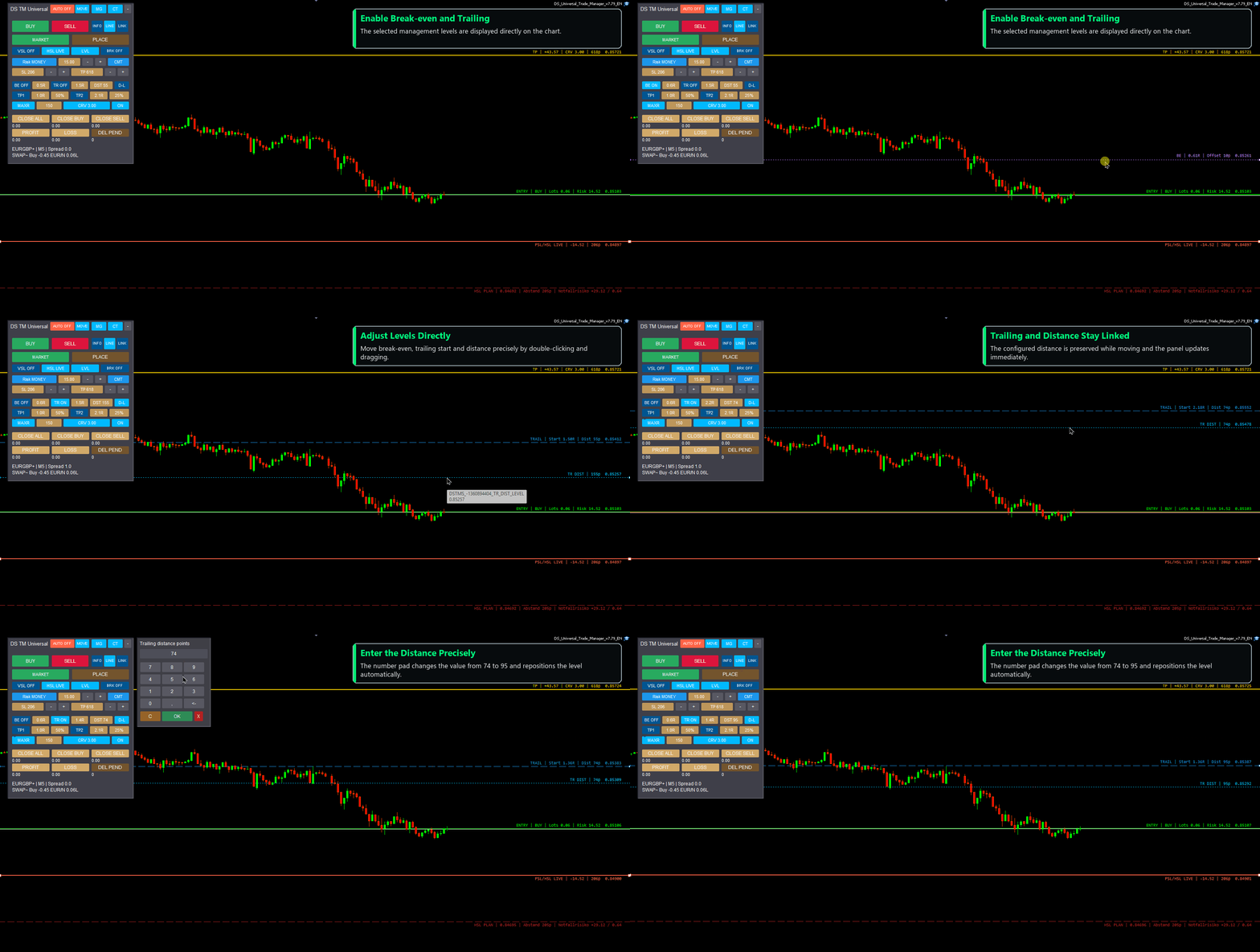
• MG – Management: Break-even, trailing start, trailing distance, TP1, TP2, partial exits and additional management levels.
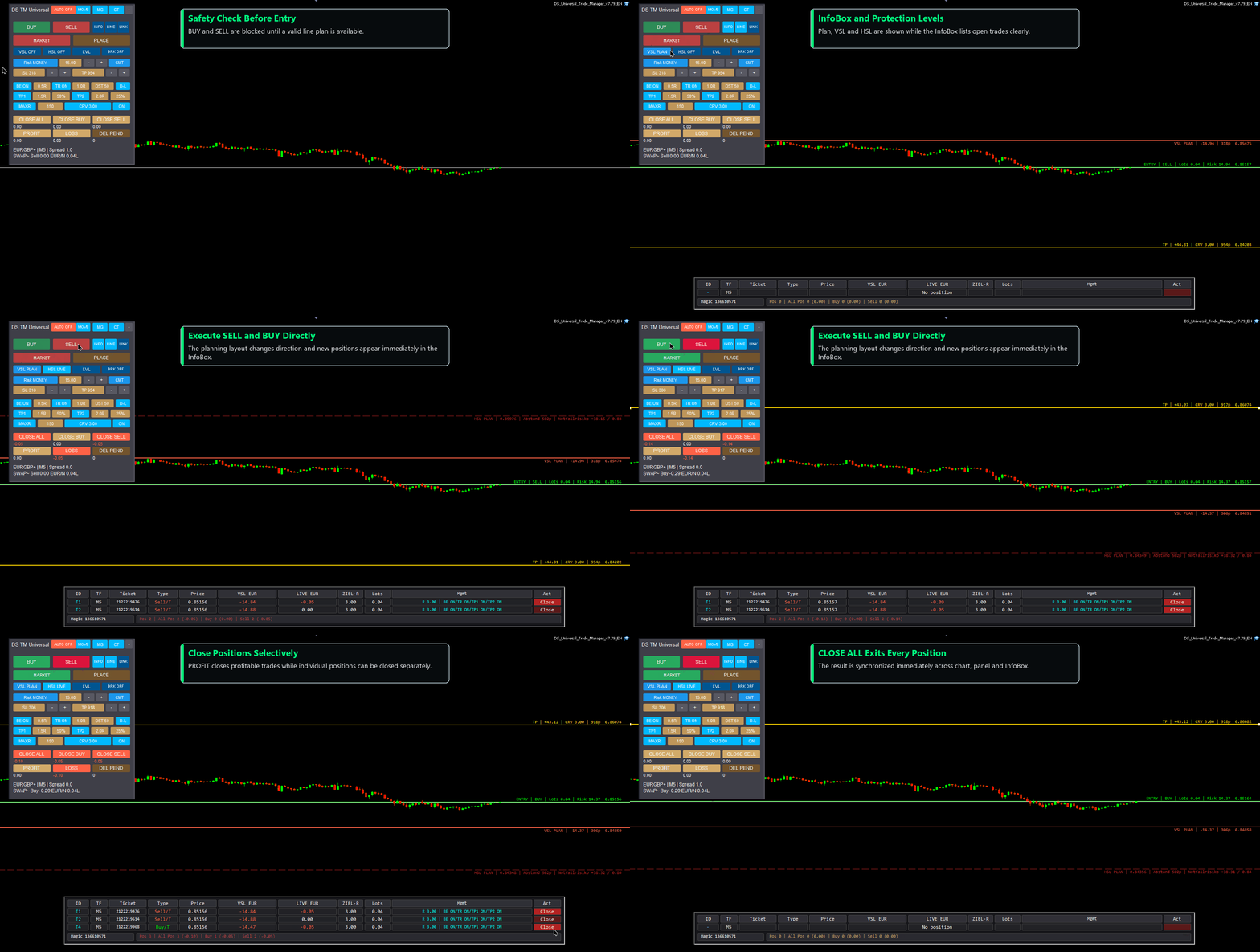
• CT – Position Control: Controls for closing open positions, BUY or SELL groups, profitable or losing positions, and separately deleting pending orders.
Only the section required for the current task needs to remain visible.
PLAN DIRECTLY ON THE CHART
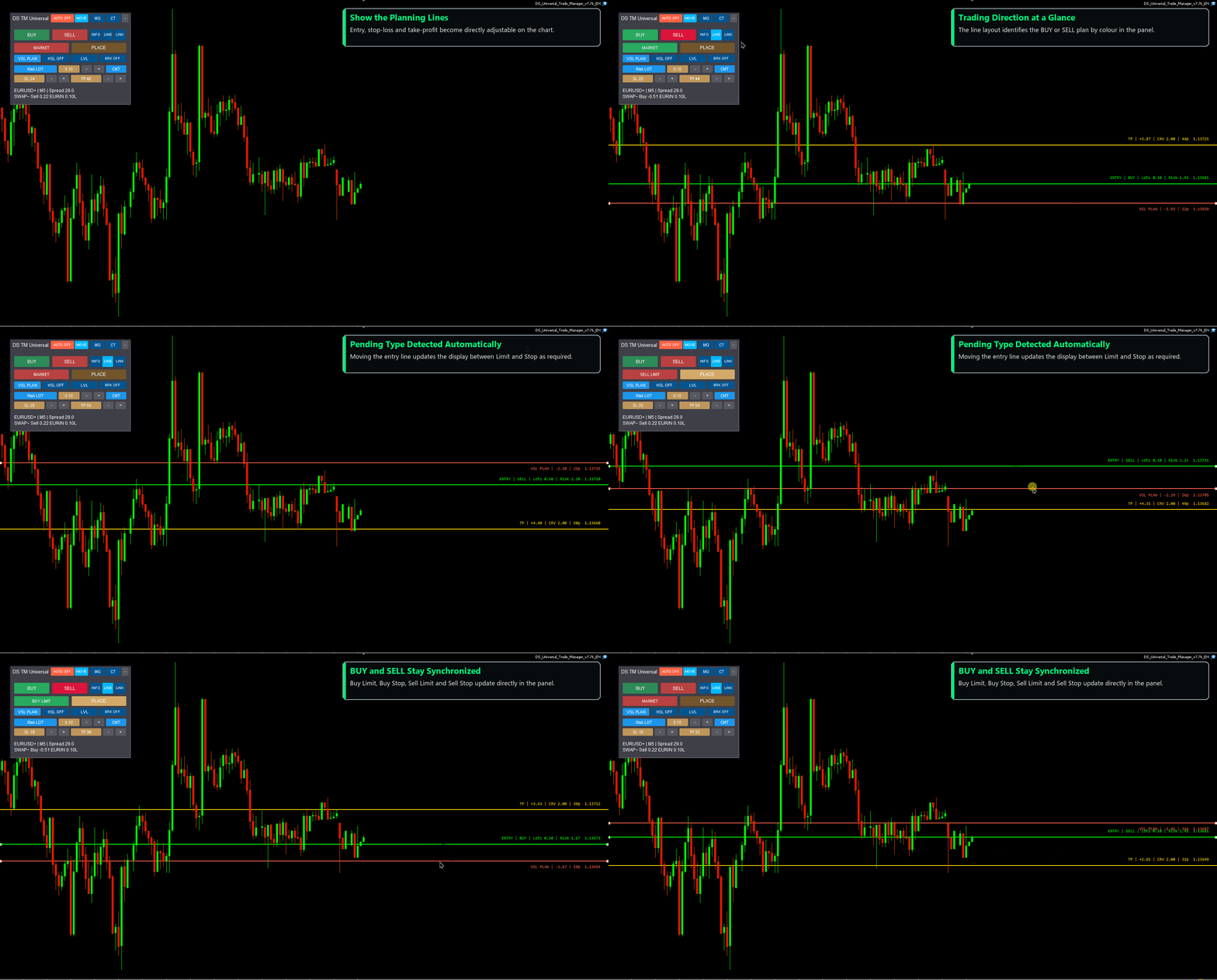
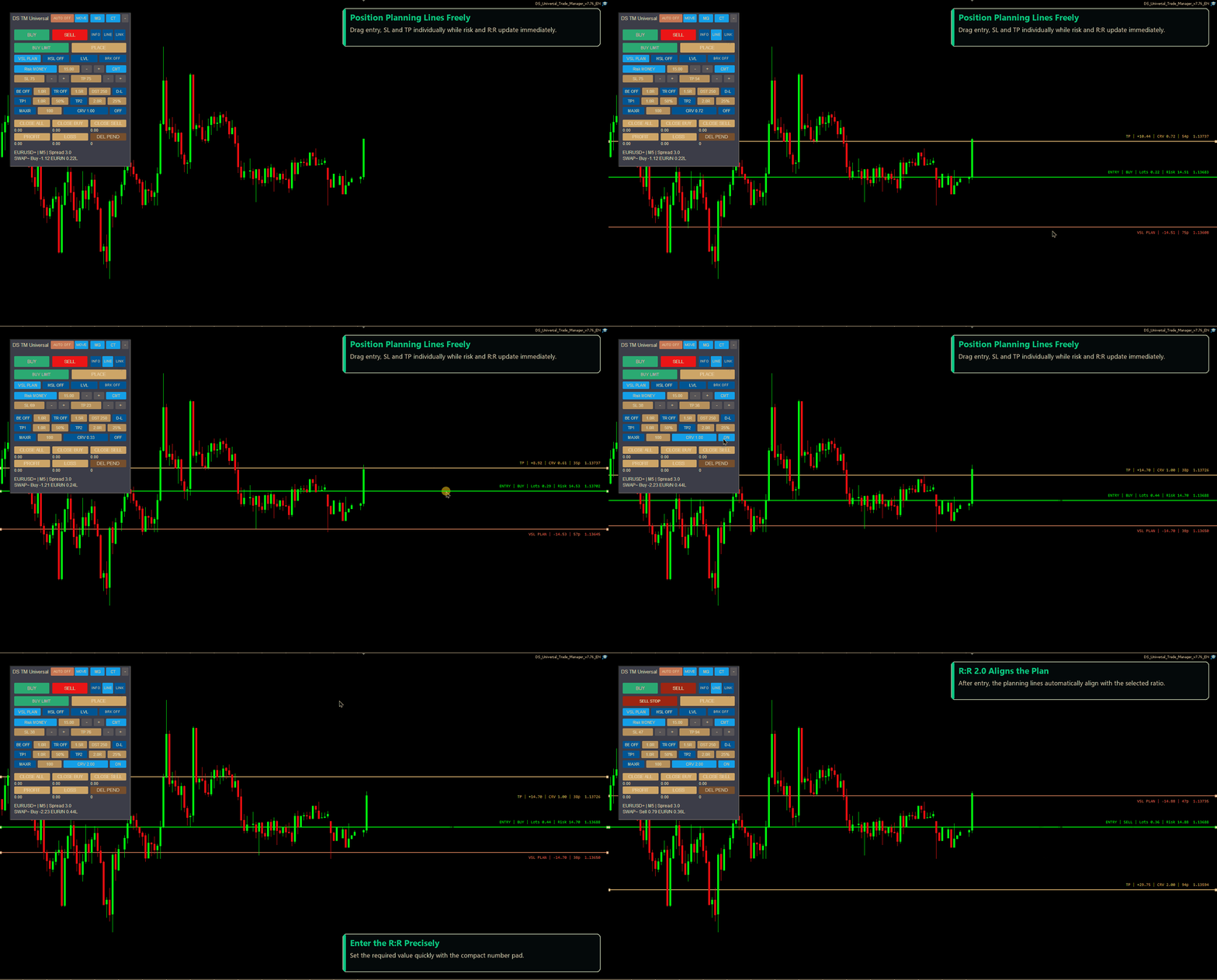
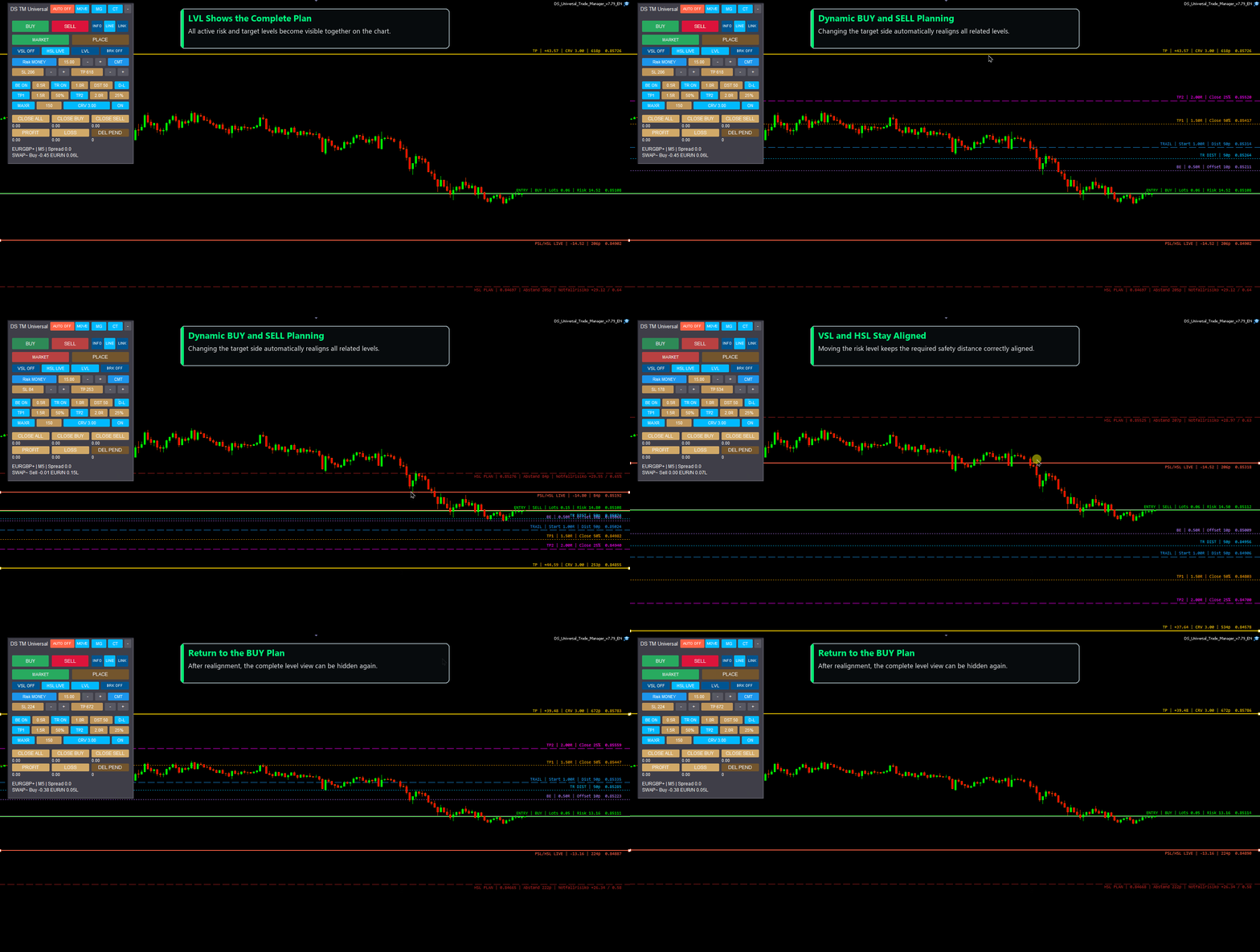
Entry, stop-loss and take-profit planning lines can be positioned directly with the mouse. Based on the line layout, the Trade Manager automatically identifies a BUY or SELL plan and whether a market, limit or stop order is being prepared. Risk, lot size and the risk/reward ratio update accordingly.
Values can be changed through the panel controls or entered precisely with a compact number pad. The number pad follows the panel and uses additional chart space only while an input is being edited.
RISK AND ORDER FUNCTIONS
• Market orders plus Buy Limit, Sell Limit, Buy Stop and Sell Stop
• fixed lot size, fixed monetary risk or percentage account risk
• automatic lot calculation from entry and stop-loss
• optional maximum total risk
• freely adjustable stop-loss and take-profit distances
• automatic alignment to a selected risk/reward ratio
• visible planning lines and optional broker levels
• custom comment tag for manual orders
POSITION MANAGEMENT
• break-even with adjustable start and offset
• trailing stop with adjustable start and distance
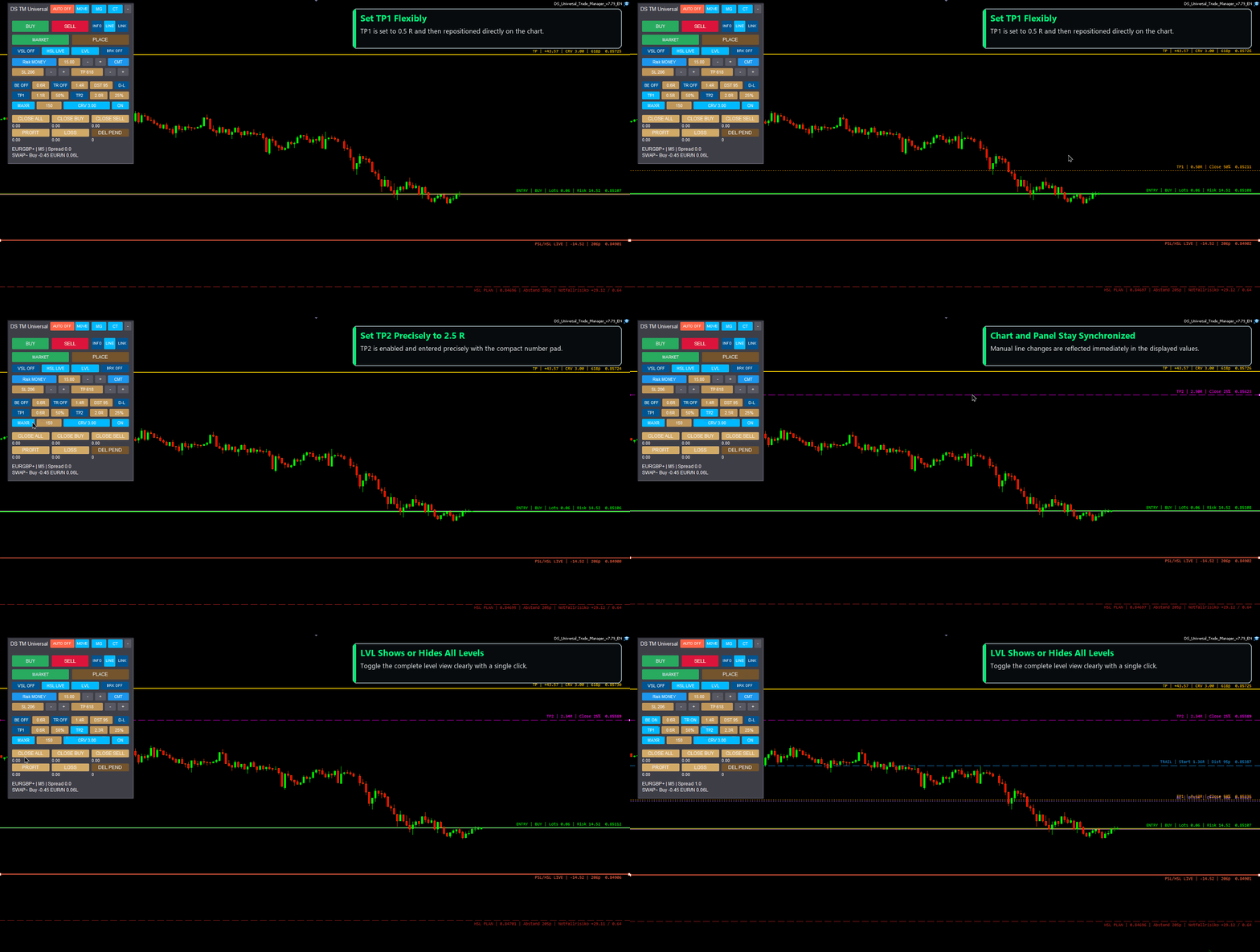
• two separate partial targets with selectable R level and closing percentage
• TP1 and TP2 as individually selectable management levels
• virtual stop-loss management (VSL)
• an additional broker safety stop (HSL) as a protection layer
• targeted closing of individual trades or defined position groups
All active levels can be shown or hidden together with LVL. Related panel values and chart levels remain synchronized when they are moved manually.
INFOBOX FOR OPEN TRADES AND ORDERS
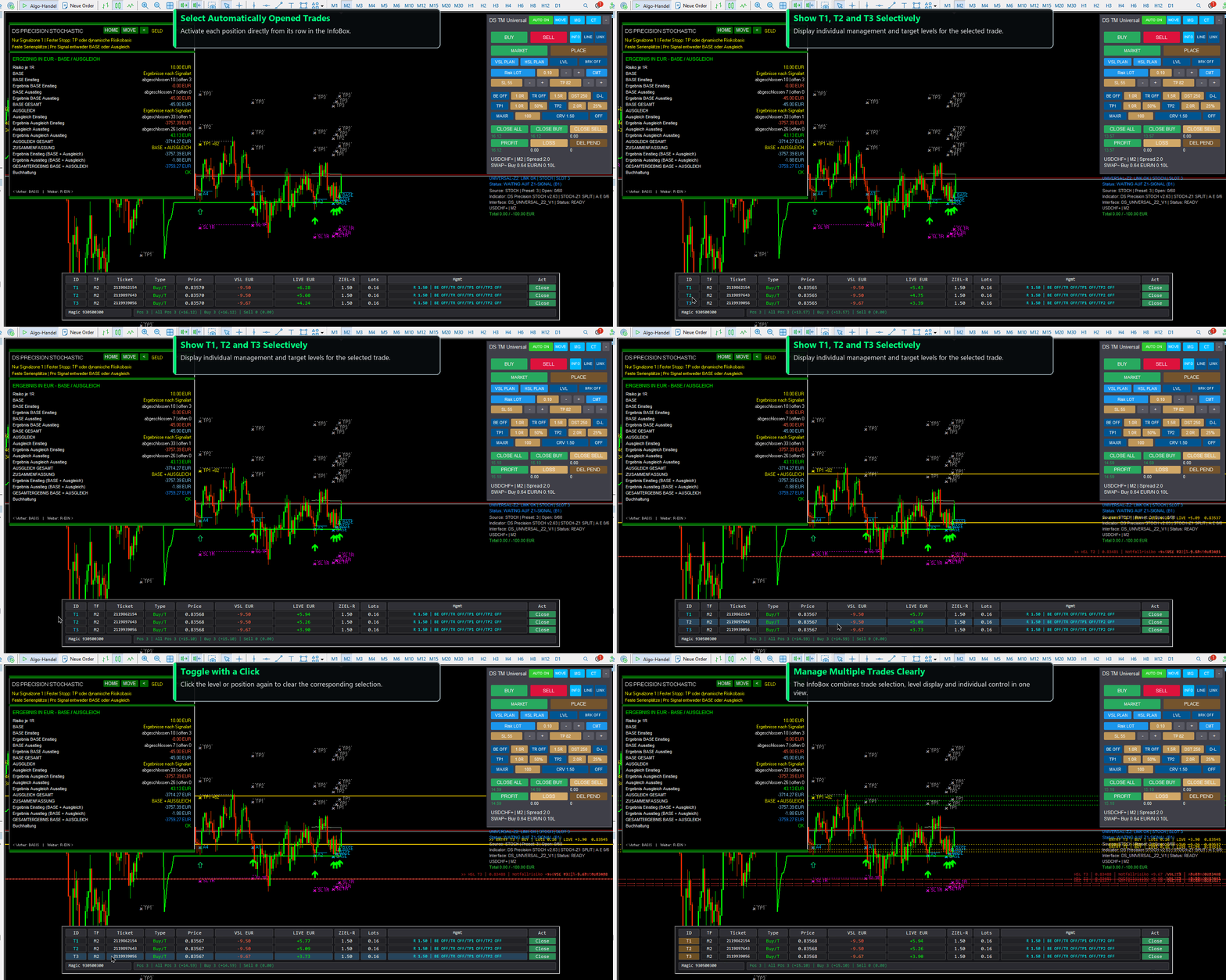
The optional InfoBox provides a compact overview of open positions and pending orders. When several entries exist, its pages can be navigated with the arrow controls. Individual trades can be selected and their target and protection levels can be shown or hidden on the chart.
CONNECTION TO COMPATIBLE DS INDICATORS
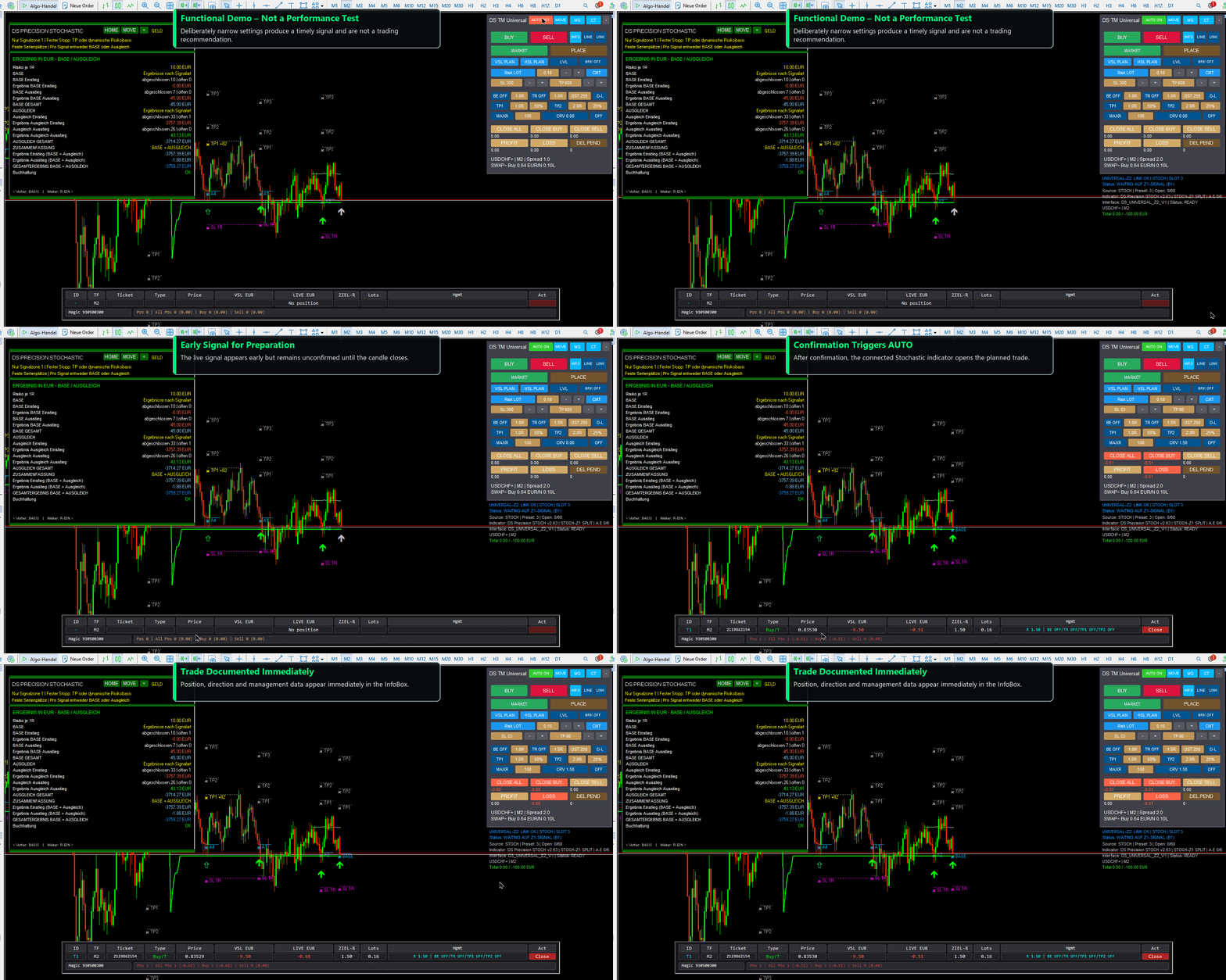
The Trade Manager can be used independently for manual trading. With LINK and AUTO ON, it can also connect to compatible DS indicators. The connected indicator remains the technical source for signal direction, signal time, risk basis and target levels. The Trade Manager uses the validated information for order execution and position management.
The signal source can be detected automatically or selected manually. Separate connection slots are available when several charts are operated in parallel.
Compatible products are sold separately and are not included with this Trade Manager:
SAFETY FUNCTIONS
• protection against orders without a valid line plan
• spread protection with an adjustable broker-time window
• maximum spread for new automated entries
• maximum lot limit and risk-deviation validation
• total-loss limit for indicator-controlled positions
• broker safety stop when virtual stop management is used
• protection against duplicate manual order clicks during a delayed broker response
• clear assignment through magic number, symbol, timeframe and connection slot
Safety functions do not replace careful configuration. Broker conditions, symbol specifications, minimum distances, lot steps, spread and execution may differ.
INSTALLATION AND FIRST STEPS
1. Install the DS Universal Trade Manager from the MQL5 Market.
2. In MetaTrader 5, open Navigator > Expert Advisors > Market.
3. Drag the Trade Manager onto the required chart.
4. Enable algorithmic trading when orders are to be executed.
5. First verify the lot size, risk mode, stop-loss, take-profit and safety settings.
6. For indicator-based operation, select the same connection slot in the Trade Manager and the compatible DS indicator, then enable LINK and AUTO ON.
IMPORTANT NOTES
The DS Universal Trade Manager is a trading and management tool and does not guarantee profitable results. Automated orders are executed only according to the selected settings and the data supplied by a compatible signal source. The connected indicators are separate products.
Test new settings in the MetaTrader Strategy Tester and on a demo account first. Consider spread, commission, swap, slippage, execution delays and your broker's trading conditions. Past, simulated or modelled results do not guarantee future results.