RR Control Pro
- Yardımcı programlar
- Sürüm: 1.0

How to run the script in MT5.
Open MetaTrader 5.
Press Ctrl + N to open the "Navigator" window.
Locate the "Scripts" folder.
Drag and drop RR Control Pro onto the chart with the open trade.
How it works.
Automatic detection:
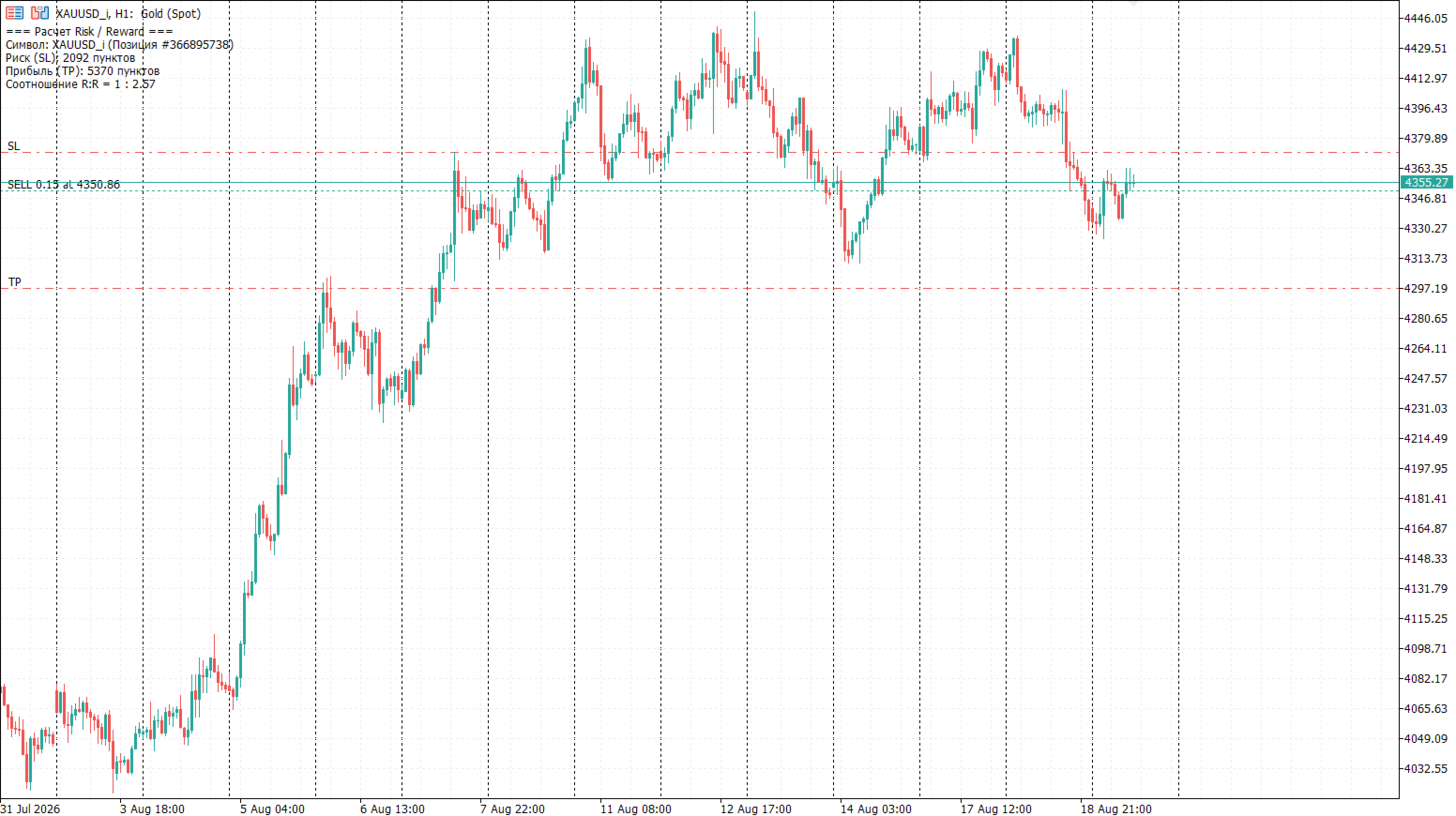
Once you drag the script onto the chart, it automatically identifies the most recently opened position on your trading account.
Direction detection:
The script checks whether the trade is a BUY or a SELL to calculate distances correctly.
Formula:
The ratio is calculated as Profit / Risk.
For example, if the distance to the SL is 100 points and the distance to the TP is 300 points, the script will display 1 : 3.00.
Output: The data is instantly displayed as text in the top-left corner of the current chart.