Click Close Manager for MT4
- Yardımcı programlar
- Sürüm: 2.0
- Etkinleştirmeler: 5

Click Close Manager — One-Click Close All Trades Panel for MT4
(Close All / Buy / Sell / Profit / Loss / Symbol • Partial Close • Break-Even • Delete Pending)
================================================================
OVERVIEW
================================================================
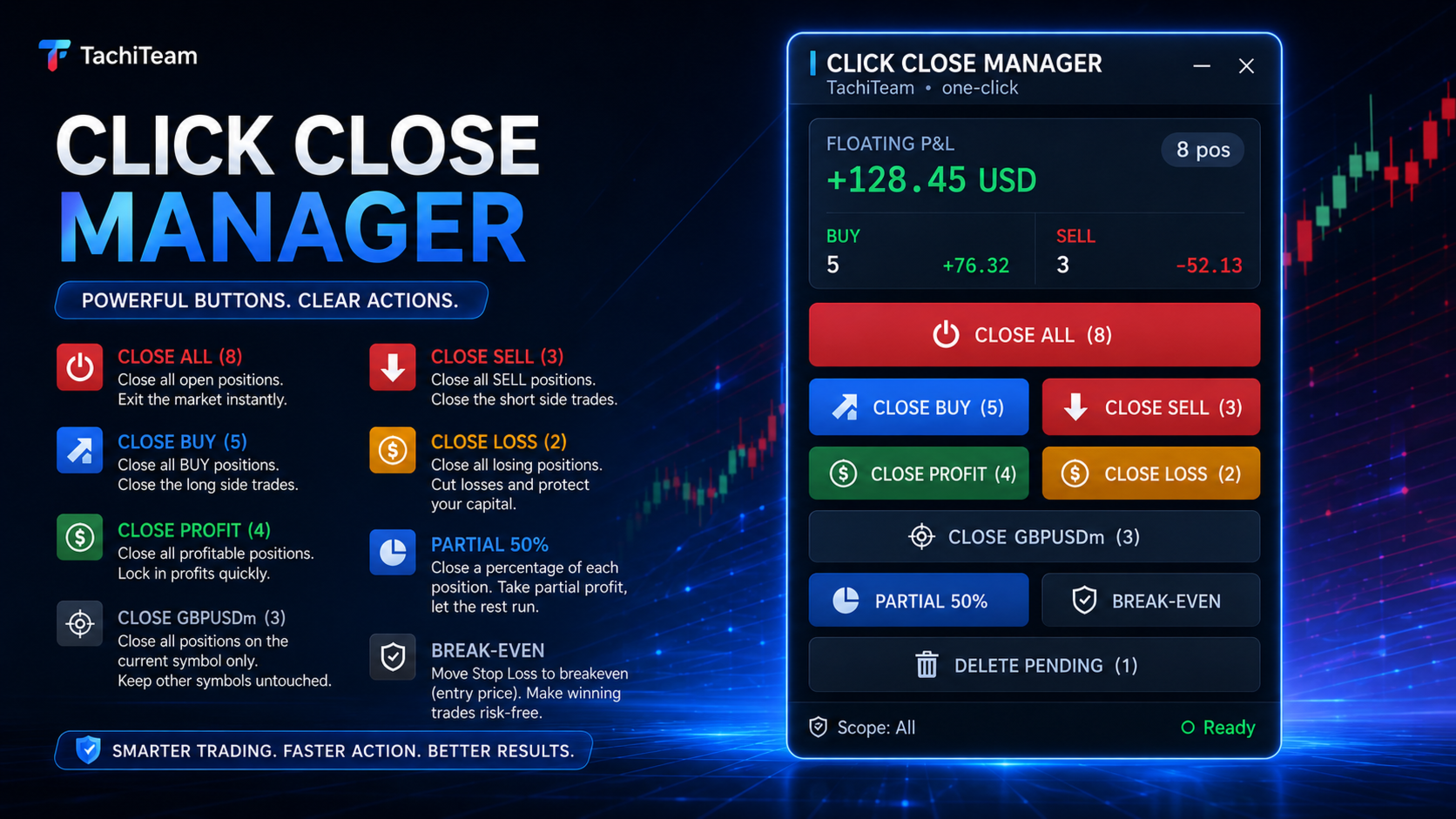
Click Close Manager is a lightweight on-chart trade panel that lets you close and manage your positions with a single click. When the market spikes, news hits, or you simply need to flatten the account fast, right-clicking every position one by one costs precious seconds. This panel turns every exit action into one click plus one confirmation.
Built on a modern, DPI-aware canvas interface — sharp on 4K screens, dark and light themes, draggable and collapsible — it stays out of your way until you need it.
No martingale, no grid, no hidden trading logic. It is a pure execution tool: it only does what you press.
================================================================
KEY FEATURES
================================================================
• One-click CLOSE ALL — flatten every open position instantly.
• Close by direction — close all BUY or all SELL trades separately.
• Close by result — close all trades in PROFIT, or cut all trades in LOSS.
• Close current symbol — clear the chart symbol without touching other pairs.
• Partial close — close a fixed % of every position (default 50%, adjustable).
• Break-even — move the stop-loss of profitable trades to entry in one click.
• Delete pending — cancel all pending orders at once.
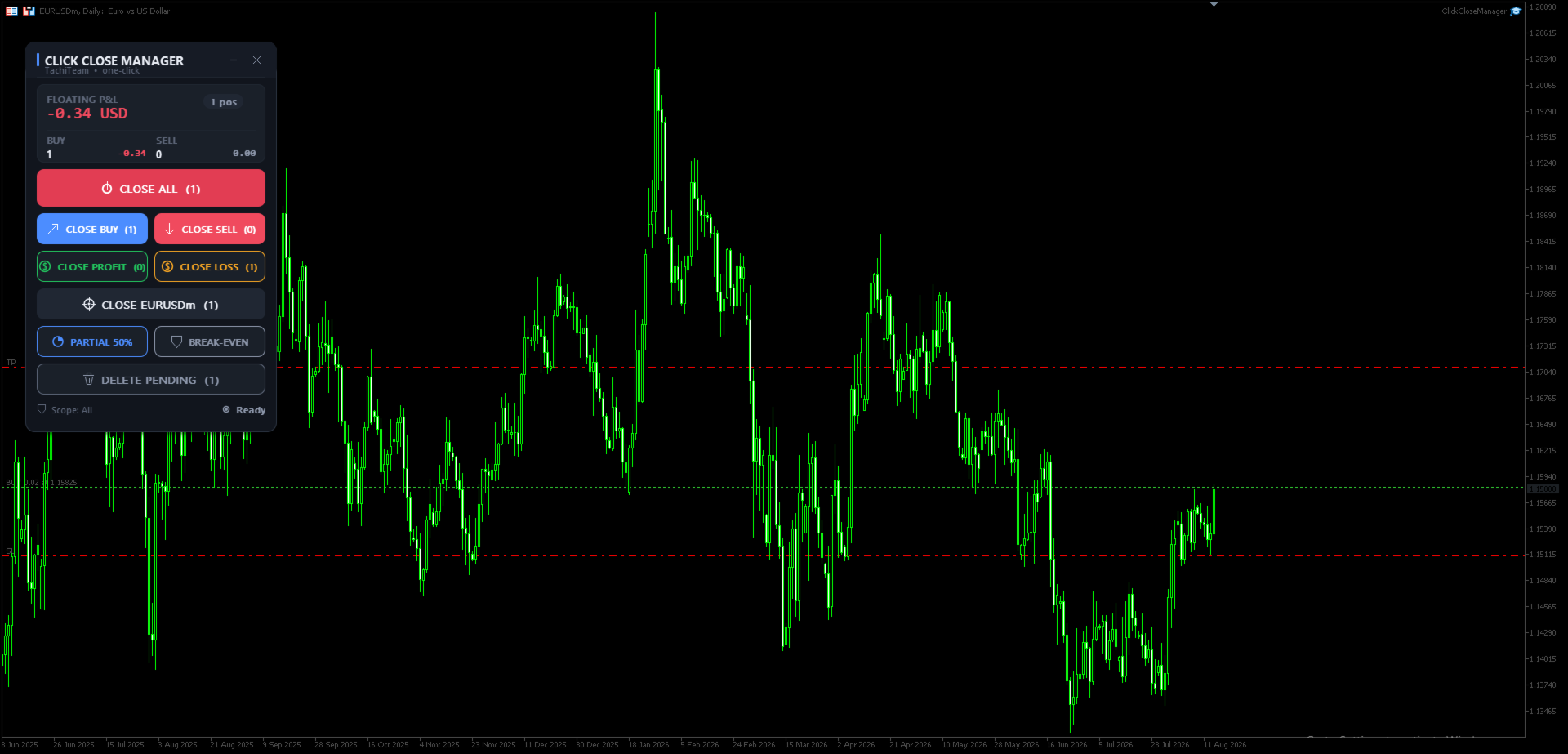
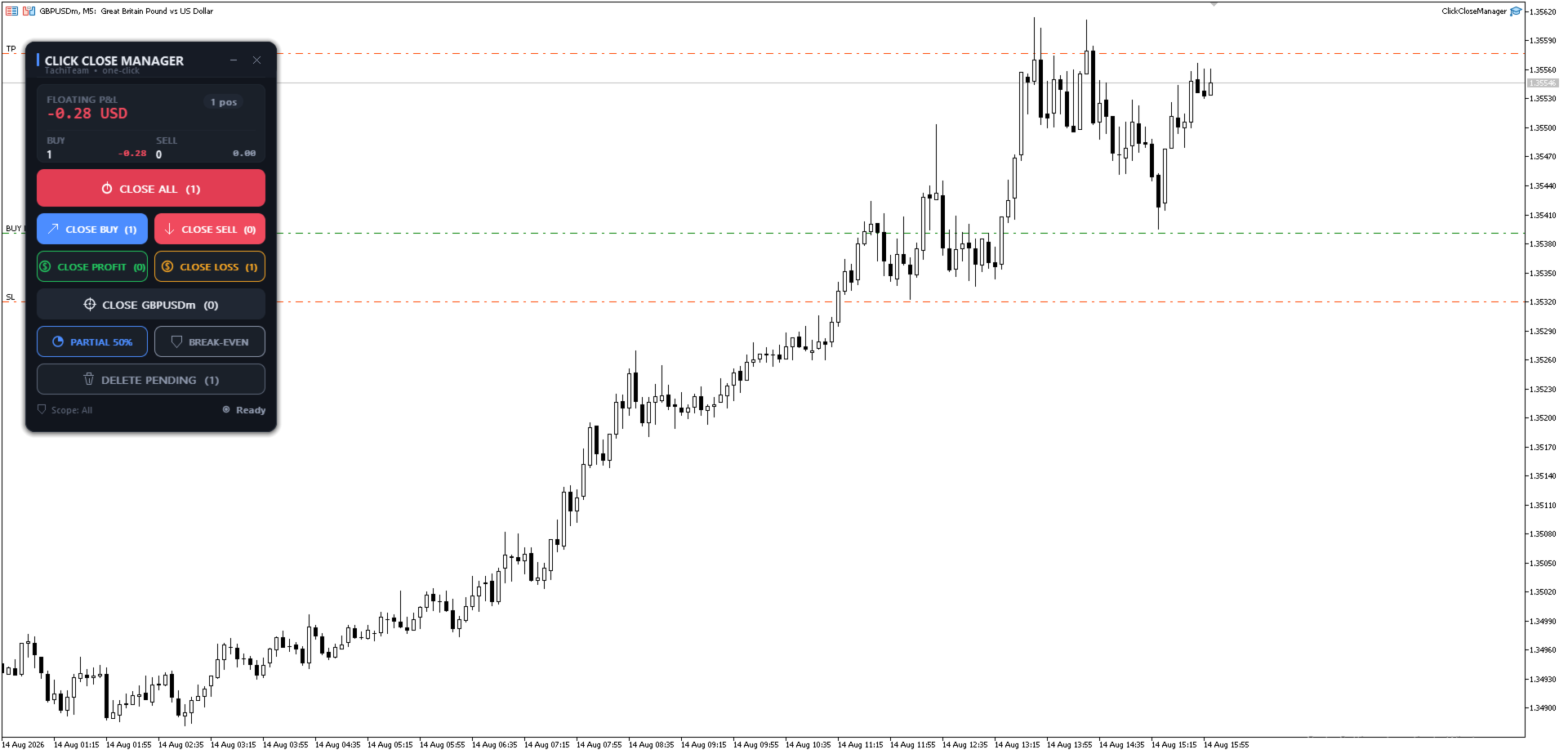
• Live account panel — floating P&L, position count, and Buy/Sell breakdown, updated every second even in a quiet market.
• In-panel confirmation — every action shows the count and P&L and asks Confirm/Cancel (no more blocking Windows pop-ups). Can be turned off.
================================================================
BUILT-IN SAFETY: MAGIC & SYMBOL FILTER
================================================================
Most "close all" tools blindly close everything on the account. Click Close Manager lets you choose exactly what it is allowed to touch:
• All positions, or
• Only a specific Magic number (manage just one EA's trades), or
• Only manual trades (magic = 0).
You can also restrict EVERY action to the current chart symbol. Run it safely alongside other Expert Advisors — it will never close what you told it to leave alone.
================================================================
PROFESSIONAL, DPI-AWARE PANEL
================================================================
• Crisp canvas-rendered interface with anti-aliased buttons and hover states.
• Dark and Light themes.
• Automatic UI scaling from your screen DPI (or set it manually).
• Drag the header to reposition; minimize to a compact title bar.
• Chart scrolling is locked while you drag the panel, so nothing shifts underneath.
================================================================
INPUTS
================================================================
Appearance
• Theme — Dark / Light
• Anchor corner — where the panel is pinned
• UI scale — 0 = auto from screen DPI
• Panel X / Y — pixel offset
Scope
• Which positions to manage — All / Only this magic / Manual
• Magic number — used with "Only this magic"
• Restrict every action to the chart symbol — on / off
Behaviour
• Ask before executing (in-panel confirmation) — on / off
• Partial-close size, % of each position (default 50)
• Break-even offset, points (locked profit)
• Max slippage, points
• "Close All" also deletes pending orders — on / off
================================================================
HOW TO USE
================================================================
1. Attach Click Close Manager to any chart (one instance is enough).
2. Make sure AutoTrading is enabled.
3. Set the Scope (All / Magic / Manual) to match how you trade.
4. Click an action, review the confirmation, and press Confirm.
Works on all symbols: Forex, Metals, Indices, Crypto, Commodities.
================================================================
NOTES
================================================================
• This is a trade-management utility, not a signal or auto-trading system. It does not open trades on its own.
• Test on a demo account first to get familiar with the panel.
• Requires AutoTrading to be enabled to close or modify orders.
WARNING: No warranty. The product is offered "as is". Trading involves risk; use at your own risk.
================================================================
Search tags: close all, close all trades, one click close, close panel,
trade manager, position manager, partial close, break even, close by profit,
close by loss, delete pending orders, trade assistant, MT4 utility, panel.