Dpi Trading Command Center
- Yardımcı programlar
-
Putu Hery Siswanto
 Hello, I am Putu Hery - Founder of Dua Putra International Foreign Exchange and Product Owner of algorithmic trading systems for MetaTrader 5.
I don’t sell dreams. I provide experience.
The market is not mine, and I do not control it. - Sürüm: 2.8
FOX CUSTOMER BENEFITS
Verified customers with qualifying MQL5 Market purchases may be eligible for complimentary FOX commercial Expert Advisors.
Learn more about the FOX Customer Benefits Program:
https://www.mql5.com/en/blogs/post/774575
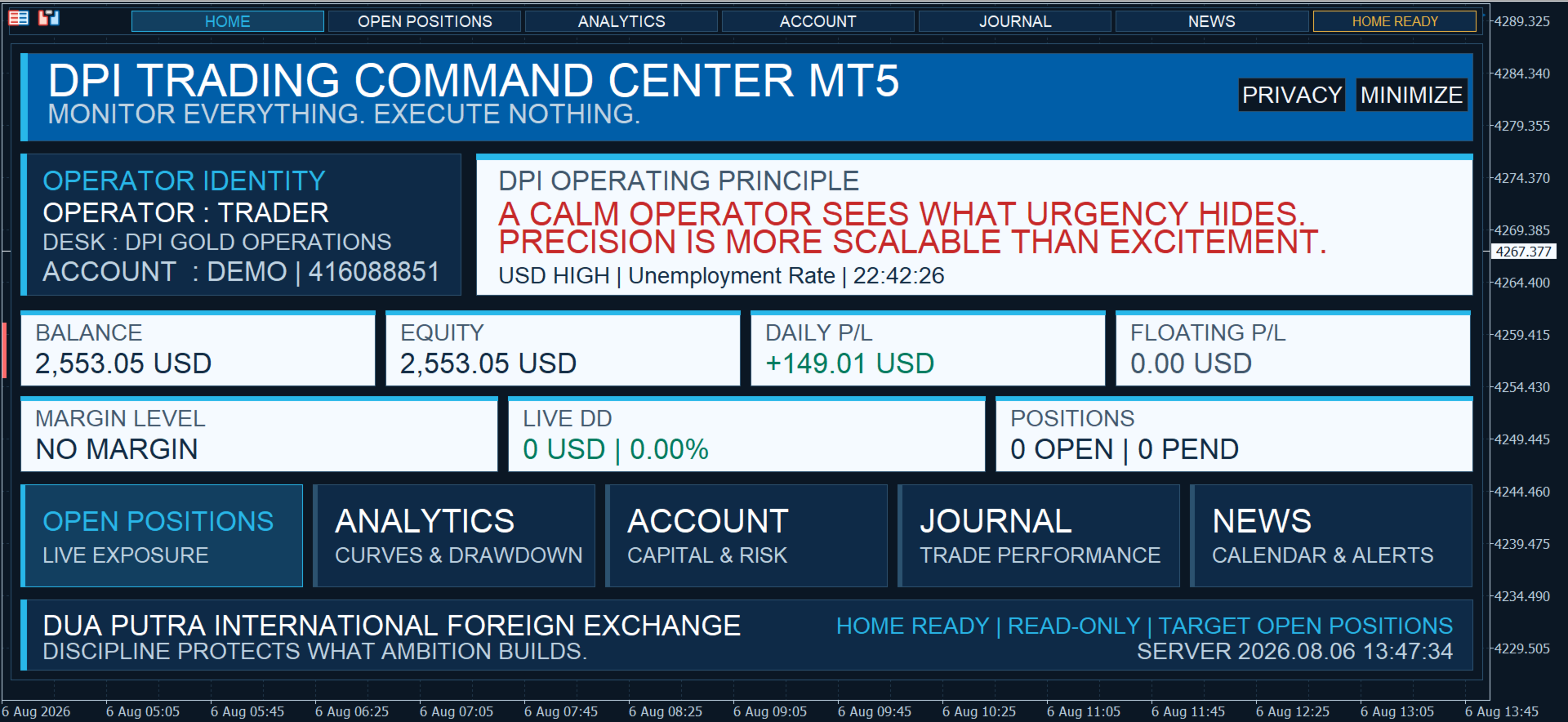
Dpi Trading Command Center is a read-only account monitoring and analysis utility for MetaTrader 5. It provides a unified dashboard for reviewing account status, open positions, pending orders, trading history, performance statistics and economic-calendar events.
The utility does not execute or manage trades. It cannot open, close, modify or delete positions or pending orders.
Main features
Home dashboard
The Home module provides a summary of:
• Balance and equity
• Daily trading result
• Floating profit or loss
• Margin information
• Current equity drawdown
• Open positions and pending orders
• Broker server time
• Upcoming high-impact USD economic events
The dashboard supports full and minimized presentation modes, optional privacy protection, configurable identity fields and adaptive sizing.
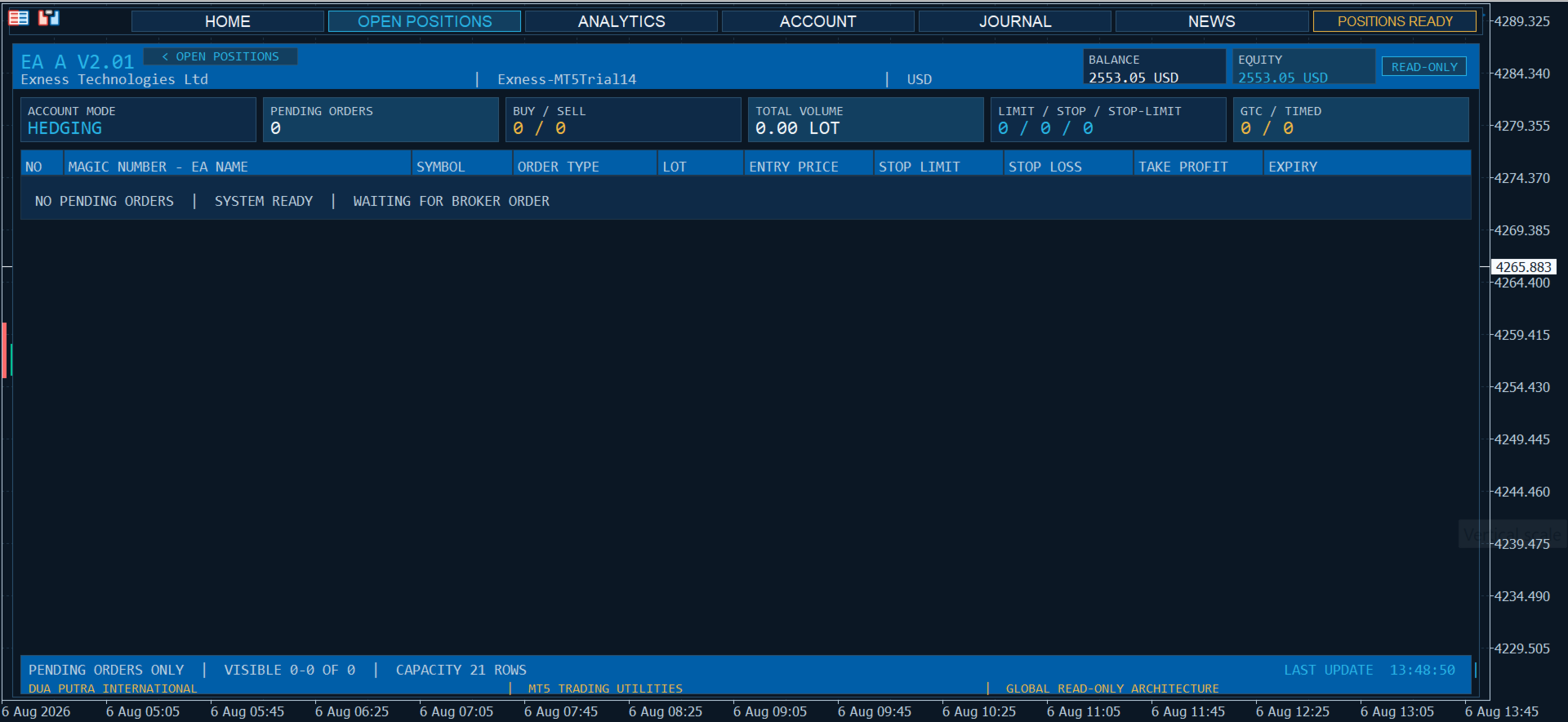
Open positions and pending orders
This module displays active positions and pending orders from the connected MetaTrader 5 account in a structured ledger.
Information is displayed account-wide and is not restricted by chart symbol, Magic Number or Expert Advisor. Positions and pending orders cannot be changed from the dashboard.
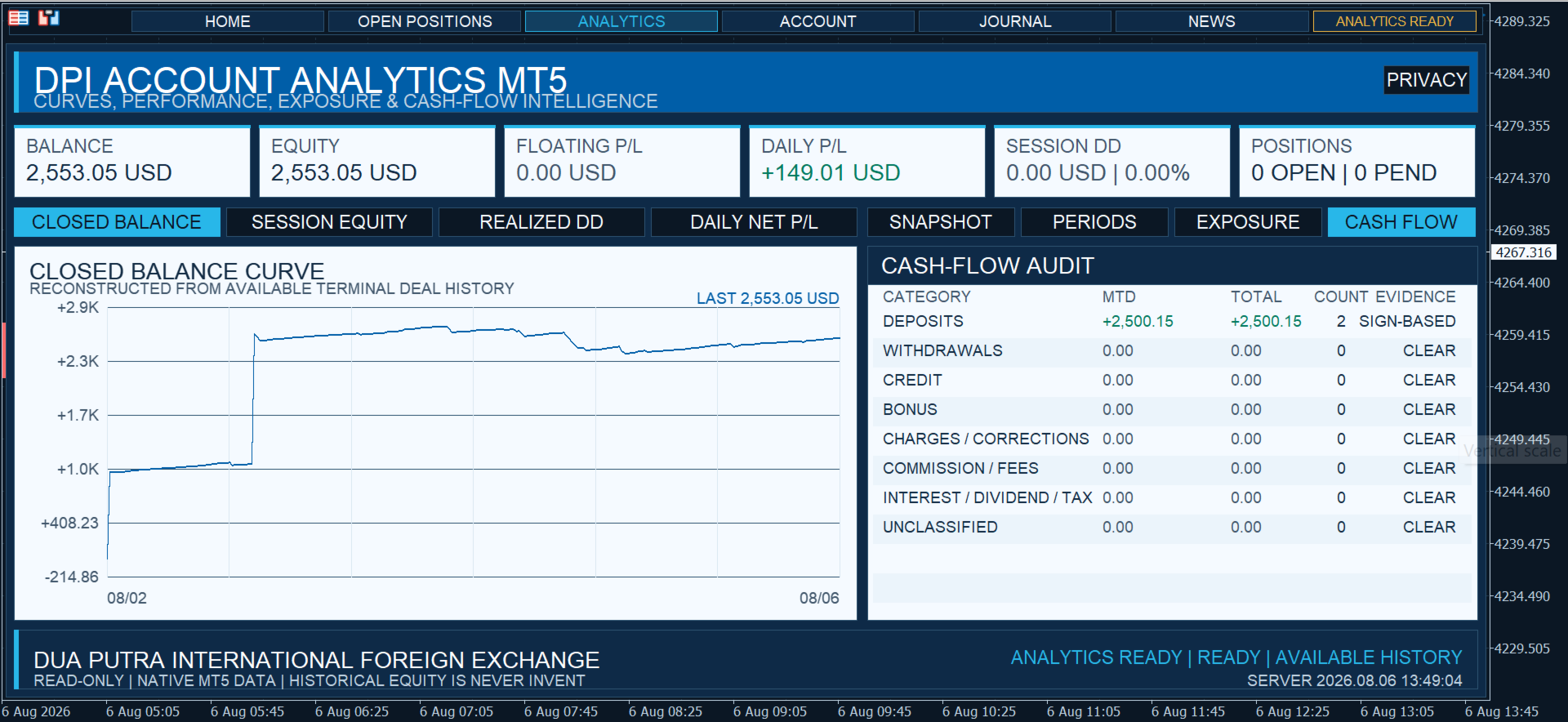
Analytics
The Analytics module combines current account information with the trading history available in MetaTrader 5.
Available graphs:
• Closed Balance
• Session Equity
• Realized Drawdown
• Daily Profit and Loss
Available tables:
• Account Snapshot
• Trading Periods
• Exposure
• Cash Flow
Where supported by the available account history, trading results are separated from deposits, withdrawals and other balance operations.
Account information
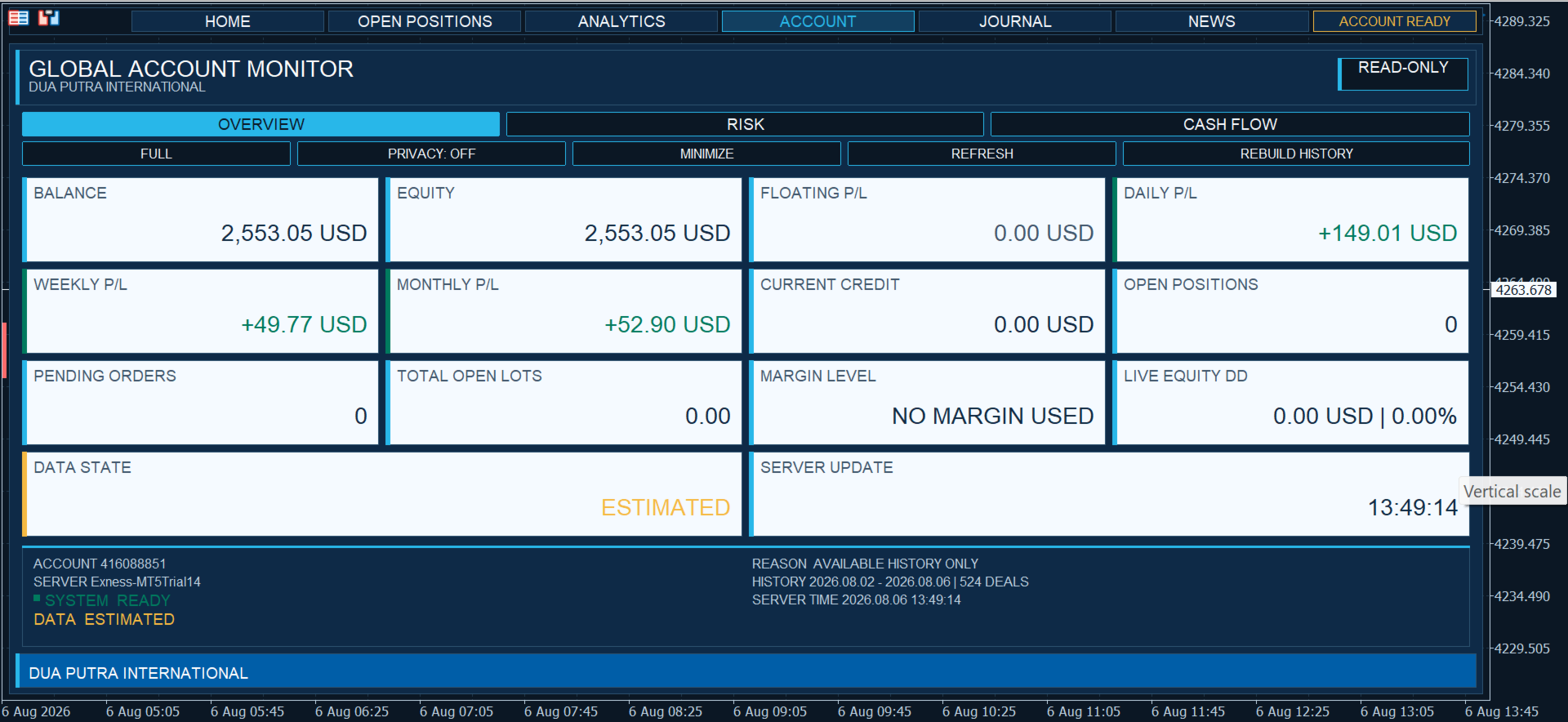
The Account module contains Overview, Risk and Cash Flow pages.
It displays:
• Balance and equity
• Floating profit or loss
• Daily, weekly and monthly performance
• Margin usage
• Market exposure
• Current equity drawdown
• Session maximum drawdown
• Deposits and withdrawals
• Available cash-flow information
Historical calculations depend on the account history available in MetaTrader 5. Estimated opening-balance information is identified separately from confirmed history data.
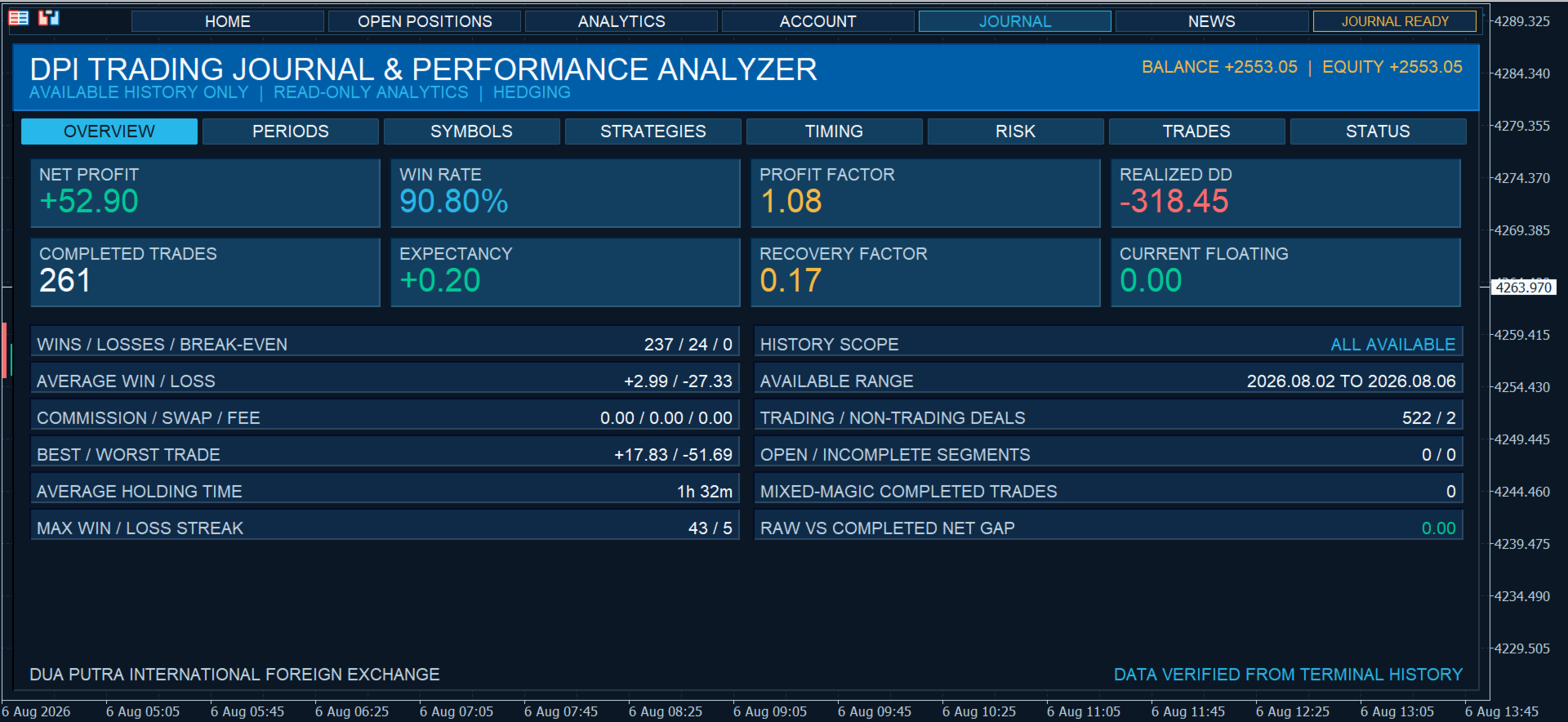
Journal and strategy statistics
The Journal module provides trading and strategy statistics based on the available account history.
The Strategies view supports up to 100 strategy groups and displays ten groups per page. Strategy groups are ranked by cumulative net result and can be reviewed using the available page controls.
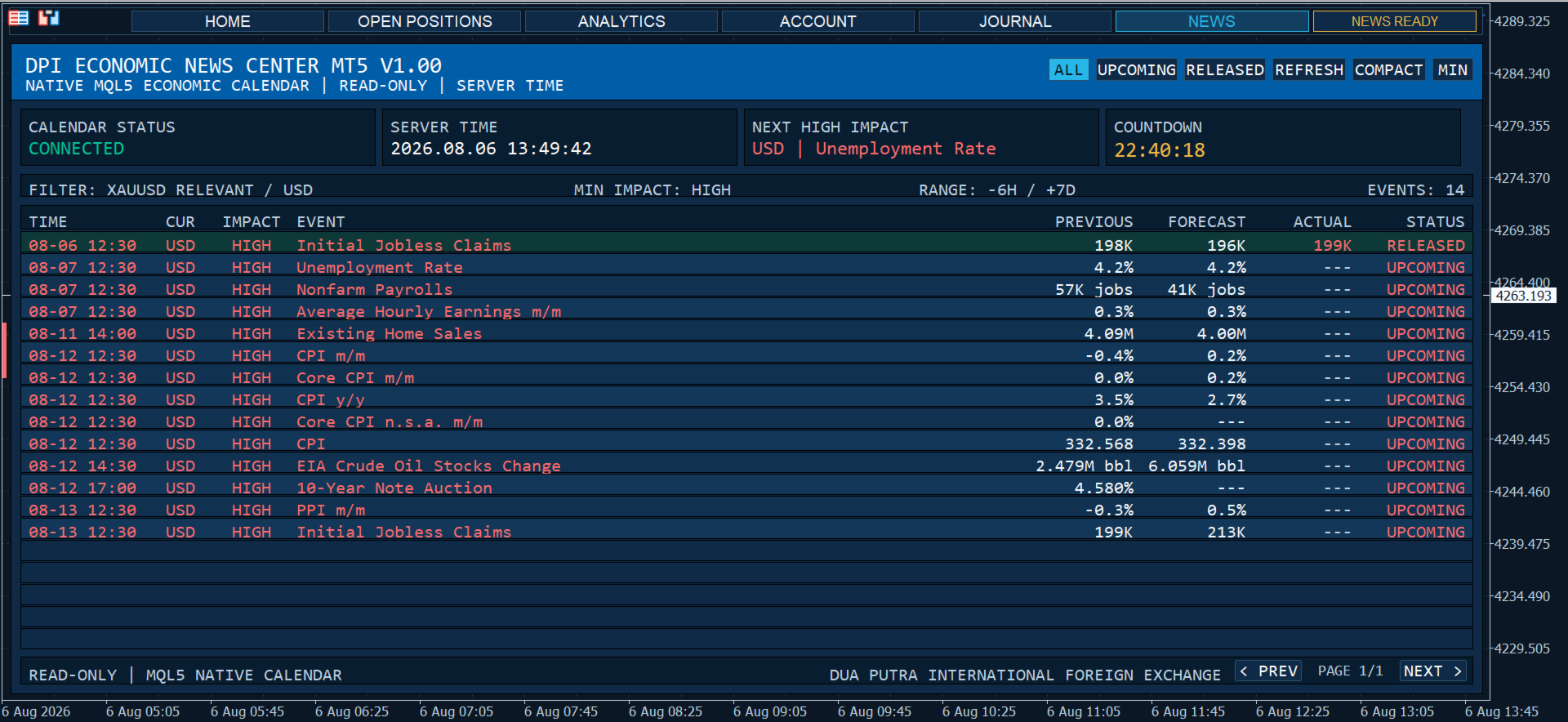
Economic calendar
The News module uses the built-in MetaTrader 5 Economic Calendar to display scheduled events, event times and impact levels.
Calendar monitoring can continue while another module is displayed. No external news service, WebRequest or external API is used.
Interface and presentation
Only one visual module is displayed at a time. Supported monitoring and data-processing functions can continue operating in the background.
Presentation options include:
• Configurable dashboard position and scale
• Full and minimized Home modes
• Remembered presentation settings
• Optional privacy mode
• Custom operator, trading desk and company identity
• Responsive text and dashboard geometry
• Optional integrated chart theme
• Restoration of the previous chart appearance after removal
Main settings
Command Center:
• Default Module
• Show Shell Title
Home presentation:
• Home Start Mode
• Dashboard X and Y
• Dashboard Scale
• Remember Presentation
• Privacy Mode
• Apply Atlantic Theme
• Restore Original Theme
Home identity:
• Operator Name
• Trading Desk
• Company Name
• Primary Slogan
• Custom Motto
Quote and calendar:
• Quote Mode
• Use Broker Server Time
• Enable Next High-Impact News
• News Look-Ahead Days
• News Refresh Interval
Analytics:
• Default Graph
• Default Table
• Dashboard X and Y
• Dashboard Scale
• Remember Presentation
• Privacy Mode
• Live Refresh Interval
• History Refresh Interval
• Maximum History Deals
• Daily Bars
• Session Equity Points
Installation
-
Install Dpi Trading Command Center through MetaTrader 5.
-
Attach the utility to one chart.
-
Keep MetaTrader 5 connected to the trading account.
-
Use the navigation controls to select a module.
-
Use a sufficiently large chart window for the clearest presentation.
Read-only operation
Dpi Trading Command Center does not:
• Open or close trades
• Modify Stop Loss or Take Profit
• Create, modify or delete pending orders
• Perform automatic trade execution
• Provide trading signals
• Use DLL files
• Use WebRequest
• Connect to external APIs
• Export account information to external files
Important information
Dpi Trading Command Center is an account monitoring and analysis utility. It is not an automated trading system and does not provide trading signals, guaranteed results or market predictions.
Historical calculations depend on the account history supplied by the broker and available in MetaTrader 5. Economic-calendar information depends on the built-in MetaTrader 5 calendar service and the terminal connection.
Account values, symbol specifications, digits, commissions and other trading information are supplied by the connected broker. Users should verify important information against their account records and should not base a trading decision on one metric alone.