EA Total Close Trade Manager MT5

EA Total Close Trade Manager MT5

Manage existing MetaTrader 5 positions from one dashboard.

EA_TOTAL_CLOSE is a position, TP/SL, and trade-management utility designed for MetaTrader 5 hedging accounts.

It is intended for traders who open positions manually or through other trading systems and want a structured way to close, protect, and manage existing positions without handling every position one by one.

From one dashboard, you can manage position groups, apply Break Even, set or remove TP/SL levels, use Trailing Stop, configure Broker or Virtual TP/SL, manage automatic profit and loss conditions, and monitor position information and the latest closing result.

EA_TOTAL_CLOSE does not generate trading signals, predict market direction, or open new positions automatically.

Trade Management at a Glance

  • Close all eligible positions
  • Close BUY positions only
  • Close SELL positions only
  • Close profitable positions only
  • Close losing positions only
  • Apply Break Even separately to BUY and SELL positions
  • Manage Manual TP and SL independently for BUY and SELL positions
  • Use Trailing Stop and optional Trailing Step
  • Use automatic Broker TP/SL or Virtual TP/SL
  • Automatically close positions by configured profit or loss conditions
  • Select Current Chart Only or All Open Orders where supported
  • Monitor floating result, position count, BUY/SELL volume, and Last Close
  • Save selected management settings for later use

EA_TOTAL_CLOSE combines batch closing controls with ongoing position-management tools. It can be used for a single position or for accounts where multiple independent positions need to be managed from one interface.

Position Management

The main dashboard provides direct controls for closing eligible positions according to the selected Close Scope.

  • Close all eligible positions
  • Close BUY positions only
  • Close SELL positions only
  • Close profitable positions only
  • Close losing positions only
  • Apply Break Even separately to BUY or SELL positions
  • Select Current Chart Only or All Open Orders
  • Process multiple eligible positions as one batch
  • Retry unsuccessful operations
  • Prevent overlapping batch operations
  • Display completed operations, total operations, errors, and execution time through the Status Bar

The selected main Close Scope also controls the dashboard information for:

  • Total Floating
  • Position count
  • BUY volume and count
  • SELL volume and count
  • Last Close

Manual TP/SL Management

Manual TP/SL manages BUY and SELL positions on the current chart symbol through four independent input fields:

  • BUY TP
  • BUY SL
  • SELL TP
  • SELL SL

Press Enter or click outside the selected field to confirm an edit.

Each field works independently:

  • Changing TP preserves the existing SL
  • Changing SL preserves the existing TP
  • Changing a BUY field does not modify SELL positions
  • Changing a SELL field does not modify BUY positions

Existing levels previously set by Break Even, Trailing Stop, Auto TP/SL, another MetaTrader terminal, a mobile device, or the broker are preserved unless the confirmed field directly changes that same level.

Manual prices are validated against the current closing-side market price:

  • BUY TP must be above the current Bid
  • BUY SL must be below the current Bid
  • SELL TP must be below the current Ask
  • SELL SL must be above the current Ask

This allows a Stop Loss to protect open profit and allows a Take Profit to reduce an existing loss when the entered level remains valid relative to the current market price.

Input behavior:

  • A valid value above zero applies only the selected TP or SL field
  • Entering zero cancels the current edit and restores the last successfully applied manual value for that field
  • Clearing the field completely removes only the corresponding TP or SL
  • Invalid or malformed text is rejected as one complete value
  • The EA does not extract and apply only the numeric part from mixed or malformed text
  • No modification request is sent when validation fails
  • The Status Bar displays the validation result

Examples of invalid input include letters, mixed numbers and letters, negative values, repeated decimal points, commas, and other malformed price formats.

When no position remains for one side on the current chart symbol, the corresponding BUY or SELL manual fields return to zero.

Manual TP/SL always applies only to positions of the current chart symbol. It is independent of the main Close Scope.

Break Even Management

Break Even can be applied separately to BUY and SELL positions.

Each eligible position is calculated independently from its own opening price.

BE Point controls the additional protective distance:

  • BE Point 0 moves Stop Loss to the position opening price
  • A positive BE Point moves Stop Loss beyond the opening price in the protective direction

Existing Take Profit values are preserved when Break Even modifies Stop Loss.

Break Even execution remains subject to the current market price, minimum Stop Level, Freeze Level, symbol specifications, and other broker rules. Some eligible positions may therefore be accepted while others are rejected.

Trailing Management

The Trailing panel provides position-by-position trailing management.

  • Trailing Stop activation
  • Adjustable trailing distance in points
  • Trailing Step activation
  • Adjustable step distance in points
  • Current Chart Only or All Open Orders scope
  • Save Settings
  • Reset Settings

Trailing Stop defines the protective distance from the current price.

Trailing Step defines how far the market must move before the next Stop Loss update.

Each eligible position is managed independently.

Automatic TP/SL

Automatic TP/SL manages eligible positions using adjustable Take Profit and Stop Loss distances.

Two operating modes are available:

  • Broker TP/SL — TP and SL levels are sent to the broker and displayed in MetaTrader
  • Virtual TP/SL — target levels are monitored internally by EA_TOTAL_CLOSE and are not sent to the broker

BUY and SELL positions are handled independently.

The Auto TP/SL panel includes its own:

  • Current Chart Only or All Open Orders scope
  • Save Settings
  • Reset Settings

Important behavior in Broker TP/SL mode:

  • Auto TP/SL adds a TP or SL only when the corresponding level is missing from an eligible position
  • Changing and saving new TP/SL point values does not move existing non-zero TP or SL levels
  • Positions opened afterward use the latest saved Auto TP/SL settings
  • A manually modified non-zero TP or SL remains unchanged while that level continues to exist
  • If a TP or SL is removed while Auto TP/SL remains enabled, the missing automatic level may be applied again

Disable Auto TP/SL before removing a level when that TP or SL must remain empty.

Automatic Profit and Loss Management

The Advanced panel can monitor configured profit and loss conditions and perform the enabled closing actions automatically.

  • Automatic profit closing
  • Automatic loss closing
  • Adjustable profit target
  • Adjustable loss limit
  • Current Chart Only or All Open Orders scope
  • Save Settings
  • Reset Settings

Only enabled functions are processed.

TP/SL Profit and Loss Estimates

The dashboard displays estimated monetary results from managed TP and SL levels.

The estimate can include levels created or modified through:

  • Manual TP/SL
  • Break Even adjusted Stop Loss
  • Trailing Stop
  • Automatic Broker TP/SL
  • TP/SL set from another MetaTrader terminal
  • TP/SL set from a mobile device
  • Virtual TP/SL

Every open position is calculated individually.

Positions without a relevant managed TP or SL are excluded from the corresponding estimate.

When positions are closed, the estimate is recalculated using the remaining positions.

The displayed currency follows the trading account currency, such as USD, USC, EUR, or GBP.

Last Close

Last Close displays the net result of the latest eligible closing event.

It can detect positions closed by:

  • EA_TOTAL_CLOSE buttons
  • Broker Take Profit
  • Broker Stop Loss
  • A Stop Loss previously adjusted by Break Even
  • Trailing Stop
  • Advanced automatic management
  • Automatic Broker TP/SL
  • Virtual TP/SL
  • MetaTrader desktop terminal
  • MetaTrader mobile application
  • Other account-side closing operations

When multiple positions are closed as one batch, the completed closing deals are combined and displayed as one total result with the number of closed positions.

Last Close follows the selected main Close Scope:

  • Current Chart Only displays eligible closing events for the current chart symbol
  • All Open Orders can display eligible closing events from any symbol in the account

Last Close is not the cumulative profit or loss of the entire trading account.

Save and Reset Settings

Settings from the following panels can be saved and restored:

  • Advanced
  • Trailing
  • Auto TP/SL

Saved settings remain available after timeframe changes and after EA_TOTAL_CLOSE is attached again.

Reset affects only the panel currently open.

Reset does not:

  • Reset the other panels
  • Close existing positions
  • Modify existing positions by itself

Dashboard and Status

EA_TOTAL_CLOSE includes:

  • Main dashboard
  • Mini dashboard
  • Advanced panel
  • Trailing panel
  • Auto TP/SL panel
  • English and Thai interface modes
  • Movable dashboard position
  • Status Bar with running, pending, validation, success, and error messages

The dashboard is designed to keep position information and management controls visible in one place while the trader remains responsible for all trading decisions.

Account Compatibility

EA_TOTAL_CLOSE is designed and validated for MetaTrader 5 hedging accounts, where multiple independent positions can exist on the same symbol.

Netting-account operation is not presented as validated.

Support and Feedback

For product support, bug reports, suggestions, or feature requests, please use the Product Comments section or send a private message through MQL5.com.

When reporting an issue, please include the MetaTrader 5 build, broker, account type, symbol, screenshots, and relevant information from the Experts or Journal logs.

Suggestions and feature requests will be reviewed, but their submission does not guarantee implementation.

Important Conditions, Limitations, and Risk Notice

  • EA_TOTAL_CLOSE is a trade-management utility. It does not provide signals, predict market direction, or automatically open positions.
  • Close commands execute immediately without a confirmation window. Always verify the selected button, symbol, scope, and number of open positions before executing a command.
  • The main Close Scope applies to the Close buttons, Break Even, dashboard totals, and Last Close.
  • Manual TP/SL always applies only to positions of the current chart symbol, regardless of the main Close Scope.
  • Each Manual TP/SL field works independently. Entering zero cancels the edit, while clearing the field completely removes only the corresponding TP or SL.
  • Advanced, Trailing, and Auto TP/SL use their own scope settings, which are separate from the main Close Scope.
  • The main Close Scope remains selected after a timeframe change. When EA_TOTAL_CLOSE is removed and attached again, the main Close Scope returns to All Open Orders.
  • In Broker TP/SL mode, changing saved Auto TP/SL point values does not move existing non-zero TP or SL levels. Positions opened afterward use the latest saved settings.
  • If a TP or SL is removed while Auto TP/SL remains enabled, the missing automatic level may be applied again. Disable Auto TP/SL first when the level must remain empty.
  • Break Even, Trailing Stop, Manual TP/SL, and Broker TP/SL are subject to the current market price, symbol specifications, minimum Stop Level, Freeze Level, and other broker rules.
  • Some positions may be accepted while others are rejected when their prices, symbols, or broker conditions differ.
  • Virtual TP/SL requires MetaTrader 5, EA_TOTAL_CLOSE, Algo Trading, the trading-account connection, and the computer or VPS to remain active.
  • If EA_TOTAL_CLOSE, MetaTrader 5, Algo Trading, the internet connection, the account connection, the computer, or the VPS stops operating, Virtual TP/SL cannot monitor or execute its conditions until operation resumes.
  • TP/SL profit and loss values are estimates only. They are not guaranteed final trading results.
  • Actual results may differ because of market movement, spread, commission, swap, slippage, price gaps, execution price, and broker conditions.
  • Batch execution time does not depend on EA_TOTAL_CLOSE alone.
  • Completion time may vary because of internet quality, ping, broker-server load, server response time, market conditions, liquidity, price changes, number of positions, and trading permissions.
  • Performance figures shown in screenshots or videos are results from those specific tests and are not fixed execution-time guarantees.
  • High-volume batch operations remain subject to broker request limits and automated trading permissions.
  • A broker may delay, reject, rate-limit, or temporarily restrict automated trade requests according to its own rules and current server conditions.
  • Retry and recovery handling cannot bypass broker, account, symbol, server, market, or regulatory restrictions.
  • Last Close displays the latest eligible closing event according to the selected Close Scope. It is not the cumulative profit or loss of the entire trading account.
  • Test all functions, scopes, and settings on a demo account before live use.
  • The user remains responsible for every trading decision, position size, selected scope, account risk, and command executed through EA_TOTAL_CLOSE.

Risk Warning: Trading financial instruments involves risk. EA_TOTAL_CLOSE cannot prevent losses caused by market movement, slippage, gaps, connection interruptions, broker restrictions, or incorrect user settings.

Önerilen ürünler
TradingX Hotkeys
Johannes Stephanus Lombard
Inputs Available Lotsizes Partial Close % You can change lotsizes as you require On an open chart click once to select chart to be able to use hotkeys on specific chart. All Pairs can be used with this expert We created this expert to be able to still trade C300 with a 0.06 Lotsize If you enter a 0.6 lot and close 0.90% you can trade with 0.06 Lot Keys to be used: B -Buy S -Sell C -Close Profitable D -Breakeven (Note if stoploss is set it won't break even) P -Partial close X -Close all
Trade Manager Panel ## Short description  Manage your manual trades with one click: automatic break-even, trailing stop, two-level partial close and risk-based lot sizing — all from a single on-chart panel. --- ## Full description Trade Manager Panel is an on-chart utility that takes care of your open trades so you can focus on the market instead of the order ticket. Drop it on any chart and it manages every position on that symbol automatically, while an interactive panel lets you size new
Close All Pro MT5 – Fast PnL Control is a powerful trade manager MT5 utility that gives you total control over your trades. With a single click, you can close all MT5 orders, monitor real-time profit and loss, and manage your floating PnL directly from a clean on-chart panel. The tool is lightweight, responsive, and built to help traders save time, reduce emotional stress, and maintain focus. Whether you trade manually or through an EA, this MT5 profit panel provides the visibility and precisio
Most prop-firm accounts are not lost because of a bad strategy, but because of one bad day. Prop Firm Guard watches your account equity every second and enforces the rules of your challenge for you. What it does Daily loss limit : in percent of the account size or in money. Measured from the balance at the start of the day, or from the higher of balance/equity (as some firms do). Floating losses are included. Maximum drawdown : static (from the initial account size) or trailing (from the highest
Smart Trade Assistant Pro MT5 Smart Trade Assistant Pro MT5 is a professional manual trading and position management utility designed to help traders manage risk, execute trades, and control open positions directly from the chart. The utility does not predict market direction and does not generate guaranteed trading signals. The trader remains in control of BUY and SELL decisions, while Smart Trade Assistant Pro helps with position sizing, risk management, execution, and trade management. Main F
KF Partial Close Manager — Automated Multi-Tier Position Scaling & Protection for MetaTrader 5 KF Partial Close Manager is an automated trade management utility for MetaTrader 5 that helps discretionary and algorithmic traders systematically secure profits. Instead of prematurely closing winning positions or exposing floating gains to sudden market reversals, this utility executes multi-stage partial closures, moves your Stop Loss to Breakeven, and maintains strict broker volume compliance. T
FREE
Prop Trade Manager Pro is not a trading strategy. It never opens a position on its own: every order comes from a button you press, and every rule is an input you set. Attach it to one chart and it sizes your trades, manages what is open, and enforces the limits that funded accounts and prop-firm challenges (FTMO, The5ers, MyFundedFX, E8 and the rest) live or die by. It is built for the trader who can find the entry but loses the account to one oversized trade or one bad day. Screenshots are r
Prop Firm Guard Pro
Shanawaz Mohammed Nabi Rasool Pinjori
Prop Firm Guard Pro protects a prop firm challenge or funded account from breaking its risk rules. It watches the whole account every second and, when a rule is broken, closes the positions, deletes pending orders and blocks new trades for as long as the rule requires. It works with manual trading and with any other Expert Advisor on the same account. It never opens trades on a live chart. Rules it enforces Daily loss limit - measured from the balance, the equity or the higher of the two at the
Barak Mega EA
Jorge Jovanny Hernandez Maldonado
BARAK MEGA EA  is a fully automated trading Expert Advisor designed for traders who demand total control, strategic flexibility, and advanced risk management within a single system. This EA functions as a true strategy builder , allowing you to combine multiple technical indicators and custom rules to adapt to any market, asset, or timeframe. Unlike traditional robots with fixed logic, BARAK MEGA EA features a modular architecture where every component can be independently enabled, disabled, and
FREE
Automatic Stop Loss and Take Profit for your manual trades. Choose the distance in price, points, pips, percent, ATR or money. Works on any symbol. Never opens trades. Donker Guard makes sure every manual position gets a Stop Loss and a Take Profit, even when you open trades in a hurry from your phone, the one-click panel or the order window. Attach it to a chart once, and every new position is protected within a fraction of a second. The EA is completely passive: on a live or demo account it
FREE
25R - WASD Order is a visual risk management EA for MetaTrader 5 that combines gaming-style WASD keyboard controls with interactive chart drawing for precise order placement. Designed for active traders who value speed and accuracy, it lets you visually plan trades by dragging entry and stop-loss lines directly on the chart, while automatically calculating position size based on your risk percentage. The tool displays color-coded profit/loss zones with real-time risk metrics, supports automatic
Эксперт собирает данные из биржевого стакана, суммируя отложенные ордера на покупку или продажу. Далее, по сумме ордеров определяется общее направление, куда смотрят участники рынка. Если суммарные покупки/продажи превышают определенный коэффициент, то производится сигнал. Настройки: Timer=5 // указывается как часто обновлять данные по рынку в секундах. Чаще чем раз в 10 секунд ставить не рекомендуется. X-size =700 // размер окна по оси Х. Y-size=650// размер окна по оси Y. Only "Market Watch"?=
Ritz Prime TradeCopier – Institutional Cross-Broker Sync Engine Say goodbye to lagging copy trades, mismatched broker symbols, and missed Stop Losses. Ritz Prime TradeCopier is an ultra-fast, high-frequency copy trading engine designed for professional portfolio managers and retail traders. Powered by a custom Bit-Banger JSON architecture and an advanced Global Variable (GV) mapping system, it seamlessly bridges multiple MetaTrader terminals on a single VPS/SERVER with true zero-lag performance.
Telegram to mt5 signal copier
Chukwuemeka Kingsley Anyanwu
5 (2)
**HERHANGİ BİR TELEGRAM KANALINDAN SİNYAL KOPYALAR VE YÖNETİCİ YETKİSİ OLMADAN MT5 ÜZERİNDE İŞLEMİ ANINDA GERÇEKLEŞTİRİR!** Telegram üzerinden trading sinyalleri alıyor ve bunların MetaTrader 5'te anında işleme konulmasını mı diliyorsunuz? **Telegram to MT5 Signal Copier**, Telegram sinyal kanallarınız ile MetaTrader 5 arasında güçlü bir köprüdür. Belirli bir Telegram kanalındaki mesajları izler, trading sinyallerini (sembol, işlem yönü, giriş fiyatı, stop loss ve take profit dahil) otomatik
JYPF Trade Panel is a professional, interactive trading assistant for MT5. It features dynamic 3-line synchronization (Entry/SL/TP) with "Instant Click-and-Drag" technology. Avoid mouse blockages with our cutting-edge translucent trend-zone visualization. Real-time floating profit/loss projections and Risk-to-Reward (R:R) ratios are calculated instantly on your chart. Complete with one-click break-even, 50% partial close, trailing pips, and global equity protection—the ultimate toolkit for scalp
FREE
Pro Trade Manager Panel, tüm manuel işlem akışınızı MetaTrader 5 grafiğindeki tek bir panelde toplar: işlemi görsel olarak planlayın, panel pozisyon büyüklüğünü riskinize göre hesaplasın, emirleri gönderin, sonra yönetin ve koruyun. Forex, metaller, endeksler ve diğer sembollerde çalışır. GÖRSEL İŞLEM PLANLAMA Giriş, Stop Loss ve Take Profit kutuları grafikte çizilir; ayarlamak için sürükleyin. 1, 2 veya 3 Take Profit seviyesi (bölünmüş lot). İsteğe bağlı Step SL: SL, TP1 sonrası girişe, TP2 son
Order Flow Footprint Workspace is a read-only order-flow and market microstructure workspace for MetaTrader 5. It transforms the tick data provided by your broker into an interactive session-based footprint view with price-level activity, profiles, historical navigation and diagnostics. The workspace automatically adapts to the information actually available in the broker feed and does not invent trade direction when the source data cannot support it. MAIN FEATURES • Footprint candles with S
FlemingoFx Scalper Pro - Smart On-Chart Execution & Risk Management Utility FlemingoFx Scalper Pro is an intuitive, fast-execution trading utility engineered for scalpers, day traders, and prop firm traders who demand millisecond execution precision without manual calculation errors. Designed directly for on-chart trade management, FlemingoFx Scalper Pro automates position sizing based on strict cash risk, dynamic R:R targets, spread compensation, and partial exits all accessible from a compa
Atlas Trade Desk MT5 Atlas Trade Desk MT5 is a visual trade panel, risk manager and lot calculator for manual MetaTrader 5 traders. Plan market and pending orders directly on the chart, calculate position size from your selected risk, adjust Entry, Stop Loss and Take Profit visually, and manage open positions from one clean dashboard. The tool is built for discretionary traders who want faster order preparation, clearer risk control and safer position management without switching between multipl
"Support or Resistance Alert Broken" is a simple and very intuitive tool that allows you to create or eliminate horizontal and trend supports and / or resistances with a simple click. When the support or resistance line is broken by the closing price at the end of the current candle, the "Support or Resistance Alert Broken" tool will send an alert with sound, as well as a notification to the MT4 or MT5 mobile application. This tool can send alerts from multiple pairs at the same time. Utility
Bu danışman, tek bir tıklamayla birden fazla çiftte işlem yapmanıza olanak tanıyan bir kontrol panelidir. Tıklamak       açık       Bu düğme seçilen çift için bir emir açar. Tıklamak       kapalı       Bu buton seçilen çiftin emrini kapatır. Sipariş lotu kullanıcı tarafından girilen sayıdır. Pozitif sayılar alış emirlerine, negatif sayılar ise satış emirlerine karşılık gelir. Siparişin yalnızca bir kısmını değil tamamını kapatmak için   Kapat düğmesini   tıklayın. Nihai işlem bilet numarasına b
**Forex Trade Manager Pro MT5** **Trade Manager MT5** , MetaTrader 5 için kapsamlı bir işlem yönetim yardımcı programıdır ve bir işlemi planladığınız andan kapattığınız ana kadar pozisyonunuzun her yönü üzerinde size tam kontrol sağlar. Riski ciddiye alan yatırımcılar için tasarlanmıştır; disiplin oluşturan acemiden, birden çok pozisyonda anında işlem yapması gereken profesyonel skalpera kadar herkes için uygundur. Araç herhangi bir grafiğe eklenir ve temiz, kompakt bir panel sunar. Grafik üz
QuickTrade Panel — One-Click Buy/Sell with Live Risk & Reward Preview Trade faster and smarter, directly from the chart — no order window required. QuickTrade Panel is a lightweight, fully manual trading panel for MetaTrader 5. It sits on your chart as a draggable floating window, giving you instant Buy/Sell execution with full control over lot size, stop loss, take profit, and risk-to-reward — all visible before you click. Key Features One-click Buy / Sell execution Large, color-coded SELL and
ProTrading Panel — Manuel İşlemler İçin En Gelişmiş Ticaret Yardımcısı ProTrading Panel ile manuel işlem deneyiminizi bir üst seviyeye taşıyın. Emirlerin yıldırım hızında iletilmesi için tasarlanan bu Uzman Danışman (EA), çalışma alanınızı daraltmadan grafiklerinize mükemmel şekilde uyum sağlayan şık ve gözü yormayan dikey bir arayüz sunar. İster ekrana fareyle tıklamayı tercih edin, ister klavye kısayollarını kullanarak işlemlerinizi ışık hızında gerçekleştirin; bu araç tamamen sizin için tasar
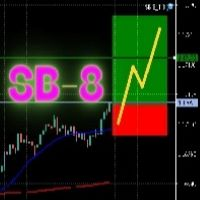
SB-8 – Manual Trading Panel with Fixed Risk & TradingView-Style Visualization for MT5 SB-8 is an advanced manual trading panel for MetaTrader 5 , designed to execute trades visually, quickly and without calculations . It is especially built for traders coming from TradingView , who often find MT5 confusing when it comes to risk management and trade visualization. With SB-8, you don’t calculate lot size, percentages or risk . You simply move the Stop Loss line , and the panel handles everything a
Advanced Trailing Stop & Break-Even Expert Advisor with Partial Profit Taking Overview Unlock the full potential of your trading strategy with this Expert Advisor that automates trade management to maximize profits and minimize losses. Designed for both novice and experienced traders, this EA offers precise control over your trades with customizable trailing stops, break-even protection, and partial profit taking — all working seamlessly to protect your capital and lock in gains. Key Features Dy
KS Hotkey Trading Panel Pro, hızlı klavye tabanlı işlem yapma imkanı ve grafik üzerinde tıklanabilir bir kontrol paneli sunan bir MetaTrader 5 Expert Advisor'ıdır. Temel Özellikler Kısayol tuşuyla işlem yapma — Şu işlemler için tek tuşla komut verme: Piyasa Fiyatından Alış / Satış (Market Buy / Sell) Buy Limit / Sell Limit Buy Stop / Sell Stop Tüm pozisyonları kapatma Sadece Alış (Buy) pozisyonlarını kapatma / Sadece Satış (Sell) pozisyonlarını kapatma Bekleyen tüm emirleri silme Lot bo
Chart Sync MT5 Trading Capital P, grafiklerinizi bir işlem platformunun çalışma alanındaki bağlantılı pencereler gibi renkli gruplar halinde birbirine bağlar. Bir grafikte sembolü değiştirin, diğerleri de değişsin; fareyi hareket ettirin, diğer grafiklerde de bir artı imleç takip etsin; geçmişte geriye kaydırın, diğer grafikler aynı tarihe gitsin; bir seviye çizin, o sembolün bağlı tüm grafiklerinde görünsün. Ücretsizdir ve eksiksizdir, hiçbir sınırlaması yoktur. Nelerin senkronize edildiği Semb
FREE
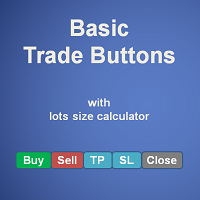
Basic Trade Buttons is a tool to help you to quickly open and close trades, place take profit and stop loss points by clicking on the button of each job that you preferred. Once you attached this tool to mt5 chart, the program will calculate a trade volume(Lots size) automatically to prepare to send to the trade server when you click on 'Buy' or 'Sell' button. Click on 'TP', 'SL' or 'Close' button to place take profit, stop loss based on the predefined levels or to close all open positions respe
MNFM Equity Protection MT5 An account-wide equity monitoring and liquidation utility. It does not open trading positions and does not generate trading signals. Choose two percentage thresholds from the dashboard: when protection becomes armed, and when liquidation is requested. The default is to arm after 30% equity growth above cumulative deposits and request liquidation if equity returns to the deposit baseline. Immediate activation and negative thresholds are available. The action threshold
FREE
Bu ürünün alıcıları ayrıca şunları da satın alıyor
Trade Assistant MT5
Evgeniy Kravchenko
4.43 (216)
It helps to calculate the risk per trade, the easy installation of a new order, order management with partial closing functions, trailing stop of 7 types and other useful functions. Additional materials and instructions Installation instructions - Application instructions Line function -   shows on the chart the Opening line, Stop Loss, Take Profit. With this function it is easy to set a new order and see its additional characteristics before opening.   Risk management  - The risk calculation
Farmed Hedge Yield Farming | All Markets (Manual - Hybrid - Semi/Automated EA) VERIFIED TRADING RESULTS - Farmed Hedge Yield Axi Copy:  https://www.mql5.com/en/signals/2356376 - Farmed Hedge Yield Exn Copy:   https://www.mql5.com/en/signals/2356404 - Farmed Hedge Yield V Copy:  https://www.mql5.com/en/signals/2357156 IMPORTANT NOTICE: FarmedHedge is a MANUAL-FOCUSED TRADING UTILITY ,not a fully automated EA. Results shown on this Signal include manual trades and overall strategic management.
Trade Manager EA’ye hoş geldiniz! Ticaretin daha sezgisel, hassas ve verimli hale gelmesi için tasarlanmış nihai risk yönetim aracı ile tanışın. Bu sadece bir emir verme aracı değil; ticaret planlaması, pozisyon yönetimi ve risk kontrolü için kapsamlı bir çözüm. İster yeni başlayan bir yatırımcı olun, ister deneyimli bir trader ya da hızlı emir gerektiren bir scalper, Trade Manager EA ihtiyaçlarınıza uyum sağlar ve forex, endeksler, emtialar ve kripto paralar dahil tüm piyasalarda esneklik sunar
Telegram to MT5 Multi-Channel Copier   , Telegram ve Discord kanallarınızdaki alım-satım sinyallerini doğrudan MetaTrader 5'e otomatik kopyalar. Bot yok, tarayıcı uzantısı yok, elle kopyalama yok. Sinyal Telegram'a veya Discord'a düşer ve EA birkaç saniye içinde terminalinizde işlemi açar. Ve bir kanalı kopyalamadan önce, yerleşik backtester o kanalın hesabınızda ne yapmış olacağını gösterir. Ürün iki bileşenden oluşur: Telegram kanallarınızı dinleyen bir Windows uygulaması ve sinyalleri MT5 ter
TradePanel MT5
Alfiya Fazylova
4.88 (173)
Trade Panel, çok işlevli bir ticaret asistanıdır. Uygulama, manuel ticaret için 50'den fazla ticaret fonksiyonu içerir ve çoğu ticaret görevini otomatikleştirmeyi mümkün kılar. Uygulama talimatları: https://www.mql5.com/en/blogs/post/756482 Demo hesabı için uygulamanın deneme sürümü: https://www.mql5.com/en/blogs/post/750865 Uygulamayı nasıl kurulur: https://www.mql5.com/en/blogs/post/756239 Uygulamayı görsel modda nasıl test edilir: https://www.mql5.com/en/blogs/post/770277 Uygulamayı VPS MetaT
News Trade EA MT5
Konstantin Kulikov
4.55 (11)
Birkaç yıldır kullandığım çok yararlı bir robotu tanıtıyorum. Hem yarı otomatik hem de tam otomatik modlarda kullanılabilir. >>> Chat <<< Program, ekonomik takvim haberlerinde esnek ticaret ayarlarını içeriyor. Stratejiler test cihazında kontrol edilemez. Sadece gerçek bir iş. Ayarların en son arşivini indirin: https://www.mql5.com/en/blogs/post/747929 Sinyal izleme: https://www.mql5.com/en/signals/author/test-standart Bu bilirkişi için kendi ayarlar setinizi oluştururken, blogdaki tüm paramet
Telegram sinyallerini kendi işlem kurallarınızla kopyalayın Telegram to MT5 Signal Trader , herkese açık ve özel Telegram kanallarındaki ve gruplarındaki metin tabanlı işlem sinyallerini otomatik olarak MetaTrader 5'e kopyalar. Tek bir masaüstü uygulamasından birden fazla sinyal sağlayıcısını ve MT5 hesabını yönetin; her sağlayıcı için ayrı risk ve işlem ayarları belirleyin. Sinyal kopyalamak için Telegram botu veya API kurulumu gerekmez. Kendi Telegram hesabınızla telefon numarası veya QR kod k
EA Overfitter
Stephen J Martret
5 (4)
That backtest looks great. But will it still be making money tomorrow, next week, next month? EA Overfitter re-runs your EA on 100 price histories it has never seen. One score tells you if the edge is real. A backtest tells you what an EA did on one price history — the one that happened to occur. What you cannot tell from it is how much of that result was the strategy and how much was the particular path. EA Overfitter answers that. It builds up to 100 synthetic price histories your EA has n
================================================================================ POC BREAKOUT - V20.72. Full Professional Grade Toolkit ================================================================================ POC Breakout is a full MetaTrader 5 trading dashboard for discretionary traders who want breakout signals, Point of Control (POC) context, volume profiles, order flow, market structure, news, alerts, and advanced trade planning in one professional workspace. Attached directly to you
The product will copy all telegram signal to MT5 ( which you are member) , also it can work as remote copier.  Easy to set up, copy order instant, can work with almost signal formats, image signal,  s upport to translate other language to English Work with all type of channel or group, even channel have "Restrict Saving Content", work with  multi channel, multi MT5 Work as remote copier: with signal have ticket number, it will copy exactly via ticket number. Support to backtest signal. How to s
Power Candles Strategy Scanner: Kendini Optimize Eden Çoklu Sembol Kurulum Bulucu Her kıpırtıda öten bir tarayıcı, size onu görmezden gelmeyi öğretir. Hareketli tek bir mum kapanışı, peş peşe uyarılar ve gerçekten işlem yaptığınız o tek kurulum gürültünün içinde kaybolur. Power Candles Strategy Scanner , kendini optimize eden Power Candles motorunu Market Watch'unuzdaki her sembolde çalıştırır ve yalnızca kendi filtrelerinizden geçen durumlar için uyarır: son kapanan mumun gücü, kurulumun ödül/r
Sonraki Güncelleme — Sürüm 2.52 Çok Yakında! [YENİ] Piyasa Analizinizi ve İşlem Sürecinizi Geliştirmek İçin Tasarlanmış 4 Büyük Yeni Özelliğe Hazır Olun İşlem ihtiyaçlarınızı karşılamak üzere tasarlanmış 4 yeni özellikle piyasa analizini bir üst seviyeye taşıyoruz. İşte yeni özellikler: TRADE OVERVIEW DASHBOARD CONFLUENCE AT ZONE STRONG & WEAK HIGH/LOW OTE 1. TRADE OVERVIEW DASHBOARD Piyasanın genel görünümünü daha kolay anlamanıza yardımcı olan, işlem kararlarınızı desteklemek için rehberlik s
Your EAs cannot see each other, but Anchor can. Anchor gives you one place to coordinate your EAs, manage risk, and decide when trading is allowed. It works alongside the trading bots you already use without any changes to them. The Problem One EA opens a trade. Then another starts trading. The next thing you know, you wake up to multiple grids built across your account. Each EA may be doing exactly what it was designed to do, but together they can place far more risk on your account than you in
EA Auditor
Stephen J Martret
5 (7)
EA Auditor is an independent analysis tool for traders evaluating Expert Advisors and trading signals on MetaTrader 5. It audits backtest reports, reviews posted developer signals, and cross-verifies the two against each other to help traders assess strategies before committing capital. The MQL5 market offers a wide range of Expert Advisors from many developers, with varying approaches, quality, and transparency. EA Auditor provides a consistent, data-driven framework for reviewing them, answer
MT5 to Telegram Signal Provider , hesabınızı bir sinyal sağlayıcı haline getirerek belirtilen sinyalleri Telegram'ın sohbetine, kanalına veya grubuna göndermeyi sağlayan kullanımı kolay, tamamen özelleştirilebilir bir araçtır. Rakip ürünlerin çoğunun aksine, DLL içe aktarması yapmaz. [ Demo ] [ Kılavuz ] [ MT4 Versiyonu ] [ Discord Versiyonu ] [ Telegram Kanalı ]  New: [ Telegram To MT5 ] Kurulum Adım adım bir kullanıcı kılavuzu mevcuttur. Telegram API'si hakkında bilgi gerekmemektedir; ihtiyac
RETAILBERG FOOTPRINT CHART PRO — Order-Flow Workspace for MetaTrader 5 Version 7.00  |  Professional System  |  31 tools  |  One chart A full 150-page illustrated User Manual is included. Please read the full manual to understand this feature packed footprint chart elements and ui. https://www.mql5.com/en/blogs/post/777982 DEMO / STRATEGY TESTER — PLEASE READ FIRST
VirtualTradePad PRO SE MT5 — MetaTrader 5 için profesyonel işlem kontrol merkezi VirtualTradePad PRO SE , MetaTrader 5 için grafik tabanlı premium bir işlem paneli ve trade yönetim çalışma alanıdır. Daha hızlı emir yürütme, daha net pozisyon kontrolü, yapılandırılmış trade yönetimi, görsel seviye planlama ve doğrudan grafik üzerinden profesyonel bir çalışma akışı isteyen traderlar için tasarlanmıştır. Bu yalnızca basit bir BUY / SELL paneli değildir. PRO SE; manuel işlem, bekleyen emirler, pozis
Trader Evolution
Siarhei Vashchylka
5 (7)
" Trader Evolution " - A utility designed for traders who use wave and technical analysis in their work. One tab of the utility is capable of money management and opening orders, and the other can help in making Elliott wave and technical analysis. Manual (Be sure to read before purchasing) | Version for MT4 Advantages 1. Trading in a few clicks. Immediate and pending orders are available in the panel 2. Money management. The program automatically selects the appropriate lot size 3. Simplifies
AW Trade Manager
AW Trading Software Limited
AW Trade Manager, grafikte risk/ödül aracı bulunan bir MetaTrader 5 işlem panelidir. İşlem, fareyle sürüklenen Entry, Stop Loss ve Take Profit çizgileriyle planlanır: etiketler fiyatı, mesafeyi ve para tutarını, bölgeler kârı ve zararı gösterir, hacim ise riske göre hesaplanır. Gönderimden önce onay penceresi işlemin tamamını risk, teminat ve pozisyon kurallarıyla birlikte gösterir. Kılavuz ve talimat -> BURADA / Ücretsiz LIVE demo -> BURADA Girişten sonra pozisyonu yönetmek için panelde başabaş
Grafik Üzeri İşlem Asistanı & Risk Yönetimi Paneli Çoklu Mod SL & TP (ATR, R:R, Puan, Hesap Para Birimi), Canlı Analitik ve Ekonomik Takvim Sunan Eksiksiz Grafik Üzeri Araç Ergotick Trade Manager ; manuel (diskresyonel) işlemciler, fon firması (prop firm) mücadelesi verenler ve scalper'lar için tasarlanmış hepsi bir arada profesyonel bir işlem panelidir. Anlık otomatik lot büyüklüğü hesaplamalarını, çoklu mod Stop Loss ve Take Profit kurulumlarını, gelişmiş sepet (basket) yönetimini, canlı hesap
Master Your Trading Discipline   Stop losing your hard-earned gains to overtrading and emotional decisions. The Discipline Tool is your ultimate trading assistant, ensuring strict risk management in real-time. Key Protection Features: Advanced Drawdown Defense : Automatically halts trading if your daily drawdown exceeds a preset threshold (percentage or dollar amount). Real-Time Equity Lock : Safeguard profits by referencing peak equity, ensuring drawdown stays within control. Hard Profit Target
Dealer's Panel No signal decides anything here — a hand does. One click, and the panel calculates what's underneath: lot size from risk, target from a 30-step balance ladder that remembers exactly how far an account has climbed. Toggle between market and pending without touching an input field. Set a stop, and the take-profit can write itself — a fixed share of the balance, translated into price with no arithmetic left for the trader to get wrong. One trade live at a time; it won't let a seco
25% discount on the release of the tool: only for the next 3 buyers Send a message to receive a demo version. AstroTrade Trading Assistant AstroTrade is a comprehensive multi-functional trading utility developed for the MetaTrader 5 platform. It integrates essential tools for trade execution, risk management, and technical monitoring into a single unified interface. The application is designed to assist traders in managing their daily operations through a visual and structured environment. Vi
Bneu Prop Firm Pass System
Marvinson Salavia Caballero
5 (1)
BNEU PROP FIRM PASS SYSTEM v2.37 PRODUCT OVERVIEW Bneu Prop Firm Pass System is a professional risk management and account protection utility for MetaTrader 5. Attach to any chart and configure your account rules. The system monitors daily loss, maximum drawdown, profit target, trading days, open risk, margin usage, news events, pending orders, weekend restrictions, and rollover restrictions from one dashboard. It includes a 5-tab premium dashboard, prop firm presets, custom rules, Risk Sentine
AlgoRadar
Stephen J Martret
5 (4)
AlgoRadar is an on-chart analytics dashboard for MT5 that aggregates Expert Advisor performance across multiple accounts, brokers, and platforms, including both MT4 and MT5 data, into a single live view on your MT5 chart. All analysis runs from the chart interface, with no external applications or manual report processing required. EA Analysis and Ranking For traders running multiple Expert Advisors, AlgoRadar provides a consolidated view of each EA's performance across accounts. Active EAs a
REVDEN AI Desk: Trading'inizi Kendi Yapay Zekanızla Tek Bir Sohbetten Yönetin, REVDEN'in Piyasa Bağlamıyla Trading'inizi tek bir sohbetten yönettiğinizi düşünün. REVDEN AI Desk bunu MetaTrader 5'e getiriyor: kendi yapay zekanıza piyasayı nasıl okuduğunu sorarsınız, o da işlem yaptığınız semboller hakkında REVDEN'in tam bağlamından, yani durumlarından, risk görünümlerinden ve yaklaşan açıklamalardan yanıt verir. Önerileri giriş, stop, hedef ve riskle gelir; uygun olanları siz onaylarsınız. Kurall
Trade Indicator Assistant   is a powerful MT5 utility designed to turn indicators into automated trading systems. Its main feature is the ability to automatically detect an indicator’s   BUY and SELL signal buffers , without requiring you to know the buffer numbers, search through indicator settings, or modify the indicator source code. Bonus Indicator:   After purchasing Trade Indicator Assistant, contact me to receive   Trade Signal Pro   completely free as a bonus indicator. [Download Demo V
PRO LOCAL TRADE COPIER MT5 — ALL-IN-ONE MASTER & SLAVE EDITION ============================================================== Pro Local Trade Copier MT5 is an institutional-grade, ultra-low-latency trade duplication utility engineered for professional traders, prop firm challenge traders, and multi-account managers operating on the same PC or Windows VPS. Unlike traditional copiers that require separate Master and Slave files or complex external DLL configurations, Pro Local Trade Copier MT5
Smart Renko Chart
Gianny Alexander Lugo Sanchez
This Expert Advisor creates a custom symbol (for example EURUSD_RK) from the symbol of the chart and converts the same chart to Renko. The chart keeps updating tick by tick. A control panel on the chart lets you change the Renko type and the way the brick size is calculated without restarting. Markets It works on any symbol that your broker offers in the terminal: forex pairs, stocks, indices, metals, energies, cryptocurrencies and synthetic indices. The brick size can be set in points, as a per
Riskinizi otomatik olarak hesaplarken işlemlere hızlı bir şekilde girip çıkmanıza yardımcı olacak Ticaret Yöneticisi. Aşırı Ticaret, İntikam Ticareti ve Duygusal Ticaretten korunmanıza yardımcı olacak özellikler içerir. İşlemler otomatik olarak yönetilebilir ve hesap performans ölçümleri bir grafikte görselleştirilebilir. Bu özellikler, bu paneli tüm manuel yatırımcılar için ideal kılar ve MetaTrader 5 platformunun geliştirilmesine yardımcı olur. Çoklu Dil desteği. MT4 Sürümü  |  Kullanım Kılavu
Filtrele:
Değerlendirme yok
Değerlendirmeye yanıt